










Struggling with last-minute shift changes or dealing with understaffed peak hours? I’ve been there too, scheduling can quickly become one of the most stressful and time-consuming parts of running a business.
That’s where rostering software application offers comes in. It helps me automate shift planning, improve team visibility, and stay compliant with labor regulations, all while saving valuable time. Whether I’m managing a retail team or overseeing staff in a hospital, the right tool makes scheduling smoother.
In this article, I’ll share the top 10 rostering software applications in Malaysia for 2026 to help you discover which one best fits your needs and keeps your team productive, aligned, and ready for the future.
Key Takeaways
|
Top Rostering Software in Malaysia Shortlist




Best Because
Employee time tracking and scheduling solution that saves business owners time

Best Because
Simplifies staff management with smart scheduling and real-time reporting tools

What is Rostering Software?
Rostering software has completely changed the way I plan and manage employee schedules. Instead of juggling manual spreadsheets, I can now easily assign shifts, check who’s available, and make quick adjustments when last-minute changes happen.
Since it’s often integrated into a broader Human Resource Information System (HRIS), it helps me streamline workforce management while staying compliant with labor laws and company policies.
With rostering software, I make fewer scheduling errors, improve team coordination, and keep daily operations running smoothly, giving me more time to focus on strategic HR tasks that really matter.
What are the Important Features of Rostering Software?
With so many employee rostering tools out there, I know how overwhelming it can feel to find the right one. To make a smart choice, I focus on the core features that every reliable rostering software should include, such as:
- Drag-and-drop scheduling: I can easily create or adjust schedules by simply dragging and dropping shifts, making the process quick and intuitive.
- Automatic scheduling: The system automatically builds rosters based on employee availability, preferences, and business needs—saving me hours of manual work.
- Leave management: I can track absences, approve time off remotely, and ensure every shift is covered without stress.
- Labor law compliance tools: Features like overtime tracking, break management, and license monitoring help me stay compliant with regulations.
- Mobile time tracking with GPS: My team can clock in and out using their phones, with GPS ensuring they’re at the right worksite.
10 Best Rostering Software in Malaysia 2026
Let’s take a closer look at the top 10 employee rostering software options in Malaysia for 2026. Each offers unique features to optimize your scheduling needs.
1. HashMicro Rostering Software
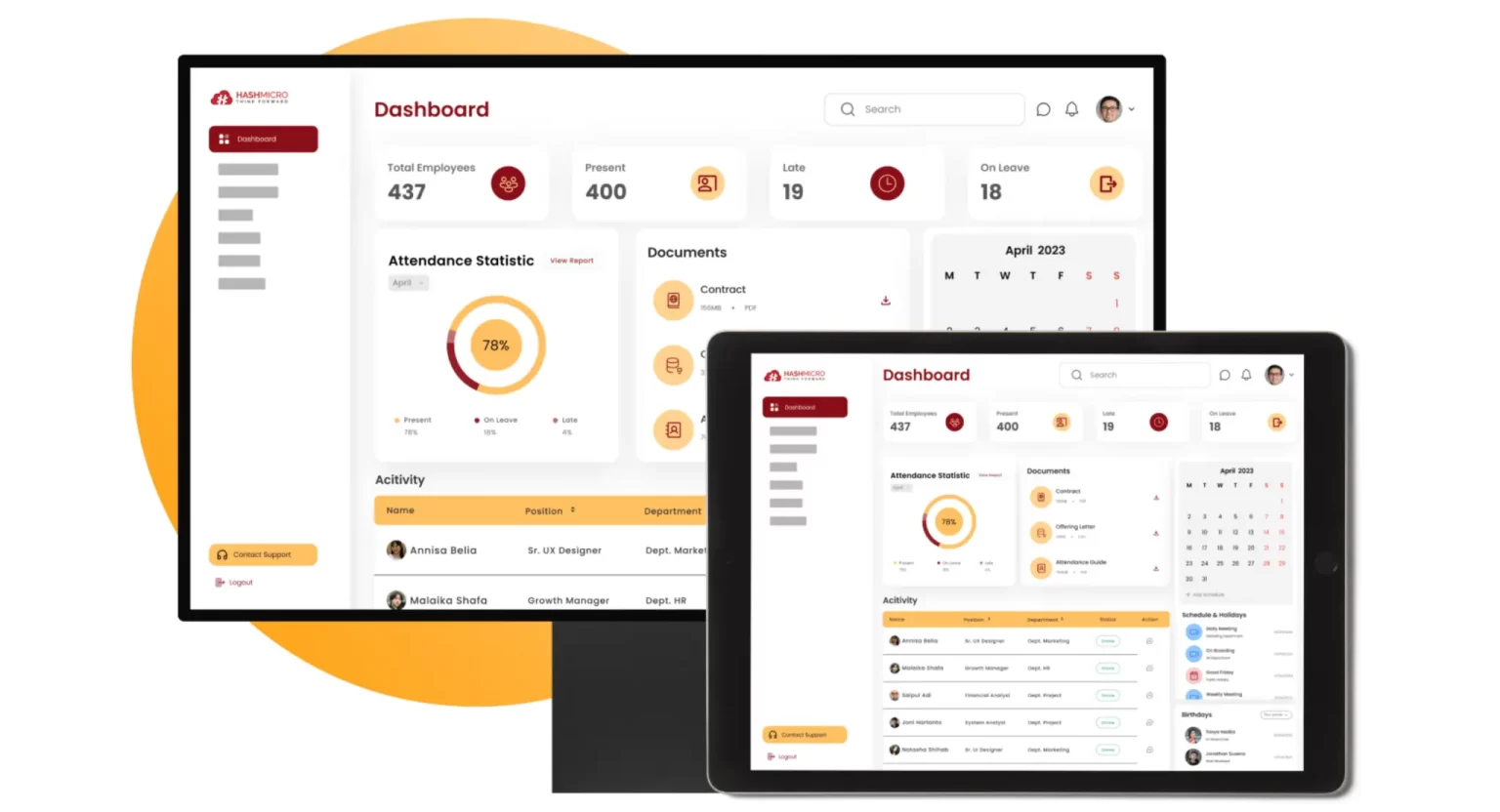
At HashMicro, I’ve found an integrated ERP software solution that truly meets the diverse needs of different industries. Its Human Resource Management (HRM) software makes my work so much easier by simplifying key HR tasks like scheduling, payroll, and reporting.
Why I choose HashMicro: Because it flexible and customizable. Many organizations, including mine, trust HashMicro because it offers solutions tailored to our specific business needs.
The employee rostering software integrates seamlessly with other modules, allowing smooth data flow, eliminating duplication, and improving overall efficiency across areas like production, inventory, procurement, accounting, and CRM.
Here are some other key features of HashMicro’s rostering software:
- Roster & dynamic schedule management: This feature helps organize and adjust employee schedules to meet operational needs.
- Automated overtime calculation: Automatically calculates overtime pay based on the number of shifts worked, ensuring accuracy and efficiency.
- Approval delegation with notifications: Allows approval delegation when the primary decision-maker is unavailable and ensures timely follow-up.
- Contract and payslip templates: This service provides customizable templates for contracts and payslips, making it easier for HR to create essential documents.
- Localized payroll with tax calculation: A payroll system that complies with local regulations, including automatic tax calculations.
- Overtime management integrated with attendance & payroll: Manages overtime and links it directly with attendance and payroll systems.
| Pros | Cons |
|
|
2. SAP Rostering Software Program
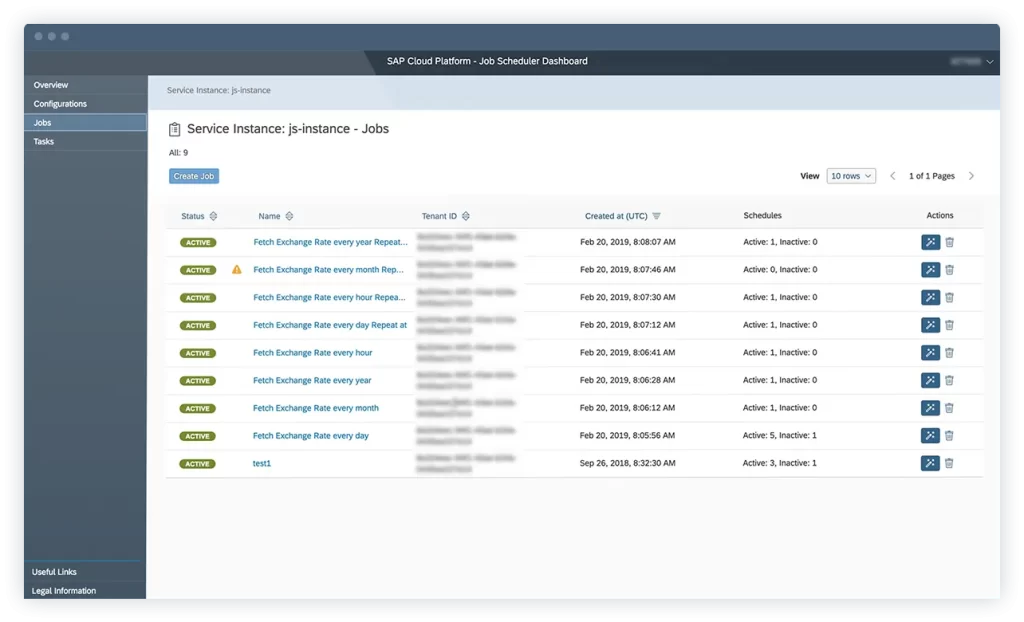
SAP HR is a robust in-memory database solution that enhances efficiency in business operations. SAP HR ffers a range of tools for managing human resources (HR) including features for employee roster management and streamlining workforce scheduling.
Why I choose SAP HR: It offers a comprehensive and reliable solution for managing all aspects of human resources in one platform. It helps me streamline key processes like recruitment, payroll, performance tracking, and employee development
Key features:
- Employee schedule management
- Attendance management
- Payroll management
| Pros | Cons |
|
|
3. QuickBooks Rostering System
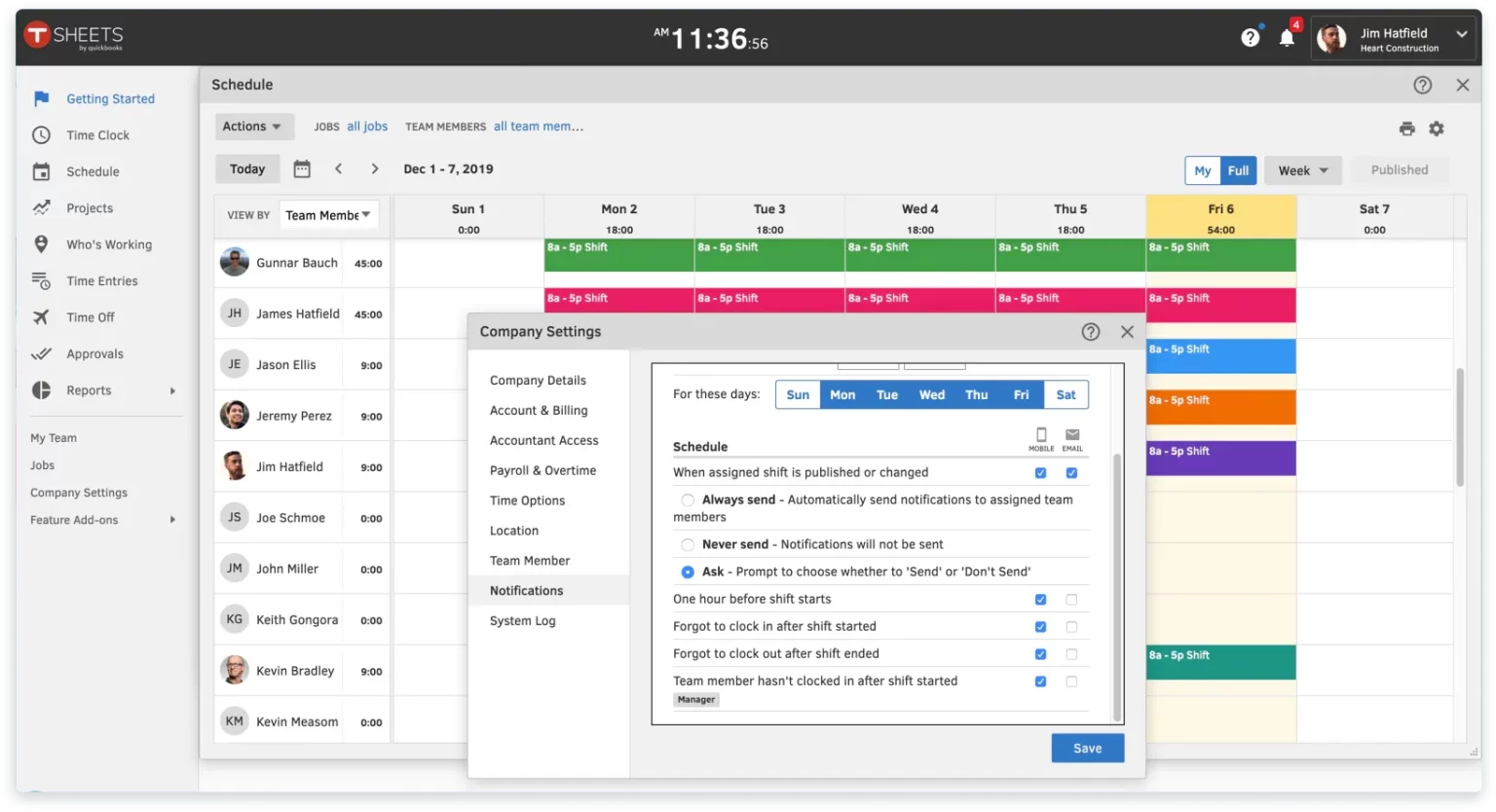
QuickBooks Time is a cloud-based rostering software programs built to work smoothly with QuickBooks accounting software. It helps businesses simplify payroll, organize staff schedules, and easily track working hours.
Why I choose QuickBooks: It makes managing my business finances simple, fast, and organized. It helps me track expenses, create invoices, manage payroll, and monitor cash flow
Key features:
- Time tracking
- GPS tracking
- Compliance management
| Pros | Cons |
|
|
4. BrightHR Staff Rostering Software
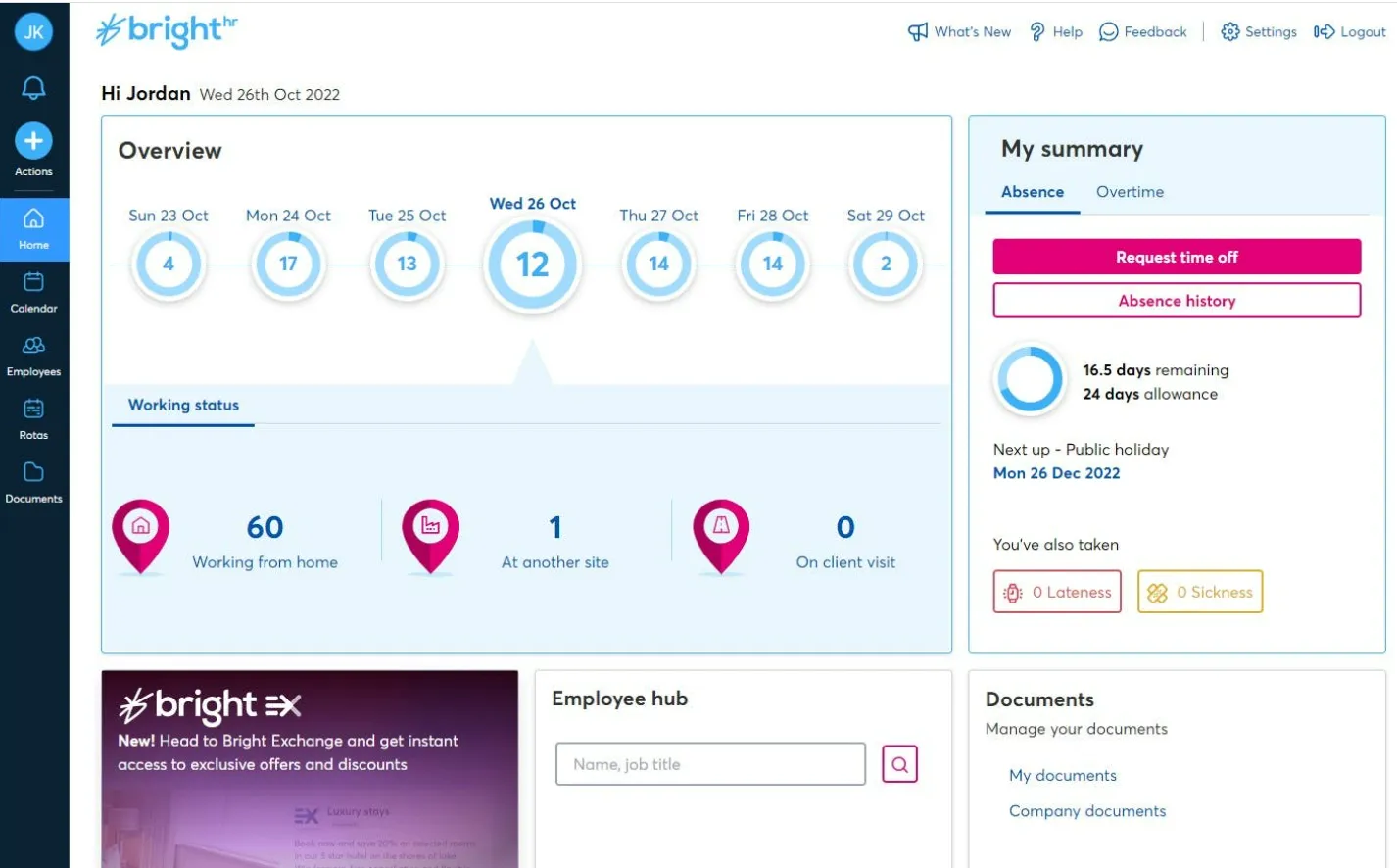
BrightHR is a cloud-based HR software designed to help small and medium-sized businesses manage everyday HR tasks more efficiently, from handling employee records to tracking leave and managing compliance.
Why I choose QuickBooks: It makes managing my business finances simple, fast, and organized. It helps me track expenses, create invoices, manage payroll, and monitor cash flow
Key features:
- Absence management
- Time and attendance
- Shift planning and rostering
| Pros | Cons |
|
|
5. Paycor Employee Rostering Software
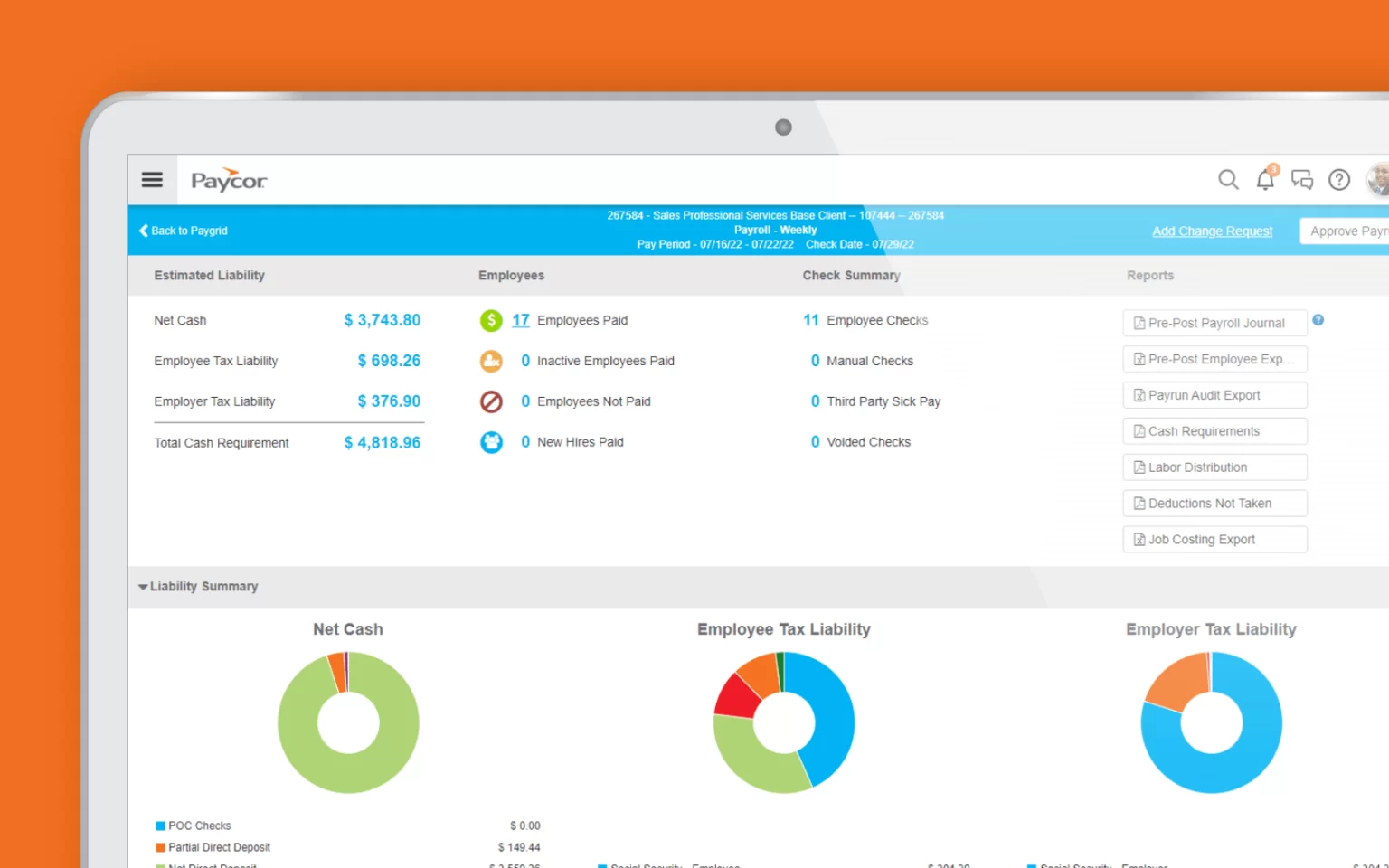
Paycor is an all-in-one rostering software Malaysia built to support businesses in different industries. It helps simplify key functions like HR management, payroll, time tracking, and recruitment by bringing them together in a single, integrated system.
Why I choose Paycor: It offers a powerful all-in-one platform for managing payroll, HR, and workforce data efficiently. It helps me automate time-consuming tasks like payroll processing and employee onboarding,
Key features:
- Payroll management
- Time and attendance
- Recruiting and applicant tracking
| Pros | Cons |
|
|
6. Sage HR Rostering Software Program
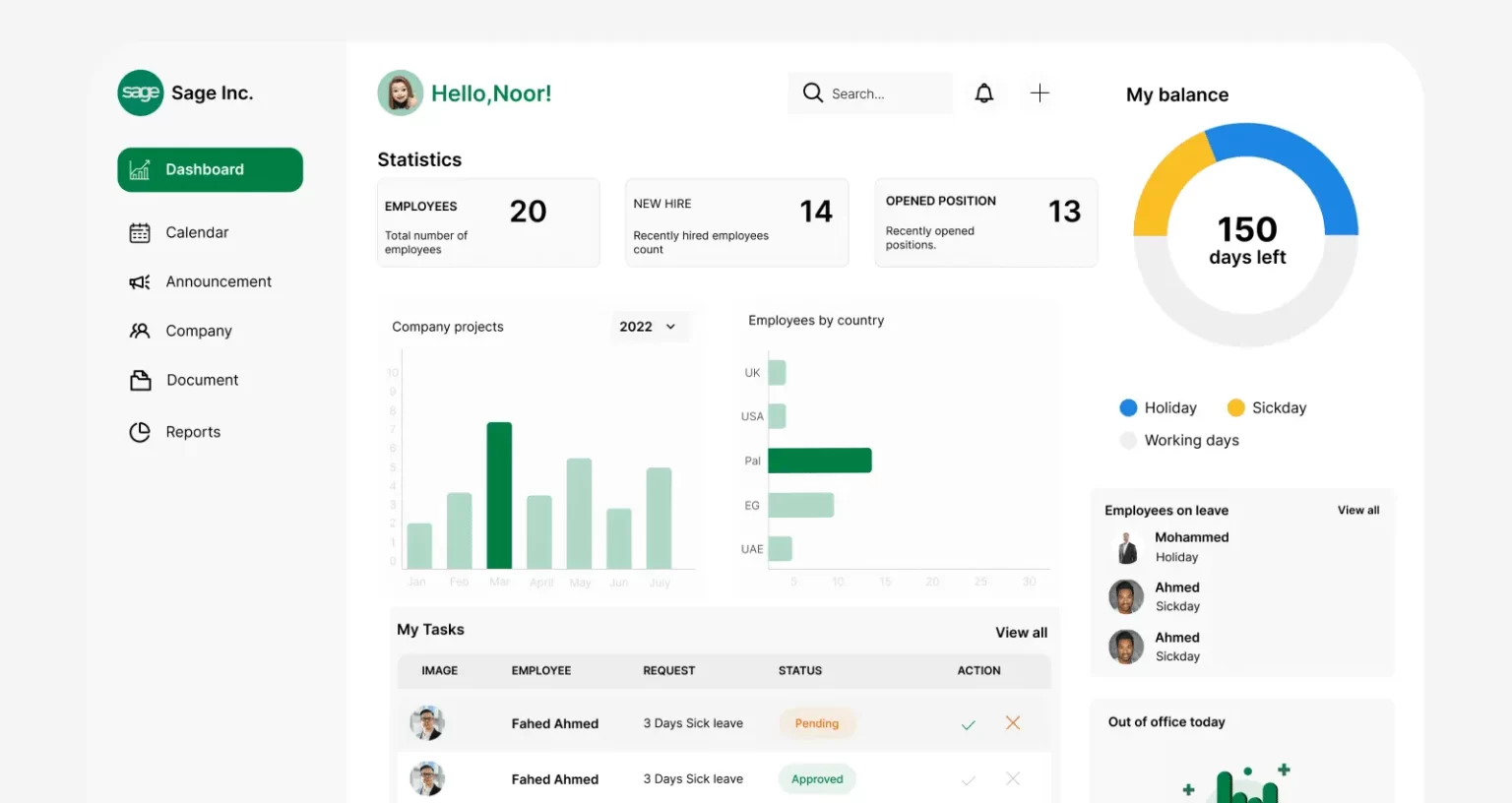
Sage HR is an employee rostering software that includes features for creating and managing work schedules. It makes it easier for businesses to handle time and attendance, helping them improve staff scheduling and keep track of employee hours more effectively.
Why I choose Sage HR: It offers a flexible and intuitive platform to manage all my HR needs in one place. From employee onboarding and performance reviews to time and attendance and leave management.
Key features:
- Shift scheduling
- Performance management
- Leave management
| Pros | Cons |
|
|
7. Connecteam Automated Rostering Software
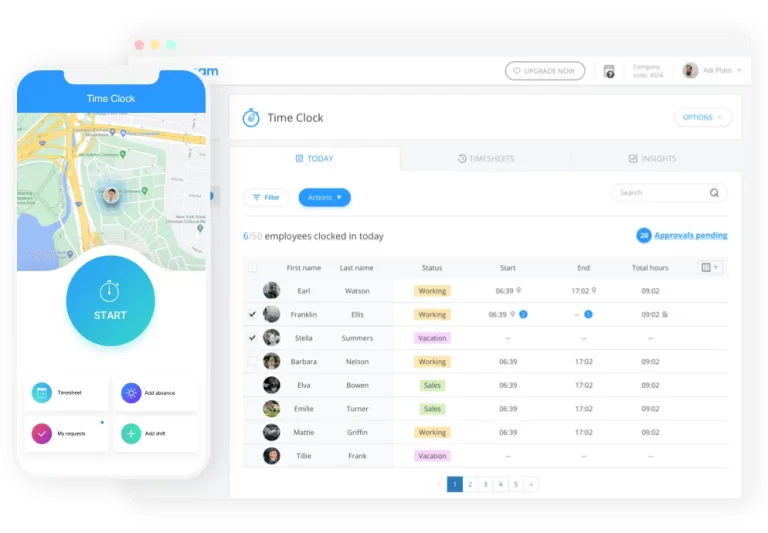
Connecteam is an all-in-one rostering software that helps my business simplify internal communication, staff scheduling, and day-to-day operations.
Why I choose Connecteam: It platform that makes managing frontline teams simple and efficient. It combines scheduling, time tracking with GPS, and training in one place.
Key features:
- Employee scheduling
- Time tracking
- Task management
| Pros | Cons |
|
|
8. Zoho People Automated Rostering Software
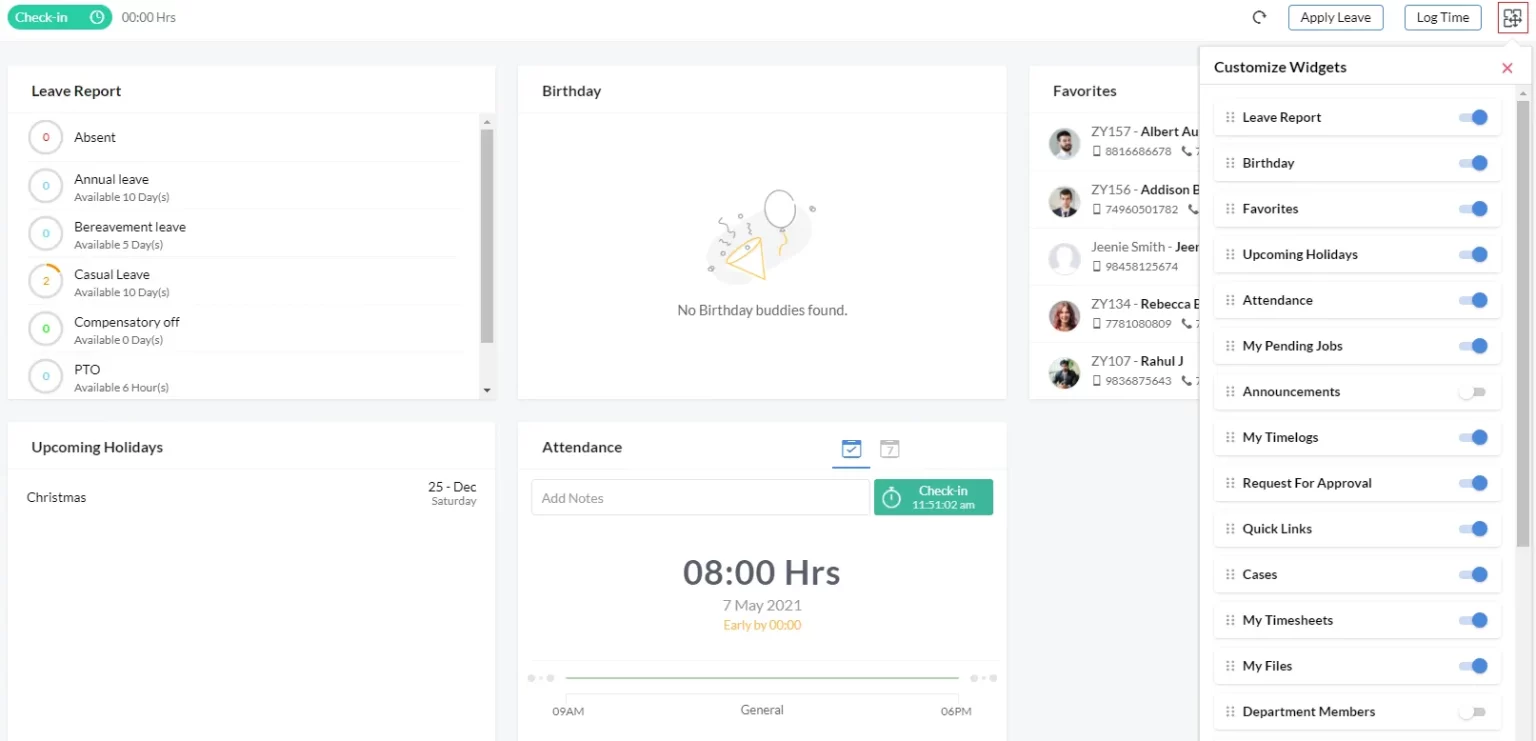
Zoho People is a cloud-based rostering software programs built to support businesses of any size. It offers a wide range of tools to help manage key HR tasks more efficiently.
Why I choose Zoho People: It offers a unified, cloud-based solution for managing everything from employee records and leave requests to performance reviews.
Key features:
- Employee management
- Time and attendance tracking
- Self-service portal
| Pros | Cons |
|
|
9. Homebase Staff Rostering Software
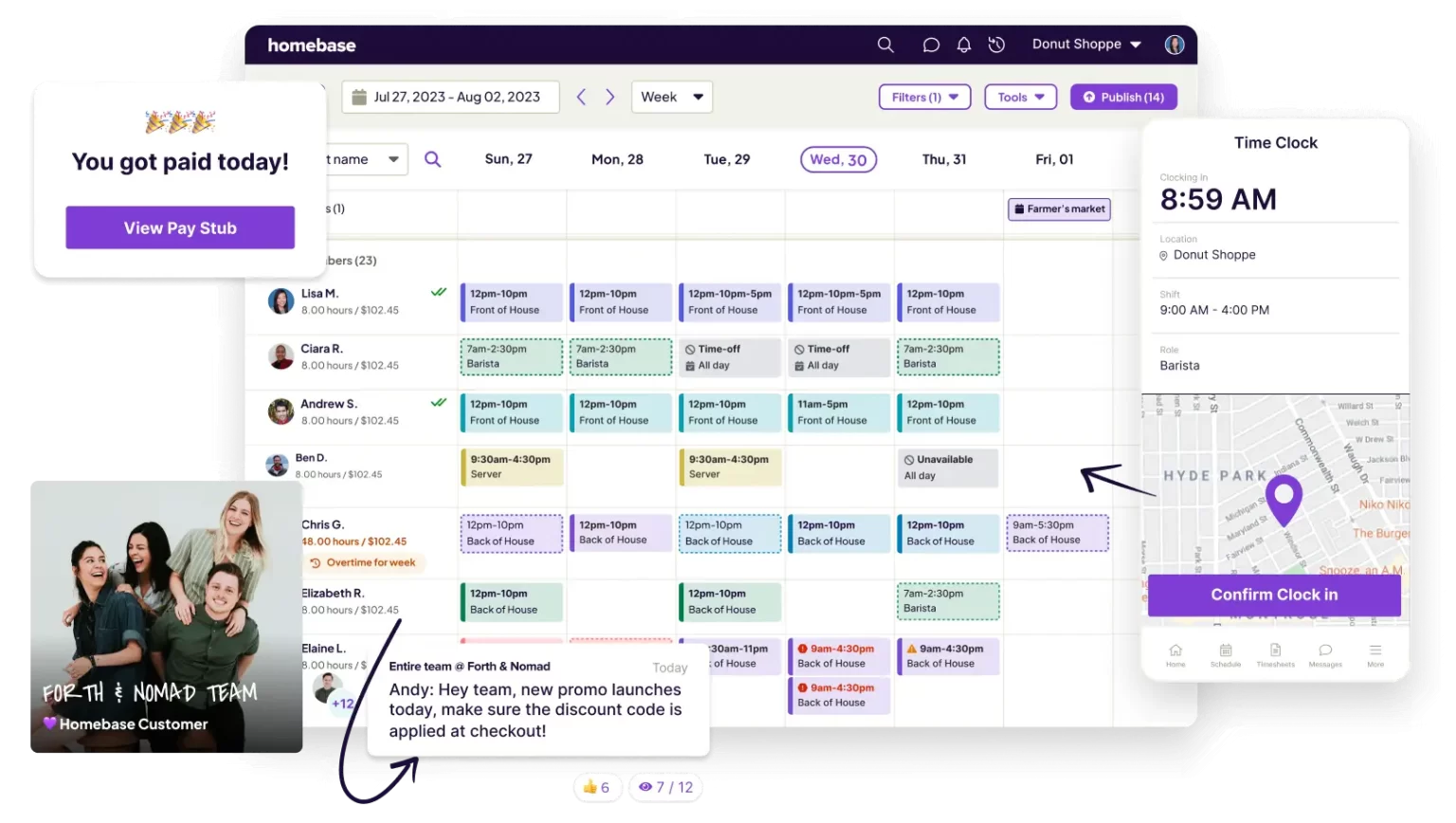
Homebase is a cloud-based rostering software Malaysia for managing teams and schedules, built to make it easier for businesses to handle hourly staff. It’s a practical tool used across different industries to streamline workforce management.
Why I choose Homebase: It combines scheduling, time-tracking (including mobile clock-in and device clocks), team messaging, and payroll-ready timesheets into one platform.
Key features:
- Employee scheduling
- Time tracking
- Hiring and onboarding
| Pros | Cons |
|
|
10. Buddy Punch Rostering Software Program
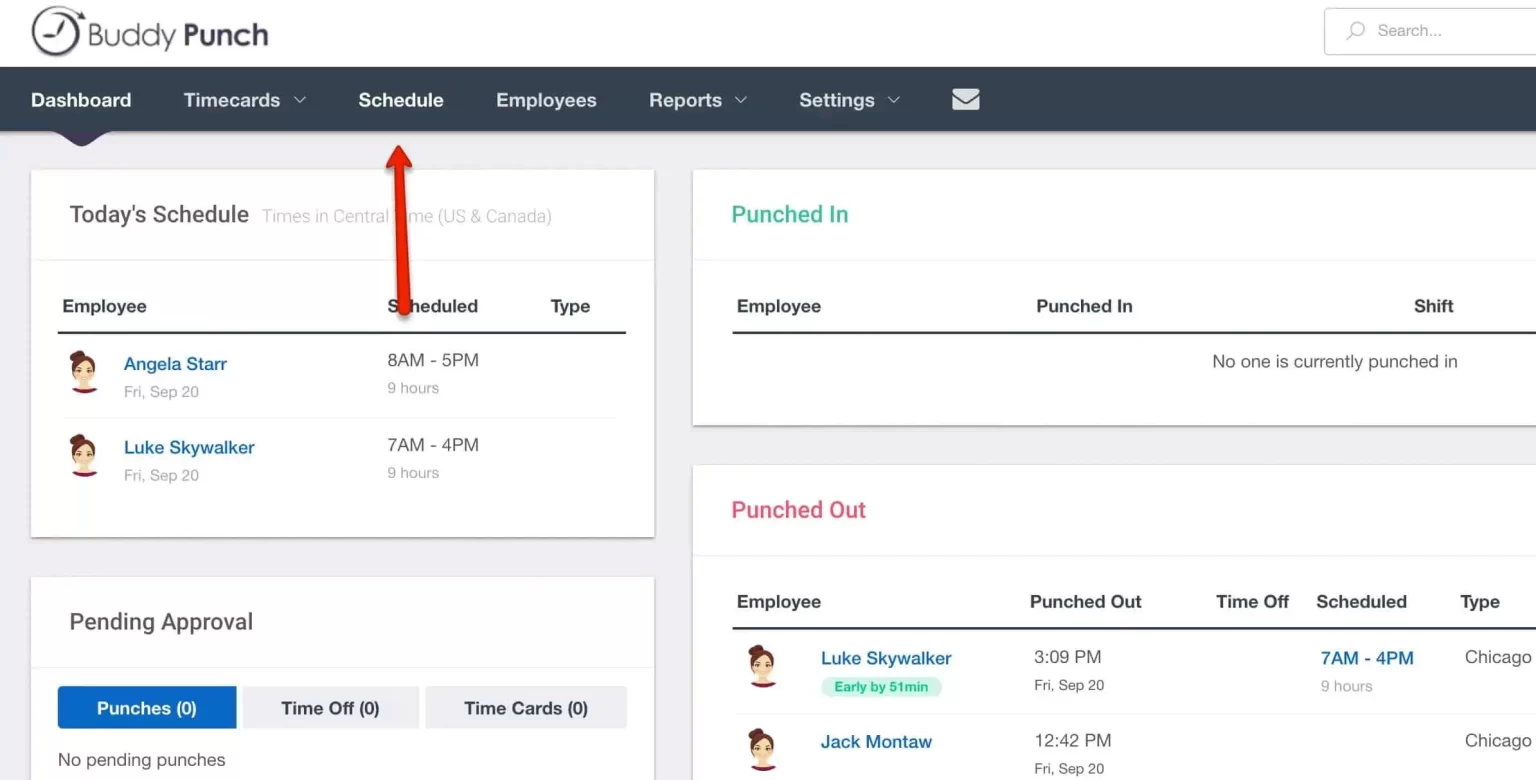
Buddy Punch is a cloud-based employee rostering software that helps businesses of all sizes track employee hours and attendance more easily. With its user-friendly design and strong functionality, it’s a reliable option for companies that want to simplify and automate their time tracking.
Why I choose Buddy Punch: It simplifies time tracking and scheduling with GPS clock-ins, PTO tracking, and easy payroll integration, all in one platform.
Key features:
- Clock-in and clock-out
- Shift scheduling
- Geofencing
| Pros | Cons |
|
|
Overall Comparison of Rostering Software in Malaysia
Choosing the right rostering software can be challenging, as each business has unique scheduling needs and priorities. The comparison below highlights key factors such as:
| Provider | Connection Quality | Bank Coverage | Ease of Integration | Data Enrichment |
|---|---|---|---|---|
| HashMicro | ||||
| SAP HR | ||||
| QuickBooks Time | ||||
| BrightHR | ||||
| Paycor | ||||
| Sage HR | ||||
| Connecteam | ||||
| Zoho People | ||||
| Homebase | ||||
| Buddy Punch |
Conclusion
Finding the right rostering software is essential for improving workforce efficiency, avoiding scheduling mistakes, and saving time as your business grows and operations become more demanding. The options that I highlighted above offer a variety of features to meet different business needs.
For companies seeking a flexible solution that integrates well with other core systems like payroll, HR, and operations, I recommend HashMicro to a strong contender.
To support your decision-making process, HashMicro also provides a free demo allowing you to explore the employee rostering software firsthand and see how it can benefit your business.
FAQ Rostering Software
-
How does rostering work?
With this in mind, staff rostering can be understood as the process of creating and assigning shifts to cover the operational needs of a business. Shifts are assigned by an employee’s role (such as job title or duties) or by availability (such as first, second or third shift).
-
What is team based rostering?
Team-based rostering is a system which encourages staff to identify and articulate what is important to them in terms of their work-life balance, using longer-term preferences, rather than specific requests.
-
What is rostering software?
An rostering software programs is a piece of software that uses your employee profile details, compliance rules, and staffing budgets to help you plan shifts, calculate labour costs and create and send rosters to employees.