







Many businesses still rely on spreadsheets like Microsoft Excel to manage client data, even as they grow. This approach often leads to scattered information and makes it harder to generate accurate, data-driven insights. As a result, client management becomes less efficient and more prone to errors.
In Malaysia, this issue is widely seen among SMEs, where more than half of businesses that claim to use data analytics still rely on Excel, according to The Malaysian Reserve. As client numbers grow beyond 200, teams can spend 10–12 hours each week updating spreadsheets instead of driving sales or improving customer service. This limitation often leads business leaders to consider more advanced client management solutions.
To simplify the selection process, we evaluated 17 client management solutions. For businesses looking for a scalable system that fits local requirements, Client Management Software remains one of the most reliable options.
Key Takeaways
Client management software centralizes and automates customer interaction processes, enhancing efficiency, improving customer service, and supporting stronger client relationships.
Key features of client management software, such as automated sales processes, lead tracking, campaign management, significantly enhance customer relationship management and optimize sales operations.
When choosing client management software, consider factors like customization, integration, mobile accessibility, provider reputation, security, and reliable reporting capabilities to ensure it meets your business needs effectively.
Stop relying on manual spreadsheets that slow down your team and limit data visibility. As your client base grows, it’s time to move toward a more structured, data-driven approach. Click the banner below to see how our software simplifies client management and supports your business as it scales.

Top Pick of Client Management Software
Based on comprehensive research, the following shortlist highlights the best client management software to help businesses organize customer data, improve relationship tracking, and support more efficient, data-driven decision-making.



Best Because
Best for small to mid-sized businesses needing user-friendly CRM with marketing and sales tools.

Best Because
Best for large enterprises requiring highly customizable and scalable CRM.

Best Because
Best for SMEs looking for affordable CRM with solid automation features.

Best Because
Best for teams managing client projects and workflows in one platform.

What is Client Management Software?
Client management software is a digital solution that helps businesses improve how they handle customer interactions. Often included as part of a broader ERP system, it provides a centralized platform to organize, track, and analyze customer data, making it easier to manage relationships efficiently. Features such as lead tracking, customer segmentation, and automated sales processes are especially useful for small to medium-sized businesses.
In Malaysia, studies show that structured CRM practices can improve business performance by centralizing client data and enabling more consistent follow-ups. This software also automates routine tasks, allowing teams to focus on strategic activities while reducing operational costs. With better access to customer information, businesses can deliver improved service and build stronger, long-term relationships.
Hashy AI Fact

Hashy AI speeds up CRM and marketing reporting, delivering insights on customer behavior and campaign results to support better decisions.
Request a free demo today!
The Best Client Management Software at a Glance
To help you quickly evaluate your options, here’s a snapshot of the best client management software based on key features, strengths, and ideal use cases. This overview is designed to give you a clear comparison, making it easier to identify which solution aligns best with your business needs and growth stage.
| Software | Best For | Strength | Malaysia Support | Key Features | Pricing |
|---|---|---|---|---|---|
HashMicro | Businesses of all sizes needing ERP-integrated client management | Highly customizable CRM with ERP integration, unlimited users, and strong automation | Localized for Malaysia with SST compliance, LHDN MyInvois integration, and KL office support | Leads management, loyalty programs, scheduling, CRM analytics, mobile apps | Custom quote |
Drip | E-commerce brands focusing on personalized marketing automation | Advanced marketing automation with strong e-commerce integrations | No specific MY localization, but usable globally for online businesses | Email automation, A/B testing, campaign workflows, templates | From RM168/month |
HubSpot | Growing teams needing scalable all-in-one CRM | User-friendly with extensive integrations and strong ecosystem | Widely used in Malaysia, supports integration with local tools | Contact management, email tracking, landing pages, automation | From RM86/user/month |
Salesforce | Enterprises needing advanced CRM and automation | Highly scalable with deep customization and Customer 360 view | Available in Malaysia via partners with enterprise support | Lead management, automation, analytics, integrations | From RM108/user/month |
Zoho CRM | Businesses seeking affordable CRM within an ecosystem | Cost-effective with strong integration across Zoho apps | Popular in Malaysia, supports local business use cases | Lead management, segmentation, automation, reporting | From RM86/user/month |
ClickUp | Teams wanting customizable workspace for client and project management | All-in-one productivity tool with flexible views and templates | No specific MY localization but widely accessible globally | Task management, dashboards, collaboration tools | From RM52/user/month |
Pipedrive | Sales-focused teams needing pipeline management | Simple and visual pipeline tracking with automation | Used globally, suitable for Malaysian sales teams | Lead tracking, automation, activity reminders | From RM64/user/month |
Freshworks CRM | Businesses needing easy pipeline tracking and mobile CRM | User-friendly with strong mobile capabilities | Available in Malaysia via cloud access | Pipeline management, sales tracking, mobile CRM | From RM39/user/month |
Monday.com | Teams preferring visual workflows and dashboards | Flexible and visual project + CRM management | Globally available, usable in Malaysia | Dashboards, automation, lead tracking | From RM64/user/month |
Nutshell | Teams needing simple CRM with reporting | Straightforward CRM with built-in reporting tools | Available globally, usable for MY SMEs | Contact management, sales automation, reporting | From RM69/user/month |
Customerly | SaaS companies focusing on lifecycle and support | AI chatbot and lifecycle automation tools | Global tool, suitable for digital businesses in MY | Chatbots, email automation, help center | From RM39/month |
Airtable | Small teams needing flexible spreadsheet-style CRM | Combines database functionality with simple interface | No MY-specific localization but widely used | Forms, automation, database views | From RM86/seat/month |
Insightly | Businesses needing CRM with light project tracking | Strong contact management and relationship linking | Available globally, usable in MY | Email tracking, dashboards, CRM tools | From RM125/user/month |
Nifty PM | Teams managing multiple client projects | Visual project tracking with milestone automation | Global tool, usable in Malaysia | Task management, time tracking, reporting | From RM22/user/month |
BIGContacts | Small businesses needing simple CRM | Easy-to-use with basic automation and reminders | Suitable for small MY businesses | Contact management, reminders, task automation | From RM22/user/month |
Productive.io | Agencies needing CRM + project + profitability tracking | All-in-one platform with budgeting and client portal | Global SaaS, usable for MY agencies | Project tracking, budgeting, client portal | From RM50/user/month |
Zapier | Businesses needing automation across multiple client tools | Connects 8,000+ apps with no-code automation | Widely used globally including Malaysia | Workflow automation, integrations, triggers | Free / From RM85/month |
What are Some of the Benefits of Using Client Management Software?
Effective client management is crucial for maintaining strong relationships, optimizing workflows, and driving business growth. With the right software, businesses can optimize processes and enhance overall efficiency. Here are the key benefits of using client management software:
- Centralized Client Information: Keeping all client data in one place improves accessibility, reduces errors, and ensures smooth communication between teams.
- Enhanced Customer Engagement: By tracking client interactions and preferences, businesses can offer personalized services, leading to higher satisfaction and long-term loyalty.
- Time and Cost Efficiency: Automation of tasks like invoicing, appointment scheduling, and follow-ups minimizes manual work, reducing operational costs while increasing efficiency.
- Boosted Productivity: With automated workflows and organized client data, teams can complete tasks faster, leading to improved project turnaround times and better service delivery.
- Higher Revenue Potential: Stronger client relationships, increased efficiency, and better decision-making, empowered by sales management software, translate into more sales opportunities and higher profitability.
With these benefits in mind, choosing the right client management software is essential for business success. Up next, we explore the 10 Best Client Management Software in Malaysia to help you make an informed decision.
17 Best Client Management Software in Malaysia
We evaluate client management systems in Malaysia based on real business needs, not just their features. This ensures that companies of any size can find a solution that truly fits their requirements.
In the next section, you’ll find our recommended platforms to help you choose with more confidence.
- HashMicro: Advanced, customizable CRM with loyalty programs and mobile apps. Ideal for businesses of all sizes but requires time for setup.
- Drip: E-commerce automation tool with personalized marketing campaigns. Time-consuming to set up and needs IT expertise.
- HubSpot: User-friendly CRM with strong integrations. Great for sales and marketing, but expensive for smaller businesses.
- Salesforce: Comprehensive cloud-based CRM with strong automation.cloud-based CRM with strong automation. Steep learning curve and high cost for small teams.
- Zoho: Complete suite for contact management and analytics, best with other Zoho products. Complex for small businesses.
- ClickUp: Highly customizable with task management and client tools. Steep learning curve and lacks some mobile features.
- Pipedrive: Sales-focused CRM with lead segmentation and forecasting. Limited customization and project management on paid plans.
- Freshworks: Easy pipeline management with a mobile app. Limited project management and basic reporting on lower plans.
- Monday.com: Visual task boards with real-time updates. Customizable but comes with a learning curve and limited features on basic plans.
- Nutshell: Sales automation and reporting tools. Outdated interface and limited advanced reporting on lower plans.
- Customerly: Dynamic CRM for SaaS with AI chatbots and multilingual support. Cluttered dashboard affects user experience.
- Airtable: Spreadsheet-like interface with database power for small teams. Limited sorting and customization options.
- Insightly: Advanced contact management and email tracking. Lacks project tracking tools like Gantt charts.
- Nifty PM: Intuitive interface for project tracking and updates. Mobile app has limited features compared to the desktop version.
- BIGContacts: Simple CRM for small teams with automated tasks. Lacks scalability and advanced features for larger businesses.
1. Hashmicro Client Management Software
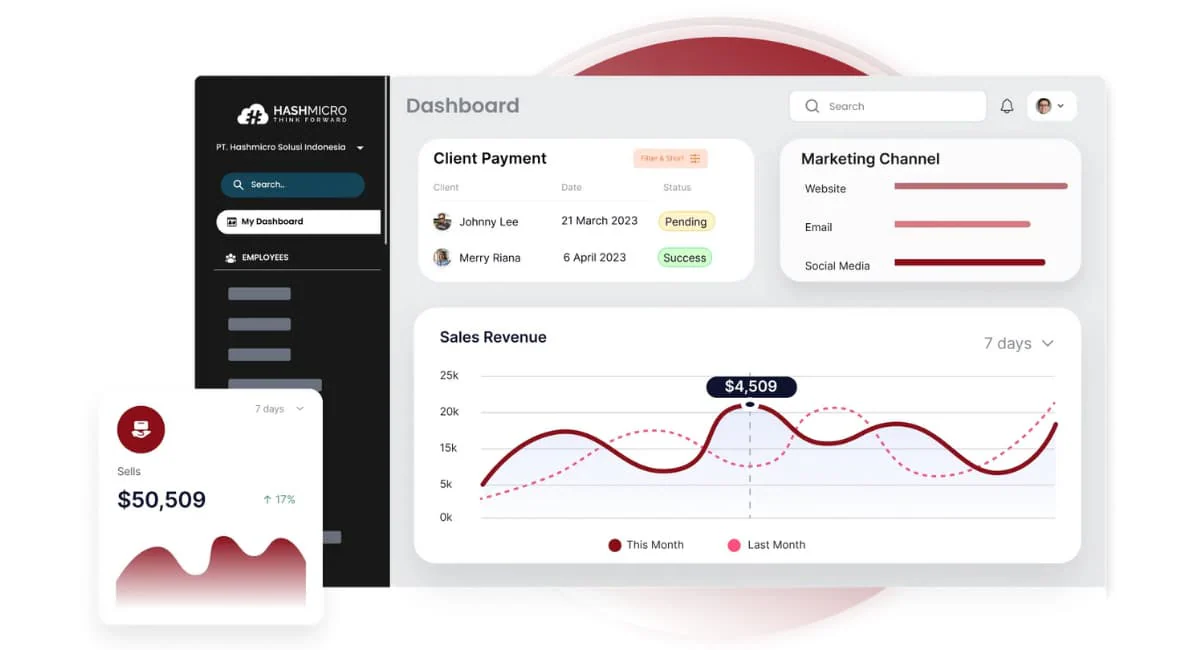
HashMicro Client Management Software is a leading solution for businesses across Southeast Asia, including Malaysia, Singapore, Indonesia, and the Philippines. Backed by advanced technology and a strong regional track record, it helps companies build stronger and more efficient relationships with their clients.
By choosing HashMicro’s client management software, businesses can maximize their customer satisfaction significantly. It can boost clients’ experience by providing some features like loyalty program management, personalization, forecasting, and scheduling. We encourage you to unlock the full potential of HashMicro by trying the free demo.
HashMicro’s best client management software is packed with key features that are tailored to boost your client management efficiency:
- Chatroom
- Mobile Apps for Android & iOS
- Email Blaster
- Leads & Opportunities Management
- Activities Scheduling, Management & Reminders
- Membership & Loyalty Program
- Meeting Scheduling & Past Meetings Tracking
- In-Depth CRM & Marketing Reports
HashMicro is built within the Southeast Asian ecosystem, making it a natural fit for Malaysian operations. It supports SST compliance and integrates with LHDN MyInvois, while offering unlimited user pricing that benefits SMEs and mid-sized companies. A local office in Kuala Lumpur with Bahasa Melayu support helps ensure smoother implementation.
| Pros | Cons |
|
|
Best for: Businesses that need a fully customizable, ERP-integrated client management system tailored to Malaysian operations.
Pricing: Custom, based on modules and users, contact the HashMicro team for a tailored quote.
"I find this client management software strong for teams that need a customizable CRM with clear visibility across leads, activities, and loyalty programs. It’s especially effective when integrated with ERP workflows, so client data stays consistent from first contact to follow-up."
HashMicro is not just a software provider but a partner to many leading companies across various industries. To gain a deeper understanding of what HashMicro can offer your business and to review our competitive pricing, we invite you to download the detailed price scheme provided below.
2. Drip Client
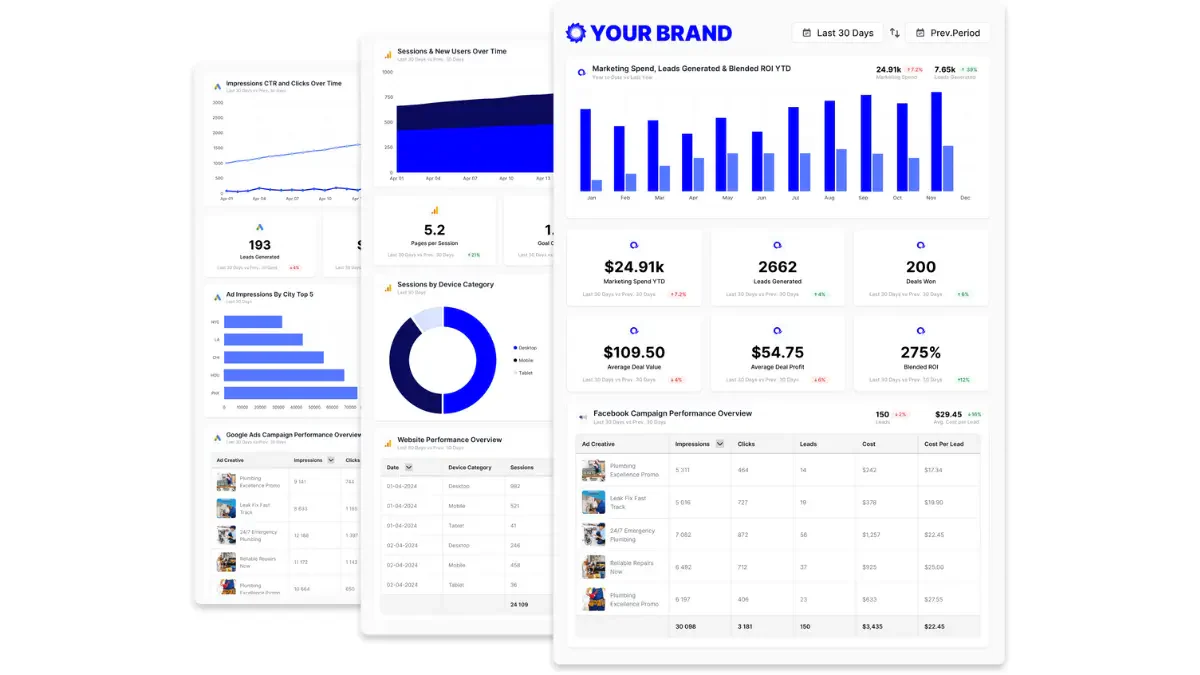
Drip stands out as a specialized e-commerce customer software that supports businesses in boosting their online sales through targeted and personalized marketing efforts. It offers a suite of tools to design, launch, and manage campaigns that effectively engage customers through personalized emails, notifications, and customized webpages.
While Drip offers reliable marketing automation tools, setting up workflows and funnels can be time-intensive, requiring ongoing adjustments for maximum effectiveness. Additionally, the platform does not include project management or documentation tools, which might be a limitation for businesses looking for an all-in-one solution.
Features of Drip client management system:
- Integrations with Shopify, BigCommerce, and Magento
- Marketing campaign automation across various channels
- A/B testing capabilities
- Over 50 customizable templates
Drip aligns well with Malaysia’s growing e-commerce sector, especially for brands using Shopify or Magento. It enables personalized marketing campaigns that match local consumer behavior trends. However, businesses may need technical resources to fully optimize its automation features.
| Pros | Cons |
|
|
Best for: E-commerce brands focused on automated, personalized marketing campaigns.
Pricing: From around RM168/month for the entry plan.
3. HubSpot
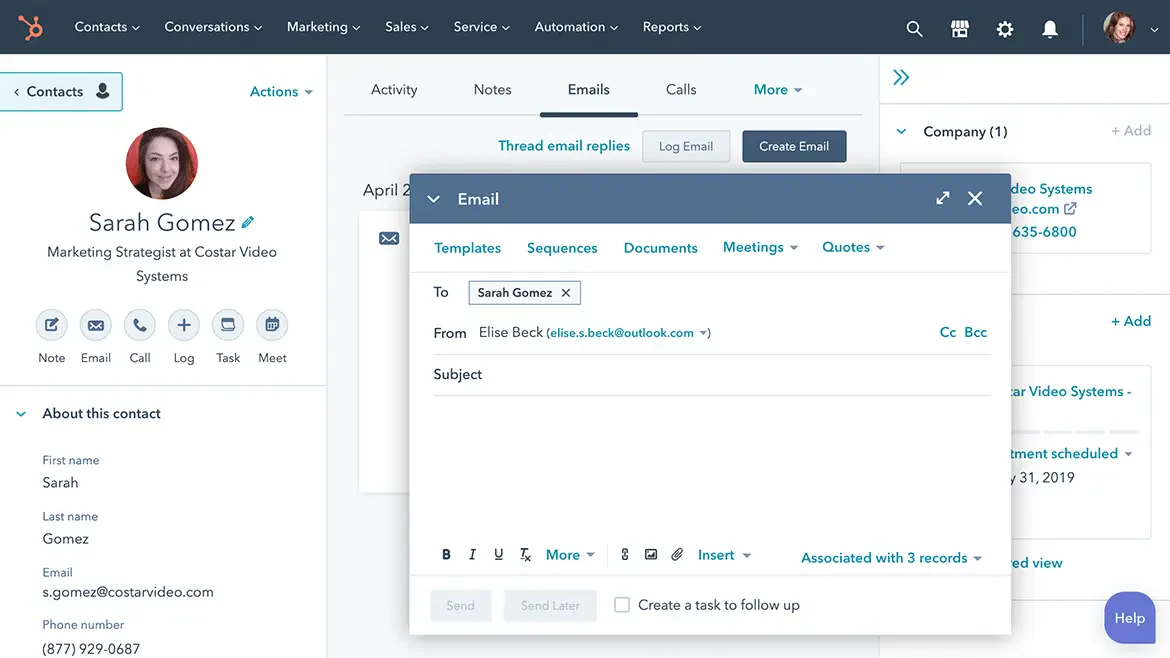
HubSpot CRM Software Malaysia is designed to support businesses in managing and enhancing their client relationships through a reliable suite of tools. It helps optimize operations from lead tracking to comprehensive customer data management, bolstered by automation to ease workflow processes for sales, service, and marketing teams.
While HubSpot CRM is celebrated for its extensive integration capabilities and user-friendly interface, it comes with a few drawbacks. Notably, its pricing structure can be prohibitive for smaller businesses and some users find its workflow automation tools less intuitive than expected.
Features of HubSpot Client relationship management software:
- Contact and pipeline management
- Email and prospect tracking
- Contact website activity
- Email template builder
- Landing page builder
HubSpot is widely adopted by Malaysian companies looking for an easy-to-use CRM with strong global integrations. Its cloud-based system supports remote teams and growing businesses. While it does not include local compliance features, it remains accessible and scalable.
| Pros | Cons |
|
|
Best for: Growing teams that want an all-in-one CRM platform with strong integrations and scalability.
Pricing: From around RM86/user/month for starter CRM bundles.
4. Salesforce
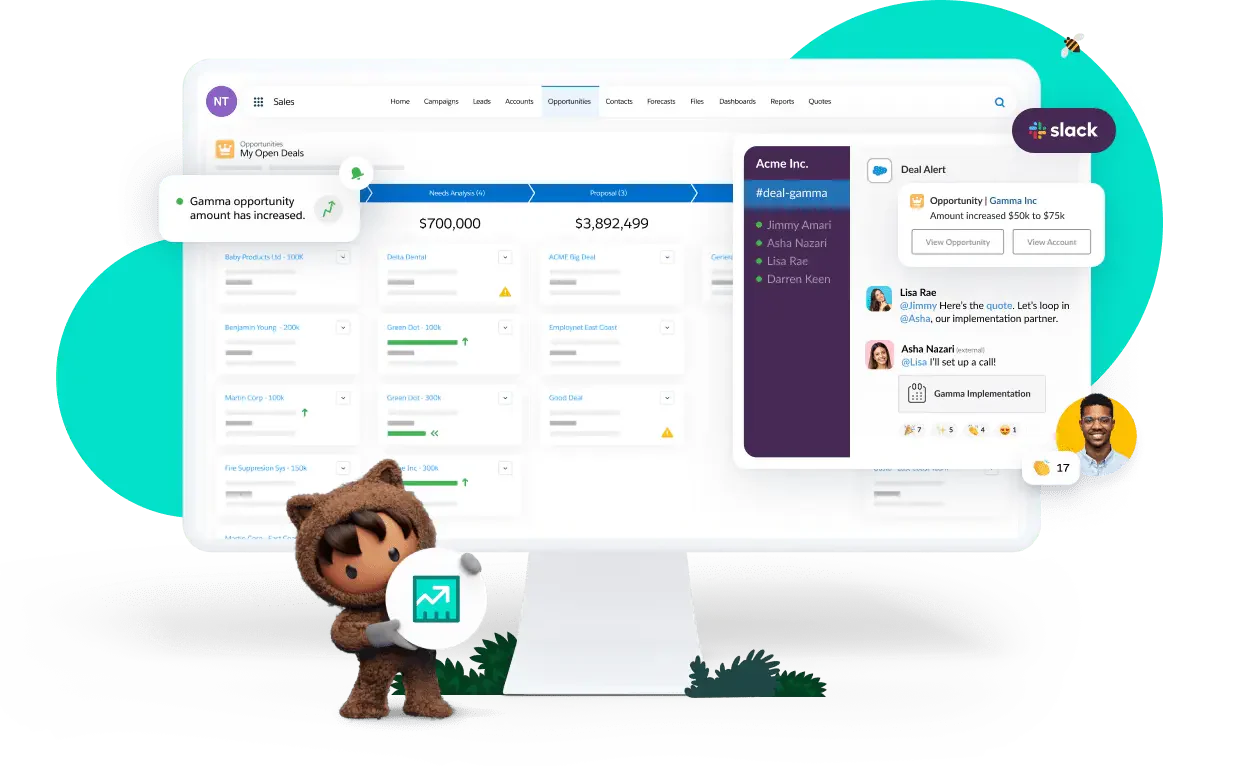
Salesforce offers a cloud-based CRM solution that aids businesses in managing contacts, sales activities, and much more. It enables the storage of data, automation of workflows, and tracking of customer interactions, all while providing tools for marketing automation and analytics.
Despite its reliable capabilities, Salesforce presents a steep learning curve, which may pose challenges for users unfamiliar with complex CRM systems. Additionally, 24/7 support is reserved for the highest-tier plans, potentially limiting accessibility for some businesses.
Features of Salesforce electronic client management tool:
- Activity management to sync emails and engagement activities
- Slack integration
- Account, contact, lead, and opportunity management
- Customer 360 for a shared view of every customer
- Email integration with Gmail or Outlook
Salesforce is suitable for large Malaysian enterprises needing advanced CRM capabilities and scalability. Its ecosystem supports complex workflows across multiple regions and departments. Local implementation partners are available, though costs and setup time can be significant.
| Pros | Cons |
|
|
Best for: Enterprises requiring a powerful cloud-based CRM with advanced automation and complex workflows.
Pricing: From around RM108/user/month for basic CRM packages.
5. Zoho Client
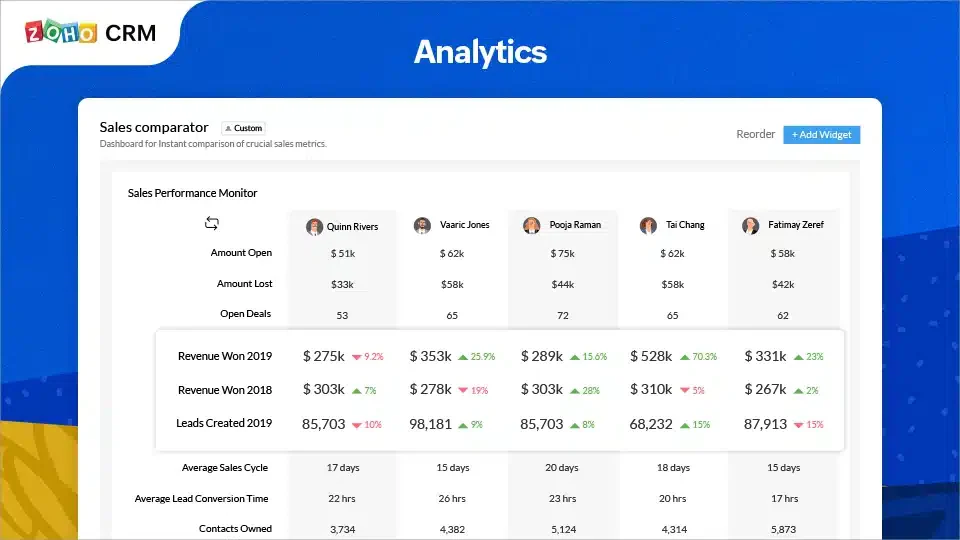
Zoho CRM provides a comprehensive set of tools designed to help businesses manage and optimize their customer relationships. It includes functionalities for contact management, lead tracking, sales and marketing automation, as well as customer service tracking, all complemented by powerful analytics and reporting.
Zoho CRM’s full potential is best unlocked when used in conjunction with other Zoho products, which may require additional investment. Furthermore, advanced customization rules are only available on the more expensive plans, which could be a consideration for budget-conscious businesses.
Features of Zoho remote client management system:
- Customer segmentation
- Leads app card scanner
- Web-to-lead forms
- Hierarchies for campaign management
Zoho CRM is a cost-effective option for Malaysian SMEs seeking flexible and scalable CRM tools. It integrates well within the Zoho ecosystem, supporting long-term growth. Regional partner support makes onboarding more practical for local teams.
| Pros | Cons |
|
|
Best for: Companies looking for an affordable CRM that integrates smoothly with the entire Zoho ecosystem.
Pricing: From around RM86/user/month for the Standard plan.
6. ClickUp
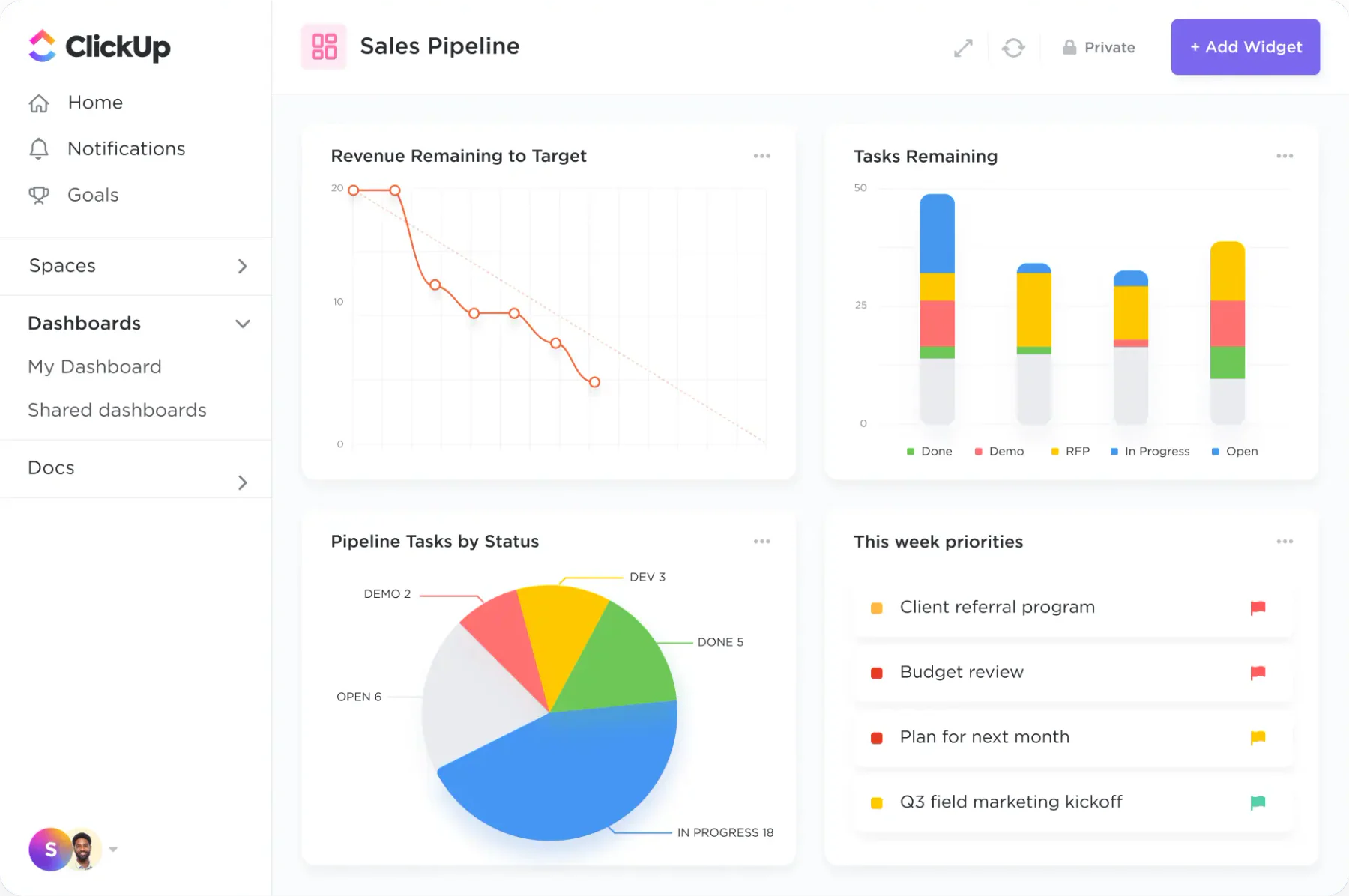
ClickUp positions itself as an all-encompassing productivity tool that integrates client management capabilities smoothly into its platform. Offering a range of customizable templates and over 15 different views, ClickUp adapts to various business needs, from tracking sales pipelines to managing customer orders, ensuring everything is organized in one accessible location.
While ClickUp offers extensive collaboration tools, its wealth of features can present a learning curve for new users. Additionally, not all features are currently available on the mobile app, which may affect accessibility for on-the-go users.
Features of ClickUp client management system:
- Notes, labels, and tags
- Assigned and threaded comments
- Multiple assignees
- Reporting and Dashboards
ClickUp suits Malaysian startups and digital teams that want to combine client management with project collaboration. Its customizable workflows support various business models. However, teams may need time to adapt due to its extensive features.
| Pros | Cons |
|
|
Best for: Teams that want a highly customizable workspace for managing tasks, projects, and clients.
Pricing: From around RM52/user/month for business-level plans.
7. Pipedrive
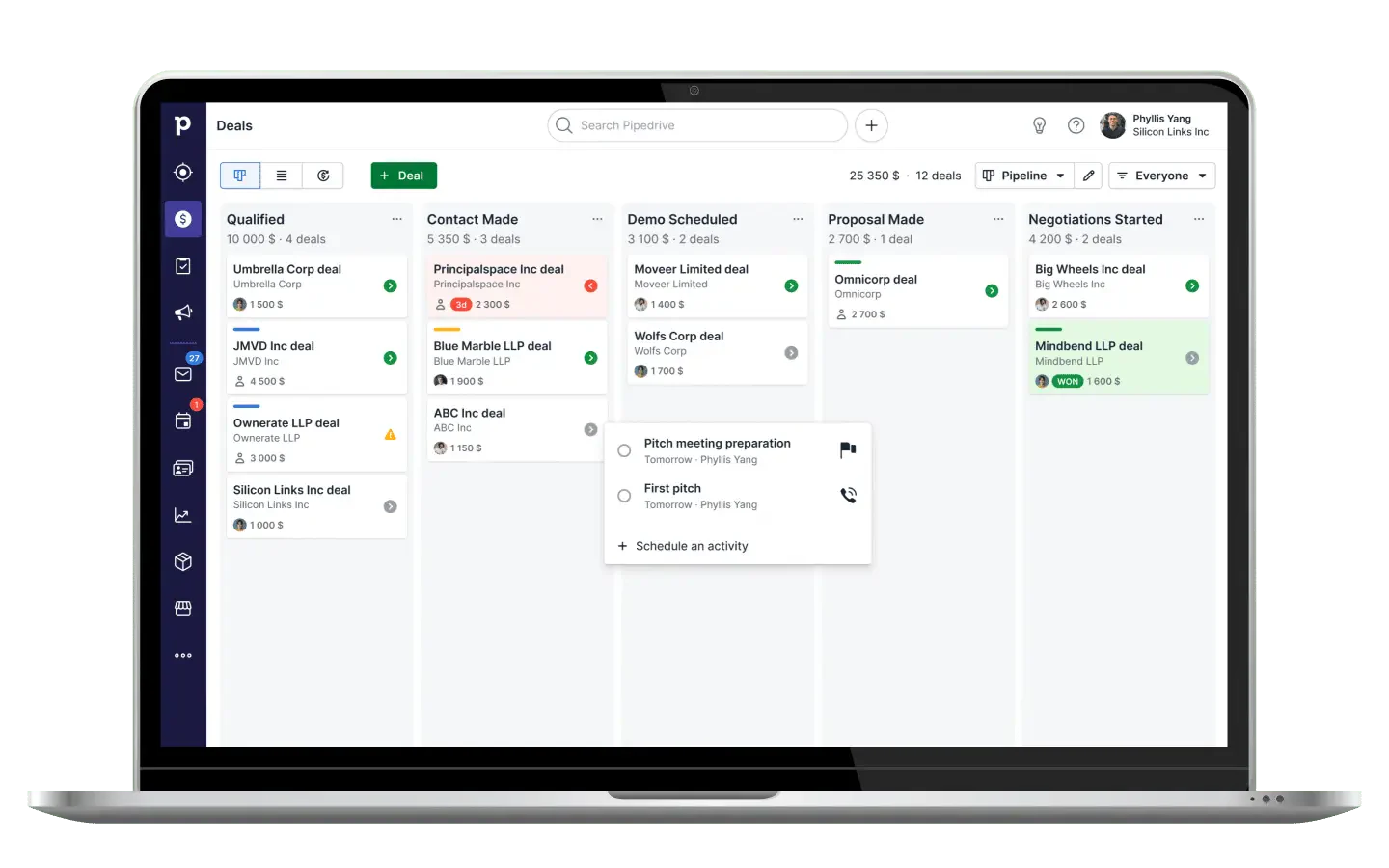
Pipedrive is tailored to enhance the productivity of sales teams by providing a reliable set of tools designed to optimize various sales processes. It facilitates efficient contact management, email tracking, call management system Malaysia, lead scoring, sales forecasting, and automated workflows, making it a powerful ally in increasing deal closures.
Despite its comprehensive features, Pipedrive has certain limitations, such as restricted customization options for user permissions and essential project management tools available only as paid add-ons. This might require consideration for businesses needing extensive customization or those managing large projects.
Features of Pipedrive remote client management tool:
- Segment leads for personalized communication
- Drag-and-drop interface for updating deal statuses
- Activity reminders and team collaboration tools
- Customizable web forms for lead capture
Pipedrive is ideal for Malaysian sales teams that need a simple and focused pipeline management tool. Its intuitive interface supports quick adoption among SMEs. However, additional integrations may be required for broader business processes.
| Pros | Cons |
|
|
Best for: Sales-driven teams seeking a simple, pipeline-focused CRM for tracking deals efficiently.
Pricing: From around RM64/user/month for the Essential plan.
8. Freshworks
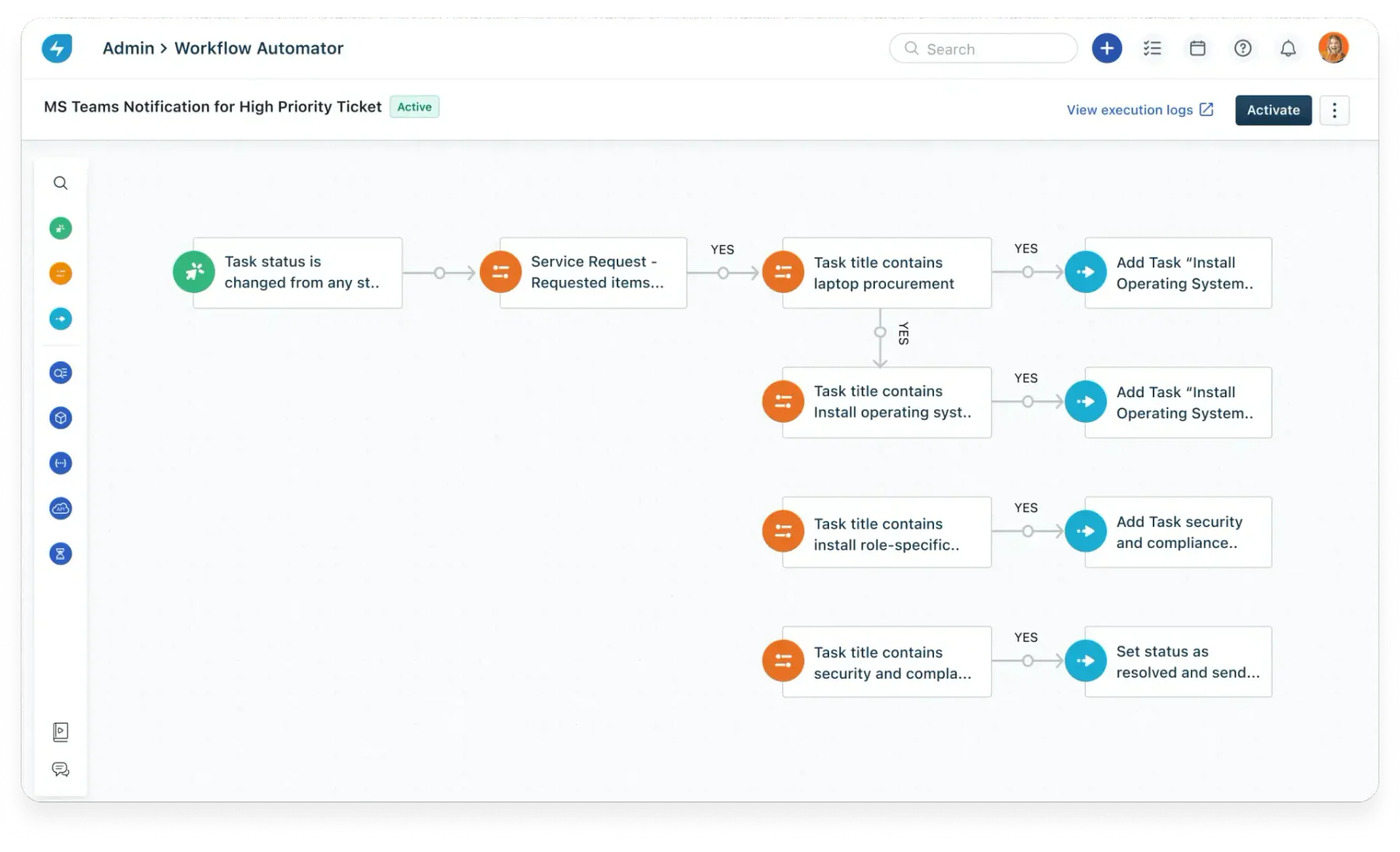
Freshworks CRM facilitates efficient project management software with client portal. It allows teams to track leads, automate marketing campaigns, and manage customer data all in one place. Its suite of tools supports quick relationship building and enhances understanding of customer behaviors through detailed insights.
While Freshworks CRM offers extensive functionalities, its project management features are only accessible on higher-priced plans, and its reporting capabilities are somewhat limited, potentially restricting its applicability for more specialized needs.
Features of Freshworks client management system:
- Pipeline management
- Sales goals tracking
- Mobile app functionality for filtering, sorting, and searching
- Deal performance dashboards
- Drag-and-drop interface
Freshworks is a practical choice for Malaysian businesses needing a user-friendly CRM with mobile access. It supports sales tracking and customer engagement across channels. While not deeply localized, it remains suitable for SMEs.
| Pros | Cons |
|
|
Best for: Businesses needing easy pipeline management and mobile-friendly client engagement tools.
Pricing: From around RM39/user/month for the Growth plan.
9. Monday.com
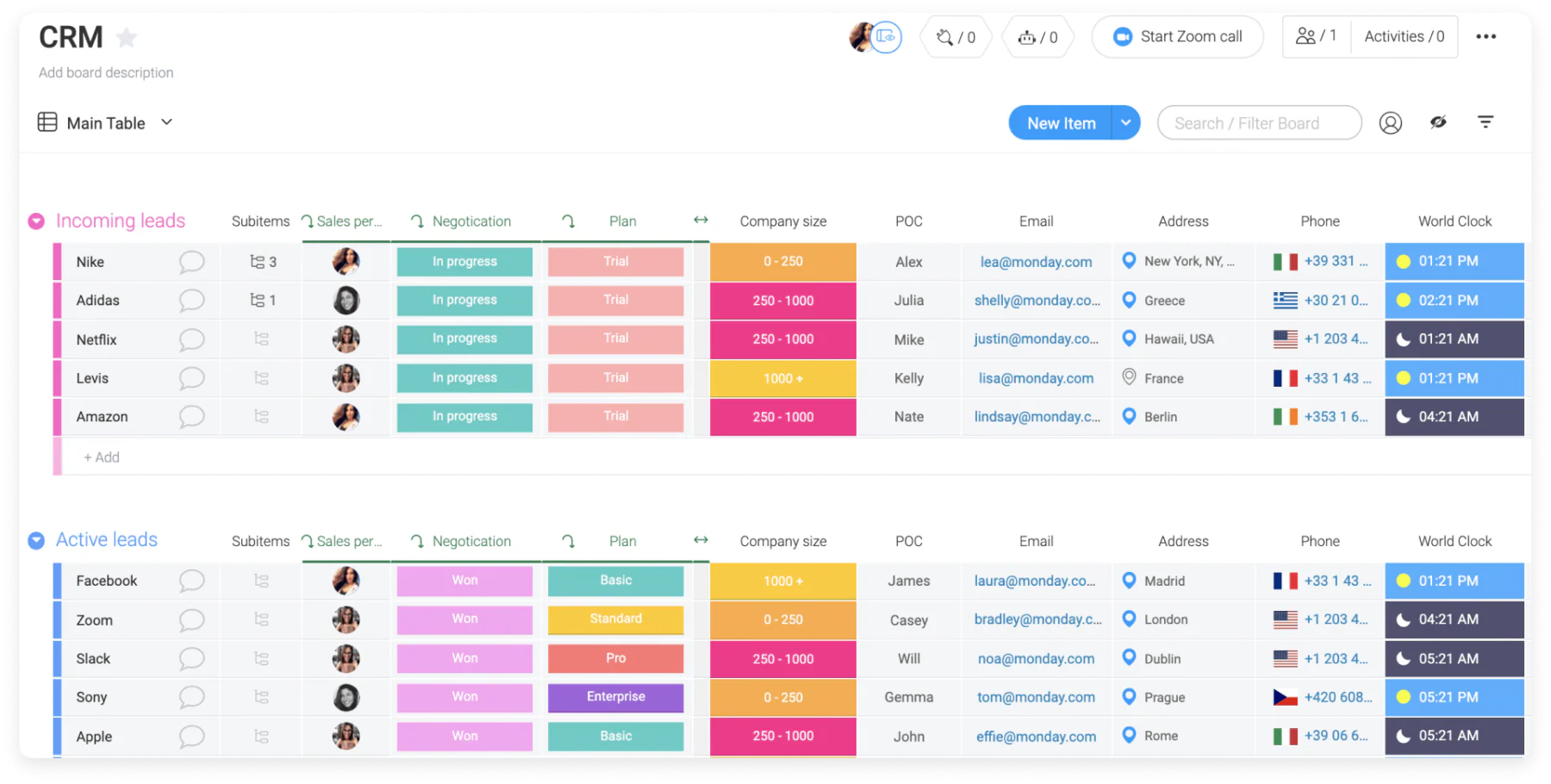
Monday.com is renowned for its capabilities as a project management platform, facilitating smoothly collaboration and organization of work across teams. It offers visual task boards and real-time updates, enabling every team member to stay aligned and informed about project developments at both individual and group levels.
Monday.com comes with a steep learning curve, which may require some time for new users to navigate effectively. Additionally, the Time Tracking Column feature is limited to Pro and Enterprise plans, which could be a consideration for teams needing detailed time management capabilities.
Features of Monday.com electronic client management system:
- Custom fields for building sales cycles and CRM systems
- Lead management with automation based on custom criteria
- Client communication tools with email integration
- No-code dashboard customization for easy setup and management
Monday.com is suitable for Malaysian teams that prefer visual workflows and flexible CRM setups. It works well for managing both projects and client relationships. However, initial setup may require some learning time.
| Pros | Cons |
|
|
Best for: Organisations that prefer visual dashboards and flexible CRM workflows.
Pricing: From around RM64/user/month.
10. Nutshell
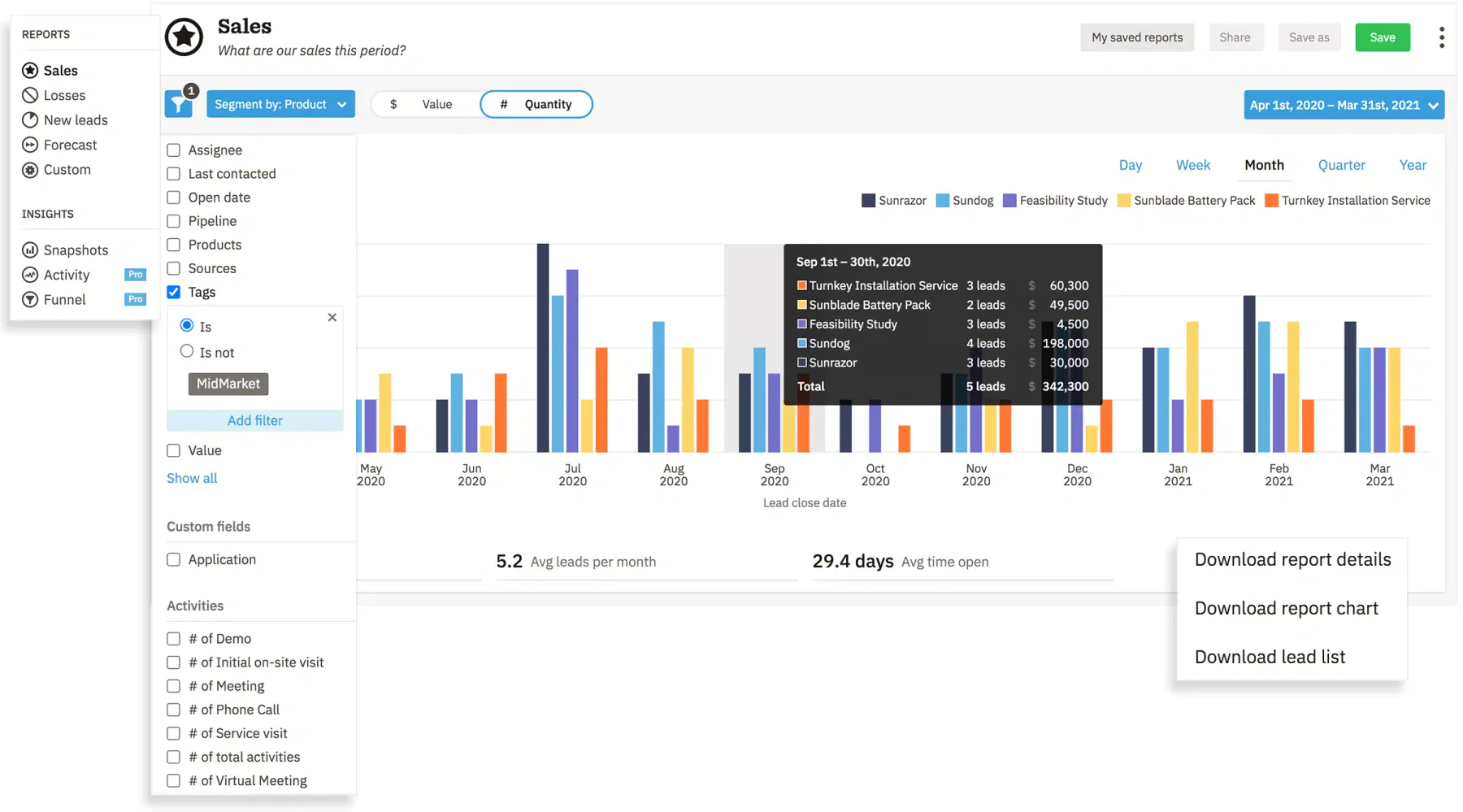
Nutshell provides a cloud-based project management software with client portal solution focused on enhancing pipeline management from project inception to completion. It offers a comprehensive set of tools designed to aid teams in planning, tracking, and collaborating on multiple projects simultaneously in a real-time environment.
Despite its strengths, Nutshell’s interface may not be as modern or intuitive as some of its competitors, potentially impacting user experience. Moreover, advanced reporting and performance tracking capabilities are restricted to higher-priced plans, which could be a limitation for budget-conscious teams.
Features of Nutshell client management system:
- Contact management tools
- Intelligent forms for direct lead collection
- Sales automation with customizable pipeline triggers
- Presentation-ready reporting charts
Nutshell fits Malaysian SMEs that want straightforward CRM functionality without unnecessary complexity. It supports sales tracking and reporting in a simple format. However, its interface may feel less modern.
| Pros | Cons |
|
|
Best for: Teams wanting straightforward CRM automation with easy reporting capabilities.
Pricing: From around RM69/user/month for entry plans.
11. Customerly
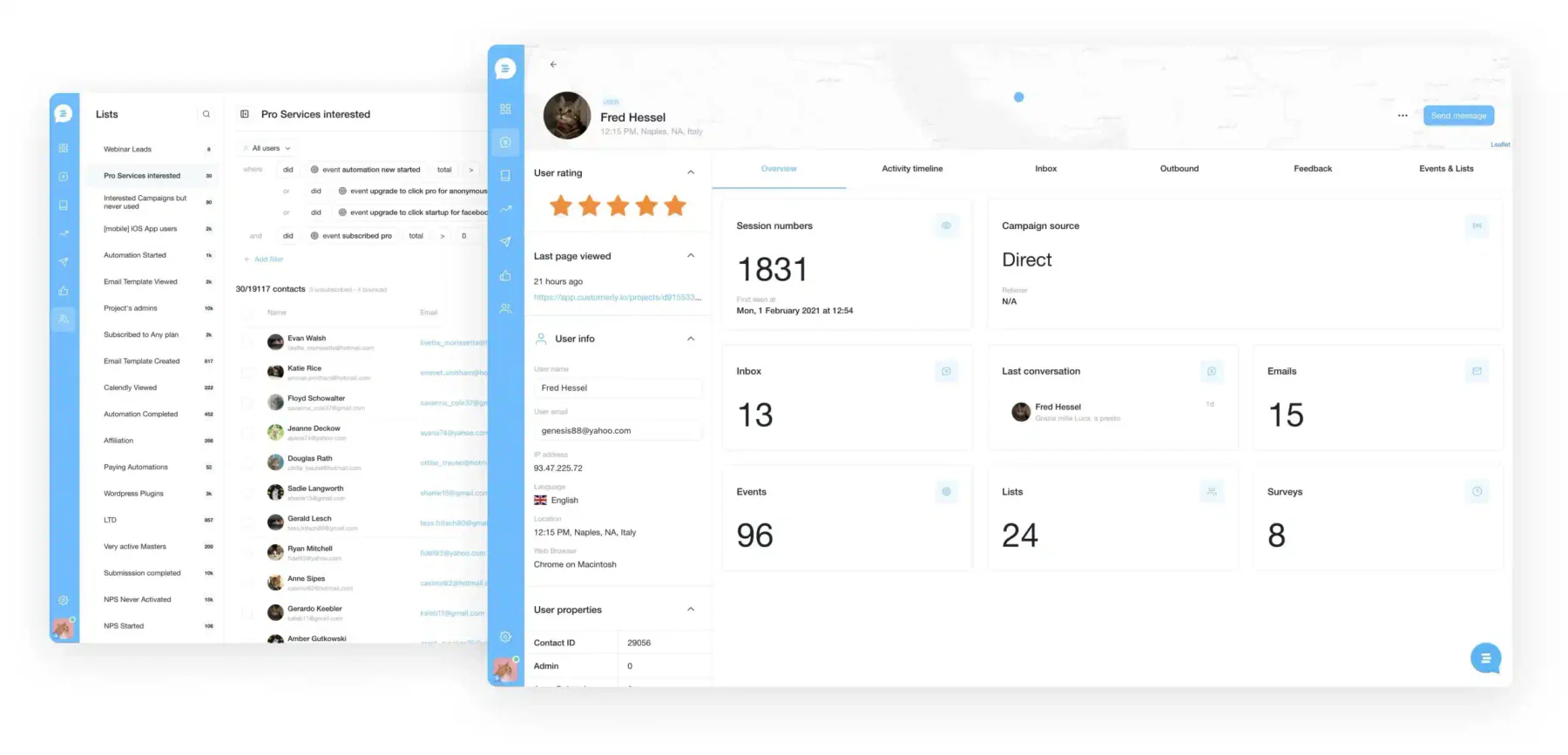
Customerly is a dynamic client lifecycle management software tailored for client-facing SaaS companies that aim to enhance their customer relationships. This platform enables businesses to offer reliable support, collect valuable feedback, and automate critical processes such as request routing and email marketing, ensuring a smooth customer experience.
As a comprehensive tool, Customerly spans across customer service, marketing automation, and customer satisfaction. However, Customerly has several recognized drawbacks that potential users should consider. One noted issue is that the dashboard can be somewhat confusing and cluttered, which could complicate the user experience.
Key Features of Customerly client service management software:
- Customizable and automated sales marketing funnel
- AI-powered chatbots
- Multilingual help center
- Free customer-centric email templates
Customerly is suitable for Malaysian SaaS companies focused on customer lifecycle management. Its automation and chatbot features support digital engagement. However, usability may require adjustment due to its interface.
| Pros | Cons |
|
|
Best for: SaaS companies that need lifecycle management with AI chatbots and multilingual support.
Pricing: From around RM39/month for the lowest paid tier (roughly $9/month), depending on contacts/features.
12. Airtable
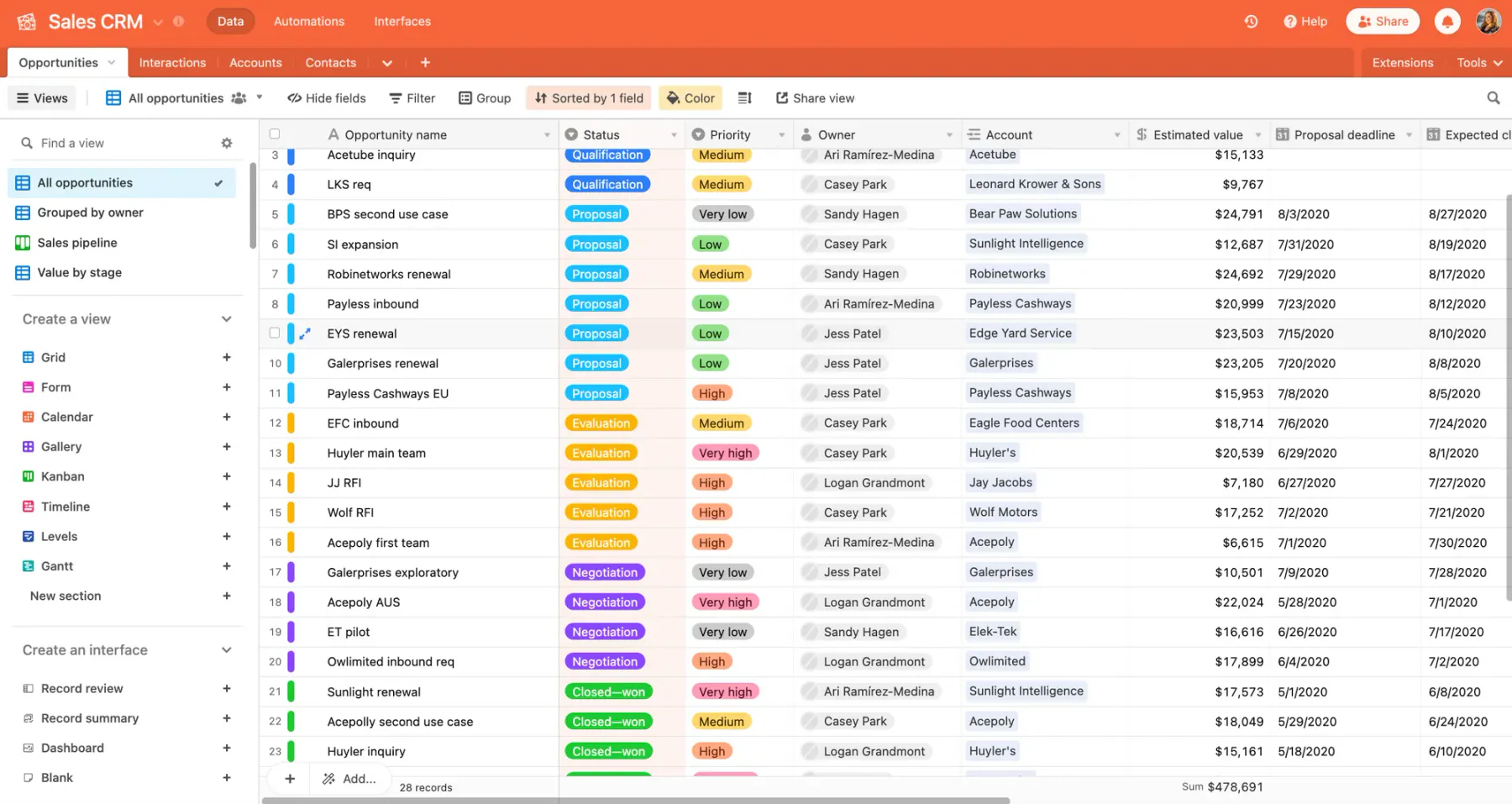
Airtable merges the simplicity of a spreadsheet with the reliable functionality of a database and the adaptability of custom applications, making it an excellent tool for small teams to manage projects collaboratively. This cloud-based platform is designed to enhance teamwork and optimize project workflows.
Airtable does have limitations in sorting and filtering capabilities, which may affect data management efficiency compared to other client management tools. Additionally, customization options for the workspace’s appearance are somewhat limited, which could be a consideration for teams seeking a highly tailored interface.
Features of Airtable:
- Actions to goals linking for enhanced reporting
- Shareable forms to populate Airtable bases
- Timeline View for tracking various project elements
- Automation capabilities with JavaScript
- Form View for effective contact management
Airtable works well for small Malaysian teams that prefer a flexible, spreadsheet-style system. It supports collaboration and lightweight data management. However, it may not scale for complex CRM needs.
| Pros | Cons |
|
|
Best for: Small teams that prefer a spreadsheet-style interface with database-like flexibility.
Pricing: From around RM86/seat/month for mid-tier team plans.
13. Insightly
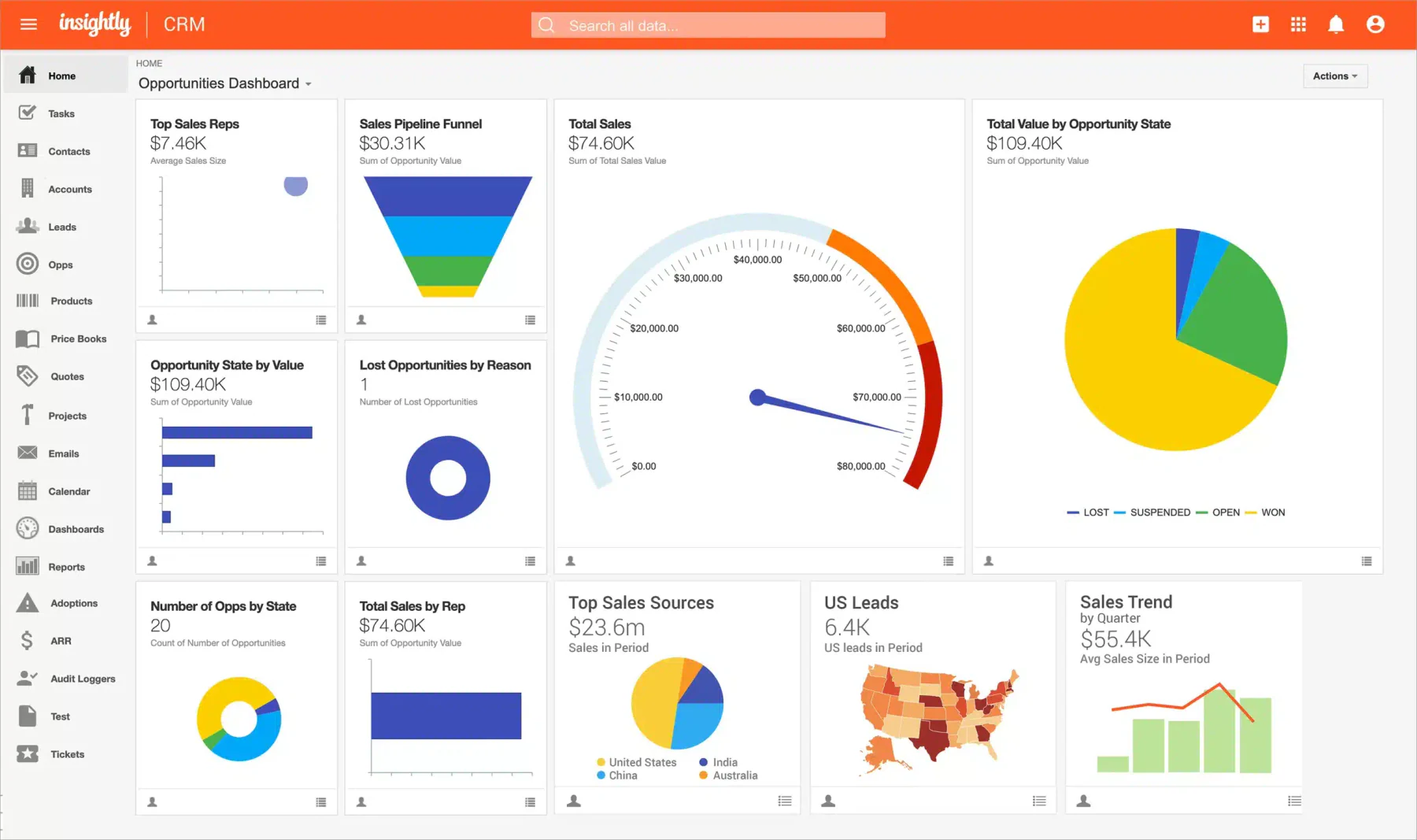
Insightly offers a reliable platform for customer relationship management and sales pipeline optimization, featuring advanced marketing capabilities and no-code integrations that simplify client management.
However, Insightly comes with its challenges. While Insightly provides essential project management functionalities, it lacks comprehensive project tracking tools such as gantt charts and resource management. These are crucial for detailed planning and tracking of projects but are not available without higher-tier plans.
Features of Insightly client service management software:
- Relationship linking and advanced contact management
- Email tracking and lead management
- Customizable project dashboards
- Mobile CRM access
Why this suits Malaysian businesses: Insightly is suitable for Malaysian businesses needing CRM with basic project tracking. It helps manage client relationships alongside ongoing tasks. However, advanced features are limited to higher-tier plans.
Insightly is suitable for Malaysian businesses needing CRM with basic project tracking. It helps manage client relationships alongside ongoing tasks. However, advanced features are limited to higher-tier plans.
| Pros | Cons |
|
|
Best for: Businesses needing strong contact management and email tracking with light project oversight.
Pricing: From around RM125/user/month for the Plus plan.
14. Nifty PM
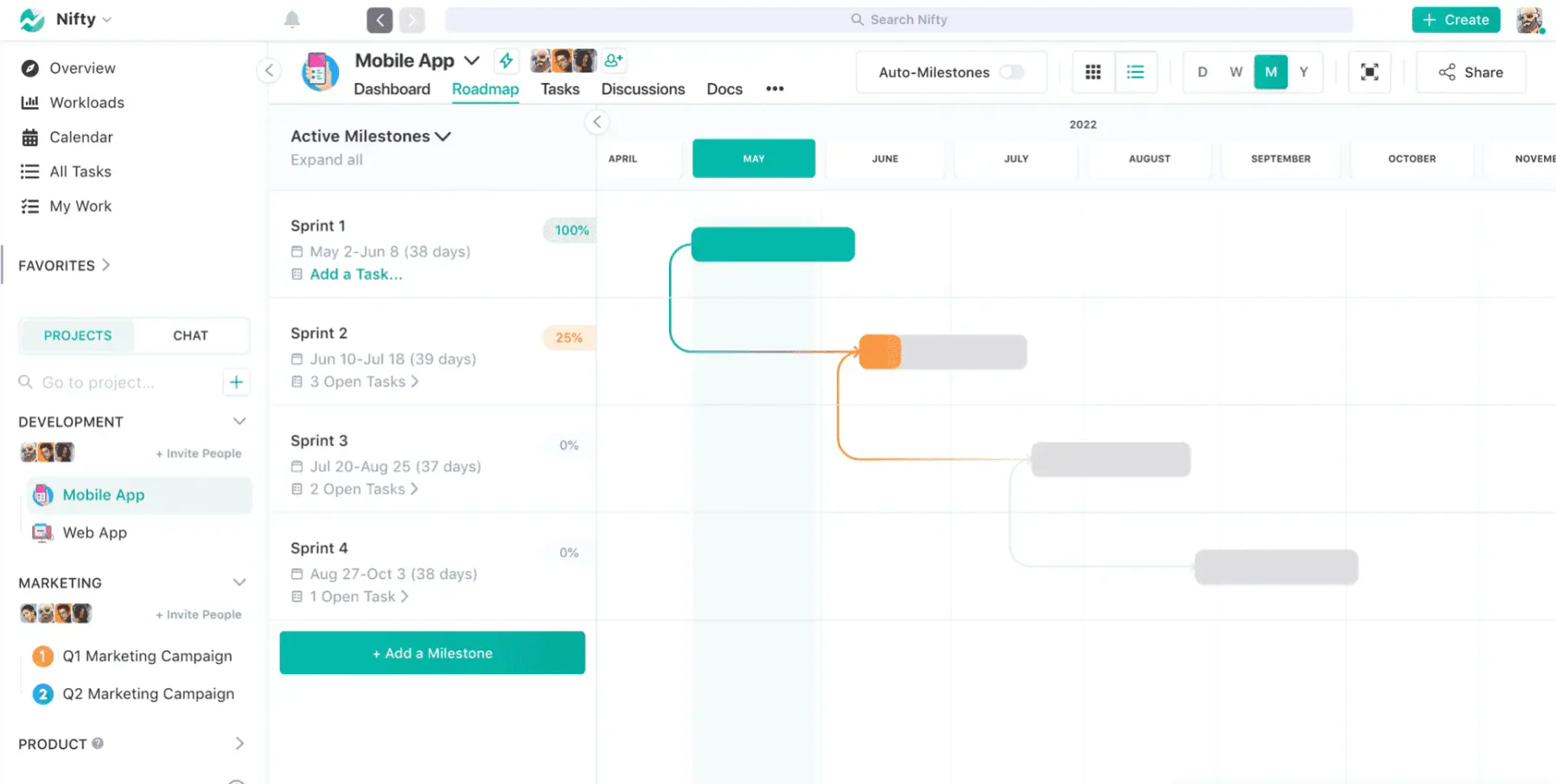
Nifty PM enhances client management through its visually intuitive interface, allowing smooth tracking of project milestones and automating progress updates as tasks are completed. This functionality not only improves workflow efficiency but also ensures all team members are aligned with the project’s real-time status.
While Nifty PM provides reliable tools to manage projects and client interactions, the mobile app, although highly functional for on-the-go communication, may not offer the full range of features available on the desktop version, which could limit functionality in mobile use.
Key Features of Nifty PM:
- Task management
- Built-in forms
- Time tracking
- Reporting dashboard
Nifty PM is ideal for Malaysian teams managing multiple client projects with visual tracking. It improves collaboration and workflow visibility. However, mobile features may be limited compared to desktop.
| Pros | Cons |
|
|
Best for: Teams managing multiple client projects that rely on visual milestone tracking.
Pricing: From around RM22/user/month for entry plans.
15. BIGContacts 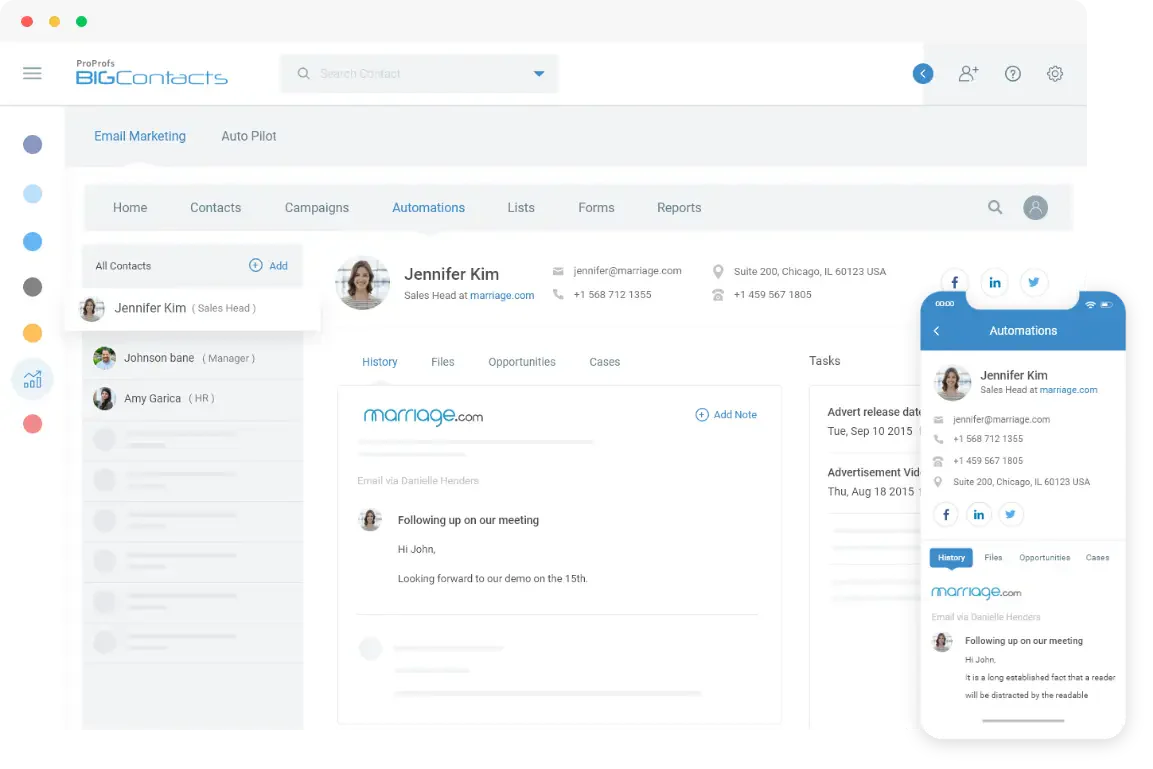
BIGContacts is an accounting client management tool tailored for small businesses, startups, and teams, focusing on simplifying client management through an intuitive CRM platform. This software integrates various functionalities like sales tracking, marketing automation, and task management.
However, it may face limitations in scalability that could impact larger businesses or those with complex CRM needs. The platform’s focus on simplicity might also mean fewer advanced features compared to more reliable CRM systems, which could be a drawback for companies seeking extensive customization options.
Key Features of BIGContacts client management software:
- Effective contact management
- Automated tasks and reminders
- Customizable fields
- User-friendly team management
BIGContacts is a good fit for small Malaysian businesses seeking a simple and affordable CRM. It covers essential features like contact management and task automation. However, it may not scale well for larger operations.
| Pros | Cons |
|
|
Best for: Small businesses seeking a simple, intuitive CRM with automated tasks and reminders.
Pricing: From around RM22/user/month for the basic CRM plan.
16. Productive.io
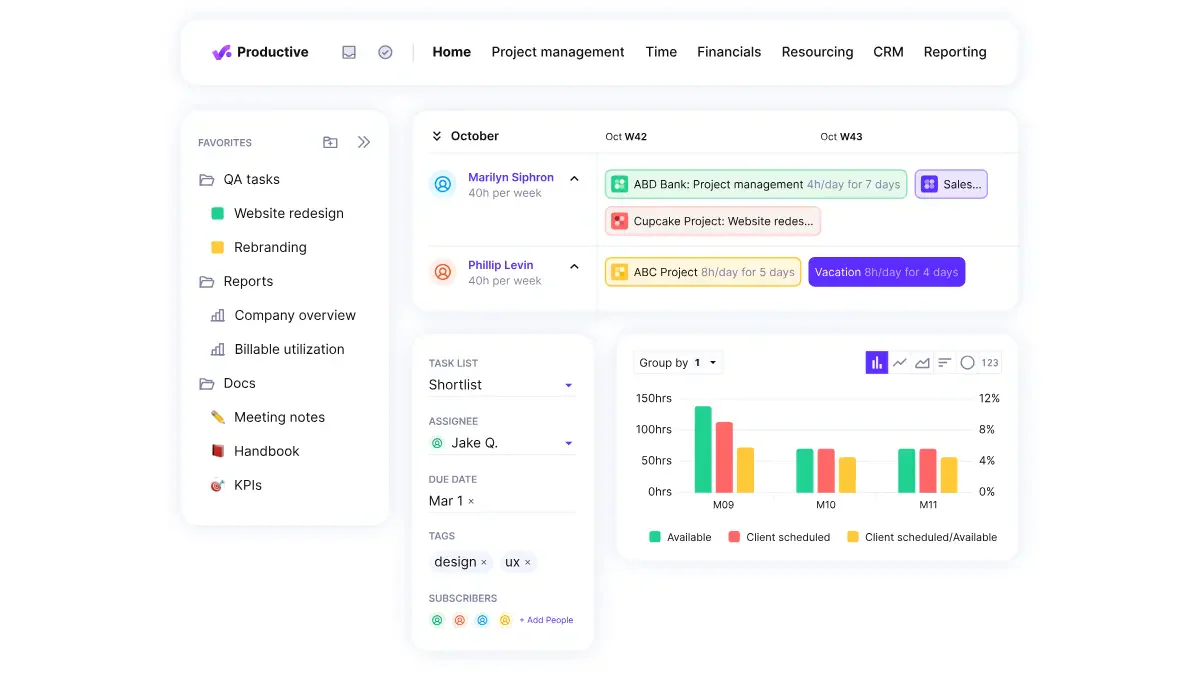
Zapier is an automation-first platform that lets you build lightweight client management flows by connecting thousands of apps (CRM, email, forms, spreadsheets, project tools) without coding. Using Zapier Tables and Interfaces, you can create simple CRM-style databases, client forms, and dashboards that automate data capture and follow-ups.
Because Zapier is not a traditional CRM, it doesn’t include deep native sales pipeline or account management features out of the box, you need to design your own workflows and connect it to other tools you already use. This flexibility is powerful but can feel complex if you prefer a pre-built, opinionated client management system.
Features of Productive.io client management system:
- Client portal for sharing project progress and dashboards in real time
- Integrated project, time, and budget management
- Profitability and utilization tracking across clients and projects
- Centralized communication and file sharing
Productive.io suits Malaysian agencies needing integrated client, project, and financial management. It provides visibility into profitability and resource planning. However, it may be complex for smaller teams.
| Pros | Cons |
|
|
Best for: Agencies needing integrated budgeting, profitability insights, and a client portal in one system.
Pricing: Paid plans start from approximately RM50 per user/month, with higher tiers for advanced reporting and profitability features.
17. Zapier
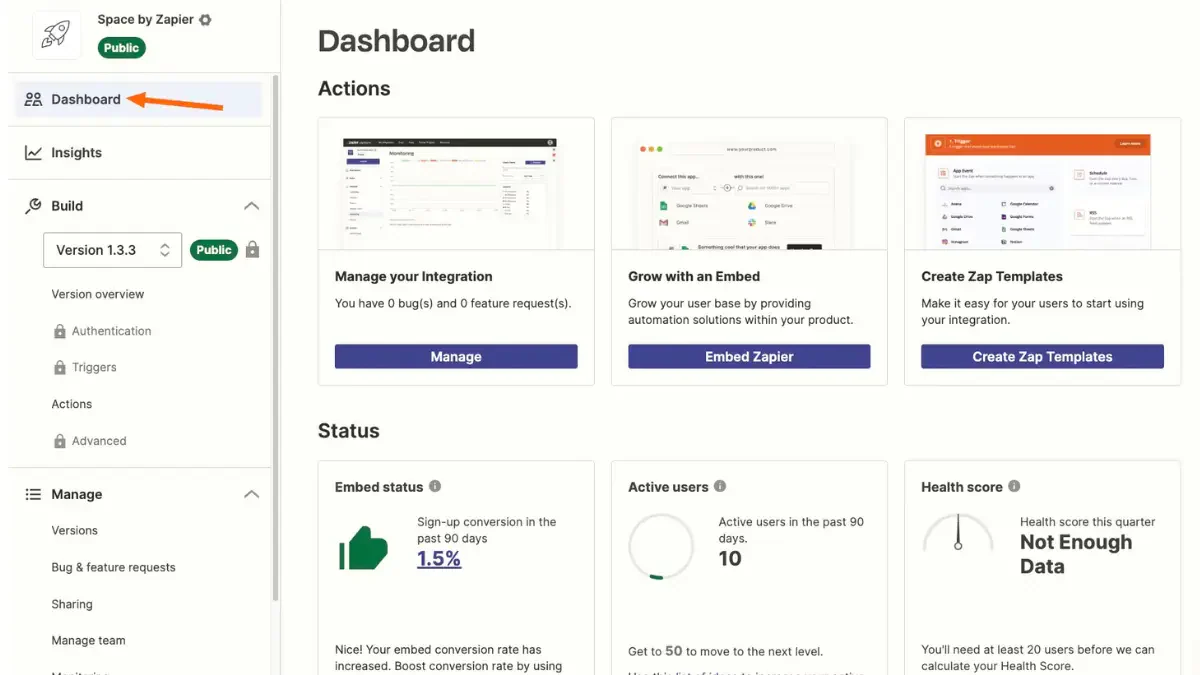
Zapier is an automation platform that connects your client management or CRM system with thousands of other apps, helping you move client data automatically between forms, email, chat, and project tools. Instead of manually copying information, you can build “Zaps” that create or update contacts, deals, tasks, or tickets whenever a client takes action, keeping your client records always up to date.
Because Zapier sits between systems rather than storing client data itself, it works best as an add-on to an existing CRM or client management tool. More advanced automations can become complex to maintain, and costs may increase as you run more tasks across multiple apps and teams.
Features of Zapier client management system:
- No-code automations (“Zaps”) triggered by client actions
- Automatic creation and updating of contacts, leads, and deals in your CRM
- Integration with 8,000+ apps including email, forms, chat, and billing tools
- Workflow templates for sales, onboarding, and customer support
- Filters and logic paths to route different clients or events to different teams
Zapier is ideal for Malaysian businesses that want to automate workflows across multiple tools. It connects systems to reduce manual work and improve efficiency. However, it works best as a supporting tool rather than a standalone CRM.
| Pros | Cons |
|
|
Best for: Companies wanting automation-first workflows that connect multiple client tools without coding.
Pricing: Free plan available; paid plans start from approximately RM85 per month, with higher tiers for higher task volumes and advanced automation.
Overall Comparison of CRM Systems in Malaysia
| Provider | Ideal Business Size | Core Features | Customization Level | Ease of Use |
|---|---|---|---|---|
| HashMicro | ||||
| HubSpot | ||||
| Salesforce | ||||
| Zoho | ||||
| ClickUp | ||||
| Pipedrive |
Must-have Features in Client Management System
Not every client management system includes the right combination of tools for how Malaysian businesses operate. The features below show what a reliable system should cover, from keeping client data in one place to automating follow ups and connecting with the tools your team already uses.
| Feature | What It Does |
|---|---|
| Centralized Client Profiles | Stores contacts, deal history, notes, and documents in one profile to prevent duplicate records. |
| Communication Tracking | Logs emails, calls, and meetings automatically so every touchpoint is traceable across the team. |
| Follow-up Reminders & Automation | Triggers reminders for renewals and check-ins based on set rules to reduce missed follow-ups. |
| Client Segmentation | Filters clients by industry, value, or lifecycle stage for more targeted and prioritized outreach. |
| Pipeline & Lifecycle Visibility | Shows each client's stage from onboarding to renewal so progress and blockers stay visible to the team. |
| Role-Based Access & Audit Trail | Controls who sees sensitive data and logs edits and approvals for compliance-heavy industries. |
| Business Tool Integrations | Connects with accounting, email, calendar, and marketing tools to avoid double-entry across systems. |
Key Features to Look for in Client Management Software
The best client management software helps businesses organise client data, track interactions, and optimize communication. While similar to CRMs, these tools focus more on client-facing processes rather than sales pipelines.
Here are the core qualities that define top-performing client management software:
- Strong contact management: Easy access to client profiles, interaction history, documents, scheduling tools, and multi-channel communication.
- Simple, user-friendly experience: The interface should be intuitive, and any advanced features must be supported with guides and reliable customer support.
- Useful reporting and analytics: Clear dashboards that help businesses understand client behaviour and improve relationship management.
- Automation and integrations: Built-in workflows and connections to other apps to reduce manual work and keep data synced across systems.
- Proven reliability: Tools that are tested, reviewed, and trusted by users, ensuring they perform well in real-world, day-to-day operations.
Things to Consider When Choosing Client Management Software

Selecting the right client management software is more than just choosing a product; it’s about finding a solution that fits your business’s unique needs. Here are key factors to consider to ensure you make the best choice.
1. Customization
Look for software that allows you to tailor features to match your specific business processes. Customizable software adapts as your business grows and changes, providing long-term value.
2. Modules integration
Effective client management tool should smoothly integrate with existing modules within your business management solution Malaysia. This integration ensures that all components work together harmoniously, enhancing overall efficiency.
3. Mobile accessibility
In today’s mobile-first world, ensuring that your client management software is accessible on smartphones and tablets is crucial. Mobile accessibility allows you and your team to manage client relationships on-the-go, ensuring no opportunity is missed.
4. Reputation
Consider the reputation of the software provider. For instance, HashMicro is renowned for its reliable client management solutions, reflecting a strong track record of customer satisfaction and reliable software performance.
5. Security and permission controls
Strong security measures and customizable permission controls are essential to protect your client data. Ensure the software provides comprehensive security features to control who can access different levels of information.
6. Report and analytics
The ability to generate insightful reports and conduct detailed analytics is vital. This functionality helps you understand customer behavior, track performance metrics, and make informed business decisions based on real-time data.
Choosing the right client management software can make a huge difference in how your business operates. With HashMicro’s Client Management System, you can optimize client data, automate follow-ups, and gain real-time insights to improve customer satisfaction.
Which Client Management Software Suit your Business The Most?
Choosing the right client management software can be challenging with so many options available. To simplify your decision, the matrix below matches different business needs with the most suitable solutions.
| Business Profile | Recommended Software | Why It Fits |
|---|---|---|
Malaysian business needing fully integrated CRM with ERP and local compliance | HashMicro | Combines CRM with ERP modules, supports LHDN MyInvois and SST, offers unlimited users, and provides local KL support for smooth implementation and scalability. |
E-commerce brand focusing on personalized marketing automation | Drip | Strong automation for email campaigns, A/B testing, and deep integrations with Shopify and Magento, ideal for driving online sales conversions. |
Growing team needing scalable all-in-one CRM with integrations | HubSpot | User-friendly platform with strong ecosystem integrations, supporting marketing, sales, and service workflows in one system. |
Enterprise requiring advanced CRM with deep customization and automation | Salesforce | Highly scalable platform with Customer 360 view, advanced workflows, and enterprise-grade analytics for complex operations. |
Budget-conscious business wanting CRM within a broader ecosystem | Zoho CRM | Affordable solution with strong integration across Zoho apps, suitable for businesses building a connected software stack. |
Team needing customizable workspace for managing clients and projects | ClickUp | Flexible platform with multiple views, templates, and collaboration tools to manage both client relationships and internal workflows. |
Sales-driven team focused on pipeline and deal tracking | Pipedrive | Simple and visual CRM designed for managing sales pipelines, improving follow-ups, and increasing deal closure rates. |
Business needing easy pipeline tracking with mobile accessibility | Freshworks CRM | User-friendly CRM with mobile app support, making it ideal for teams that manage clients on the go. |
Team preferring visual dashboards and flexible workflows | Monday.com | Customizable boards and dashboards allow teams to manage leads, projects, and client communication visually. |
Small team needing simple CRM with built-in reporting | Nutshell | Straightforward CRM with automation and reporting tools, suitable for teams prioritizing ease of use. |
SaaS company needing lifecycle management and support automation | Customerly | Offers AI chatbots, email automation, and help center tools to manage the full customer lifecycle efficiently. |
Small team preferring spreadsheet-style CRM with flexibility | Airtable | Combines database functionality with spreadsheet simplicity, ideal for lightweight and customizable client tracking. |
Business needing strong contact management with light project tracking | Insightly | Provides relationship linking, email tracking, and CRM tools with basic project management capabilities. |
Team managing multiple client projects with milestone tracking | Nifty PM | Visual project and milestone tracking helps teams stay aligned on client deliverables and timelines. |
Startup or small business needing simple and intuitive CRM | BIGContacts | Easy-to-use CRM with basic automation and reminders, suitable for small teams with straightforward needs. |
Agency needing CRM combined with project and profitability tracking | Productive.io | All-in-one platform linking CRM, project management, and financial insights for better client and resource management. |
Company needing automation across multiple client tools and apps | Zapier | Connects thousands of apps to automate workflows, reduce manual work, and keep client data synchronized across systems. |
Conclusion
Choosing the right client relationship management software is an important decision for businesses in Malaysia, aimed at optimizing customer relationships and enhancing operational efficiencies. This article has explored a diverse array of software options, each with unique features tailored to different business needs, from startups to large enterprises.
Whether used as smart startup software for growing businesses or as a comprehensive solution for larger organizations, client management software helps simplify operations, organize customer data, and strengthen long-term client relationships.
Discover how client management software can transform your client management practices by signing up for a free demo today!

FAQ About Client Management Software in Malaysia
Client Management Software organizes and automates customer interactions by centralizing data, tracking communications, and managing tasks, helping businesses optimize operations and improve client relationships.
Industries such as retail, finance, healthcare, real estate, and professional services benefit from Client Management Software to manage customer relationships, enhance service delivery, and optimize operations.
No, a CMS (Content Management System) is not traditionally a core part of an ERP system. CMS focuses on creating, managing, and publishing digital content (such as website pages or blogs), while ERP manages internal business operations like finance, inventory, HR, and sales. However, many modern ERPs integrate with CMS platforms or offer portal features so businesses can sync operational data (e.g., product info, stock levels) with their websites.
Selecting the right Client Management Software is important because it helps businesses manage client data efficiently, improve relationships, and boost productivity through automation and insights.