


















Key Takeaways
|
Many businesses still struggle with manual accounting and compliance processes. The right Accounting Software solution helps improve accuracy, simplify reporting, and support smoother e-invoicing management.

Shortlisted Best Accounting Software
Accounting software is not a universal fit. Some systems focus on billing and simple bookkeeping, which works fine for freelancers and very small teams. Others include inventory management, FX handling, and payroll add-ons that larger operations require.
The options below are commonly used by businesses in Malaysia. Each entry covers key features, pricing where publicly available, and the type of business that usually gets the most value. Where a product has common drawbacks, those are included too.




Best Because
Complete accounting tools for SMEs
Quick Comparison: Top Accounting Software in Malaysia
Choosing the perfect accounting software requires looking at two crucial factors: your preferred hosting method and your specific business scale.
| Business Profile & Scale | Recommended Software | Deployment Options | Key Strengths & Compliance Status |
|---|---|---|---|
| Mid-to-Large Enterprises & Multi-Company Groups | HashMicro | Flexible (Cloud, On-Premise, or Hybrid) | Full ERP integration, consolidated MFRS reporting, direct LHDN API. |
| Local SMEs & Trading Companies | AutoCount, Financio, QNE Accounting, Biztory | Cloud-Based (Lightweight) | Native SST, local compliance built-in. |
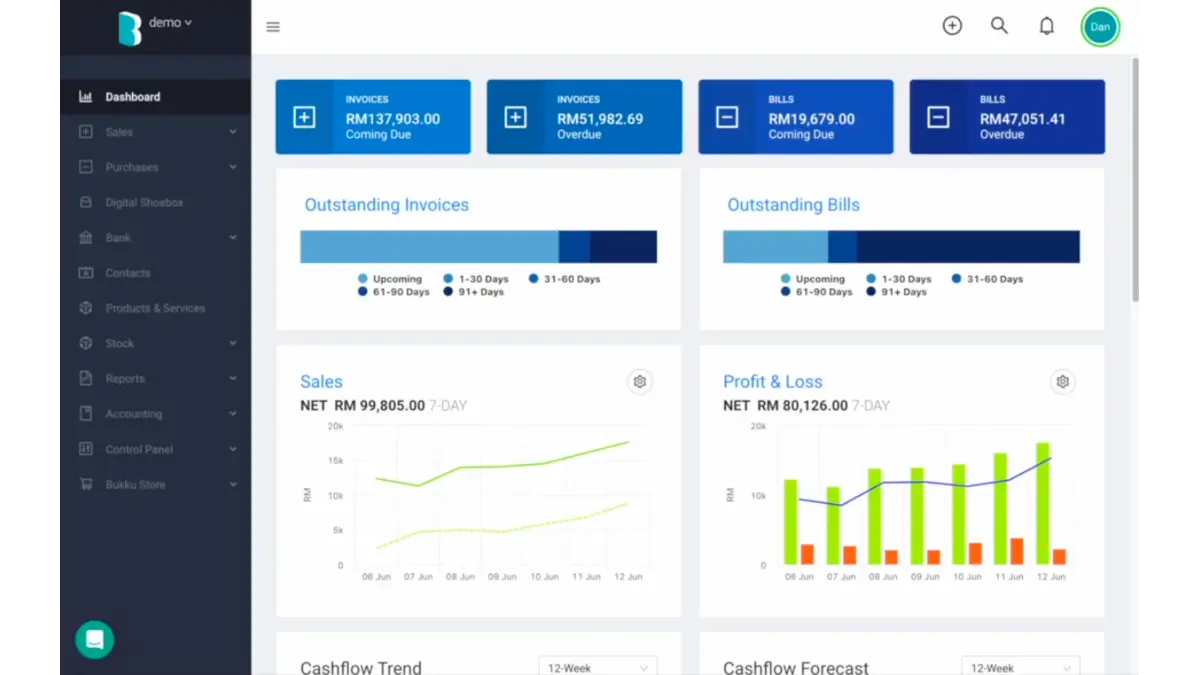
| Micro-Startups & Solopreneurs (MY) | Bukku | Purely Cloud-Based | Lightweight, local compliance built-in. |
| International Freelancers & Agencies | Xero, QuickBooks | Cloud-Based | Global multi-currency, extensive app integrations, partial-support bridge for LHDN. |
How to Plan Your Accounting Software Migration Smoothly
Purchasing the software is only the first step. To prevent operational downtime and data loss, a structured migration plan is essential.
- Cleanse Your Existing Data: Before moving to a new system, delete duplicate vendors, archive inactive clients, and reconcile pending accounts. Do not migrate dirty data.
- Select a Strategic Cut-Off Date: The best time to transition is at the end of a financial quarter or fiscal year. This provides a clean break for your accounting team to start fresh without overlapping balances.
- Run a Parallel Test: For the first month, run your old system and the new software simultaneously. Compare the end-of-month reports to ensure the new system is calculating everything flawlessly.
- Train Your Team: A system is only as good as the people using it. Ensure your finance team receives comprehensive onboarding from the software vendor to maximize the new features.
What is Accounting Software and Why is It Important?
Accounting software is a platform businesses use to record transactions, manage bookkeeping, track invoices, monitor expenses, reconcile bank data, and prepare financial reports. For larger companies, it can also support multi-entity accounting, approval workflows, tax documentation, budgeting, and integration with ERP or operational systems.
It matters because many finance problems come from weak follow-through. Late invoices, unclear payment status, inconsistent expense coding, and month-end closing that depends on one person’s spreadsheet can slow decision-making. The right system reduces repeat work and gives managers numbers they can rely on.
22 Best Accounting Software in Malaysia
Popular Accounting System Software in Malaysia (Shortlist Overview)
- HashMicro Accounting Software : An ERP-integrated accounting platform with direct LHDN MyInvois API, unlimited user access, asset management, and S-curve budget tracking, suited for mid-to-large Malaysian enterprises.
- AutoCount: A well-recognized local brand offering scalable accounting and inventory features built for SMEs.
- FreshBooks: User-friendly billing and time-tracking platform widely used by service-based businesses and freelancers.
- Xero: Cloud-based and highly intuitive with automatic bank feeds and a wide set of third-party integrations.
- Zoho Books: Cloud accounting for SMEs with strong invoicing, bank reconciliation, and multi-channel integrations.
- QuickBooks: Solid bookkeeping, payroll, and inventory features accessible across multiple devices.
- Sage: Known for reliable financial management and compliance, ideal for established companies with complex accounting needs.
- Wave: A beginner-friendly option offering free basic accounting, invoicing, and receipt tracking.
- Financio: Malaysian-friendly solution supporting e-invoicing, SST compliance, and localized reporting.
- CALTRiX: Offers automated accounting and inventory functions suitable for trading and distribution businesses.
- QNE Accounting: A popular local solution with real-time reporting and compatibility with Malaysian tax requirements.
- Netiquette: Cloud-based financial management with integrated payroll and e-invoicing support.
- Biztory: Startup-friendly cloud accounting built for small retailers with simple invoicing and expense tracking.
- Bukku: A budget-friendly choice known for fast e-invoicing, recurring billing, and local tax support.
- MYOB: A versatile accounting platform suitable for businesses that need scalability and inventory features.
- SAP Business One: Enterprise-level ERP with integrated accounting for companies needing powerful financial consolidation.
- Accurate: Popular among SMEs for multi-warehouse inventory, financial reporting, and manufacturing cost tracking.
- Microsoft Dynamics: An Advanced accounting and ERP system suitable for medium to large enterprises requiring deep customization.
- Oracle: A scalable financial platform with strong analytics and compliance for complex multi-entity organizations.
- Omegasoft Malaysia: Designed for retail and trading businesses that need POS and accounting in a single, integrated environment.
- ZipBooks: Simplified cloud accounting with smart categorization and easy client billing.
- Tally: A long-standing option known for efficient bookkeeping and inventory features for SMEs.
Before we choose the best accounting software for your business, it’s essential that to understand its features and potential drawbacks. Let’s explore some of Malaysia’s top 22 accounting software solutions, which offer a balance of innovation and reliability.
1. HashMicro Accounting Software
HashMicro is an ERP based accounting system built for mid-to-large enterprises requiring full MFRS and LHDN compliance. The software handles core accounting functions like invoicing, bank reconciliation, and financial reporting, but its main value comes from integration with other business modules including inventory, purchasing, manufacturing, and HR.
For Malaysian businesses, HashMicro supports SST calculation, LHDN compliant invoicing, and multi currency transactions. The system also includes budget tracking with S-curve visualisation, which helps project based businesses monitor spending against planned budgets over time.
One notable feature is unlimited user access without additional licensing fees. This matters for companies with large finance teams or multiple branch operations where per user pricing can escalate costs quickly.
| Pros | Cons |
|
|
HashMicro supports Malaysian compliance requirements, including SST, MyInvois e-invoicing, and EPF/SOCSO integration. Its cloud-based system helps multi-branch businesses access real-time financial data from one dashboard, supported by a local implementation and support team in Malaysia.
2. AutoCount
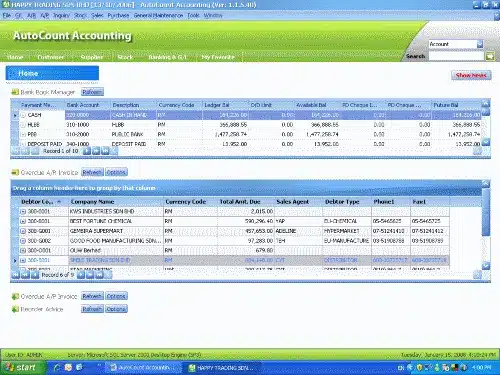
Accounting solution AutoCount supports general ledger, payroll, inventory, and cloud access for Malaysian SMEs. It can also integrate with other systems in the AutoCount suite, including POS, Cloud POS, HRMS, and Payroll, so sales, stock, and payroll data stay connected with accounting records.
One feature that stood out is its accounts payable functionality, which helps businesses efficiently manage vendor invoices and payments. This feature streamlines the tracking of outstanding liabilities, enables easy payment scheduling, and supports better cash flow management.
| Pros | Cons |
|
|
AutoCount is widely used by Malaysian SMEs for its support of SST, GST-ready reporting, and LHDN compliance. The system is also supported by local resellers and IT consultants across Malaysia, making it a popular choice for businesses that prefer on-premise accounting software with local support.
3. FreshBooks
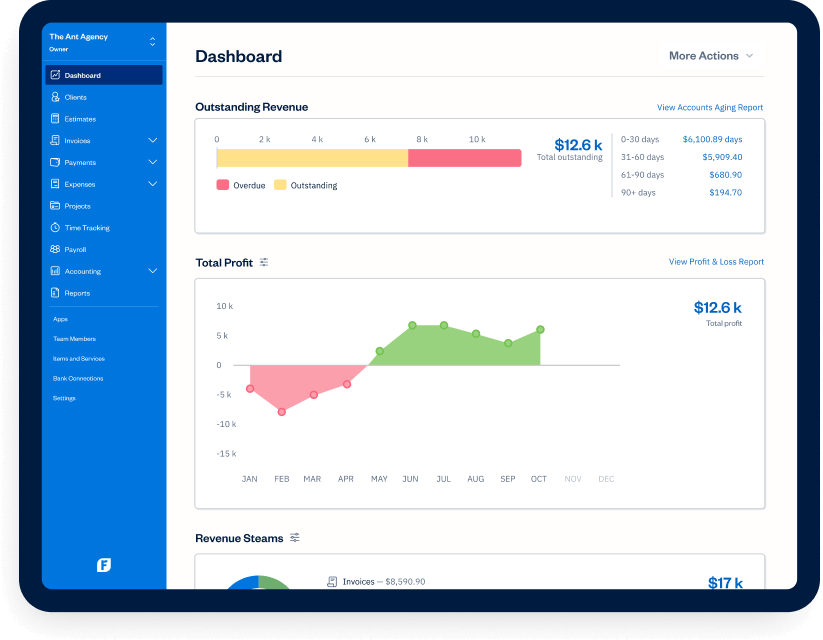
FreshBooks focuses on invoicing and time tracking rather than full spectrum accounting. The interface is built for people who are not accountants, which makes it popular among freelancers and small service businesses that bill clients by project or by hour.
Creating invoices takes minutes. You can set up recurring invoices for retainer clients, add your logo and payment terms, and send directly from the platform. The software tracks when clients open invoices and sends automatic payment reminders, which helps reduce chasing overdue payments manually.
Time tracking is built in, so consultants and agencies can log hours directly and convert them into invoices without switching tools.
| Pros | Cons |
|
|
FreshBooks is suitable for Malaysian freelancers, consultants, and service-based SMEs that need simple invoicing, billing, and expense tracking. Although it does not provide advanced Malaysian tax compliance features, it works well for businesses focused on project-based invoicing and MYR transaction management.
4. Xero
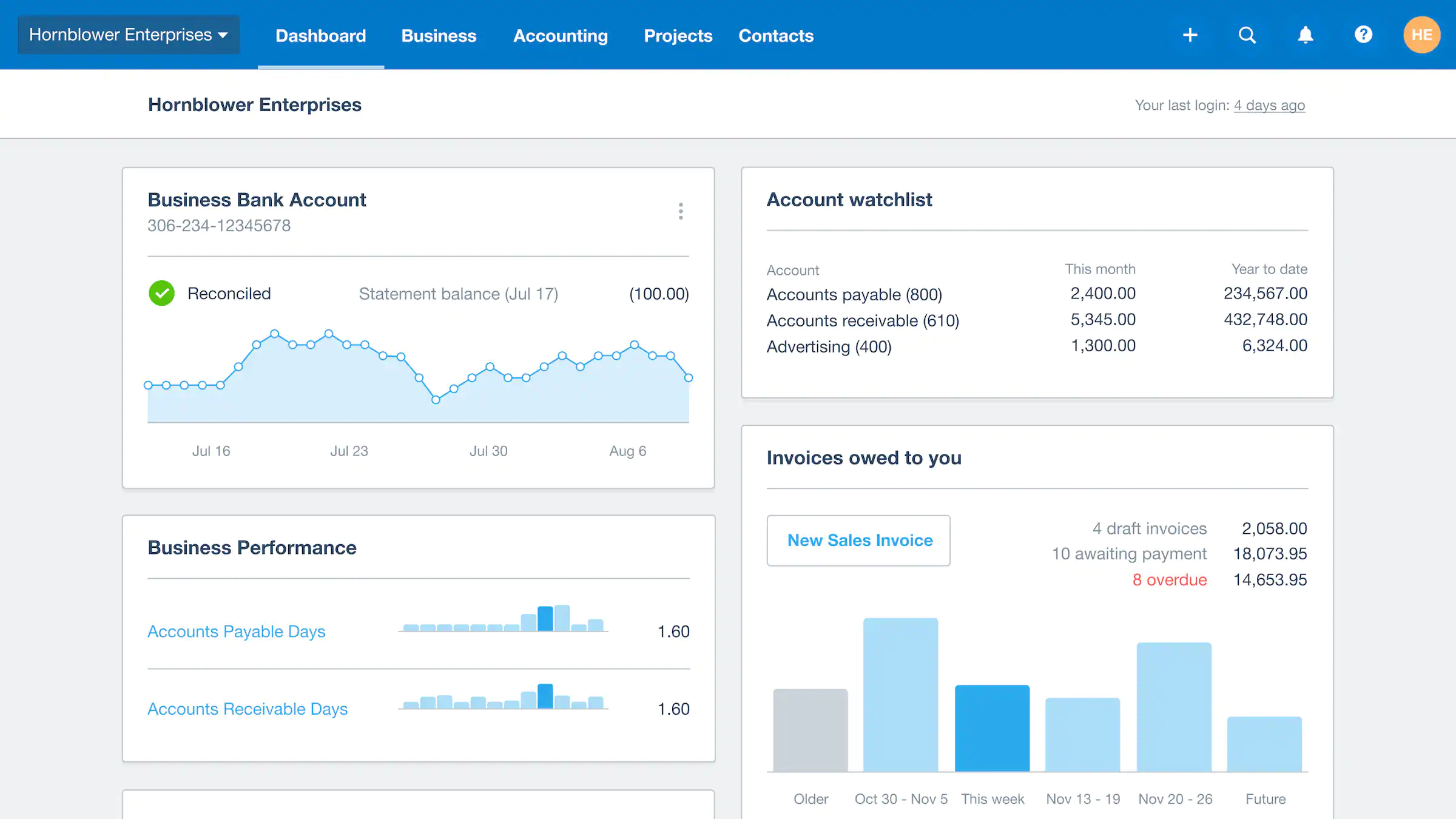
Xero is cloud accounting software that connects directly to your bank accounts and automatically imports transactions daily. This makes reconciliation faster because you match transactions on screen rather than comparing printed statements to spreadsheets.
The software also has a large marketplace of third party integrations. If you use separate tools for payroll, inventory, CRM, or ecommerce, there is likely a Xero integration available. This flexibility makes Xero popular with businesses that want accounting as a central hub connected to other systems.
For multi currency businesses, Xero handles foreign exchange transactions and shows gains or losses automatically. Malaysian businesses dealing with Singapore dollar, US dollar, or other currencies will find this useful.
| Pros | Cons |
|
|
Xero helping SMEs speed up reconciliation and manage finances more efficiently. Its cloud-based platform is suitable for remote access, while third-party integrations support MyInvois e-invoicing and local partners provide implementation and training assistance in Malaysia.
5. Zoho Books

Zoho Books is a cloud-based bookkeeping or accounting system designed to streamline businesses’ financial management. We reviewed this software and found that it offers features such as invoicing, expense tracking, time tracking, and financial reporting.
One key feature we found in Zoho Books is its invoicing capability, which lets us create, customize, and send professional invoices to clients. It also includes automated payment reminders and recurring invoice options, helping businesses stay on top of their billing cycles.
| Pros | Cons |
|
|
Zoho Books is suitable for Malaysian SMEs that need cloud accounting with SST compliance, automated invoicing, and multi-channel integration. Its affordable pricing and integration with tools like Zoho CRM and Zoho Inventory also make it a practical choice for businesses already using the Zoho ecosystem.
6. QuickBooks
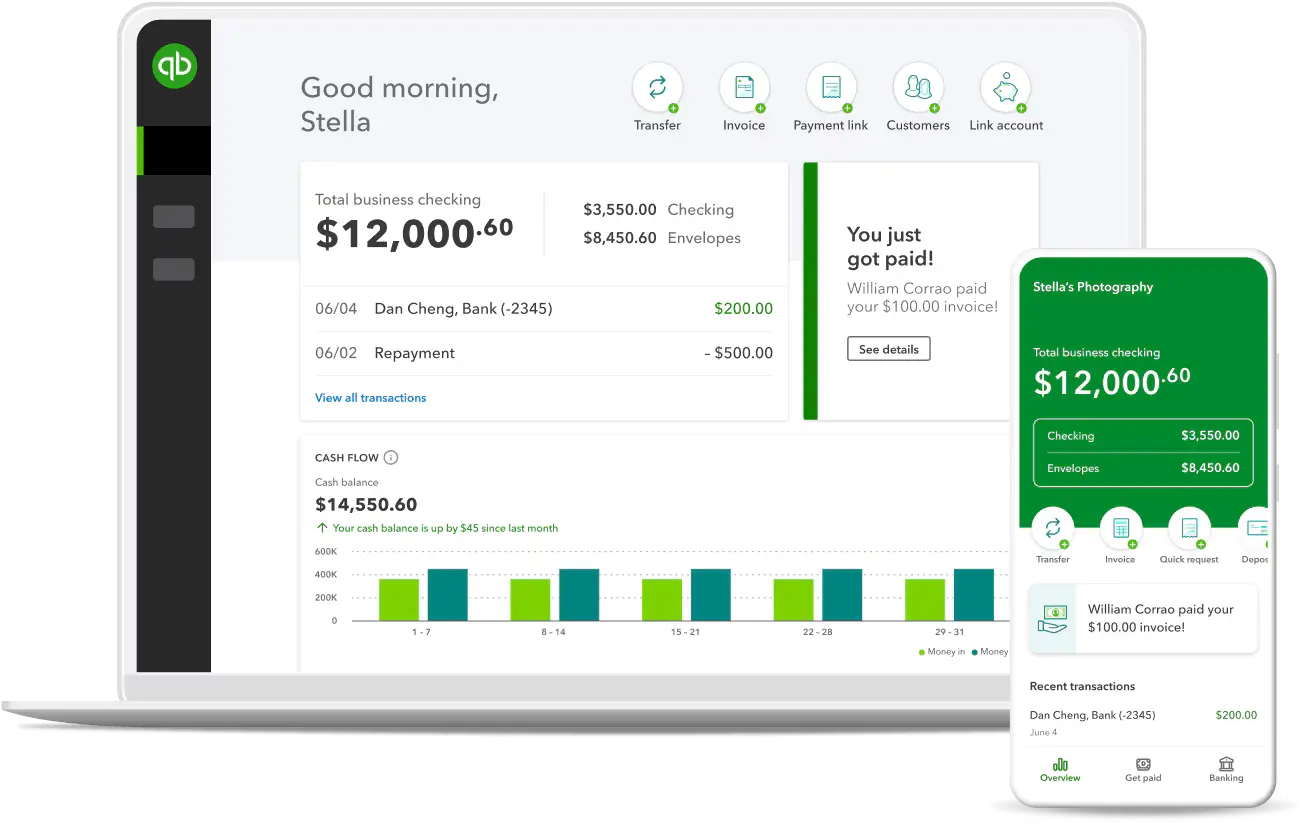
QuickBooks is one of the top accounting software solutions in Malaysia that we reviewed, offering a comprehensive suite of features such as invoicing, expense tracking, payroll, bookkeeping, and tax preparation. Its cloud-based technology ensures accessibility and real-time data synchronization across multiple devices, which is especially beneficial for businesses operating remotely or across multiple locations.
What stood out during our review was how QuickBooks leverages cloud technology to keep financial data updated in real time. This capability not only supports collaboration among team members but also improves operational efficiency by ensuring everyone works with the most current information.
| Pros | Cons |
|
|
QuickBooks is suitable for SMEs and retail businesses that need bookkeeping, basic inventory management, and multi-device access. Although primarily designed for the US market, its reporting and general ledger features still work well for businesses that do not require advanced SST or MyInvois compliance features.
7. Sage
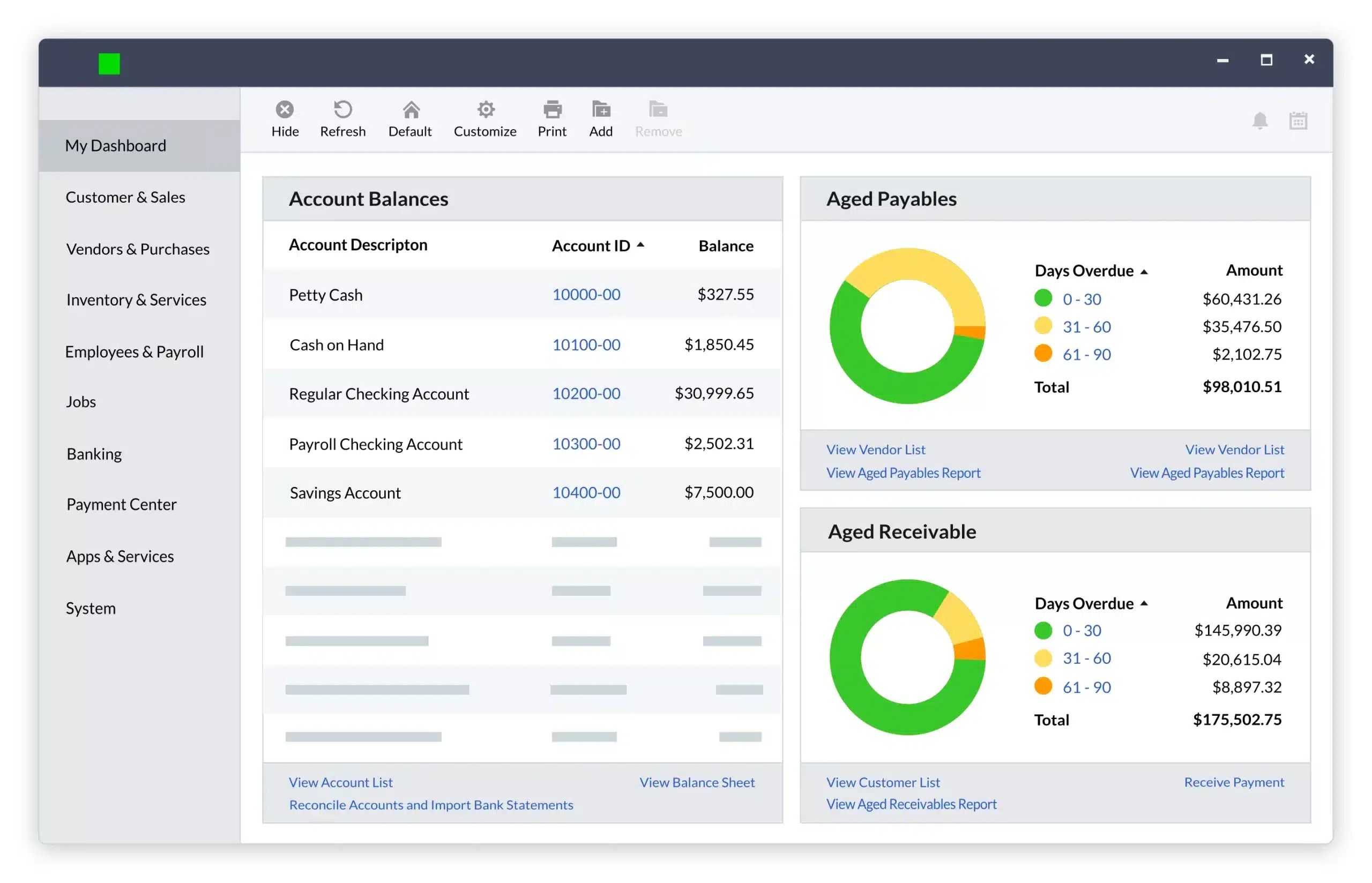
Sage is a Malaysia-based accounting software provider we reviewed, known for its comprehensive financial management solutions tailored to businesses of all sizes. It offers a wide range of features designed to streamline financial operations and ensure compliance with local regulations.
From our review, Sage provides a complete suite of accounting tools, including modules for general ledger management, accounts payable, accounts receivable, and detailed financial reporting, making it a reliable option for businesses seeking an all-in-one solution.
| Pros | Cons |
|
|
Sage is suitable for Malaysian companies with complex financial reporting, multi-entity operations, or businesses in regulated industries like construction and manufacturing. Its financial management and compliance reporting features support MFRS requirements, making it useful for audit preparation and Bursa Malaysia reporting needs.
8. Wave
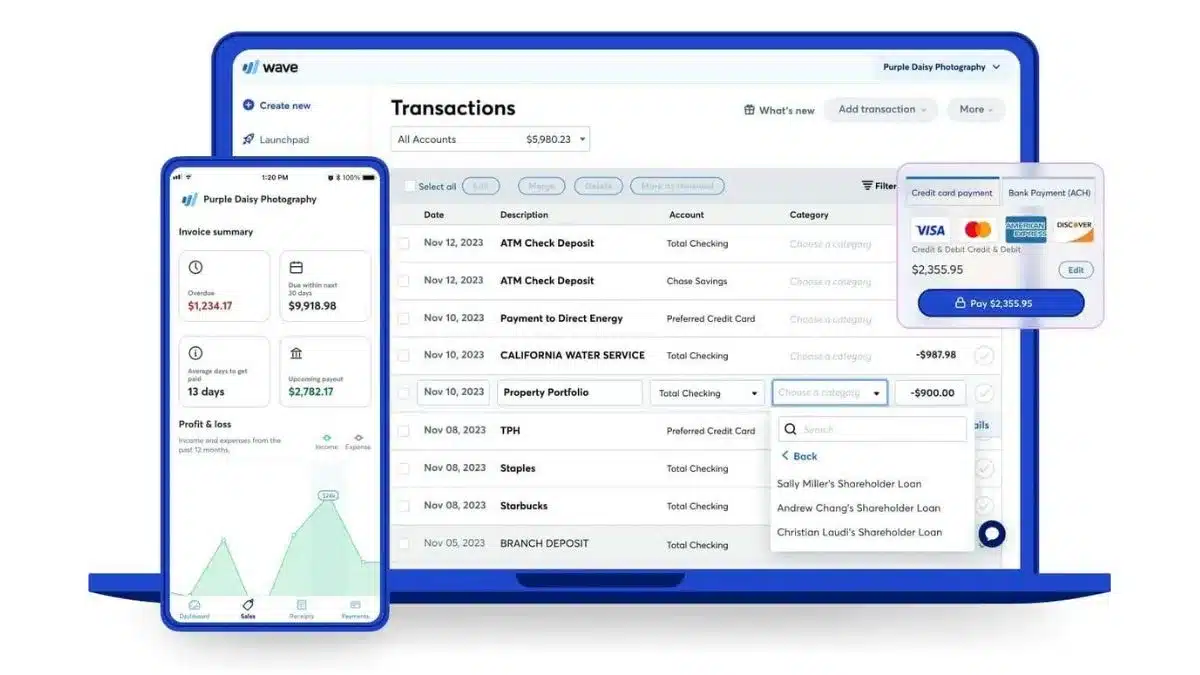
Wave is one of the accounting software solutions in Malaysia that we evaluated, and it stands out for being free while still offering a strong set of features. It includes invoicing, expense tracking, and financial reporting all accessible through a cloud-based platform that ensures both convenience and data security.
When we tested its capabilities, we found that Wave’s financial reporting tools are surprisingly great for a free tool. Businesses can generate detailed reports like profit and loss statements, balance sheets, and cash flow reports, all of which can be customized to reflect specific timeframes or categories. This makes Wave an excellent option for small businesses looking for a cost-effective yet comprehensive accounting solution.
| Pros | Cons |
|
|
Wave is suitable for Malaysian micro-businesses, solopreneurs, and startups that need basic accounting and invoicing without high upfront costs. Its free features support bookkeeping and receipt tracking, although businesses requiring SST compliance or e-invoicing may need additional tools.
9. Financio

Financio is another accounting software in Malaysia that we reviewed, offering a cloud-based system with features like invoicing, expense tracking, and financial reporting. Its primary strength lies in its simplicity and automation, which helps businesses streamline their accounting processes without unnecessary complexity.
We found its intuitive interface particularly useful for users with limited accounting knowledge. By minimizing the learning curve and emphasizing automation, Financio enables businesses to manage their finances more efficiently, saving both time and effort in day-to-day operations.
| Pros | Cons |
|
|
Financio is designed specifically for the Malaysian market, with support for SST, MyInvois LHDN e-invoicing, and localized financial reporting. Its simple interface and ready-to-use compliance features make it suitable for SMEs transitioning from manual bookkeeping to cloud accounting.
10. CALTRiX
CALTRiX is an accounting software in Malaysia that we reviewed for its wide range of features designed to support businesses of different sizes. It includes essential tools such as general ledger management, accounts payable, and comprehensive financial reporting.
We found its cloud-based technology particularly advantageous for businesses that prioritize accessibility and data security. With real-time collaboration capabilities, CALTRiX allows teams to work seamlessly, ensuring everyone has access to the latest financial data, which improves productivity and decision-making.
| Pros | Cons |
|
|
CALTRiX is suitable for Malaysian trading and distribution businesses that need accounting and inventory management in one system. Its automation features help reduce manual data entry, while local tax reporting support makes it practical for SMEs in retail, wholesale, and supply chain industries.
11. QNE Accounting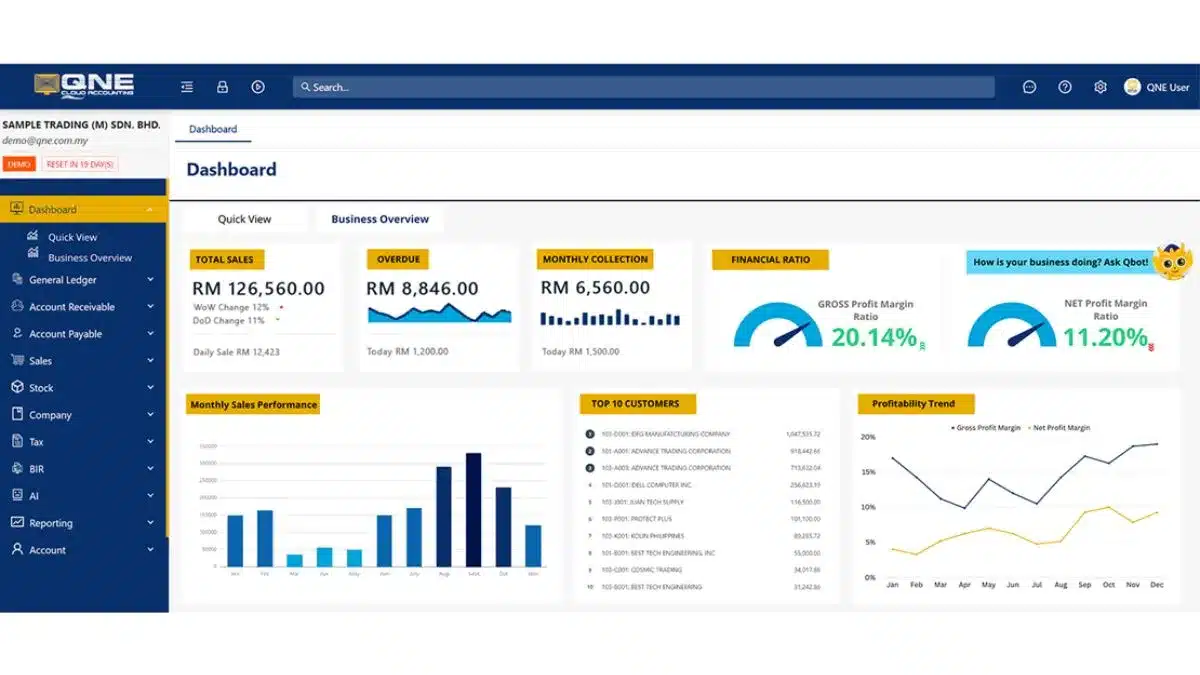
| Pros | Cons |
|
|
QNE is a well-known local accounting software brand used by many Malaysian SMEs, especially in retail and trading industries. Its real-time reporting and support for SST compliance make it a reliable option for businesses that prefer locally supported software with experience in the Malaysian market.
12. Netiquette

Netiquette is a cloud-based accounting software we examined for its ability to cater to small businesses in Malaysia with an all-in-one financial management solution. It offers essential features that simplify accounting tasks and improve operational efficiency.
One notable advantage is its strong integration capabilities with third-party applications such as CRM systems, e-commerce platforms, and project management tools. This level of integration enables businesses to create a unified system, ensuring seamless workflows across various operational areas while enhancing overall productivity.
| Pros | Cons |
|
|
Netiquette is suitable for Malaysian businesses that need integrated accounting and payroll management in one cloud platform. Its built-in e-invoicing and payroll features, including EPF, SOCSO, and PCB support, make it useful for companies managing finance and HR processes within a single system.
13. Biztory

Biztory is a cloud-based accounting software we explored for its ability to simplify financial management for businesses in Malaysia. It offers features such as invoicing, expense tracking, and financial reporting, helping companies streamline day-to-day accounting tasks.
One of Biztory’s key strengths is its emphasis on user-friendliness. With an intuitive interface, the platform reduces the learning curve, making it suitable for users with different levels of accounting expertise. This focus on simplicity ensures businesses can manage their finances more efficiently without requiring extensive technical knowledge.
| Pros | Cons |
|
|
Biztory is suitable for small Malaysian retailers and startups that need simple cloud-based invoicing and expense tracking. Its easy-to-use interface and local support make it a practical option for business owners with limited accounting experience.
14. Bukku

Bukku is another cloud-based accounting software we reviewed for businesses in Malaysia. It comes with essential features such as invoicing, expense tracking, and financial reporting, all aimed at streamlining financial operations.
What makes Bukku stand out is its strong emphasis on user experience and automation. The intuitive interface minimizes the learning curve, making it easy for users of all accounting skill levels to navigate. By automating routine accounting tasks, Bukku helps businesses save time and improve overall efficiency.
| Pros | Cons |
|
|
Bukku is designed for Malaysian SMEs with support for MyInvois e-invoicing, recurring billing, and SST compliance. Its readiness for LHDN e-invoicing requirements makes it a practical choice for businesses preparing for upcoming compliance deadlines.
15. MYOB
| Pros | Cons |
|
|
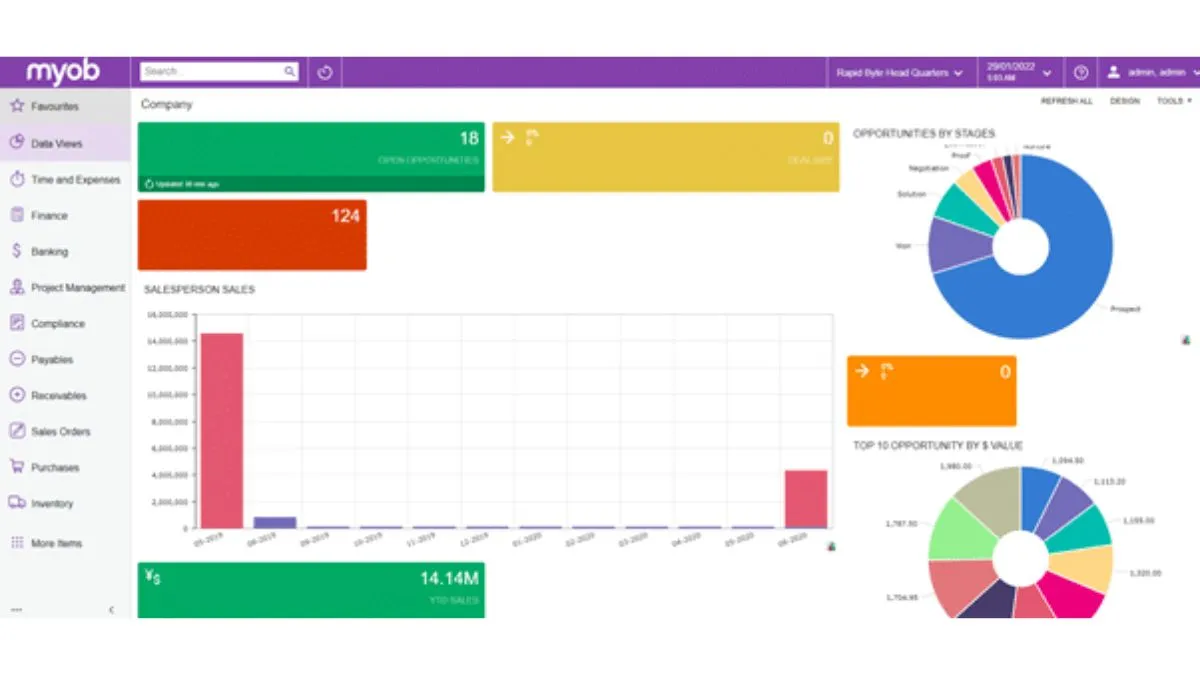
MYOB is suitable for growing Malaysian businesses that need accounting, inventory management, and payroll features in one system. Commonly used in industries like professional services, construction, and distribution, MYOB is also widely recognized by Malaysian accountants and bookkeepers.
16. SAP Business One

SAP Business One is a powerful accounting software we explored, tailored for small to medium-sized enterprises. It provides integrated financial management solutions that cover accounting, sales, inventory, and purchasing, making it ideal for businesses looking to scale efficiently.
A key strength we noted is its advanced invoicing system, which automates billing processes and allows real-time payment tracking. This functionality enhances accuracy, minimizes manual errors, and ensures smoother financial operations.
| Pros | Cons |
|
|
SAP Business One is suitable for Malaysian mid-sized and large businesses that need integrated accounting, ERP, multi-currency management, and consolidated financial reporting across multiple entities or locations.
17. Accurate
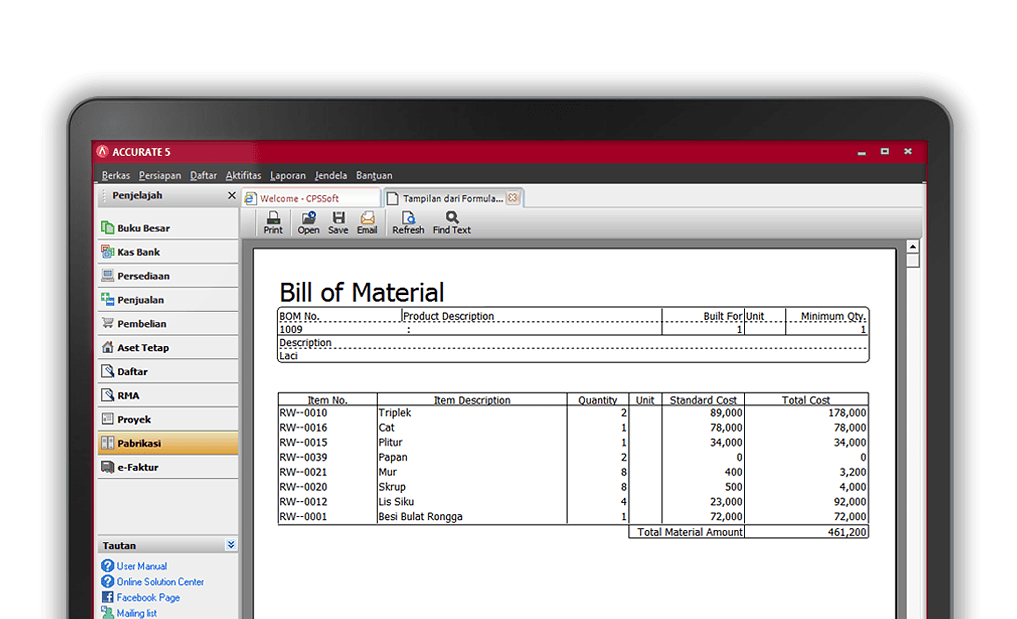
Accurate is an intuitive accounting software we reviewed, widely adopted by small and medium-sized businesses in Malaysia. It offers core features like bookkeeping, tax reporting, inventory management, and budgeting tools to simplify financial processes.
One standout feature we observed is its invoicing capability, which enables businesses to generate detailed invoices effortlessly. This ensures smooth billing operations while allowing users to track outstanding payments and manage customer transactions efficiently.
| Pros | Cons |
|
|
Accurate is suitable for Malaysian SMEs in manufacturing and distribution that need inventory tracking and financial reporting in one system. Its cost tracking features also help businesses manage production, raw material, and warehouse costs more effectively.
18. Microsoft Dynamics
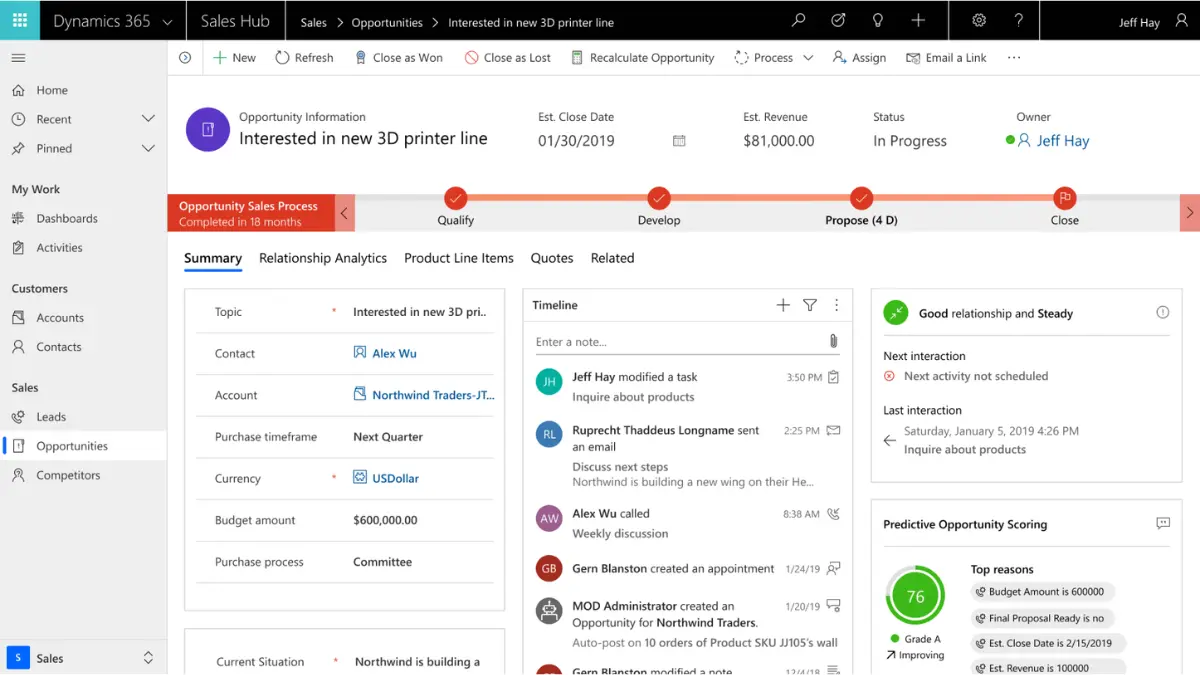
Microsoft Dynamics is a comprehensive ERP platform that goes beyond accounting by integrating finance, operations, and customer relationship management into one unified system. It’s designed to give businesses greater control and efficiency in managing day-to-day operations.
One feature we found especially valuable is its invoicing capability. The system automates invoice generation and allows real-time payment tracking, giving businesses better visibility over cash flow and reducing the risk of errors in billing.
| Pros | Cons |
|
|
Microsoft Dynamics 365 is suitable for medium to large Malaysian enterprises, especially those already using Microsoft tools like Office 365 and Teams. Its customization and Power BI integration help businesses manage industry-specific workflows and real-time financial reporting more effectively.
19. Oracle
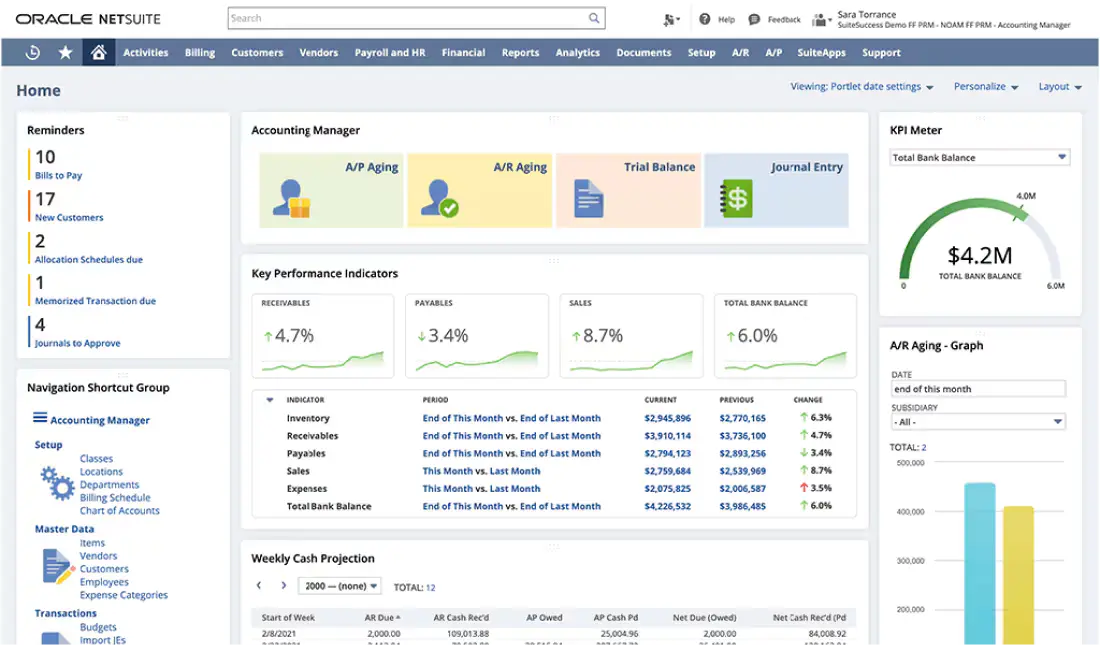
Oracle accounting software is an enterprise-grade solution built to handle complex financial operations for large organizations. It combines core features such as general ledger, accounts payable and receivable, tax compliance, and robust financial analytics into a single powerful platform.
What stands out is its advanced invoicing functionality. With automated billing workflows, businesses can efficiently manage high transaction volumes, minimize manual intervention, and maintain healthy cash flow.
| Pros | Cons |
|
|
Oracle's cloud financial management is suitable for large Malaysian enterprises that need advanced analytics, multi-entity consolidation, and MFRS-compliant reporting. Its scalability also makes it useful for companies with regional ASEAN operations.
20. Omegasoft Malaysia
Omegasoft is an adaptable accounting solution designed specifically for small businesses and startups. It delivers key functionalities like financial reporting, expense monitoring, and inventory control, making daily operations more efficient.
One of its standout features is a user-friendly invoicing tool that simplifies billing. Businesses can generate, distribute, and track invoices with ease, helping to speed up collections and maintain accurate financial records.
| Pros | Cons |
|
|
Omegasoftis designed for Malaysian retail and trading businesses that need integrated POS and accounting in one platform. Its support for SST, multi-outlet management, and local technical assistance makes it practical for businesses managing cashiering and bookkeeping together.
21. ZipBooks
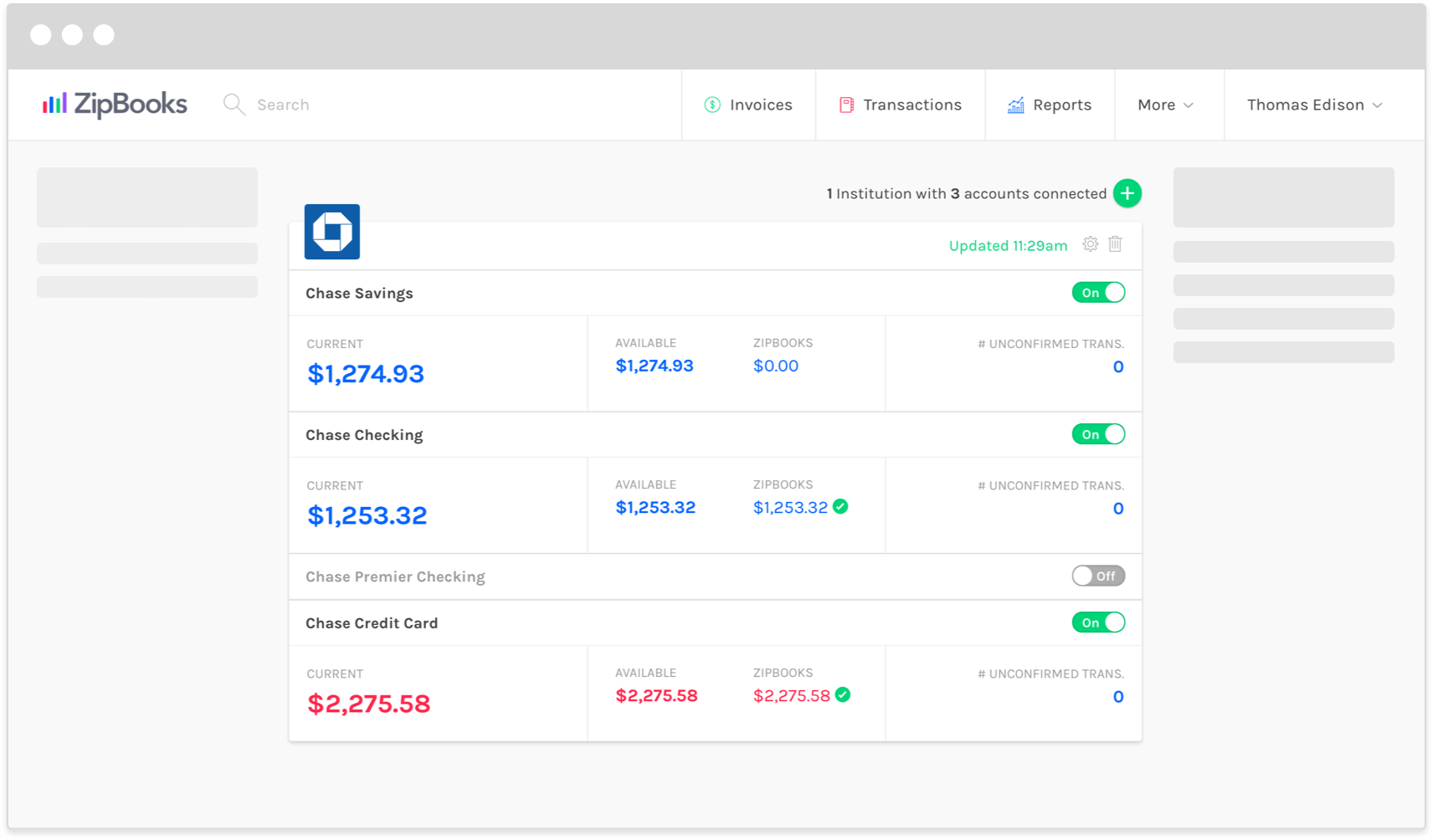
ZipBooks is a cloud-powered accounting platform built for freelancers, startups, and expanding businesses. It delivers essential tools such as bookkeeping, expense and time tracking, along with robust financial reporting to streamline financial workflows.
The invoicing function stands out for its simplicity and customization options. Users can design professional invoices, monitor payment statuses, set automated reminders, and even enable online payment options, ensuring smooth and timely billing.
| Pros | Cons |
|
|
ZipBooks is suitable for small Malaysian service businesses and freelancers that need simple invoicing and expense tracking. Its smart categorization features help reduce manual data entry, although businesses requiring SST or MyInvois compliance may need additional local tax support.
22. Tallyprime
 TallyPrime is an accounting and business management solution that supports multi-currency, multi-company operations, inventory bill of materials (BOM), and tax compliance.
It is aimed at small- to medium-sized businesses (SMBs) and has been widely adopted for finance and accounting management across many geographies.
| Pros | Cons |
|
|
Tally is widely used by Malaysian SMEs, especially trading businesses, for bookkeeping and inventory management. Its lower cost makes it accessible for small businesses, although companies with SST or MyInvois compliance needs should confirm local tax support before implementation.
Overall Comparison of Accounting Software in Malaysia
| Provider | Accounting Features | Local Compliance | User-Friendliness | Scalability |
|---|---|---|---|---|
| HashMicro | ||||
| Xero | ||||
| QuickBooks | ||||
| Bukku | ||||
| AutoCount |

Improving Financial Performance the Right Accounting Software
Companies can boost finance outcomes by adopting a single, connected accounting setup. One example is Brink’s, a global cash management company that operates in a high-throughput, precision-focused environment, where every transaction and cash movement must be recorded accurately.
By using HashMicro’s accounting system for their business, Brink’s can centralize its core ledger, automate recurring entries and matching checks, and standardize reporting across branches. This reduces manual work, speeds up closing, and gives management up-to-date visibility into cash flow, receivables, and branch-level profitability for quicker, smarter decisions.
Signs That Your Business Needs Accounting Software
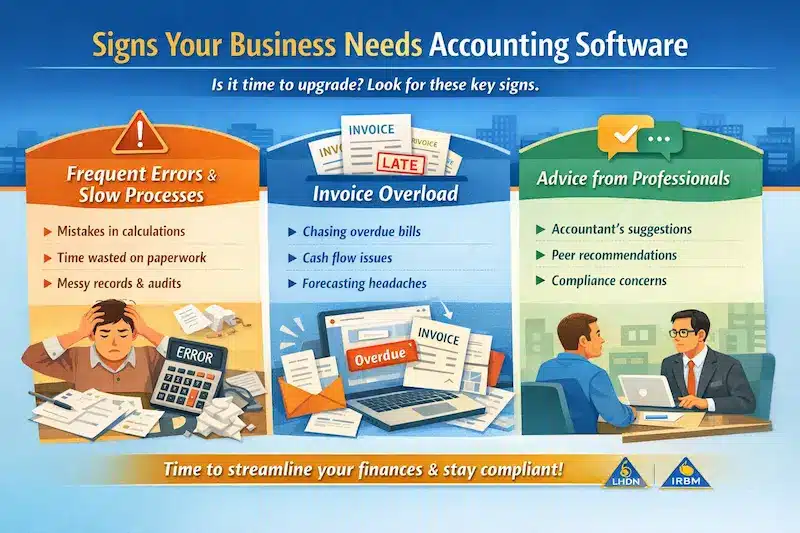
From handling invoices to staying compliant with Malaysian tax regulations, accounting tools in Malaysia can simplify and optimize these tasks. If you’re unsure whether it’s time to upgrade, here are some signs to help you decide on the right system:
- Struggling with Manual Calculations: Manual methods often lead to errors and wasted hours. In this case, upgrading to the right system can help your team save time, lower compliance exposure, and gain clearer financial insights.
- Spending Too Much Time on Invoicing: Accounting tools in Malaysia automate these tasks, helping you manage cash flow, monitor overdue payments, and forecast future finances more easily.
- Receiving Expert Recommendations: If experienced accountants or peers suggest upgrading to a finance system, it’s worth considering. These experts understand when financial management needs improvement, not just for efficiency but also to stay aligned with LHDN and IRBM regulations.
How to Choose the Right Accounting Software for Your Business

To choose the right accounting system in Malaysia for your business, consider a clear step-by-step approach that covers your business’s day-to-day needs and finance priorities. Here are the key steps to guide you through the selection process:
- Identify your business needs:
Start by reviewing your business’s size, industry, and accounting requirements. Determine the key features you need, such as invoicing, payroll, expense tracking, or multi-currency support. - Evaluate functionality and accessibility:
Choose software with an easy-to-learn interface and simple navigation. Consider whether the software is cloud-based, offering access from wherever your team works. - Consider integration capabilities:
Check whether the software connects with other business tools you use, such as inventory, CRM, and HRM. Better connectivity can improve workflow efficiency and reduce manual data entry. - Ensure Compliance and Security:
Ensure the software follows local tax regulations and industry standards. Choose the best accounting software with strong data protection and backup features to protect your business from legal risks and data breaches. - Assess Customer Support and Training:
Review the vendor’s customer support options and training resources. Responsive support is essential for troubleshooting issues and learning how to use the software effectively. - Test With a free Trial or Demo:
Many accounting software vendors offer free trials or demos. Use these opportunities to test the software’s functionality and ensure it meets your needs. These steps will help you choose the best accounting software that aligns with your business’s operational needs and long-term goals, providing a solid foundation for stable finance operations as you scale.
After reviewing the key selection steps, the next step is to match each business situation with the type of accounting software that fits best. The table below gives a quick reference based on common finance needs, company size, and operational complexity.
Which Accounting Software Suits Your Business?
| Business Scenario | Recommended Software | Why It Fits |
|---|---|---|
| Mid to large business needing full ERP integration | HashMicro | Best for companies requiring full accounting integration with inventory, manufacturing, HR, and multi-branch operations with local compliance. |
| SMEs needing strong local accounting compliance | AutoCount | Widely used in Malaysia with strong SST and LHDN compliance plus local support ecosystem. |
| Freelancers & service-based businesses | FreshBooks | Ideal for invoicing, time tracking, and client billing with minimal accounting complexity. |
| Businesses needing integrations & automation | Xero | Cloud-native with strong integrations and automatic bank feeds for efficient reconciliation. |
| Growing SMEs on Zoho ecosystem | Zoho Books | Affordable cloud accounting with invoicing, automation, and integration with Zoho apps. |
| SMEs needing reliable bookkeeping tools | QuickBooks | Strong all-around accounting with real-time sync across devices. |
| Established companies with complex finance | Sage | Comprehensive financial management with strong compliance and reporting features. |
| Startups & micro businesses (budget) | Wave | Free and simple accounting solution for basic invoicing and tracking. |
| SMEs transitioning from manual accounting | Financio | Localized solution with SST and e-invoicing support, easy to adopt. |
| Trading & distribution businesses | CALTRiX | Combines accounting with inventory for better operational efficiency. |
| SMEs needing local reporting accuracy | QNE | Reliable system with real-time reporting and Malaysian tax compliance. |
| Businesses wanting payroll + accounting | Netiquette | Integrated payroll and accounting system with automation features. |
| Small retailers & startups | Biztory | Simple interface for invoicing and expense tracking. |
| SMEs preparing for e-invoicing | Bukku | Fast MyInvois integration and automation for compliance readiness. |
| Growing businesses with inventory needs | MYOB | Scalable accounting with payroll and inventory capabilities. |
| Mid-large enterprises scaling operations | SAP Business One | ERP-level accounting with strong integration and reporting capabilities. |
| Manufacturing & warehouse-heavy SMEs | Accurate | Strong inventory tracking and cost management features. |
| Enterprises using Microsoft ecosystem | Microsoft Dynamics | Highly customizable ERP with deep analytics integration. |
| Large corporations with complex structures | Oracle | Advanced financial analytics and multi-entity consolidation. |
| Retail & POS-integrated businesses | Omegasoft | Combines POS and accounting for retail operations. |
| Freelancers & small service firms | ZipBooks | Simple cloud accounting with smart categorization. |
| SMEs needing basic accounting + inventory | TallyPrime | Reliable bookkeeping system with strong inventory features. |
Malaysian-Specific Requirements You Can’t Ignore
Standard accounting software comparisons often miss what matters locally. Here’s the Malaysia checklist:
- SST Compliance:
Your software must handle 6% service tax and 10% sales tax accurately, including exemptions. It should generate SST-02 returns and ideally connect with MySST. Ask vendors: “Can you walk me through how SST is calculated on a mixed invoice with taxable and exempt items?” - E-Invoicing Readiness:
IRBM is phasing in mandatory e-invoicing starting 2024 for large companies, expanding to all businesses by 2027. Your software should either support IRBM’s e-invoice format directly or have a credible roadmap to compliance. - Malaysian Bank Connectivity:
Automatic bank feeds from Maybank, CIMB, Public Bank, and others save hours of manual entry. Not all international software supports Malaysian banks well. Confirm it upfront before committing. - Multi-Currency with MYR Base:
If you deal with foreign suppliers or customers, the system should handle forex gains/losses properly with MYR as the home currency. Some international tools default to USD, creating avoidable complexity. - Local Support Availability:
When your submission to IRBM fails at 11pm on deadline day, you need someone who actually responds. Check whether support is based in Malaysia and available in your timezone.
What Accounting Software Should Actually Solve
Before comparing features, get clear on what issues you’re trying to fix. Different businesses have different friction points.
- We’re always chasing payments:
You need solid billing with payment nudges, overdue snapshots, and clear status tracking. Bonus if it integrates with Malaysian payment providers.
- Month-end close takes forever:
Prioritize bank transaction matching, repeatable journal templates, and financial statements that generate without spreadsheet roll-ups.
- Tax season is a nightmare:
SST compliance isn’t optional. Your software should apply SST rules automatically, generate SST-02 returns, and ideally connect with MySST for direct submission.
- I don’t trust my own numbers:
This usually means data is spread across tools or entered inconsistently. You need a system that enforces consistent entries, maintains audit logs, and flags outliers.
- We’ve outgrown spreadsheets but aren’t ready for ERP:
Mid-tier accounting software fills the middle ground. Look for multi-currency support, departmental reporting, and the ability to add modules later without a full system switch.
The software that solves your specific problem is more valuable than the one with the most features on paper.
Conclusion
The accounting software market in Malaysia has matured. You have real options now, from lightweight tools for freelancers to comprehensive systems for complex operations. That’s good news. Malaysia’s accounting software market is finally mature, but more choice makes it easier to pick the wrong fit.
You don’t want to pay for enterprise power you’ll never use, nor do you want a basic tool you’ll outgrow in six months. To choose wisely, focus on your specific bottlenecks (like SST or e-invoicing), calculate the full cost including setup and training, and demand local proof if a provider can’t show you a live SST-02 report or local bank feeds, keep looking.
If you’ve narrowed down your options but want a second opinion on which setup fits your business, a free consultation can help you pressure-test your choice before committing.

FAQ about Accounting Software Malaysia
-
What is the most popular accounting software?
The most popular accounting software depends on how complex the business is. Malaysian SMEs often compare local tools such as AutoCount, Financio, QNE, Biztory, and Bukku because they support common needs like SST, MyInvois, and local reporting. For mid-to-large companies, platforms with ERP integration, multi-branch control, and direct compliance support, such as HashMicro, SAP Business One, Microsoft Dynamics, and Oracle, are usually more relevant.
-
Can I use Excel as an accounting software?
Yes, Excel can work for simple bookkeeping or very small transaction volumes. However, it becomes harder to rely on when a business needs bank reconciliation, invoice tracking, audit trails, SST records, e-invoicing readiness, or multi-branch reporting. At that stage, accounting software with structured workflows and connected modules is usually more practical, especially for companies that need finance data linked with inventory, HR, purchasing, or operations.
-
What software do accountants use most?
Accountants usually use software based on each client’s reporting needs, compliance requirements, and transaction volume. SMEs may rely on AutoCount, QNE, Financio, Xero, QuickBooks, Bukku, or Biztory for bookkeeping and local compliance. Larger companies often consider HashMicro, SAP Business One, Microsoft Dynamics, Oracle, or Sage when they need stronger reporting, ERP integration, and multi-branch control.
-
Are cloud-based systems safe for financial data?
Yes, reputable cloud systems are secure because they use encryption, MFA, and protected data centers to keep financial information safe.
-
Why do Malaysian SMEs need SST-ready software?
SST-ready software helps SMEs automate tax calculations, avoid compliance mistakes, and meet Malaysian Customs requirements easily.
-
Which accounting software includes built-in LHDN e-invoice support without needing external add-ons?
Local Malaysian platforms like HashMicro, SQL Account, AutoCount, Bukku, and QNE feature native e-invoice capabilities. In contrast, international systems such as Xero and QuickBooks usually require third-party integrations to comply with LHDN’s requirements.





















