







Running a supermarket involves more than just selling products. Businesses need to manage inventory, track sales in real time, and ensure a smooth checkout experience for customers. Without the right system in place, these daily operations can quickly become inefficient and error-prone.
A supermarket POS system helps simplify these processes by integrating sales, inventory, and reporting into one solution for automating grocery store operation. With the right POS solution, supermarkets can improve accuracy, speed up transactions, and make better business decisions based on real-time data.
Key Takeaways
Learn the fundamentals of modern grocery point-of-sale architecture.
Discover how advanced systems accelerate the checkout process.
Understand inventory management for massive product lines.
Explore automated pricing and dynamic loyalty programs.

What Is a Supermarket POS System?
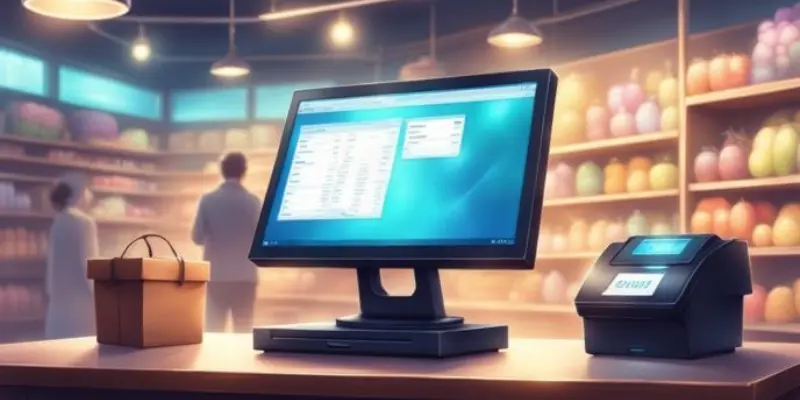
A supermarket POS system is a combination of software and hardware used to process transactions and manage daily store operations. In Australia, it also plays an important role in helping businesses stay compliant with GST requirements and maintain accurate financial records.
Beyond processing payments, a POS system connects checkout, inventory, pricing, and reporting into one platform. This allows supermarket operators to manage their stores more efficiently and gain better visibility into performance.
How POS Keeps Supermarket Checkouts Moving
Fast and efficient checkout is essential in Australian supermarkets, where customer expectations for speed and convenience continue to grow. A reliable POS system helps reduce queues and ensures transactions run smoothly, even during peak shopping hours. With the right setup, supermarkets can maintain consistent service quality across all registers.
1. Fast Barcode Scanning
Speed is critical at the checkout counter. POS systems use barcode scanners to instantly retrieve product information, reducing manual input and minimizing errors. This helps cashiers process items quickly, even during busy periods.
This level of efficiency becomes especially important during peak hours, when even small delays can lead to long queues. Faster scanning not only improves workflow but also enhances the overall shopping experience for customers.
2. Handling High Transaction Volumes
Supermarkets in Australia often experience high transaction volumes, especially during weekends, public holidays, and seasonal sales. A reliable POS system can handle these demands without performance issues, ensuring uninterrupted operations.
A system that performs consistently under pressure helps prevent downtime and reduces the risk of lost sales. It also allows staff to focus on customer service rather than dealing with technical slowdowns.
3. Supporting Multiple Payment Methods
Modern POS systems support various payment options commonly used in Australia, including cash, EFTPOS, credit cards, and digital wallets. This flexibility improves the customer experience and helps reduce delays at checkout.
Offering multiple payment options also allows supermarkets to cater to different customer preferences. This is particularly important as more shoppers shift toward cashless and contactless payments.

Managing Thousands of Products With POS
Australian supermarkets typically manage a wide range of products, from packaged goods to fresh produce and imported items. Keeping track of this inventory manually can be inefficient and prone to errors. A POS system simplifies product management by organizing data and updating it automatically.
1. SKU and Barcode Management
Supermarkets carry thousands of products, each with its own SKU and barcode. A POS system centralizes this information, making it easier to manage items across categories and locations.
This structured approach reduces confusion and ensures consistency in product identification. It also helps staff quickly locate items within the system when needed.
2. Real Time Inventory Tracking
Every sale automatically updates inventory levels. This allows staff to monitor stock in real time, reduce shrinkage, and ensure shelves are replenished efficiently.
Accurate inventory data also supports better purchasing decisions. Supermarkets can avoid overstocking while ensuring popular items remain available.
3. Expiry and Batch Tracking
For perishable goods, tracking expiry dates and batches is essential. POS systems help supermarkets manage these details, supporting food safety standards and reducing waste.
With better visibility over product lifecycles, supermarkets can prioritize items nearing expiry. This helps maintain product quality while minimizing losses.
Pricing, Promotions, and Discounts
Pricing strategies and promotions are key drivers of supermarket sales in Australia. With frequent discounts, loyalty programs, and seasonal campaigns, managing pricing manually can quickly become complex. A POS system helps automate these processes and ensures consistency across all stores.
1. Automated Price Updates
Instead of manually updating prices, supermarkets can manage pricing centrally through the POS system. Changes are applied instantly across all checkout points, reducing errors and ensuring compliance.
This is particularly useful for supermarkets running frequent promotions or adjusting prices based on supplier changes. It ensures customers are always charged the correct amount.
2. Loyalty Programs and Coupons
POS systems can support a grocery store loyalty scheme and automatically apply discounts or coupons. This helps supermarkets retain customers and encourage repeat purchases.
By tracking customer activity, supermarkets can also offer more personalized promotions. This improves engagement and increases the effectiveness of marketing efforts.
3. Seasonal Promotions Management
From holiday campaigns to weekly specials, POS systems make it easier to schedule and manage promotions. This allows supermarkets to respond quickly to market trends and customer demand.
Having a centralized system also ensures promotions are applied consistently across all branches. This helps maintain pricing accuracy and brand trust.
Supporting Fresh Produce and Weighted Items
Fresh produce is a significant part of supermarket operations in Australia. These items are often sold by weight and require accurate pricing at checkout. A POS system ensures smooth handling of these products while maintaining accuracy and efficiency.
1. Scale Integration for Produce
POS systems can integrate with digital scales, allowing weights to be captured automatically. This ensures precise pricing and reduces manual input errors.
This integration also speeds up the checkout process, especially when handling multiple produce items. It helps maintain accuracy without slowing down operations.
2. PLU Codes for Fruits and Vegetables
Cashiers can use PLU codes to quickly identify produce items without barcodes. This speeds up the checkout process while ensuring correct pricing.
Using standardized codes also reduces confusion and improves consistency across different stores. Staff can process items more confidently and efficiently.
3. Accurate Price Calculation by Weight
The system automatically calculates prices based on weight, helping supermarkets maintain pricing accuracy and consistency.
This reduces the risk of human error and ensures customers are charged fairly. It also builds trust, especially for frequently purchased fresh items.
Store Insights From POS Data
Data plays an important role in running a successful supermarket. A POS system collects detailed information from every transaction, giving managers valuable insights into store performance. These insights support better planning and decision making.
1. Daily Sales and Category Reports
POS systems generate reports that show daily sales, revenue, and performance by category. This helps supermarket managers track trends and evaluate business performance.
Regular reporting also makes it easier to identify areas that need improvement. Managers can take timely action based on accurate data.
2. Identifying Fast Moving Products
Sales data helps identify which products are in high demand. This allows supermarkets to optimize stock levels and avoid lost sales opportunities.
Understanding product performance also supports better merchandising strategies. High demand items can be positioned more strategically to boost sales.
3. Monitoring Peak Shopping Hours
POS data can reveal peak shopping times across different days. With this information, supermarkets can allocate staff more effectively and improve customer service.
Proper staffing during busy periods helps reduce queues and maintain a positive shopping experience. It also improves overall operational efficiency.
Choosing the Right POS for a Supermarket
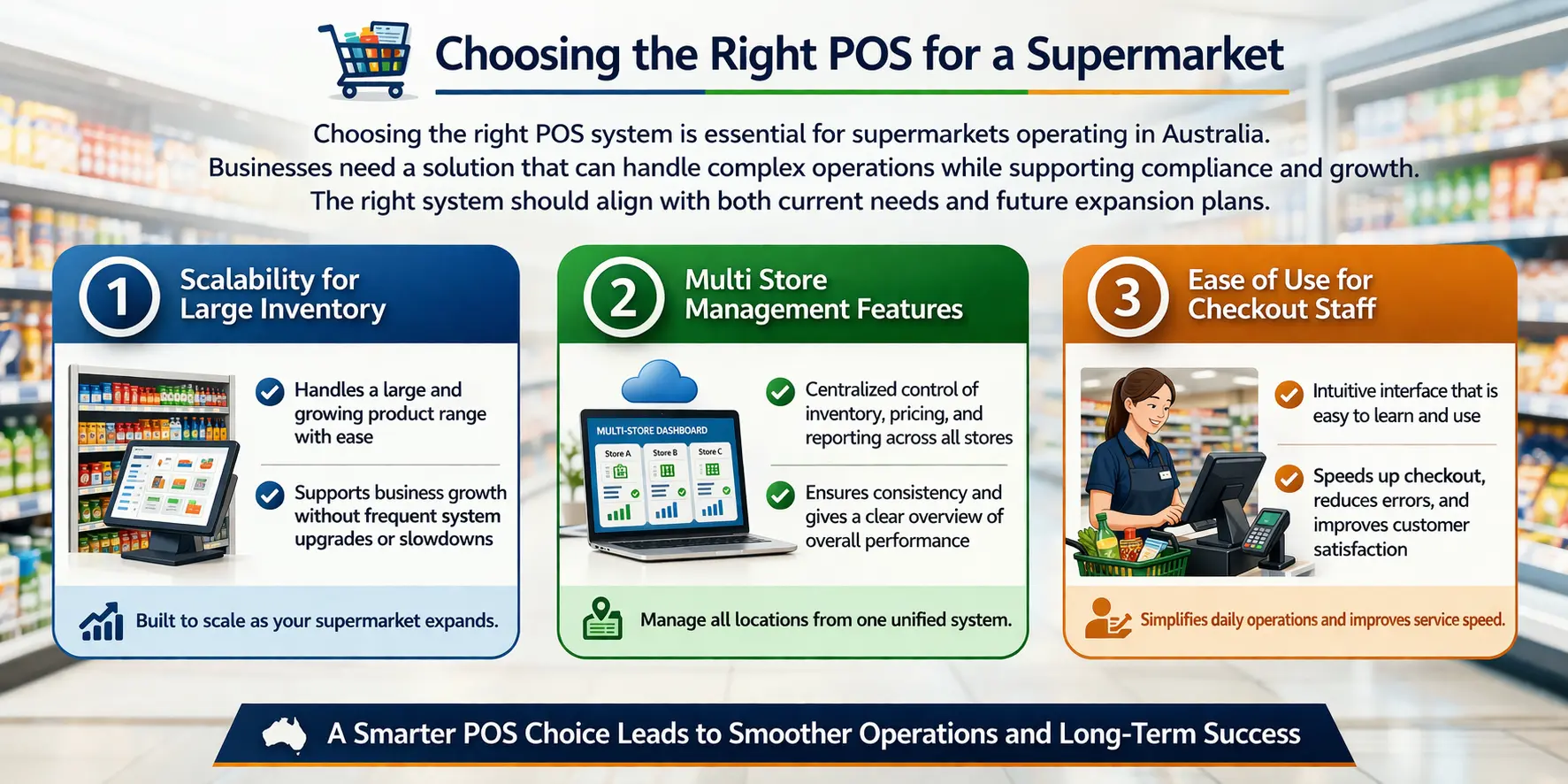
Choosing the right POS system is essential for supermarkets operating in Australia. Businesses need a system solution for retailers that can handle complex operations while supporting compliance and growth. The right system should align with both current needs and future expansion plans.
1. Scalability for Large Inventory
A suitable POS system should be able to manage a large and growing product range without compromising performance. This is important for supermarkets planning to expand.
As the business grows, the system should continue to perform reliably without requiring frequent upgrades or replacements.
2. Multi Store Management Features
For businesses with multiple locations, centralized control is crucial. A POS system should allow management of inventory, pricing, and reporting across all branches.
This ensures consistency across stores and simplifies operations for management teams. It also provides a clearer overview of overall business performance.
3. Ease of Use for Checkout Staff
An intuitive system helps reduce training time and ensures staff can operate efficiently. This is especially important in high turnover retail environments.
A user friendly interface also reduces errors at checkout and helps maintain fast service. Staff can focus more on customers rather than navigating complex systems.
POS Migration Challenges for Supermarkets
Migrating to a new POS system can significantly improve supermarket operations, but the process must be handled carefully. Mistakes during migration can disrupt daily operations and affect customer experience. Being aware of key risks helps ensure a smoother and more successful transition.
1. Underestimating Offline Capabilities
Supermarkets cannot afford to stop operating due to internet disruptions. Choosing a POS system without reliable offline functionality can lead to delays or even complete checkout failures during outages.
A well designed system should continue processing transactions and store data temporarily until connectivity is restored. This ensures business continuity and prevents lost sales during unexpected downtime.
2. Neglecting Hardware Compatibility
Supermarkets depend on hardware such as barcode scanners and weighing scales for daily operations. A POS system that does not integrate properly with these devices can create inefficiencies and additional costs.
Ensuring compatibility with standard retail hardware helps maintain smooth checkout processes. It also reduces the need for costly adjustments or replacements after implementation.
3. Rushing Staff Training
Introducing a new POS system without proper training can slow down operations and increase errors at checkout. Staff who are unfamiliar with the system may struggle during busy periods, affecting overall service quality.
Providing structured training allows employees to use the system confidently and efficiently. This helps maintain fast transactions and ensures a better customer experience from the start.
Conclusion
A supermarket POS system supports daily operations, from checkout and inventory to pricing and reporting. It helps Australian supermarkets maintain GST compliance and ensure accurate transactions. With better visibility, businesses can operate more efficiently and consistently.
With the right system, supermarkets can handle high transaction volumes and manage products more efficiently. You can also consult our expert to find the most suitable POS setup. It improves customer experience and supports long-term growth.

Frequently Asked Question
A supermarket POS system is used to process transactions while managing inventory, pricing, and sales data in one platform. It helps streamline daily operations and improve checkout efficiency.
A POS system updates stock levels in real time with every transaction. This allows supermarkets to track product availability, reduce stockouts, and make better restocking decisions.
Yes, most modern POS systems support multi store management. They allow businesses to control inventory, pricing, and reporting across multiple locations from a central system.