







Choosing an ERP in Australia can get confusing fast. Buyers from mid-market and enterprise businesses often compare 10+ vendors, sit through polished demos, and still miss the operational gaps that only show up months after go-live. That is when costs rise, features go unused, and teams fall back to spreadsheets.
This guide helps you avoid that. We ranked 13 ERP systems available in Australia using 5 consistent criteria, including AU compliance, local support, scalability, and user adoption, not just the upfront price.
Key Takeaways
|
General Summary of the ERP Software We Reviewed
Best Because
It offers essential ERP features with a simple setup and budget-friendly entry point.

Best Because
Consolidates multi-entity finance and inventory with role-based dashboards and GST-ready reporting.
Best Because
Connects finance, inventory, and others with AU-focused workflows, helping teams keep GST-ready records consistent.


Best Because
Scales with modular apps and flexible automation, supporting evolving processes across teams and locations.
All recommendations on this list are manually evaluated by our editorial team based on hands-on testing, demo sessions, and verified customer feedback from Australian businesses. We do not accept payment for placement or ranking on this list.
Do You Actually Need ERP Systems?
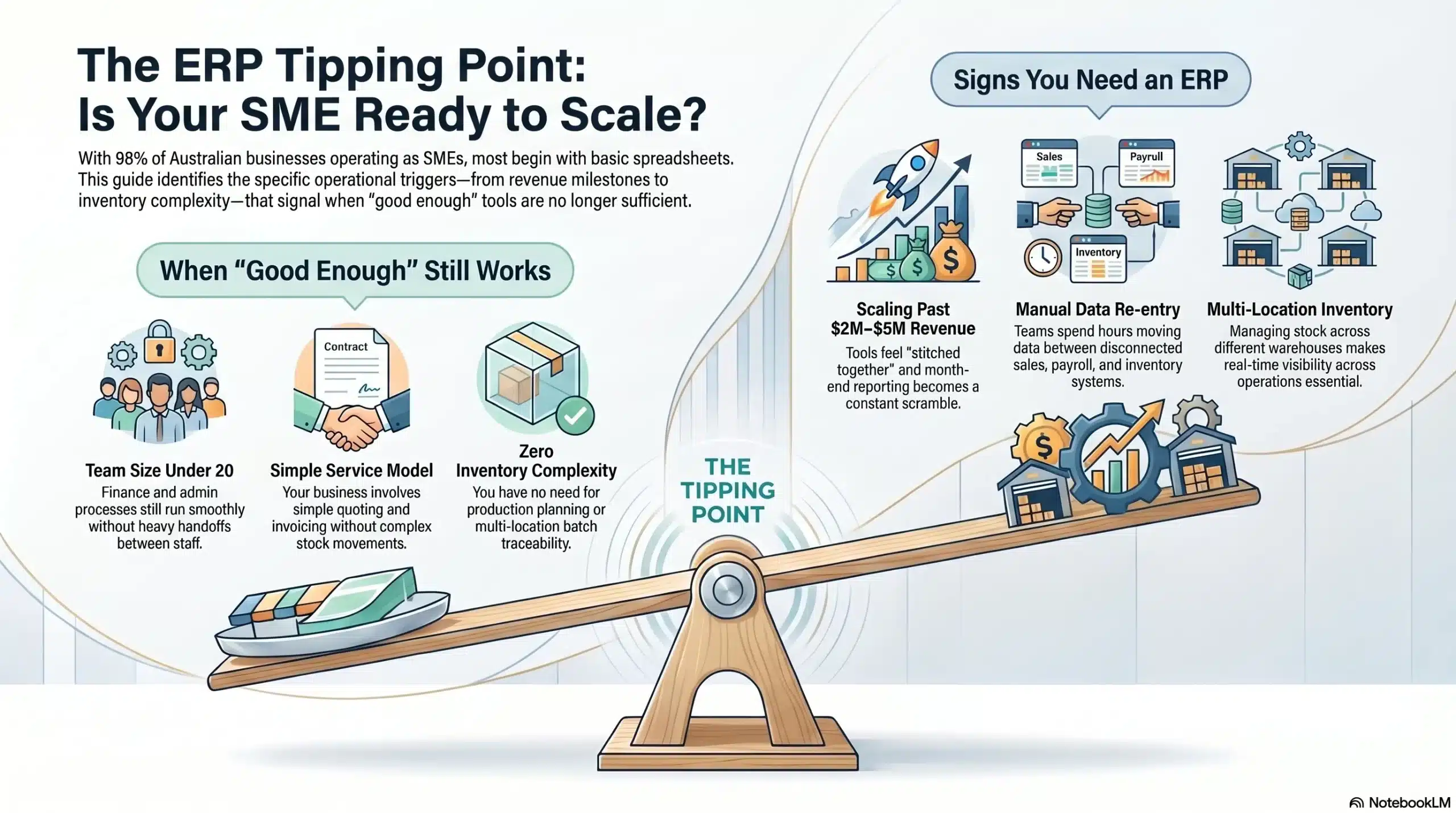
Not every Australian business needs ERP solutions. Some businesses can run smoothly with simpler tools, while others eventually need an advanced ERP solution to maintain control as operations grow. The real question is practical, how do you tell when it’s time to move from “good enough” tools to ERP?
In Australia, around 98% of businesses are SMEs, meaning most companies start with basic systems like spreadsheets and accounting tools before moving to more integrated platforms as they scale.
You probably DON’T need ERP solutions if:
- Your team is under 15–20 people and finance/admin processes still run smoothly without heavy handoffs.
- You’re a service business with simple quoting, invoicing, and time tracking (no complex fulfilment or stock movements).
- You have no meaningful inventory or manufacturing complexity (no multi-location stock, no production planning, no batch/lot traceability).
You probably DO need ERP if:
- You’re managing inventory across multiple locations, warehouses, or business units and stock accuracy affects service levels and margins.
- Teams spend hours re-entering data between disconnected systems (sales orders, purchasing, inventory, invoicing, payroll), which is why many growing companies move to a modern system like ERP to centralise operations and reduce errors.
- You need real-time visibility across finance, ops, and sales (not end-of-month spreadsheet consolidation).
- You’re scaling past past AUD $2M-AUD $5M revenue and your tools feel stitched together: approvals live in email, reporting doesn’t reconcile, and month-end becomes a scramble.
- Compliance expectations require end-to-end traceability (audit trails, approvals, cost movements, and clear records that stand up under review).
How We Evaluated These ERP Systems
A shortlist only helps if the scoring is transparent. Every ERP solution on this page was assessed against the same checklist, with an Australian lens and a bias toward what actually works after go-live.
- Australian compliance out of the box: GST and BAS reporting isn’t optional, so we prioritised systems that support Australian tax workflows natively rather than relying on bolt-on workarounds.
- Local support and partner ecosystem: A strong product with weak local delivery can turn into a prolonged project. Preference was given to vendors with Australia-based support and a proven implementation partner network capable of handling configuration, integrations, and post-launch optimisation.
- Scalability: Growth isn’t just adding users. We assessed how each system handles more sites, higher transaction volume, and wider process coverage without performance or reporting becoming unreliable.
- User experience and adoption: ERP system advantages only shows up when teams actually use it. We considered the learning curve for non-technical staff, day-to-day usability, and signals from review platforms, alongside Australia-specific customer feedback where available.
- Total Cost of Ownership: We looked beyond subscription fees by considering implementation, integrations, training, support, and long-term scaling costs.
Quick Comparison Table of Reviewed ERP Solutions
Below is a high-level matrix comparing leading ERP options in Australia, based on which ones best fit each user and where they typically perform strongest. Use it to quickly narrow your shortlist before reviewing details like pricing, implementation approach, and compliance requirements.
| Features | Microsoft Dynamics | Oracle NetSuite | MYOB | HashMicro | Acumatica | Odoo | SAP Business One | Sage Intacct | SAP S/4HANA | Epicor ERP | Infor CloudSuite | TechnologyOne | Pronto Xi |
|---|---|---|---|---|---|---|---|---|---|---|---|---|---|
| User-Friendly Interface | |||||||||||||
| Pricing | |||||||||||||
| Learning Curve | |||||||||||||
| Connection Quality | |||||||||||||
| Ease of Integration | |||||||||||||
| 5-Year TCO | |||||||||||||
| Deployment Flexibility | |||||||||||||
| AU Localisation | |||||||||||||
| Partner Ecosystem (AU/NZ) |
The Best ERP Solutions in Australia (2026)
The right ERP system should support your growth, improve visibility, and simplify daily operations. With that in mind, here are the best ERP solutions in Australia to consider for your digital transformation roadmap in 2026.
1. Microsoft Dynamics 365 Business Central
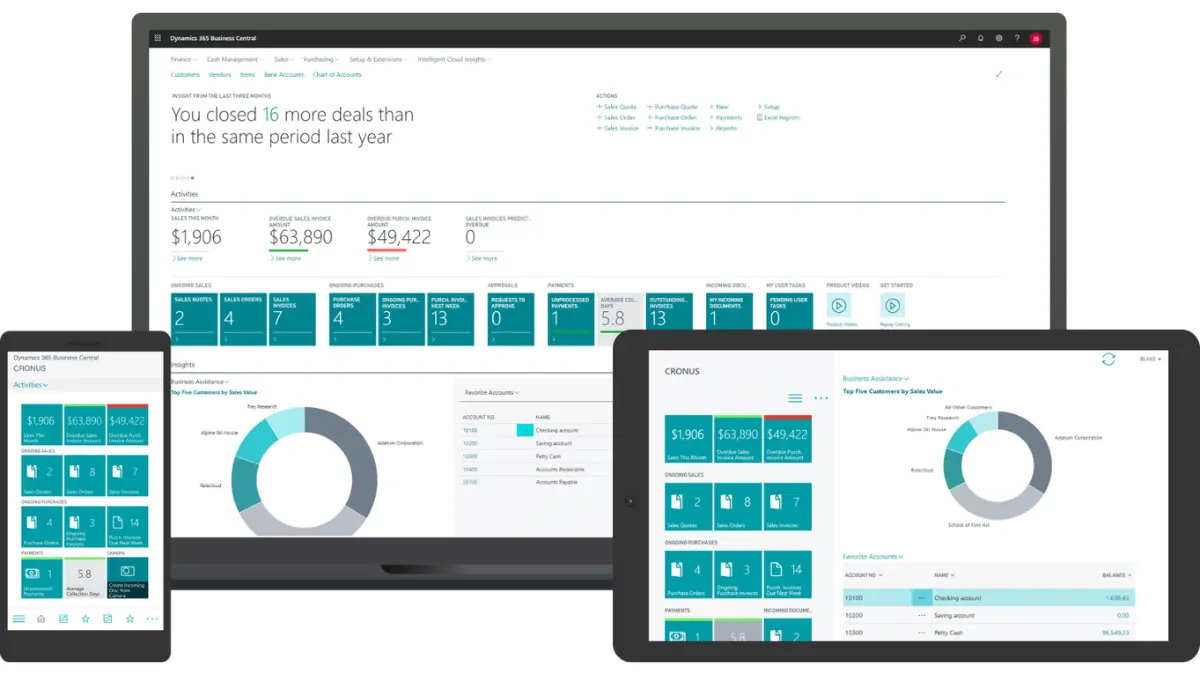
Microsoft Dynamics 365 Business Central is a cloud ERP designed for growing businesses that want finance, inventory, and operations managed within the Microsoft ecosystem.
It is commonly used by mid-sized companies that need stronger operational control without moving into complex enterprise ERP deployments.
Key features:
- Financial management: General ledger, budgeting, bank reconciliation, and reporting
- Sales and purchasing management: Quotes → orders → invoicing, vendor purchasing workflows
- Inventory and warehouse basics: Stock tracking, replenishment, item availability, and standard inventory processes
- Project and service workflows: Project costing and service management; manufacturing/service capabilities expand with Premium
Pricing range: Microsoft publishes AU list pricing (excluding GST) as: A$119.70 user/month (Essentials), A$164.60 user/month (Premium), and A$12.00 user/month (Team Members), paid yearly.
Best for: Growing businesses already using Microsoft tools that need stronger finance, inventory, and operational control.
| Pros | Cons |
|
|
2. Oracle NetSuite
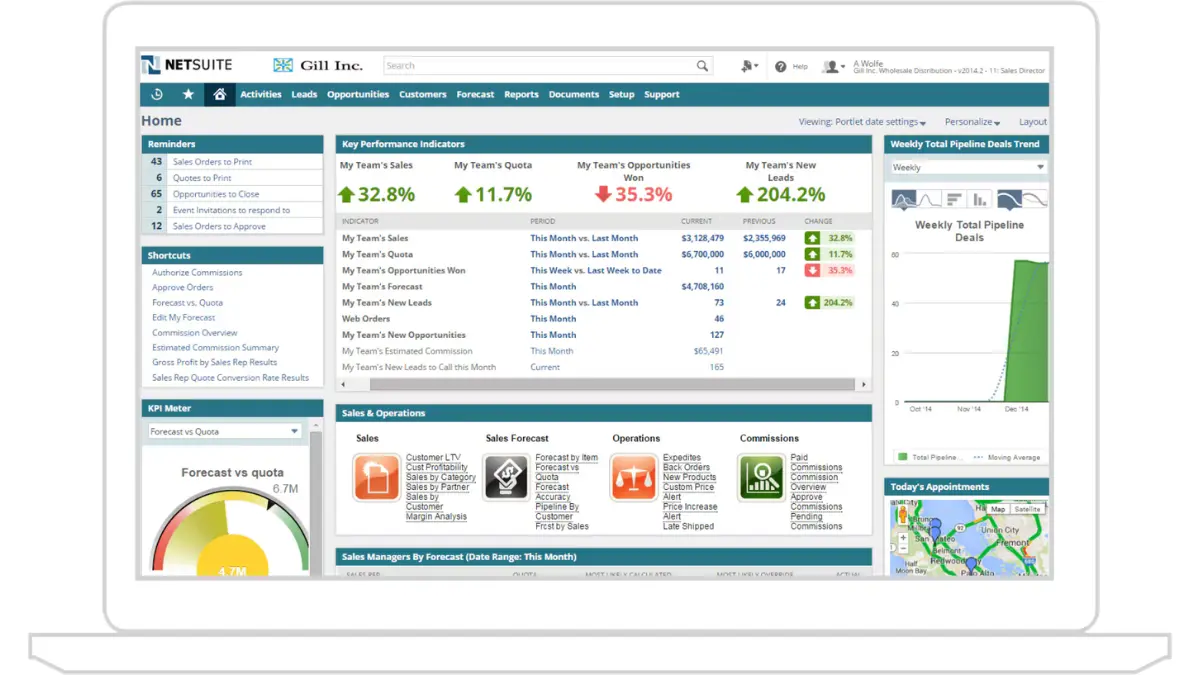
NetSuite is a cloud ERP software Australia that’s built for businesses that want one system across finance and operations, especially when you have multiple business units, entities, or locations, to reduce data silos.
It’s frequently listed among the leading ERP solution used in the Australian market, with most deployments delivered via implementation partners.
Key features:
- Financial management: Core accounting plus financial management and reporting across the functions.
- Sales and purchasing management: Order management and procurement in the same system, reducing handoffs between sales, ops, and finance.
- Inventory and warehouse management: Inventory, warehouse, supply chain, and related operational controls designed to run inside one platform.
- Dashboards and analytics: Role-based dashboards, KPIs, and reports (often packaged via SuiteSuccess) for faster rollout and standardised reporting.
Pricing range: For planning purposes, AU partners commonly cite entry-level subscriptions starting around ~A$1,000/month for very basic setups, while mid-sized companies often budget ~A$30,000–A$100,000+/year for subscription costs before implementation and ongoing partner support.
Best for: Multi-entity businesses requiring centralised financial and operational visibility.
| Pros | Cons |
|
|
3. MYOB Advanced
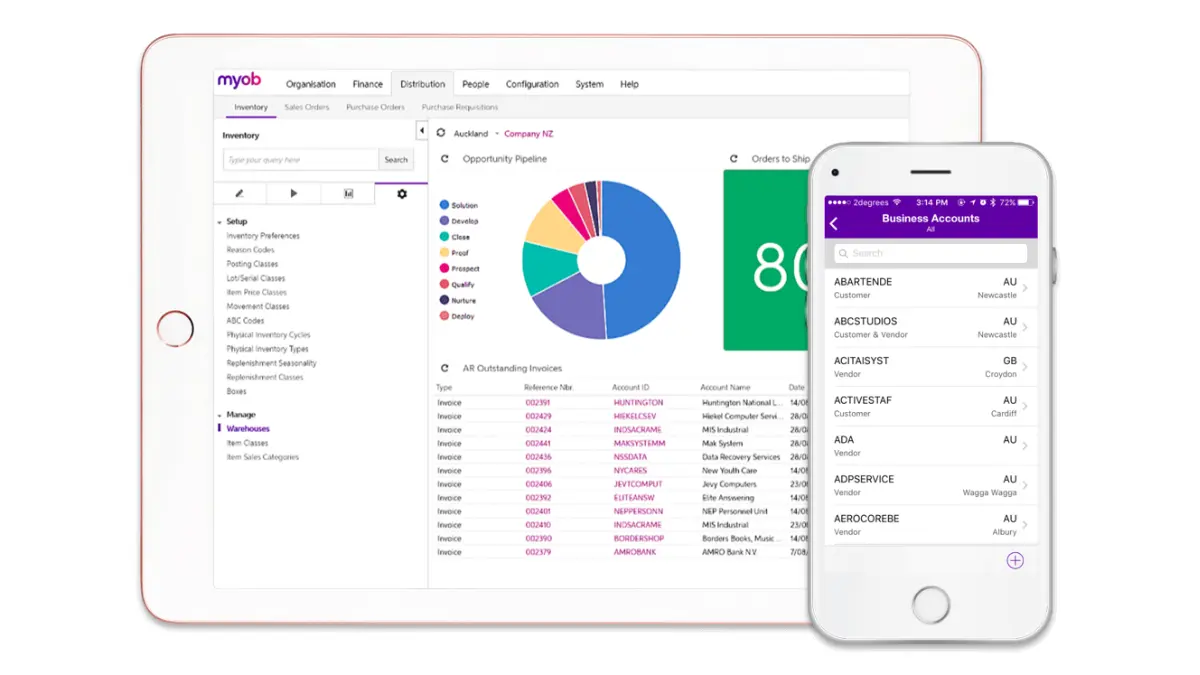
MYOB Advanced is an ERP platform designed for mid-market businesses that require stronger operational control across finance, inventory, projects, and workflows.
It is commonly used in distribution, construction, and manufacturing environments across Australia.
Key features:
- Job and project control: Timesheets, project/job costing, progress tracking, and flexible billing (materials and labour rules by job/customer).
- Manufacturing and distribution capability: Support for operational planning and costing concepts like bills of materials and end-to-end visibility across production-style workflows (edition/configuration dependent).
- Workflow automation and approvals: Configurable workflows to standardise purchasing, project, and finance handoffs so decisions don’t live in email threads.
- Anywhere access and mobility: Cloud access across devices, with mobile-friendly usage patterns (useful for site teams and supervisors).
Pricing range: MYOB Advanced / MYOB Acumatica is generally quote-based, but AU partners commonly cite A$104–A$179 per full user/month depending on edition (Standard/Plus/Enterprise), with implementation and ongoing support priced separately.
Best for: Mid-market businesses in distribution, construction, and manufacturing environments.
| Pros | Cons |
|
|
4. HashMicro ERP Software
HashMicro is an advanced ERP solution built for Australian businesses in manufacturing, retail, distribution, and multi-entity services. It covers end-to-end operations, from procurement to finance, in a single platform.
The platform is commonly used by Australian mid-sized and enterprise businesses that require local compliance support and multi-site operational visibility.
Key features:
- Built-in BI (Business Intelligence): Business intelligence tools provide real-time dashboards and analytics to track performance across finance and operations without stitching reports together manually.
- AI-generated reports and explainers: Automated reporting with plain-English business explanations.
- Role-based access levels: Permission controls for approvals, visibility, and audit tracking.
- Mobile apps: ERP access on the go for approvals, checks, and operational updates, handy for multi-site teams and managers.
- Flexible hosting methods: Cloud, on-premise, and hybrid hosting options.
Pricing range: Pricing typically depends on the modules you need, user scope, hosting method (cloud/on-prem/hybrid), and implementation complexity. A free demo is available so you can scope requirements and see workflows before requesting a formal proposal.
Best for: Mid-sized and enterprise businesses requiring integrated operational and financial management.
| Pros | Cons |
|
|
Click on the pricing calculator below to get a personalised quote and understand the potential investment.
5. Acumatica
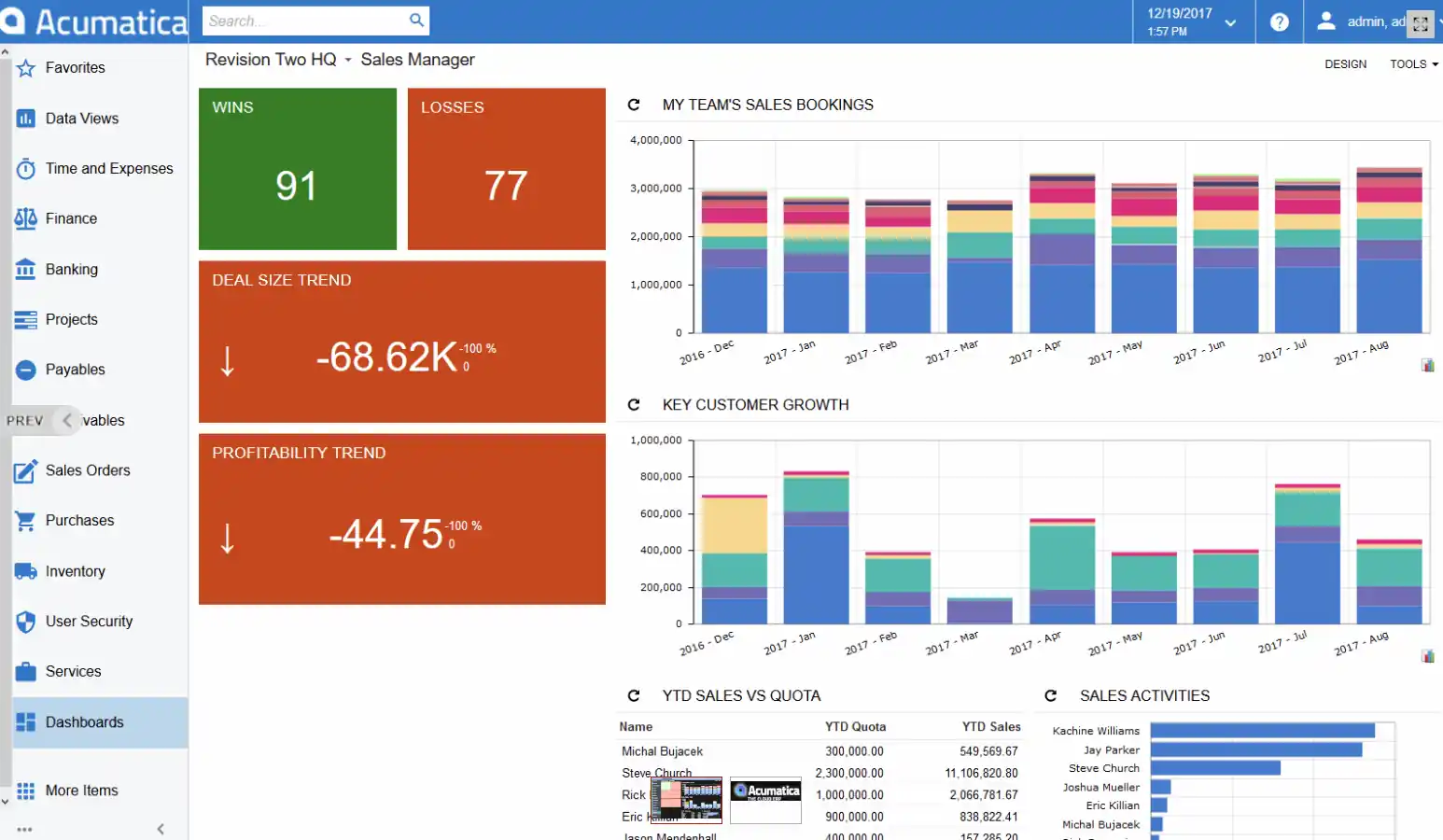
Acumatica is a cloud ERP platform designed for mid-market businesses managing inventory, projects, manufacturing, or field operations.
Its consumption-based pricing model makes it suitable for growing companies that want scalable ERP access without strict per-user licensing.
Key features:
- Financial management: Full general ledger, accounts payable/receivable, multi-currency, and tax compliance including GST for Australian businesses.
- Inventory and distribution: Real-time inventory tracking, order management, and warehouse operations with multi-location support.
- Project accounting: Built-in project costing and billing, well-suited to professional services, construction, and field service businesses.
- Open integration platform: REST and SOAP APIs with pre-built connectors, designed to integrate cleanly with CRM, eCommerce, and third-party tools.
Pricing range: Acumatica does not publish standard pricing. Costs are quote-based and structured around resource consumption (data storage and transaction volume) rather than per-user seats.
Best for: Mid-market businesses managing inventory, projects, manufacturing, or field operations.
| Pros | Cons |
|
|
6. Odoo ERP
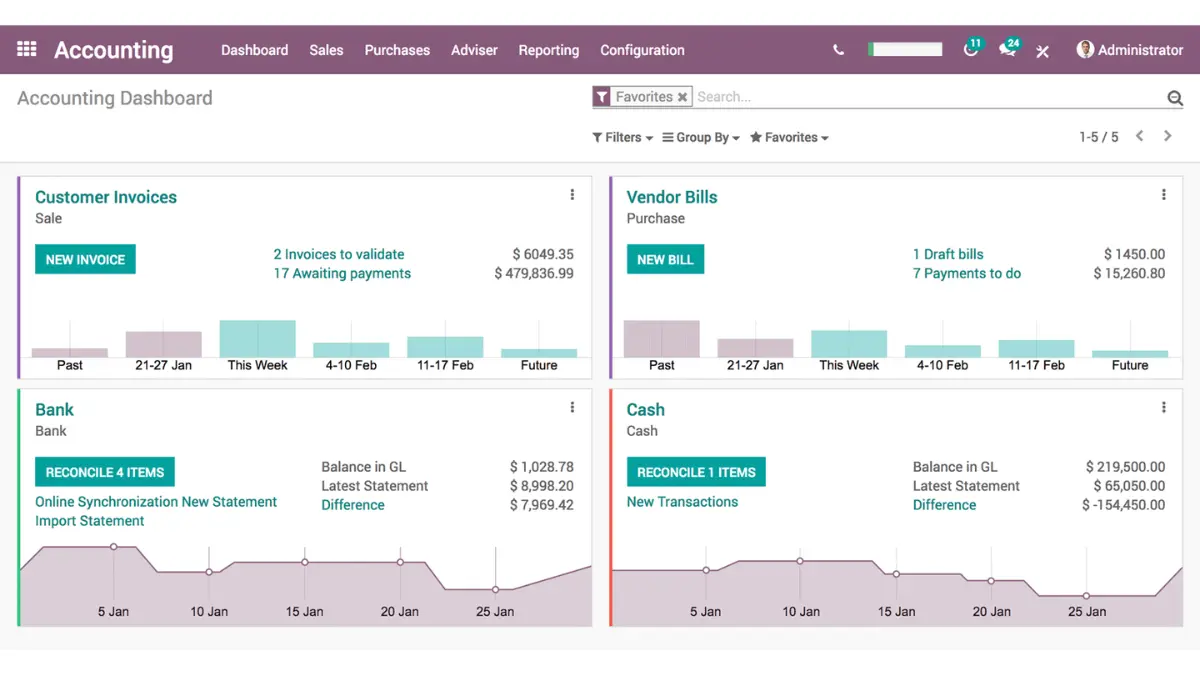
Odoo is a modular ERP platform that allows businesses to add applications such as finance, inventory, CRM, manufacturing, and HR as operational needs grow.
It is commonly used by businesses that require flexible workflows and customisable ERP deployment.
Key features:
- Modular “all-in-one” app suite: Pick the apps you need and keep them integrated in one database.
- Customisation and automation tools: Odoo Studio for building fields/forms/workflows, plus approvals and automation patterns (especially on the Custom plan).
- Multi-company and API capability: Multi-company setup and external API access for integrations, typically why larger groups choose Custom over Standard.
- Operations depth (when configured): Manufacturing (MRP), quality/maintenance options, and supply chain apps that can be expanded as requirements mature.
Pricing range:
- One App Free: A$0 (one app, unlimited users)
- Standard: about A$34.30/user/month (first 12 months), then A$43/user/month
- Custom: about A$52/user/month (first 12 months), then A$65/user/month (and some AU guides note ~A$81/user/month if paying monthly rather than annually)
Best for: Businesses needing modular ERP workflows and flexible operational customisation.
| Pros | Cons |
|
|
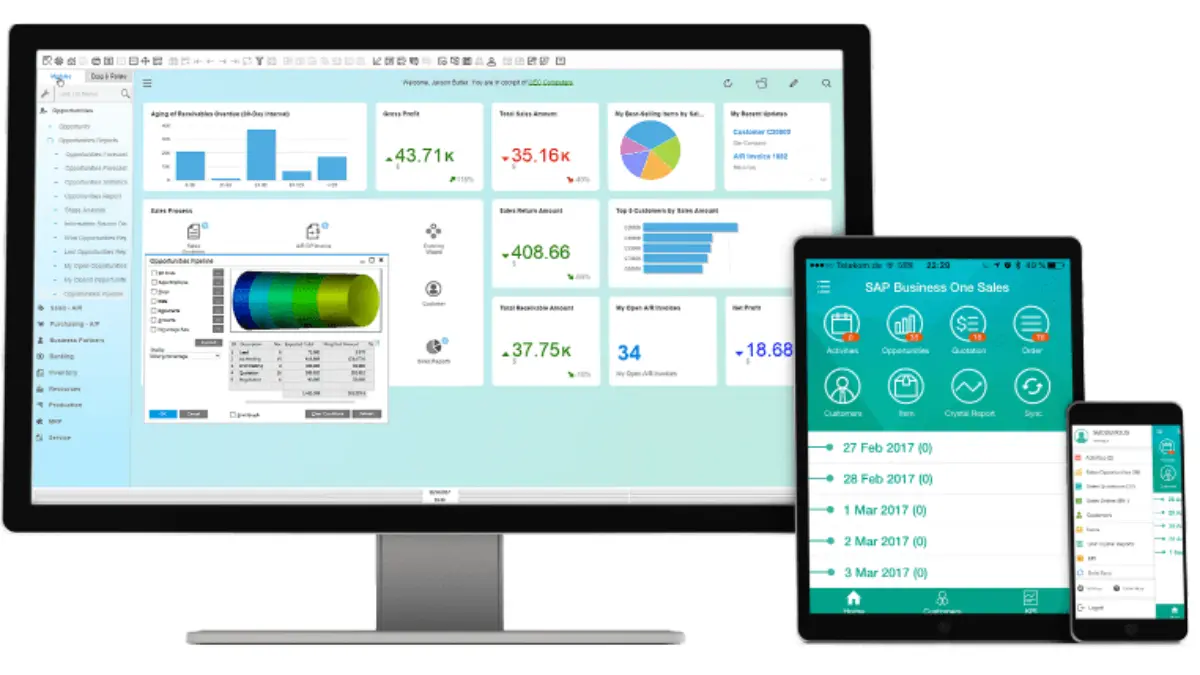
7. SAP Business One
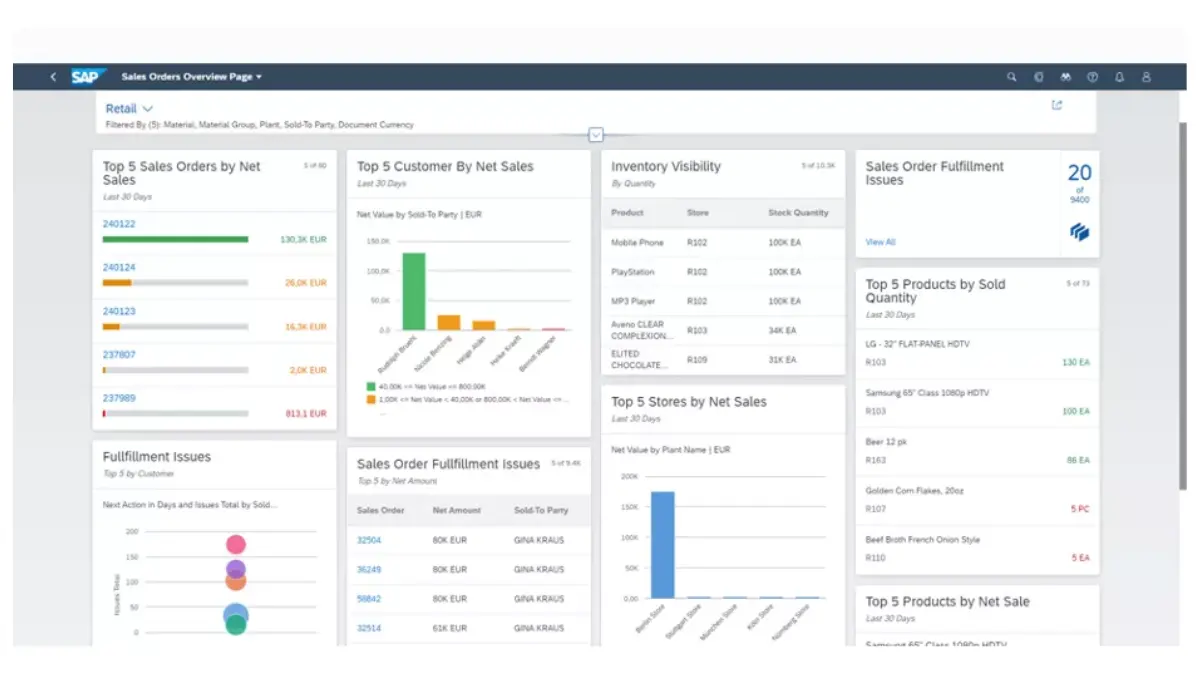
SAP Business One is an ERP platform designed for small to mid-sized businesses that require stronger financial, inventory, and purchasing control.
It is commonly used by operationally complex SMBs and enterprise subsidiaries needing structured ERP workflows.
Key features:
- Business-wide financial controls: Accounting automation, budgeting/controlling, banking and reconciliation, and financial reporting with audit-friendly trails.
- Sales and customer lifecycle: Sales/opportunity tracking, customer data management, service management, and sales reporting.
- Purchasing and inventory control: Procure-to-pay workflows, procurement controls, warehouse/accounting synchronisation, and real-time inventory reporting.
- Analytics, reporting, and mobility: Built-in reporting/BI tools, dashboards, and mobile/web client options (including approval processes in the web client).
Pricing range: As an indicative benchmark, an Australian partner price guide lists monthly user licence estimates such as A$138/month (Starter Pack) and A$213/month (Professional), with limited user types around A$187/month.
Best for: SMBs and enterprise subsidiaries requiring structured finance and inventory workflows.
| Pros | Cons |
|
|
For 500+ employee enterprises in Australia, SAP Business One is usually evaluated as a division-level platform rather than the top-tier enterprise standard.
8. Sage Intacct
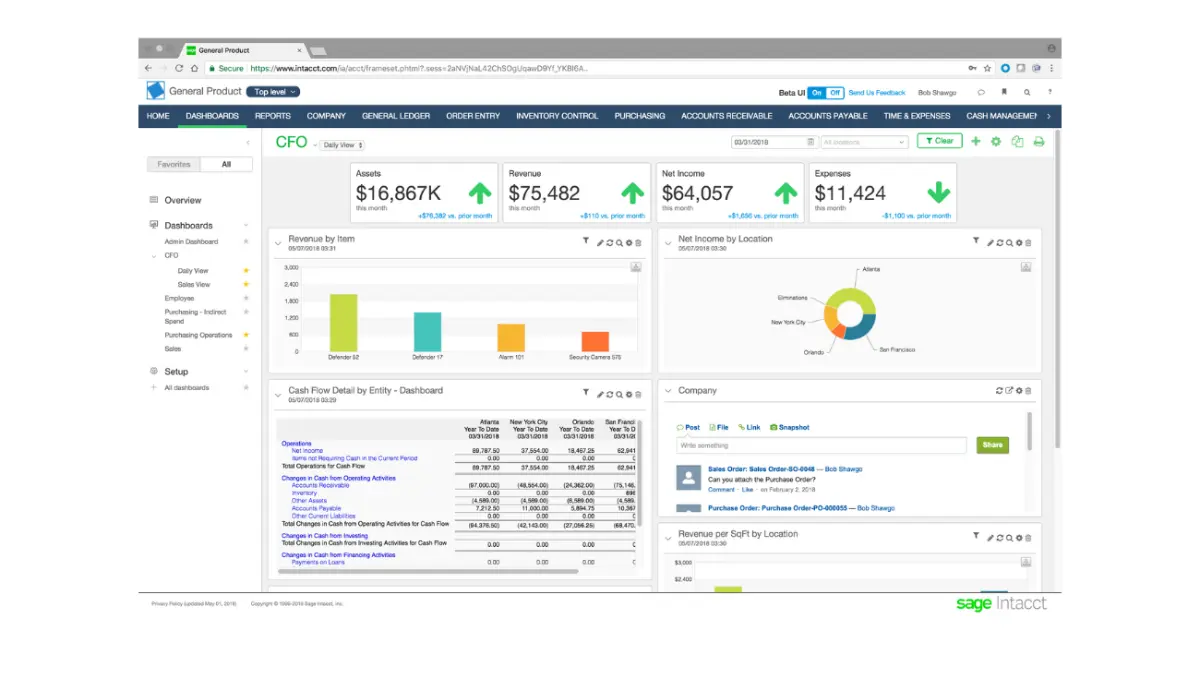
Sage Intacct is a cloud, finance-led ERP platform best known for strengthening financial controls, accelerating close, and improving reporting across entities and departments.
It’s often chosen when the business’ biggest pain is finance complexity (multi-entity, approvals, revenue recognition, reporting) rather than shop-floor manufacturing or deep warehouse execution.
Key features:
- Multi-entity and consolidation: Built to handle multiple entities and consolidate results with less manual work.
- Multi-dimensional reporting: Reporting by dimension (e.g., department, location, project) to reduce spreadsheet-heavy reporting cycles.
- Revenue recognition and billing controls: Revenue management modules for rule-based revenue recognition and automation around deferred/recognised revenue.
- Project accounting add-ons: Project accounting capabilities as an extension for job/project-driven finance teams.
Pricing range: Pricing is tailored based on businesses size, industry, and which modules you need, and Sage directs buyers to request a customised quote.
Best for: Finance-heavy organisations requiring strong reporting and multi-entity financial control.
| Pros | Cons |
|
|
9. SAP S/4HANA
SAP S/4HANA is an enterprise-grade ERP platform designed for large organisations requiring deep operational control across finance, procurement, supply chain, and manufacturing.
It is commonly used by enterprises managing complex multi-entity and high-volume operations.
Key features:
- End-to-end process coverage: Finance through supply chain and beyond in one ERP platform, designed for standardised enterprise workflows.
- Deployment flexibility: Options across public cloud, private cloud, and on-premise/hybrid patterns depending on how standardised vs customised you need to be.
- Modern UX and embedded insights: SAP highlights Fiori UX and analytics as core elements in the cloud/private edition positioning.
- Integration and extensibility: Designed to connect with other systems via APIs and extension tooling (important in real enterprise landscapes).
Pricing range: For early budgeting only, some third-party estimates indicate S/4HANA starts around A$251–252/user/month for subscription licensing, with implementation often starting around A$209,550–838,200 and scaling quickly with complexity.
Best for: Large-scale and enterprise businesses managing complex multi-entity operations that can support a disciplined ERP implementation program.
| Pros | Cons |
|
|
10. Epicor ERP
Epicor ERP is a manufacturing-focused ERP platform designed for distributors and product-centric businesses requiring stronger production planning and supply chain control.
It is commonly used by manufacturers managing complex operational workflows and inventory processes.
Key features:
- Manufacturing-first ERP core: Production-oriented workflows designed for job shops, discrete manufacturers, and multi-plant operations.
- Planning and scheduling depth (MRP): Tools that support forecasting, scheduling, and material requirements planning (MRP II) to manage demand swings and supply constraints.
- Quote-to-order for complex products: Estimating and quoting workflows that help teams respond to RFQs faster with tighter cost/lead-time visibility (useful when every quote has variability).
- Optional shop-floor and execution layers: Path to extend beyond “planning” into connected execution (for business that want more shop-floor visibility over time).
Pricing range: Third-party estimates typically range from A$177–A$283/user/month, with implementation costs starting at ~A$ 70k, plus custom work.
Best for: Manufacturers and distributors requiring stronger production planning and supply chain control.
| Pros | Cons |
|
|
11. Infor CloudSuite
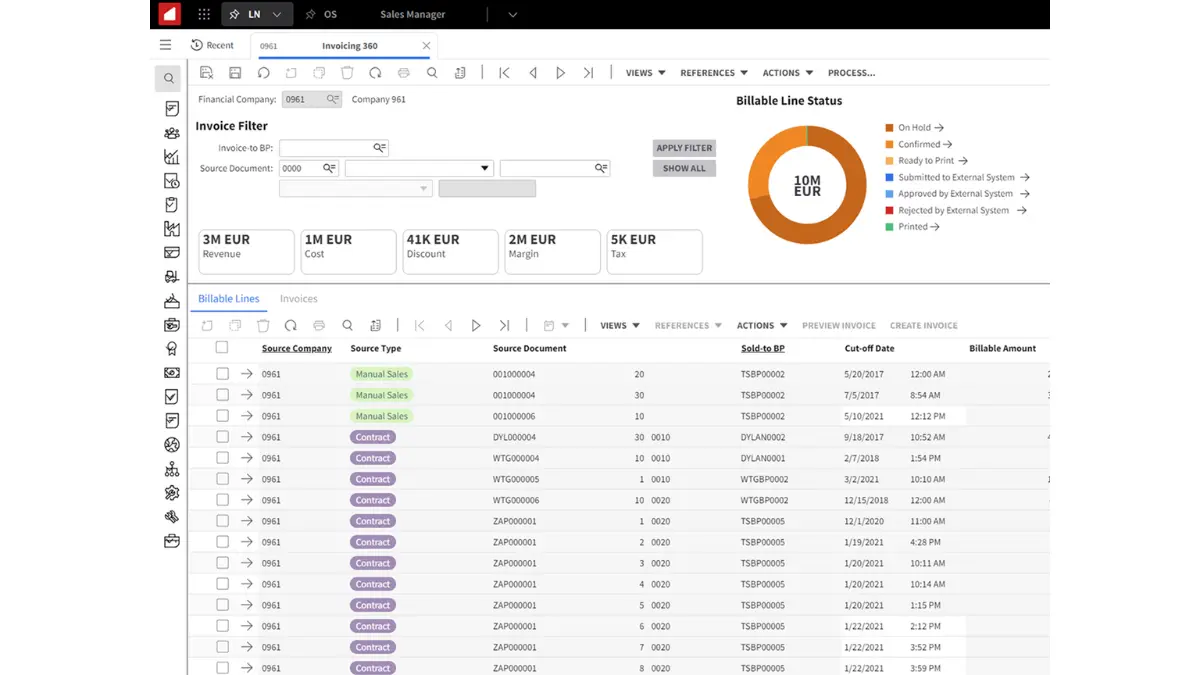
Infor CloudSuite is an industry-focused ERP platform designed for manufacturing, distribution, and supply chain-intensive businesses.
The platform is commonly used by product-centric companies requiring operational visibility and industry-specific workflows.
Key features:
- Industry-specific CloudSuite options: Cloud ERP “core” plus optional suites for manufacturing, warehousing, PLM, and CPQ, depending on the CloudSuite you choose
- Integration and automation platform (Infor iPaaS / Infor OS): Connects Infor apps with third-party systems, supports real-time sync, monitoring, and low-code workflows
- Manufacturing and supply chain depth: Tools oriented toward production visibility, quality, inventory, and traceability (strongest in product-centric environments)
- Marketplace ecosystem: Access to add-ons from Infor and third parties when you need to extend workflows beyond the core suite
Pricing range: Some third-party guides cite starting license benchmarks around A$215–A$285/user/month.
Best for: Manufacturing and distribution businesses requiring industry-specific ERP workflows.
| Pros | Cons |
|
|
12. TechnologyOne
TechnologyOne is an Australian SaaS ERP platform designed for organisations requiring strong local compliance and industry-specific operational workflows.
It is widely used across government, education, healthcare, and asset-intensive sectors in Australia.
Key features:
- Financial management: Manages budgeting, accounts payable, accounts receivable, reporting, and financial controls in one connected system.
- Human resources and payroll: Connects employee records, payroll, approvals, and workforce reporting to reduce manual HR administration.
- Supply Chain Management: Centralises procurement, supplier management, purchase approvals, and budget tracking.
- SaaS+ implementation model: Combines licensing, implementation, infrastructure, upgrades, security, support, and compliance into one annual fee.
Pricing range: TechnologyOne does not publicly disclose a fixed pricing range. Its SaaS+ model uses a quote-based annual fee, so the final cost depends on modules, company size, implementation scope, and service requirements.
Best for: Government, education, healthcare, and asset-intensive organisations in Australia.
| Pros | Cons |
|
|
13. Pronto Xi
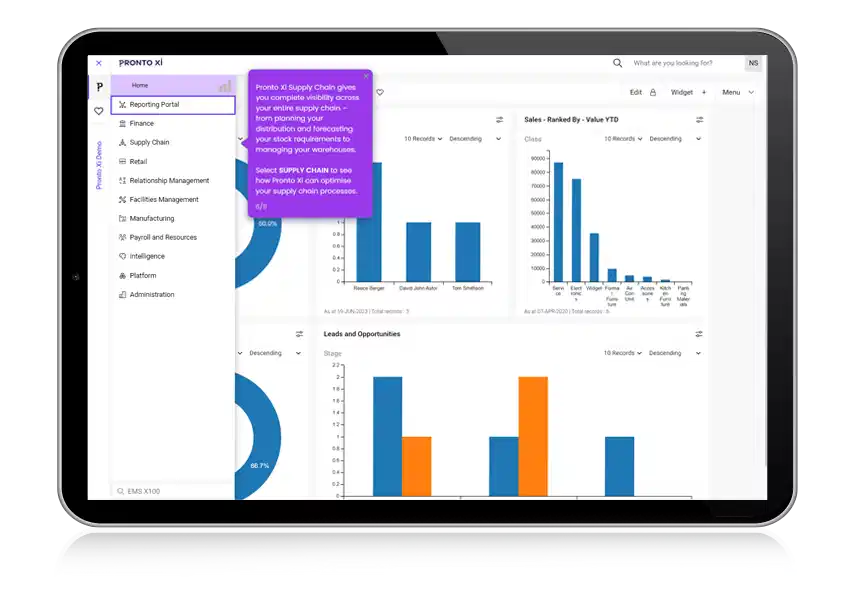
Pronto Xi is an Australian-developed ERP platform commonly used by mid-sized businesses in manufacturing, distribution, retail, and field service industries.
The system is known for its strong local compliance support and flexible deployment options.
Key features:
- Australian-developed ERP platform: Designed with Australian accounting, tax, and reporting requirements in mind, including GST and BAS compliance.
- Integrated ERP suite: Combines finance, inventory, warehouse management, service management, CRM, and business intelligence within a single system.
- Flexible deployment options: Can be deployed on-premise, in private cloud, or through hosted environments depending on infrastructure and security needs.
- Industry-focused capabilities: Includes functionality for manufacturing, supply chain, asset management, and service operations.
Pricing range: Pricing is usually provided through Australian implementation partners based on modules, deployment type, and company size. Mid-sized implementations often range from approximately A$50,000 to A$500,000 for the first-year investment including software and implementation.
Best for: Mid-sized Australian businesses in manufacturing, distribution, retail, and service industries.
| Pros | Cons |
|
|
How to Choose the Right ERP for Your Business
The real question isn’t “what’s the best ERP software Australia?” It’s “which ERP is right for your business?” There are 8 variables that you need to pay attention to when choosing ERP software for your business. Let’s break it down one by one.
1. Industry fit
Start with industry fit by checking whether the ERP supports your daily workflows. For manufacturing or distribution, prioritise inventory, warehouse, and production planning. For project-led businesses, focus on job costing, progress claims, approvals, budget tracking, and expense management.
2. Operational complexity
Check operational complexity, not just employee count, because multiple entities, locations, warehouses, or high transaction volumes can make a smaller business harder to manage. Also review how each ERP scales its cost, since pricing can change by user, module, or usage.
3. Non-negotiable integration requirements
Map the modules every ERP must work with, including payroll, CRM, banking, eCommerce, and logistics. Check whether STP Phase 2 is native or integrated, and confirm that customer, pricing, order, and invoice data can flow reliably.
4. Compliance and localisation
Australian businesses must ensure their ERP supports local compliance requirements such as ATO eInvoicing through the Peppol network, GST reporting, BAS preparation, and STP Phase 2 payroll processes. Systems that include these capabilities natively reduce manual adjustments and reporting errors.
5. Integration requirements
ERP rarely works alone, so check how well ERP connects with your CRM, payroll, banking, logistics, eCommerce, and analytics tools. Prioritise platforms with strong APIs, reliable connectors, or proven integration partners. This helps keep data synced in real time and prevents new operational silos.
6. Scalability and cloud architecture
Choose an ERP that can still perform as your users, transaction volume, and operational complexity grow. How cloud ERP work is often easier to scale because it supports multi-site access and adjusts infrastructure more flexibly. This helps growing teams avoid performance issues as operations expand.
7. Total Cost of Ownership over 5 years
Look beyond the subscription price and calculate the five-year cost, including implementation, configuration, integrations, training, and support. Some ERP systems look affordable at first but become costly as users, modules, or transaction volumes grow. This gives you a more realistic vendor comparison.
8. Local implementation partner availability
ERP success depends on the implementation partner, not just the software. Prioritise vendors with experienced Australia and/or New Zealand partners who can handle local workflow setup. This helps ensure the system fits Australian regulations, reporting standards, and industry practices.

Conclusion
Based on our evaluation, the best ERP software in Australia includes both local and global vendors. Pronto Xi and TechnologyOne stand out as local options, while HashMicro and MYOB Advanced are also strong choices for businesses that need local support.
There is no single answer to which ERP system your business should use. The right choice depends on your industry, operational complexity, compliance needs, integration requirements, and long-term cost.
To make the decision easier, use the evaluation points above as a checklist before shortlisting vendors. For faster guidance, you can also book a free consultation to map your requirements, prioritise the right modules, and identify integration risks early.

FAQ about ERP Software
-
What is ERP and what’s the importances for business?
ERP is an integrated system that connects core business functions like finance, purchasing, inventory, projects, and reporting in one platform. It helps teams work from a single source of truth and typically needs to align with local requirements such as GST/BAS reporting and payroll reporting like STP Phase 2.
-
What variable ERP costs should Australian businesses consider?
Variable ERP costs depend on scope and complexity. Common cost drivers include the number of users, modules selected, level of customisation, integrations with payroll, POS, or eCommerce, data migration effort, training, and the number of entities or locations across Australia. Deployment choice (cloud vs on-premise) and security requirements can also shift the budget.
-
Which ERP cost items usually change the most during a project?
Customisation and integration work often change the most once teams map real workflows. Data migration can also expand if legacy data has gaps, duplicates, or inconsistent item codes. Change management (training, SOP updates, role redesign) can rise when more departments join the rollout.
-
What are the main ERP modules?
Core ERP modules often cover Finance & Accounting, Procurement, Inventory, Sales, and Reporting/BI. Many suites also include CRM, HR & Payroll, Warehouse Management (WMS), Manufacturing, Project Management, Asset Management, and Service/Helpdesk. Module choice should match the processes that drive revenue, cost control, and compliance in your business.
-
How long does ERP implementation usually take?
For mid-to-large businesses, ERP implementation commonly takes about 9–24 months, especially with multiple sites, many integrations, or heavy customisation. However, some ERP vendors offer accelerated implementation for a limited scope: HashMicro, for example, can reach a 1-month go-live when the rollout stays focused.
-
Which ERP is best for the manufacturing industry?
The best ERP for manufacturing depends on your production complexity, inventory needs, and growth plans. Manufacturers often look for ERP systems with production planning, bill of materials (BOM), shop floor control, procurement, and real-time inventory tracking to improve efficiency and reduce downtime.
-
Which is the best cloud ERP for product-centric enterprises?
For product-centric enterprises such as distributors, wholesalers, manufacturers, and retailers, the best cloud ERP is one that offers strong inventory control, demand forecasting, supply chain visibility, and financial management. Scalability and real-time reporting are also key factors when choosing a cloud ERP platform.
-
Does this ERP support automatic GST and BAS reporting to the ATO?
Many ERP systems designed for Australian businesses support GST calculations, BAS preparation, and local tax reporting features. However, capabilities vary by vendor, so businesses should confirm whether the ERP includes ATO-ready BAS reports, GST coding, and integration with payroll or accounting compliance tools.
-
Which is the best ERP for the retail sector?
Retail businesses usually benefit most from ERP software that combines POS integration, inventory management, omnichannel sales, purchasing, and customer data in one platform. The right solution helps retailers manage stock across stores, warehouses, and online channels more accurately.