












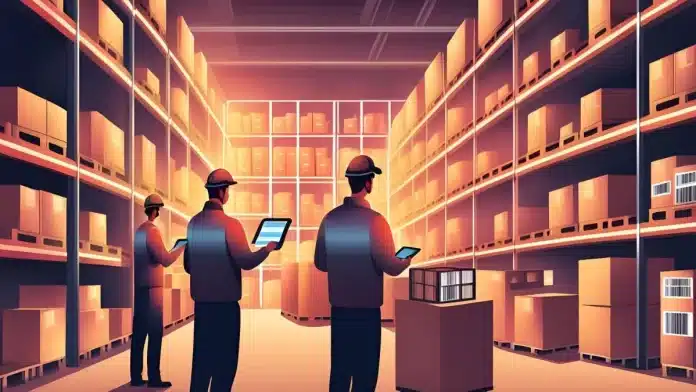
A barcode system is essential for staying organized when deliveries are constantly coming and going. Without it, items are challenging to track, and operations can quickly spiral into chaos, especially during busy periods.
Disorganized inventory handling not only slows your workflow but can also affect your brand’s reliability. According to McKinsey, 97% of supply chain leaders report that disruptions seriously impact business performance, highlighting the urgent need for better tracking solutions.
With order volumes rising, now is the time to understand how to implement a barcode system that supports your growth. This guide explains how to integrate them smoothly into your operations. Ready to streamline your warehouse? Get a free demo today.
Key Takeaways
|

What is a Barcode?
A barcode is an arrangement of vertical black lines of varying thicknesses and heights, interspersed with white spaces and numbers. This combination uniquely identifies products and their information. Computers can read these codes and access the corresponding product data when scanned.
Today, barcodes are used not only on household items from supermarkets or retail stores but also on licenses, rental cars, checked luggage, and hospital wristbands. In each case, they identify a product and store essential details.
Barcodes save time and money by allowing scanners, whether handheld or built into a checkout station, to read product information instead of requiring employees to enter it manually.
Types of Barcodes

Understanding the different types of barcodes is essential for effective inventory management and product tracking. Essentially, barcodes are divided into two primary types:
1. Linear/1D Barcodes
Linear barcodes, or 1D barcodes, are the classic image that comes to mind when people think of barcodes: a series of black vertical bars with numbers underneath. These barcodes encode numbers, letters, and symbols commonly found on products in retail stores.
They link this information to detailed data in a database, such as product name, type, size, and color. To function, 1D barcodes must be connected to a database. They are typically used on consumer goods, loyalty cards, shipping labels, and books.
2. Matrix/2D Barcodes
Matrix Barcode Matrix or 2D barcodes, like QR codes, can store a broader range of information, including quantities, images, and URLs, without needing a database connection. QR codes, for example, can direct users to websites or serve as digital boarding passes.
These barcodes are increasingly used to track parts and products in high-value manufacturing sectors, such as medical equipment and pharmaceuticals.
Key Differences
Here is a table summary discussing key differences between linear/1D barcodes and matrix/2D barcodes
| Linear/1D Barcodes | Matrix/2D Barcodes |
|---|---|
| Up to 80 characters | Up to 2,000 characters |
| Numbers and letters are linked to a database | Text, URLs, images, and complex data are stored directly in the code |
| Vertical or horizontal lines | Squares, dots, or geometric patterns |
| Basic laser scanners | Imaging scanners or smartphones |
| Requires an external database | Stores information directly within the code |
| Retail, logistics, shipping labels, books | QR codes, digital boarding passes, and medical equipment |
| Requires more printing space | It can be printed very small and still readable |
What is a Barcode Inventory System?
A barcode system is a network comprising hardware and software designed to automate data collection with barcodes, scanners, printers, labels, and barcoding software. Typically, a barcoding system integrates computerized maintenance management system (CMMS) software for maintenance management.
Barcoding has numerous applications in maintenance management, with asset tagging and MRO inventory management being among the most common uses.
For those curious about the practical workings of a distribution barcode software for inventory, exploring a free demo from vendors who provide them could offer valuable insights. This can help businesses understand how to streamline their processes and improve efficiency.
Why Do Businesses Need to Use Barcodes?

As a business grows in complexity, specific tasks must be automated to keep pace with demand. Inventory control is one such task for two main reasons:
- Manual inventory counts are tedious and divert resources from more profitable activities.
- Hand-maintained inventory levels increase the risk of human error, leading to costly mistakes, oversights, and lost inventory. A recent University of Cambridge study found that an average person makes at least one data entry error every 250 keystrokes.
A barcoding system can address both of these issues. Instead of logging SKUs into a spreadsheet, you can simply scan the barcode, which updates your inventory records within seconds. This allows you to track dozens of items in the time it would take to type a few characters manually.
Barcodes don’t just save time—they’re also crucial for making more innovative and quicker business decisions. With barcoding systems providing real-time inventory data, there’s no longer a need to wait for weekly reports to understand how certain products perform.
Here are other benefits a barcoding system can provide for your business:
- Reduced Human Error: A barcode inventory system minimizes the likelihood of human errors in tracking inventory, leading to more efficient supply chain management.
- Real-Time Inventory Data: Access to real-time inventory information allows you to stay ahead of the sales cycle, optimize profits, and streamline order management.
- Versatility: Barcodes can quickly organize and track various data, such as price and product information, within seconds.
- Simplified Training: Barcode systems make training employees faster and more cost-effective since they only need to learn the technology rather than the entire inventory.
How do Barcode Systems Work?
A barcode inventory system is a streamlined method for tracking products using barcodes. Each item is labelled and scanned with a reader or smartphone, providing instant updates to the inventory database. This ensures better decision-making regarding stock levels.
The barcode system also simplifies reporting by making it easy to analyze sales trends, top-selling items, and overall performance. With improved accuracy, businesses can reduce waste, prevent overstocking, and minimize product loss.
For companies managing growth across multiple locations or a wide product range, a barcode system greatly enhances efficiency. It helps optimize storage, improve organization, and address issues such as inaccurate counts.
5 Ways to Use a Barcode System

Barcodes offer a range of uses that can significantly boost the efficiency and accuracy of your daily operations. Here are some of the most common applications:
1. Supply chain management
Barcodes make supply chain management more accessible by allowing you to track materials and products at every stage. By scanning barcodes during production, shipping, and delivery, you can see where each item is in real-time. Each barcode links to a central database, providing up-to-date product location, status, and history information.
2. Inventory tracking
Barcodes make tracking inventory easier by allowing warehouse staff to scan items upon arrival and shipment. Advanced setups use mounted scanners on conveyor belts for automatic tracking. Each SKU has a barcode linked to a database, ensuring real-time accuracy of inventory numbers.
Barcodes simplify tracking inventory and keep everything accurate. Systems that provide them, like HashMicro, make these processes even more efficient. Seeing HashMicro in action through a free product tour could show how much easier it can make things for you.
3. Asset tracking
Barcodes are widely used to track critical assets like machinery, vehicles, and computers. When paired with asset tracking software, barcodes help businesses keep tabs on the status and location of these assets and maintain records of maintenance or repairs.
This is crucial for capital assets that have been used for many years. Barcodes can show who and when mobile items were last used, helping businesses manage usage and plan future investments.
4. Invoicing
Barcodes on invoices simplify tracking accounts payable and receivable. Businesses can match payments easily and speed up the fulfillment process by linking a barcode to a customer. Warehouse workers can scan invoice barcodes to identify and locate items quickly.
5. Mail tracking and merges
Similar to inventory, barcodes can track mail and packages. Scanning items before handing them to couriers links monitoring information to the order, allowing customers to check their order status. If a package is returned, scanning the barcode helps quickly identify and contact the customer to resolve the issue.
Mail merges automate the creation of barcodes by linking a data source, like a spreadsheet, to a document. This process is much faster and more efficient than manually creating barcodes for each item.
Using barcodes in these ways can significantly improve your business operations by enhancing accuracy, reducing errors, and streamlining processes.
How to Implement a Barcode System for Your Business
If you’ve decided that a barcode system is right for your business, these five steps will help you successfully implement it:
1. Define your SKUs
If you don’t already have a database of your stock-keeping units (SKUs) or universal product codes (UPCs), now is the time to simplify inventory organization. Each inventory item should include some or all of the following details:
- Item dimensions
- Purchase price
- The minimum amount you need in your inventory
- A physical description of the item
2. Choose a barcoding inventory software system
Barcodes need an inventory software system to work effectively. HashMicro provides barcode scanning capabilities designed to reduce errors and automate more of your business. Here are a few key features:
- With the HashMicro Mobile App, your team’s Android devices become mobile barcode scanners.
- Send orders to workers on the floor, scan inventory, and transfer data wirelessly.
- Print barcode labels with sales prices to give your customers and employees the necessary pricing information.
3. Determine the types of barcodes you want to use
The type of barcode you choose depends on how much information you need to encode. If you have a relatively small inventory and only need to track limited information, 1D barcodes will likely be sufficient. However, if you have an extensive SKU database and need to track detailed information, 2D barcodes (like QR codes) may be a better option.
4. Create your barcodes
Use your inventory software system to create barcodes that correspond to your inventory. HashMicro has a barcode generator that creates a unique code for each item.
5. Apply barcodes to your inventory
This is the most straightforward yet most crucial part of the process. Print your labels with a barcode printer and place them on each item. Ensure the tag is visible so it can be easily scanned.
Keep Your Inventory Organized with HashMicro’s Barcode Management System
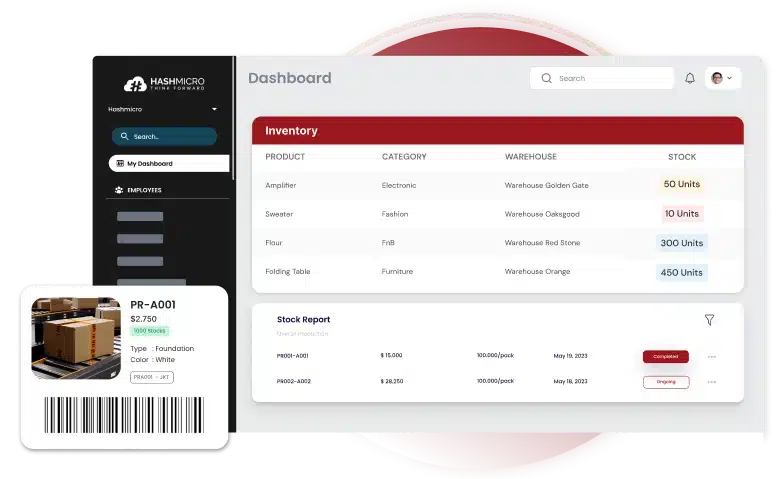
HashMicro offers an all-in-one solution for businesses looking to centralize their operations on an easy-to-use platform.
Imagine automating your inventory tracking—saving time, cutting costs, and reducing errors simultaneously. Sounds impressive, right?
With HashMicro’s barcode software integrated with ERP software, you can scan barcodes to track items moving in and out of stock. Each scan updates the records instantly, showing the current quantity on hand. No more guessing when to reorder—everything is updated in real-time, ensuring nothing gets lost or misplaced.
Using a barcode inventory system isn’t just more efficient; it also helps your business save money. Employees spend less time manually entering data, and mistakes are minimized. It’s a win-win!
HashMicro provides everything you need to make this happen:
- Assigning barcodes to inventory items
- Viewing barcode numbers within HashMicro
- Identifying inventory items using barcodes
If you want to streamline your inventory management, consider investing in HashMicro’s barcode inventory control system today. You’ll be surprised at how much time and money you can save.
For your business, this is the way to go! For a complete approach to your operations, get a free demo of HashMicro’s barcode software for more information!
FAQ About Barcode System
-
How to make a barcode system?
1. Decide on the type of barcode that fits your business needs.
2. Pick the symbology format for your barcodes.
3. Obtain a scanner that suits your requirements.
4. Use a generator to make your barcodes.
5. Print the barcodes onto labels or packaging.
6. Verify that the barcodes scan correctly.
7. Attach the barcodes to your products.
8. Track and manage your barcodes for inventory control. -
How to use a barcode system for inventory?
1. Figure out which barcode system is best for your business.
2. Select a scanner that fits your needs.
3. Establish your barcode system.
4. Teach your staff how to use the system.
5. Conduct regular tests to ensure proper function.
6. Keep your inventory organized and track it effectively. -
How do I create a SKU and barcode?
1. Begin with a primary identifier for your SKUs.
2. Insert a distinct number or code in the middle of the SKU.
3. Complete the SKU with a sequential number.
4. Enter the SKUs into your POS or inventory system.
5. Create barcodes for your SKUs.





















