










 Limited to 100 registrants

Your sales data sits in one system, inventory in another, and finance reports in a spreadsheet. When leadership asks why revenue dropped, your team spends hours gathering and reconciling data before finding the answer. Business Intelligence (BI) software solves this by bringing scattered data into a single real time dashboard.
According to the Malaysia Digital Economy Corporation (MDEC), the Business Digitalisation Initiative (BDI) helps Malaysian businesses improve productivity and operational efficiency through digital adoption. Companies that still rely on manual reporting risk falling behind data driven competitors.
To make the evaluation practical, the comparison assesses 20 business intelligence platforms by their target users, analytical capabilities, minimum payable price, deployment model, and support availability in Malaysia. It covers general-purpose BI, ERP-integrated analytics, frontline intelligence, and consulting-led solutions, helping businesses identify the category that best matches their data environment and reporting requirements.

Key Takeaways
Business Intelligence (BI) tools are advanced software solutions that efficiently analyse, process, and present data from multiple sources.
Key functions of BI tools include data integration, transformation, visualisation, and reporting, which provide insights to key stakeholders.
Choose a business intelligence software that aligns with your goals, integrates seamlessly, offers real-time analytics, ensures data security, is user-friendly, and delivers strong ROI.
Shortlist of Best Business Intelligence Software
Here is a shortlist of business intelligence Malaysia software based on recent market research.



Best Because
Real-time analytics for workplace safety, risk control.

Best Because
Microsoft integration and interactive dashboards.
Best Because
User-friendly BI tools with data visualization.

Best Because
Enterprise-grade tools with advanced data modeling.
Best Because
Advanced analytics and reporting with AI-powered insights.
Best Because
Best for Free and Ad-Hoc Dashboard Reporting
Quick Comparison of the Best Business Intelligence Software in Malaysia
The quick comparison below summarizes all 20 business intelligence tools based on their ideal users, key strengths, starting prices, and support availability in Malaysia. Use it to shortlist suitable options before reviewing each software in greater detail.
| Software | Best For | Key Strength | Starting Price | Malaysia Support |
|---|---|---|---|---|
| HashMicro Business Intelligence Software | Malaysian companies requiring integrated operational analytics | Real-time dashboards connected with accounting, sales, inventory, and operations | Custom quotation based on modules, users, and implementation scope | Direct Malaysian implementation, training, and technical support |
| CardBiz BI Tools | Malaysian SMEs and retail businesses | Localised reporting and business performance monitoring | Custom quotation | Malaysia-based vendor support |
| SafetyCulture BI Software | Frontline, safety, and operational teams | Mobile inspections, issue tracking, and operational analytics | Approximately RM98 per full seat per month, billed annually | Regional online support; confirm onsite implementation availability |
| Microsoft Power BI | Businesses using Microsoft 365 and Azure | Extensive connectors, interactive dashboards, and Microsoft ecosystem integration | Approximately RM57 per user per month, paid yearly | Microsoft and implementation-partner ecosystem in Malaysia |
| Domo | Enterprises requiring cloud-based executive analytics | Unified data, real-time dashboards, and consumption-based scalability | Custom quotation based on consumption credits | Global and partner-led support; confirm Malaysia implementation scope |
| Tableau | Data teams requiring advanced visual exploration | Interactive visualisation and flexible dashboard development | From approximately RM61 per Viewer per month; at least one Creator licence at approximately RM307 per month is required, billed annually | Salesforce and Tableau partner ecosystem in Malaysia |
| Zoho Analytics | SMEs using Zoho or multiple cloud applications | Self-service reporting, embedded analytics, and cloud integrations | RM0 for the Always Free plan; paid plans vary by users and data rows | Regional vendor and implementation-partner support |
| Oracle Analytics | Large enterprises using Oracle applications | Enterprise analytics, machine learning, and Oracle ecosystem integration | From approximately RM664 per month for 10 named users | Oracle and implementation-partner ecosystem in Malaysia |
| Datapine | SMEs seeking accessible self-service dashboards | Drag-and-drop dashboards and automated reporting | Custom quotation | Primarily remote vendor support; confirm Malaysia implementation services |
| IBM Cognos Analytics | Regulated and data-intensive enterprises | Governed reporting, enterprise dashboards, and AI-assisted analytics | From approximately RM46 per authorised user per month, billed annually | IBM and implementation-partner ecosystem in Malaysia |
| Looker Studio | Teams requiring lightweight Google-based reporting | No-cost dashboards and integration with Google data sources | RM0 for the standard version; Looker Studio Pro is priced separately | Google Cloud partner support; standard version is primarily self-service |
| Qlik Cloud Analytics | Organisations analysing complex data relationships | Associative analytics, data discovery, and AI-assisted insights | From approximately RM1,228 per month for 10 users, billed annually | Qlik implementation-partner ecosystem in Malaysia |
| SAS Business Intelligence Tools | Enterprises needing governed reporting and statistical analysis | Enterprise reporting, data mining, and predictive analytics | Custom quotation | SAS and partner-led regional implementation and support |
| Sisense | Product teams embedding analytics into applications | Embedded analytics and customisable data experiences | Custom quotation | Vendor or partner-led support; confirm Malaysia coverage |
| Metabase | Start-ups and technical teams seeking flexible BI | Open-source dashboards and straightforward database querying | RM0 for the self-hosted open-source edition; Cloud Starter from approximately RM368 per month, billed annually | Community or vendor support; local assistance depends on the implementation partner |
| NTT DATA | Large organisations requiring consulting-led transformation | Enterprise data integration, analytics consulting, and managed delivery | Custom project-based quotation | Enterprise consulting and project implementation support in Malaysia |
| Epicor | Manufacturing and distribution companies | ERP-connected operational and supply-chain analytics | Custom quotation based on modules, users, and deployment | Epicor and regional implementation-partner support |
| SAP BusinessObjects | Large organisations with established SAP environments | Governed enterprise reporting and SAP data integration | Custom quotation based on licences and deployment | SAP and implementation-partner ecosystem in Malaysia |
| Strategy | Enterprises managing large-scale analytics deployments | Enterprise semantic layer, mobile analytics, and governed reporting | Custom quotation | Global or partner-led support; confirm Malaysia service coverage |
| Spotfire | Data-intensive industries | Automated data visualisation platform with advanced analytics and predictive modelling that supports real-time data analysis. | Custom quotation | Indicates whether the software provides local Malaysian business |
What is Business Intelligence Software?
BI software collects data from your different systems, whether sales, finance, inventory, or HR, and combines it into dashboards and reports you can actually use. Instead of opening four applications and copying numbers into Excel, you see everything in one screen.
The software does three things: pulls data from multiple sources, organizes it so the numbers make sense together, and displays it visually through charts and tables. When your director asks “how did Johor perform last quarter versus Penang?”, the answer takes seconds instead of hours
Hashy AI Fact

Hashy AI transforms your business intelligence software by integrating intelligent automation, context-aware insights, and actionable data, empowering you to make more informed decisions.
Request a free demo today!
Business Intelligence vs. Business Analytics
There are key differences that explain the distinction between Business Intelligence dashboard (BI) and Business Analytics dashboard (BA), such as:
| Business Intelligence (BI) | Business Analytics (BA) |
|
|
What is the Benefit of Business Intelligence Software?
If you are wondering how business intelligence software can benefit your business, let’s take a look at the following explanation:
- Unified Data View: Business intelligence tools consolidate data across departments, providing decision-makers with accurate, consistent information and eliminating data silos.
- Enhanced Decision-Making: Automating data collection and analysis accelerates decision-making while minimizing errors.
- Real-Time Analysis: Business intelligence tools enable quick responses to market changes and customer needs, ensuring businesses stay competitive.
- Increased Efficiency: Automating data tasks improves productivity, allowing employees to focus on strategic activities.
- Problem-Solving: Business intelligence software offers deep insights, helping businesses identify and address issues quickly.
- Cost Reduction: By analyzing consumer behavior and forecasting sales, business intelligence tools help businesses reduce costs and improve efficiency.
These benefits support smarter business decisions, cost savings, and increased revenue.
Top 20 Business Intelligence Tools in Malaysia
To help you navigate this decision, we have compiled a list of the top 20 Business Intelligence tools your Malaysian business can consider. The following tools are numbered for organisational purposes only. Their positions do not represent a ranking from best to worst, as the most suitable choice depends on each business’s requirements, budget, data environment, and preferred level of local support.
The following tools are numbered for organisational purposes only. Their positions do not represent a ranking from best to worst, as the most suitable choice depends on each business’s requirements, budget, data environment, and preferred level of local support.
1. HashMicro Business Intelligence Software
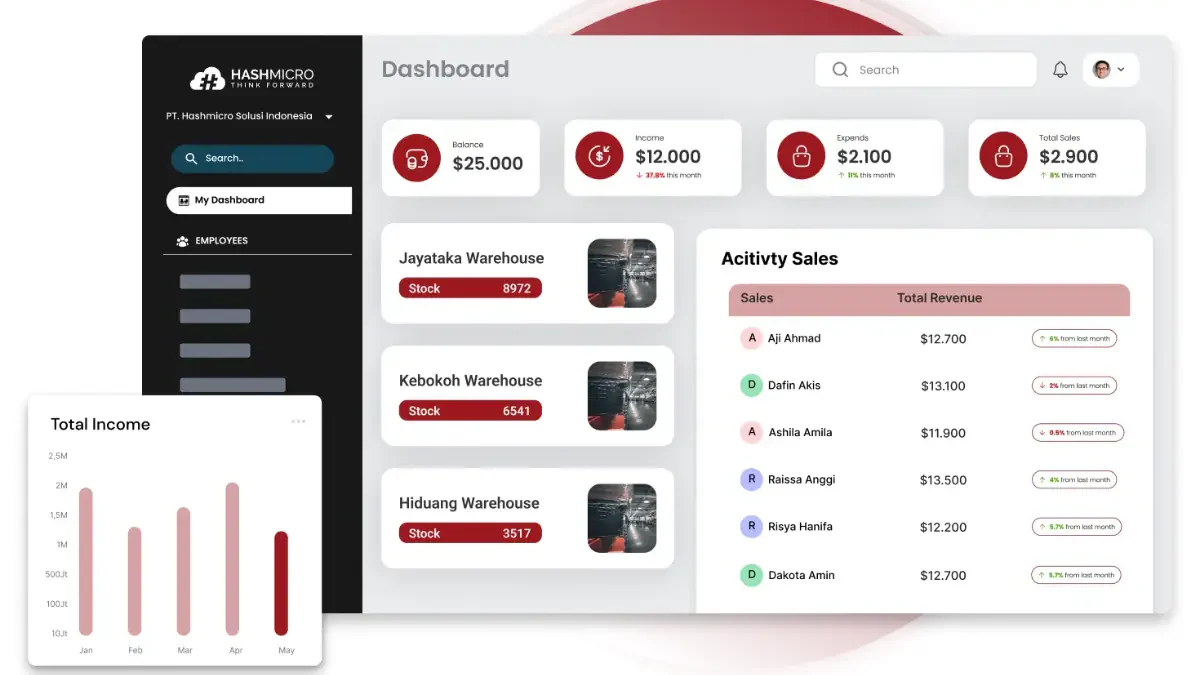
HashMicro is Southeast Asia’s best ERP software provider. HashMicro’s software is designed to help businesses in various industries in Malaysia manage their operations more efficiently.
HashMicro provides comprehensive business intelligence (BI) solutions to streamline business operations through data integration and real-time analytics. These tools offer valuable insights into various business aspects, enabling companies to improve efficiency, optimize resource allocation, and make informed decisions based on accurate data.
Here are the various features of HashMicro’s Business Intelligence Malaysia software in more detail:
- Pivot Table & Data Analysis Tool
- Key Performance Indicators (KPI) Scorecard
- Custom BI Solution
- Dashboard Ninja
- WhatsApp Integration
- Sheet Management
- AI-Generated Report & Explainer
- Multi-Language Support
This software package enhances productivity and decision-making, streamlining processes through comprehensive tools and integration.
Pricing: Custom quotation based on selected modules, users, integrations, customisation, and implementation scope. Official pricing scheme
| Pros | Cons |
|
|
Medium to large Malaysian businesses that need analytics connected directly to accounting, sales, inventory, procurement, manufacturing, and other ERP workflows, with local consultation, system configuration, training, and implementation support.
To explore the best solutions for your business, check out HashMicro’s ERP software. Discover our pricing schemes below and find the right package for your needs.
2. BI Tools CardBiz
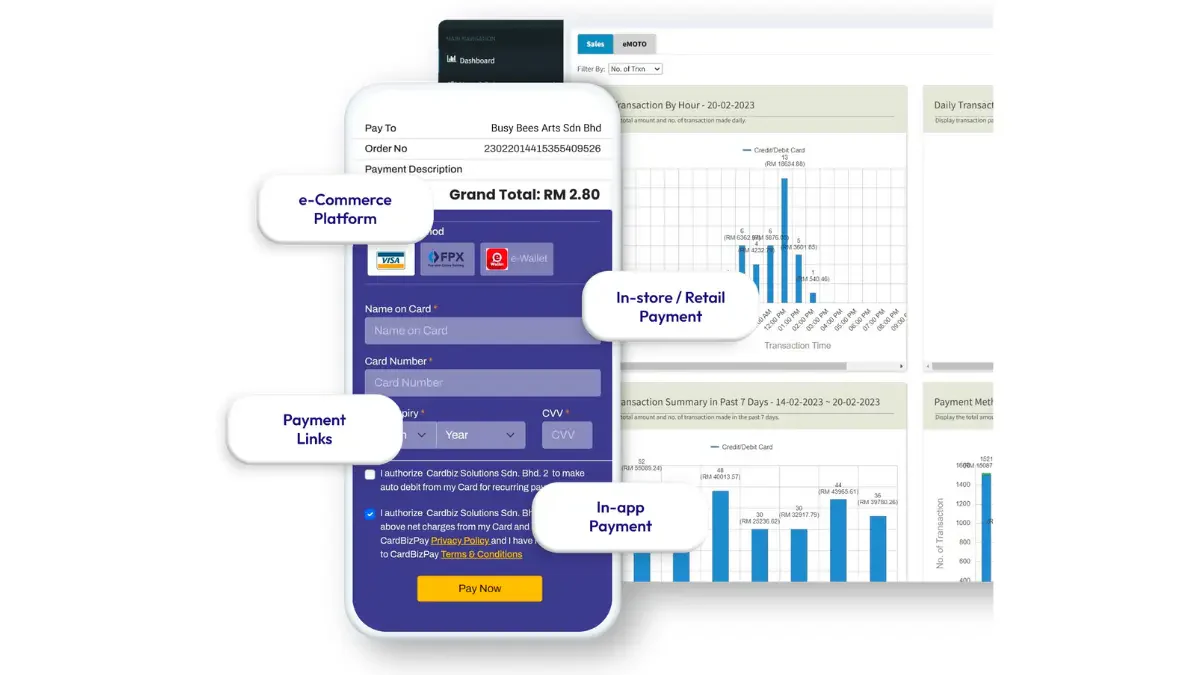
CardBiz is a Business Intelligence service in Malaysia that enhances customer relationship management and sales analytics. These Business Intelligence services can help businesses understand customer behaviour, track sales performance, and develop targeted marketing strategies to boost revenue.
Business intelligence tools by CardBiz have the following features:
- Insight Into Customer Behavior
- Monitoring and Reporting
- Easy Visualized Insights
- Set KPIs
Pricing: Custom quotation. CardBiz does not publish a verifiable list price for a dedicated BI product; confirm the exact product scope before publication.
| Pros | Cons |
|
|
Malaysian retail, payment, and merchant-service businesses already operating within the CardBiz ecosystem and requiring locally supported reporting on transactions, operational performance, payment activity, or customer behaviour.
3. SafetyCulture BI Software
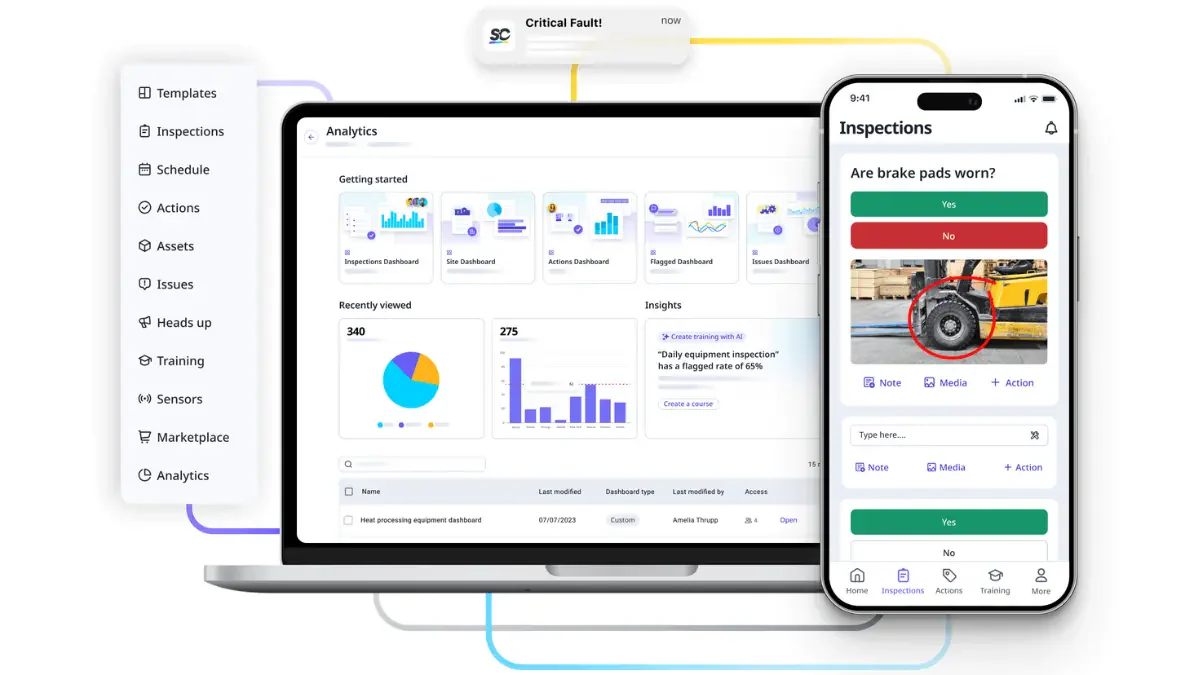
SafetyCulture provides business intelligence tools to improve workplace safety and compliance. Through real-time data collection and analysis, the SafetyCulture Business Intelligence services enable companies to identify safety risks, implement corrective actions, and ensure compliance with industry standards.
Here are the various features of SafetyCulture BI software:
- Collaboration Tools
- Quality Assurance and Control
- Risk Management
- Predictive Analytics
Premium Plan – Full Seat: Approximately RM1,176/full seat/year (US$288/year), billed annually; equivalent to RM98/month
From RM83.03/month
| Pros | Cons |
|
|
From RM83.03/month
From RM83.03/month
From RM83.03/month
From RM83.03/month
Multi-site organisations in manufacturing, construction, logistics, hospitality, and field services that need to analyse inspections, incidents, assets, training completion, safety risks, and frontline operational performance.
4. Microsoft Power BI
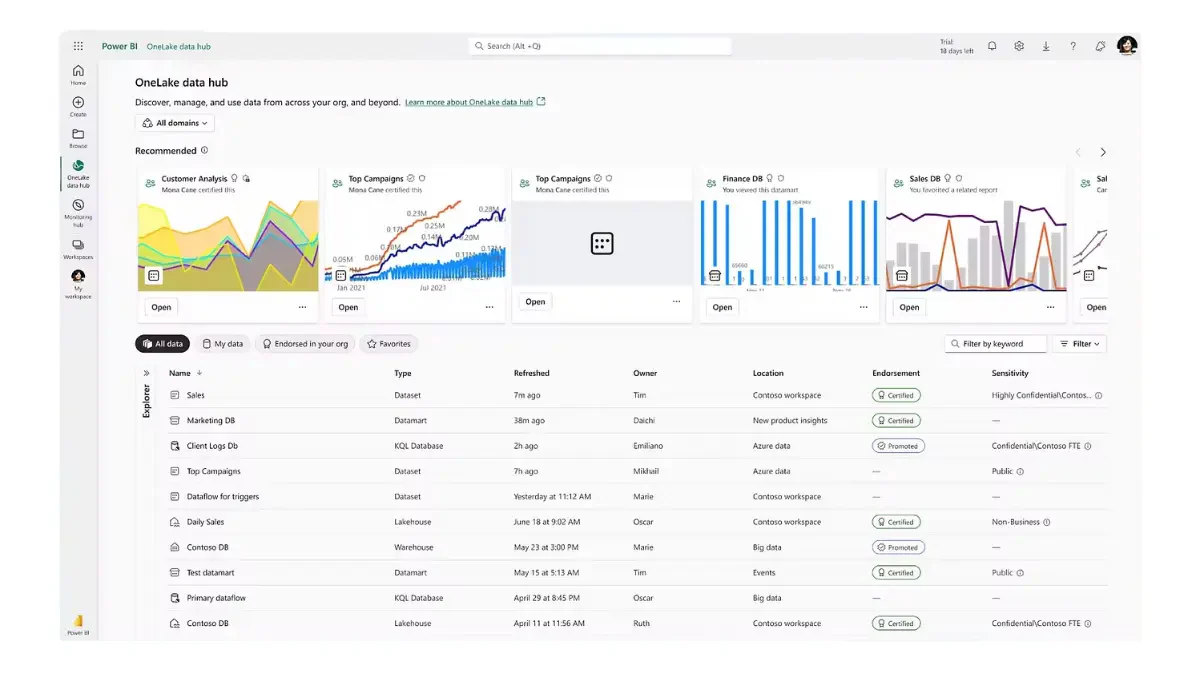
Microsoft Power BI is a versatile Business Intelligence platform used for data visualization and business analytics. It allows companies to create interactive dashboards and reports, facilitating data-driven decision-making.
Power BI business intelligence software integrates seamlessly with other Microsoft products, making it a popular choice for businesses leveraging their existing Microsoft ecosystem. The following are the features of Microsoft Power BI:
- Hybrid deployment support
- Quick Insights
- Common data model support
- APIs for integration
| Pros | Cons |
|
|
Companies already using Excel, Microsoft 365, Teams, Azure, or Fabric that need self-service dashboard creation, governed report sharing, extensive data connectors, and familiar Microsoft identity management.
5. Domo
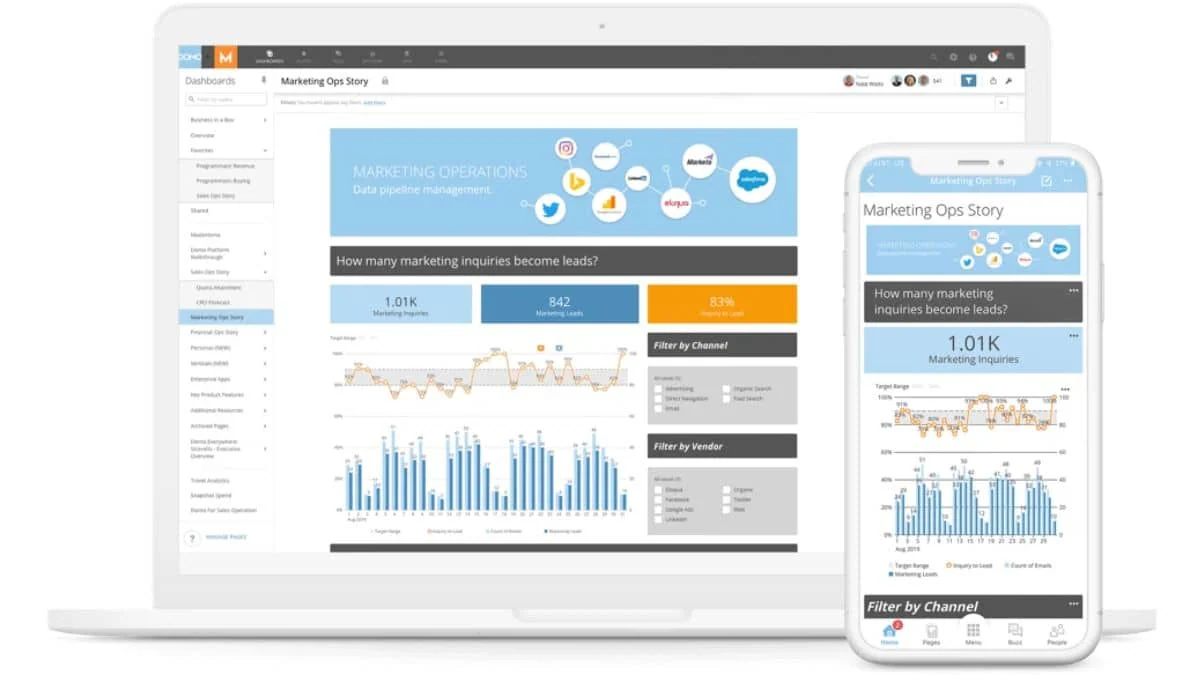
Domo offers a cloud-based Business Intelligence platform that provides real-time data visualization and business analytics. These business intelligence tools connect to various data sources, enabling companies to monitor key metrics and performance indicators on a single platform. Domo’s Business intelligence services have the following features:
- BI and analytics
- Embedded analytics
- Data integration
| Pros | Cons |
|
|
Medium to large organisations that want cloud-based BI, data integration, dashboards, workflows, and data applications under a consumption model without purchasing separate licences for every platform user.
6. Tableau
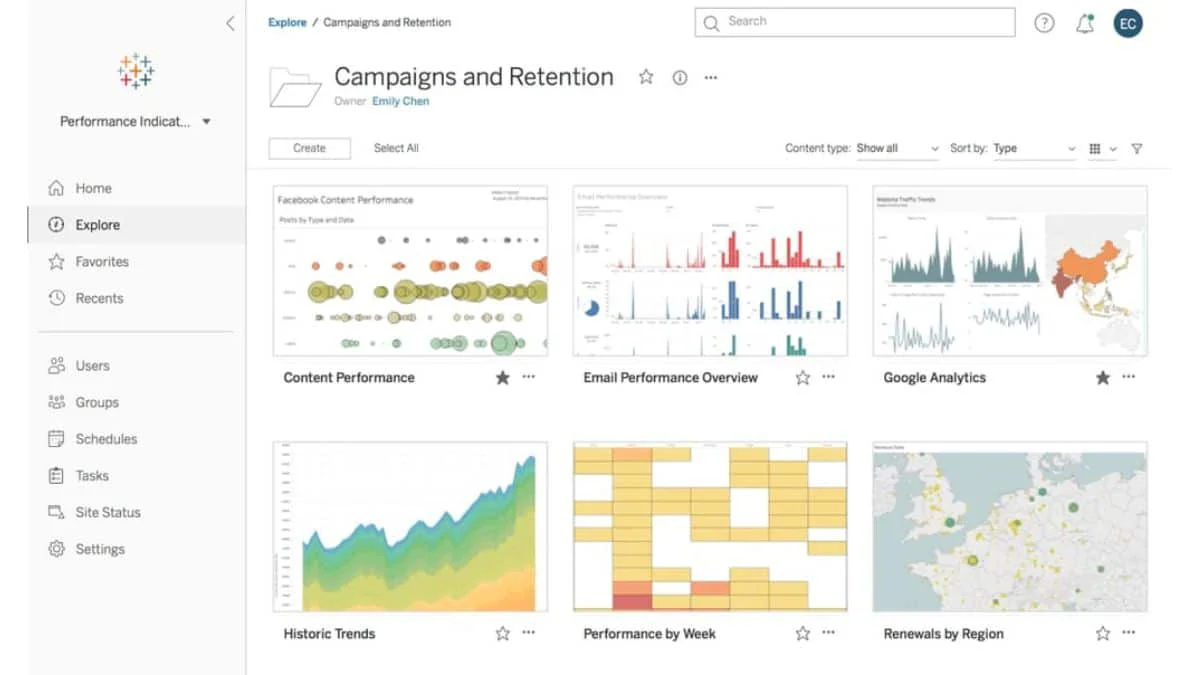
Tableau is renowned for its powerful data visualization capabilities. The Tableau Business Intelligence tools help companies transform complex data into interactive, shareable dashboards and generate insights without extensive technical expertise, making it an essential tool for decision-making.
The following are the features of business intelligence software by Tableau:
- A variety of dashboard and visualization options
- Smart Insights
- Alerts for good and bad metrics
- Built-in artificial intelligence (AI)
| Pros | Cons |
|
|
Data analysts and business-intelligence teams that require advanced visual exploration, interactive dashboards, complex analytical storytelling, and flexible cloud or self-managed deployment options.
7. Zoho
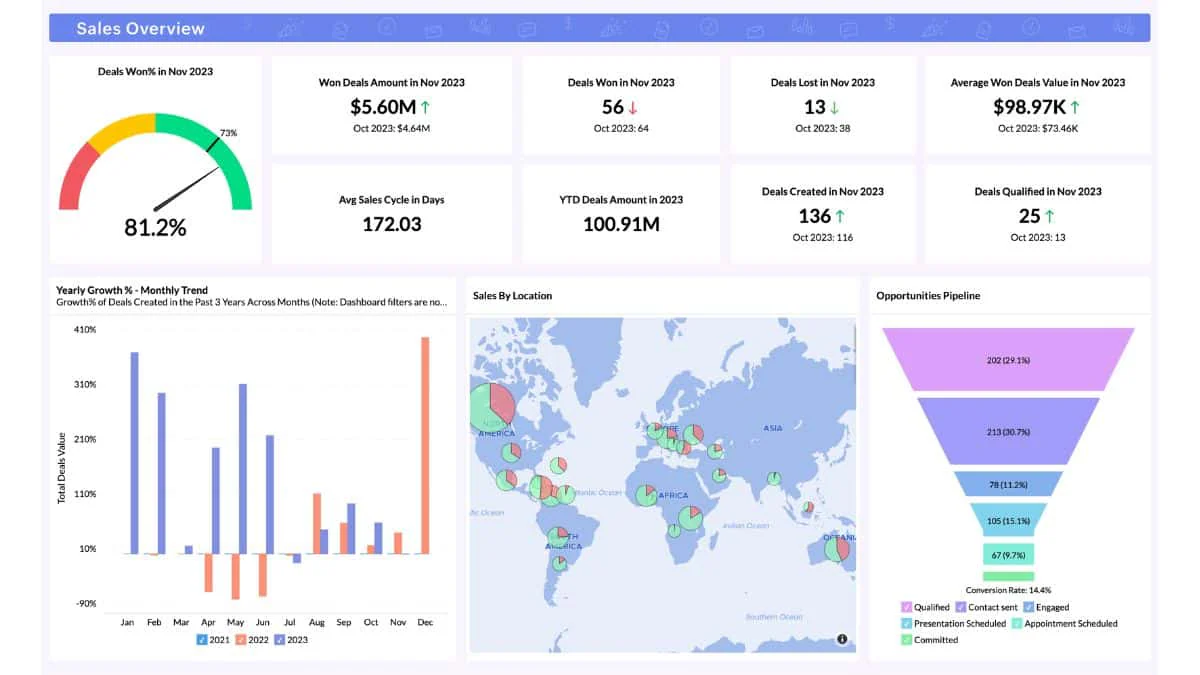
Zoho Analytics is a robust Business Intelligence tool that offers data visualization, reporting, and analytics. This business intelligence tools helps businesses track performance, identify trends, and make informed decisions. Business Intelligence services by Zoho Analytics provides the following features:
- Gather data across sources
- Visual analysis
- Augment analytics with AI
- Access BI on the go
| Pros | Cons |
|
|
SMEs and departmental teams that need accessible no-code reporting across CRM, finance, marketing, and cloud applications, particularly when they already use Zoho products and have moderate data volumes.
8. Oracle
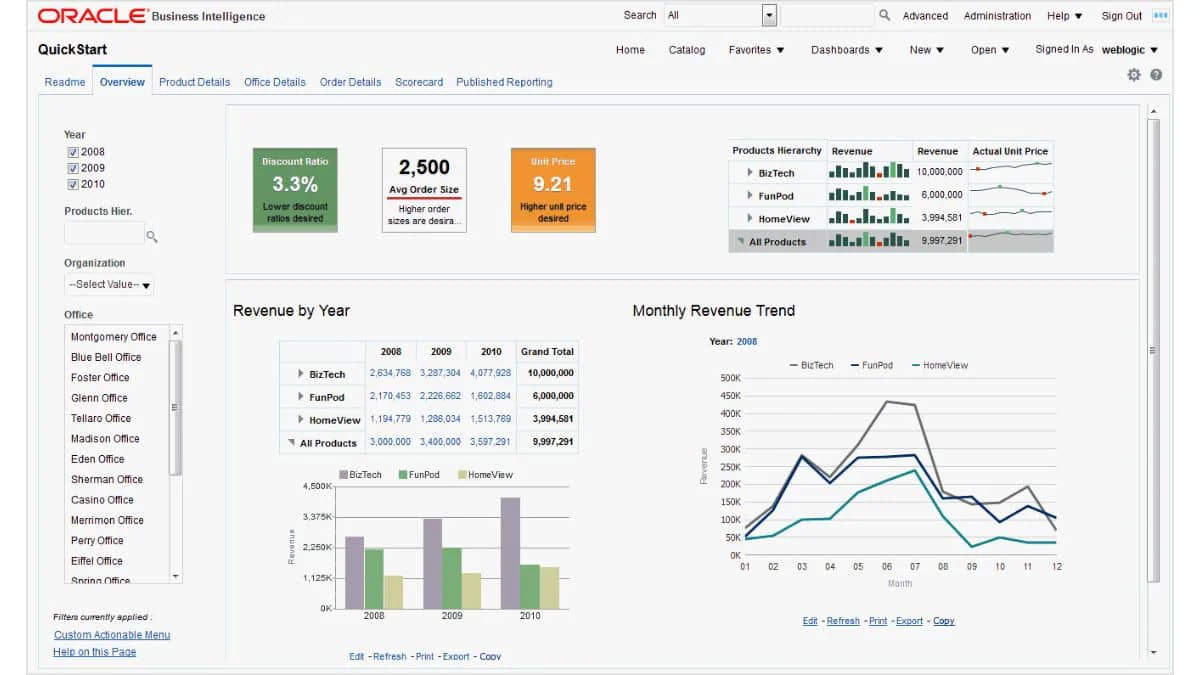
Oracle Analytics delivers comprehensive business intelligence solutions that cater to large enterprises. It combines machine learning, data visualization, and predictive analytics to provide deep insights into business performance.
This business intelligence software could help companies optimize operations, forecast trends, and make strategic decisions. Oracle Analytics provides features such as the following:
- Data connectivity
- Data preparation
- Data modeling flow
- Built-in AI and machine learning
| Pros | Cons |
|
|
Large organisations using Oracle Database, Oracle Fusion applications, or OCI that require governed analytics, enterprise data modelling, machine learning, and integration with an established Oracle technology environment.
9. Datapine
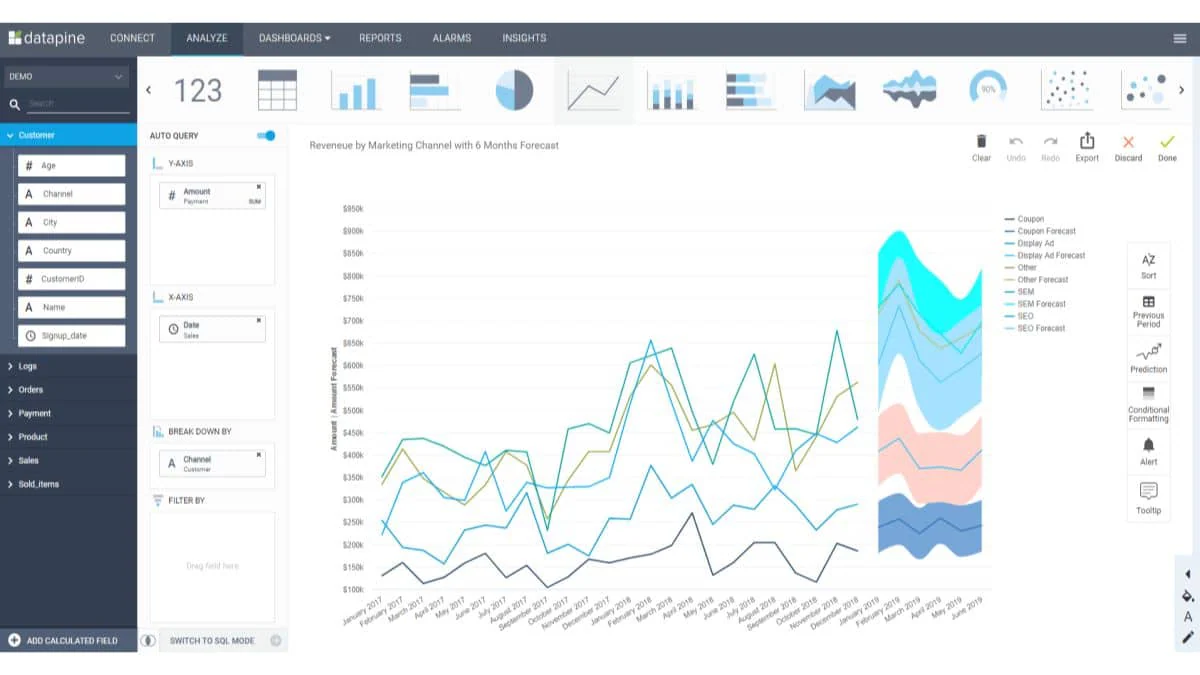
Datapine offers an intuitive business intelligence platform that enables businesses to visualize and analyze their data. It provides analytical tools, including dashboards, reporting, and data exploration features. This business intelligence software helps companies turn data into actionable insights to improve strategic planning.
Datapine has features that can help your Malaysian business, such as:
- Drag & Drop Interface
- Custom Fields & Expressions
- SQL Box
- Cross Queries
| Pros | Cons |
|
|
Construction companies that need project-specific dashboards for cost control, budget monitoring, equipment, project progress, and construction KPIs rather than a general-purpose BI platform for every industry.
10. IBM Cognos Analytics
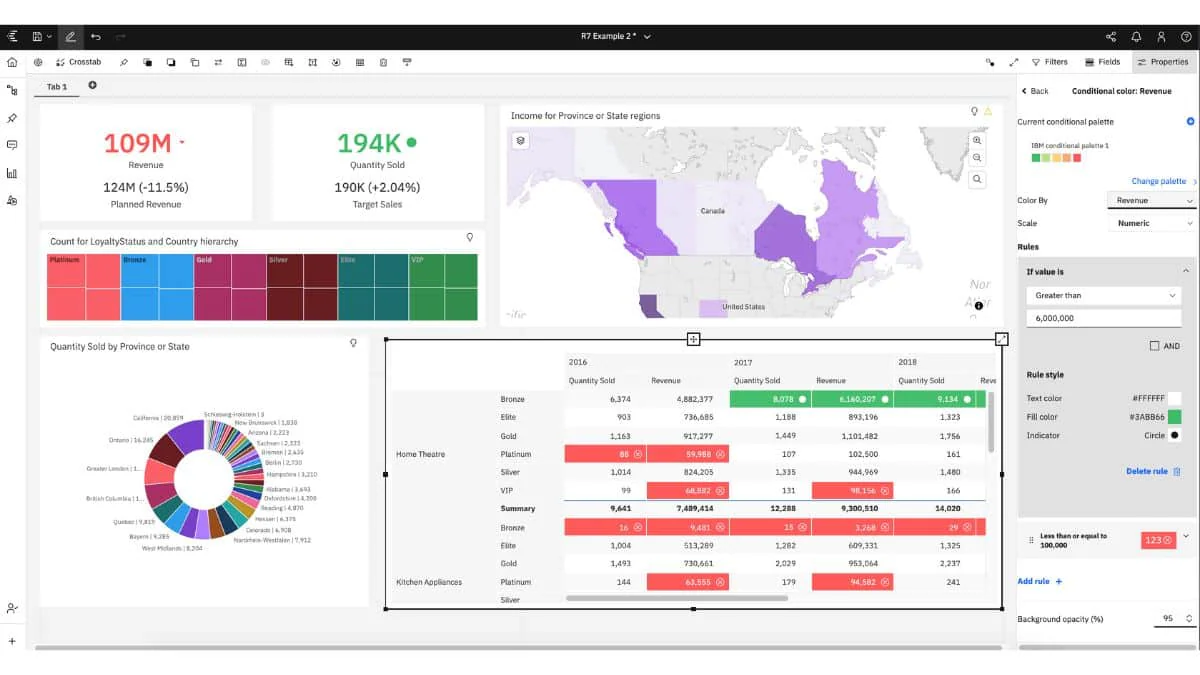
IBM Cognos Analytics is a powerful BI tool that integrates advanced analytics, reporting, and visualization. It provides comprehensive insights into business performance to help companies make data-driven decisions.
Cognos Analytics supports complex data modeling and interactive dashboards, making it suitable for large organizations. Here are the features of IBM Cognos Analytics:
- Web-based data modeling
- Interactive dashboards and enterprise reports
- Data exploration and prediction
| Pros | Cons |
|
|
Regulated and data-intensive organisations that need governed reporting, scheduled report distribution, controlled access, reusable data models, and cloud or on-premise deployment managed by an experienced IT team.
11. Google Data Studio
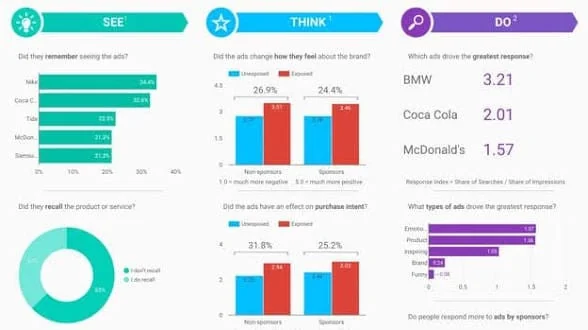
Google Data Studio offers a modern BI platform focused on real-time data exploration and analytics. This Business Intelligence tool helps companies create dynamic dashboards and reports that provide actionable insights.
The following features of Looker Studio will help you increase the efficiency of your business:
- Data connectors
- Looker Studio API
- Report embedding
| Pros | Cons |
|
|
Marketing, ecommerce, and smaller reporting teams using Google Analytics, Google Ads, Sheets, and BigQuery that need low-cost dashboards without complex enterprise modelling or governance requirements.
12. Qlik Cloud Analytics BI Software
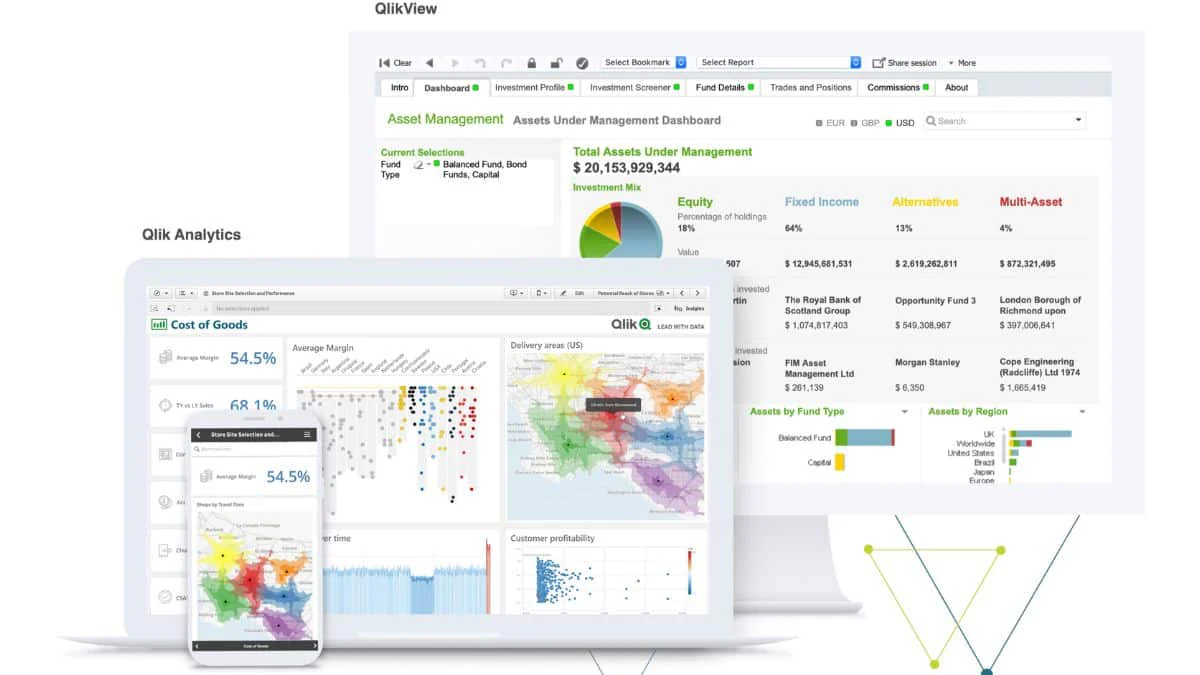
Qlik Cloud Analytics provides end-to-end business intelligence tools that include data integration, visualization, and advanced analytics. Its associative data model allows users to explore data flexibly and intuitively. The following are the features of Qlik Cloud Analytics:
- Visualisations and Dashboards
- Alerting and Automation
- Natural Language Interaction
- Automated Insight Generation
| Pros | Cons |
|
|
Small analytics teams that need associative data discovery, AI-assisted insights, automated reporting, and connections to multiple cloud or on-premise sources within a fixed team package.
13. SAS Business Intelligence Tools
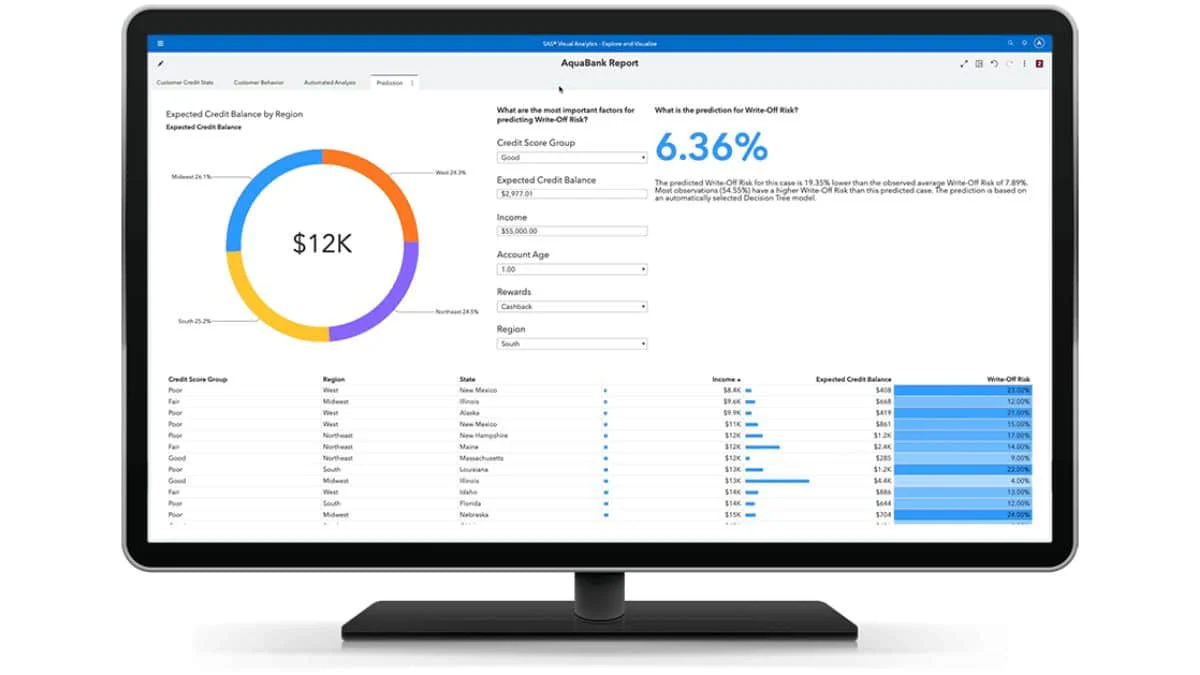
SAS offers advanced BI and analytics solutions that cater to complex data analysis needs. It provides various tools for data mining, predictive modeling, and statistical analysis. This Business Intelligence software helps companies uncover patterns, predict future trends, and make evidence-based decisions to enhance business performance.
Here are the features of BI software by SAS:
- Reports Interface
- Predictive Analytics
- Data Visualization
- Big Data Services
| Pros | Cons |
|
|
Large or regulated organisations with dedicated data specialists that require governed enterprise reporting, statistical analysis, data mining, predictive modelling, and integration with an established SAS environment.
14. Sisense Business Intelligence Services
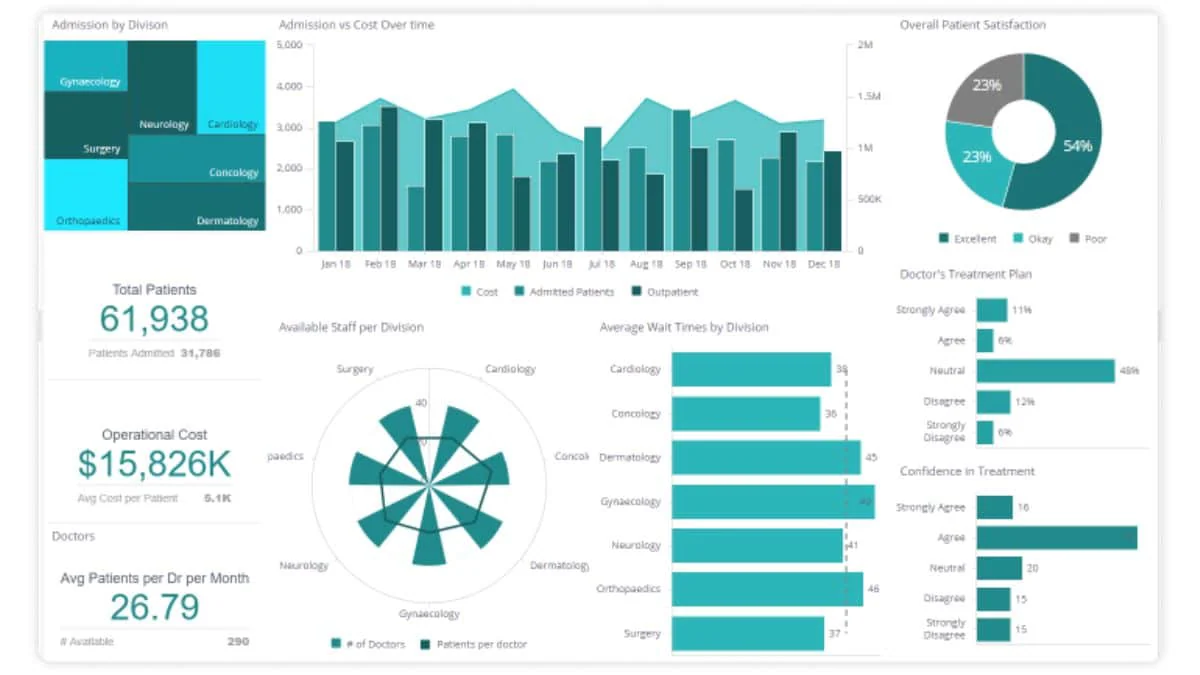
Sisense provides a comprehensive BI platform that combines data integration, visualization, and analytics. Its unique in-chip technology accelerates data processing, enabling fast and interactive data exploration.
This Business Intelligence software helps businesses gain insights from large datasets and improve operational efficiency. Sisense has comprehensive features such as the following:
- Data and information visualization
- Predefined dashboards
- In-context analytics
- Insights and recommendations
| Pros | Cons |
|
|
SaaS companies and product teams that need to embed interactive analytics into customer-facing applications, including multi-tenant access, APIs, white-labelling, and customised analytical experiences.
15. Business Intelligence Tools Metabase
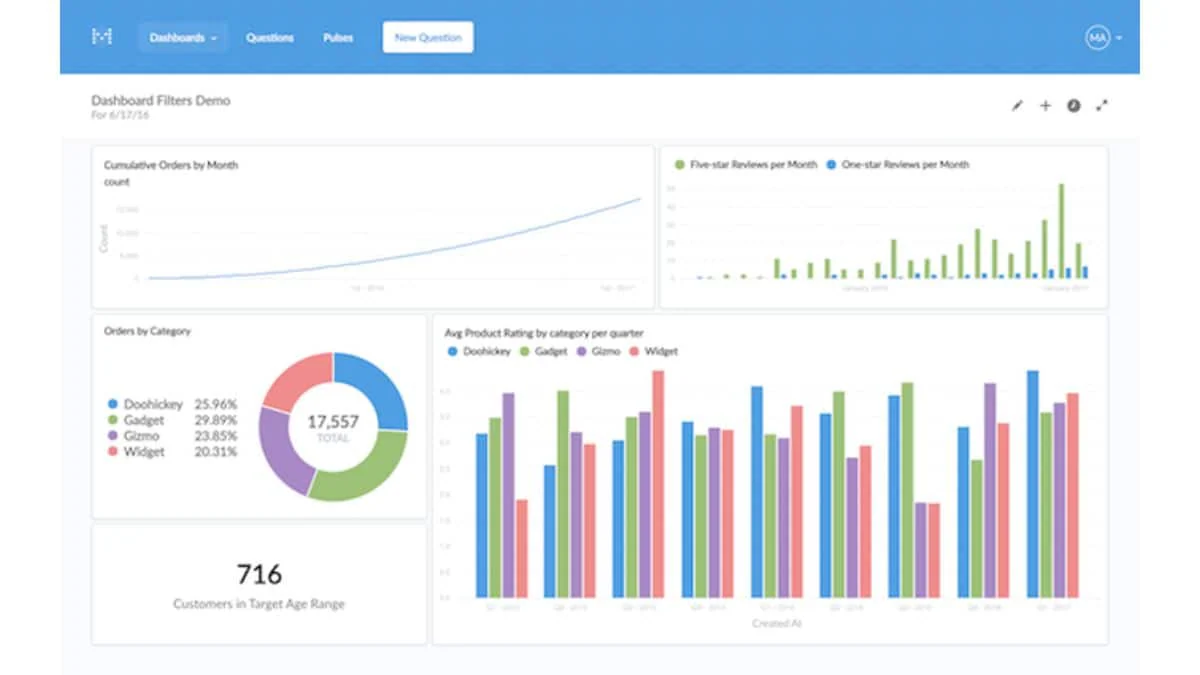
Metabase is an open-source BI tool that allows businesses to create dashboards and analyze data easily. This Business Intelligence software provides self-service analytics capabilities that help companies make data-driven decisions without requiring extensive technical expertise.
The following are the features of BI software by Metabase:
- Analytics dashboard
- SQL editor
- Usage analytics
| Pros | Cons |
|
|
Start-ups and technical teams comfortable working with databases or SQL that need straightforward internal dashboards, open-source deployment, or an affordable managed cloud environment.
16. BI Reporting Tools NTT Data
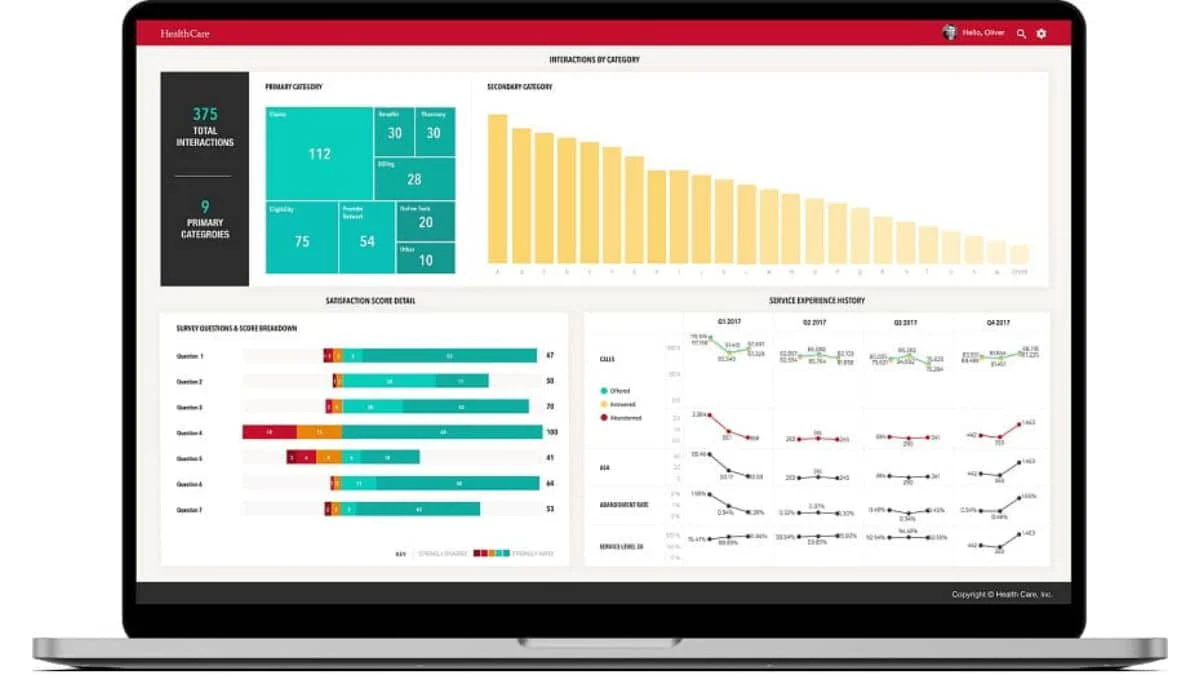
NTT Data offers BI and analytics services that help companies leverage their data for strategic advantage. Their Business Intelligence solutions include data management, predictive analytics, and business insights.
The following are the features of the NTT Data BI software:
- Business Intelligence
- Enterprise Performance Management
- Big Data
- Data Warehousing
| Pros | Cons |
|
|
Large enterprises undertaking consulting-led data transformation that need architecture design, system integration, analytics implementation, migration, governance, and managed services rather than a self-service BI subscription.
17. Epicor
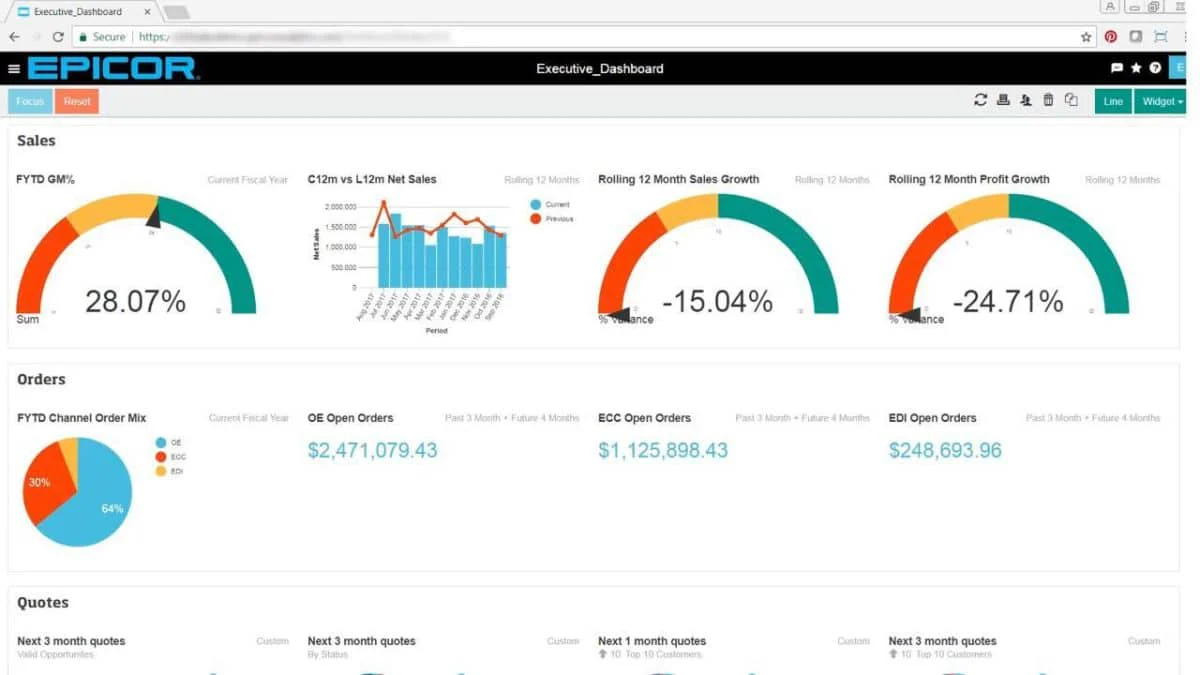
Epicor provides BI tools tailored to the needs of manufacturing, distribution, retail, and services industries. These Business Intelligence solutions include data visualization, reporting, and analytics that help companies streamline operations, improve productivity, and make informed decisions based on real-time data insights.
The BI software provided by Epicor has the following features:
- Full-Stack Business Intelligence
- Real-Time Production Intelligence
- Predictive and Advanced Analytics
- Operational Reports & Dashboards
| Pros | Cons |
|
|
Manufacturing, distribution, building-supply, and retail companies already using Epicor ERP that want operational analytics connected to existing production, inventory, sales, and supply-chain records.
18. SAP Business Objects
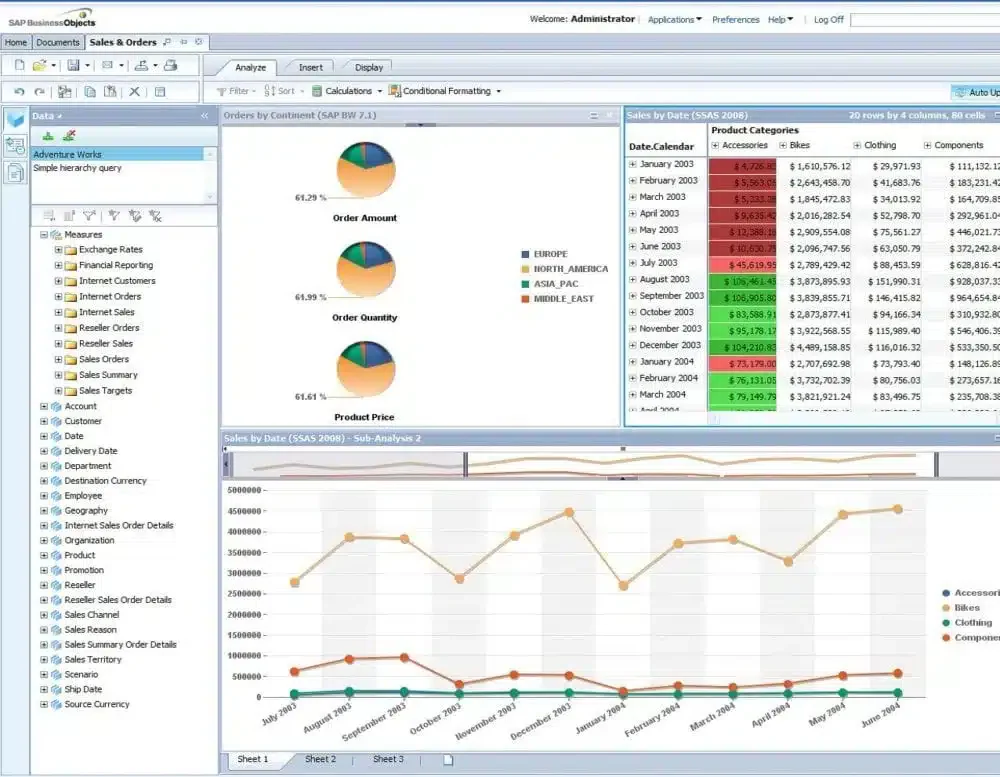
SAP Business Objects offers a comprehensive suite of Business Intelligence tools designed for enterprises across various industries. Its solutions enable organizations to access, analyze, and visualize data from multiple sources, helping them make smarter, data-driven decisions and improve overall business performance.
The BI software provided by SAP BusinessObjects includes the following features:
- Advanced Data Visualization & Reporting
- Interactive Dashboards & Self-Service Analytics
- Predictive & Real-Time Insights
- Scalable Integration with SAP & Non-SAP Systems
Pricing: Custom quotation based on licences, user roles, deployment model, SAP environment, maintenance, and implementation
| Pros | Cons |
|
|
Large organisations with established SAP environments that still require on-premise reporting, scheduled distribution, controlled access, and pixel-perfect enterprise reports across many users.
19. Strategy
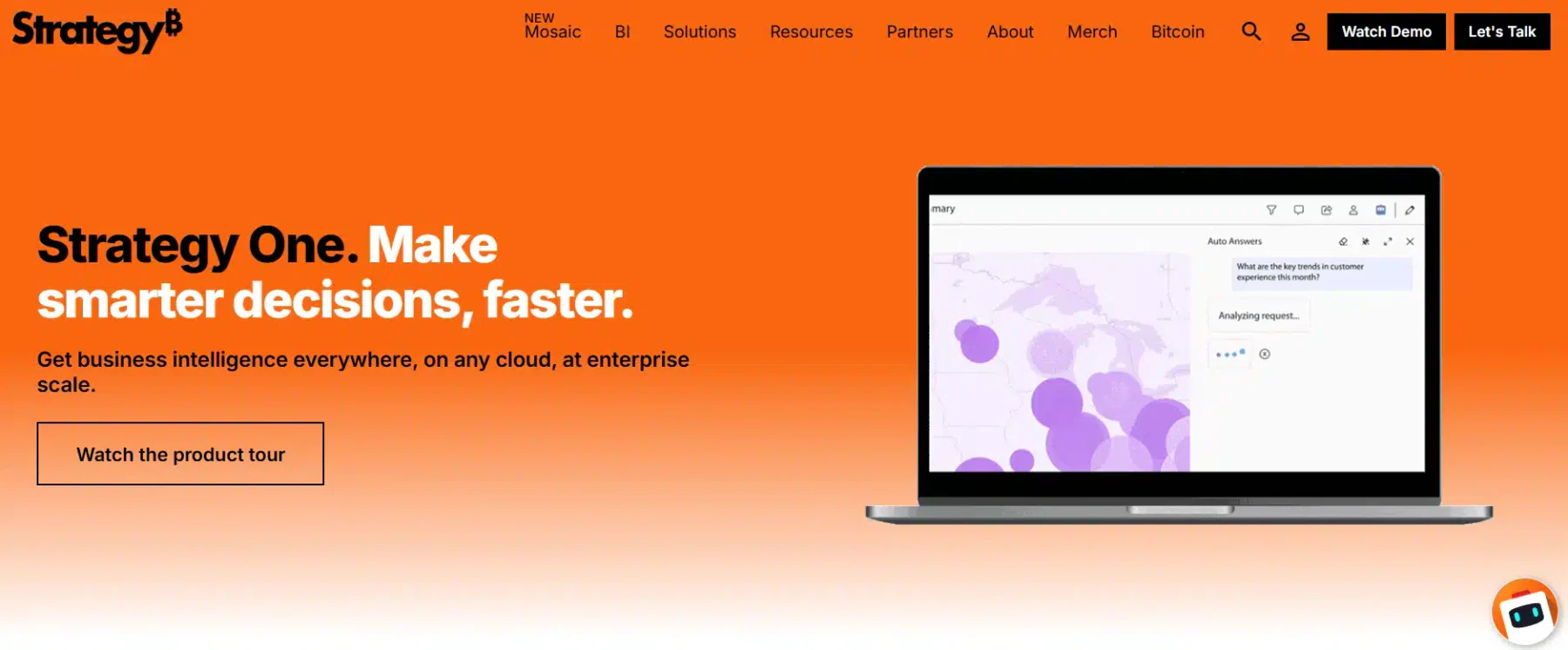
Strategy is an enterprise Business Intelligence tool that delivers fast, powerful data analytics, cloud solutions, and hyperintelligence features. It enables users to spot trends, discover opportunities, and boost productivity by connecting data from various sources.
The BI software provided by Strategy has the following features:
- High-Speed Data Analytics
- Hyperintelligence
- Cloud and Mobile Access
- Multi-Source Data Integration
| Pros | Cons |
|
|
Medium to large enterprises with at least 50 analytics users that need a governed semantic layer, enterprise reporting, AI-powered dashboards, mobile analytics, and large-scale data access.
20. Spotfire
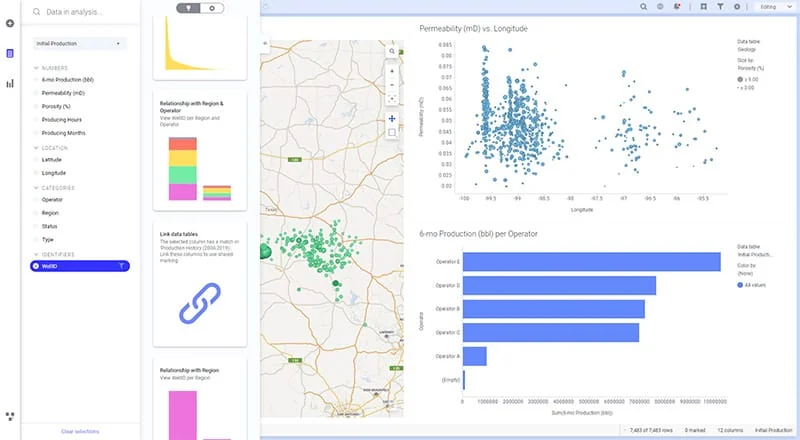
Spotfire offers a visual analytics and business intelligence platform that helps organizations explore complex data, uncover trends, and support data-driven decisions. It combines interactive data visualization, advanced analytics, and real-time insights with flexible dashboards and self-service analytics capabilities.
Key features:
Interactive Data Visualisation
Advanced & Predictive Analytics
Real-Time Data Analysis
Self-Service Analytics
| Pros | Cons |
|
|
Enterprises adopting SAS Viya for automated insights, natural-language explanations, forecasting, predictive modelling, and AI-assisted exploration across a broader analytics lifecycle.
Overall Comparison of Business Intelligence Software in Malaysia
| Software | DataSources & Integration | Data Preparation & Modelling | Self-Service & AI | Governance & Security | Malaysia Support |
|---|---|---|---|---|---|
| HashMicro | Cross-dept data sync (Finance, Sales, Ops) + WhatsApp | Flexible pivot tables & custom KPI scorecards | AI report explainers for effortless summaries | Centralized controls in a unified ERP ecosystem | Hands-on local consultation & onboarding |
| SafetyCulture | Safety & inspection APIs | Risk logs & quality controls | Predictive safety alerts | Audit logs & compliance tracking | Regional online support |
| Microsoft Power BI | Native connectors & APIs | Historical change tracking & hybrid setup | Drag-and-drop & Quick Insights | Microsoft 365 security framework | Local partner network |
| Zoho Analytics | Third-party app connectors | Visual data modeling | Zia AI assistant & mobile app | Role-based access control | Regional APAC support |
| Oracle Analytics | Cloud & legacy databases | Automated data preparation | Embedded ML & predictive analytics | Enterprise-grade permissions | Local office & partner network |
| IBM Cognos | Web connectors & MS Teams | Complex enterprise modeling | Conversational AI assistant | Granular access policies | Local IBM Malaysia support |
| Looker Studio | Google Cloud connectors & APIs | Basic joining & calculated fields | Embedded interactive dashboards | Google Cloud IAM controls | Online self-serve support |
What Makes Business Intelligence Tools Essential for Modern Businesses?
Business Intelligence Malaysia(BI) transform raw data into actionable insights, helping Malaysian businesses improve efficiency, profitability, and strategic planning. Here are the reasons why BI is essential for your business:
- Data-Driven Decision Making: BI tools empower business leaders to make decisions based on real-time data insights rather than intuition. This ensures that strategies are accurate, measurable, and aligned with company goals.
- Improved Operational Efficiency: By automating data collection and reporting, BI tools reduce manual work and human error. Managers can quickly identify inefficiencies, track KPIs, and streamline workflows across departments.
- Enhanced Customer Understanding: BI tools analyze customer data from various touchpoints to uncover buying trends, preferences, and behaviors. This enables businesses to personalize marketing campaigns and improve customer satisfaction.
- Financial Transparency and Control: With BI dashboards, finance teams can monitor cash flow, expenses, and profitability in real time. This transparency helps prevent financial leaks and supports better budget planning.
- Competitive Advantage: Companies that utilize BI tools can anticipate market trends, benchmark against their competitors, and adapt more quickly to changes. In Malaysia’s growing digital economy, this agility can determine long-term success.
How to Choose BI Software That Fits Your Business

Choosing the right Business Intelligence software is crucial for any company seeking a competitive edge. To help you navigate this important choice, we’ve compiled a comprehensive guide on the key factors to consider. Here are some essential tips for choosing a Business Intelligence tool for your business.
- What decisions are you struggling to make today?
If your team cannot answer basic questions like “which product sold most last quarter” without digging through spreadsheets for hours, you need reporting and dashboards first. If reporting exists but you want to predict next quarter’s demand, you need advanced analytics. The right BI tool depends on which gap you are filling. - Where does your data currently live?
Sales in one system, inventory in another, finance in Excel. Your BI software needs to pull from all of them. Before comparing features, check whether the tool actually connects to your existing systems. A powerful dashboard is useless if it cannot access your data. - Who will use it daily?
If only your IT team can generate reports, adoption will be low. Look for interfaces where your finance manager or operations lead can build their own reports without waiting for technical help. The easier it is, the more your team will actually use it. - How fast do you need the data?
Some businesses need dashboards that update every few minutes. Others are fine with daily or weekly refreshes. Real-time analytics cost more and require more setup. Know whether you actually need it before paying for it. - What are the compliance requirements?
If you handle customer financial data or personal information, your BI tool must meet security standards. Check where data is stored, who can access it, and whether the vendor complies with Malaysian PDPA or other relevant regulations. - What is the real cost over two years?
Licensing is just the start. Add implementation, training, additional user seats, and support fees. Compare total cost against the time your team currently wastes on manual reporting. That is your actual ROI calculation.
"The best BI tool is the one your team actually uses. A simple dashboard everyone opens daily beats an advanced platform only IT understands"
Which Business Intelligence Software Is Best for Malaysian Businesses?
The best business intelligence software depends on your company size, existing technology ecosystem, analytical needs, and available implementation resources. The table below maps common business requirements to suitable software options and highlights the main consideration before making a decision.
| Business Need or Company Profile | Recommended Software | Why It Fits | Key Consideration Before Choosing |
|---|---|---|---|
| Businesses requiring BI integrated with ERP operations | HashMicro Business Intelligence Software or Epicor | Connects analytics with finance, sales, inventory, manufacturing, and other operational workflows | Confirm the required modules, users, integrations, and implementation scope |
| Malaysian SMEs prioritising local assistance | HashMicro Business Intelligence Software or CardBiz BI Tools | Offers locally relevant consultation and support with business reporting capabilities | Compare analytics depth, scalability, and industry-specific requirements |
| Companies using Microsoft 365 and Azure | Microsoft Power BI | Provides broad data connectors and close integration with the Microsoft ecosystem | Review licence tiers, data capacity, governance, and implementation-partner costs |
| SMEs seeking affordable self-service analytics | Zoho Analytics, Looker Studio, Metabase, or Datapine | Supports accessible dashboards and reporting without requiring a large enterprise deployment | Compare free-plan limitations, hosting, user permissions, and technical support |
| Data teams requiring advanced visual exploration | Tableau or Qlik Cloud Analytics | Provides interactive dashboards, data discovery, and flexible analytical exploration | Consider creator licences, user scale, data preparation, and governance needs |
| Large enterprises requiring governed reporting | IBM Cognos Analytics, Oracle Analytics, or SAP BusinessObjects | Supports controlled enterprise reporting, complex data environments, and established technology ecosystems | Implementation complexity and total cost can be higher than lightweight BI platforms |
| Product teams embedding analytics into applications | Sisense, Domo, or Strategy | Supports embedded dashboards, scalable cloud analytics, and customer-facing data experiences | Assess API requirements, usage-based costs, customisation, and developer resources |
| Frontline and safety-focused organisations | SafetyCulture BI Software | Combines inspections, issue tracking, risk monitoring, and frontline operational analytics | Best suited to operational use cases rather than broad enterprise financial reporting |
| Organisations requiring statistical and predictive analytics | SAS Business Intelligence Tools or SAS Augmented Analytics and Business Intelligence | Provides advanced modelling, automated insights, natural-language analysis, and predictive capabilities | Confirm whether the organisation has the required data maturity, specialist skills, and budget |
| Enterprises requiring consulting-led transformation | NTT DATA | Combines analytics strategy, data integration, implementation, and managed delivery | Pricing and project duration depend heavily on the transformation scope |
Conclusion
Just as choosing the right ERP software is essential, picking the right BI tool determines whether your team makes decisions based on data or guesswork. The right choice depends on where your data lives, who needs access, and what questions your business is trying to answer.
For companies still pulling numbers manually from multiple systems, even a basic BI tool saves hours every week. For those already comfortable with dashboards and ready to explore forecasting or predictive analytics, more advanced platforms become relevant.
Before committing, testing the software with your actual business data is the most practical step. You need to know if non-technical staff can run their own reports without calling IT every time. Since real-world usage matters more than a list of features, exploring a free demo provides a hands-on look at how the system actually fits into your company's daily operations.
FAQ about Business Intelligence Software
Business Intelligence software collects, processes, and analyzes vast amounts of data from various sources to provide actionable insights for decision-making. It transforms raw data into meaningful information through reporting, visualization, and data mining, enabling businesses to identify trends, track performance, and make informed strategic decisions.
Business Intelligence services in ERP (Enterprise Resource Planning) integrate BI tools within the ERP system to enhance data analysis and reporting capabilities. This integration allows businesses to gain deeper insights from their operational data, streamline processes, and improve decision-making by providing real-time analytics, dashboards, and comprehensive reports directly from the ERP platform.
Big Data refers to the massive volumes of structured and unstructured data generated at high velocity from various sources, which require advanced techniques for storage, processing, and analysis. In contrast, Business Intelligence focuses on analyzing and interpreting data to provide actionable insights for business decisions. While Big Data deals with the complexity and volume of data, BI emphasizes converting data into comprehensible and practical information for strategic planning.
Business Intelligence (BI) services enable organizations to collect, analyze, and visualize data, facilitating informed and strategic decision-making. These services transform raw business data from multiple sources (like sales, finance, HR, and operations) into meaningful insights through analytics, dashboards, and reports.
Dashboards are the heart of Business Intelligence systems because they turn large volumes of data into clear, visual insights that can be understood at a glance. They provide real-time visibility into business performance, allowing managers to monitor KPIs and make fast, data-backed decisions.