







Key Takeaways
|
Our Shortlisted HR Software Solutions
Finding the right solution requires a quick comparison of market leaders against your specific business requirements. We have categorized these based on their primary strengths.
All recommendations on this list are manually evaluated by our editorial team based on hands-on testing, demo sessions, and verified customer feedback from Australian businesses. We do not accept payment for placement or ranking on this list.
Best Because
Highly flexible to match unique HR processes.


With these shortlisted HR software solutions, you can compare leading options more easily and identify the platform that best supports your business needs, workflows, and long-term HR goals, since each option offers different strengths.
Is HR Management Software Worth It for Your Business?
Many business owners question whether investing in dedicated HR software Australia is worthwhile compared with existing manual processes. However, as employee numbers grow, the admin workload for managing leave, payroll, and compliance increases quickly.
Relying only on manual processes often leads to errors, delays, and underpayment risks in Australia. Modern HR management software helps reduce these issues by automating calculations, streamlining workflows, and keeping records organised.
There are also clear employee experience benefits. The best HR software Australia solutions usually include self-service portals where staff can access payslips, apply for leave, and update personal details without long email chains.

Quick Comparison Table
To simplify your evaluation process, the table below compares key aspects of each HR software. This helps you quickly identify which solution aligns with your business size, complexity, and priorities.
| Features | Payroller | Employment Hero | BambooHR | HashMicro | ELMO | Rippling | Deputy | Zoho People | Sage HR | Tanda | Connecteam | Sentrient | ADP Workforce Now | Workable | Gusto |
|---|---|---|---|---|---|---|---|---|---|---|---|---|---|---|---|
| Payroll Capability | |||||||||||||||
| Ease of Use | |||||||||||||||
| Scalability | |||||||||||||||
| Compliance Strength | |||||||||||||||
| Best Fit for Growing Teams |
15 Best HR Software in Australia: Detailed Reviews
We have analyzed the top platforms available to Australian businesses. Below is a detailed breakdown of the 15 best options for 2026.
1. Payroller
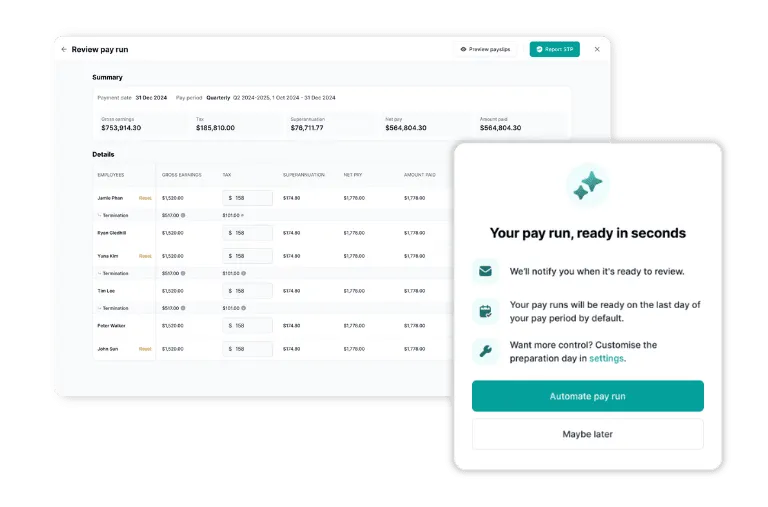
Payroller is a streamlined, mobile-first option as software for HR management focused mainly on payroll and STP reporting. It keeps pay slips and ATO submissions fast without enterprise HR complexity.
Key Features:
- Automated wage calculations calculate employee pay based on recorded hours, rates, and payroll settings.
- Automated superannuation calculations apply super rates automatically during each payroll run.
- One-click payslip generation creates employee payslips instantly after payroll data is finalised.
- Online staff rostering builds and updates employee schedules within a digital rostering system.
- GPS-enabled timesheets record work hours together with employee location data at clock-in and clock-out.
- Leave management records leave balances, requests, and approvals in one centralised workflow.
| Pros | Cons |
|
|
Pricing: Payroller offers a free version for basic STP needs. Paid plans start at approximately $0 AUD per month for the basic mobile app usage (sponsored model) or a low monthly fee for web access and advanced features.
Suitable for: Micro-businesses that need straightforward payroll and compliance without extra complexity.
2. Employment Hero
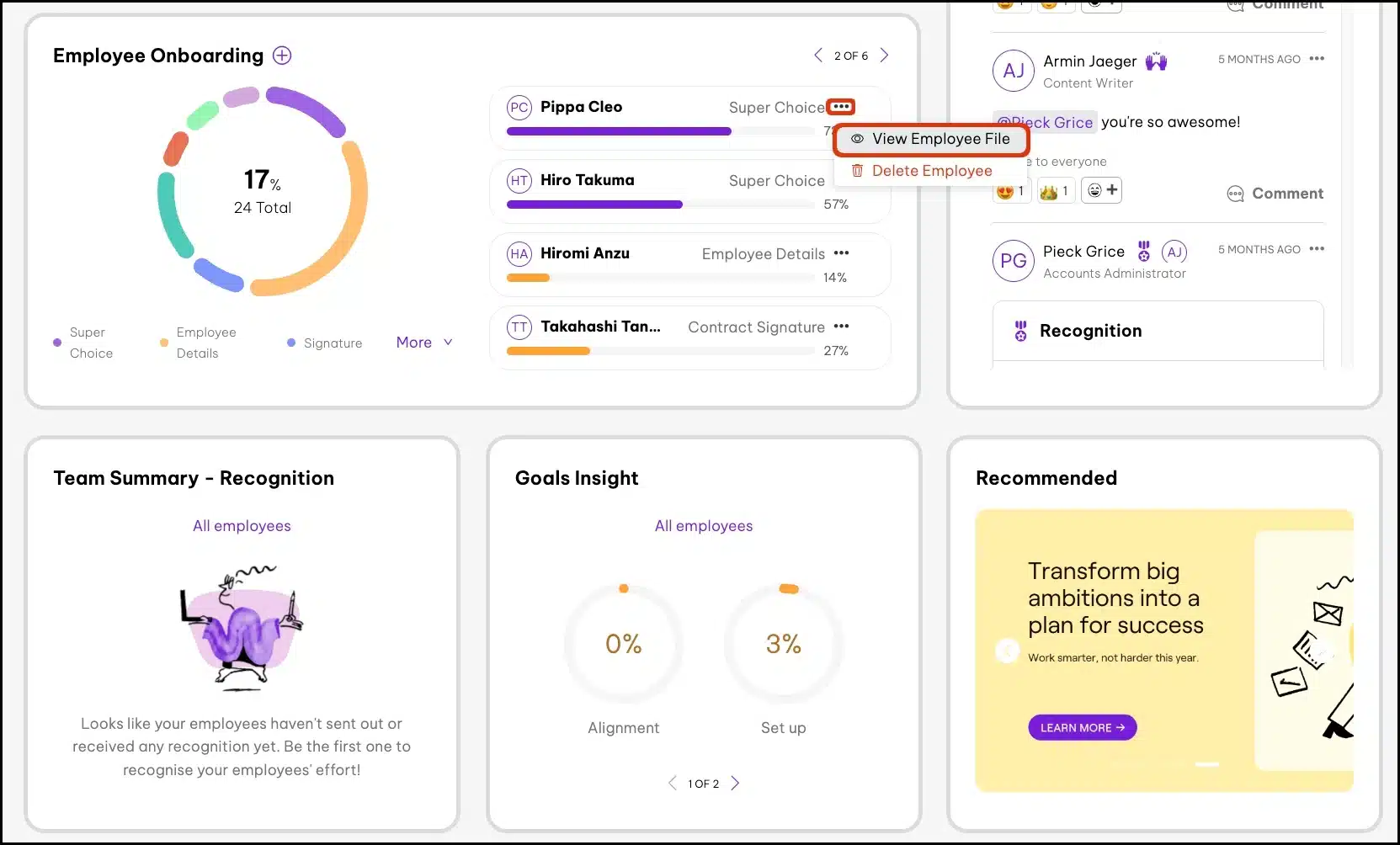
Employment Hero combines HR, payroll, and compliance tools in one platform as HR management software. It also supports employee benefits and options for managing global hires.
Key Features:
- Integrated payroll and HR connect employee records, payroll data, and HR processes within one shared system.
- Employment contract tools generate, store, and manage employee contract documents digitally.
- The performance review module records evaluations, feedback, and review cycles in one structured workflow.
- OKR tracking logs objectives, key results, and progress updates in a centralised dashboard.
| Pros | Cons |
|
|
Pricing: Pricing is tiered by modules (Standard, Premium, Platinum), with payroll features starting around AUD $7–$10 per employee per month, while full HR and payroll bundles typically range from AUD $19–$60+ depending on features and plan level.
Suitable for: Australian SMEs wanting HR and payroll tools aligned with local compliance needs.
3. BambooHR
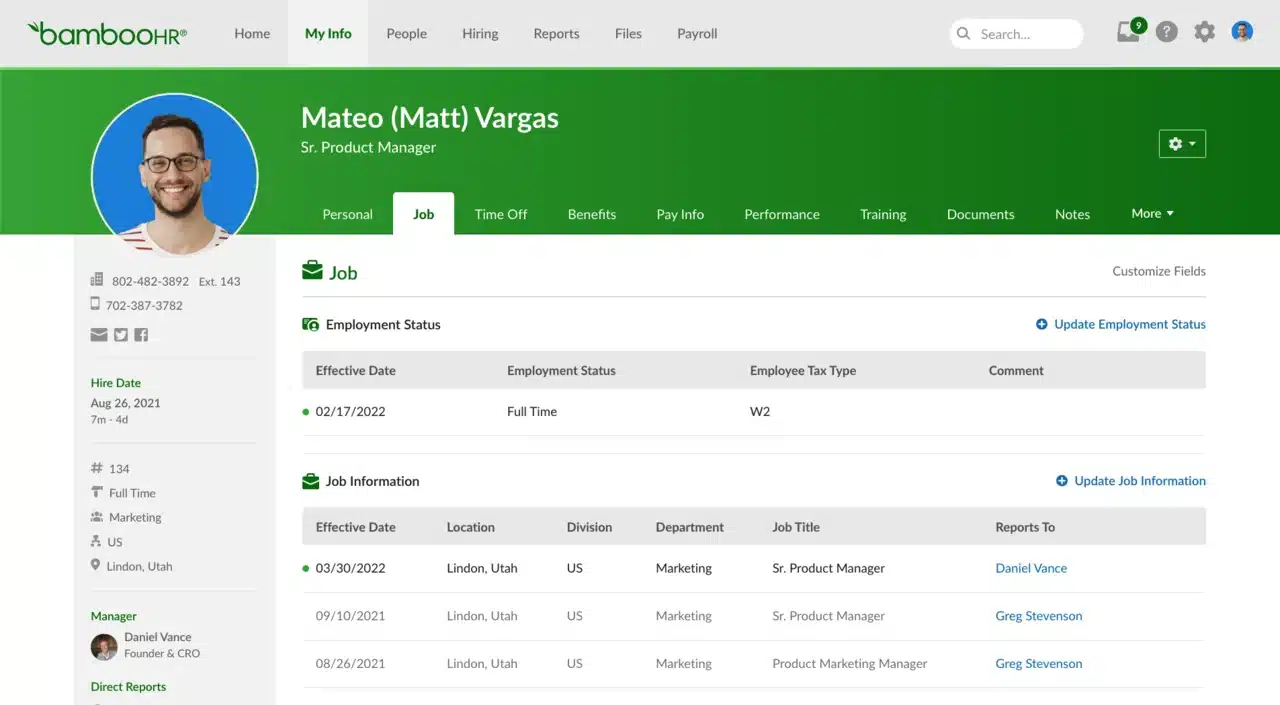
BambooHR is one of the best HR software Australia options for teams that want a clean, user-friendly HR platform focused on the employee lifecycle. Payroll typically requires integration with a local provider for Australian compliance.
Key Features:
- Employee database management stores employee records, such as personal details, job information, and documents, in one centralised system.
- An applicant tracking system (ATS) organises job postings, applications, and candidate progress within a single recruitment workflow.
- Onboarding tools guide new hires through each onboarding step using digital forms, checklists, and document collection.
- Time-off management records leave requests, approval statuses, and employee balances in a single leave-tracking system.
- Reporting and analytics collect HR data and display it through dashboards, summaries, and custom reports.
| Pros | Cons |
|
|
Pricing: BambooHR uses a quote-based system, typically charging on a per-employee, per-month basis. It is generally positioned as a premium product for mid-market companies.
Suitable for: Teams prioritizing an intuitive HR experience for onboarding, performance, and people processes.
4. HashMicro
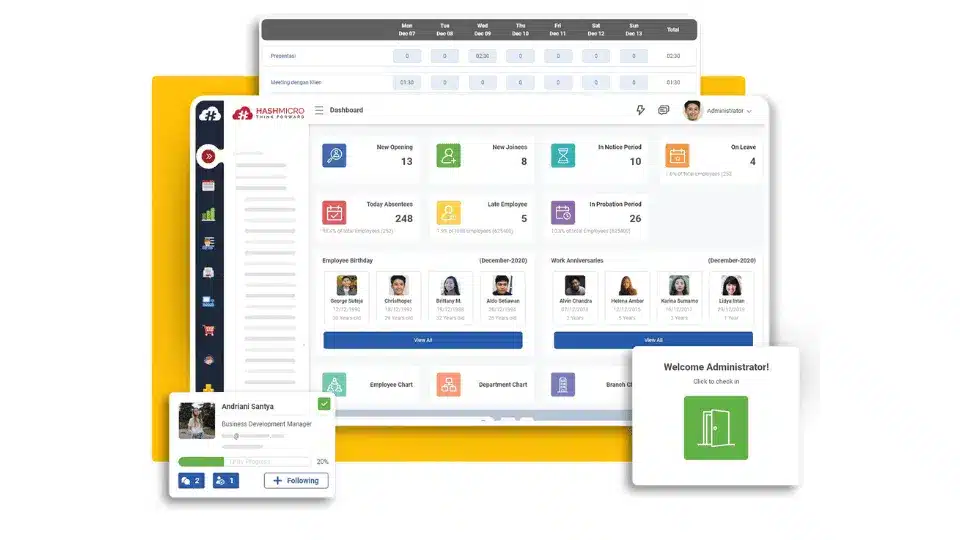
HashMicro is an AI-driven HRM powerhouse designed for mid-to-large enterprises that require deep customization and seamless integration across all business functions. Its ability to tailor the software to specific operational nuances makes it a strategic choice for scaling businesses.
Key Features:
- Face recognition attendance verifies employee identity and location to prevent fake check-ins.
- Competency management tracks employees’ skills, performance, and development in one structured system.
- GPS tracking records employee locations during attendance to ensure accurate time logging.
- The recruitment portal manages candidate applications and streamlines the hiring process from one platform.
- Employee database centralises all employee data for easy access and management.
- Expense management automates reimbursements, allowances, and employee expense tracking.
- AI-powered analytics surfaces workforce trends, flags attendance anomalies, and generates actionable insights to support faster, data-driven HR decisions.
| Pros | Cons |
|
|
Pricing: HashMicro typically offers a perpetual license or a subscription model with unlimited users, which significantly reduces TCO for larger companies. Pricing is provided upon consultation based on modules required.
Suitable for: Businesses needing HR connected to wider ERP workflows like finance, procurement, and operations.
To better understand the pricing structure and available modules, businesses can explore HashMicro’s pricing options based on their specific HR management needs.
5. ELMO Software
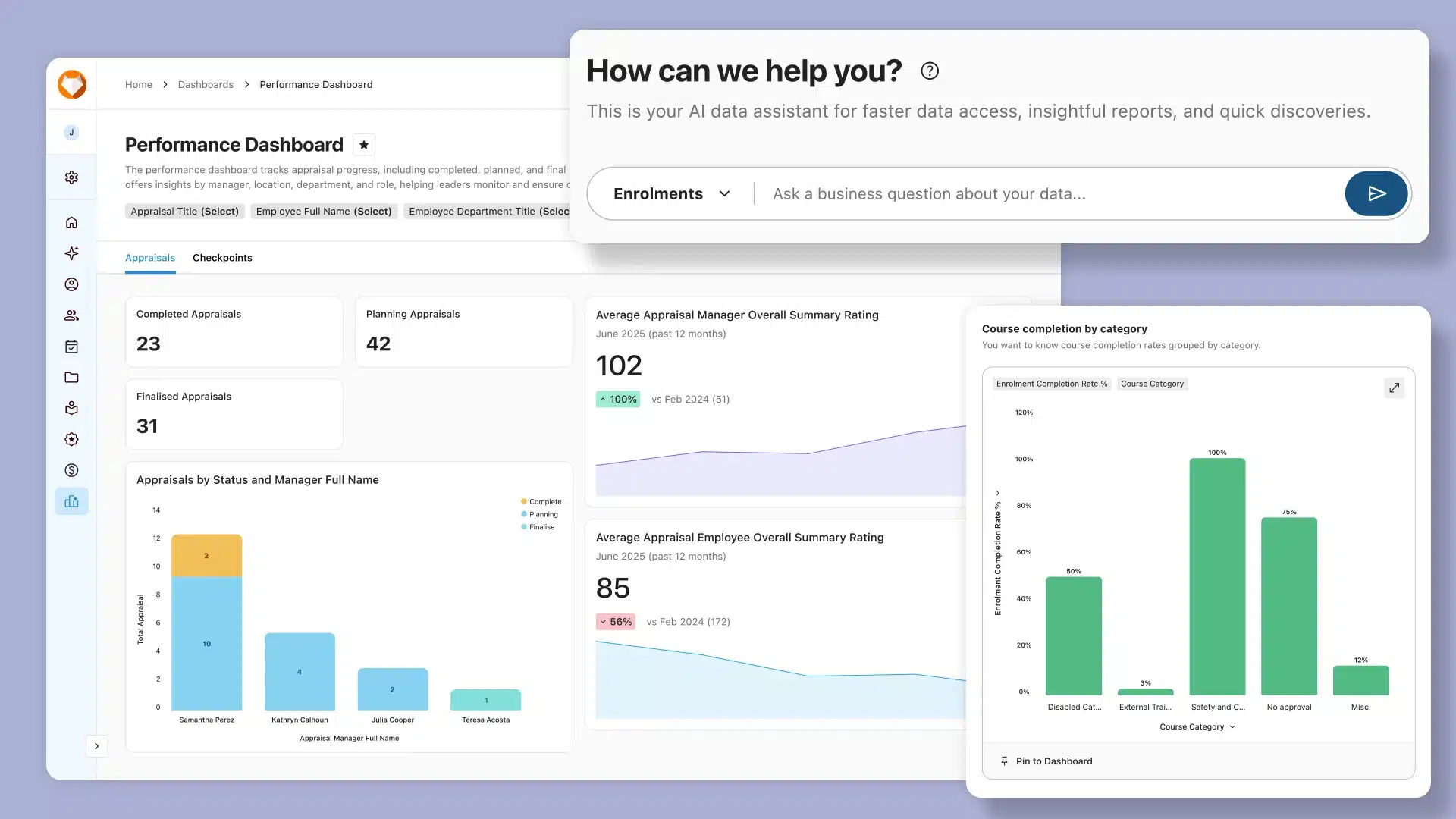
ELMO is an Australian HR software platform designed to cater to medium-sized to large enterprises, offering an integrated suite of solutions covering the entire employee lifecycle. It is a particularly strong choice for businesses with over 200 employees, providing scalability and local support that ensure compliance with Australian regulations.
Key Features:
- Modular design allows businesses to select and combine only the HR modules they need.
- Payroll & rostering automates salary calculations while aligning shifts with workforce schedules.
- Performance management tracks employee goals, reviews, and ongoing feedback in one system.
- Remuneration & reward management manages salary structures, bonuses, and incentive programs.
- Learning management system delivers training programs and tracks employee development progress.
| Pros | Cons |
|
|
Pricing: Pricing for ELMO is tailored to each business’s needs, depending on size and chosen modules. Typically, costs are calculated based on the number of employees and the specific features selected.
Suitable for: ELMO is ideal for enterprises that require scalability, robust reporting, and highly configurable workflows.
6. Rippling
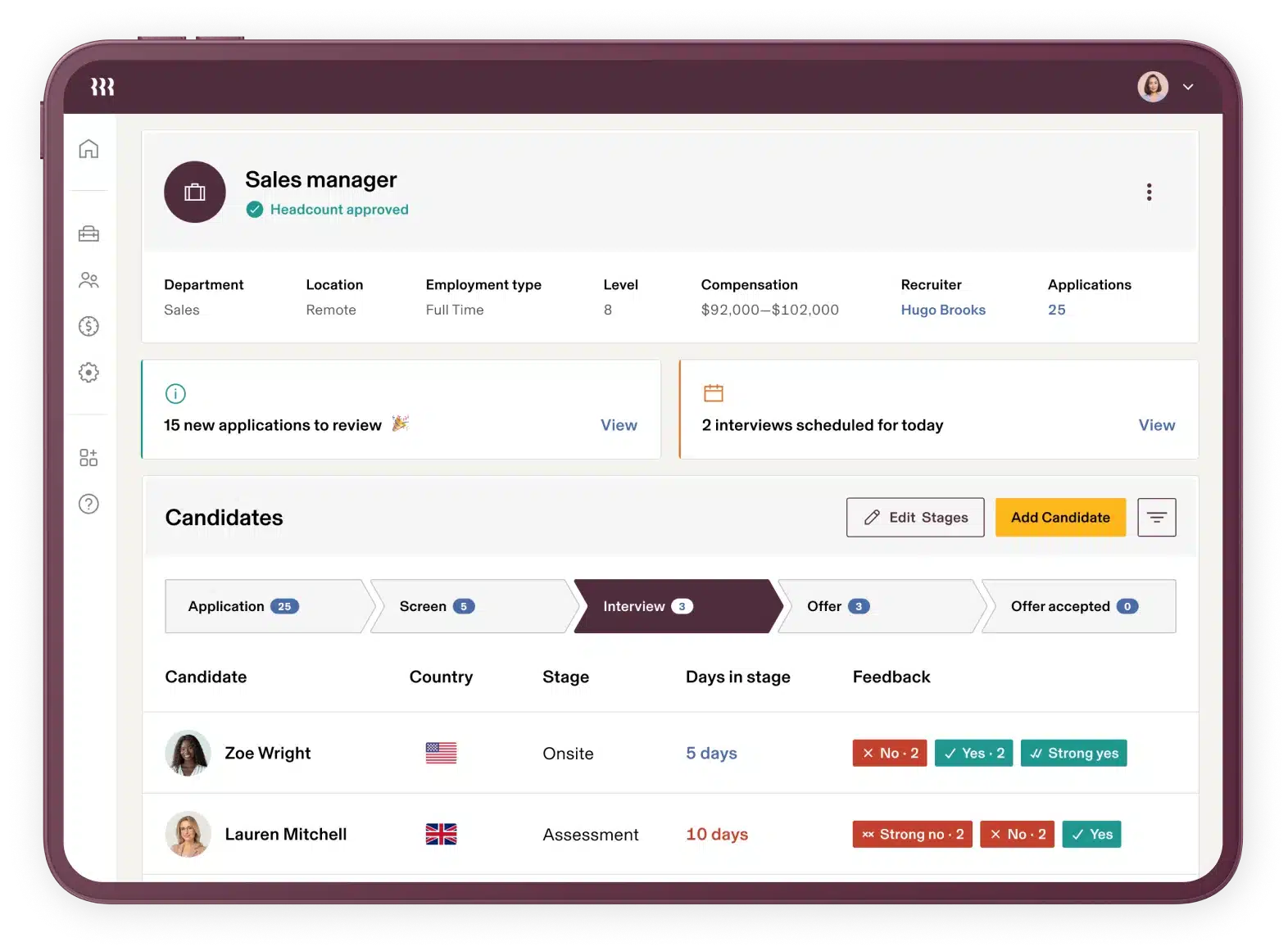
Rippling is an HR software Australia option that combines HR and IT management into one platform for fast onboarding and access control. It automates account and device setup across business tools when employee data changes.
Key Features:
- Device management automatically assigns, tracks, and secures employee devices from one central system.
- Workflow automation builder creates automated processes for approvals, onboarding, and HR tasks without manual input.
- Global payroll processes employee payments across multiple countries while ensuring local compliance.
- Employee onboarding and offboarding automates account setup, document management, and system access from day one to exit.
- Employee self-service portal allows employees to access payslips, update details, and manage requests independently.
| Pros | Cons |
|
|
Pricing: Rippling starts at a low base fee per user, but costs accumulate as you add modules like Device Management, App Management, and Payroll. It is a modular pricing structure.
Suitable for: Global or multi-entity teams that want HR, IT, and workforce management under one platform.
7. Deputy
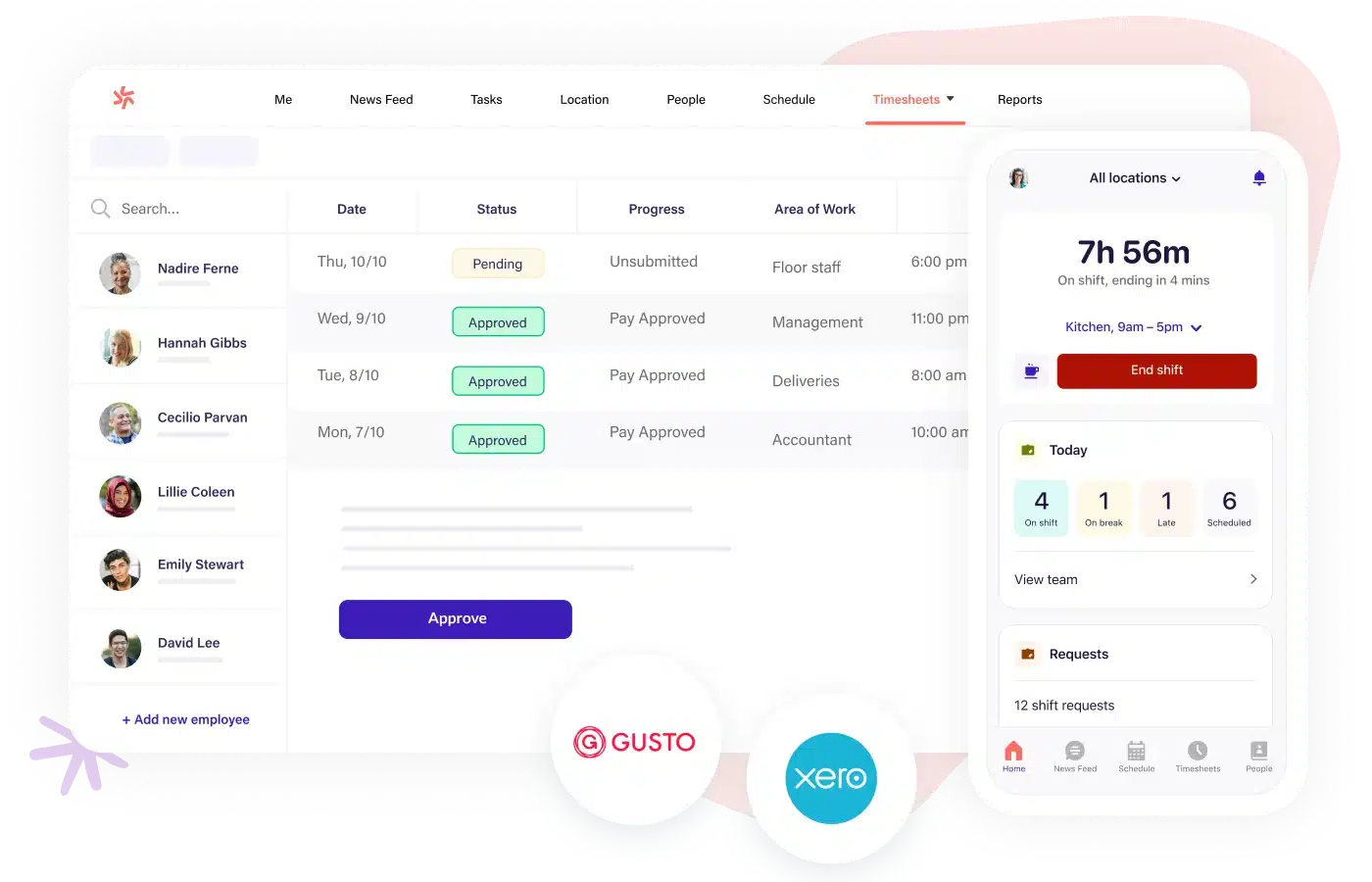
Deputy is a integrated software for HR management that integrates with many HRIS and payroll platforms, its core strength lies in optimizing schedules and capturing accurate time and attendance data.
Key Features:
- AI auto-scheduling automatically generates optimal work schedules based on staff availability and business needs.
- Task management assigns, tracks, and monitors employee tasks within a centralised system.
- Geolocation clock-in records employee attendance based on their real-time location.
- Demand forecast rosters create schedules based on predicted customer demand and workload patterns.
| Pros | Cons |
|
|
Pricing: Deputy offers plans starting at around AUD $6.75–$10 per user per month for scheduling, with higher tiers and add-ons for time, attendance, and payroll. Enterprise pricing is available on request.
Suitable for: Shift-based workplaces that rely on rostering, timesheets, and award-aware scheduling.
8. Zoho People
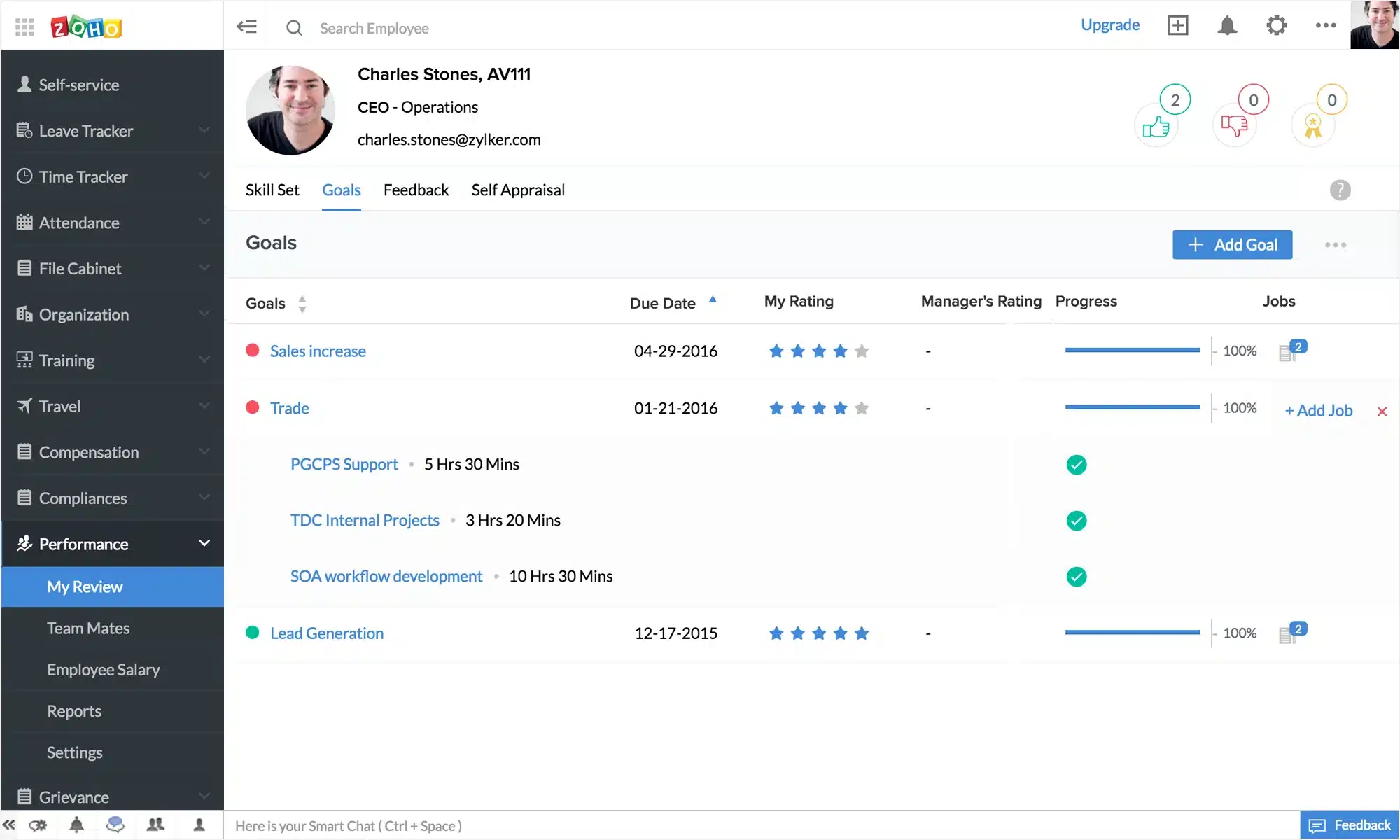
Zoho People is a flexible and affordable cloud-based HR solution that appeals to businesses already invested in the Zoho ecosystem. It is known for its extreme customizability, allowing HR managers to build custom workflows.
Key Features:
- HR case management routes employee issues through workflows and tracks resolution progress.
- Employee helpdesk ticketing allows staff to submit queries and receive support through a centralised system.
- Shift scheduling creates and manages employee shifts with automated rotations and approvals.
- Attendance tracking records working hours, absences, and overtime in real time.
- Leave management automates leave requests, approvals, and policy tracking in one system.
| Pros | Cons |
|
|
Pricing: Zoho People is one of the most budget-friendly options, with a free tier for small teams and paid plans starting at a very low per-user monthly cost.
Suitable for: Businesses wanting strong customization and flexible HR workflows at scale.
9. Sage HR
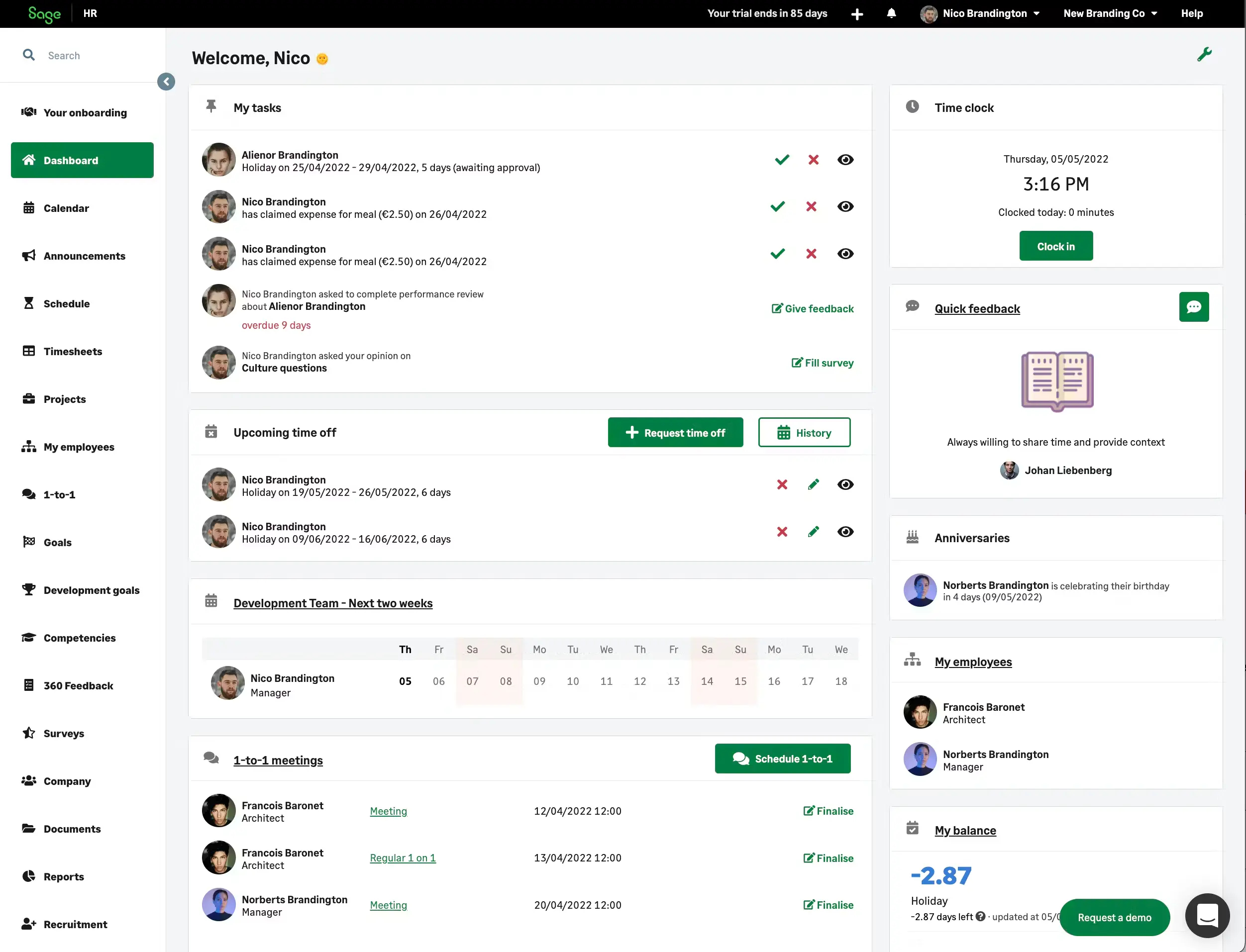
Sage HR is user-friendly HR management software for SMEs that streamlines leave and performance management with a clean, visual interface. It also offers modular tools for expenses, scheduling, and employee self-service, making it easier for growing teams to manage everyday HR tasks in one platform.
Key Features:
- A visual business chart displays the company structure so employees can easily see reporting lines and team hierarchy.
- Shared team calendar allows teams to view schedules, time off, and key events in one place.
- OKR performance module tracks employee goals and performance through continuous feedback and reviews.
- Expense management enables employees to submit receipts and managers to approve expenses digitally.
- Leave management automates leave requests, approvals, and balance tracking within the system.
| Pros | Cons |
|
|
Pricing: Sage HR uses a modular pricing calculator. You pay a base fee per employee and add costs for modules like Performance, Shift Scheduling, and Expenses.
Suitable for: Growing teams needing core HR management with practical leave, shift, and reporting tools.
10. Tanda
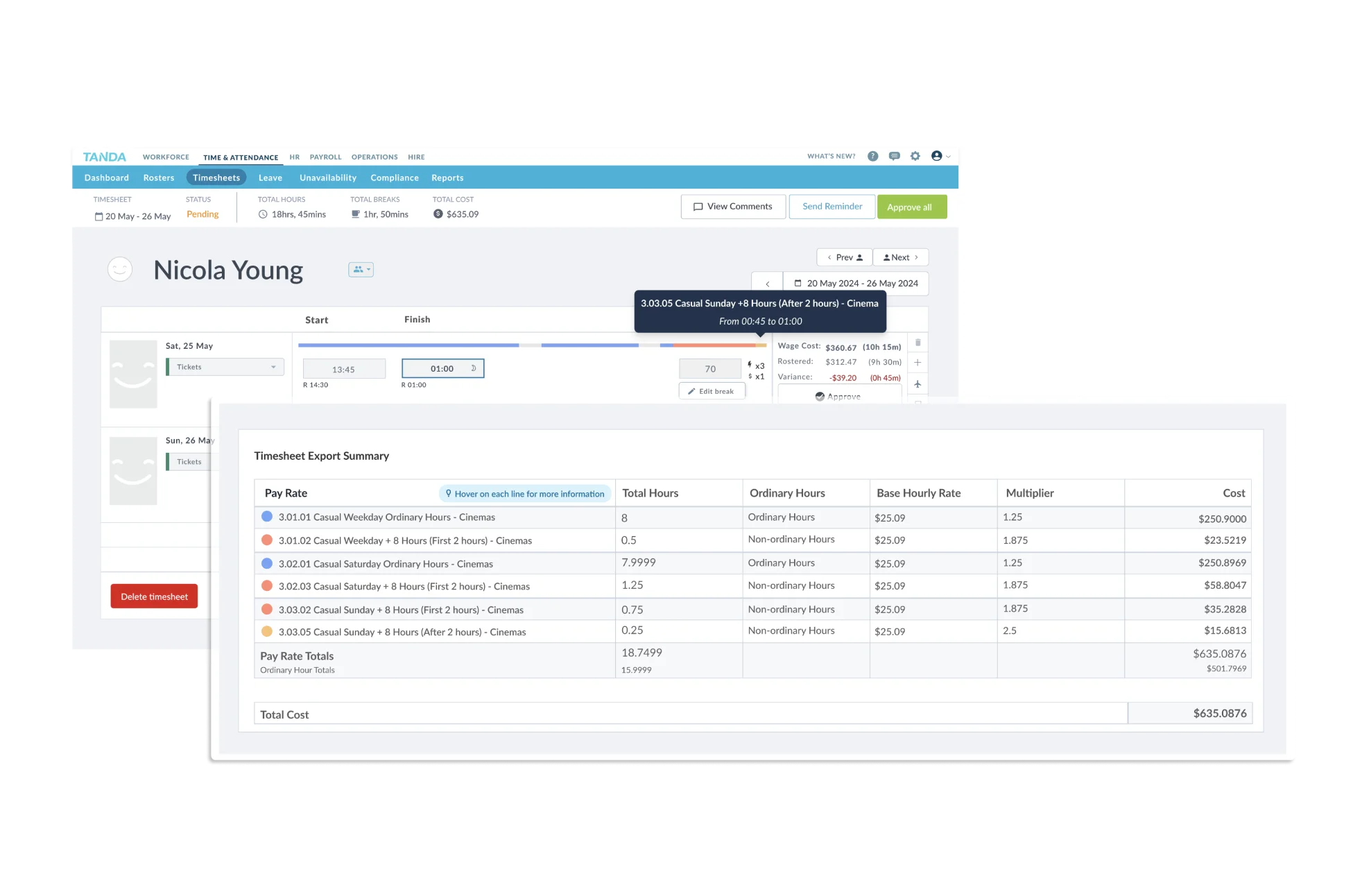
Tanda is one of the best HR software Australia options for compliance-driven rostering and time tracking, built around Australian Award interpretation and payroll-ready timesheets.
Key Features:
- Award interpreter automatically calculates wages based on complex Australian award rules and conditions.
- Paperless onboarding collects employee details and documents digitally to speed up the hiring process.
- Broken shift rules enforce compliance by flagging or preventing invalid shift patterns in rosters.
- Predictive staffing forecasting uses historical data to estimate staffing needs and optimise schedules.
- Shift swapping allows employees to request and exchange shifts with manager approval through the system.
| Pros | Cons |
|
|
Pricing: Tanda offers tiered pricing (Starter, Business, Enterprise). It generally charges per user per month, with enterprise deals available for large franchises.
Suitable for: Australian businesses focused on time tracking, rostering, and payroll-ready timesheets.
11. Connecteam
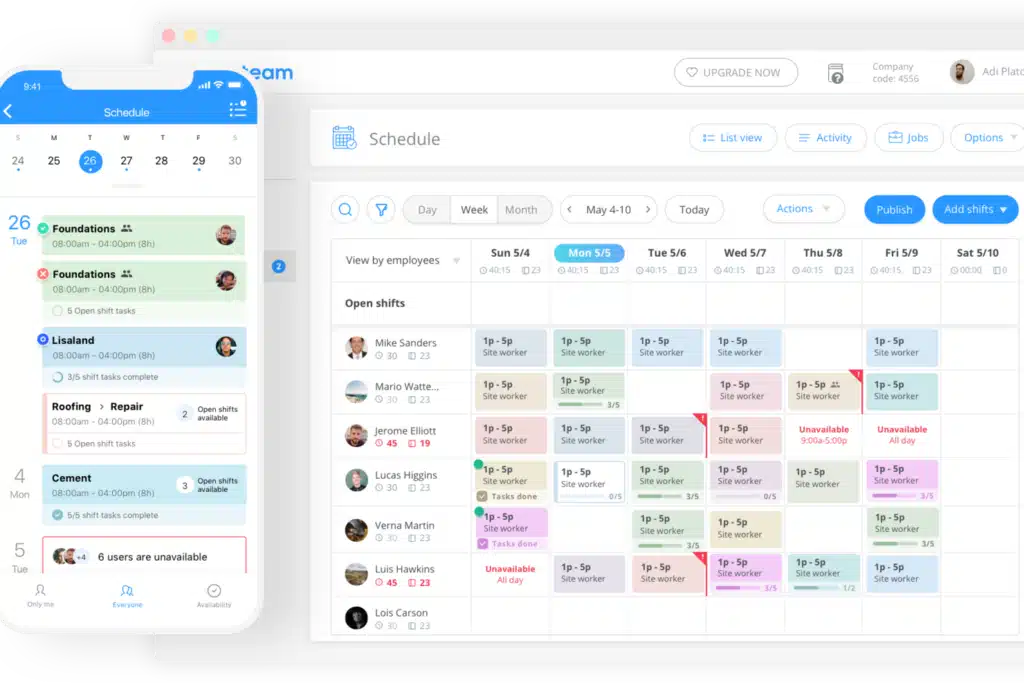
Connecteam is an HR software Australia option, combining scheduling, checklists, and internal communication in one mobile app. It fits operations that do not happen behind the desk, where day-to-day execution matters most.
Key Features:
- Job scheduling assigns shifts and tasks while giving employees real-time access to their schedules.
- GPS clock-in tracks employee attendance and verifies location to prevent time fraud.
- Training & knowledge base delivers training materials and company resources through a centralized mobile platform.
- Safety forms & checklists digitise inspections and workflows to ensure compliance and task completion.
- Team communication tools enable real-time messaging and updates to keep employees connected and informed.
| Pros | Cons |
|
|
Pricing: Connecteam offers a “Free for Life” plan for up to 10 users. Paid plans are fixed price per “hub” (group of features) for the first 30 users, making it scalable.
Suitable for: Deskless and field teams needing mobile scheduling, checklists, and internal communication.
12. Sentrient
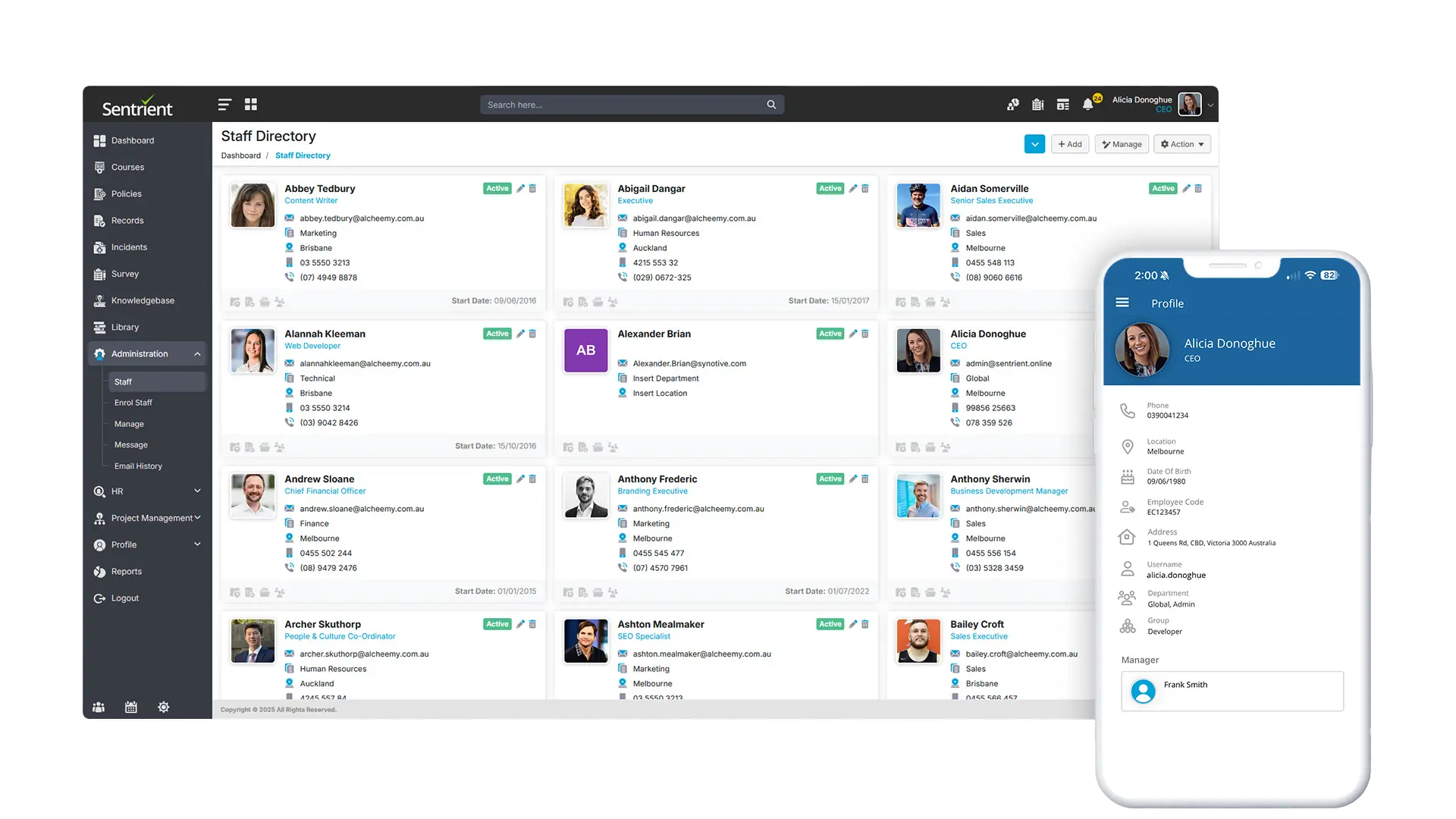
Sentrient is an HR software Australia solution focused on compliance, training, and employee documentation. It helps businesses manage workplace policies, automate HR processes, and ensure regulatory compliance across teams.
Key Features:
- Compliance management automates policy tracking, acknowledgements, and updates in one system.
- Online workplace training delivers compliance courses such as harassment, safety, and conduct training.
- Employee records management stores contracts, documents, and HR data securely.
- Performance management tracks employee reviews, feedback, and development plans.
- Incident reporting tools allow businesses to log and manage workplace issues effectively.
| Pros | Cons |
|
|
Pricing: Sentrient offers subscription-based pricing depending on modules and employee size. Exact pricing is provided upon request.
Suitable for: Businesses focused on compliance, workplace training, and HR documentation.
13. ADP Workforce Now
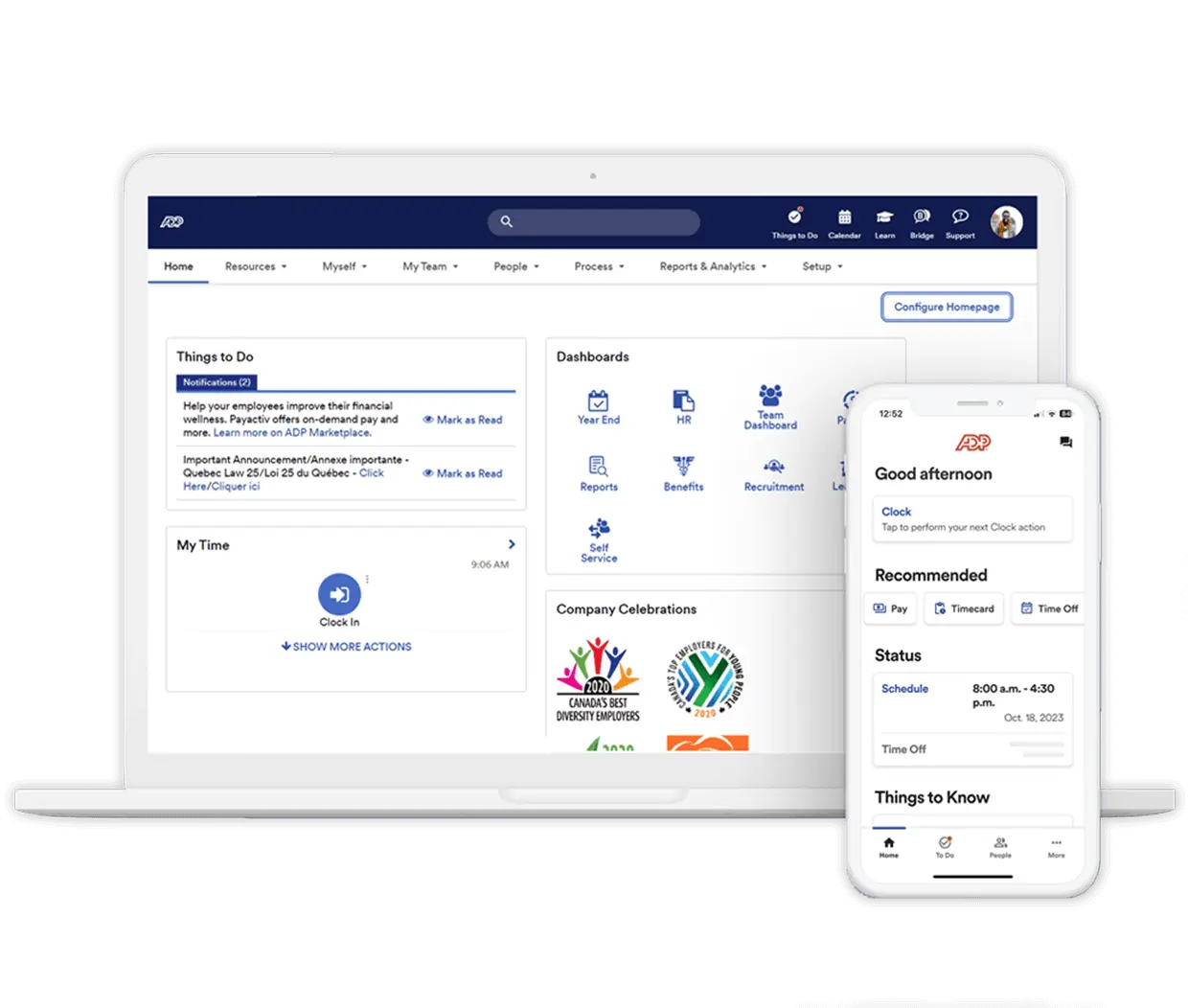
ADP Workforce Now is a comprehensive human resources software platform designed for mid-sized to large businesses. It combines payroll, HR, talent management, and compliance into one integrated system.
Key Features:
- Payroll processing automates wage calculations, tax filings, and compliance reporting.
- Workforce analytics provides insights into employee performance, costs, and trends.
- Talent management supports recruitment, onboarding, and employee development.
- Time and attendance tracking records working hours and manages workforce scheduling.
- Compliance tools help businesses meet local and international employment regulations.
| Pros | Cons |
|
|
Pricing: ADP Workforce Now offers customised pricing based on company size, features, and modules required.
Suitable for: Mid-sized to enterprise businesses needing scalable HR and payroll solutions.
14. Workable
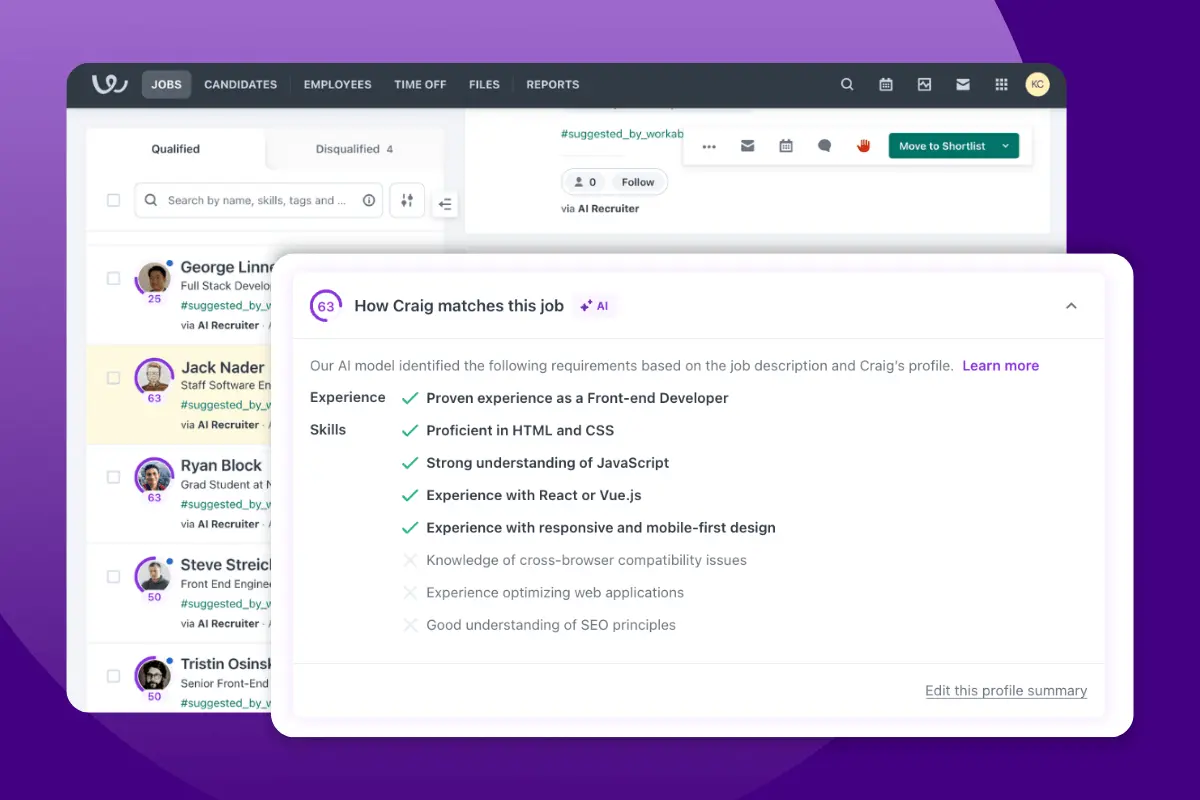
Workable is a recruitment-focused HR management system software that helps businesses streamline hiring and candidate management. It is widely used for applicant tracking and recruitment automation.
Key Features:
- Applicant tracking system (ATS) manages job postings, applications, and candidate pipelines.
- AI-powered candidate sourcing identifies potential candidates from multiple channels.
- Interview scheduling automates coordination between candidates and hiring teams.
- Candidate evaluation tools centralise feedback and hiring decisions.
- Reporting tools track hiring performance and recruitment metrics.
| Pros | Cons |
|
|
Pricing: Workable uses a tiered pricing model based on the number of active jobs and features required.
Suitable for: Businesses prioritising recruitment, hiring efficiency, and candidate tracking.
15. Gusto
Gusto is a cloud-based HR software Australia option focused on payroll, benefits, and employee management. It simplifies payroll processing while offering basic HR tools for growing businesses.
Key Features:
- Automated payroll processes salaries, taxes, and filings with minimal manual input.
- Employee benefits management handles superannuation, insurance, and benefits administration.
- Time tracking records employee hours and integrates with payroll.
- Onboarding tools manage new hire documentation and setup.
- Employee self-service portal allows staff to access payslips and update information.
| Pros | Cons |
|
|
Pricing: Gusto offers tiered pricing plans based on features and number of employees, typically starting with a base fee plus per-employee cost.
Suitable for: Small to growing businesses needing simple payroll and HR management tools.
Australian Compliance Rules Your HR Software Should Support
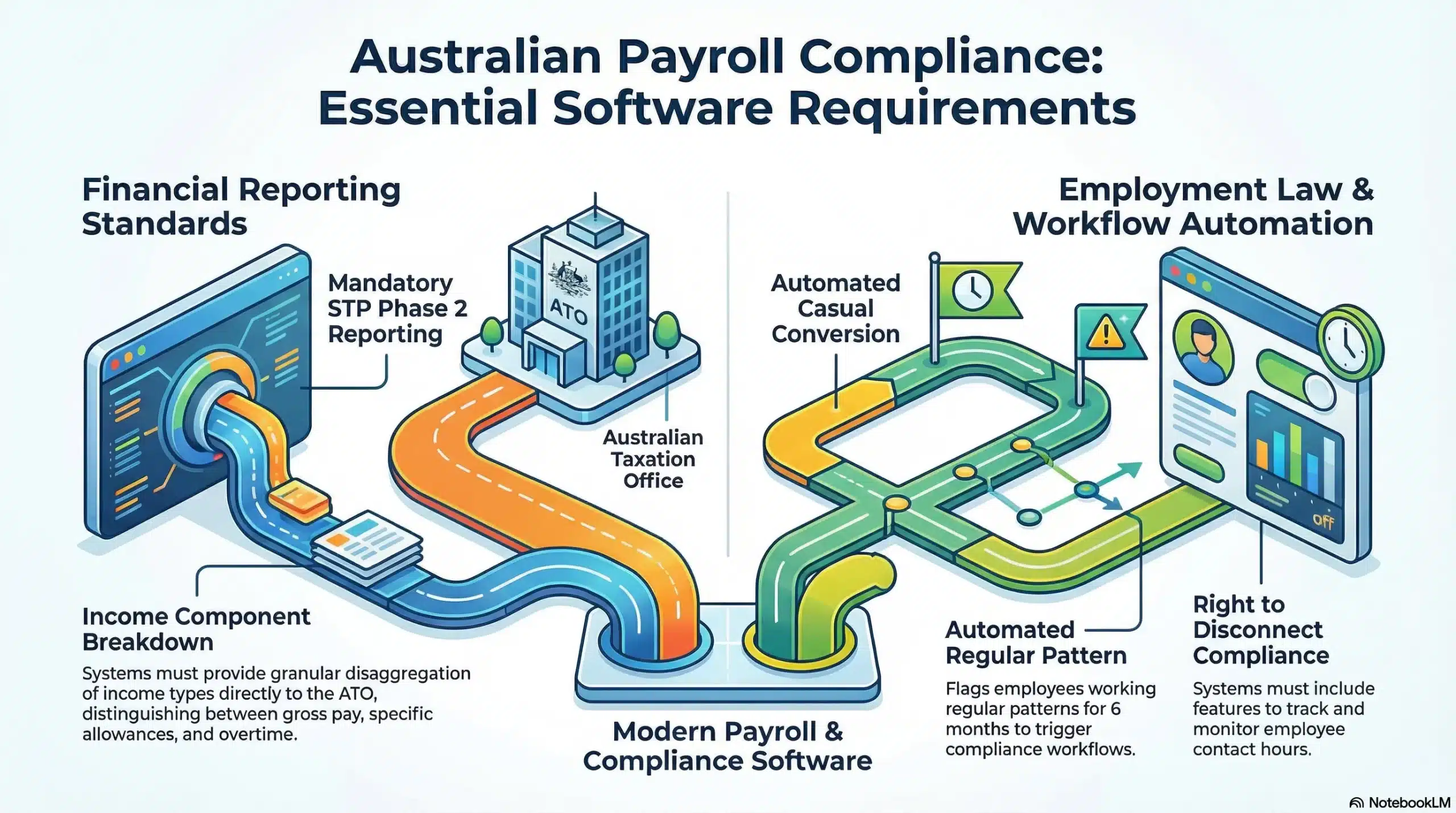
In Australia, compliance with payroll and employment laws is ongoing rather than a one-off task. Payroll systems must support Single Touch Payroll (STP) Phase 2 employer reporting, which requires detailed disaggregation of income components directly to the ATO.
STP Phase 2 is now mandatory. This requires granular reporting of income types (e.g., distinguishing between gross pay, allowances, and overtime) directly to the ATO. Software that “sort of” handles this will leave you exposed to audits.
Australia has over 120 Modern Awards, each with its own pay rates, penalty rates, and overtime rules. Your HR software must interpret the correct award for each employee automatically and apply the right rates at every pay run. Manual award interpretation is one of the most common sources of underpayment liability for Australian businesses.
The National Employment Standards set the legal floor for every employee covered by the Fair Work Act. Annual leave, personal leave, parental leave, and notice periods must all be enforced automatically, not left to manual calculation. Systems that cannot flag NES shortfalls expose employers to back-pay claims and Fair Work investigations.
Fair Work Act recordkeeping obligations require employers to retain accurate employment records for seven years. These include pay slips, hours worked, leave balances, and engagement type. HR software that does not generate and store compliant records puts your business at risk during Fair Work audits.
Long Service Leave entitlements vary by state and territory, with different qualifying periods, accrual rates, and payout rules across New South Wales, Victoria, Queensland, and Western Australia. Your system must track LSL separately by state of employment and calculate entitlements correctly when an employee reaches eligibility or exits the business.
Furthermore, the Right to Disconnect legislation and changes to casual conversion rules require systems that can track contact hours and automate conversion offers. Your system must be able to flag when a casual employee has worked a regular pattern for 6 months and trigger the necessary compliance workflows.
Since November 2021, superannuation Stapling rules require employers to check the ATO’s stapled fund system before defaulting a new employee into a company fund. Your HR software should integrate with the ATO’s stapled fund lookup at onboarding and maintain an audit trail confirming the correct fund was applied from the employee’s first pay run.
How to Choose HR Software in Australia: Key Features and Selection Criteria
The Australian market has unique requirements that global software providers often overlook or address poorly. When evaluating the best HR software, specific local practicalities must be non-negotiable.
Key Functionalities
- Core HR & employee records management
Software for HR management stores all employee records in one place, including personal, banking, and tax details, so data stays consistent. Strong privacy controls and role-based permissions help protect sensitive information. - Payroll & Australian compliance (STP, Fair Work, Super)
Handles Single Touch Payroll (STP) Phase 2 reporting and automates Super calculations with updates when rates change. Award interpretation should calculate overtime, penalties, and allowances accurately to reduce compliance risk. - Leave, attendance & rostering
Supports scheduling and time tracking with conflict alerts, fatigue checks, and clear shift visibility. Leave should sync with rosters and cover Australia-specific entitlements like Long Service Leave. - Onboarding & recruitment targets
The best HR onboarding software capabilities should include digital contract signing, TFN declaration submission, and Super choice forms to support a structured new hire program from day one. -
Performance & development management
Modern HR software Australia platforms support continuous feedback, goal tracking, and 360-degree reviews. The best HR software Australia should also help identify training needs and track professional development hours (CPD), which is especially important for regulated industries. - Analytics, reporting & AI features
Advanced reporting and AI insights in software for HR management can help identify workforce patterns, automate workflows, and flag retention risks earlier. Strong HR management software also provides dashboards for tracking turnover, absenteeism, labour costs, and pay equity trends.
Integrations key for AU SME market
Seamless API integrations reduce double-handling of data and keep your general ledger accurate. Many companies adopt a seamless human resources application to keep employee, payroll, and finance data connected without manual reconciliation.
Selection Criterias
- Match the software to your business size
The right HR software often depends on how many people you manage and how complex your internal processes have become. Evaluate software based on your current headcount and operational needs.- Micro (under 10 staff): Prioritise low-cost and basic payroll reporting compliance, with simple HR records and leave tracking.
- SME (10–100 staff): Prioritize onboarding, employee experience, and process automation to reduce admin workload as the team scales.
- Growing and enterprise business (100+ staff): Prioritize integrations, custom workflows, advanced reporting, and multi-entity support to handle complex structures and compliance at scale.
- Test real business scenarios during demos
Do not rely only on feature presentations. Ask vendors to demonstrate how the system handles real situations, such as public holiday pay rules, leave edge cases, or workplace complaint logging and resolution. - Prioritise local Australian support
Fast and knowledgeable support is essential, especially when payroll or compliance issues arise. Choose a provider that understands Australian regulations, including Fair Work requirements, so your team can resolve issues quickly and accurately. - All-in-One vs. Modular
All-in-one platforms cover HR, payroll, leave, recruitment, and performance in a single system, while modular solutions let you activate only the functions your business currently needs. The right choice depends on whether you want to consolidate all HR tools in one place or fill specific gaps without replacing systems already in use. Businesses planning to scale quickly are generally better served by an all-in-one approach to avoid re-platforming as headcount and complexity grow.






Conclusion
Choosing the best HR software Australia businesses can rely on is a strategic decision that affects compliance, workplace culture, and overall profitability. It plays a major role in payroll accuracy, employee records, and how confidently audits or policy enforcement are managed.
The right HR software Australia solution should match your operational complexity, reporting needs, and how teams work each day. Strong HR management software should also support smooth data flow across hiring, onboarding, time tracking, leave, and performance management.
Selection should be based on workflow mapping, risk areas, and scalability, not quick feature comparisons. For tailored guidance, schedule a free consultation with our Australian HR team to map your compliance needs, workflows, and the right modules for your business size.
Frequently Asked Questions About Best HR Software
-
Is Single Touch Payroll (STP) Phase 2 mandatory for all HR software?
Yes, STP Phase 2 is mandatory. Any software you choose must be ATO-compliant to ensure you are reporting income types, allowances, and tax details correctly to avoid penalties.
-
What is the difference between an HRIS and an ERP like HashMicro?
An HRIS focuses solely on people management. An ERP integrates HR data directly with finance, inventory, and supply chain modules, providing a holistic view of how labour impacts overall business profitability.
-
How much does HR software cost in Australia?
Prices vary significantly. Basic tools start around $5-$10 per user per month. Comprehensive suites can range from $10-$20 per user per month. Enterprise ERP solutions often use a different model, sometimes offering perpetual licenses or unlimited user pricing.
-
What HR software is the best for your business?
The best HR software depends on your business size, compliance requirements, and workflow complexity. Small businesses may prioritise payroll and ease of use, while larger companies often require advanced reporting, integrations, and scalable features.
-
What are the main types of HR systems?
The main types include HRIS (Human Resource Information Systems) for employee data management, HRMS (Human Resource Management Systems) for broader HR functions like payroll and performance, and HCM (Human Capital Management) platforms that focus on strategic workforce planning and development.
-
What’s the difference between an HRIS and HRMS?
An HRIS focuses on core employee data and administrative tasks, such as records and payroll. An HRMS includes these functions but also adds advanced capabilities like performance management, recruitment, and workforce planning.