






Choosing an ERP system affects far more than software. It shapes how finance, inventory, procurement, sales, HR, and operations teams work every day.
The right ERP selection criteria help businesses compare vendors on real fit rather than price, brand, or demo polish. Companies can evaluate whether a system supports their workflows, integrations, reporting needs, and long-term growth plans.
This article covers the most important ERP selection criteria and how to run a structured vendor evaluation. It also explains what to include in an ERP requirements checklist before choosing a system.
Key Takeaways
ERP is software that connects finance, inventory, procurement, HR, and operations into one platform. Choosing the right system starts with mapping internal requirements before approaching vendors.
The 10 criteria cover functional fit, integration, scalability, cost, vendor support, and demo evaluation to help businesses compare ERP systems objectively.
Common mistakes include choosing on price alone, skipping user input, and underestimating integration needs. A structured process prevents poor ERP decisions.
HashMicro's modular ERP covers finance, inventory, procurement, CRM, manufacturing, HR, and project management in one connected platform.

What Is ERP?
ERP stands for Enterprise Resource Planning. It provides centralised operational management by connecting finance, inventory, procurement, HR, sales, and operations within a single platform.
As defined by the Australian Government Architecture, ERP tools integrate and automate core business functions, connecting finance, inventory, procurement, HR, sales, and operations into one platform.
ERP selection is the process of identifying requirements, comparing vendors, and evaluating capabilities. Before making a decision, many organisations start with a business management system overview to understand how ERP supports core business functions.
A sound ERP selection process starts with internal requirements, not vendor demos. Businesses should map their pain points, workflows, reporting gaps, and integration needs before approaching vendors.
ERP selection and ERP implementation are not the same thing. Selection is about choosing the right system. Implementation is about configuring it, migrating data, training users, and going live.

Why ERP Selection Criteria Matter to Your Australian Business
ERP software becomes part of daily operations. The wrong system slows down finance teams, creates inventory errors, frustrates users, and makes reporting harder, not easier.
Defined criteria also reduce bias during vendor comparison. Without a structured checklist, teams may be swayed by demo quality, price, or brand familiarity.
With clear criteria, every vendor is judged against the same requirements. This removes the influence of demo polish, pricing pressure, or brand recognition from the decision.
For Australian businesses, ERP selection should also weigh GST reporting needs, multi-site operations, and inventory visibility. Comparing different types of business software available in Australia can help organisations identify which solutions best align with local operational and compliance requirements.
10 ERP Selection Criteria to Evaluate Before Choosing a System
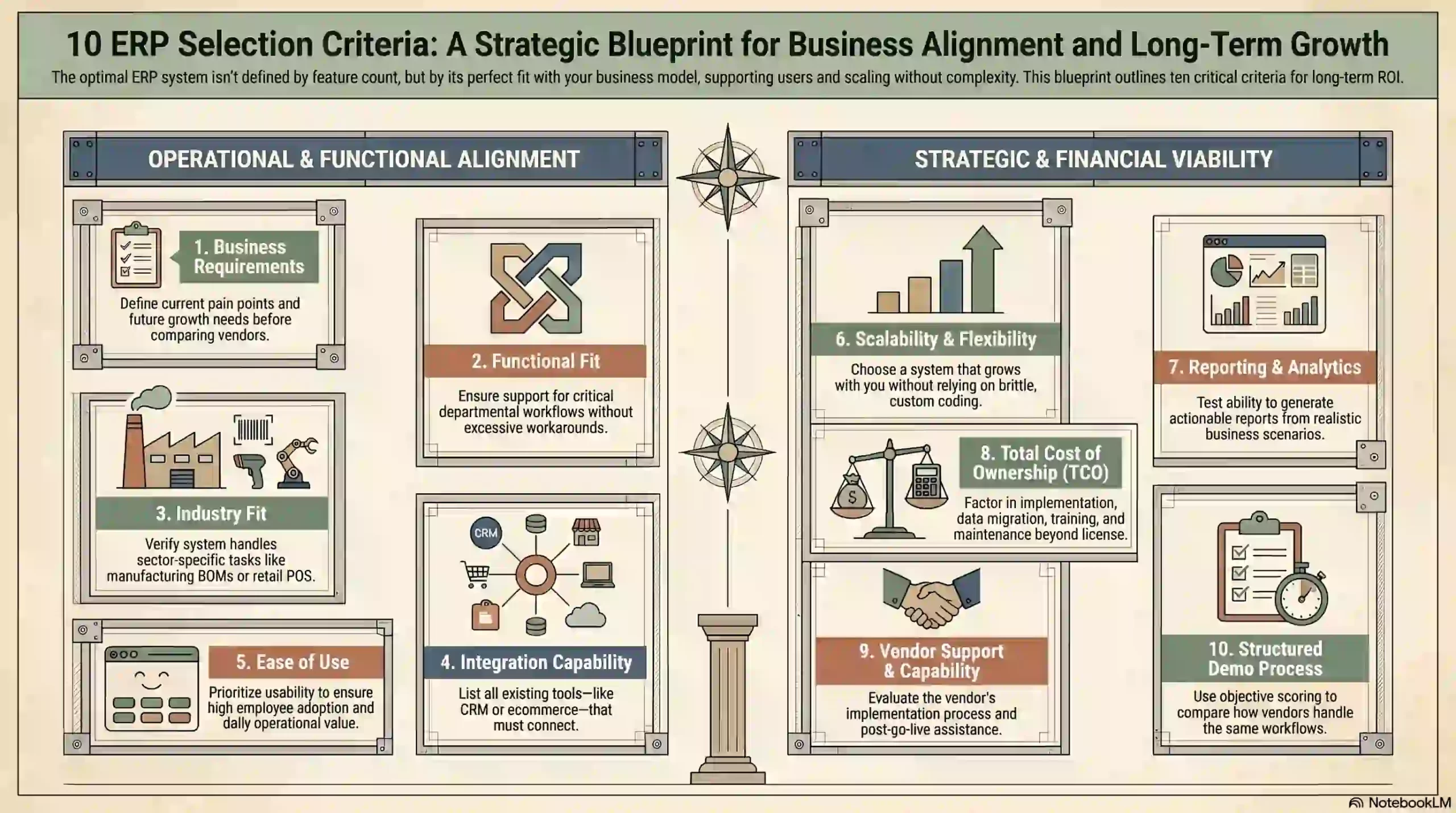
The best ERP system is not always the one with the longest feature list. It is the one that fits the business model, supports users, connects data, and scales without unnecessary complexity.
1. Business requirements
Business requirements should be the primary criterion for ERP selection. Before comparing vendors, define the problems the system must solve and the outcomes the business expects.
Start by documenting current pain points. These may include duplicate data entry, slow reporting, disconnected inventory records, manual approvals, poor stock visibility, or delayed invoicing.
Requirements should also cover future needs. A business planning to expand into new locations, product lines, or entities should choose software that can support that growth.
2. Functional fit
Functional fit measures how well the ERP supports the tasks each department needs to perform. A strong system covers critical workflows without requiring excessive workarounds.
For finance teams, this covers invoicing, accounts payable, accounts receivable, budgeting, and tax workflows. For operations, it covers inventory, procurement, warehouse, production, and delivery.
3. Industry fit
Industry fit matters because different sectors manage different workflows. A manufacturer may need bills of materials, production planning, quality control, and traceability.
A retail business may need POS integration, stock transfers, promotions, and customer data management. Generic demos rarely reveal whether a system handles these requirements well.
During selection, ask vendors to demonstrate real workflows that match the business. Do not rely on standard dashboards or polished sales presentations.
4. Integration with existing systems
ERP software rarely works in isolation. It may need to connect with ecommerce platforms, POS systems, payroll software, CRM tools, warehouse systems, payment gateways, or BI dashboards.
Before choosing a system, list every tool that must connect with it. Ask vendors how each integration works, what data flows between systems, and whether additional development is required.
5. Ease of use and user adoption
ERP software only delivers value when people use it properly. A system with strong functionality can still fail if users find it confusing, slow, or hard to adopt.
Test usability during the demo process. Ask the people who will use the system every day to review it, not only executives or project sponsors.
6. Scalability and flexibility
Scalability shows whether the ERP can support growth. A business may begin with finance and inventory, then later add manufacturing, CRM, HR, procurement, or multi-entity reporting.
Flexibility should not mean uncontrolled customisation. Excessive customisation makes future upgrades harder and raises long-term maintenance costs.
7. Reporting and analytics
Reporting is one of the main reasons businesses move to ERP. A good system surfaces accurate data across finance, sales, inventory, procurement, production, and operations for managers to act on.
During selection, ask vendors to produce reports using realistic business scenarios. This shows whether the system can answer the questions managers actually need answered.
8. Total cost of ownership
Total cost of ownership covers more than the subscription or licence fee. It includes implementation, data migration, training, integrations, support, customisation, maintenance, and future expansion.
Compare cost against value, not price alone. The goal is to understand the full investment needed to make the ERP function properly for the business.
9. Vendor support and implementation capability
The vendor’s support and implementation capability can matter as much as the software itself. A strong system can still fail if implementation is poorly managed.
Review the vendor’s implementation process, project team, and training approach before deciding. Ask specifically about support hours and what post-go-live assistance looks like.
10. ERP demo and evaluation process
A structured demo process helps businesses compare vendors on equal terms. Each vendor should demonstrate the same workflows, use cases, and reporting scenarios.
After each demo, score vendors against the same criteria. This keeps evaluation objective and helps the team choose based on fit rather than presentation quality.
ERP Requirements Checklist
An ERP requirements checklist helps businesses organise needs before vendor evaluation. It should cover functional, operational, technical, reporting, and support requirements.
| Criteria | Key question | Priority | Vendor score |
| Business requirements | Does the system solve the company’s main pain points? | High | 1–5 |
| Functional fit | Does it support the required department workflows? | High | 1–5 |
| Industry fit | Does it match industry-specific processes? | High | 1–5 |
| Integration | Can it connect with existing systems? | High | 1–5 |
| Ease of use | Can users complete daily tasks efficiently? | Medium | 1–5 |
| Scalability | Can it support future growth? | Medium | 1–5 |
| Reporting | Can it produce useful management reports? | High | 1–5 |
| Cost | Is the full cost clear and justified? | Medium | 1–5 |
| Support | Is implementation and support reliable? | High | 1–5 |
| Demo fit | Did the demo match real workflows? | High | 1–5 |
This checklist should be adapted to the business. Manufacturers may weight production planning more heavily, while retailers may prioritise inventory, POS integration, and multi-location reporting.
Common ERP Selection Mistakes to Avoid
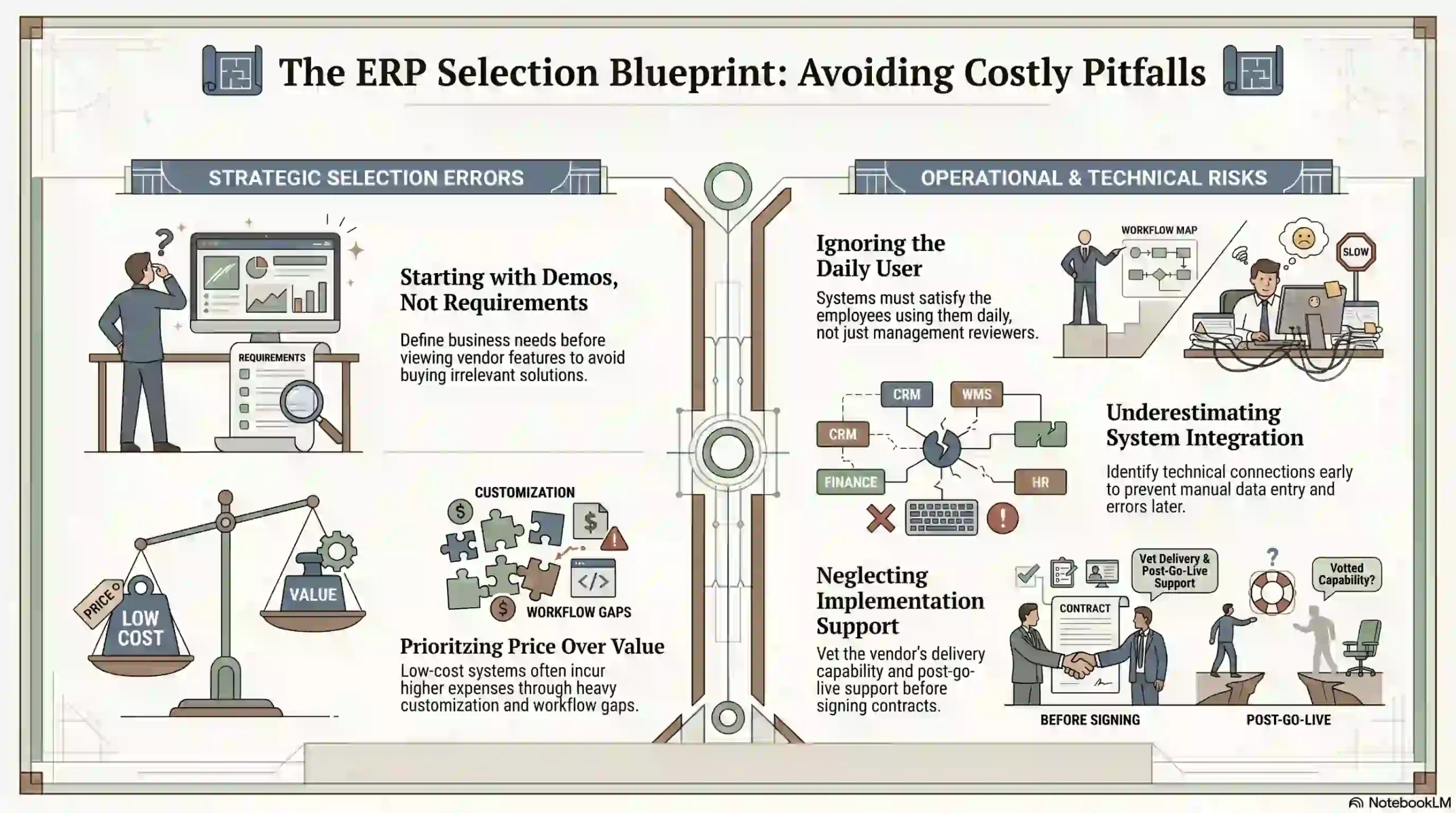
ERP selection mistakes often happen when businesses move too quickly into vendor comparison. A structured process helps prevent decisions based on incomplete information.
1. Starting with vendor demos before requirements
Vendor demos can be useful, but they should not be the first step. If the business has not defined requirements, it may be drawn to features that do not solve its real problems.
2. Choosing based only on price
Price matters, but it should not be the only factor. A lower-cost ERP can become expensive if it cannot support required workflows or needs heavy customisation to function properly.
3. Ignoring user adoption
ERP decisions should include the people who use the system every day. If end users are excluded, the business may choose software that looks strong in management review but fails in daily operations.
4. Underestimating integration needs
Integration problems create manual work and introduce data errors. Businesses should identify system connections early and confirm how each integration will work before signing a contract.
5. Not checking implementation support
ERP selection should include an assessment of vendor delivery capability. A business should know who will implement the system, how the project will be managed, and what post-go-live support exists.
ERP Selection vs ERP Implementation
Even though both of them are connected, they serve different purposes. ERP selection focuses on choosing the right system, vendor, and criteria for the business.
ERP implementation focuses on deploying the selected system. This stage often includes a software migration strategy that outlines how data, processes, and users will transition into the new environment.
This covers configuration, data migration, workflow setup, testing, training, and go-live support. A key part of implementation is preparing records for migration to ensure data quality, consistency, and accuracy before go-live.
Selection includes requirements gathering, vendor shortlisting, demos, scoring, cost review, and final decision-making. These steps happen before a contract is signed.
How HashMicro Helps Businesses Choose the Right ERP
HashMicro helps businesses evaluate ERP based on operational needs. Its modular management platform covers finance, inventory, procurement, CRM, manufacturing, HR, project management, and reporting.
Businesses can use a structured demo to assess whether HashMicro fits their workflows. This helps teams review department needs and understand how data moves across the platform.
Conclusion
ERP selection should be based on structured criteria. Businesses need to evaluate functional fit, test usability, check integrations, compare total cost, and review vendor support before deciding.
A consistent framework makes vendor comparison more objective. Every option is measured against the same standards, which helps teams choose a system that fits current operations and future growth.
If you want to learn further about which ERP fits your operational needs, then you can book a free consultation with us today.
Frequently Asked Questions
-
What are ERP selection criteria?
ERP selection criteria are the standards a business uses to compare ERP systems. They may include business requirements, functional fit, industry fit, integration, ease of use, scalability, reporting, cost, vendor support, and demo performance.
-
What is the ERP selection process?
The ERP selection process includes defining requirements, mapping workflows, shortlisting vendors, running demos, comparing systems, reviewing costs, checking support, and choosing the ERP that best fits the business.
-
What should be included in an ERP requirements checklist?
An ERP requirements checklist should include department workflows, must-have features, reporting needs, integrations, industry requirements, user roles, security needs, support expectations, and cost considerations.
-
How do you compare ERP vendors?
ERP vendors should be compared using the same criteria, demo script, and scoring system. This helps the business judge each vendor based on business fit rather than sales presentation.
-
What is the difference between ERP selection and ERP implementation?
ERP selection is the process of choosing the right system and vendor. ERP implementation is the process of configuring the selected system, migrating data, training users, testing workflows, and launching the ERP.