







Australian businesses lose productivity searching for misplaced or duplicated documents across different systems. The right document management software helps improve efficiency, compliance, and document control through a secured document organization platform.
Document management software (DMS) stores and organises files in one central system, making documents easier to manage and retrieve. According to a 2025 AIIM Industry Trends Report, 72% of organisations that implemented a DMS reported measurable improvement in audit readiness within six months.
This guide reviews 10 of the best document management software options for Australian businesses in 2026, including their main features, strengths, and limitations.
Key Takeaways
Understand what document management software actually does, how it differs from file storage, and why Australian businesses increasingly rely on it for compliance, workflow automation, and audit-ready operations.
Explore the compliance requirements and integration factors that matter most for Australian businesses, including the Privacy Act 1988, EDRMS standards, and data sovereignty obligations.
View a side-by-side overview of the top 10 document management platforms available in Australia to compare their features, pricing, and suitability for your industry and business size.
Start by identifying the document management issues creating the most problems in your business, whether that is compliance risks, slow approvals, or files spread across emails and shared drives. These platforms are best suited for different needs, including accounting firms, legal practices, ERP-based operations, SMB document storage, and deskless workforce management.
Best Because
An AI-powered document management platform that organises files by metadata rather than folders, with automated classification and strong compliance capabilities.

Best Because
A cloud-native DMS built for legal firms and law practices, offering matter-centric organisation, secure client portals, and ISO 27001-certified security.

Best Because
A cloud DMS focused on end-to-end workflow automation, with strong ERP integrations and configurable approval routing for finance and operations teams.

Best Because
A secure client document portal built for accountants and professional services firms, with seamless QuickBooks integration and e-signature support.
What Is Document Management Software?

Document management software (DMS) helps businesses store, organise, track, and retrieve digital documents in one central system.
Modern DMS platforms also support document workflows such as creation, approvals, sharing, version control, and archiving. Many systems integrate with tools like ERP, CRM, and accounting software to automatically manage documents across business operations.
For Australian businesses, DMS also supports compliance with regulations such as the Privacy Act 1988 and National Archives EDRMS standards by improving document security, access control, and record management.
Document Management Software vs. File Storage: What’s the Difference?
| Feature |
File Storage |
Document Management Software |
Search Capability |
Filename / folder only | Full-text, metadata, tags |
Version Control |
Basic (some tools) | Full revision history with audit trail |
Workflow Automation |
None | Approval routing, escalation, notifications |
Compliance Features |
None | Retention schedules, audit logs, legal hold |
Access Permissions |
Folder-level | Document-level, role-based |
Integration with Business Systems |
Limited | ERP, CRM, accounting, HR |
Audit Trail |
None | Complete activity log per document |
For Australian businesses regulated under the Privacy Act or industry compliance frameworks such as APRA, AFS licensing, and healthcare record regulations, a document management system is often essential for meeting legal and compliance requirements.
What Australian Businesses Should Look for in a DMS
Not every document management system is designed for Australian compliance requirements. Besides standard features, businesses should focus on integration, security, compliance support, and workflow automation when choosing a DMS.
1. Integration
A good DMS should connect easily with existing tools like Xero, MYOB, QuickBooks, CRM systems, and other business software. Strong integrations reduce manual work and improve efficiency across operations.
2. Australian Privacy Act 1988 & Data Sovereignty
Australian businesses must manage personal data according to the Privacy Act 1988 and Australian Privacy Principles (APPs). Choosing a DMS with secure data storage and appropriate data residency support helps reduce compliance risks.
3. EDRMS Compliance (National Archives of Australia Standards)
Many organisations need structured document retention, classification, and disposal processes to meet compliance requirements. A DMS with EDRMS support helps businesses manage records more securely and consistently.
4. Workflow Automation & Approval Routing
Automated workflows help businesses manage document approvals faster and with better tracking. Features like approval routing, reminders, and audit trails reduce delays and improve process visibility.
Comparison Table: Document Management Software Australia
| Features | M-Files | FYI | NetDocuments | DocuWare | SmartVault | Folderit | HashMicro | SharePoint | Hubdoc | Connecteam |
|---|---|---|---|---|---|---|---|---|---|---|
| Ease of Use | ||||||||||
| Pricing | ||||||||||
| Scalability | ||||||||||
| Integration Capability | ||||||||||
| Workflow Automation | ||||||||||
| Compliance & Security |

10 Best Document Management Software in Australia for 2026
We reviewed some of the leading document management software platforms available for Australian businesses. Below is a breakdown of the top 10 DMS solutions to consider in 2026.
All recommendations on this list are
manually evaluated by our editorial team
based on hands-on testing, demo sessions, and verified customer feedback from Australian businesses.
We do not accept payment for placement or ranking on this list.
1. M-Files
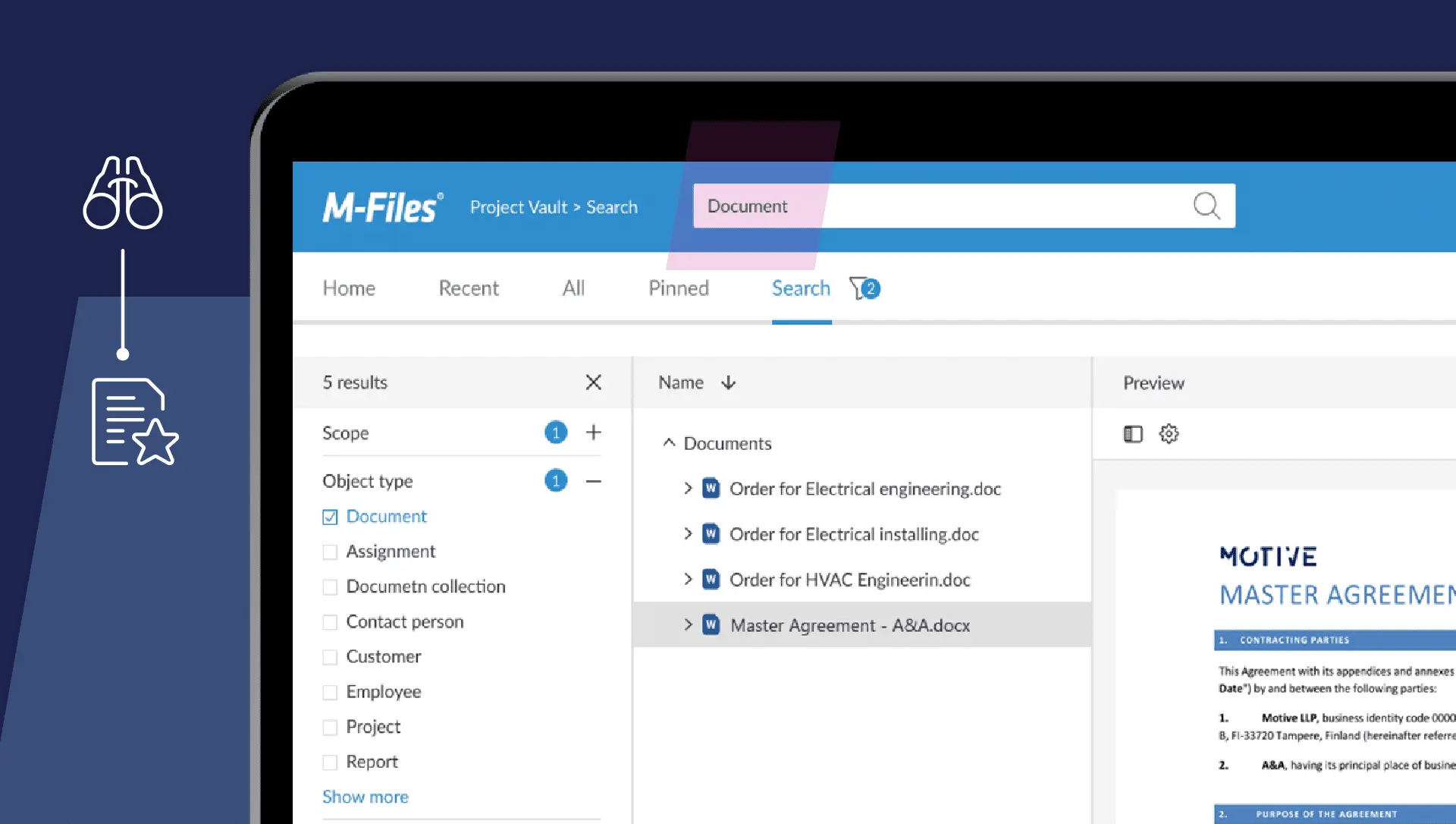
M-Files organises documents using metadata instead of traditional folders, making files easier to search and manage. Its AI features automatically classify and tag documents to reduce manual filing.
It is suitable for mid-to-large Australian businesses managing complex document workflows. M-Files also supports Privacy Act compliance and offers cloud, on-premise, and hybrid deployment options.
Key Features:
- AI-powered document classification and tagging
- Metadata-driven organisation (no folder dependency)
- Version control and full audit trails
- Workflow automation with conditional routing
- Integration with Microsoft 365, Salesforce, and SAP
| Pros |
Cons |
| AI classification reduces manual filing significantly. | Higher price point than most SMB-focused tools. |
| Flexible deployment: cloud, on-premise, or hybrid. | Implementation requires a certified partner. |
| Strong audit trail and version control for compliance. | Interface has a learning curve for non-technical users. |
Pricing: M-Files operates on a subscription model. Pricing is quote-based depending on users and modules, typically starting from AUD $50–$80/user/month for cloud deployments.
2. FYI
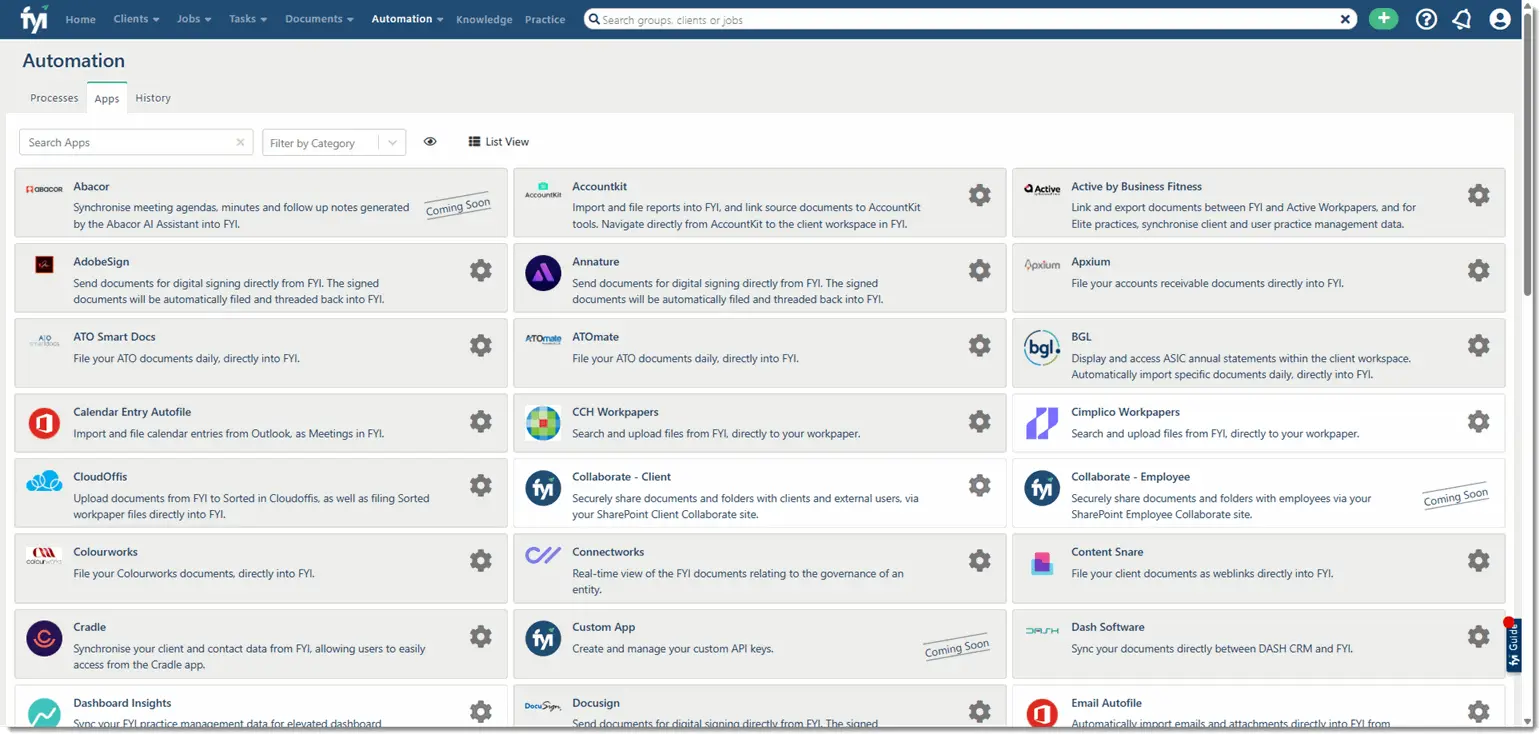
FYI is an Australian-built document management system designed for accounting firms using Xero Practice Manager (XPM). It automates document filing, creation, and retrieval to reduce manual admin work.
Its strong Xero integration automatically links documents to the correct client records, jobs, and reporting periods. FYI is built specifically for Australian accounting firms and supports their workflow and compliance needs.
Key Features:
- Native Xero Practice Manager integration
- Automated document filing from email and Xero
- Template-driven document creation
- Team collaboration and task assignment
- Australian data hosting
| Pros |
Cons |
| Built specifically for Australian accounting firms. | Limited use outside accounting and bookkeeping workflows. |
| Deep Xero integration automates filing and retrieval. | Not suitable for businesses not using Xero Practice Manager. |
| Australian data hosting supports Privacy Act compliance. | Advanced features require higher-tier plans. |
Pricing: FYI pricing starts at approximately AUD $49/user/month, with team plans available. Implementation is largely self-service.
3. NetDocuments
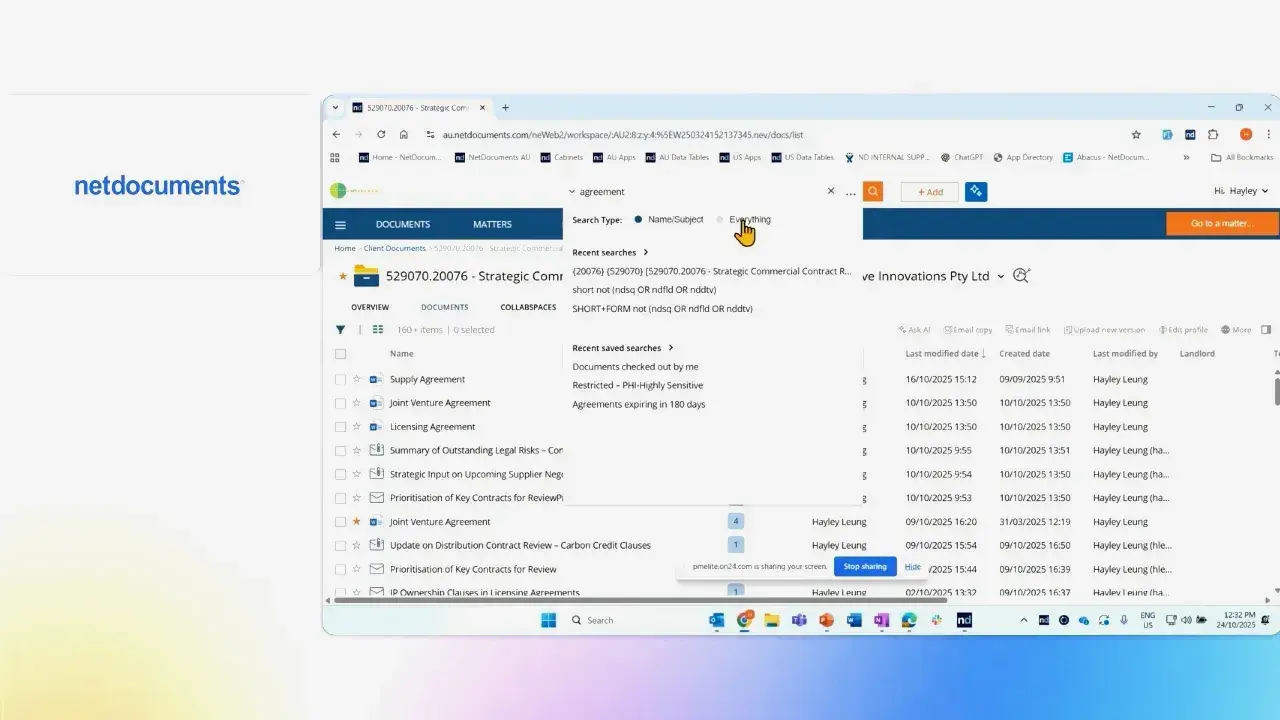
NetDocuments is a cloud-based document management system designed for law firms and legal teams. It offers matter-based document organisation, strong security controls, and secure client collaboration features.
Australian law firms use NetDocuments for its detailed access tracking, retention policies, and compliance-focused security standards. It also integrates with legal practice management systems commonly used in Australia.
Key Features:
- Matter-centric document organisation
- Secure client collaboration portals
- Advanced permission and access controls
- Full audit logs for legal compliance
- Integration with legal practice management tools
| Pros |
Cons |
| Built specifically for legal document management needs. | Pricing is premium compared to general-purpose DMS tools. |
| Strong security credentials including ISO 27001 certification. | Overkill for businesses outside the legal sector. |
| Secure client portals support confidential matter collaboration. | Integration setup may require IT assistance. |
Pricing: NetDocuments is subscription-based with pricing typically in the AUD $60–$100/user/month range, depending on modules and storage.
4. DocuWare
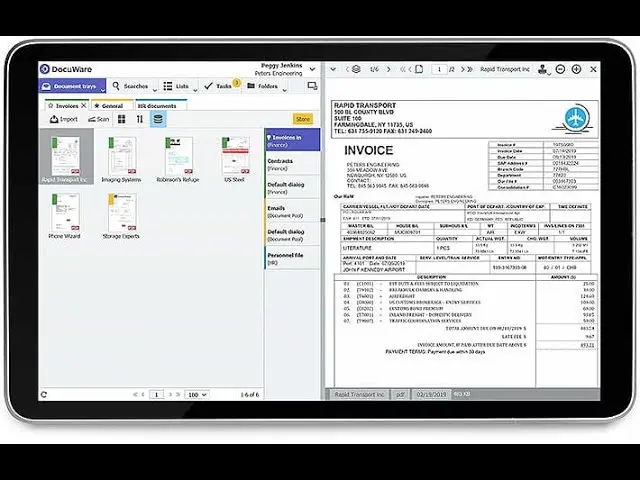
DocuWare is a cloud-based document management system focused on workflow and process automation. It helps businesses automate tasks such as invoice processing, contract approvals, and HR document management.
Australian businesses use DocuWare to reduce paper-based processes and improve workflow efficiency. It also integrates with ERP systems like SAP and Microsoft Dynamics, making it suitable for mid-sized and large organisations.
Key Features:
- Intelligent document capture with data extraction
- Configurable approval and routing workflows
- ERP integration (SAP, Dynamics, and others)
- Secure cloud storage with audit trails
- Mobile access for remote approvals
| Pros |
Cons |
| Powerful workflow automation for high-volume document processing. | Implementation requires planning and partner support. |
| Strong ERP integrations for finance and operations teams. | Pricing can escalate with additional workflow modules. |
| Scales well from mid-market to enterprise environments. | UI feels less modern than newer cloud-native competitors. |
Pricing: DocuWare is subscription-based, typically starting from AUD $400–$600/month for small teams, scaling with users and workflow modules.
5. SmartVault
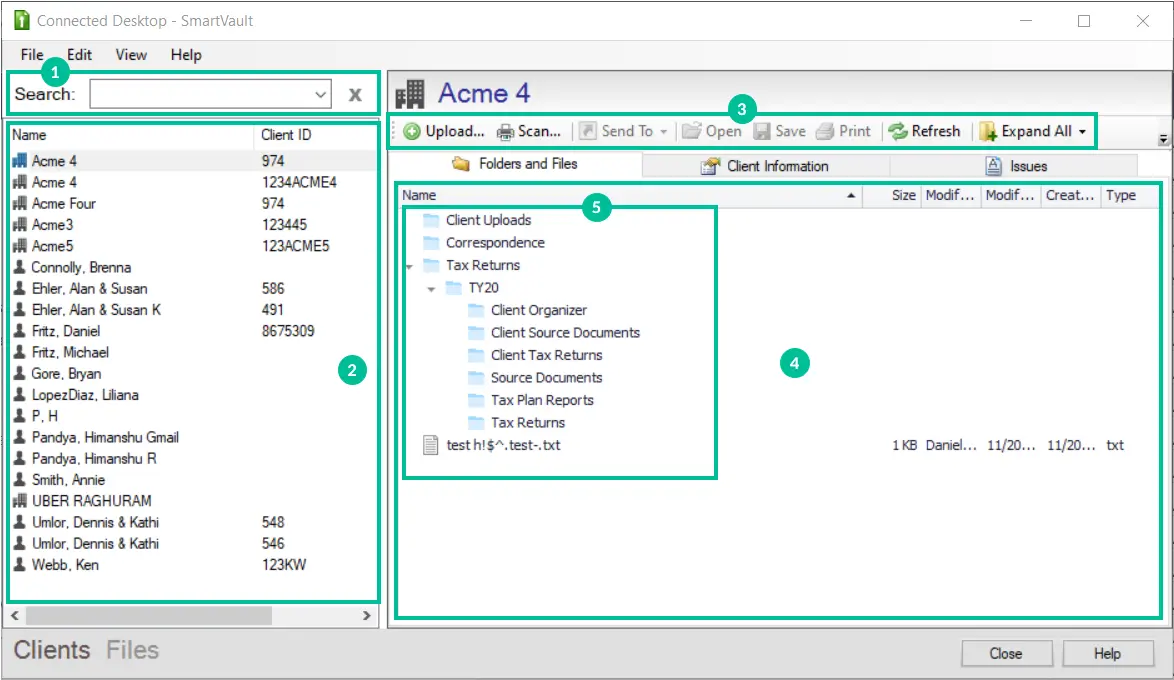
SmartVault is a cloud-based document portal designed for accountants, financial advisers, and professional services firms. It helps businesses securely share, review, and e-sign documents through a client portal instead of using email attachments.
Its integration with QuickBooks and tax software makes it popular among Australian SMB accounting firms. While it is not a full enterprise DMS, it works well for secure client document sharing and collaboration.
Key Features:
- Branded client document portal
- Secure file sharing with access controls
- Integration with QuickBooks and tax software
- E-signature support
- Audit trail of all client file activity
| Pros |
Cons |
| Excellent secure client portal for professional services firms. | Limited workflow automation compared to enterprise DMS tools. |
| Simple setup with minimal IT involvement required. | Not designed for internal document management at scale. |
| Strong QuickBooks and tax software integrations. | Storage limits apply on entry-level plans. |
Pricing: SmartVault starts at approximately AUD $55/user/month, with team plans offering better value for practices with multiple staff.
6. Folderit
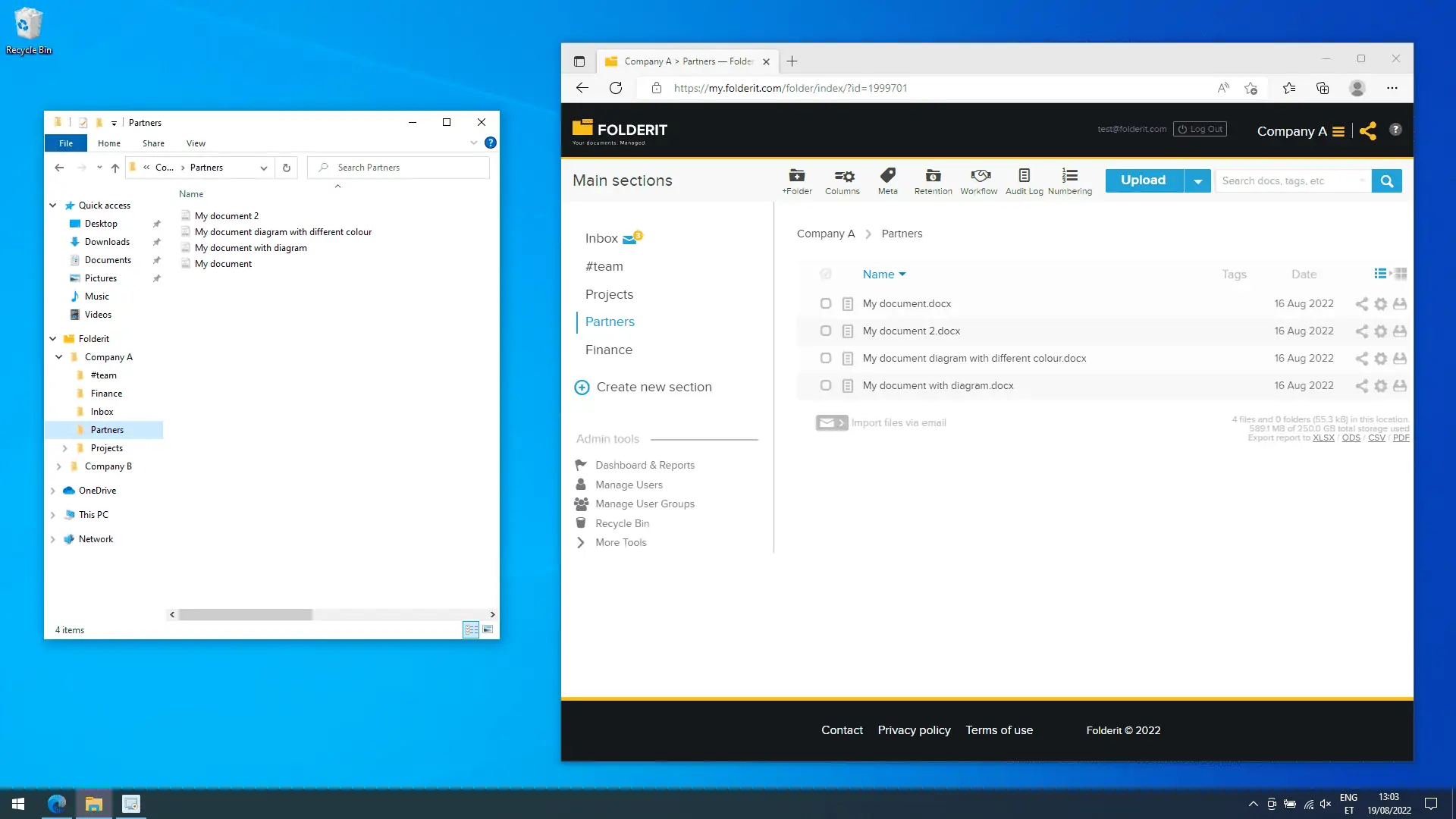
Folderit is a simple cloud-based document management system built for small and mid-sized businesses. It includes essential features such as version control, access permissions, search tools, and audit logs at an affordable price.
Its easy setup makes it suitable for small Australian businesses without dedicated IT support. While it lacks advanced automation features, it works well for teams needing straightforward document storage and organisation.
Key Features:
- Folder-based and metadata-based document organisation
- Full-text search across all stored documents
- Version control and document history
- Granular user permissions
- Mobile access and Microsoft Office integration
| Pros |
Cons |
| Very affordable entry-level pricing for SMBs. | Limited workflow automation and approval routing. |
| Simple setup with no IT expertise required. | Not suitable for large enterprise document volumes. |
| Full-text search makes document retrieval fast. | Integration ecosystem is smaller than competitors. |
Pricing: Folderit starts from approximately AUD $30/month for small teams, making it one of the most affordable full-featured DMS options on the market.
7. HashMicro
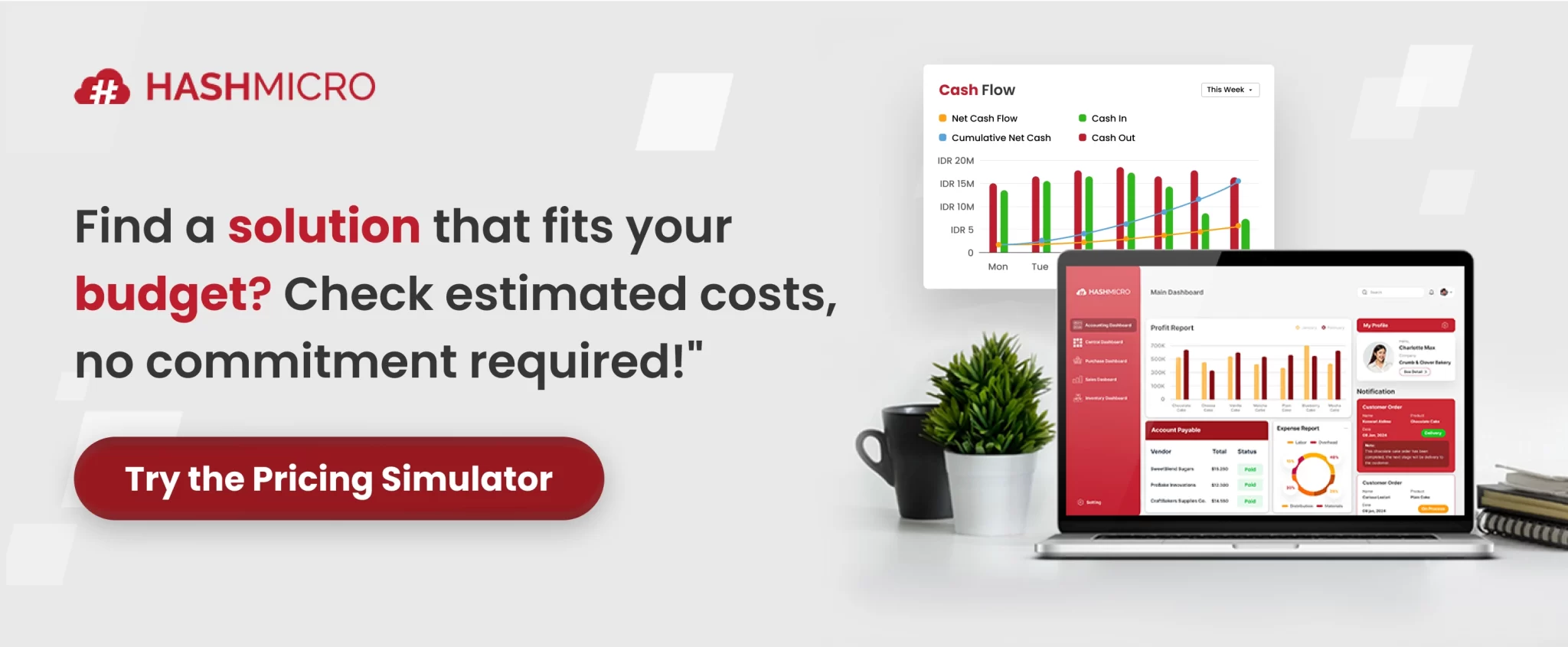
HashMicro offers a document management system integrated directly into its ERP platform, allowing businesses to manage documents alongside procurement, finance, HR, and operational workflows in one system.
This also supports procurement transaction record management by connecting purchase orders, supplier documents, approvals, and finance records in one workflow. The system also supports Australian GST and BAS compliance and includes local implementation support for Australian businesses.
Key Features:
- Native ERP integration across procurement, finance, and HR
- Automated document capture and filing from business workflows
- Access control and role-based permissions
- Full audit trail for every document action
- Australian compliance support (GST, BAS, Privacy Act)
| Pros |
Cons |
| Documents and business operations managed in one unified platform. | Best value when adopting the full ERP, not DMS as a standalone tool. |
| Australian compliance features built in (GST, BAS, Privacy Act). | Implementation requires a dedicated project team. |
| Local support team for AU-specific onboarding and configuration. | Brand recognition still growing in the AU market. |
Pricing: HashMicro offers flexible pricing including an unlimited user model, which significantly lowers total cost of ownership for growing teams.
Contact the team for a tailored quote based on modules and business size.
8. Microsoft SharePoint
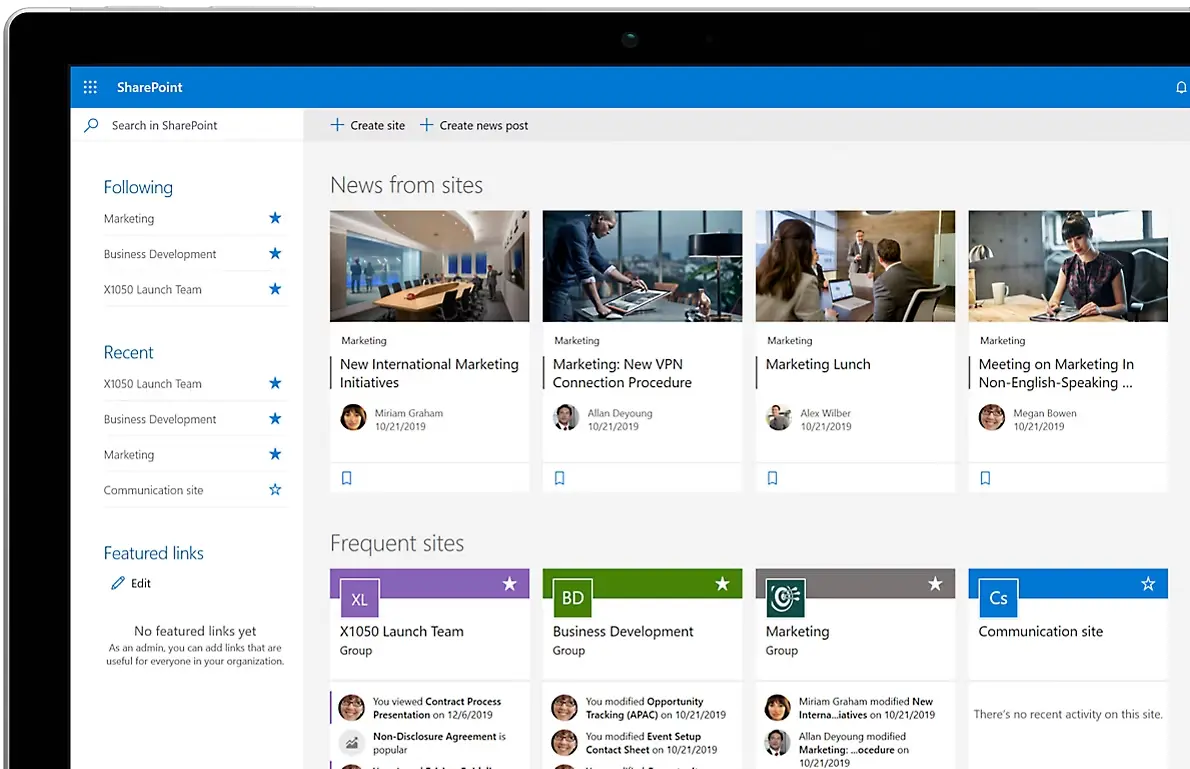
Microsoft SharePoint is a document management and collaboration platform integrated with the Microsoft 365 ecosystem. It works closely with tools like Teams, Outlook, and Office apps, making document sharing and collaboration easier for businesses already using Microsoft products.
SharePoint is known for its strong collaboration features, access controls, and scalability for large organisations. However, it requires proper setup and governance to keep documents organised and easy to manage.
Key Features:
- Deep Microsoft 365 integration (Teams, Outlook, Office)
- Site-based document libraries with granular permissions
- Version control and co-authoring
- Workflow automation via Power Automate
- On-premise and cloud deployment options
| Pros |
Cons |
| Seamless integration with all Microsoft 365 tools. | Requires strong governance to avoid becoming disorganised. |
| Highly scalable for large organisations with complex needs. | Not ideal for businesses outside the Microsoft ecosystem. |
| Often included in existing Microsoft 365 licensing. | Power Automate workflows require technical setup. |
Pricing: SharePoint is included in most Microsoft 365 Business plans starting from approximately AUD $15/user/month. Advanced capabilities may require higher-tier Microsoft 365 plans.
9. Hubdoc
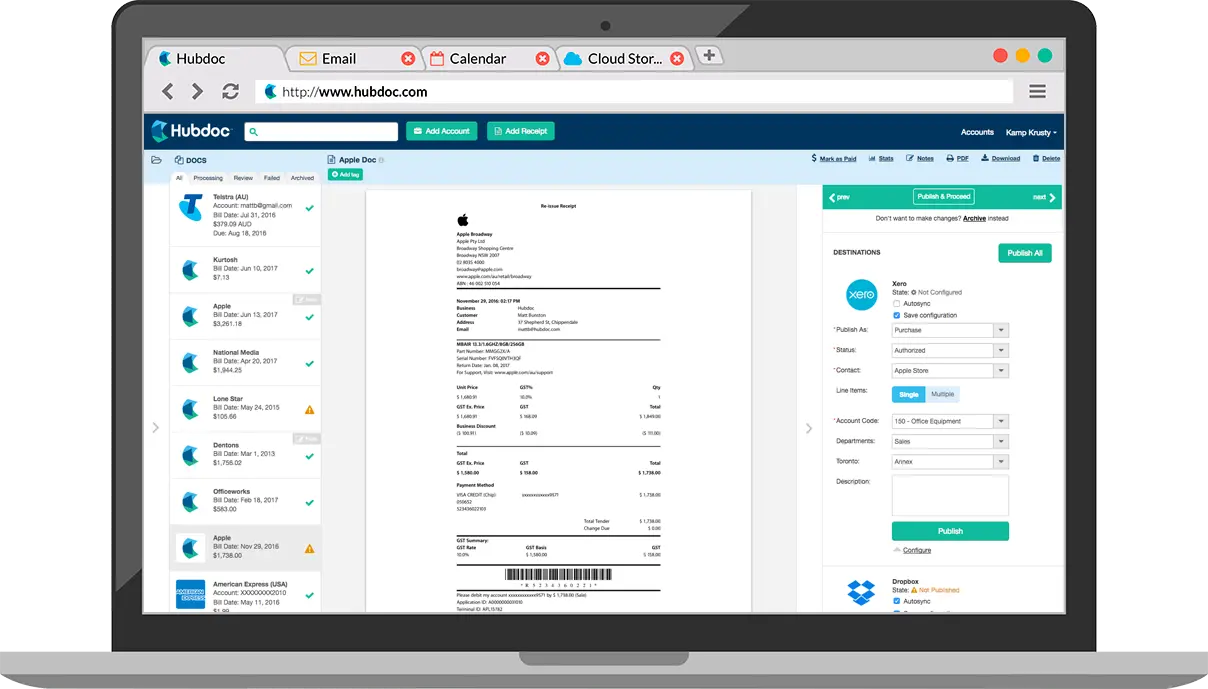
Hubdoc is a document capture tool owned by Xero that helps businesses collect and process invoices, receipts, and bank statements automatically. It sends financial records for transactions directly into accounting platforms like Xero and MYOB, reducing manual data entry.
Although it is not a full document management system, Hubdoc is highly effective for managing financial documents and reconciliation tasks. It is especially useful for Australian small businesses looking to reduce bookkeeping and admin workload.
Key Features:
- Automated document data extraction (OCR)
- Direct push to Xero and MYOB
- Supplier statement fetching
- Document storage and retrieval
- Mobile capture via app
| Pros |
Cons |
| Extremely easy to use for small business owners and bookkeepers. | Not a full DMS — limited to financial document capture. |
| Included in many Xero subscription plans at no extra cost. | Limited workflow automation beyond document capture. |
| Excellent OCR accuracy for invoices and receipts. | Storage and retrieval features are basic compared to dedicated DMS tools. |
Pricing: Hubdoc is included in Xero’s Growing and Established plans. Standalone pricing is approximately AUD $30/month.
10. Connecteam
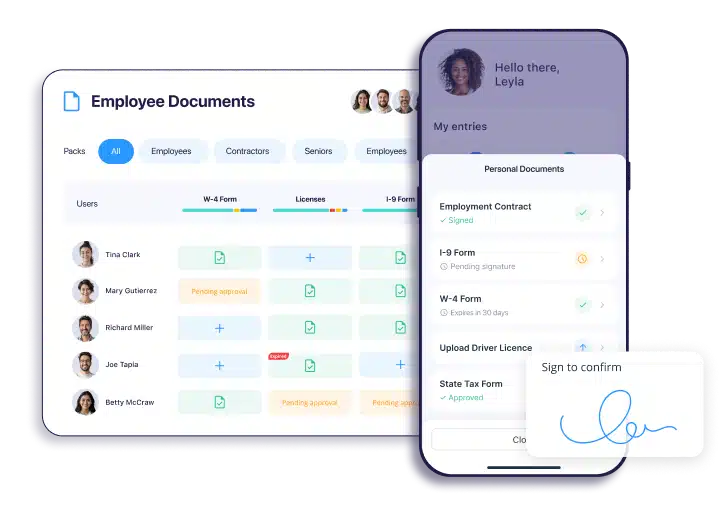
Connecteam is a mobile-first workforce management platform designed for businesses with deskless employees, such as construction, retail, hospitality, and field service teams. It helps businesses distribute, sign, and track documents like policies, onboarding files, and safety procedures through mobile devices.
For Australian businesses with teams working across multiple sites, Connecteam makes document sharing and compliance management easier. While it is not built for complex document workflows, it works well for workforce communication and document distribution.
Key Features:
- Mobile document distribution and e-signatures
- Safety and compliance document tracking
- Onboarding document workflows
- Training material storage and delivery
- GPS-tagged document sign-offs
| Pros |
Cons |
| Purpose-built for mobile and deskless workforce document needs. | Not suitable for complex internal document workflows. |
| Affordable for businesses with large frontline teams. | Limited integration with accounting or ERP platforms. |
| GPS-tagged sign-offs provide strong field compliance evidence. | Document storage and search are basic compared to enterprise DMS tools. |
Pricing: Connecteam offers a free plan for small teams (up to 10 users). Paid plans start at approximately AUD $45/month for up to 30 users, making it very cost-effective for deskless teams.
Document Management Software by Industry
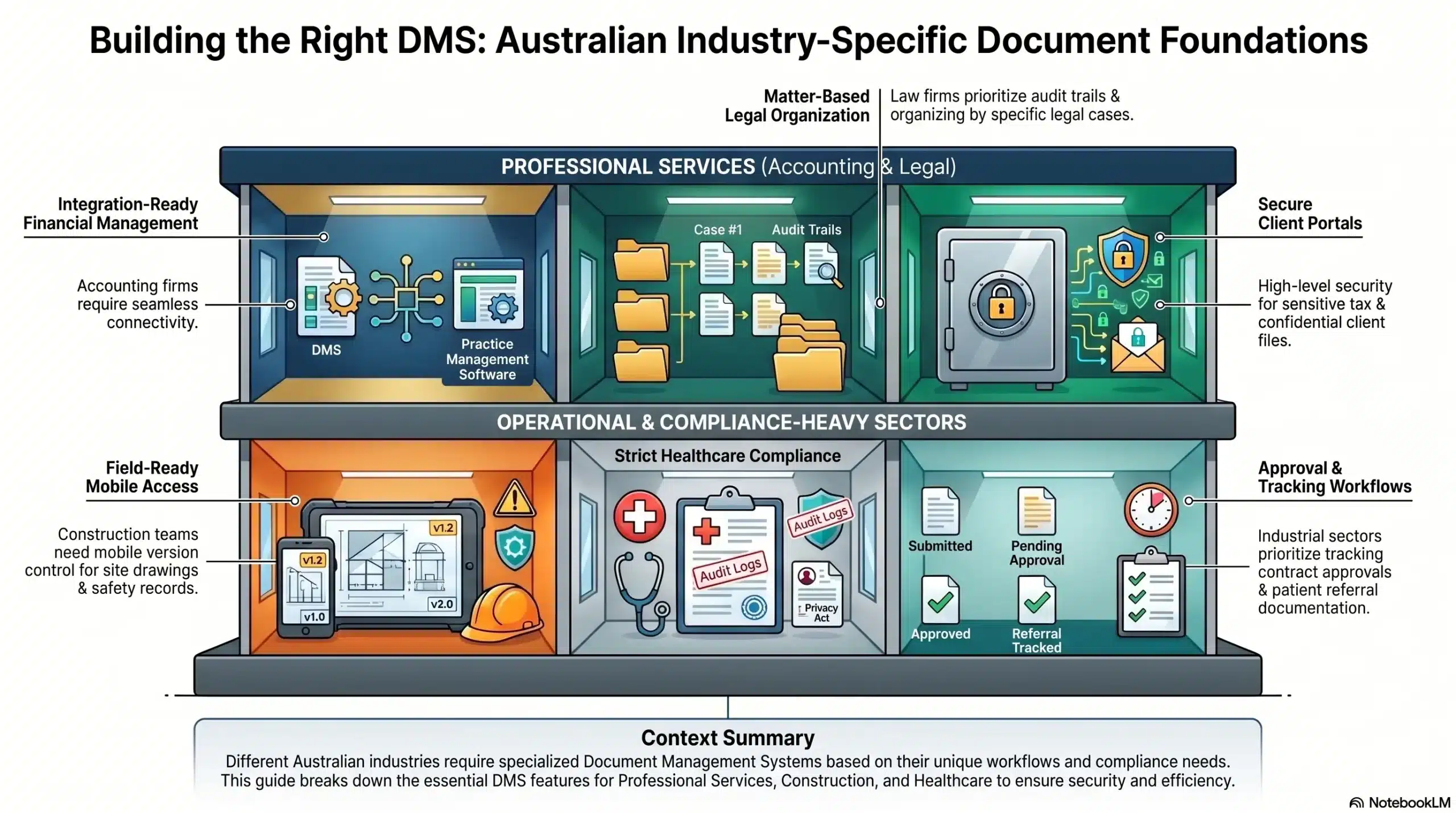
Different industries in Australia have different document management needs. The right DMS depends on factors such as compliance requirements, workflow complexity, and how teams access and manage documents.
1. Accounting & CPA Firms
Accounting firms manage sensitive financial documents such as tax files, engagement letters, and financial statements. They typically need secure client document sharing and strong integration with accounting and practice management software.
2. Legal & Law Firms
Law firms require strong security, detailed access controls, and reliable audit trails to protect confidential client information. Matter-based document organisation is also essential for managing legal cases efficiently.
3. Construction & Engineering
Construction businesses handle large volumes of drawings, contracts, safety records, and project documents across multiple sites. Mobile access, version control, and approval tracking are important for managing field operations effectively.
4. Healthcare & Medical Practices
Healthcare organisations manage sensitive patient records, referral documents, and compliance-related files. Strong security, audit logs, and controlled access are essential to meet healthcare and privacy regulations.
How Much Does Document Management Software Cost in Australia?
Document management software pricing in Australia varies depending on the platform type and business size. Small business tools can start from around AUD $30–$45 per month, while professional and industry-specific platforms often charge per user.
Mid-sized and enterprise platforms usually use quote-based pricing and may include additional implementation or integration costs. Businesses should also consider setup, training, and workflow customisation when budgeting for a DMS.
Some platforms, such as Microsoft SharePoint, are included with existing Microsoft 365 plans. However, additional setup and governance may still be needed to manage documents effectively.
Conclusion
The best document management software depends on your industry, compliance needs, and how documents fit into your daily operations. Some businesses only need simple document storage, while others require integrated workflows across finance, HR, procurement, and operations.
For Australian businesses, choosing a DMS with strong security, compliance support, and reliable workflow management is increasingly important as regulations and digital document requirements continue to grow.
Before choosing a platform, businesses should first identify their biggest document management challenges. The most effective DMS is one that matches the way the business actually works and is easy for teams to use consistently.
You can also book a free consultation with our experts to find the right document management solution for your business needs and compliance requirements.
Frequently Asked Question
Yes. Any DMS storing personal information about Australian individuals must comply with the Privacy Act 1988 and the Australian Privacy Principles. This includes requirements around data storage location, access controls, and how personal data is handled and disposed of.
FYI is the leading choice for Australian accounting firms using Xero Practice Manager, offering deep native integration and automated document filing. SmartVault is a strong alternative for firms that prioritise secure client document portals and QuickBooks integration.
EDRMS (Electronic Document and Records Management System) standards are set by the National Archives of Australia and govern how government agencies capture, classify, and retain records. Private businesses are not legally required to follow them, but adopting these standards improves document governance and audit readiness significantly.
Entry-level tools start from around AUD $30–$50/month for small teams. Professional services tools typically run AUD $49–$100/user/month. Enterprise platforms with ERP integration and workflow automation usually require a custom quote, with total first-year costs starting from AUD $20,000 including implementation.
Yes. Connecteam offers a free plan for teams of up to 10 users. Microsoft SharePoint is also available as part of many Microsoft 365 plans. For pure document storage needs, some vendors offer limited free tiers, though most full-featured DMS tools require a paid subscription.