







Navigating the complex landscape of employment laws requires more than a spreadsheet. It demands the right payroll software to ensure compliance and efficiency, especially when evaluating payroll software Australia options.
With the Fair Work payroll requirements tightening enforcement on underpayments and the intricacies of STP Phase 2, choosing the right system is a critical strategic decision for your business.
For businesses, payroll is no longer just about transferring wages, but also selecting reliable australian payroll software for compliance and reporting. It includes data integrity, automated award interpretation, and integration with HR systems.
Key Takeaways Payroll software is a system that automates salary calculations, pay runs, and payroll records to reduce manual work and generate accurate pay slips and reports. The best software automatically interprets time-sheet data and applies the correct pay rates to prevent wage theft and ensure compliance. Choosing the right payroll software helps automate salary calculations, ensure legal compliance, and streamline payroll processes efficiently.
Quick Comparison Shortlist
All recommendations on this list are manually evaluated by our editorial team based on hands-on testing, demo sessions, and verified customer feedback from Australian businesses. We do not accept payment for placement or ranking on this list.

Best Because
Award-aware automation simplifies payroll for Australian SMEs.


Best Because
Payroll journals sync directly with accounting for clean financial reporting.

Best Because
It streamlines global payroll and contractor payments with compliance support.


What is Payroll Software and Do You Actually Need It?
Payroll software is a specialized system that automates pay runs, calculates wages, and keeps payroll records consistent. It reduces manual work by handling repetitive calculations and generating pay slips and reports.
In Australia, payroll software typically supports PAYG withholding, superannuation obligations, and STP reporting. These requirements make payroll accuracy and documentation essential, not optional.
Payroll software becomes especially valuable once pay conditions vary by role, shift, location, or award rules. Manual spreadsheets increase the chance of errors, missed entitlements, and inconsistent recordkeeping.
For most businesses employing more than one person, dedicated payroll systems and compliant workforce management software help lower compliance risk and administrative overhead.
Must-have Features to Look Out for in Payroll Software
Not all payroll solutions are built to handle the unique regulatory environment, which is why choosing australian payroll software with built-in compliance features is essential.
1. Built-in modern award interpretation
The best software automates this interpretation, applying the correct rates based on time-sheet data to prevent wage theft and compliance breaches.
2. Single touch payroll (STP) phase 2 compliance
STP Phase 2 is now the standard, requiring granular reporting of income types to the ATO. Your chosen software must be ATO-certified for STP Phase 2, ensuring that disaggregation of gross income is handled automatically without manual intervention.
3. SuperStream compliance
Paying superannuation is a distinct process from paying wages and must be done via the SuperStream standard. A robust system will verify employee super funds and process these payments automatically, clearing funds to clearing houses seamlessly.
The Australian Taxation Office requires SuperStream, meaning super contributions and employee data must be sent electronically in a standard format, with payment and information linked by a unique reference number.
4. Employee self-service (ESS) portals
An integrated ESS portal allows staff to access payslips, apply for leave, and update personal details, significantly reducing the administrative burden on HR teams.
5. Payday Super Reform
Employers must pay super guarantee at the same time as salary and wages under the Payday Super reform, replacing the previous quarterly cycle. This shift increases the need for accurate payroll calculations, faster processing, and stronger compliance controls, making dedicated payroll software a more practical requirement for Australian employers.
2026 Australian Payroll Compliance Changes
Payroll regulations continue to evolve, requiring businesses to adjust how wages, superannuation, and reporting are handled. Understanding these updates is essential when choosing payroll systems that can support compliance without manual corrections.
Below are the key payroll compliance changes that impact businesses:
| Regulation | Key Change | Impact |
| Payday Super | Super paid with each pay cycle | Requires faster payroll processing and accuracy |
| STP Phase 2 | More detailed income reporting | Increases compliance complexity |
| ATO Data Matching | Stronger payroll data validation | Higher audit and penalty risks |
| Super Guarantee Updates | Ongoing contribution adjustments | Affects payroll cost planning |
Quick Comparison Table
Below is a high-level matrix comparing leading Payroll Software in Australia, based on which ones best fit user and where they typically perform strongest. Use it to quickly narrow your shortlist before reviewing details like pricing, implementation approach and compliance requirements.
| Features | Employment Hero | ADP Payroll | HashMicro | QuickBooks Payroll | KeyPay | Sage MicrOpay | Xero Payroll | Deel | MYOB | ELMO Software | Rippling | Microkeeper | Reckon Payroll | Payroller |
|---|---|---|---|---|---|---|---|---|---|---|---|---|---|---|
| Ease of Use | ||||||||||||||
| Automation Level | ||||||||||||||
| Award Interpretation | ||||||||||||||
| Scalability | ||||||||||||||
| AU Compliance (STP, Super, Payday Super) | ||||||||||||||
| Reporting & Controls | ||||||||||||||
| Best For Business Size | SME | Enterprise | Mid–Large | Small | SME | Mid | Small | Global | SME–Enterprise | Mid | Mid | SME | Small | Micro |
14 Best Payroll Software in Australia 2026
This list covers solutions ranging from SME-focused tools to enterprise-grade ERP modules.
1. Employment Hero Payroll
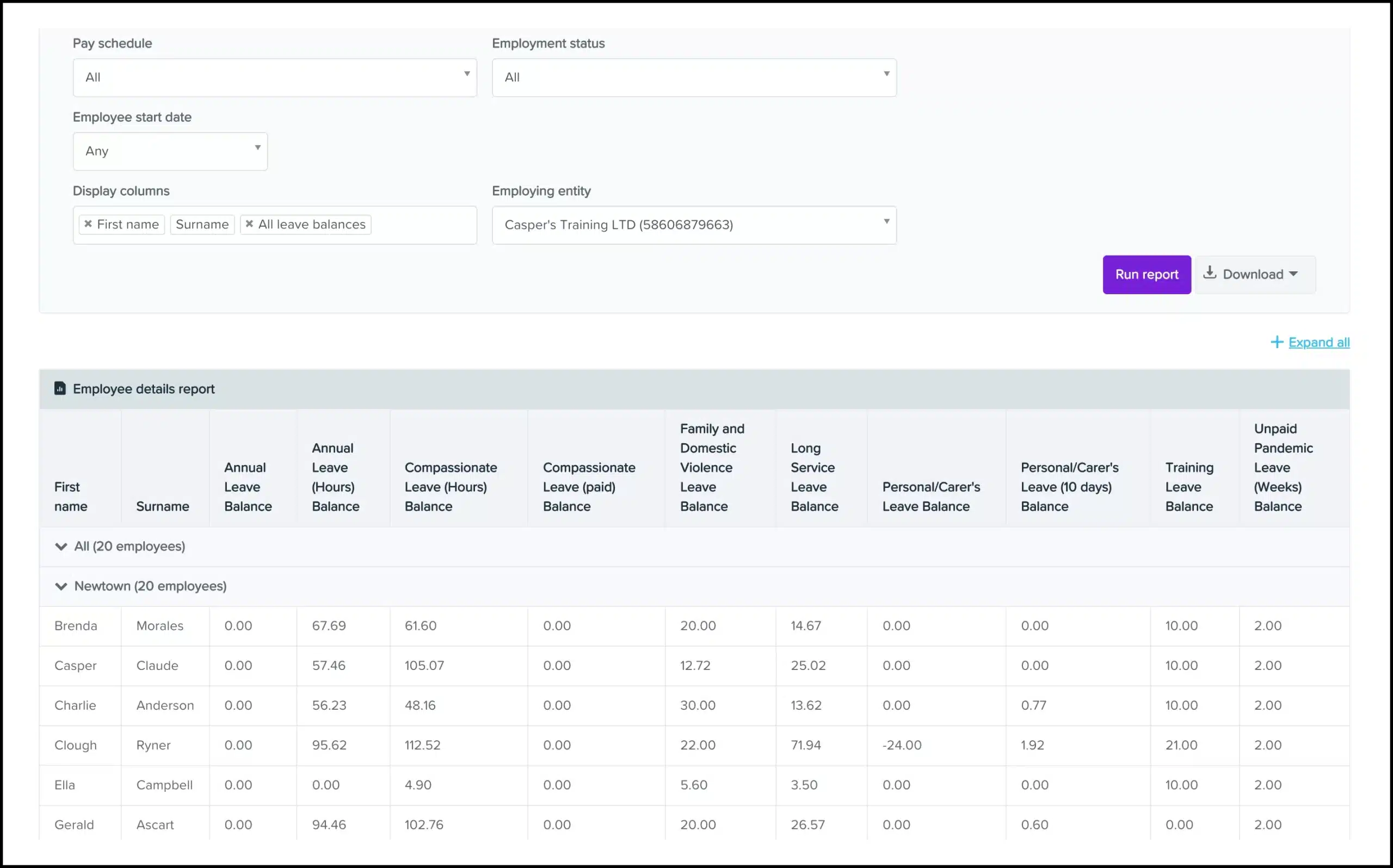
Employment Hero combines HR and payroll in one platform, with a highly automated payroll module popular among Australian SMEs. It supports employee engagement features and award-aware pay rules to streamline pay runs.
Key Features:
- Automated Pay Runs: Set up recurring pay runs that process automatically for salaried staff.
- Modern Award Library: Pre-built rule sets for the most common Australian awards.
- WorkZone App: Mobile app for employees to manage timesheets and leave.
| Pros | Cons |
|
|
Pricing: Pricing is tiered based on modules (HR vs. Payroll) and headcount, generally starting around $6-$10 per employee per month for the bundle.
Suitable for: Australian SMEs wanting combined HR and payroll with strong automation and compliance support.
2. ADP Payroll
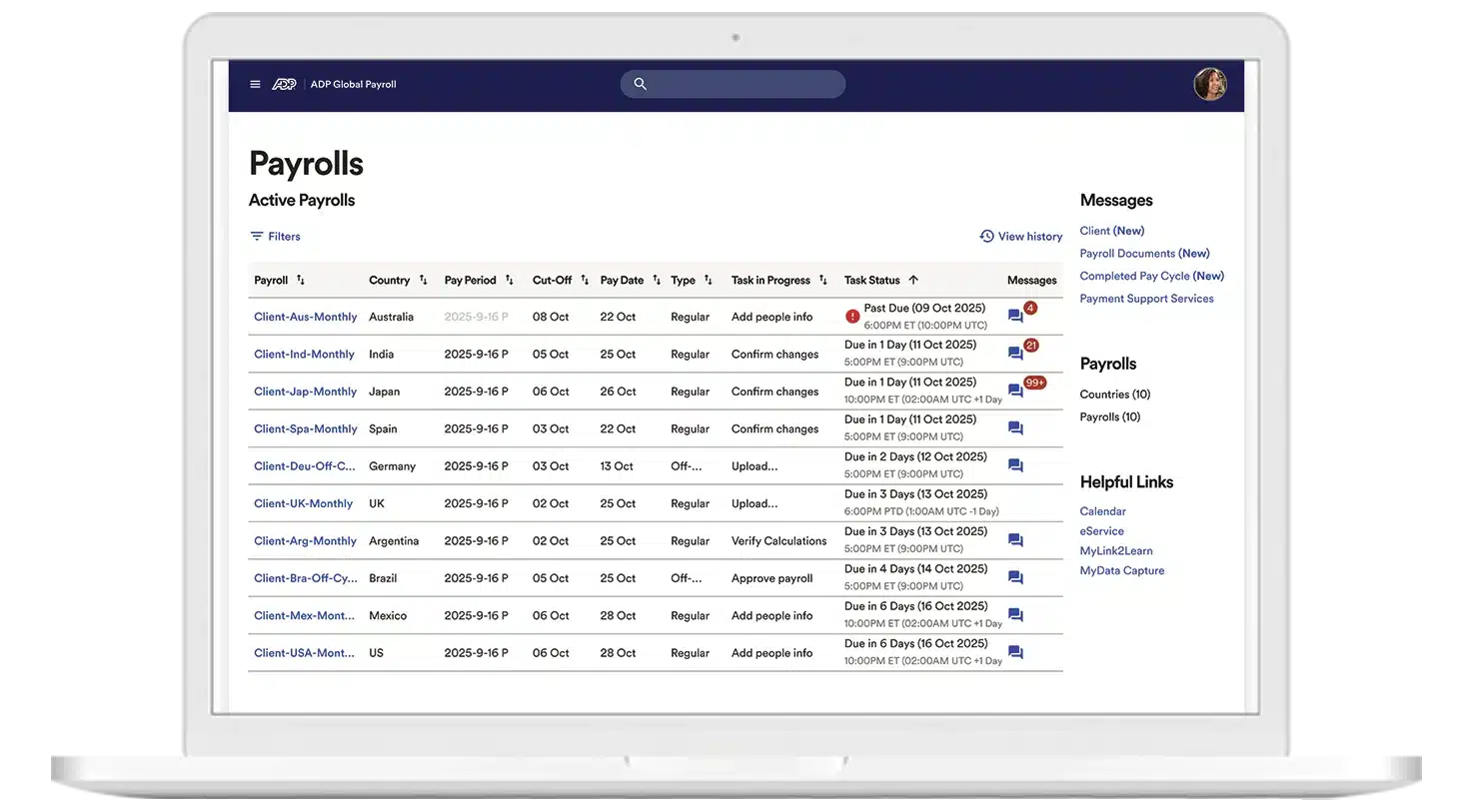
ADP provides scalable payroll for mid-market and enterprise organizations in Australia, with strong compliance support and optional payroll outsourcing. It handles complex EBAs and suits multinationals needing consolidated reporting.
Key Features:
- Global Payroll View: Unified dashboard for multi-country payroll management.
- Managed Services: Option to fully outsource payroll processing to ADP experts.
- Deep Analytics: Advanced reporting tools for labor cost analysis.
| Pros | Cons |
|
|
Pricing: Quote-based only. Costs vary significantly based on service level (SaaS vs. Managed Services) and employee count.
Suitable for: Mid-market and enterprise organizations needing scalable payroll, compliance assurance, and optional outsourcing.
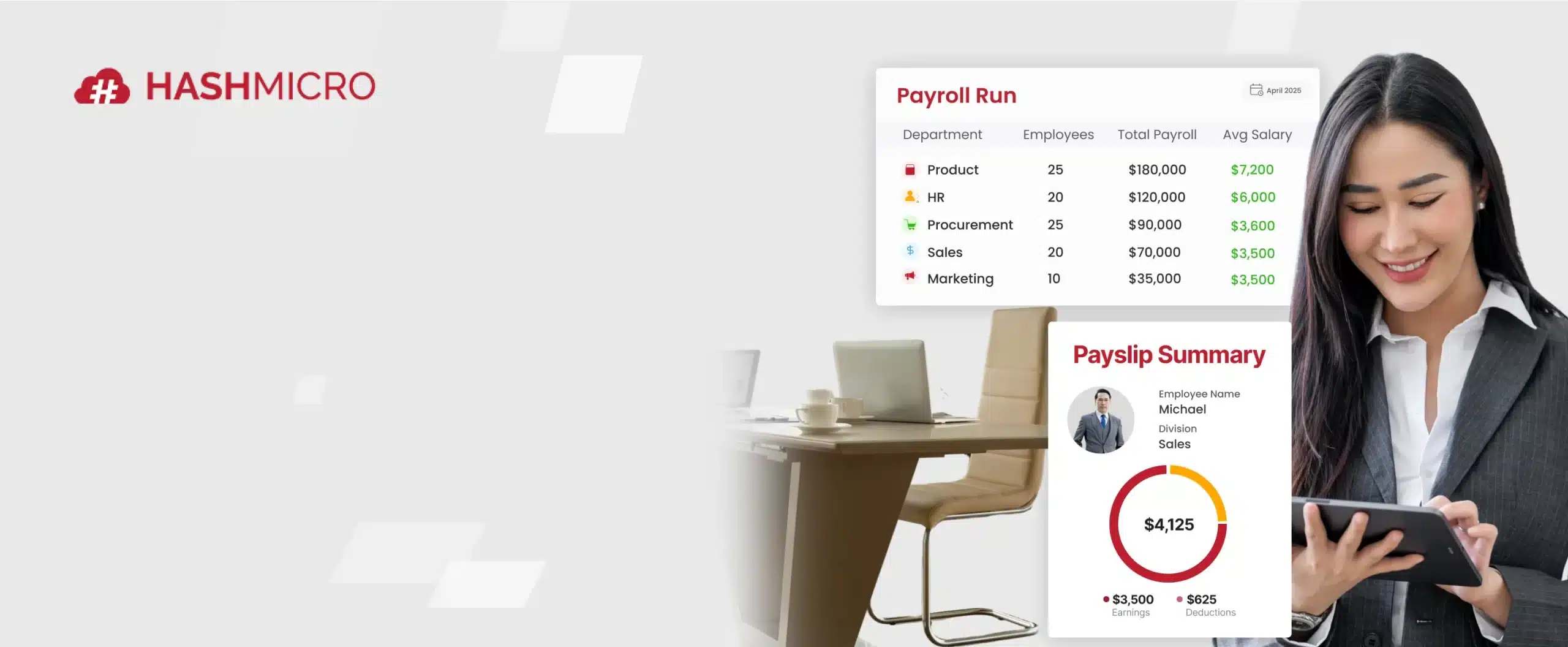
3. HashMicro
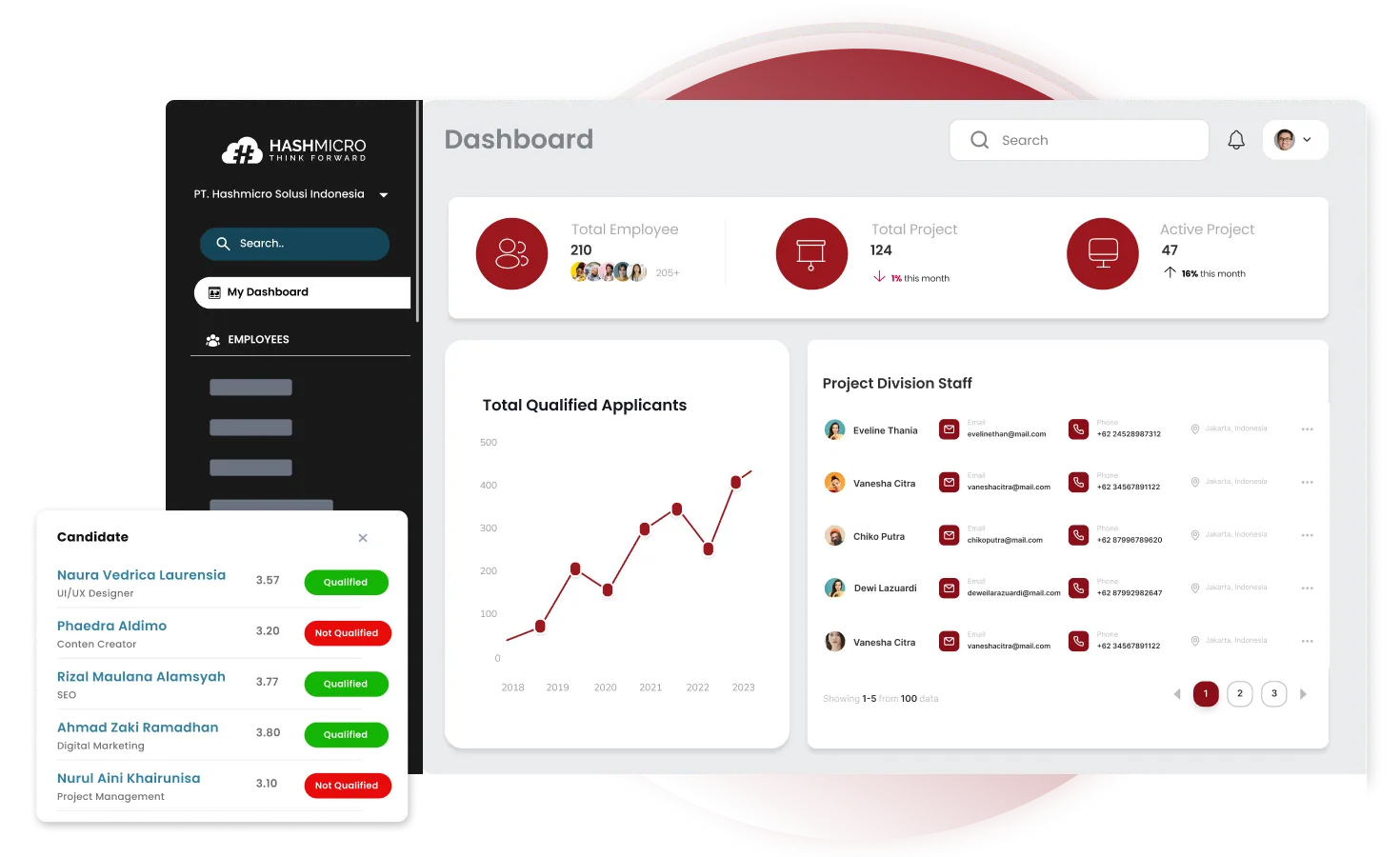
HashMicro offers a fully integrated ERP solution where payroll is a core component of a broader business ecosystem. HashMicro’s Payroll module is highly customisable and connects with HR and accounting in one platform, making it the best choice for industries with complex operational workflows
Key Features:
- End-to-End ERP Integration: Seamlessly links payroll data with financial and operational KPIs.
- Customizable Formula Builder: Allows for unique salary structures, commissions, and complex deductions.
- Face Recognition Attendance: Integrates biometric data directly into payroll to prevent time theft.
- Automated Tax & Insurance: Localized for Australian tax laws and scalable to other APAC regions.
| Pros | Cons |
|
|
Pricing: Quote-based. HashMicro typically offers a competitive model for mid-to-large enterprises, often providing better long-term TCO due to its unlimited user pricing structure.
Suitable for: Single-site and multi-site businesses that require payroll integration with ERP workflows, including accounting, operations, and project costing.
4. QuickBooks Payroll
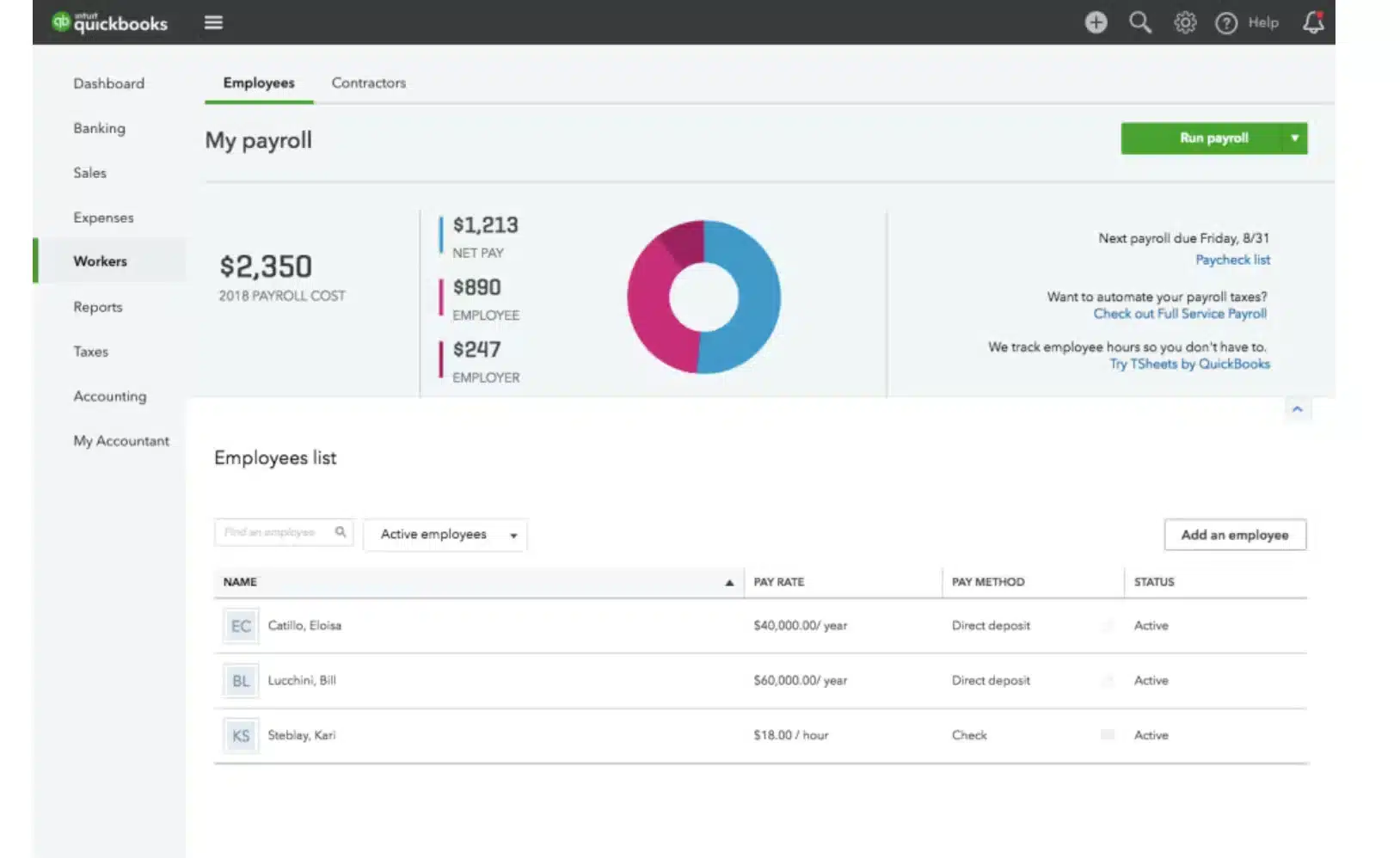
QuickBooks Payroll is a user-friendly payroll add-on for small businesses, especially service teams and contractors. The platform simplifies the end-of-year finalization process and offers a “Auto Pay” feature.
Key Features:
- Automated Super Payments: Direct integration with super clearing houses.
- Timesheet to Pay Run: Seamless flow from employee time tracking to pay packet.
- Employee Portal: Staff can view payslips and manage banking details.
| Pros | Cons |
|
|
Pricing: Generally included as an add-on to QuickBooks Online, starting from approximately $25/month plus a per-employee fee.
Suitable for: Small businesses wanting simple payroll automation within an accounting-led workflow.
5. KeyPay
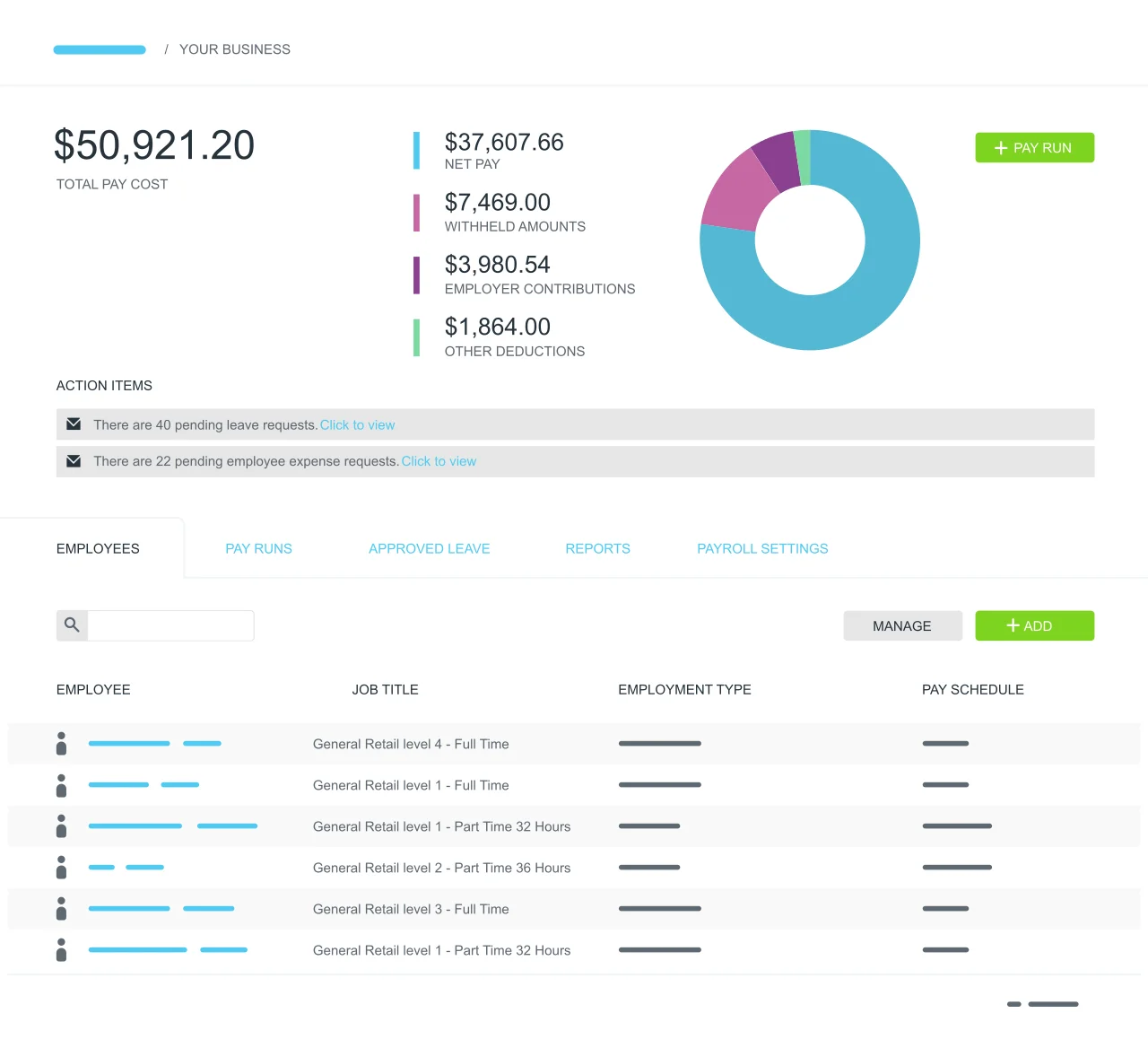
KeyPay is one of the best payroll software Australia options for automated, award-aware payroll, built for complex shift-based pay rules. Its cloud award interpreter supports set-and-forget processing for casual and rostered workforces.
Key Features:
- Pre-Built Awards: Instant access to compliant rule sets for major industries.
- Roster vs. Actuals: Compare budgeted roster costs against actual timesheet costs.
- Paperless Onboarding: New hires enter their own data, TFN, and super details.
| Pros | Cons |
|
|
Pricing: Starts around $6 per active employee per month, making it a cost-effective option for the feature set provided.
Suitable for: Shift-based businesses with complex award rules that need highly automated, award-aware payroll processing.
6. Sage MicrOpay
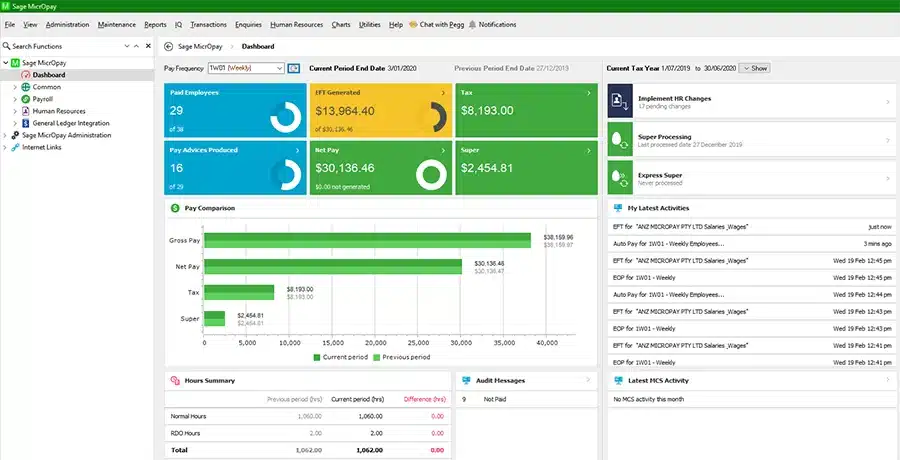
Sage MicrOpay offers payroll solution used in the Australian mid-market for complex pay rules and detailed reporting. Strong calculation accuracy, GL costing, and precise back-pay adjustments make it reliable for payroll corrections.
Key Features:
- Advanced General Ledger Interface: Maps payroll costs to complex accounting structures.
- Retrospective Calculations: Automatically calculates backpay for pay rate changes.
- Comprehensive Reporting: Hundreds of standard reports available out of the box.
| Pros | Cons |
|
|
Pricing: Quote-based. Typically involves upfront licensing or annual subscription fees suited for mid-sized businesses.
Suitable for: Payroll teams requiring granular control, detailed reporting, and precise back-pay adjustments.
7. Xero Payroll
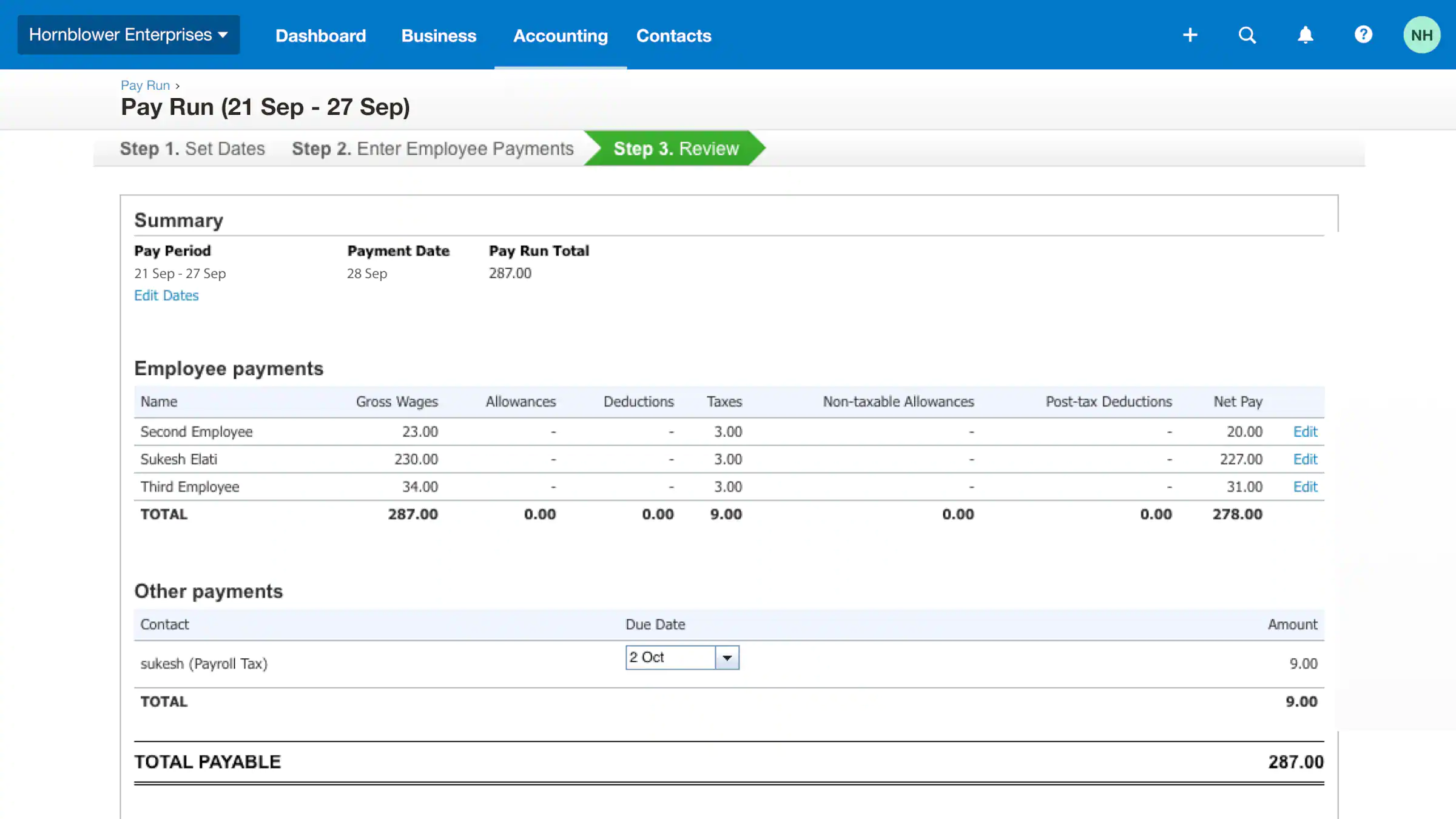
Xero Payroll offers payroll features used by many Australian micro and small businesses, built directly into the Xero accounting suite. Payroll journals post automatically to the ledger for a smoother accounting workflow.
Key Features:
- Auto-Super: Automated superannuation processing via ClickSuper.
- Xero Me App: Employees can view payslips and request leave from their phones.
- Reimbursement Management: Handle expense claims within the payroll run.
| Pros | Cons |
|
|
Pricing: Payroll for limited employees is included in Xero subscriptions (starting ~$32/month). Larger payrolls incur extra monthly fees.
Suitable for: Micro and small businesses that want payroll tightly connected to accounting and automatic ledger posting.
8. Deel
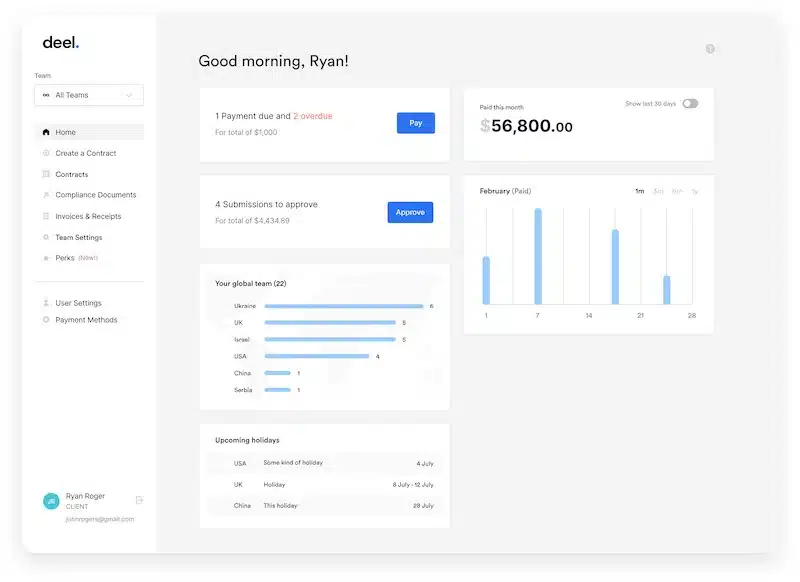
Deel is a global payroll platform for remote teams, enabling payments to contractors and employees across many countries from one dashboard. For Australian tech companies hiring talent in Southeast Asia or the US, Deel acts as the Employer of Record (EOR), handling local compliance risks.
Key Features:
- Employer of Record (EOR): Deel legally hires staff on your behalf globally.
- Crypto Payments: Option to pay contractors in cryptocurrency (where legal).
- Global Compliance: Automated contract generation compliant with local laws.
| Pros | Cons |
|
|
Pricing: EOR services start around $599 USD/employee/month. Contractor management is cheaper, starting around $49 USD/month.
Suitable for: Companies paying international contractors or employees and needing global payroll and EOR support.
9. MYOB
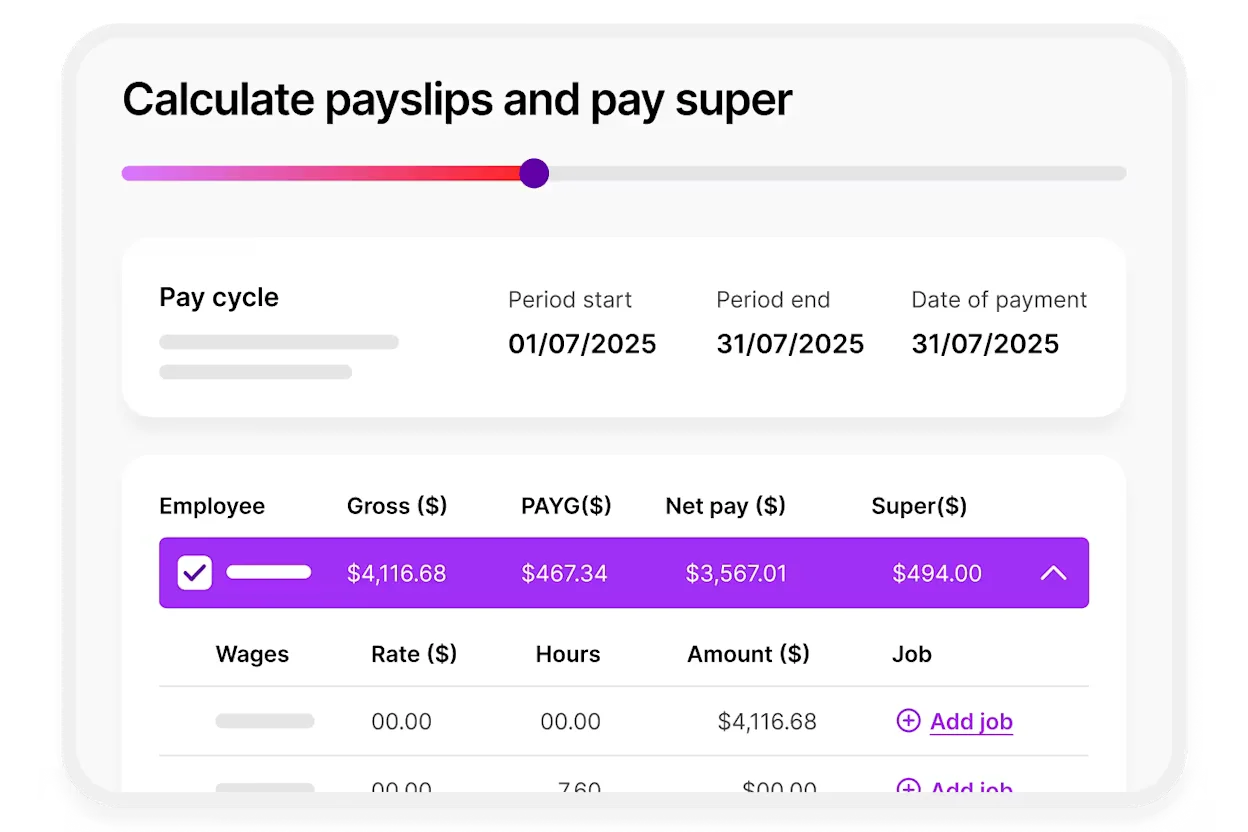
MYOB is an Australian payroll provider with cloud options and strong local compliance support for AU and NZ rules. Its advanced payroll suits larger organizations needing complex payroll handling.
Key Features:
- Workforce Management: Integrated rostering and attendance features.
- STP Phase 2 Ready: Fully compliant reporting to the ATO.
- Local Support: Australian-based support teams understand local nuances.
| Pros | Cons |
|
|
Pricing: SME plans start around $30/month. Enterprise (MYOB Advanced) is quote-based.
Suitable for: Australian businesses wanting locally built payroll with strong AU compliance and local support.
10. ELMO Software
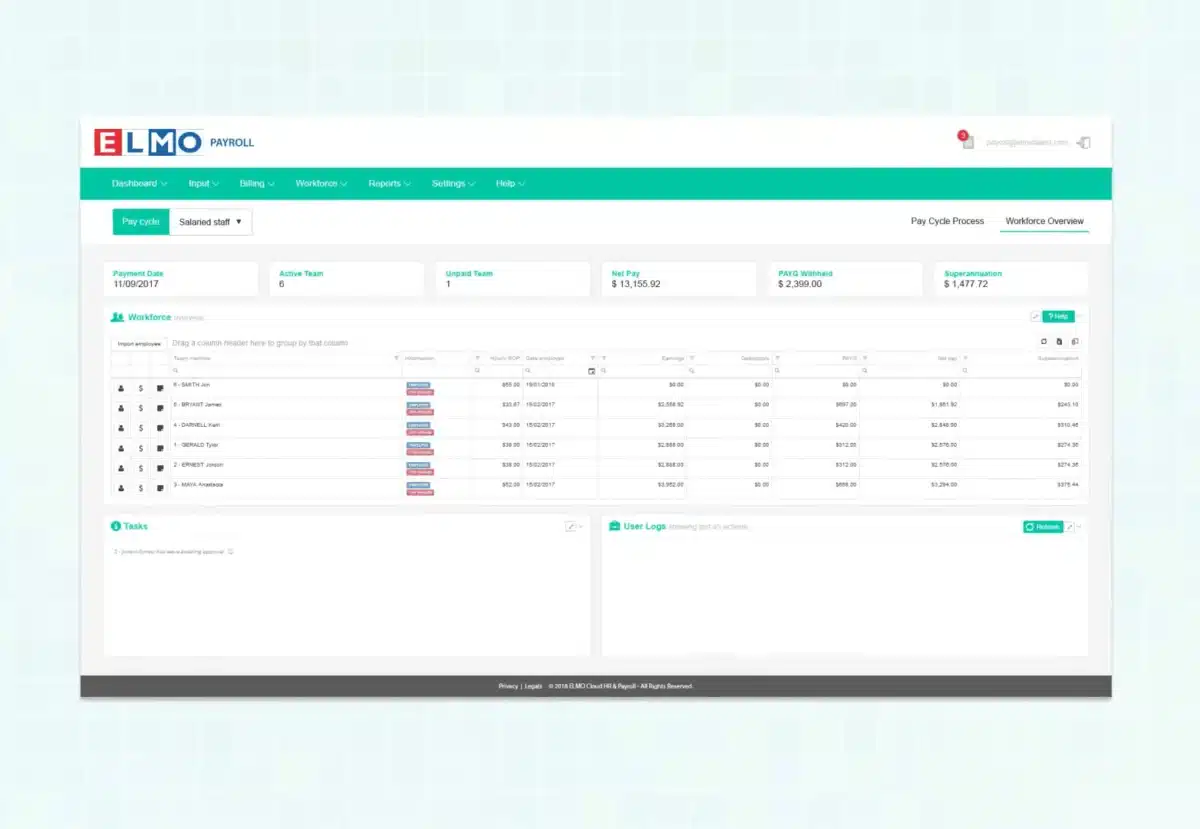
ELMO is a modular HR and payroll suite for mid-sized businesses, covering the employee lifecycle from hire to retire. As best AU payroll software, it reduces double handling by keeping HR and payroll data tightly integrated.
Key Features:
- Modular Suite: Add Learning, Performance, or Recruitment modules as needed.
- Secure Pay: A high-security payroll engine compliant with ISO standards.
- Dashboard Analytics: Visual reporting on leave liability and wage costs.
| Pros | Cons |
|
|
Pricing: Quote-based, generally depending on the number of modules and employees.
Suitable for: Mid-sized organisations wanting modular HR and payroll across the hire-to-retire lifecycle.
11. Rippling
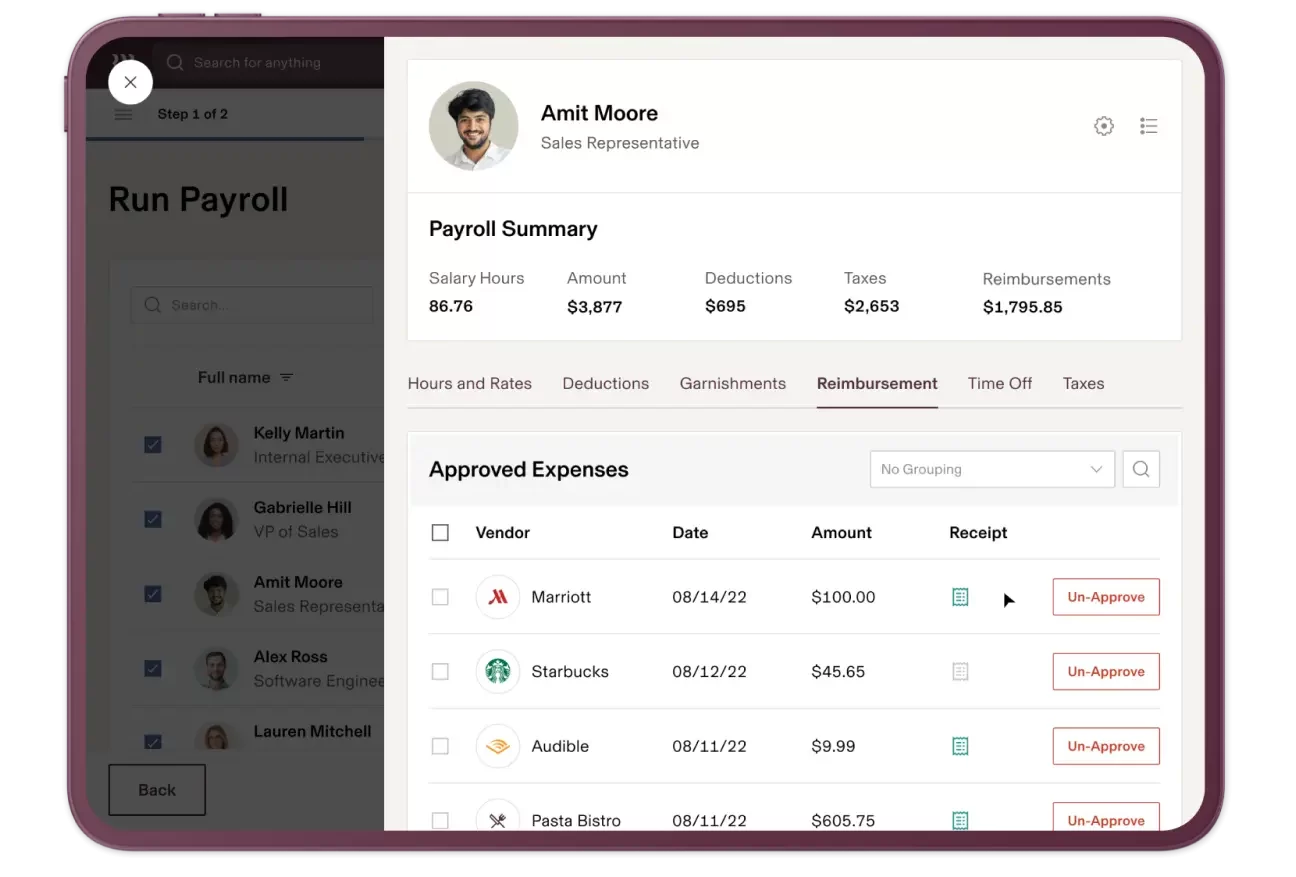
Rippling combines payroll with HR and IT automation in one platform as one of the best software for payroll. It streamlines onboarding and offboarding by triggering account and access changes across business tools.
Key Features:
- IT Device Management: Manage employee hardware alongside payroll.
- Global Payroll: Pay international staff easily.
- Workflow Automator: No-code builder to automate cross-department processes.
| Pros | Cons |
|
|
Pricing: Starts at $8 per user/month, but costs increase as you add IT and HR modules.
Suitable for: Tech-forward and distributed teams needing payroll plus HR and IT automation in one platform.
12. Microkeeper
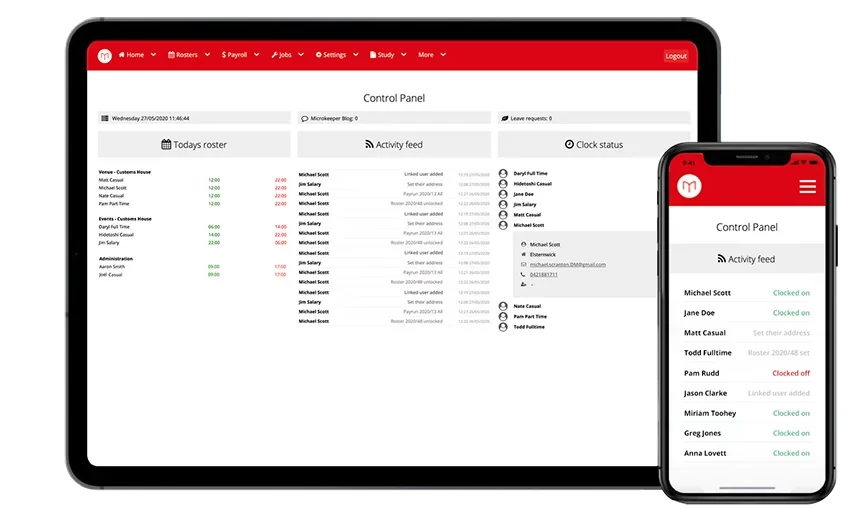
Microkeeper is one of the best payroll software Australia options for hourly-workforce businesses, combining rostering, time clocks, and payroll in one system. It uses biometric or NFC time tracking to automate pay calculations from clock-on to pay-out.
Key Features:
- Biometric Time Clocks: Hardware options for secure time tracking.
- Roster Budgeting: See the cost of a shift before you publish the roster.
- Skill Tracking: Ensure rostered staff have the necessary qualifications (e.g., RSA).
| Pros | Cons |
|
|
Pricing: Starts around $4 per employee per month, with additional costs for hardware scanners.
Suitable for: Hourly-workforce businesses that want time clocks, rostering, and payroll tightly linked for automation.
13. Reckon Payroll
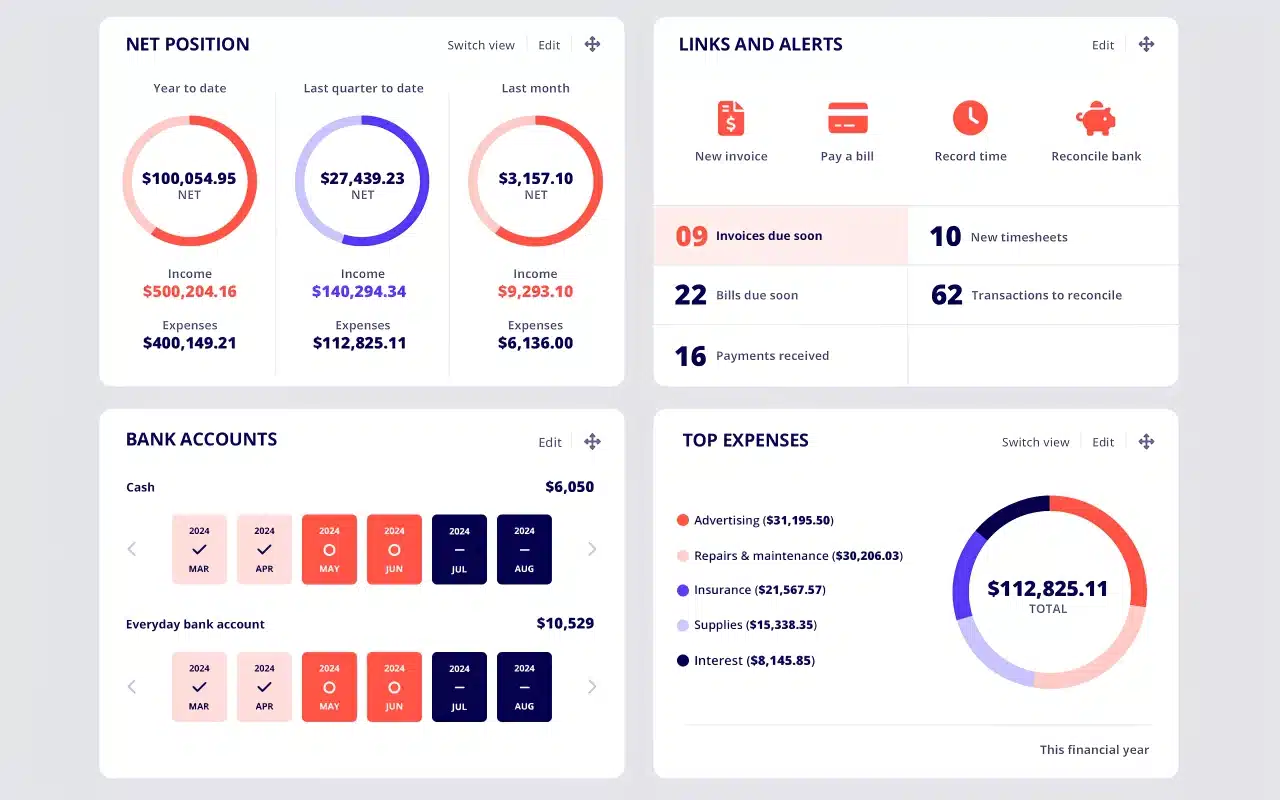
Reckon Payroll is a straightforward Australian payroll solution built for small businesses that want simple wage processing without per-employee pricing. It covers wages, leave, super, and Single Touch Payroll, making it a practical choice for growing teams that want compliance and value in one platform.
Key Features:
- Single Touch Payroll Support: Helps businesses manage STP submissions and stay aligned with payroll compliance requirements.
- No Per-Employee Pricing: Charges a flat monthly fee instead of increasing costs as headcount grows.
- Simple Payroll Management: Supports pay runs, leave tracking, super, and employee record management in one system.
| Pros | Cons |
|
|
Pricing: Starts from AUD 16/month. Free trial available.
Suitable for: Small businesses that want affordable payroll, simple compliance support, and predictable pricing as employee numbers grow.
14. Payroller
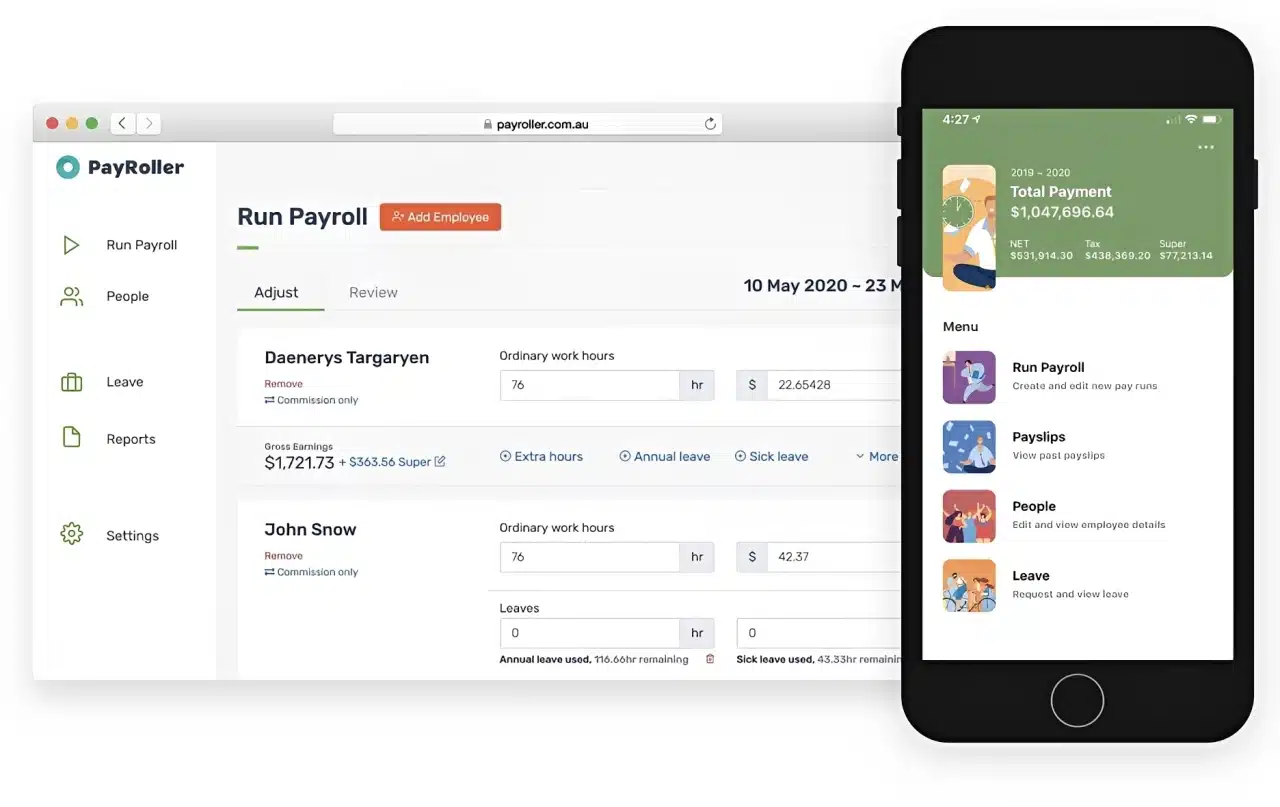
Payroller is an Australian-made payroll app designed for micro-businesses, sole traders, and small employers that need an easy and affordable way to stay compliant. It keeps payroll simple with web and mobile access, while still covering STP Phase 2, superannuation, PAYG, and leave tracking.
Key Features:
- STP Phase 2 Approved: Supports compliant payroll reporting for Australian businesses.
- Employee Self-Service: Lets employees access payslips and timesheets more easily.
- Multi-Device Access: Works across desktop, tablet, and mobile for flexible payroll processing.
| Pros | Cons |
|
|
Pricing: Free plan available. Also offers low-cost paid tiers.
Suitable for: Sole traders, freelancers, and micro-businesses that want a simple, compliant, and budget-friendly payroll solution.
15. e-PayDay
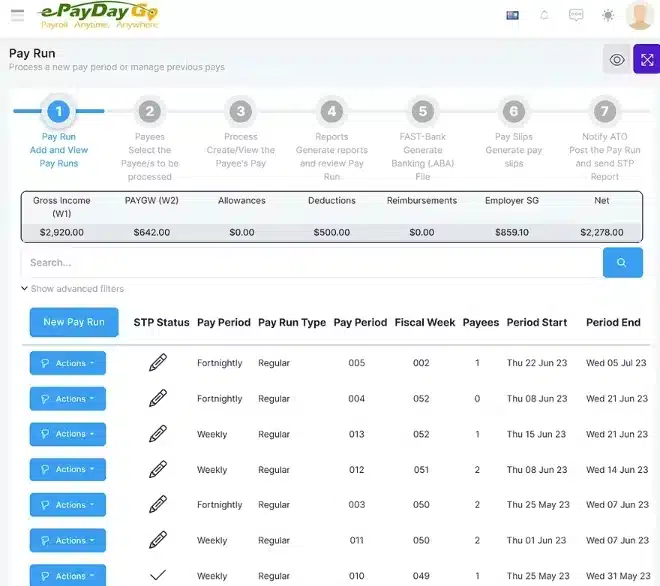
e-PayDay is an Australian-built payroll solution designed for small to medium businesses needing compliant, straightforward payroll processing. It supports STP Phase 2, superannuation, and PAYG withholding.
The platform is locally developed and maintained, giving Australian businesses access to support teams familiar with Fair Work and ATO requirements. It suits businesses that want reliable payroll without excessive overhead.
Key Features:
- STP Phase 2 Reporting: Compliant ATO payroll lodgment built into the workflow.
- Award and Leave Support: Handles common Australian award conditions and leave balances.
- Superannuation Processing: Automated super calculations and clearing house support.
| Pros | Cons |
|
|
Pricing: Quote-based; confirm current pricing directly with e-PayDay.
Suitable for: Small to medium Australian businesses wanting a locally built, compliance-ready payroll solution without the complexity of enterprise platforms.
Do You Need Payroll Software or Accounting Software?
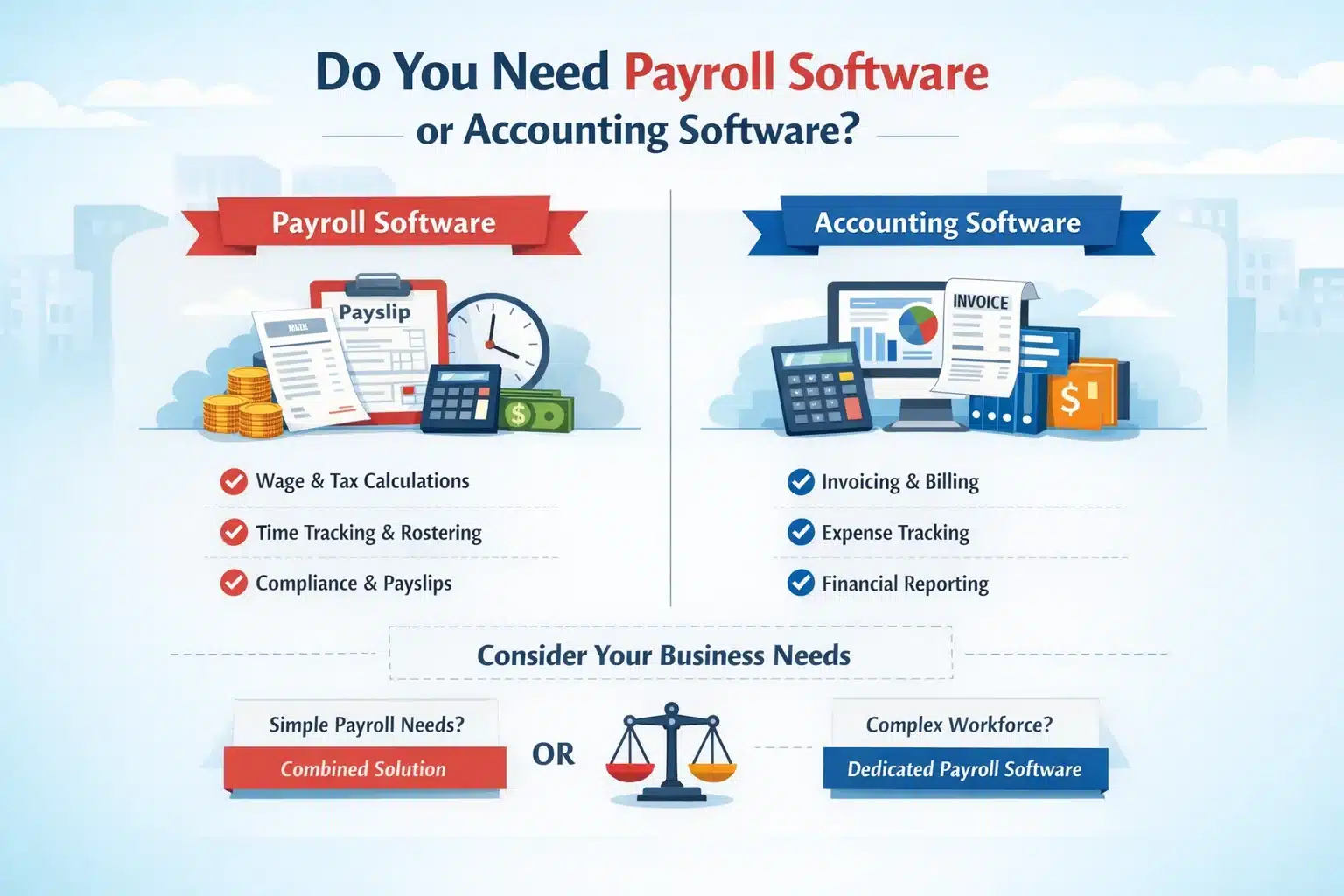
Accounting software helps businesses manage invoicing, expenses, and financial records, while payroll software focuses on accurate wage processing, taxes, super, and other payroll obligations. In simple terms, accounting software supports bookkeeping, while the best payroll software supports employee pay and compliance.
For very small teams with simple pay structures, an accounting platform with built-in payroll may still be enough. It can reduce admin work and keep payroll records connected with the rest of your financial data.
As headcount grows and pay rules become more complex, dedicated payroll systems become more valuable. The best AU payroll software is better suited for managing leave, pay conditions, recurring payroll tasks, and compliance requirements that general accounting tools may not handle reliably.
This matters even more in Australia because, from 1 July 2026, employers must pay super guarantee at the same time as salary and wages under the Payday Super reform, rather than on the older quarterly cycle.
That change underscores the need for greater payroll accuracy, faster processing, and better compliance controls, making dedicated payroll software a more practical choice for many employers.






How to Choose the Right Payroll Software for Your Australian Business
Selecting software is not about choosing the platform with the most features, but identifying australian payroll software that fits your operational and compliance needs. Use this framework to help identify the best payroll software for your business.
1. The volume vs complexity matrix
High volume, low complexity: Large teams with mostly salaried employees and standard pay rules should prioritise speed, automation, and clear reporting. The best AU payroll software for this setup focuses on efficiency and reliable payroll processing.
Low volume, high complexity: Smaller teams with shift penalties, allowances, and variable overtime need stronger rules engines and award-compliant calculations. Accurate automation is more important than scale in these environments.
High volume, high complexity: Businesses with large headcounts and complex rosters need enterprise-grade payroll with deep integrations, advanced controls, and scalable reporting. Strong compliance features are essential at this level.
2. Total cost of ownership (TCO)
Do not judge payroll systems only by monthly subscription costs. Calculate the total cost by including setup fees, training, support, and internal admin time required to manage the system.
Pricing in the Australian payroll software market ranges from $6 to $19 per active employee per month for cloud-based solutions, with enterprise platforms offering quote-based pricing that delivers stronger long-term TCO.
A lower-cost platform that needs hours of manual data entry each month may cost more overall than the best payroll software with stronger automation and fewer ongoing tasks.
3. Ecosystem fit
Your payroll software cannot exist in a vacuum. It must connect with a critical HR management system, accounting software, and time-tracking tools to keep workforce data aligned.
If you are in manufacturing, an ERP that unifies inventory, production, and payroll will provide a higher ROI than disparate systems patched together.

Conclusion
Payroll management in Australia requires more than simply processing wages on time. The best payroll software helps ensure accuracy, compliance, and consistent reporting across every pay cycle.
As workforce rules grow more complex, automation becomes essential to reduce errors and administrative strain. The best AU payroll software connects time tracking, tax calculations, and superannuation into a structured workflow that improves efficiency.
Strong reporting and audit trails help identify cost patterns, resolve issues faster, and support better workforce decisions. A free consultation can clarify which payroll setup best fits current workflows and compliance needs.
Frequently Asked Questions About Payroll Software
-
Can payroll software integrate with my existing HR systems?
Yes, most payroll systems offer integrations with HR, accounting, and time-tracking platforms. Integrated solutions provide smoother data flow and reduce manual entry.
-
What features should I look for in payroll software?
Key features include automated calculations, STP compliance, superannuation processing, reporting tools, and employee self-service portals.
-
Is cloud-based payroll software safe?
Cloud-based payroll software uses encryption, secure access controls, and regular updates, making it a reliable option for protecting sensitive payroll data.
-
How much does payroll software cost in Australia (AUD)?
Costs vary based on features and business size. Basic plans can start from around AUD 10–30 per month, while advanced systems may require higher subscription or enterprise pricing.