




Managing multiple systems can become difficult as a business grows. Many companies use separate software for finance, human resources, inventory, and customer management, which can lead to scattered data and slower processes. When these systems are not connected, it becomes harder for teams to access accurate information in real time. This is why many businesses use an ERP system to bring their data and operations into one central platform.
An ERP system is made up of different modules, each designed to manage a specific business function such as accounting, payroll, procurement, or project management. Because these modules are connected and share the same database, information updates automatically across departments. This helps reduce manual work, improve efficiency, and give businesses better visibility. As companies grow, they can also add new modules based on their needs, allowing the system to scale while supporting better decision-making.
Every company is searching for the most resilient ERP solution in Australia, and should too. Discover this insight with us as we elaborate further on the importance of ERP modules and how you can implement it for your business.
Key Takeaways
What Are ERP Modules? They are distinct functional components that plug into a central system to manage specific business departments like finance or HR.
The Core ERP Modules: Essential components such as Finance, HR, and CRM that form the foundational backbone of most enterprise systems.
Extended ERP Modules: Specialized components including Warehouse Management and POS that address specific industry needs beyond core operations.

What Are ERP Modules?

ERP modules are the core functional components that together build a complete Enterprise Resource Planning (ERP) system. Each module is designed to manage a specific business process, such as accounting, inventory management, human resources, customer relationship management (CRM), or procurement. Unlike Independent business management application, ERP modules work within one system and share a central database, ensuring accurate and consistent data across all departments in real time. This integrated structure enables organizations to streamline business operations, improve reporting, and maintain better control over company-wide data.
The key advantage of ERP modules lies in their integration and scalability. In environments without ERP software, departments often rely on separate systems, leading to separated data, repeated entries, and limited visibility across operations. With an integrated ERP system, a single transaction, such as a sales order, can automatically update inventory levels, financial records, and revenue reports simultaneously. Additionally, businesses can implement ERP modules based on their current operational needs and expand the system as they grow, creating a flexible and future-ready digital infrastructure that supports long-term business performance.
The Core ERP Modules Every Business Needs
Business needs may vary across industries, but some operations are essential for every organization. When implementing ERP for your business, these core business needs are handled by core ERP modules, as they support key operations, these modules often form the foundation of an ERP system and are usually implemented first during digital transformation.
1. Finance and Accounting
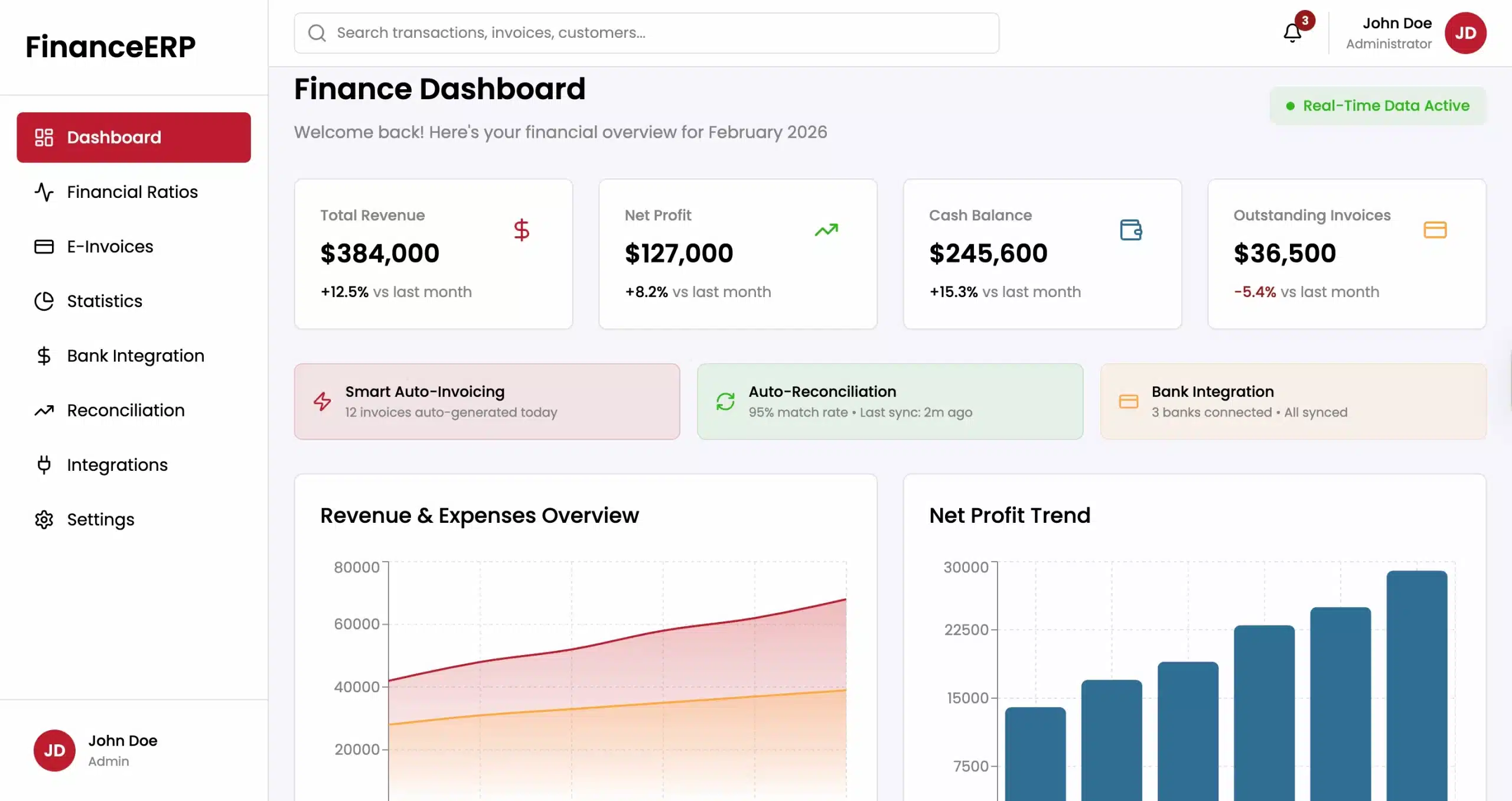
The Finance and Accounting module is widely considered the most critical component of any ERP system. It is the first module most companies implement because it provides the foundational data required to measure business health. This module helps automate and manage key financial processes, ensuring accurate financial reporting and compliance with regulations. It collects data from other ERP modules and converts daily business activities into clear financial records and reports.
At its heart lies the General Ledger (GL), which tracks all financial transactions. Modern ERP finance modules do much more than basic bookkeeping. They include Accounts Payable (AP) to manage payments to suppliers and Accounts Receivable (AR) to track money coming from customers. By automating these processes, businesses can speed up payments, improve cash flow, and reduce manual work. The module also manages fixed assets, helping track company equipment, property, and its depreciation over time.
Another important function is financial reporting and analysis. The module can generate reports such as balance sheets, profit and loss statements, and cash flow reports in real time. These reports help finance teams understand business performance and analyze profitability by product, department, or region. Advanced ERP finance modules also support multi-currency and multi-entity management, which is useful for businesses operating in multiple countries or markets. In addition, built-in compliance features help organizations follow recognized accounting standards like International Financial Reporting Standards and Generally Accepted Accounting Principles, as well as local tax regulations.
2. Human Resources (HR) and Payroll
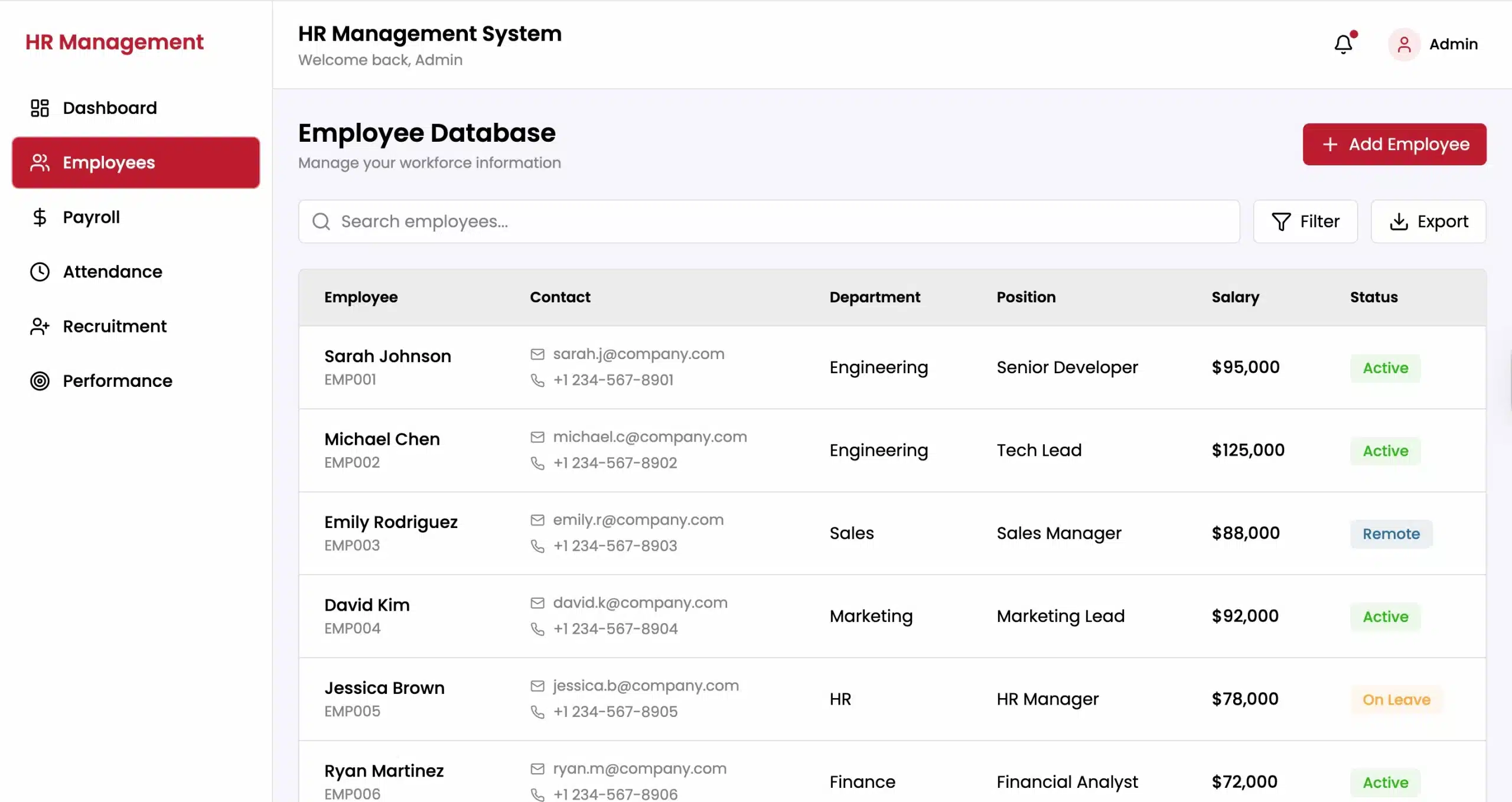
The Human Resources (HR) module, often referred to as Human Capital Management (HCM) in more advanced suites, is dedicated to managing the complete employee lifecycle. As companies focus more on retaining talent and improving workforce efficiency, this module has become more than just an administrative tool; it is now a strategic asset. It centralizes all employee data, including contact information, job history, performance reviews, and benefits enrollment, ensuring that sensitive personal information is secure and easily accessible to authorized personnel.
One of the primary functions of this module is Payroll management. Integrating payroll with the ERP system ensures that employee compensation is calculated accurately, factoring in hours worked, overtime, bonuses, and tax deductions. This integration removes the need for manual data transfer between time-tracking and payroll systems. As a result, businesses can reduce payroll errors, protect employee trust, and avoid potential compliance issues.
3. Supply Chain Management (SCM)
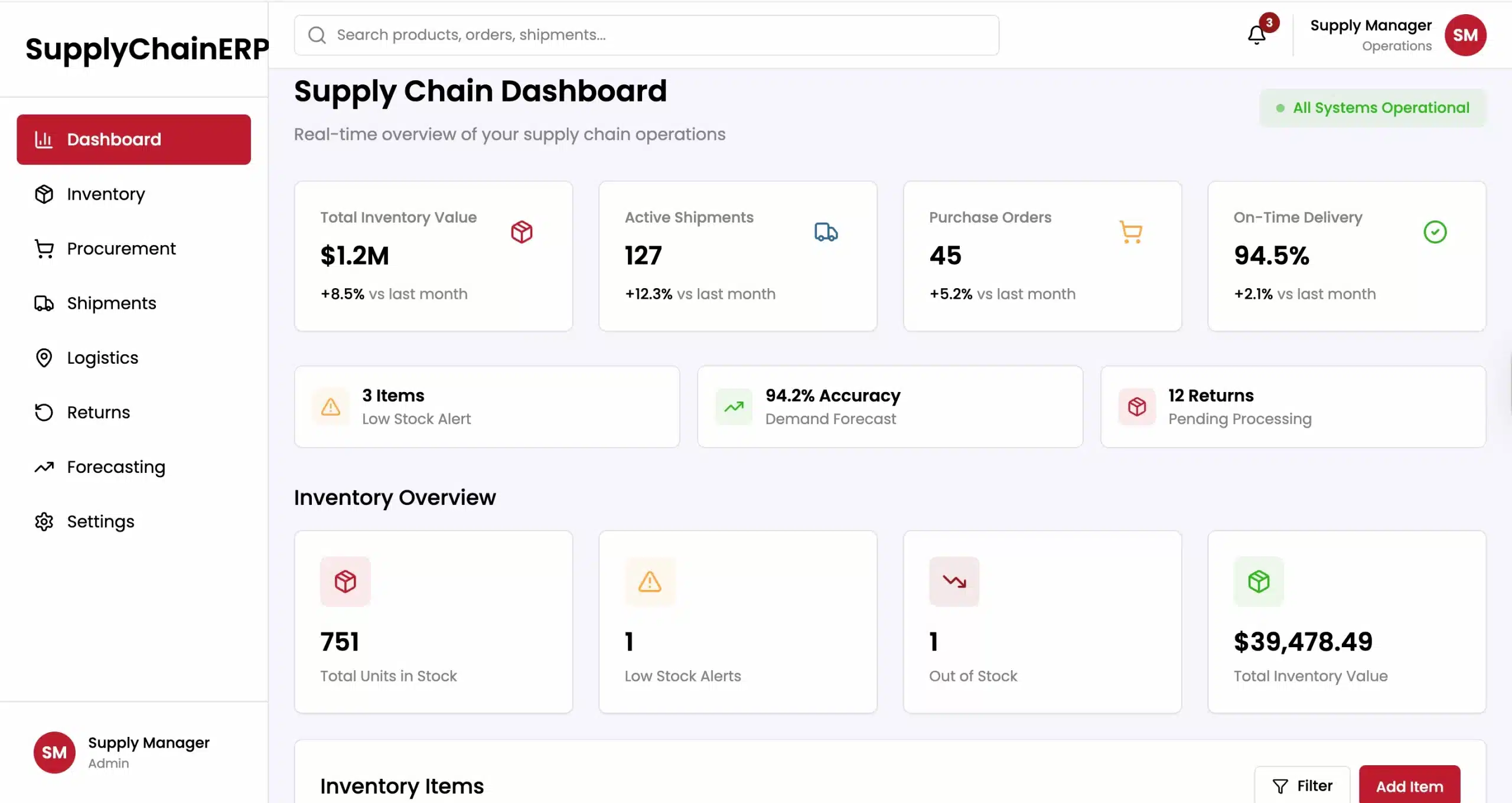
For businesses involved in the movement of goods, the Supply Chain Management (SCM) module is indispensable. This module oversees the flow of goods and services from the point of origin to the point of consumption. It is designed to optimize the supply chain by improving visibility, reducing costs, and ensuring that customer demand is met efficiently. In a globalized economy where supply chain disruptions are common, the resilience provided by an SCM module is a key strategic advantage.
The SCM module covers a broad spectrum of activities, starting with demand planning. By analyzing historical sales data and market trends, the system helps businesses forecast future demand, ensuring they have the right amount of stock without over-ordering. This predictive capability is crucial for maintaining lean operations and freeing up working capital that would otherwise be tied up in excess inventory.
Logistics and transportation management are also central to this module. It helps coordinate the movement of materials from suppliers and the distribution of finished products to customers. This includes route planning, carrier selection, and shipment tracking. By integrating SCM with finance and sales modules, businesses can calculate the total landed cost of products, gaining a clearer picture of profit margins. Additionally, the module facilitates supplier relationship management, helping companies evaluate vendor performance based on delivery times, quality, and pricing.
4. Manufacturing / Production
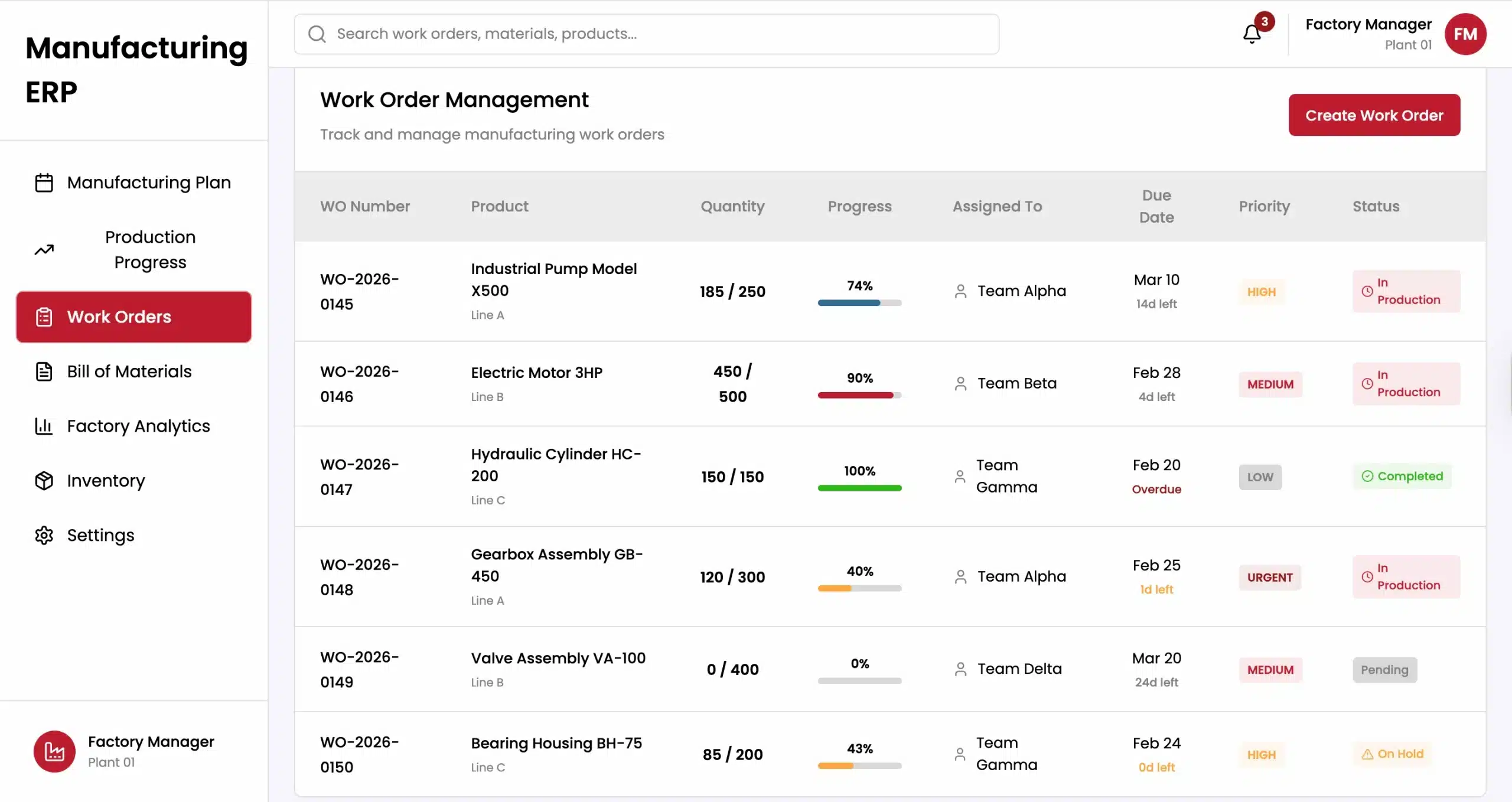
The Manufacturing or Production module is the engine room for production-oriented businesses. It is designed to streamline manufacturing processes, ensuring that production lines operate efficiently and that resources are utilized optimally. This module is closely linked with the SCM and Inventory modules, as production schedules are heavily dependent on the availability of raw materials and the demand for finished goods.
A key feature of this module is Material Requirements Planning (MRP), which calculates the materials needed, the required quantities, and the timing to support the production schedule. This helps prevent delays caused by material shortages and keeps production running smoothly. The module also manages the Bill of Materials (BOM), which lists all components and materials required to produce a product.
In addition, the module provides visibility on the shop floor by tracking production progress, machine usage, labour hours, and output in real time. This allows managers to quickly identify bottlenecks or equipment downtime and take corrective action. Built-in quality control features also help ensure that products meet company standards before reaching customers.
5. Customer Relationship Management (CRM)
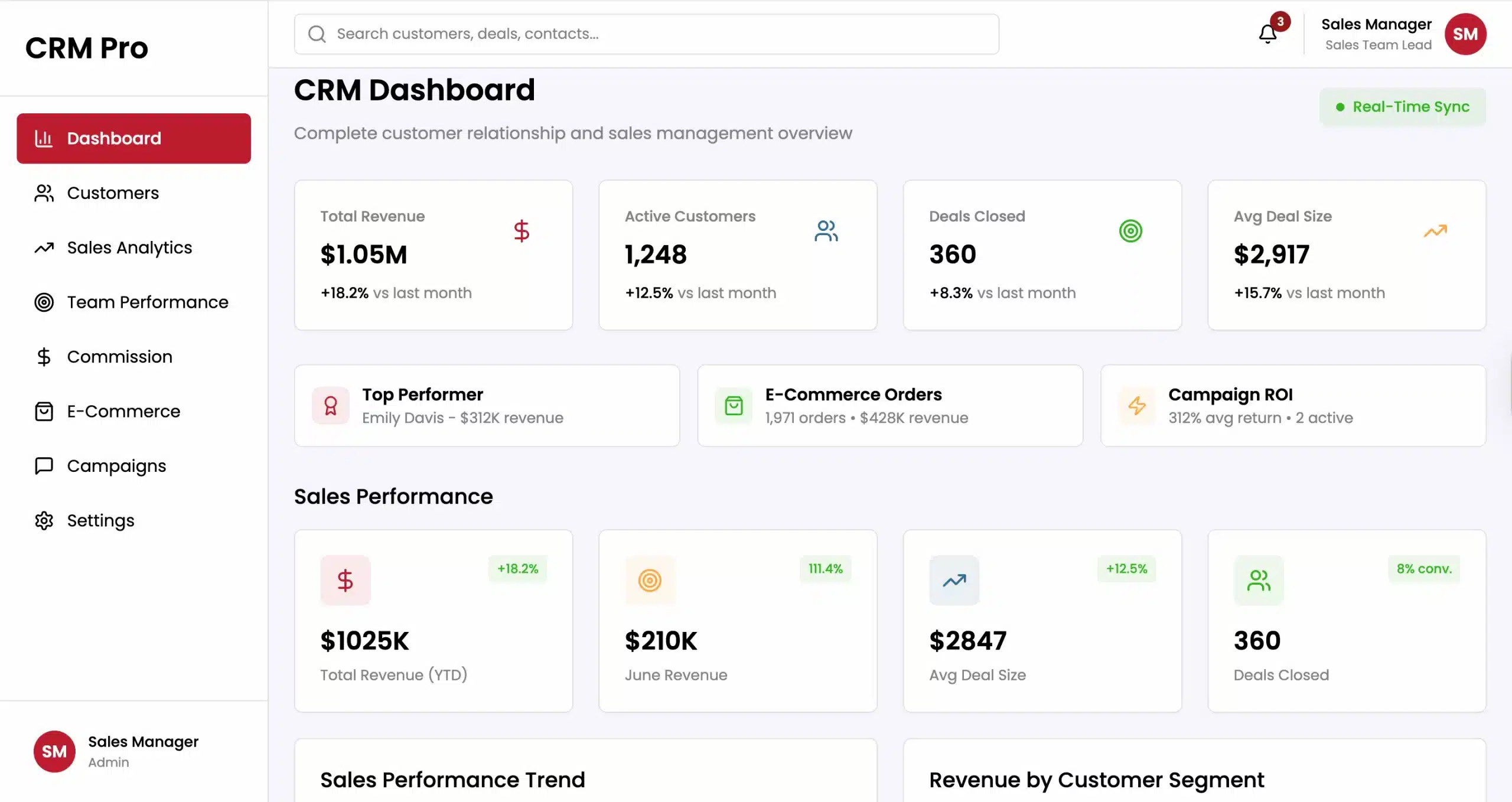
While the Finance module manages the internal health of the business, the Customer Relationship Management (CRM) module manages its external growth. This module is focused on the front-end operations: sales, marketing, and customer service. By integrating CRM within the ERP ecosystem, businesses gain a 360-degree view of their customers, linking sales data directly with inventory, production, and finance.
The primary function of the CRM module is contact and lead management. It tracks every interaction with prospects and customers, from the first inquiry to the final sale and after-sales support. This data helps sales teams personalize communication, understand customer needs, and identify opportunities for cross-selling or upselling. In addition, sales automation features help monitor the sales pipeline, forecast revenue, and manage sales activities more efficiently.
Customer service plays a crucial role. The CRM module enables support teams to log issues, track tickets, and monitor resolution times. As it integrates with the ERP, support agents can quickly check if customers have unpaid invoices in the Finance module or if their recent orders have been shipped through the Inventory module. This comprehensive perspective helps employees deliver better customer service, enhancing loyalty and fostering long-term retention.
Extended ERP Modules
6. Inventory and Warehouse Management
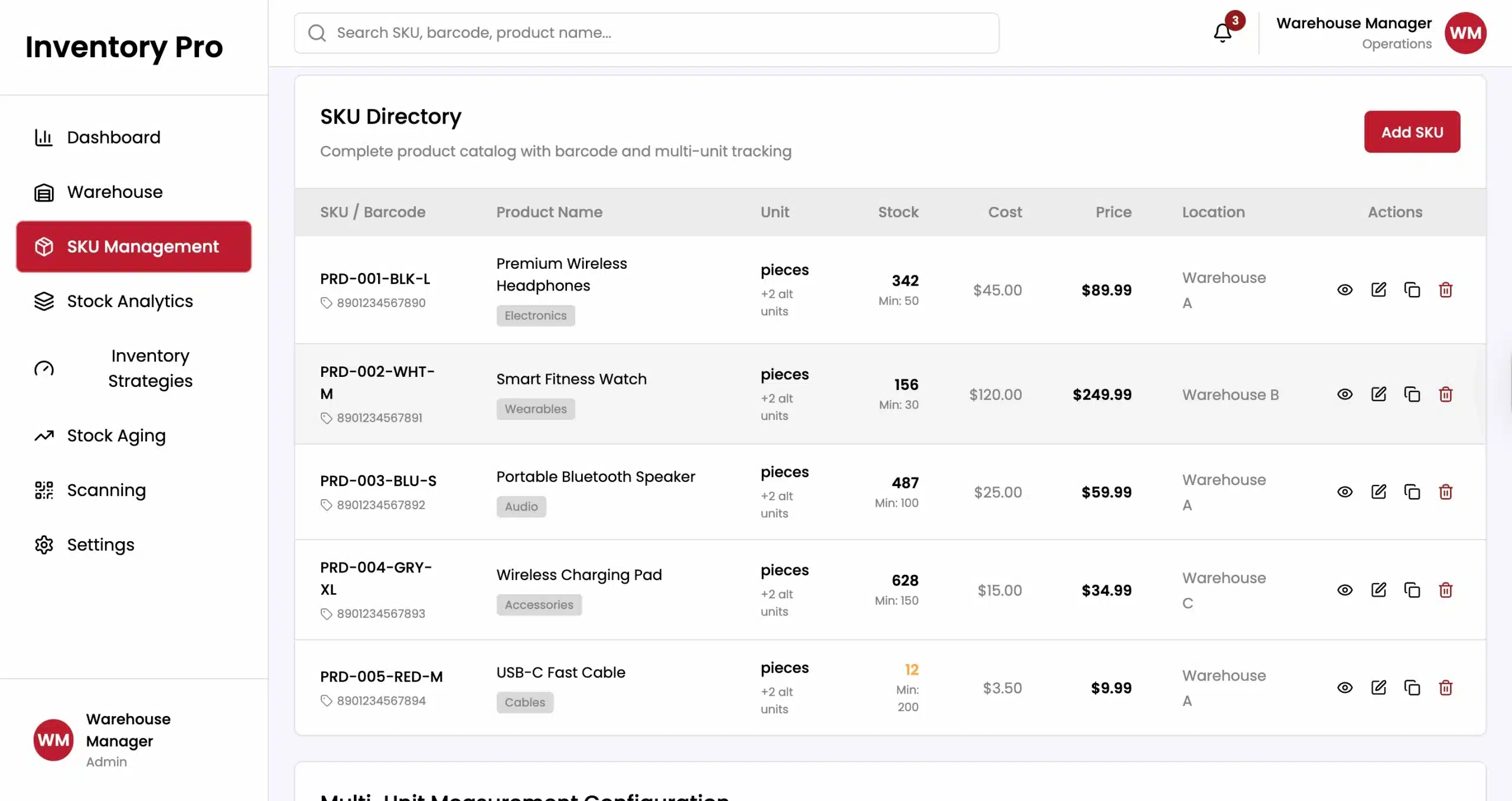
While basic inventory tracking is often included in SCM or Finance modules, a dedicated Inventory and Warehouse Management System (WMS) module provides the depth required for businesses with complex stock handling needs. This module is essential for businesses such as distributors, wholesalers, and retailers that manage large volumes of inventory across multiple locations. It focuses on tracking stock movement, improving storage efficiency, and supporting accurate order fulfillment.
The module enables precise tracking of stock levels using technologies like barcoding, QR codes, and RFID. This ensures that inventory records in the system match the actual stock in the warehouse, helping reduce discrepancies and inventory losses. The module also supports advanced picking methods, such as wave picking, zone picking, and batch picking, to improve efficiency and speed up order fulfillment.
7. Project Management
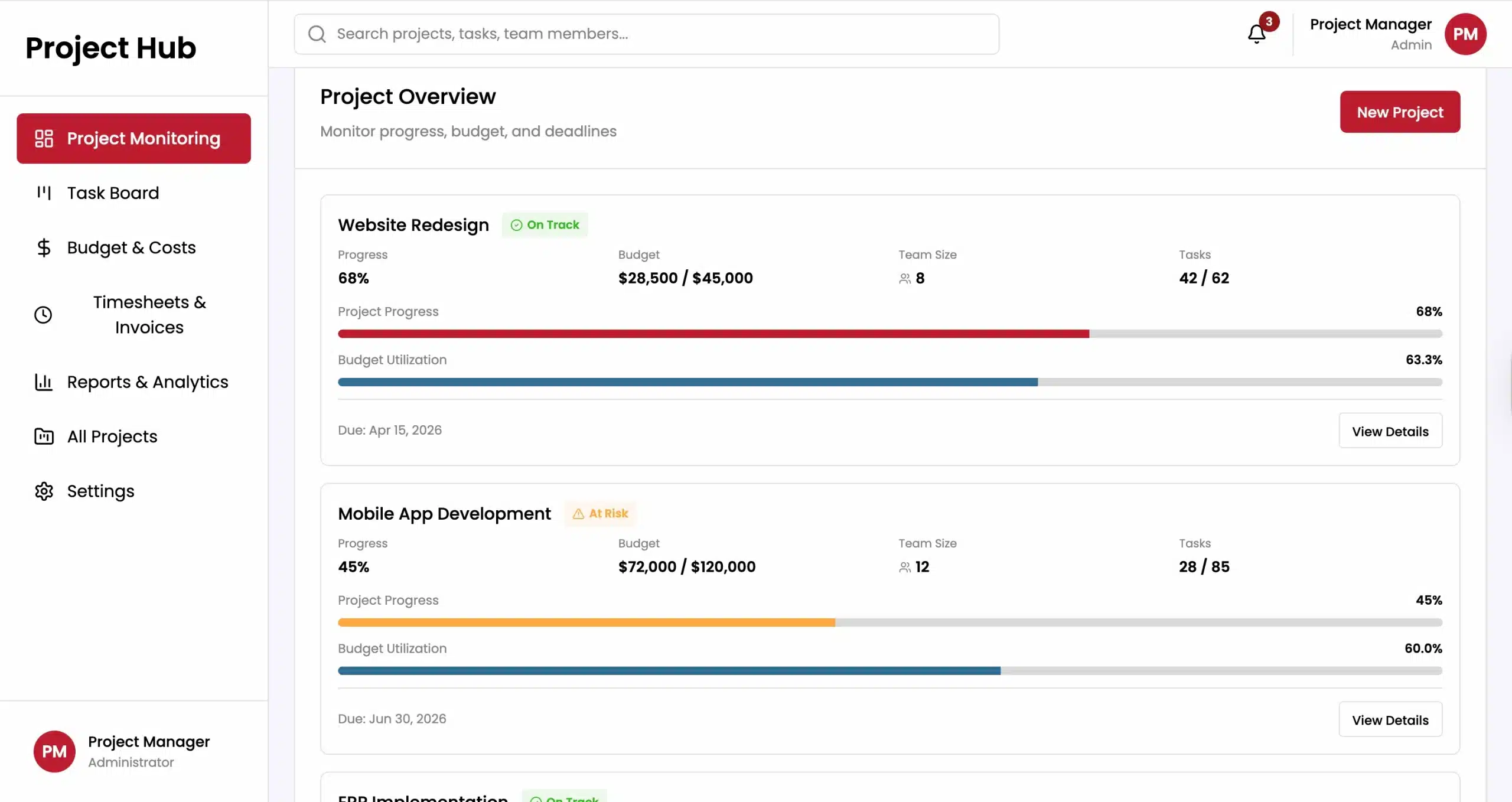
For project-based industries such as construction, engineering, IT services, and marketing agencies, the Project Management module is vital. Unlike standard manufacturing processes, which are repetitive, projects are unique and temporary with specific goals and budgets. This module helps businesses plan, manage, and track projects from start to finish. It ensures projects are completed on time, stay within budget, and follow the defined scope.
Resource management is a key feature. The module helps project managers allocate people and resources efficiently across different projects, preventing overallocation and ensuring the right skills are available when needed. It also tracks project tasks and milestones, often using tools like Gantt charts or Kanban boards to help teams visualize progress and manage dependencies.
8. Procurement and Purchasing
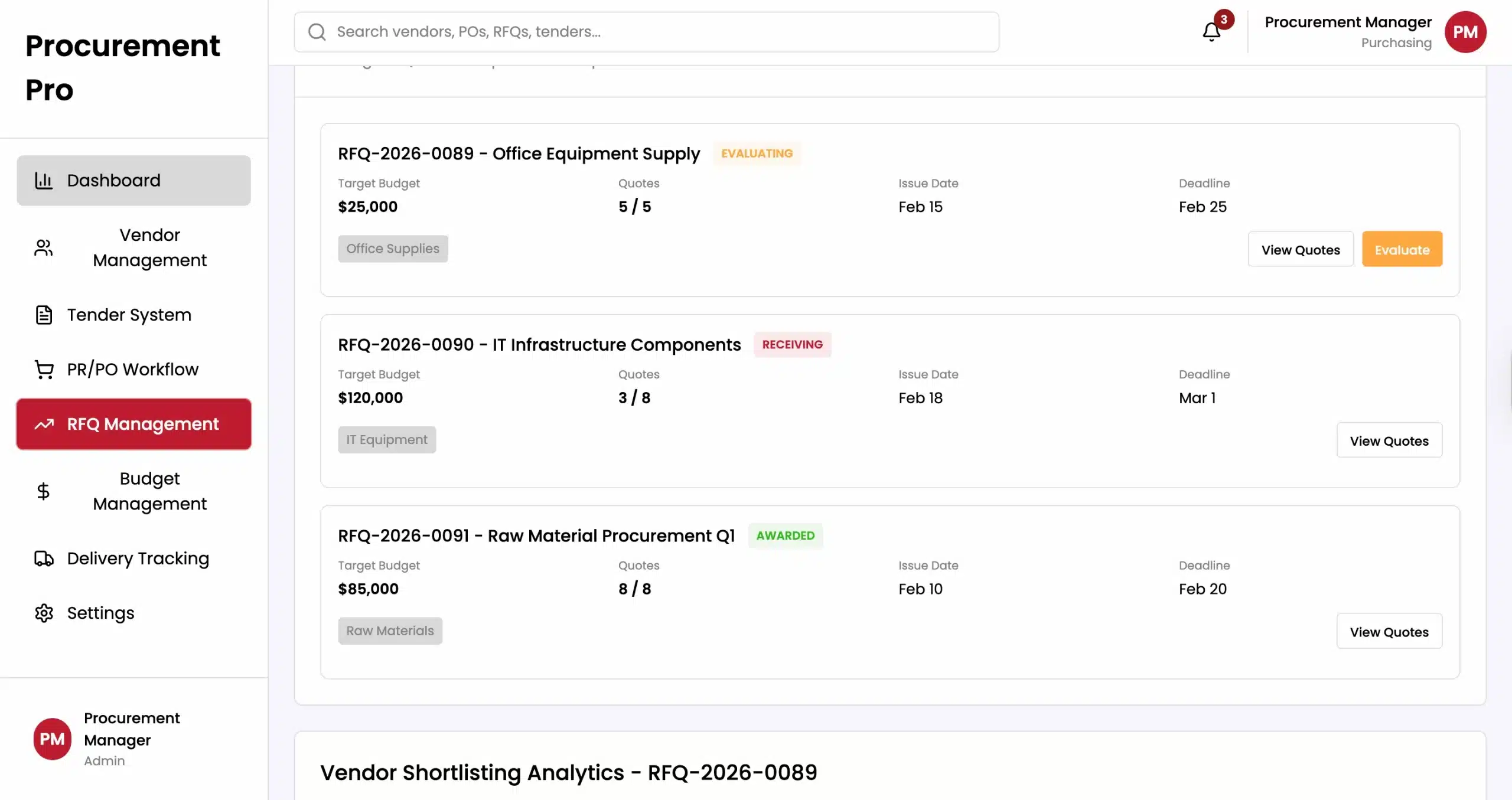
The Procurement and Purchasing module helps automate the process of buying goods and services needed for business operations. While it is related to supply chain management, this module focuses specifically on managing purchasing activities. It controls the entire procure-to-pay process, starting from purchase requests to supplier payments.
This module helps streamline the creation and approval of Purchase Orders (POs). With automated approval workflows based on budget limits or department rules, businesses can better control their spending. It also centralizes purchasing, allowing companies to negotiate better deals with suppliers and benefit from volume discounts.
Strategic sourcing is another benefit. This module also supports strategic sourcing, helping businesses evaluate and choose suppliers based on data and performance. It can manage Requests for Quotation (RFQs) and Requests for Proposal (RFPs), allowing procurement teams to compare vendor offers more easily. Many systems also include vendor portals, where suppliers can view orders, submit invoices, and update delivery schedules, creating a more transparent and collaborative supply chain.
9. Asset Management
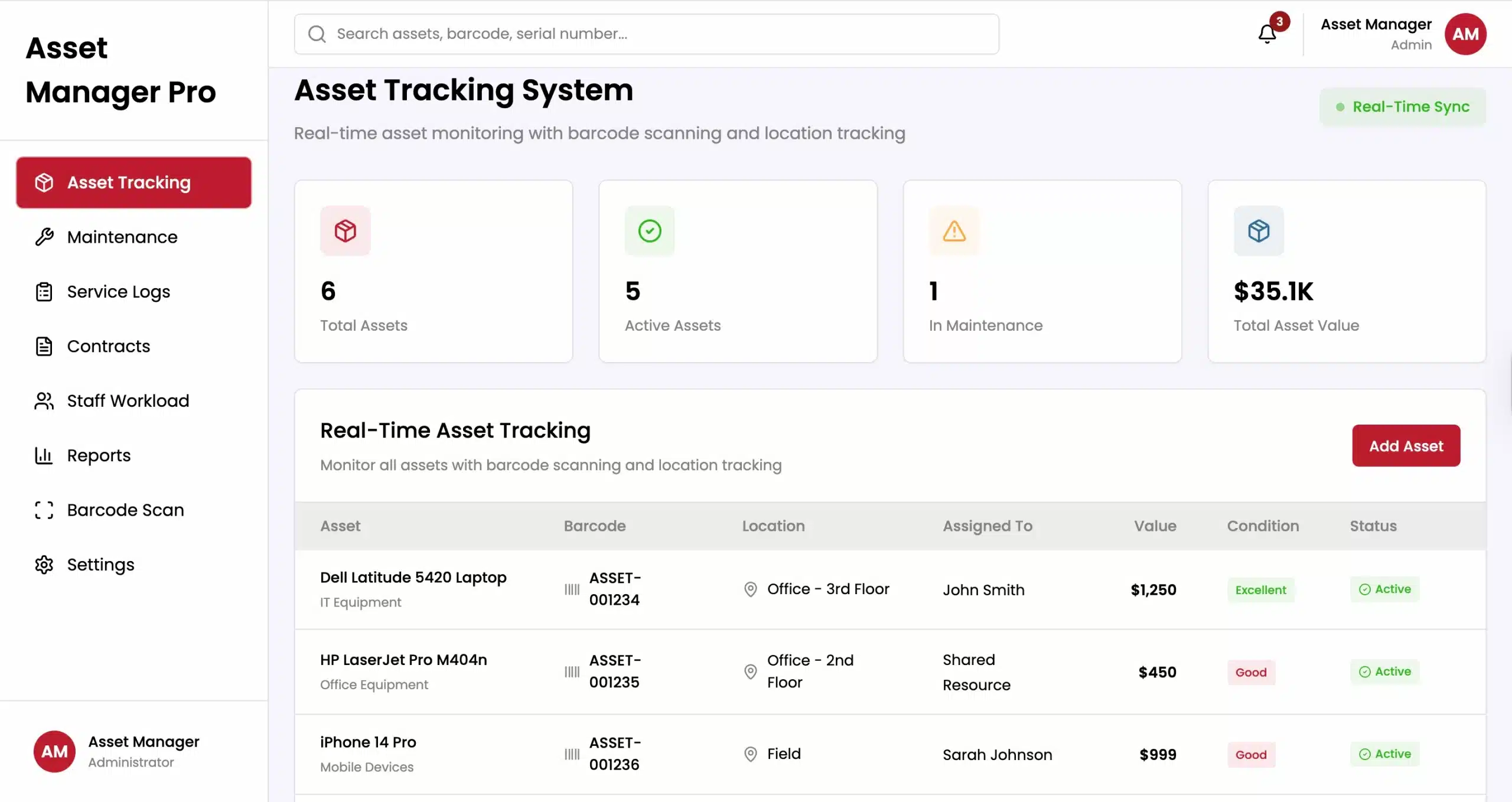
The Enterprise Asset Management (EAM) module is important for industries that rely heavily on physical assets, such as manufacturing, utilities, transportation, and healthcare. It helps businesses manage equipment, vehicles, buildings, and IT hardware throughout their entire lifecycle, from purchase to disposal. The goal is to keep assets running efficiently, extend their lifespan, and reduce maintenance costs.
Maintenance management is a key function of this module. It schedules regular maintenance based on equipment usage or sets time intervals to keep assets running properly. More advanced systems can use sensors to detect potential issues early and alert managers before equipment fails. This proactive approach helps reduce unexpected downtime and costly disruptions in operations.
The module also tracks asset value and depreciation while connecting with the finance system for accurate financial reporting. It keeps records of maintenance history, warranty details, and compliance inspections for each asset. This information helps businesses decide whether it is better to repair or replace older equipment.
10. Point of Sale (POS)
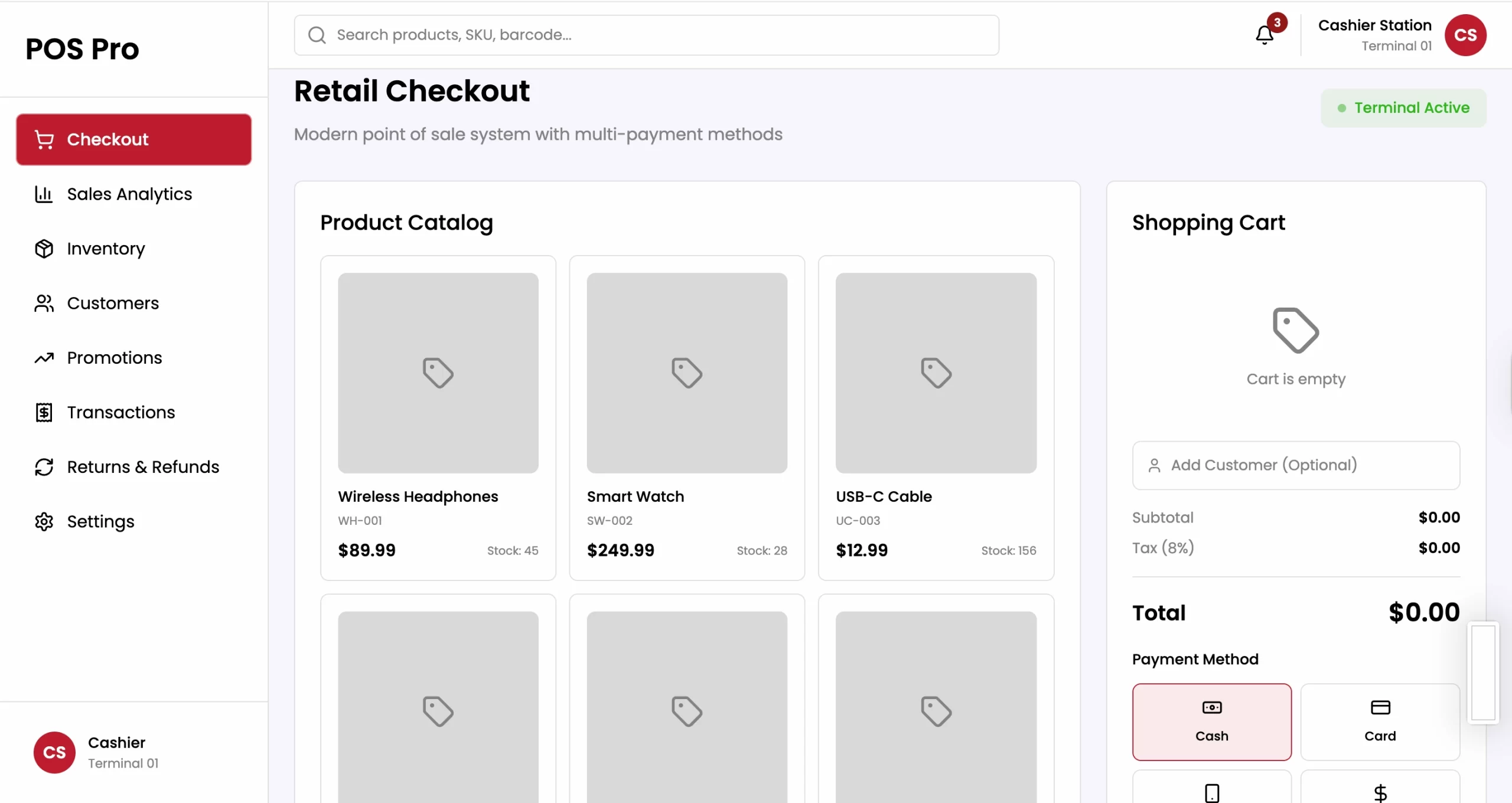
For retail and hospitality businesses, the Point of Sale (POS) module is where transactions with customers take place. It manages the payment process when customers purchase goods or services. However, a modern ERP-integrated POS does more than act as a simple cash register; it connects the physical store with the business’s back-office systems.
When a transaction occurs at the POS, the module instantly updates inventory levels in the warehouse or store, triggering restocking alerts if necessary. It also records sales directly in the finance module. This real-time update helps prevent selling items that are out of stock and provides accurate daily sales reports.
Modern POS modules also support omni-channel retailing. They allow for scenarios like “Buy Online, Pick Up In-Store” (BOPIS) or checking stock availability at other store locations. They integrate with the CRM module to capture customer purchase history at checkout, allowing staff to offer personalized recommendations or apply loyalty program points. This integration ensures a seamless and consistent customer experience across all touch points.
How ERP Modules Work Together

The real strength of an ERP system is not just the individual modules, but how they work together as one connected system. This integration allows data to move automatically between departments, updating information and triggering processes without manual input. A good way to understand this is through common business workflows such as Order-to-Cash and Procure-to-Pay.
Consider the Order-to-Cash process. It begins when a customer places an order through the CRM or POS system. The system then checks the inventory to confirm whether the product is available. If the item is in stock, the warehouse team receives a picking list to prepare the order, and the delivery is tracked once it is shipped.
At the same time, the finance system automatically generates an invoice for the customer. When the payment is received, the system records it and updates the customer’s account. Because everything is connected within the ERP system, data only needs to be entered once and is automatically updated across all departments.
Similarly, in the Procure-to-Pay process, the system may detect a shortage of raw materials through the manufacturing or planning module. This automatically creates a purchase request in the procurement module, which is then approved and sent to the supplier as a purchase order. When the goods arrive, the inventory system records the items and updates stock levels.
The finance system then matches the received goods with the original purchase order before approving the supplier’s invoice for payment. This connected process helps businesses avoid over-purchasing, reduce fraud risks, and prevent payment errors.
This connectivity creates a single source of truth for the entire organisation. Managers can view dashboards that combine data from HR, finance, and sales in one place to track metrics such as revenue per employee or inventory turnover. With an integrated ERP system, these insights are available instantly. Without it, teams would often spend days manually combining data from different spreadsheets.
Which ERP Modules Do Australian Businesses Need?
While core ERP modules are useful for all businesses, companies operating in Australia must also consider local regulations and industry conditions. Factors such as the national tax system, strict labour laws, and key industries like mining, agriculture, and services can influence which ERP modules are most important. Because of this, businesses often need ERP systems that support both operational needs and local compliance requirements.
One key consideration is taxation and payroll compliance. Australian businesses must follow rules such as Goods and Services Tax (GST) reporting and Single Touch Payroll (STP) submissions to the Australian Taxation Office. This means ERP systems used in Australia need finance and payroll modules that can automatically manage these requirements. For example, the finance module should support Business Activity Statements (BAS), while the payroll module must be able to report employee payroll data in real time.
Furthermore, cloud connectivity is increasingly important in Australia. With a workforce that is often remote or mobile, accessing modules via the cloud ensures that employees in regional areas or on client sites can access the system as easily as those in the head office.
How to Choose the Right ERP Modules
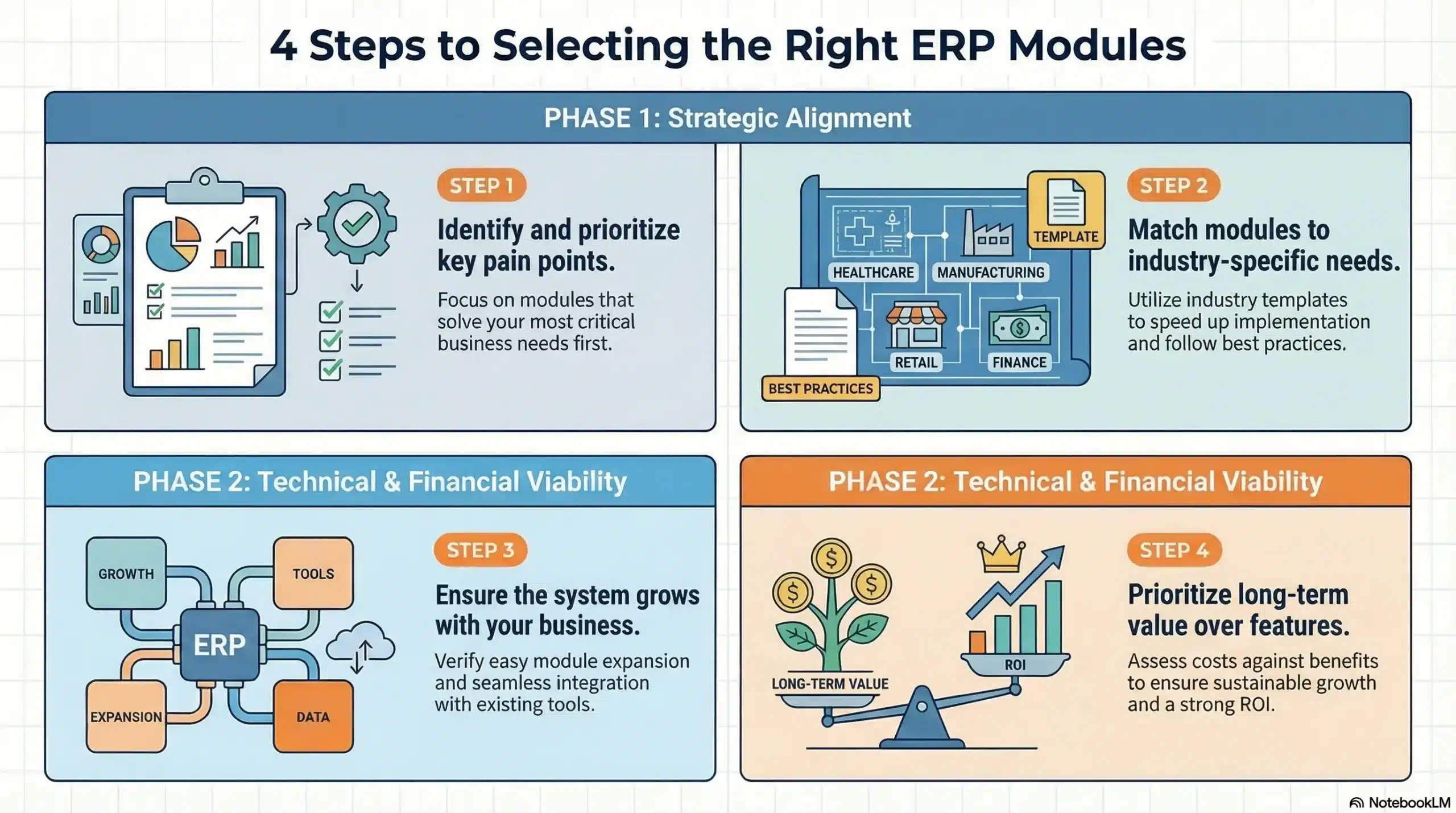
Selecting the right ERP modules is a strategic decision that requires a deep understanding of your current business processes and future goals. Implementing too many modules can lead to unnecessary complexity and cost, while implementing too few can leave critical operational gaps. A structured approach is essential for making the right choice.
1. Conduct a Needs Assessment
Begin by mapping out your existing business processes. Identify the pain points. Are you struggling with inventory accuracy? Is your month-end financial close taking too long? Is customer data fragmented? This analysis will highlight which functional areas require the automation and integration provided by specific modules. Prioritize the modules that solve your most pressing problems.
2. Consider Industry Requirements
As noted, different industries have different non-negotiable. A manufacturer cannot function without a Production module, while a retailer needs a robust POS. Look for ERP vendors that offer “industry templates” or pre-configured module bundles designed for your specific vertical. This can speed up implementation and ensure best practices are followed.
3. Evaluate Scalability and Integration
Ensure that the system allows you to start small and grow. You may only need Core Finance and CRM today, but you might need Warehouse Management in two years. Check whether the vendor allows for easy module addition later. Also, consider how these modules integrate with third-party software you intend to keep, such as specialized design software or e-commerce platforms.
4. Budget and ROI
ERP modules often come with individual licensing costs or implementation fees. Analyze the Return on Investment (ROI) for each module. Will the Inventory module save enough money in reduced stock wastage to justify its cost? Will the HR module save enough administrative time to pay for itself? Focus on value, not just feature lists.
Conclusion
ERP modules help businesses manage various operations within a single integrated system. Instead of relying on separate software across departments, companies can centralize data, automate workflows, and improve visibility across functions such as finance, HR, supply chain, and sales. This integration enables information to flow smoothly between teams, reducing manual work and helping managers make faster, more accurate decisions.
By choosing the right ERP modules, businesses can build a system that fits their operational needs and industry requirements. Core modules like finance, HR, and CRM create a strong foundation, while additional modules such as inventory, project management, and asset management provide deeper operational control. As businesses grow, these modules can be added gradually without disrupting existing processes, helping companies adapt to changing markets, maintain compliance in regions like Australia, and support long-term business growth.
If you are interested in learning more about ERP implementation, you can book free consultation with out expert today. We can guide you through this implementation to maximize the return on this investment, while avoiding all the risks involved.
Frequently Asked Question
The five core ERP modules typically include Finance and Accounting, Human Resources (HR), Customer Relationship Management (CRM), Supply Chain Management (SCM), and Manufacturing/Production. These components cover the fundamental operational needs of most enterprises.
Yes, most modern ERP systems are modular, allowing businesses to implement specific modules individually or in phases. This flexibility enables companies to start with critical functions like Finance and scale up by adding other modules as their needs grow.
ERP modules communicate through a central database. When data is entered into one module, it is instantly updated in the central repository, making it accessible to all other connected modules in real-time, which eliminates data silos and ensures consistency.
While related, SCM (Supply Chain Management) covers the broad flow of goods, including planning, logistics, and distribution. The Procurement module focuses specifically on the transactional aspect of acquiring goods, managing purchase orders, and handling vendor relationships.
The Finance module is considered critical because it tracks the monetary impact of every operation within the company. It provides the General Ledger, manages cash flow, ensures regulatory compliance, and generates the financial reports necessary for strategic decision-making.