







Stock issues rarely start as a major problem. They begin with small discrepancies, delayed updates, or missing items, until they grow into lost revenue and excess inventory. Businesses can lose up to 20–30% of inventory value due to inaccurate tracking and manual processes.
Inventory systems typically connect inventory with sales channels, suppliers, and accounting tools. Without a dedicated system, businesses risk stockouts, overstocking, and costly manual errors that affect both cash flow and customer fulfilment.
As operations expand across multiple channels and locations, many companies rely on end-to-end inventory management software to connect purchasing, warehousing, and sales. This approach improves visibility, reduces manual errors, and supports faster, more informed decision making.
Key Takeaways
|




Best Because
It combines flexible workflows with strong automation for growing operations.
Best Because
It offers essential inventory features with a simple setup and budget friendly entry point.

Best Because
Supports matrix inventory for variants and streamlines supplier catalog imports.
What Is Inventory Management Software?
Inventory management software is a system that helps businesses track, manage, and control stock across purchasing, storage, and sales. It replaces manual processes with automated tracking to ensure inventory data stays accurate and up to date.
These systems typically connect inventory with sales channels, suppliers, and accounting tools. This allows businesses to monitor stock levels in real time, reduce manual errors, and improve order fulfilment efficiency.
Does Your Business Actually Need Inventory Software?
Many small businesses start with Excel, but there comes a tipping point where manual entry becomes a liability. If you spend more time fixing data errors than analyzing sales, you have likely outgrown spreadsheets.
The primary signal that you need dedicated software is the inability to track real-time stock across multiple locations, which is exactly what inventory management software Australia is designed to solve. Using a dedicated inventory system allows companies to track stock movement more accurately and reduce the risk of manual errors.
Another critical indicator is the frequency of stock discrepancies during end-of-month counts. High variance rates suggest that your current manual processes are causing profit leakage through shrinkage or administrative errors.






Signs You Need Inventory Software
You may need inventory management software if you experience the following issues:
- Frequent stock discrepancies during stock counts
- Difficulty tracking inventory across multiple locations
- Overstocking or frequent stockouts
- Heavy reliance on spreadsheets for inventory tracking
- Delays in order fulfilment or incorrect shipments
- Lack of real-time visibility into stock levels
How We Evaluated These Products
To provide a genuinely useful guide for Australian businesses, we looked beyond generic feature lists. We evaluated these platforms based on specific local requirements and operational realities in 2026.
- Australian pricing & GST handling: We prioritized software that handles Australian GST natively without requiring complex workarounds. We also looked at billing currencies to ensure you aren’t exposed to AUD exchange rate fluctuations.
- Scalability & customization: A system must grow with you; we assessed whether these tools can handle 1,000 SKUs or 100,000 SKUs without lagging. We also checked for API openness and the ability to modify workflows.
- Support hours (AEST/AEDT): Nothing is worse than a system crash at 2 PM Sydney time when support is asleep in the US or UK. We heavily weighted vendors with local Australian support teams or 24/7 global coverage.
- Free tier availability: Indicates whether a platform offers a usable free plan, not just a time-limited trial. The evaluation focuses on what is included at no cost, including user and SKU limits, basic reporting, and essential integrations.
All recommendations on this list are manually evaluated by our editorial team based on hands-on testing, demo sessions, and verified customer feedback from Australian businesses. We do not accept payment for placement or ranking on this list.
Quick Comparison Table
Below is a high-level matrix comparing the top contenders based on their primary target audience and key strengths.
| Features | MYOB | Cin7 | HashMicro | Xero | Lightspeed | Fishbowl |
|---|---|---|---|---|---|---|
| User-Friendly Interface | ||||||
| Pricing | ||||||
| Learning Curve | ||||||
| Connection Quality | ||||||
| Ease of Integration | ||||||
| Local Integration | ||||||
| Free Trial | ||||||
| AU Support |
17 Best Inventory Management Software in Australia (2026)
We have analysed the market to bring you the top 17 solutions. Each review of the best inventory management software dives deep into features, pros, cons, and pricing structures relevant to the Australian market.
1. Cin7: Best for multichannel retailers/wholesalers
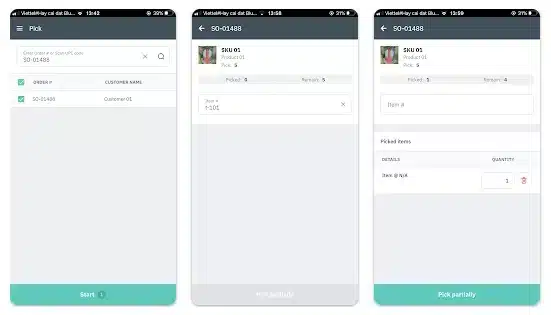
Cin7 has established itself as an inventory control software for Australian businesses that sell across multiple channels, including integrations with Shopify, Amazon, and eBay. It centralizes all these streams into a single dashboard and automates order routing.
Key Features:
- Connected inventory
- Built in EDI
- Native POS
- Real time stock sync
| Pros | Cons |
|
|
Pricing:Cin7 generally starts around $500 AUD/month, but Australian pricing varies based on the “Omni” or “Core” package selection.
Suitable for: Multichannel retailers, wholesalers, and distributors that need strong inventory sync across stores and sales channels.
2. Unleashed (by Access Group): Best for manufacturers and Xero users
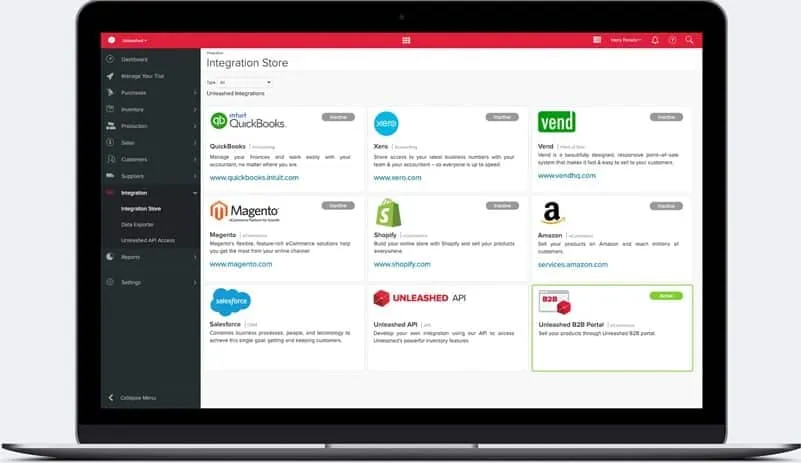
Unleashed is a favorite among Australian manufacturers due to its robust production capabilities and seamless integration with Xero. It also supports integrations with ecommerce platforms such as Shopify, allowing better coordination between sales and inventory.
Key Features:
- Multi-level BOM
- Assembly costing
- B2B e-commerce portal
- Self-service wholesale ordering
| Pros | Cons |
|
|
Pricing: Plans typically start from roughly $350 AUD/month, scaling up based on users and API limits.
Suitable for: Manufacturers and assembly driven businesses that rely on detailed BOM and production costing.
3. Zoho Inventory: Best free/low-budget option
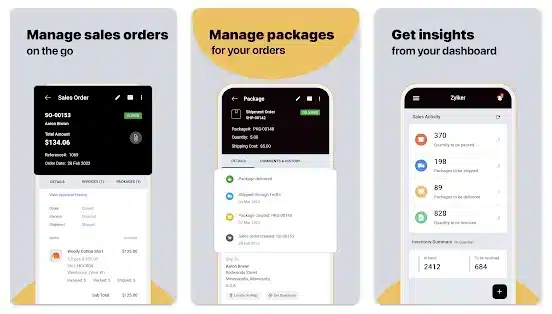
Zoho Inventory offers a surprising amount of functionality at a very low entry point, with integrations to marketplaces such as Shopify, Amazon, and Zoho Commerce. It is part of the massive Zoho ecosystem, making it easy to expand into CRM or Books later.
Key Features:
- In-dashboard label printing
- Kitting and bundling
- Serial number tracking
| Pros | Cons |
|
|
Pricing: Free tier available. Paid plans start around $29 AUD/month per organization.
Suitable for: Startups and small teams that want a low cost system with solid shipping and order basics.
4. Dear Inventory (now Cin7 Core): Best for growing SMEs
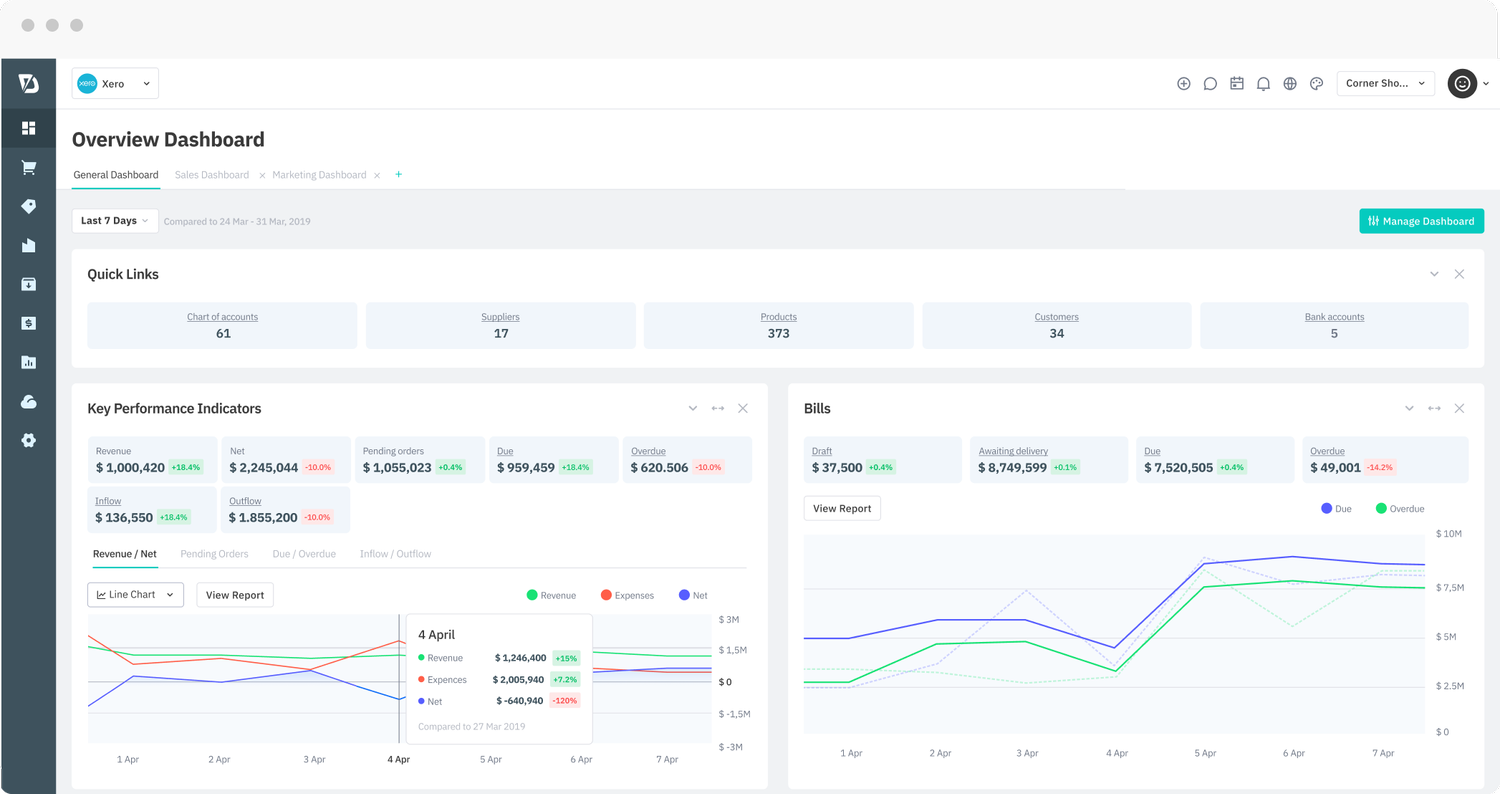
Previously known as Dear Systems, this inventory management software Australia was acquired by Cin7 and rebranded as Cin7 Core. It supports integrations with platforms like Shopify and Amazon, making it suitable for growing multichannel businesses.
Key Features:
Cin7 Core offers a comprehensive suite including POS, B2B portal, and robust accounting integrations. Its “Advanced Manufacturing” module is surprisingly deep, allowing for production scheduling and capacity planning.
| Pros | Cons |
|
|
Pricing: Starts at approximately $500 AUD/month base fee.
Suitable for: Growing SMEs that need a structured inventory system with purchasing and sales workflows.
5. MYOB Business (built-in): Best for MYOB-native businesses
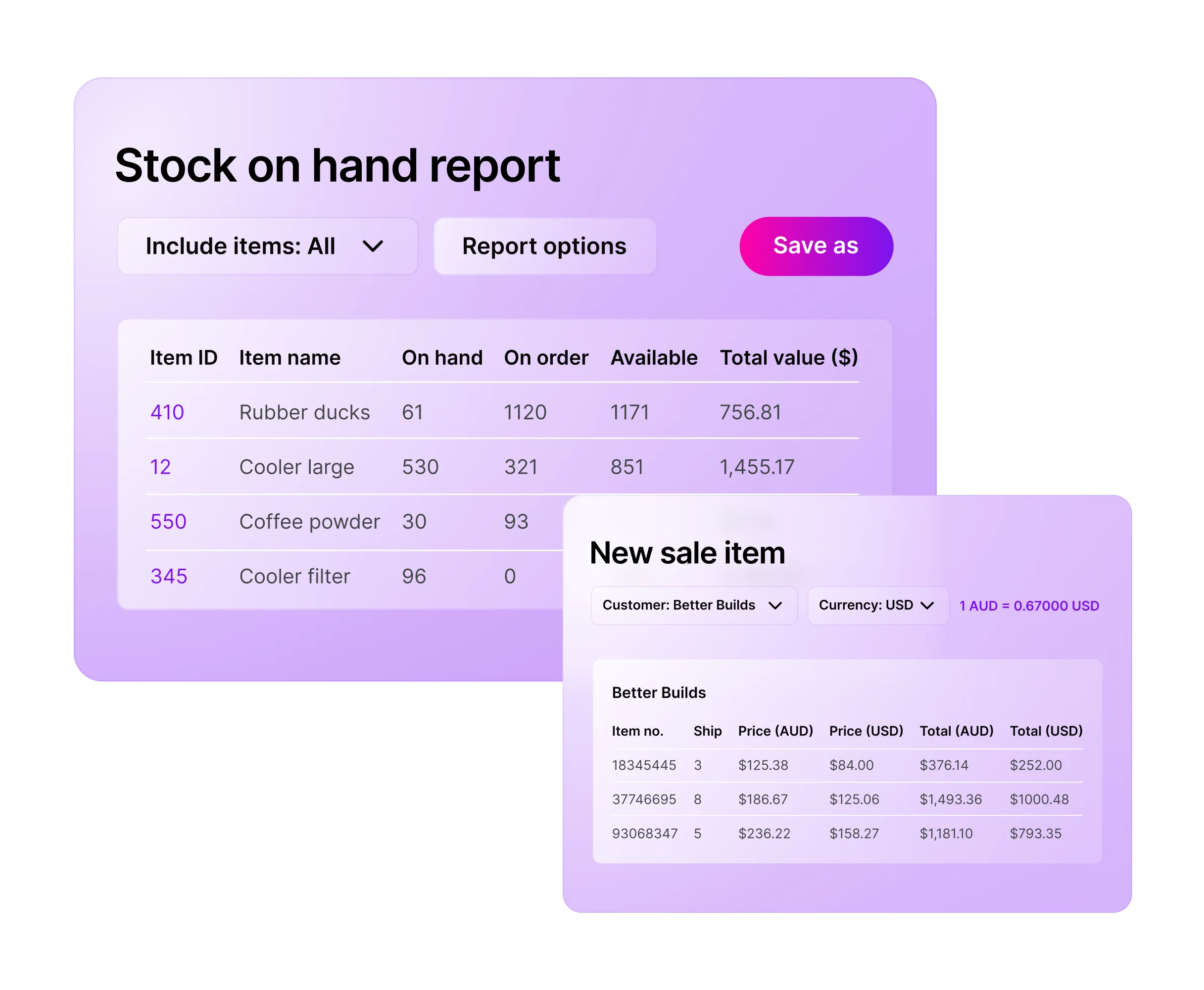
For businesses already entrenched in the MYOB ecosystem, using the built-in inventory features is a logical first step. MYOB also supports integrations with ecommerce platforms such as Shopify through extensions, helping align online sales with accounting data.
Key Features:
- Stock on hand
- Item variations
- Accurate COGS reporting to ATO
| Pros | Cons |
|
|
Pricing: Included in MYOB Business Pro/Plus subscriptions (approx $60-$140 AUD/month).
Suitable for: Businesses already running MYOB that want inventory tied closely to accounting.
6. HashMicro: Best for enterprises with all-in-one solution
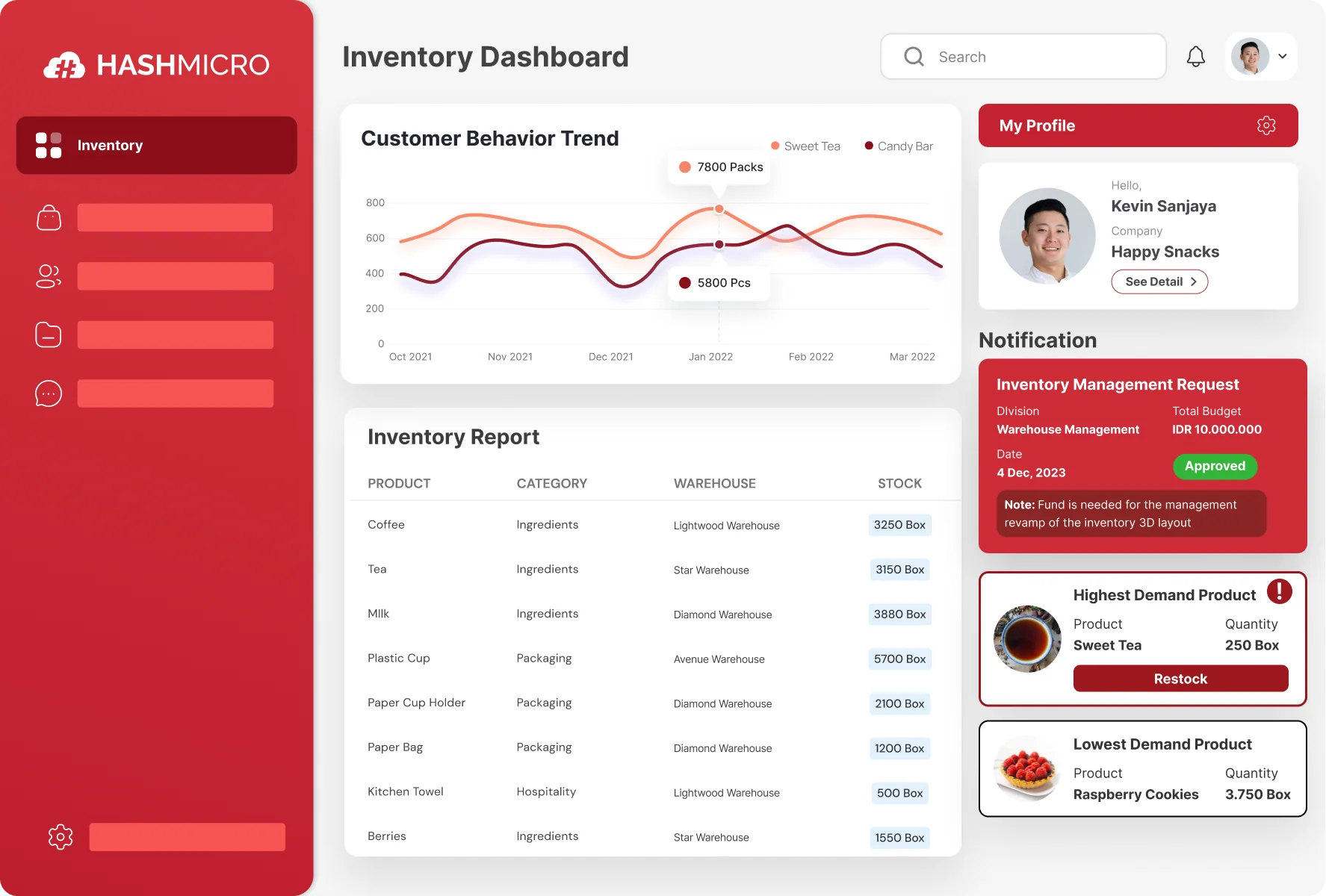
HashMicro stands out as one of the best inventory management software and a full-fledged ERP solution tailored for the Australian market. It supports integration with ecommerce platforms and marketplace systems, enabling businesses to manage sales and inventory within a unified workflow.
Key Features:
- Procurement, sales, accounting integration
- AI demand forecasting
- 3D warehouse visualization
- Multi branch management
| Pros | Cons |
|
|
Pricing: Quote-based. Typically follows a perpetual license or module-based pricing, which is often more cost-effective for large teams in the long run.
Suitable for: Enterprises that want an all in one solution covering inventory, purchasing, sales, and finance, including businesses managing stock across multiple branches or warehouses in Australia.

7. Xero Stock Management Software: Best for Xero users with simple needs
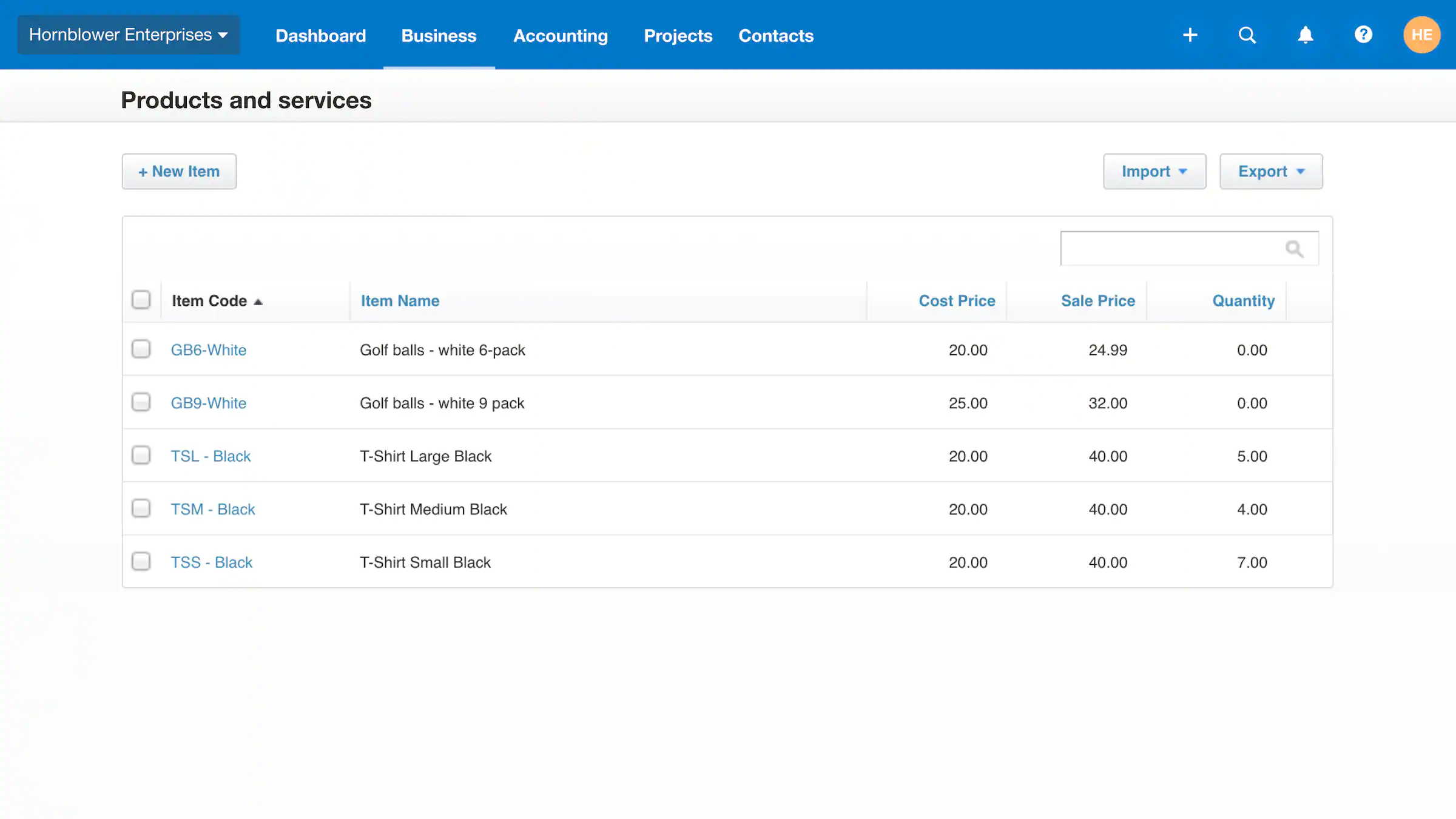
Xero is primarily an inventory control software that is sufficient for service-based businesses or very small retailers. It integrates with ecommerce platforms such as Shopify and other third-party tools to extend its inventory capabilities.
Key Features:
- Invoice and PO item tracking
- Automatic stock adjustment
- Inventory item summary report
| Pros | Cons |
|
|
Pricing: Included in Standard and Premium Xero plans.
Suitable for: Businesses with simple stock needs that want lightweight tracking inside their accounting workflow.
8. Sortly: Best for asset/equipment tracking
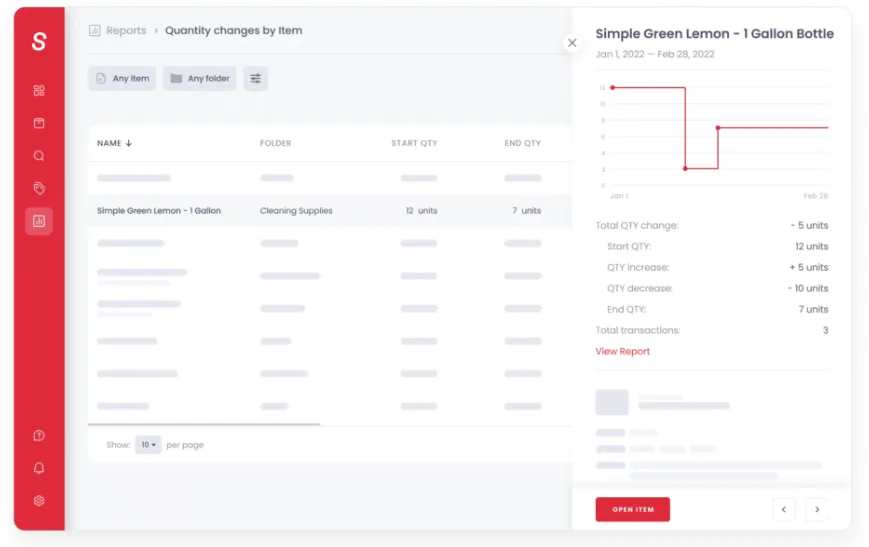
Sortly takes a visual-first approach to inventory, making it intuitive for internal tracking. However, it offers limited marketplace integrations compared to ecommerce-focused inventory systems.
Key Features:
- Mobile QR barcode scanner
- Visual folders
- Location tagging
| Pros | Cons |
|
|
Pricing: Free plan available. Paid plans start around $45 AUD/month.
Suitable for: Teams tracking assets, tools, and equipment rather than high volume product inventory.
9. Square for Retail: Best for brick-and-mortar POS inventory
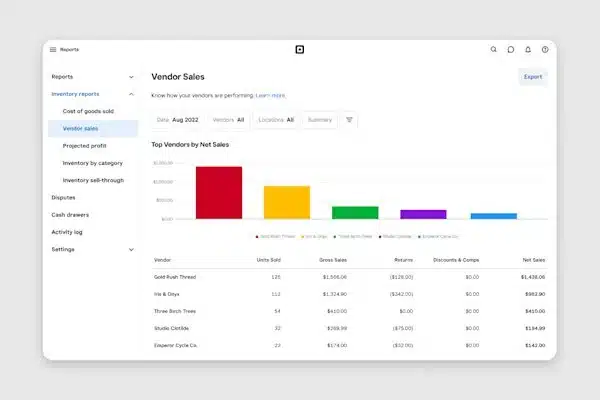
Square revolutionized payments, and its retail inventory system integrates with ecommerce platforms such as Square Online and Shopify, helping businesses sync in-store and online sales.
Key Features:
- Real time multi location stock
- Vendor management
- Dashboard purchase orders
| Pros | Cons |
|
|
Pricing: Free software option (pay per transaction). “Plus” plan is approx $60 AUD/month per location.
Suitable for: Brick and mortar stores that want POS first inventory tracking with fast setup.
10. InFlow: Best for B2B showrooms

InFlow Inventory is a veteran in the space, offering integrations with platforms such as Shopify and other ecommerce tools to support B2B and showroom-based operations. It is also suitable for small to mid-sized businesses looking for a straightforward inventory system.
Key Features:
- B2B portal
- Self-service ordering
- Smart reorder points
| Pros | Cons |
|
|
Pricing: Starts around $140 AUD/month.
Suitable for: Small to mid sized businesses that need straightforward inventory with barcode friendly workflows.
11. Odoo: Best for shipping-heavy businesses
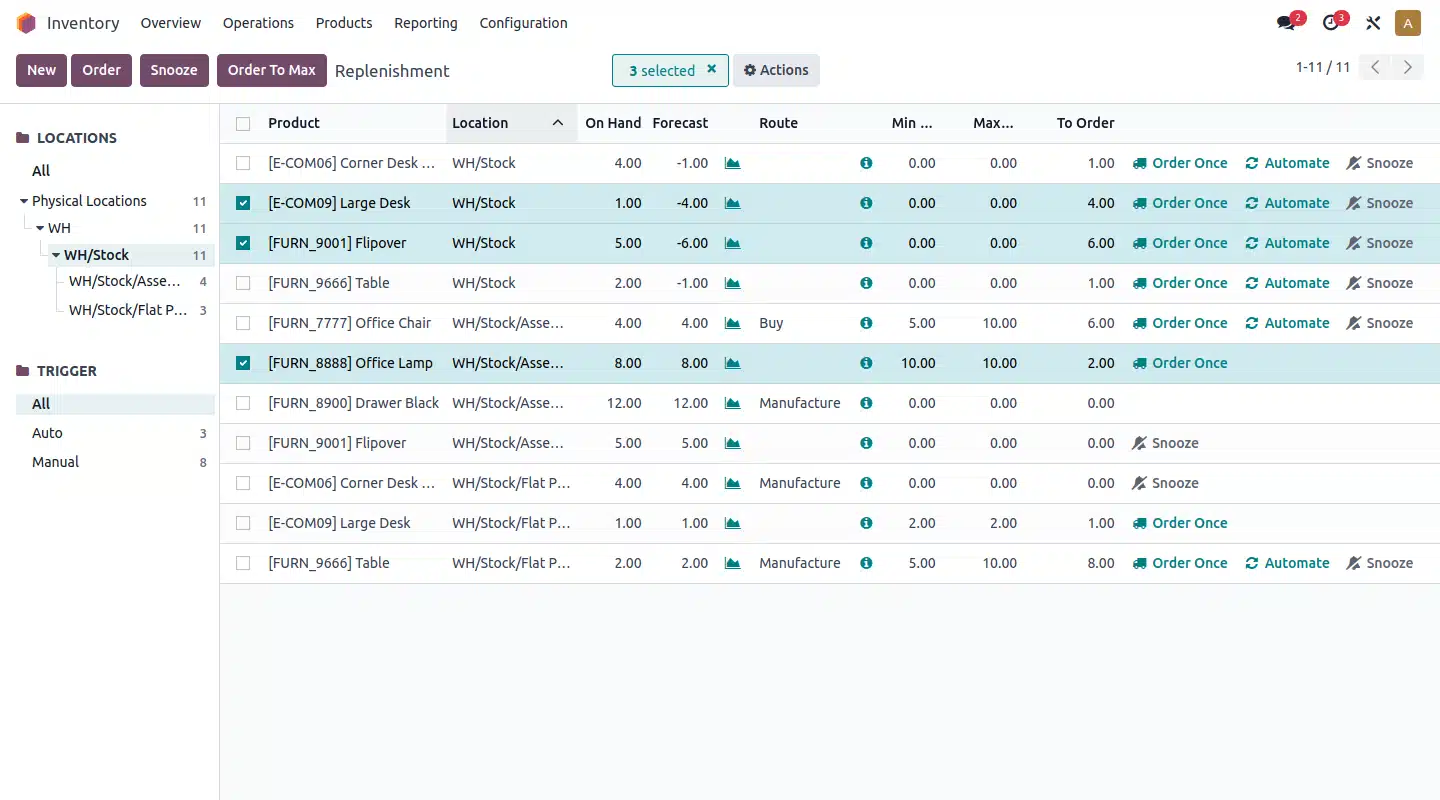
Odoo is less of a stock management software and more of a flexible business platform, with integrations to ecommerce platforms such as Shopify and its native Odoo eCommerce module.
Key Features:
- Drop ship kitting
- Multi supplier bundles
- Shipping label automation
| Pros | Cons |
|
|
Pricing: Free limited plan available. Advanced plans start around $90 AUD/month.
Suitable for: E-commerce sellers that want shipping automation plus basic inventory control.
12. Katana: Best for visual manufacturing
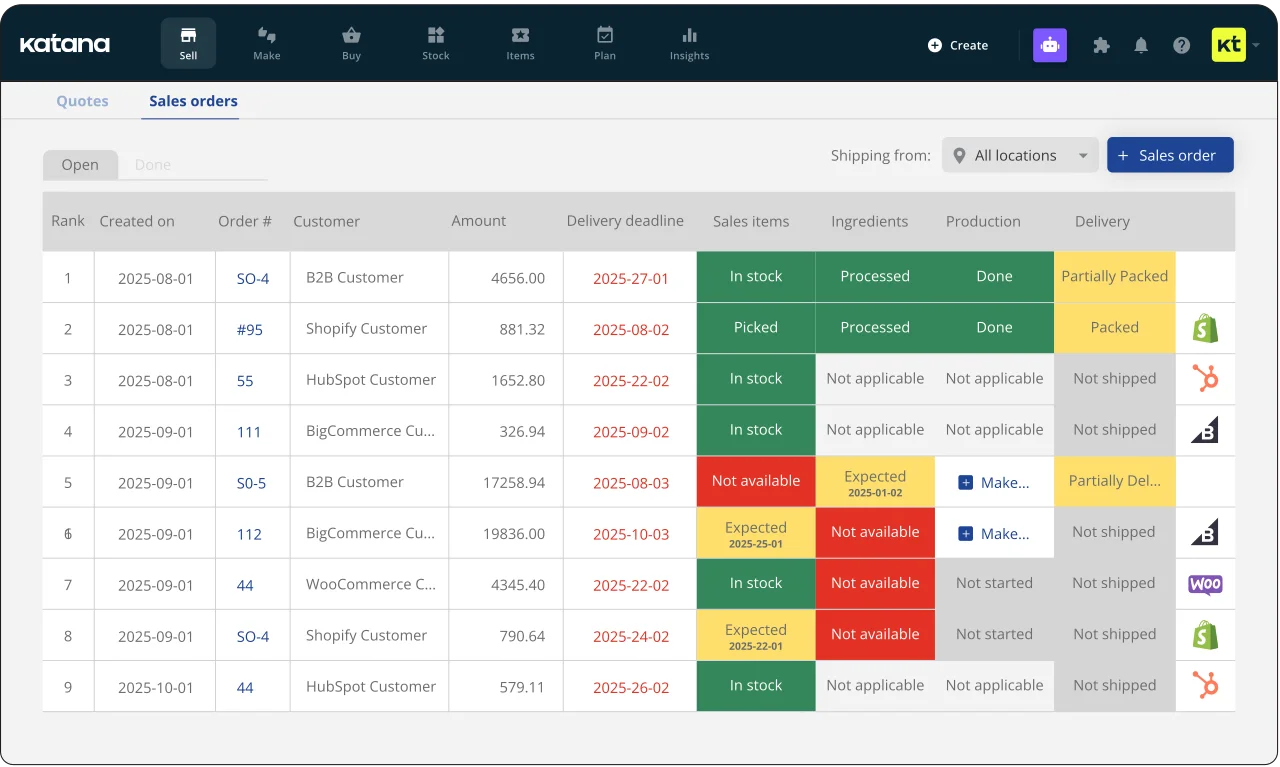
Katana (Katana Cloud Manufacturing) has gained a strong following among manufacturers and integrates with platforms such as Shopify and Xero, helping align production and sales data.
Key Features:
- Smart Workshop
- Raw material availability view
- Real time stock reallocation
| Pros | Cons |
|
|
Pricing: Starts around $150 AUD/month.
Suitable for: Manufacturers that need production planning, BOM, and shop floor visibility.
13. FishBowl: Best for QuickBooks users

Fishbowl ranks among the best inventory management software options that integrate with platforms like Shopify and QuickBooks, supporting businesses that require deeper warehouse and ecommerce coordination.
Key Features:
- Wave picking
- Cycle counting
- Advanced warehouse management
| Pros | Cons |
|
|
Pricing: Significant upfront investment (often thousands), or subscription models.
Suitable for: Warehouse heavy businesses that need advanced inventory and work order management.
14. EasyReplenish: Best for small businesses
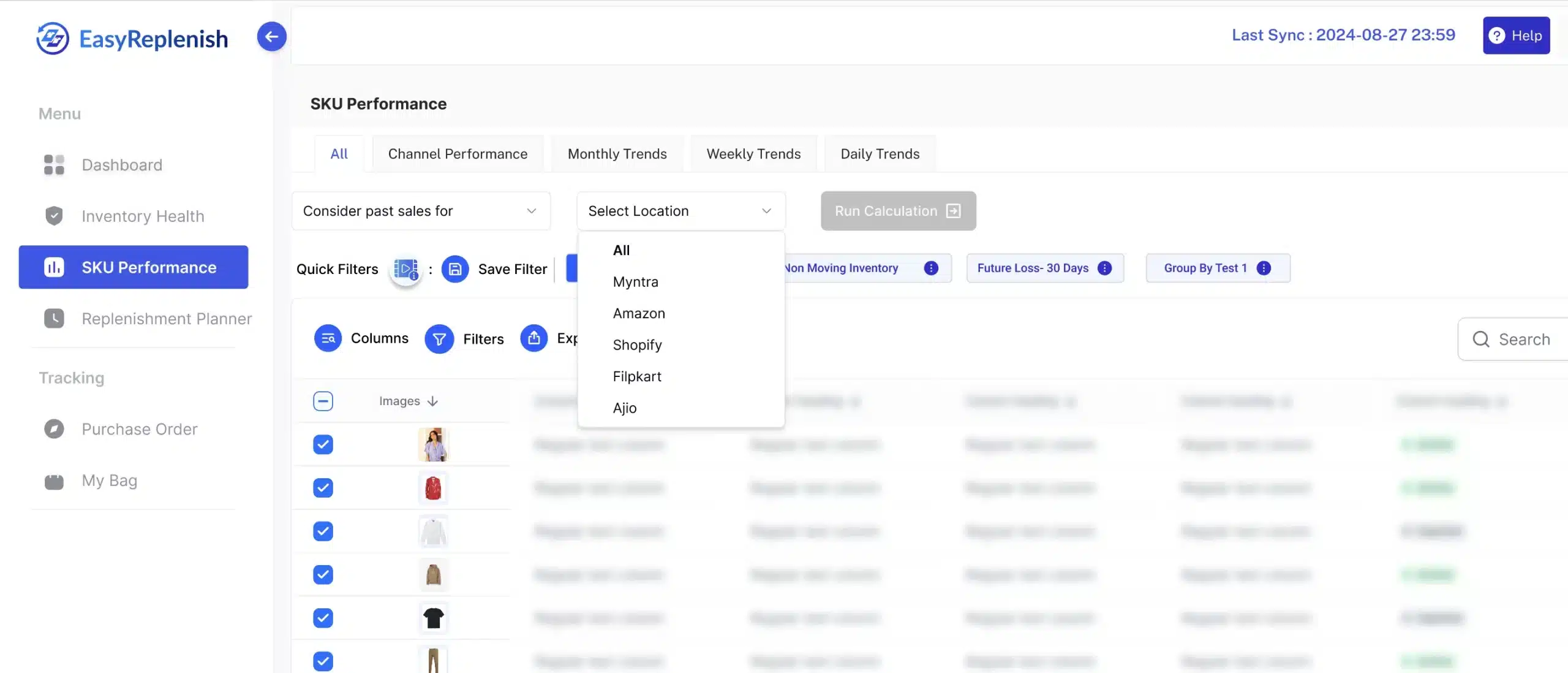
EasyReplenish is a streamlined cloud inventory tool that works alongside existing systems and can integrate with ecommerce platforms to support demand-based replenishment decisions.
Key Features:
- Sales velocity analysis
- Reorder forecasting
- Automated purchase orders
| Pros | Cons |
|
|
Pricing: Typically lower cost, SaaS model.
Suitable for: Small businesses that want demand based replenishment and purchasing guidance.
15. LightSpeed Retail: Best for hospitality & retail
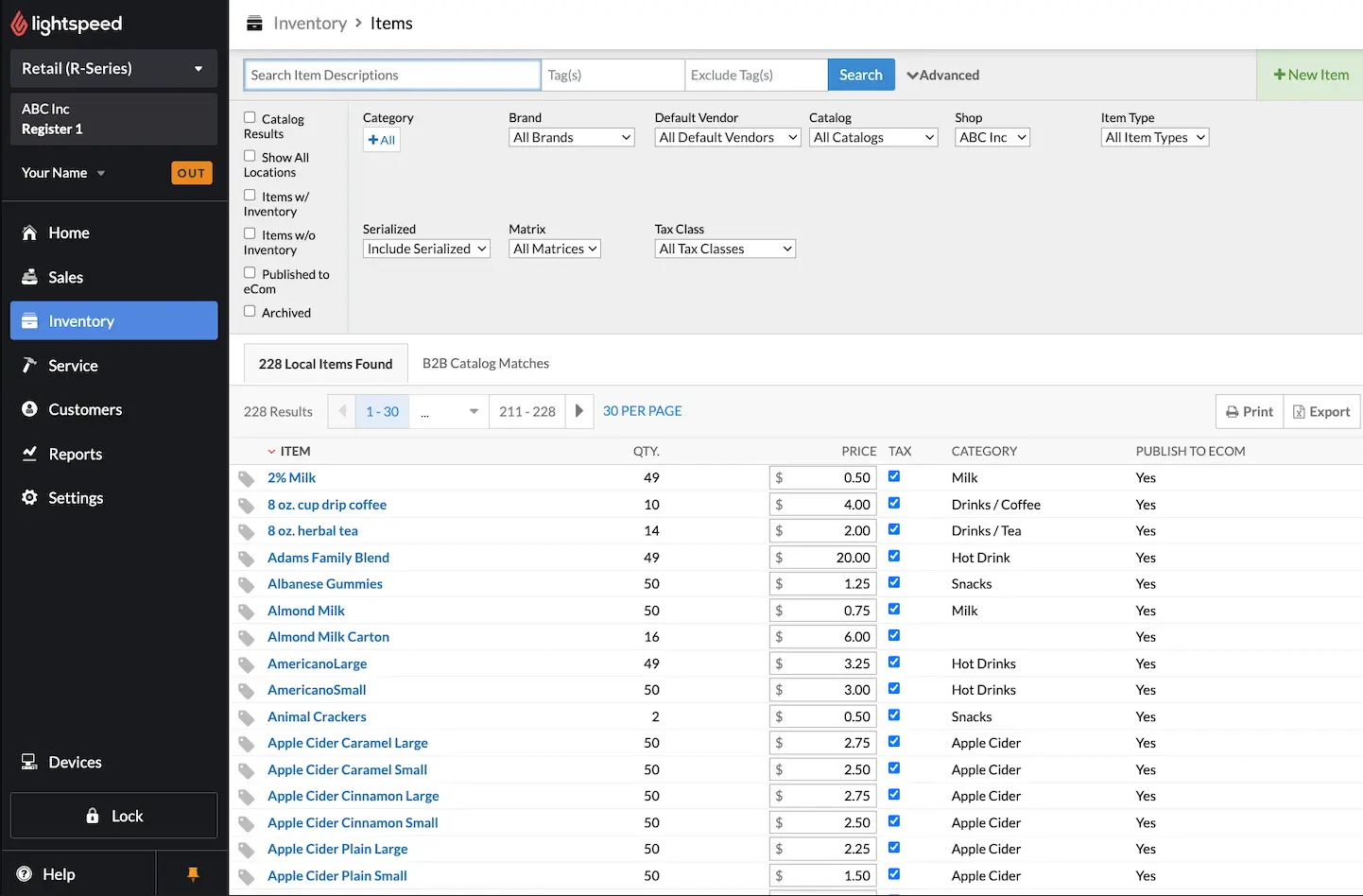
Lightspeed is a massive global player that integrates with ecommerce platforms such as Shopify and its own ecommerce solutions, supporting multichannel retail and hospitality operations.
Key Features:
- Matrix inventory
- Variant management
- Supplier network integrations
| Pros | Cons |
|
|
Pricing: Starts around $89 AUD/month.
Suitable for: Retail chains that want a POS centric platform with inventory and customer management.
16. EasyVend: Best for small retail and distribution businesses
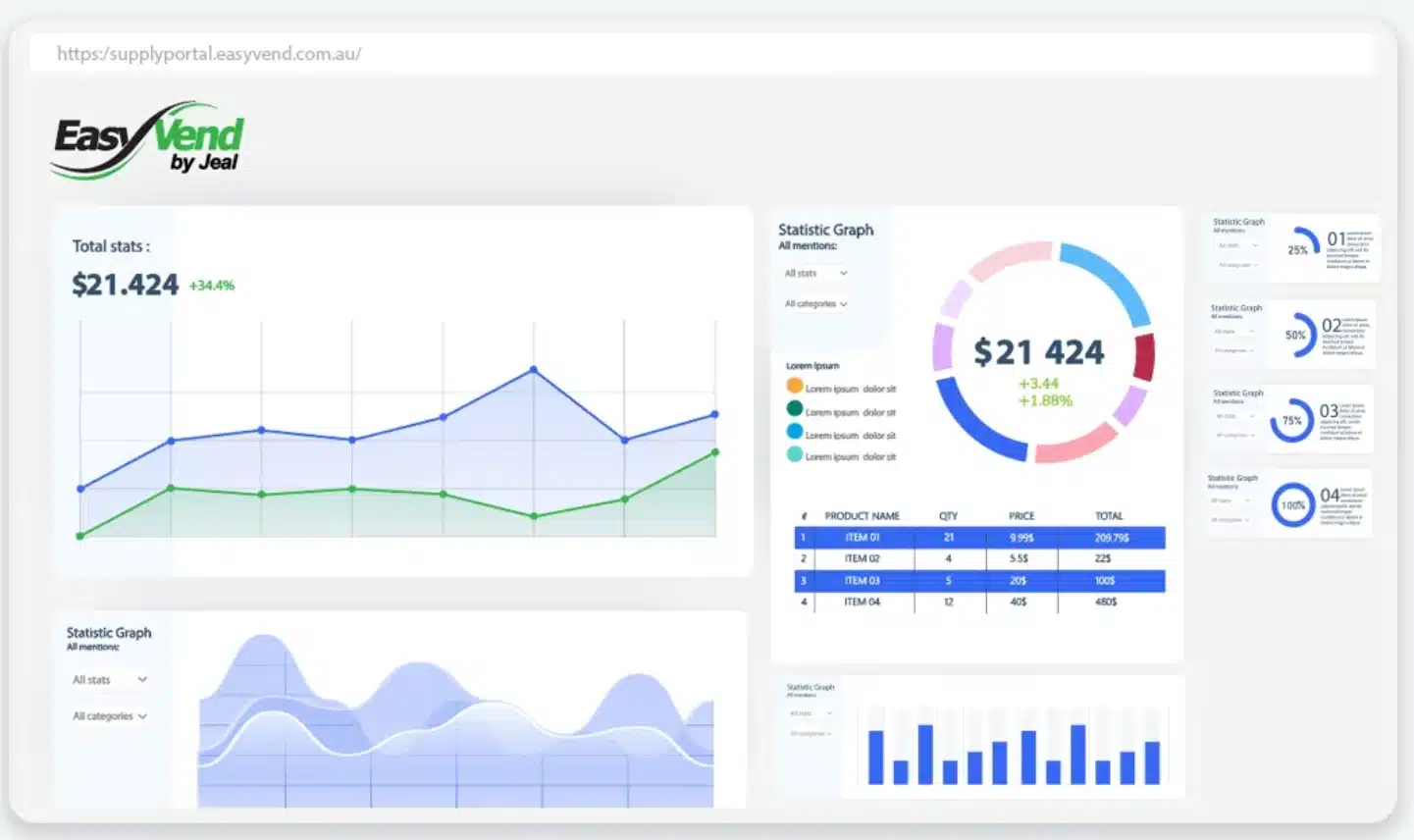
EasyVend is designed for businesses that need simple yet reliable inventory tracking with strong local support. It helps small to mid-sized operations manage stock, suppliers, and sales without complex setup.
Key Features:
- Inventory tracking
- Supplier management
- Sales and stock monitoring
- Cloud-based access
| Pros | Cons |
|
|
Pricing: Typically tailored based on business needs.
Suitable for: Small businesses looking for straightforward inventory tracking with minimal setup.
17. Netsuite
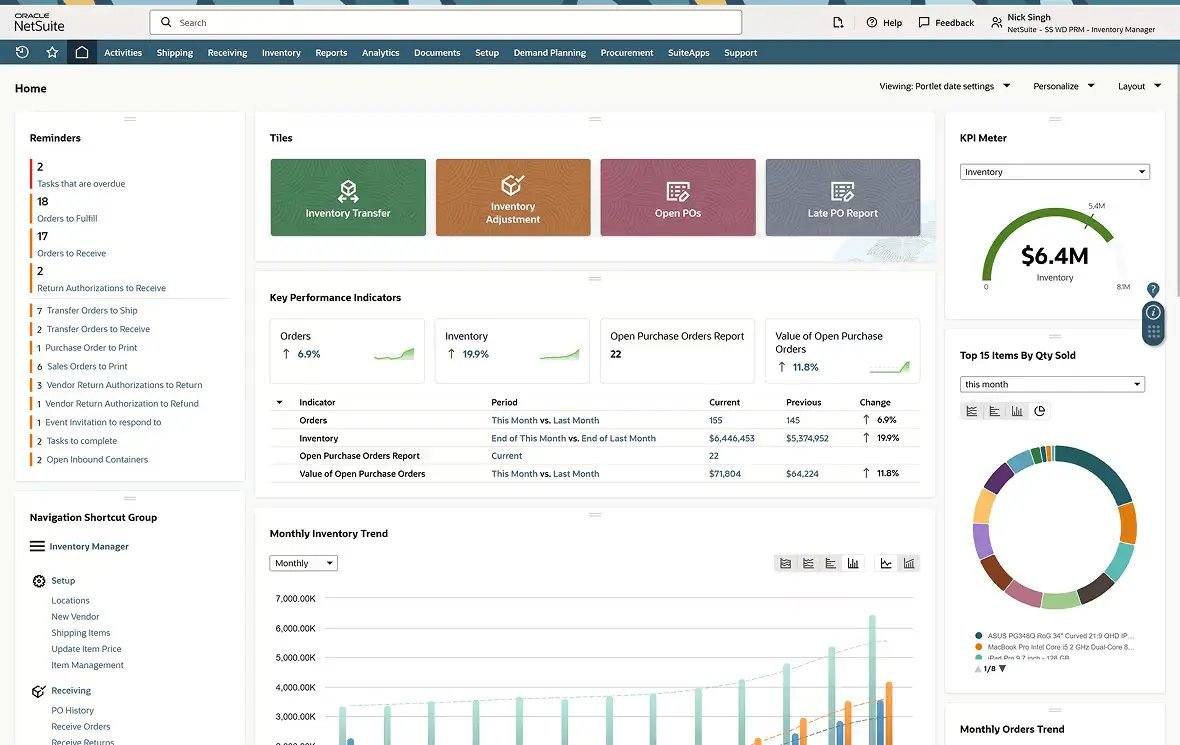
Oracle NetSuite is a cloud-based ERP platform designed to help businesses manage operations such as inventory, supply chain, finance, HR, payroll, and project management within one system. It is widely used by growing and enterprise businesses that need scalable business management tools and strong customisation capabilities.
Key Features:
- Financial management and accounting automation
- Inventory and supply chain management
- CRM and customer management tools
- Project management and business reporting
- Multi-entity and multi-currency support
| Pros | Cons |
|
|
Pricing: Custom pricing based on business size, users, modules, and operational requirements.
Suitable for: Growing businesses and enterprises needing a scalable cloud ERP with integrated finance, inventory, supply chain, and business management tools.
How Much Does Inventory Software Cost in Australia?
Inventory software pricing in Australia varies depending on features, business size, and system complexity. Understanding cost structures helps businesses choose solutions that match their budget and operational needs.
Free vs paid software
Free plans are suitable for small businesses with limited inventory needs. Paid solutions offer advanced features such as automation, reporting, and integrations.
Pricing tiers
Most software uses tiered pricing based on users, features, or transaction volume. Entry-level plans may start from $20–$50 AUD per month, while advanced systems can exceed $300 AUD.
AUD vs USD pricing
Some platforms charge in USD, which can lead to fluctuating costs due to exchange rates. Choosing AUD-based pricing helps maintain predictable expenses.
Hidden implementation costs
Beyond subscription fees, businesses should consider setup, training, and integration costs. These can significantly impact the total investment.
Total cost of ownership
The overall cost includes licensing, maintenance, upgrades, and support. Evaluating long-term costs helps avoid unexpected expenses.
How to Choose Australia’s Best Inventory Management Software
Choosing the right inventory management software Australia platform requires more than comparing features. Businesses need a system that aligns with local operations while supporting efficient workflows and streamlined inventory control across daily processes.
A well chosen system should reduce operational friction, improve visibility, and fit into existing workflows without adding unnecessary complexity. The following factors can help guide a more practical and locally relevant decision.
Support Hours (AEST/AEDT)
Support availability is critical when dealing with operational issues that affect stock accuracy or order fulfilment. Businesses in Australia should prioritise vendors that provide support aligned with AEST or AEDT time zones.
Relying on offshore support can lead to delays when issues occur during local business hours. Timely assistance helps reduce downtime and ensures operations continue without disruption.
Local Integration with Australian Systems
Inventory software should integrate smoothly with tools commonly used in Australia, including accounting, ecommerce, and logistics platforms. Poor integration often leads to manual work and inconsistent data across systems.
A strong local integration ecosystem ensures that orders, streamlined inventory control, and financial data flow accurately between platforms. This reduces reconciliation work and improves overall efficiency.
FSANZ Batch Tracking and Compliance
For businesses handling food, beverages, or regulated goods, compliance with FSANZ standards is essential. Inventory systems should support batch or lot tracking to ensure traceability across the supply chain.
This allows businesses to manage recalls, monitor product movement, and maintain accurate records. Without proper tracking, compliance risks and operational issues can increase significantly.
AUD vs USD Pricing Transparency
Pricing structure plays an important role in long-term cost management. Businesses should ensure that software pricing is clearly presented in AUD rather than USD to avoid fluctuations caused by exchange rates.
Hidden costs, conversion fees, or unclear billing structures can lead to unexpected expenses. Transparent pricing helps businesses plan budgets more accurately and avoid financial surprises.
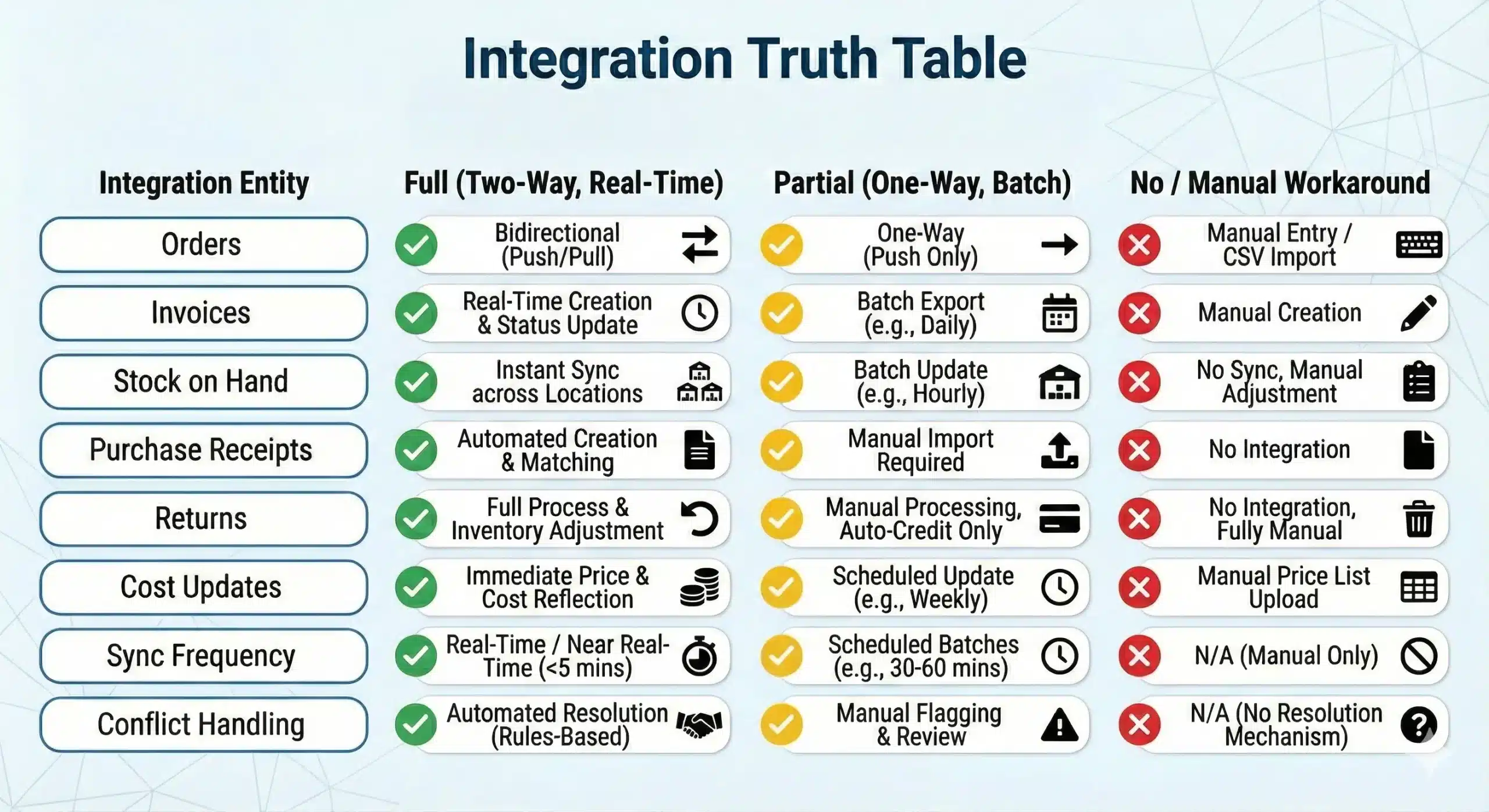
Ecosystem Fit with Your Current Stack
Inventory software should work seamlessly with the tools your business already relies on, including accounting systems, POS, ecommerce platforms, and logistics providers. Strong integration ensures that data flows consistently across operations.
When systems are well connected, businesses can reduce manual adjustments and maintain accurate inventory data. This supports more efficient workflows and helps operations scale without unnecessary complexity.
Conclusion
Choosing the best inventory management software depends on how well the system fits operational workflows, not just the number of features it offers. The right platform should support accurate stock control, smoother purchasing, and clearer business decisions.
Each business has different priorities, whether it is multi-location visibility, manufacturing control, or simple day-to-day stock tracking. Comparing systems based on scalability, integrations, and usability helps ensure the software remains effective as operations grow.
Inventory software works best when it aligns with real business processes and can adapt over time. If you want help shortlisting options, request a free consultation with our team.
Frequently Asked Questions About Best Inventory Software
-
How much does inventory management software cost in Australia?
Prices range from free (Square, Zoho free tier) to $300+ AUD/month for mid-market tools like Cin7 or Unleashed. Enterprise ERP solutions like HashMicro are priced based on modules and users.
-
Why is an inventory management system important for Australian businesses?
It helps Australian businesses navigate unique challenges such as GST compliance, high logistics costs, and multi-location management across vast distances. The system ensures accurate BAS reporting and optimizes stock levels to free up working capital.
-
What is the difference between ERP and inventory software?
Inventory software focuses solely on stock. An ERP (Enterprise Resource Planning) system like HashMicro connects inventory with accounting, HR, CRM, and procurement in one unified system.
-
Why is real-time inventory tracking important?
Real-time tracking prevents overselling (selling stock you don’t have) and allows you to reduce holding costs by ordering only what you need, exactly when you need it.
-
Can I use Excel for inventory management?
While Excel can be used for basic inventory management, it quickly becomes inefficient as your business grows. It lacks the real-time tracking, automation, and integration capabilities that more advanced systems provide. For better accuracy and control, it’s recommended to switch to stock management software, such as cloud inventory software or inventory control software, which offer features like real-time updates, reporting, and seamless integration with other business functions.
-
What is the most common inventory management software?
The most common inventory management software are solutions designed to automate and streamline stock tracking. Among the top choices are cloud inventory software and inventory control software, which provide businesses with features such as real-time inventory updates, automated stock reordering, and detailed analytics. These tools ensure businesses maintain optimal stock levels while minimizing errors and inefficiencies.
-
What is the best inventory software for Australian businesses with multiple warehouses?
For businesses managing stock across multiple warehouses or branches in Australia, options like HashMicro (with multi-branch management and 3D warehouse visualisation), Cin7 (with real-time multi-channel sync), and Unleashed (with multi-warehouse batch tracking) are among the strongest choices. The right fit depends on business size and whether accounting integration is also required.