




Warehouse software is now essential for managing growing order volumes and complex inventory. Research shows warehouse management systems can improve inventory accuracy to over 95% and reduce picking errors by up to 40%.
Modern WMS software also improves efficiency by providing real-time visibility, faster fulfilment, and better coordination across warehouse operations, with some studies reporting up to 25–40% gains in processing speed.
For Australian businesses, where labour costs and distribution distances are high, these improvements are critical. WMS adoption can also reduce labour costs by up to 30% while boosting productivity and supply chain efficiency.
Key Takeaways
|

Our Top Picks at a Glance (Shortlisted)

Best Because
Modular setup and flexible customization for changing warehouse workflows.




Best Because
Visual item tracking that works well for assets, tools, and smaller inventories.
What Is Warehouse Management Software (WMS)?
Warehouse software, also known as warehouse inventory management software or a warehouse management system (WMS), helps businesses track stock, manage inventory, and run warehouse operations more efficiently from receiving to dispatch.
Many businesses start with basic warehouse systems or open-source tools that offer essential features like real-time stock updates and simple tracking. As they grow, they often upgrade to the best warehouse management system for more advanced control and automation.
For larger operations, scalable WMS Australia solutions support higher order volumes and smoother workflows. A cloud-based warehouse management system helps improve accuracy, efficiency, and overall warehouse performance.
How We Evaluated the Best WMS Software
Selecting a Warehouse Management System (WMS) requires a rigorous evaluation methodology that goes beyond surface-level feature lists. We examined software based on six critical dimensions that impact long-term operational success.
- AU availability & support: Looked for AUD pricing, local hosting options, and Australia-based support.
- Core WMS features: Checked essentials like real-time stock tracking, picking, packing, and shipping control within a real-time warehouse automation system.
- Integrations: Prioritized smooth connections with accounting, eCommerce, ERP, and courier tools.
- Scalability: Evaluated how well it handles higher order volumes, more SKUs, and multiple sites.
- Ease of use: Considered usability, mobile access, and training effort.
- User reviews: Used customer feedback to validate reliability and support quality.
All recommendations on this list are manually evaluated by our editorial team based on hands-on testing, demo sessions, and verified customer feedback from Australian businesses. We do not accept payment for placement or ranking on this list.
18 Best Warehouse Management Software in Australia
Each platform has been selected for its specific strengths, helping businesses identify the best warehouse management software for their operational needs, from retail-focused lightweight tools to enterprise-grade ERP integrations.
1. Square
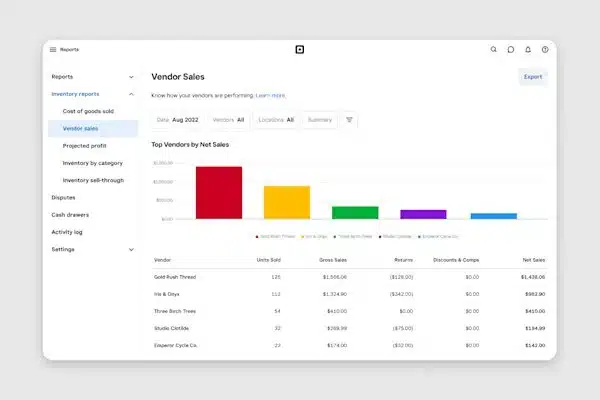
Square works best as a WMS software for retail-focused businesses that need POS-linked inventory updates in real time across store and back-of-house stock. It prioritizes visibility and ease of use over advanced warehouse features.
Key Features:
- Unified Sales and Inventory: Real-time synchronization between POS terminals and warehouse stock levels prevents overselling.
- Low-Stock Alerts: Automated notifications based on customizable thresholds help maintain optimal stock levels.
- Barcode Label Printing: Built-in tools to generate and print SKU labels directly from the item library.
- Multi-Location Management: Basic support for tracking stock across different store locations or small storage units.
| Pros | Cons |
|
|
Pricing: Square generally operates on a transaction-fee basis for sales, with the retail POS software having a free tier. Advanced inventory features are part of the “Square for Retail” Plus plan, costing approximately $60 AUD per month per location.
Best for: Small retail and hospitality teams that want basic stock tracking tightly connected to POS.
2. Zoho Inventory
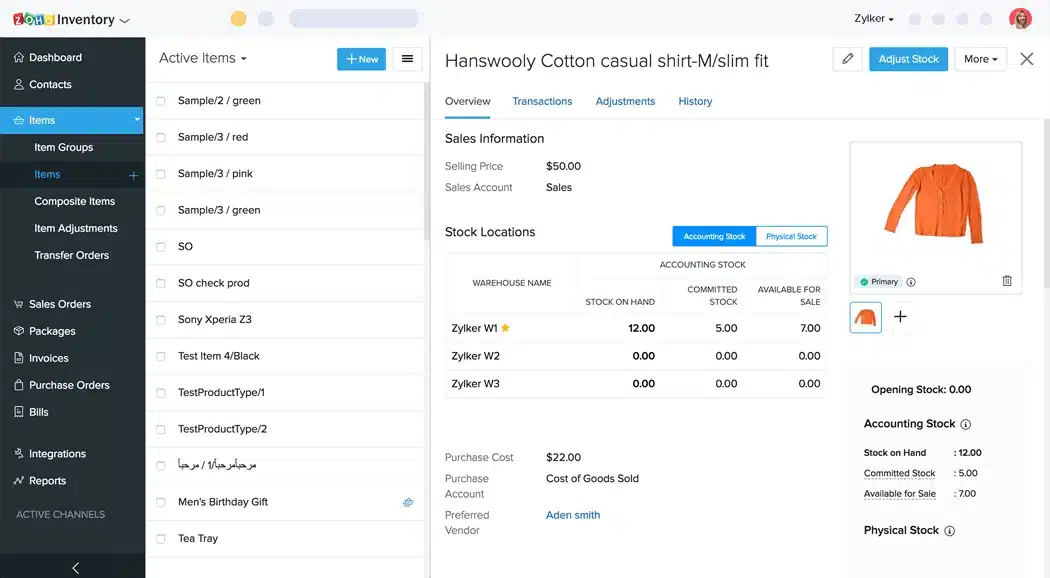
Zoho is one of the best warehouse management software options for growing businesses that need stronger order management, automating warehouse, and stock control without the overhead of a full ERP.
Key Features:
- End-to-End Tracking: Monitor inventory from the moment it is ordered from a vendor to the moment it reaches the customer.
- Batch and Serial Tracking: Critical for warranty management and expiration date monitoring.
- Shipping Integrations: Connects with major carriers to fetch live shipping rates and print labels.
- Composite Items: Supports kitting and bundling of products, useful for promotional sales.
| Pros | Cons |
|
|
Pricing: Zoho offers a free plan for very small operations. Paid plans start around $29 AUD per organization per month, scaling up based on the number of orders and warehouses managed.
Best for: Growing businesses that need cloud-based inventory control across multiple warehouses and sales channels.
3. Sortly
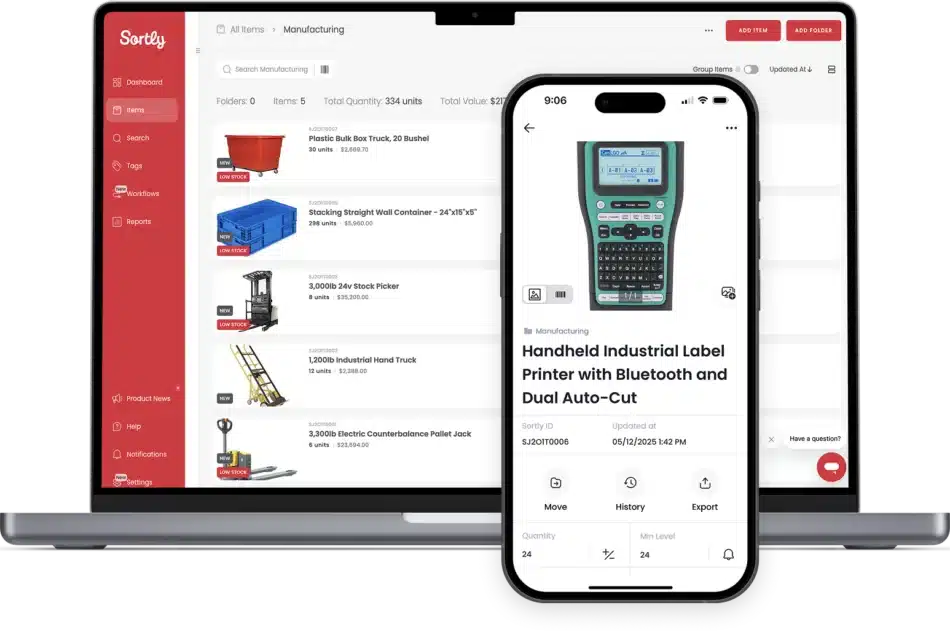
Sortly WMS software suits teams that need visual, mobile-first inventory and asset tracking using photos and QR codes, especially for tools, facilities, and creative assets.
Key Features:
- Visual Inventory: High-resolution photos accompany every SKU, reducing identification errors.
- QR Label Generation: Create and print custom QR labels that link directly to the item record.
- Offline Access: The mobile app works without an internet connection, syncing data when connectivity is restored.
- Custom Fields: Flexible data entry allows businesses to track specific attributes like “Condition” or “Assignee.”
| Pros | Cons |
|
|
Pricing:Sortly offers a limited free plan. The Advanced plan starts at approximately A$41/month, and the Ultra plan for larger teams is around A$83/month.
Best for: Mobile-first teams tracking assets, tools, and simple inventory lists with barcode/QR scanning.
4. NetSuite WMS
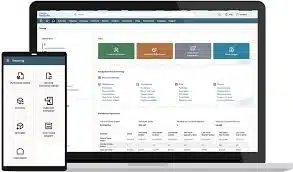
NetSuite is a WMS software designed to manage receiving, putaway, picking, packing, and shipping processes within a unified platform. It provides barcode-enabled workflows, task management, and real-time inventory.
Key Features:
- Mobile RF Barcode Scanning: Supports barcode-enabled workflows on mobile/RF devices for warehouse floor execution.
- Putaway & Picking Strategies: Uses defined strategies to guide putaway locations and picking methods for faster, more accurate fulfilment.
- Task Management Workflows: Assigns and manages warehouse tasks to standardize receiving through shipping operations.
- Cycle Counting & Real-Time Inventory Updates: Supports cycle count plans and updates inventory records and reports in real time as transactions are completed.
| Pros | Cons |
|
|
Pricing: Pricing depends on base package, number/type of user licenses, add-on modules (including WMS), and implementation scope.
Best for: Larger operations needing advanced fulfilment workflows, RF scanning, and tighter process control.
5. Cin7
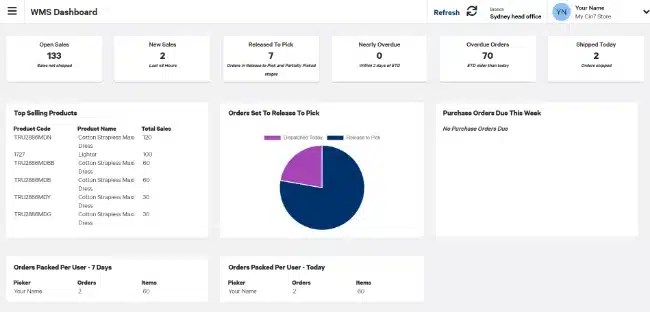
Cin7 is a WMS software that syncs inventory across multiple warehouses and sales channels, providing real-time stock visibility.
Key Features:
- Omnichannel Integration: Connects with over 700 integrations including Amazon, The Iconic, and Salesforce.
- Built-in EDI: Electronic Data Interchange capabilities allow for automated trading with major retailers (e.g., Woolworths, Coles).
- 3PL Integration: Seamlessly connects with third-party logistics providers to automate outsourced fulfillment.
- Virtual Warehousing: Segment stock logically without physical separation to reserve inventory for specific channels.
| Pros | Cons |
|
|
Pricing: Cin7 does not publish standard pricing publicly. It typically starts at approximately A$457/month for the Core product, while the Omni product is priced significantly higher and requires a custom quote.
Best for: Product-based businesses selling across multiple channels that need strong inventory sync and integration coverage.
6. HashMicro
HashMicro is positioned as best WMS software for businesses needing an ERP-integrated WMS that scales across complex, multi-department operations. Key strengths include AI-driven route and slotting optimisation plus 3D warehouse visualisation for real-time capacity and layout control.
Key Features:
- 3D Warehouse Visualization: Provides a graphical representation of shelf capacity and item placement for better space utilization.
- AI-Driven Slotting: Automatically suggests optimal storage locations for items based on turnover frequency and size.
- Multi-Warehouse Valuation: Manages inventory across multiple sites with different valuation methods (FIFO, LIFO, Average).
- Barcode & RFID Integration: Native support for advanced scanning hardware to automate receiving, picking, and stocktaking.
- Real-time inventory dashboard: Provides live visibility into stock levels, warehouse activity, and order status across all locations and departments.
- Demand forecasting: Uses historical data and AI analysis to predict stock needs, helping businesses avoid stockouts and reduce overstock.
| Pros | Cons |
|
|
Pricing: HashMicro uses tailored enterprise pricing, usually quoted after a consultation based on modules and user count, with grants potentially available in eligible regions.
Best for: Companies that want WMS connected to broader ERP workflows like purchasing, accounting, and reporting.
Explore HashMicro pricing and discover the right solution for your business. Click to view plans and packages.
7. Odoo
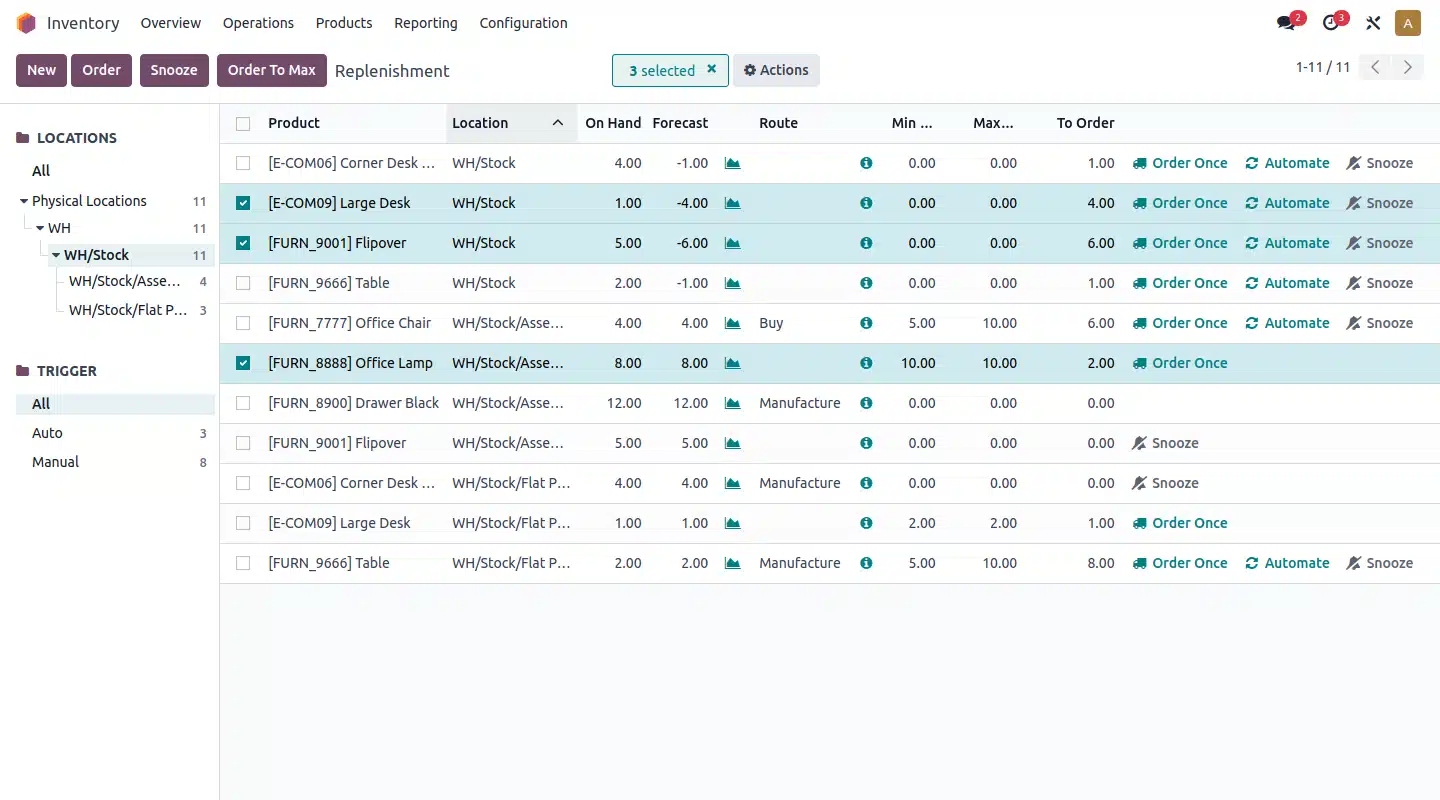
Odoo is a warehouse app that can run standalone or as part of a full suite, using double-entry inventory moves for stronger traceability. It’s highly customizable and supports advanced routing like drop-shipping, cross-docking, and multi-step flows.
Key Features:
- Double-Entry Inventory: Provides complete traceability of every stock movement, similar to financial accounting.
- Advanced Routing: Configurable rules for dropshipping, cross-docking, and multi-warehouse transfers.
- Barcode Scanner App: A fully integrated mobile app that works on standard smartphones or industrial scanners.
- Replenishment Automation: Automatically generates RFQs (Requests for Quotation) based on minimum stock rules and forecasts.
| Pros | Cons |
|
|
Pricing: Odoo offers a “One App Free” plan. For the full suite or multiple apps, pricing is per user, typically around $20-$35 AUD per user/month depending on the hosting model (Standard vs. Custom).
Best for: Teams wanting a modular system that can start with warehouse needs and expand into other business apps.
8. RightControl
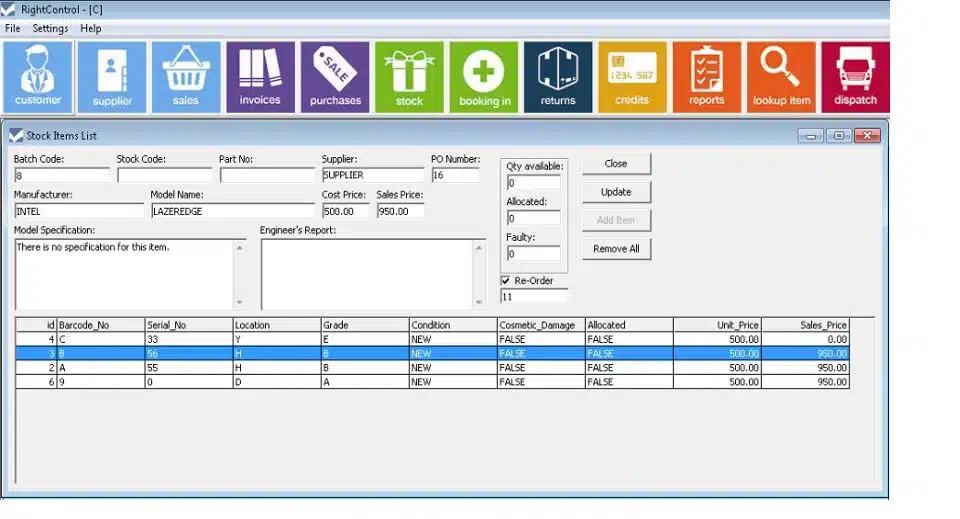
RightControl is a desktop, on-premise warehouse solution suited for small businesses needing reliable stock control, order processing, and purchasing in low-connectivity environments. It includes barcode and label printing, but limited cloud features can restrict integrations and mobile use.
Key Features:
- Desktop-Based: Installed locally on Windows machines, offering data control and offline capability.
- Barcode Generation: Built-in tools to create and print industry-standard barcode labels.
- Service & Repair Tracking: Features for managing returns and service jobs, useful for repair shops.
- Simple Invoicing: Integrated invoicing and basic CRM functionality.
| Pros | Cons |
|
|
Pricing: RightControl typically operated on a tiered licensing model (RightControl Lite is free). Pricing for the full version varies, but it is generally considered a budget-friendly option for legacy users.
Best for: Warehouses needing configurable, RF-driven execution and strict process enforcement.
9. SalesBinder
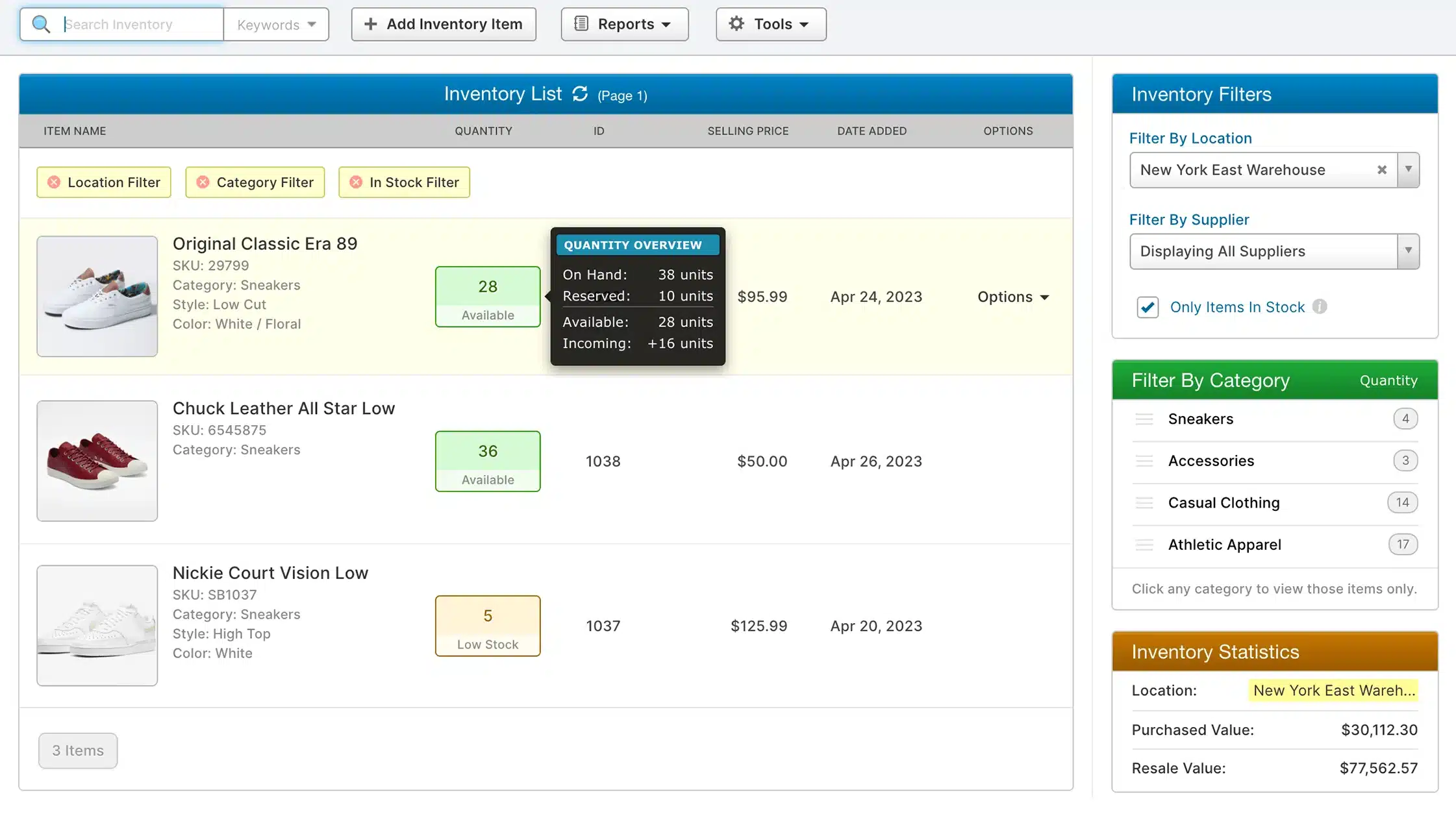
SalesBinder is cloud-based warehouse software that gives sales teams real-time visibility into warehouse stock, reducing overselling and allocation mistakes.
Key Features:
- Real-Time Sales Visibility: Sales reps can view live stock levels while in the field.
- Multi-Currency Support: Handles international transactions and localized pricing seamlessly.
- CRM Integration: Built-in CRM features to manage customer history and specific pricing tiers.
- Document Generation: Automates the creation of invoices, packing slips, and quotes.
| Pros | Cons |
|
|
Pricing: Salebinder offers tiered monthly subscriptions, typically starting at approximately A$27/user/month, with higher plans available for advanced features and larger storage limits.
Best for: Businesses that want straightforward inventory and order tracking without heavy warehouse complexity.
10. Openboxes
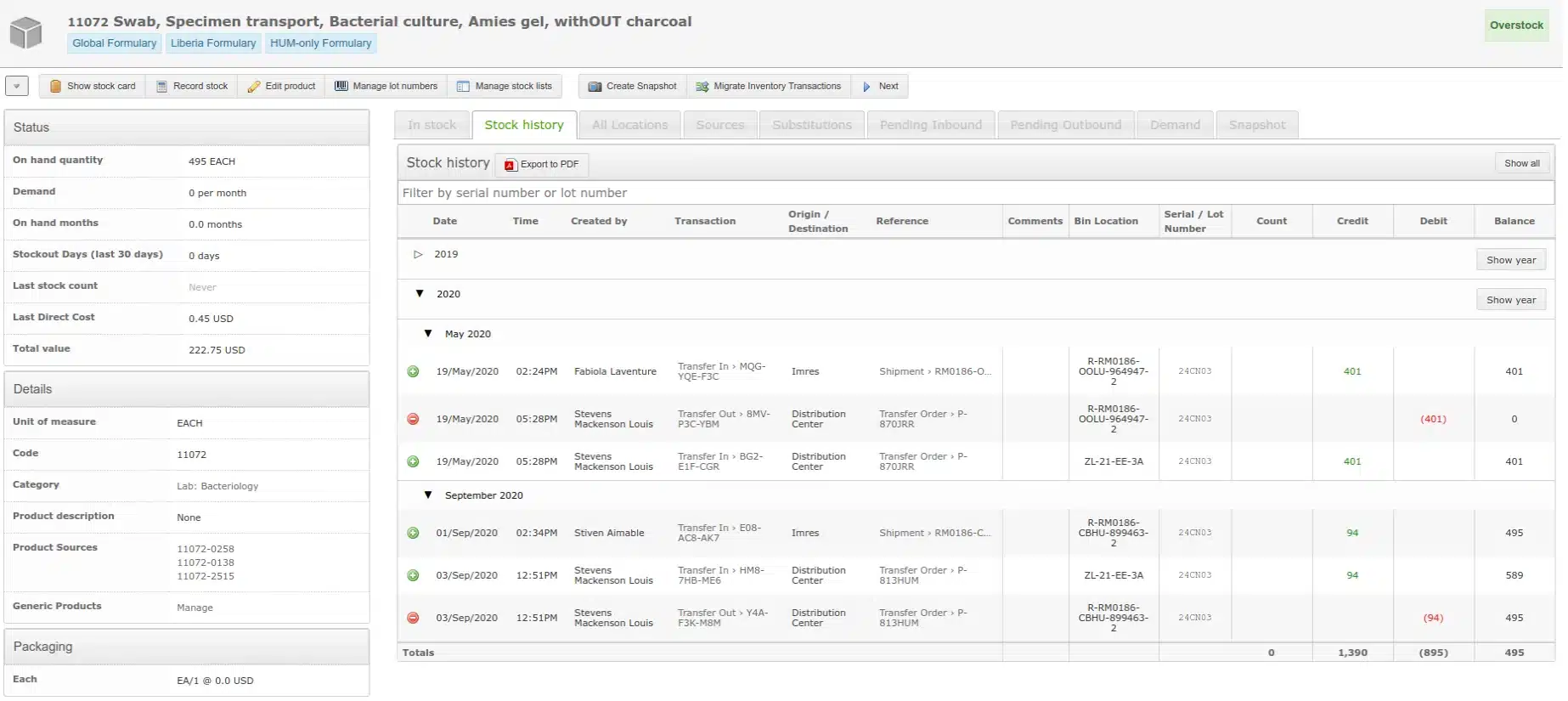
Openboxes is an open-source warehouse software built for healthcare and humanitarian supply chains, with strong support for expiry tracking, lot control, and cold-chain needs.
Key Features:
- Expiration & Lot Tracking: Critical for managing perishable goods and medical supplies.
- Stock Movement History: Comprehensive audit trails for every inventory transaction.
- Forecasting: Tools to predict demand based on consumption history to prevent stockouts.
- Flexible Hierarchy: Supports complex organizational structures with multiple levels of inventory locations.
| Pros | Cons |
|
|
Pricing: As open-source software, the license is free. Costs are associated with hosting, implementation, and any required customization or support services.
Best for: Organizations managing medical or humanitarian supply chains that need transparent stock and distribution tracking.
11. Carton Cloud
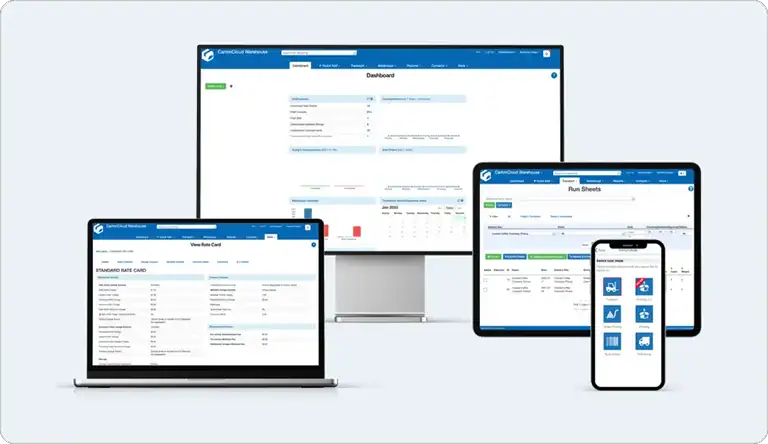
CartonCloud is a cloud-based warehouse and transport management system designed for logistics providers and growing distribution businesses. It is often included in best WMS software comparisons for its strong 3PL capabilities, real-time tracking, and seamless integration with freight and courier services.
Key Features:
- Cloud-Based Platform: Access inventory and operations data in real time from anywhere.
- Transport Management (TMS): Built-in tools for managing deliveries, routes, and freight operations.
- 3PL Functionality: Supports multi-client management, billing, and contract logistics workflows.
- Integrations: Connects with accounting systems, eCommerce platforms, and Australian courier services.
| Pros | Cons |
|
|
Pricing:
CartonCloud offers subscription-based pricing tailored to business size and requirements. Costs vary depending on features, users, and transaction volumes, typically starting from a monthly fee.
Best for:
3PL providers, logistics companies, and distribution businesses needing an integrated warehouse and transport management solution.
12. Datapel
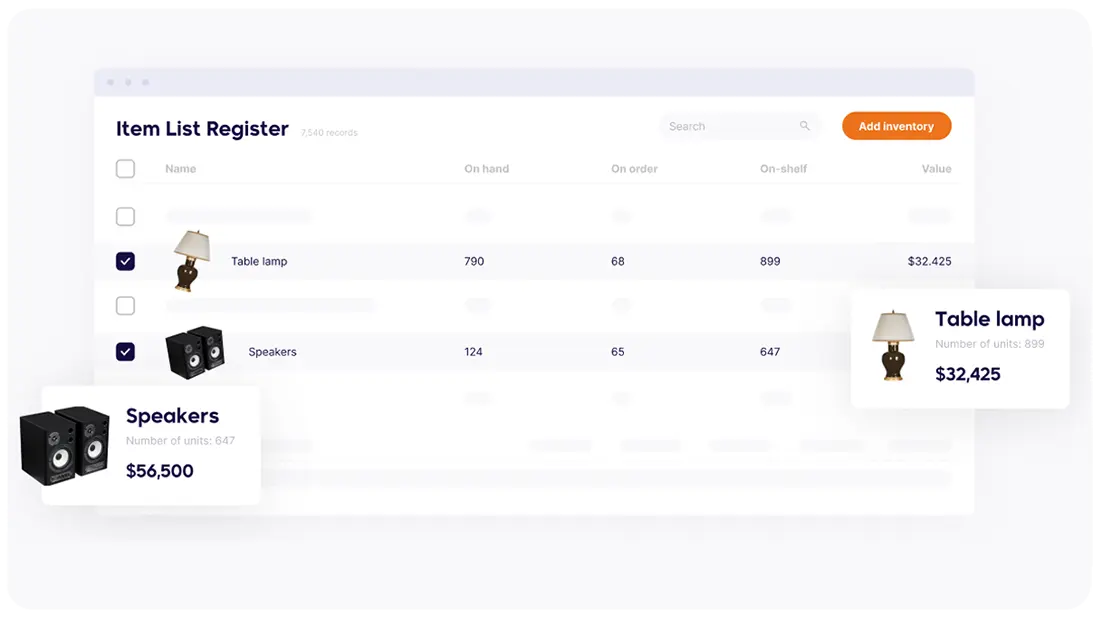
Datapel is a cloud-based warehouse management system designed for small to mid-sized businesses looking to improve inventory accuracy and streamline warehouse operations. It is often featured in best WMS software comparisons for its user-friendly interface and strong integration with accounting and eCommerce platforms.
Key Features:
- Inventory Management: Real-time tracking of stock levels across multiple locations.
- Barcode Scanning: Improves picking, packing, and stocktaking accuracy.
- Order Management: Streamlines order processing from receiving to dispatch.
- Integrations: Connects with accounting software like Xero and MYOB, as well as eCommerce platforms.
| Pros | Cons |
|
|
Pricing:
Datapel offers subscription-based pricing depending on business size and feature requirements. Pricing is typically provided upon request.
Best for:
Small to mid-sized businesses seeking a reliable and easy-to-use warehouse management solution with strong integration capabilities.
13. Blue Yonder
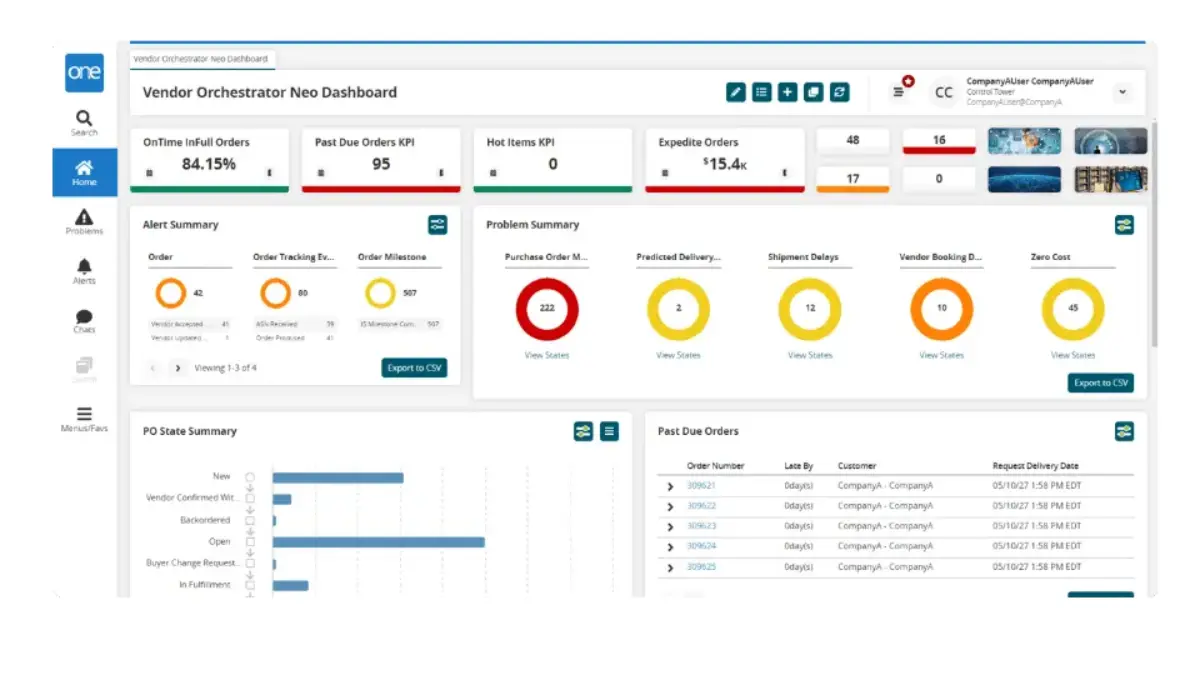
Blue Yonder is an enterprise-grade warehousing software built for large distribution networks that need advanced automation, real-time visibility, and AI-driven planning. It is a strong fit for businesses evaluating a scalable warehouse system or a high-performance WMS Australia solution for complex operations.
Key Features:
- AI-Driven Forecasting: Helps businesses predict demand more accurately and improve replenishment planning.
- Warehouse Automation Support: Supports robotics and advanced automation to speed up warehouse execution.
- Scalable Global Operations: Handles high transaction volumes across large and multi-site warehouse environments.
- Real-Time Inventory Visibility: Gives teams better control over stock movement and warehouse activity.
| Pros | Cons |
|
|
Pricing: Custom pricing. Businesses need to contact the vendor for a tailored quote.
Best for: Large enterprises and distribution centers that need advanced warehousing software with automation, forecasting, and multi-site scalability.
14. Infor
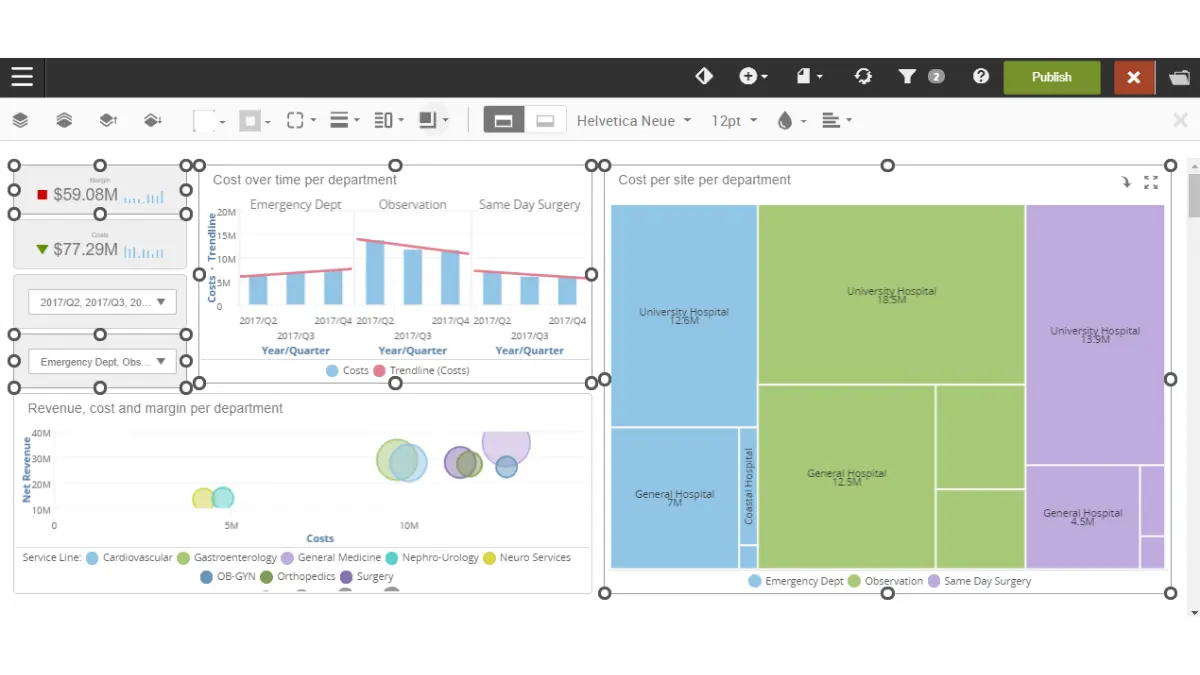
Infor is a robust warehouse system designed for large-scale warehousing and supply chain operations. It is especially relevant for enterprises that want a cloud WMS Australia option connected to broader ERP and operational workflows.
Key Features:
- Cloud-Based ERP Integration: Connects warehouse operations with ERP processes for better data flow and visibility.
- Labor Management: Helps monitor workforce productivity and improve warehouse resource allocation.
- 3D Visualization: Gives teams a clearer view of warehouse layouts and activity for better planning.
- Supply Chain Strength: Supports warehousing needs in manufacturing and complex supply chain environments.
| Pros | Cons |
|
|
Pricing: Custom pricing. Contact the vendor for implementation and licensing details.
Best for: Large businesses that need a connected warehouse system with ERP integration, workforce controls, and broader supply chain visibility.
15. Softeon WMS
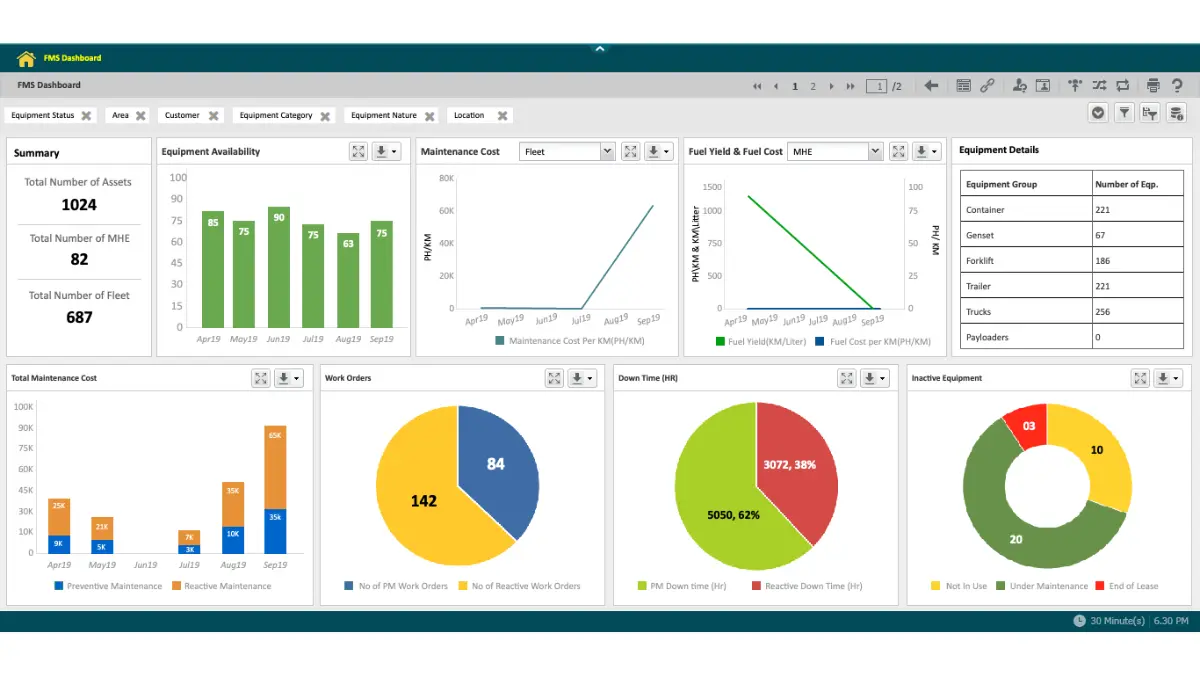
Softeon WMS is flexible warehousing software for businesses that run complex warehouse operations and need configurable workflows. It is a practical option for enterprises comparing WMS Australia platforms that support tailored processes across picking, packing, and shipping.
Key Features:
- Advanced Picking, Packing, and Shipping: Supports detailed execution workflows for efficient order fulfillment.
- ERP and TMS Integration: Connects warehouse activities with enterprise systems and transportation processes.
- Configurable Modules: Lets businesses tailor the system based on their operational needs.
- Complex Workflow Support: Fits distribution environments that need more control and flexibility.
| Pros | Cons |
|
|
Pricing: Custom pricing. Businesses need to request a quote from the vendor.
Best for: Enterprises that need configurable warehousing software with advanced fulfillment workflows and strong system integration.
16. myWMS
myWMS is an open-source warehouse system that gives businesses more flexibility without upfront software licensing costs. It is a good option for teams that want practical warehousing software with barcode and RFID support, especially when they prefer a customizable setup over a closed commercial platform.
Key Features:
- Open-Source Architecture: Allows businesses to customize the system based on operational needs.
- Barcode and RFID Identification: Speeds up scanning, tracking, and item identification in the warehouse.
- Receiving and Inventory Updates: Records delivery data and updates stock automatically for better accuracy.
- Paperless Workflows: Uses digital records to reduce paperwork and improve real-time coordination.
| Pros | Cons |
|
|
Pricing: Free and open-source.
Bestfor: Small to mid-sized warehouses that want a flexible warehouse system with barcode or RFID support and lower upfront software costs.
17. Fishbowl
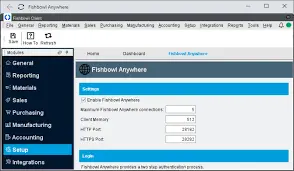
Fishbowl is an inventory and warehouse management platform built for manufacturers, wholesalers, and distributors. It integrates directly with QuickBooks and Xero, making it a practical choice for Australian businesses that want warehouse control without replacing their existing accounting setup.
Key Features:
- Inventory tracking with purchase order and work order management
- Barcode scanning for receiving, picking, and stocktaking
- Multi-location warehouse management
- Native integration with QuickBooks and Xero
| Pros | Cons |
| ✓ Strong fit for manufacturing and distribution workflows | × Not a standalone accounting platform; requires pairing with QuickBooks or Xero |
| ✓ Deep accounting integration reduces double-entry across finance and warehouse teams | × Can be complex to configure without a dedicated implementation partner |
| ✓ Supports multi-location stock tracking and work order management | × Interface feels less modern compared to newer cloud-native WMS platforms |
Pricing (AUD): Custom pricing. Contact Fishbowl directly for an Australian quote based on modules and user count.
Best for: Manufacturers and distributors that need inventory and warehouse management integrated with their existing accounting platform.
18. Frostbyte Pro
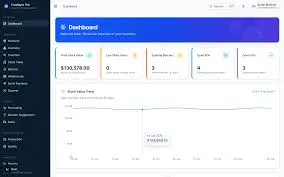
Frostbyte Pro is an Australian-built platform designed for hospitality and retail businesses. It combines stock control, supplier purchasing, and back-of-house operations in a system tailored to venues, food service operations, and multi-site retail.
Key Features:
- Stock management and supplier purchasing in one platform
- Real-time inventory tracking across multiple locations
- Supplier invoice management and receiving workflows
- Built for Australian hospitality and retail compliance requirements
| Pros | Cons |
| ✓ Built for Australian hospitality and retail with local compliance in mind | × Not suited to general warehousing or distribution outside its core verticals |
| ✓ Combines front-of-house and back-of-house stock operations in one platform | × Integration options with broader ERP or logistics platforms can be limited |
| ✓ Straightforward setup suited to venue and multi-site retail teams | × Advanced warehouse logic such as wave picking or 3PL billing is not available |
Pricing (AUD): Contact Frostbyte Pro directly for pricing based on venue type and operational scope.
Best for: Australian hospitality venues and retailers that need integrated stock management and back-of-house operations without the complexity of a full WMS.
Quick Comparison Table
| Feature | Square | Zoho Inventory | Sortly | NetSuite WMS | Cin7 | HashMicro | Odoo | CartonCloud | Datapel | Fishbowl | Frostbyte Pro |
|---|---|---|---|---|---|---|---|---|---|---|---|
| User-Friendly Interface | |||||||||||
| Pricing | |||||||||||
| Learning Curve | |||||||||||
| Local Accounting Support (AU) | Yes | Limited | No | Yes | Yes | Yes | Limited | Yes | Yes | Yes | Yes |
| AU Courier Integration | Yes | Yes | Limited | Yes | Yes | Yes | Limited | Yes | Yes | Limited | Limited |
| 3PL Capable | No | No | No | Yes | Limited | Yes | Yes | Yes | Limited | Limited | No |

How to Choose the Right WMS for Your Business
A mismatch between software capabilities and operational reality can paralyze workflows, so selecting the best warehouse management software should start with clear segmentation to narrow down the options.
1. By business size
Small businesses with 1 to 50 employees should prioritise usability and low overhead, using warehouse software that is quick to deploy and easy to train so the focus stays on digitising operations.
Mid-market enterprises with 50 to 250 employees need warehouse software that scales with higher transaction volumes and connects smoothly to sales, purchasing, and accounting workflows. Solutions like Cin7, HashMicro, and Datapel are well-suited for this segment, offering multi-location support and integration with accounting systems commonly used in Australia.
Large enterprises with 250+ employees require a system for warehouse oversight built for complex processes, multi-site control, tighter data governance, and advanced optimisation across the supply chain.
2. By industry
Choosing the best WMS software, warehouse management system, or warehouse inventory management software depends on industry needs. Retail and eCommerce businesses need strong integrations with sales channels and shipping systems to keep inventory and fulfilment in sync.
Manufacturing requires tracking for materials and production, while healthcare and perishables need batch, lot, and expiry control. The best warehouse management system helps each industry improve accuracy, efficiency, and compliance.
3. By budget
Budget-conscious options include tools with free plans that help start warehouse operations without upfront spending. Mid-range choices typically offer strong core features at a manageable monthly fee.
Higher-investment platforms cost more but can deliver ROI through labour savings, tighter control, and better inventory optimization at scale.
Safe Work Australia notes employers must consult, cooperate, and coordinate on WHS when making operational changes, which includes implementing warehouse software that alters workflows, device use, or automation processes.
4. By development model
Cloud WMS is hosted by the vendor and accessed via browser or app, making it the faster and lower-cost path for most businesses. It suits operations that need remote visibility across multiple sites, automatic updates, and minimal IT overhead.
On-premise WMS is installed on your own servers and managed internally, giving you full control over data and infrastructure. This suits warehouses with strict data sovereignty requirements, limited internet connectivity, or complex customisation needs that hosted platforms cannot accommodate.
Platforms like HashMicro support both deployment models, which gives growing businesses the flexibility to start on cloud and migrate to on-premise if operational requirements change.
Key Features to Look for in Warehouse Management Software
When vetting potential software, look beyond marketing jargon. The following five features are the technical pillars of the best warehouse management software for a modern, efficient warehouse operation.
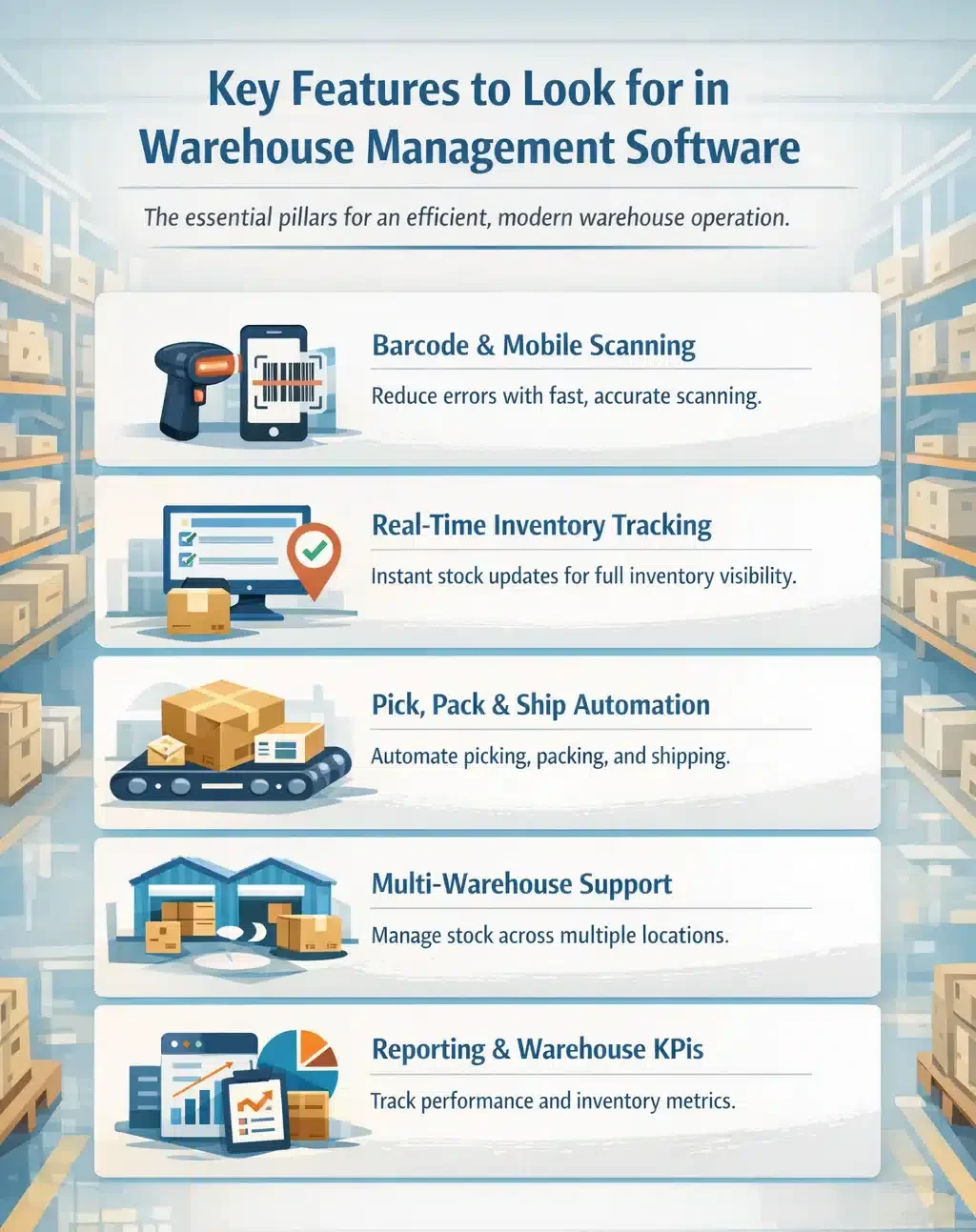
1. Barcode and mobile scanning
Cuts manual input and improves accuracy by validating every scan during receiving, putaway, picking, and packing. Errors are flagged on the spot, reducing mispicks, wrong shipments, and time wasted on rechecking.
2. Real-time inventory tracking
WMS software updates stock instantly after every movement so teams always work from the same numbers. This helps prevent overselling, supports fast replenishment decisions, and keeps inventory visibility consistent across channels and locations.
3. Pick, pack & ship automation
Streamlines fulfilment with directed picking, logical pick sequences, and system-generated packing and shipping steps. Faster label printing and fewer manual tasks reduce lead time and increase daily order capacity.
4. Multi-warehouse & multi-location support
Businesses managing stock across multiple warehouse locations often face inaccurate counts, stock allocation errors, and visibility gaps between sites. Multi-warehouse and multi-location support tracks stock across multiple warehouses, zones, and bins while keeping transfers controlled and traceable. It also helps allocate stock to the right location, improving fulfilment speed and reducing emergency transfers.
5. Reporting & warehouse KPIs
Provides dashboards and reports that highlight warehouse performance and inventory health. Metrics like order cycle time, stock accuracy, and fill rate help identify bottlenecks, improve planning, and keep service levels stable.
Tips for Implementing Warehouse Management Software
A successful warehouse management software rollout starts with clear planning, the right people, and realistic execution. Businesses that treat implementation as an operational project, not just a system setup, usually achieve faster and more sustainable results.
- Define clear goals before implementation:
Start by identifying the specific problems you want the system to solve, such as stock inaccuracies, slow picking, or limited visibility across operations. Clear KPIs help measure whether your WMS Australia strategy is improving performance or if adjustments are needed during the rollout. - Review your current warehouse processes first:
Map your existing receiving, putaway, picking, packing, and dispatch workflows before configuring the platform. A well-structured process ensures your warehouse system can support daily operations efficiently and scale as your business grows. - Clean your data before migration:
Check item codes, stock records, supplier details, location labels, and order data before moving anything into the new platform. This also supports improving stock accuracy across your operations and ensures better data reliability over time. - Plan integrations carefully:
Your solution should connect seamlessly with ERP, accounting, eCommerce, courier, or procurement tools to maintain consistent data across the business. A reliable cloud WMS becomes significantly more valuable when it supports connected workflows rather than isolated functions. - Train staff early and make adoption easy:
Warehouse teams need hands-on training that demonstrates how the system supports their daily responsibilities, not just how features work. Strong onboarding helps teams adopt the platform faster and build confidence in using the new storehouse solution effectively. - Test real warehouse scenarios before go-live:
Run practical tests for receiving, stock transfers, picking, packing, returns, and dispatch to identify potential gaps early. Your system should perform well in real operational conditions, not just in controlled demonstrations. - Prepare for change management, not just system setup:
People are more likely to resist new tools when they don’t understand the purpose or benefits. Businesses can also explore how to restock efficiently to maintain optimal inventory levels and avoid stockouts.
Conclusion
Choosing the right warehouse software in Australia means finding a system that supports your current needs and future growth. The right solution improves visibility and control across receiving, storage, picking, and shipping.
Basic WMS software can handle simple tracking, while advanced systems support multiple warehouses, integrations, and automation. Your choice should depend on order volume, inventory complexity, and growth plans.
When used effectively, warehouse software reduces errors, speeds up fulfilment, improves inventory accuracy, and creates a better customer experience.
Every warehouse setup is different, so we recommend you consult our expert to ensure the system you choose truly fits your operational needs.
Frequently Asked Question
A WMS focuses on warehouse tasks like picking, packing, and shipping, while an ERP manages broader business processes like finance, sales, purchasing, and operations.
Costs vary depending on features and business size. Basic cloud systems may start from low monthly fees, while larger businesses often require custom pricing.
Yes. Most modern warehouse software supports barcode scanners, smartphones, tablets, and handheld devices for faster and more accurate operations.
WMS manages warehouse tasks, IMS tracks inventory, and ERP connects wider business functions like finance, sales, and operations.
Yes, many WMS solutions can manage multiple warehouses across different states with centralised inventory tracking and stock transfers.
WMS can support compliance through better tracking and reporting, but businesses must still meet Safe Work Australia requirements.