







Construction businesses in Australia still rely on disconnected tools for costing, procurement, payroll, and reporting. This fragmentation makes it harder to track project performance and respond quickly when conditions change.
Recent industry data shows that a large percentage of construction businesses still struggle with fragmented systems, leading to delays in reporting, cost overruns, and limited project visibility. This is why many companies are shifting toward integrated construction management software to improve operational control and decision-making.
Construction management software Australia helps centralise these processes by connecting project operations with financial and operational data. With the right system, businesses can improve visibility, reduce manual work, and make faster, more accurate decisions.
Key Takeaways
|
Our Top Picks at a Glance (Shortlist)
These selections represent the best balance of functionality, local Australian support, and scalability. Whether you are a specialized subcontractor or a Tier 1 developer, these platforms offer the foundational architecture needed for success.
Best Because
A strong choice for contractors that need reliable field collaboration, document control, and project visibility in one cloud platform.


Best Because
Ideal for construction firms that prioritize deep job costing, payroll, and financial control over modern interface design.
Best Because
A scalable ERP option for construction businesses that want strong reporting and seamless integration with Microsoft tools.

Best Because
Best suited for large construction groups that need enterprise-grade governance, multi-entity control, and advanced financial management.


Best Because
A powerful enterprise cloud ERP for companies that need strong automation, procurement control, and scalable multi-entity reporting.
What is Construction Management Software?
Construction management software Australia is a type of construction solution that helps businesses manage budgets, schedules, documents, procurement, and site activities in one place. It acts as a single source of truth for construction teams managing multiple job sites.
Compared with general systems, construction ERP gives broader visibility by connecting project operations with finance, compliance, payroll, and subcontractor management. This makes the platform more useful for companies that need accurate data across both site and office teams.
At the same time, construction project management software focuses on scheduling, RFIs, document control, and site reporting. For growing contractors, the right construction software creates a stronger path to efficiency, visibility, and profitability.
Who Needs Construction Software?
Construction ERP, project management tools, and operational systems are not only for large enterprises. Any construction business that manages multiple projects, variable costs, subcontractors, or field teams can benefit from a Customizable ERP system that centralizes project, financial, and operational data.
In Australia, construction software also helps businesses maintain cleaner records for GST/BAS, STP payroll (if payroll is included), WHS documentation, and Security of Payment approvals and claims. Many contractors also rely on these systems to keep compliance records, procurement workflows, and project documentation organized across multiple sites.
- General contractors use These tools help manage construction projects efficiently, with many offering construction project management software Australia features tailored to local compliance and operational workflows.
- Specialty subcontractors such as MEP, concrete, and steel contractors use these systems to track labour productivity, material usage, and job costing with more accuracy. Better visibility helps protect margins and improve project profitability.
- Real estate developers need stronger control over feasibility, cash flow, investor reporting, procurement, and project progress. A connected system gives them clearer visibility across the full project lifecycle.
- Multiple job sites construction businesses need a construction ERP to centralise budgets, committed costs, variations, and subcontractor progress.
For project-driven businesses, project management tools and construction project management software help manage scheduling, RFIs, document control, and site reporting. As operations grow more complex, many businesses move to construction management software for stronger procurement and financial oversight, then adopt a full construction ERP for end-to-end visibility.
How We Evaluate Construction Software
Not every construction software Australia solution fits every business. Some tools work better for budgeting and procurement, while others stand out in scheduling, field coordination, or reporting. To identify the best options, we assess each platform based on the features and business value that matter most to construction companies.
- Construction-specific fit: We check whether the software supports real construction workflows such as project costing, procurement, scheduling, and progress tracking.
- ERP and project integration: We assess how well each ERP system integrates finance, purchasing, inventory, and project operations into a single system.
- Project management strength: We review how each project management system handles timelines, tasks, milestones, and team coordination.
- Cost control and visibility: We examine whether the system helps businesses track budgets, actual costs, and project profitability more accurately.
- Ease of use: We consider whether the platform is practical for both office teams and site teams, not just powerful on paper.
- Scalability and support: We assess how well the platform supports business growth, multi-project operations, and long-term vendor support.
All recommendations on this list are manually evaluated by our editorial team based on hands-on testing, demo sessions, and verified customer feedback from Australian businesses. We do not accept payment for placement or ranking on this list.
24 Best Construction Management Software in Australia
Below, we review the best construction management software Australia across ERP systems, management platforms, and project tools.
Selecting the right technology partner is a long-term commitment that impacts every facet of your operation. We dissect the 24 leading platforms available in Australia for 2026, looking beyond the marketing brochures to the operational reality.
1. Procore
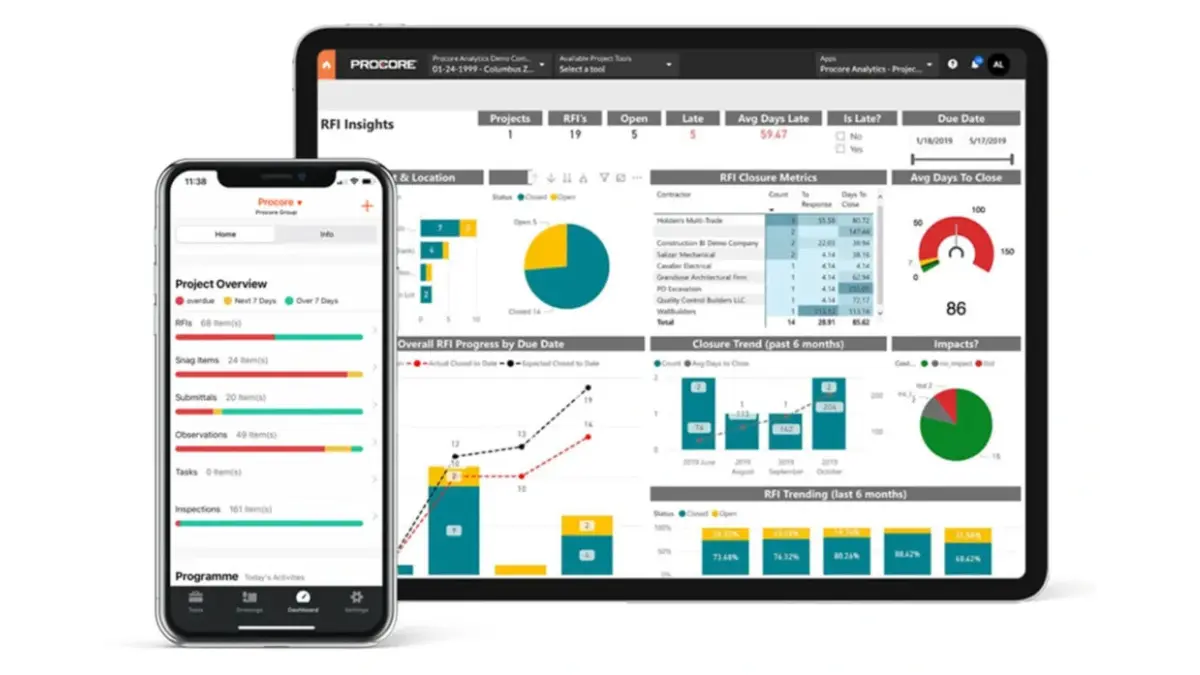
Procore is widely recognized as one of the leading project management platforms and a popular choice among companies adopting cloud-based construction management solutions. It excels in connecting the site team with the office, ensuring that drawings, RFIs, and submittals are always up to date.
As a leading solution, Procore is often used alongside broader construction management software platforms or ERP systems to extend operational visibility.
While primarily a project management tool, Procore has significantly expanded its financial tools. However, for full ERP capability, it often relies on integrations with dedicated accounting systems like Xero, MYOB, or Sage.
Key Features
- Field Productivity: Mobile-first daily logs, inspections, and site diaries that field teams actually want to use.
- Document Management: Unlimited storage and version control ensure everyone builds off the latest set of drawings.
- BIM Viewer: Accessible 3D models on mobile devices allow trades to visualize complex installations on-site.
| Pros | Cons |
| ✓ Intuitive interface reduces training time | × Can become expensive as turnover increases |
| ✓ Massive marketplace of integrations | × Not a full GL/ERP system (needs accounting integration) |
| ✓ Excellent mobile app functionality | × Reporting can be rigid without add-ons |
Pricing
Procore typically utilizes a pricing model based on annual construction volume (ACV). This allows unlimited users, which encourages collaboration, but costs scale up as your business revenue grows.
Best for
Commercial contractors handling complex, multi-project operations
2. Sage 300 CRE
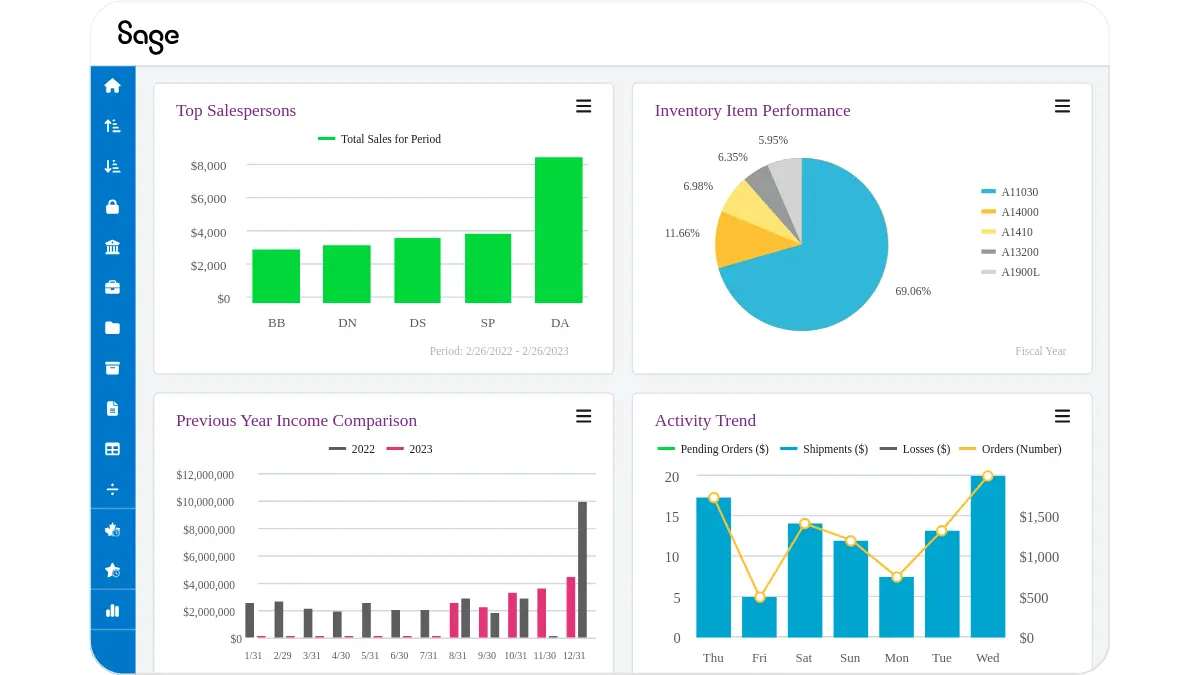
Sage 300 Construction and Real Estate (formerly Timberline) is the legacy heavyweight champion of construction accounting and financial control. It is designed for CFOs and Controllers who demand audit-trail precision and complex job-costing capabilities that generic accounting software cannot provide.
It is particularly strong in managing Australian payroll nuances and complex retention structures. While the interface is traditional, the engine behind it is incredibly powerful for financial governance.
Key Features
- Job Costing: Granular tracking of costs by code, category, and cost type, allowing for forensic financial analysis.
- Property Management: Integrated lease and facilities management for companies that build and hold assets.
- Estimating Integration: Seamless flow from bid to budget, reducing data entry errors during project startup.
| Pros | Cons |
| ✓ Gold standard for financial reporting | × User interface feels dated and complex |
| ✓ Handles complex payroll and union rules | × Steep learning curve for new users |
| ✓ Robust audit trails and security | × Remote access often requires hosting/VPN |
Pricing
Sage 300 CRE generally follows a perpetual license or subscription model based on modules and concurrent users. Implementation costs are high due to the system’s complexity.
Best for
Commercial contractors handling complex, multi-project operations
3. Microsoft Dynamics 365
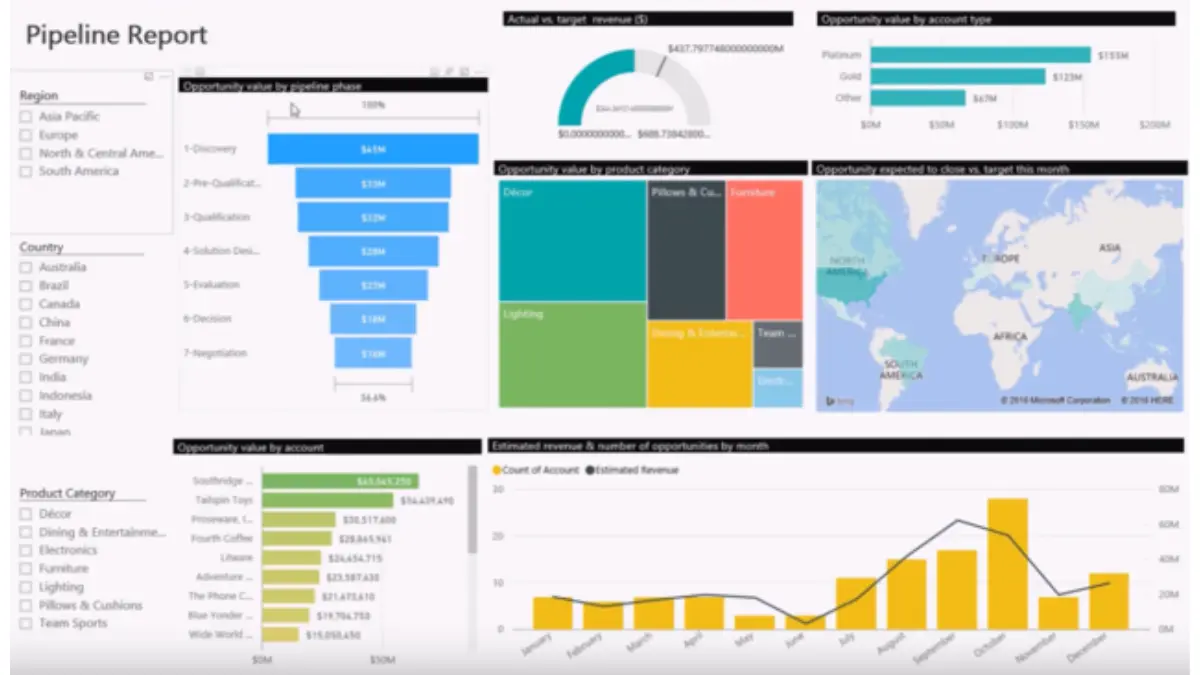
Microsoft Dynamics 365 offers a highly flexible, enterprise-grade ERP platform that can be heavily customized for large-scale construction operations. It is best suited for organizations already invested in the Microsoft ecosystem, leveraging Power BI and Teams for enhanced data visibility.
This is not an “out-of-the-box” construction solution but rather a powerful framework. Most Australian construction firms implement it through partners who have built specific construction layers on top of the core Finance and Operations modules.
With the right configuration, Dynamics can serve as an ERP platform and integrate with project management tools used by field teams.
Key Features
-
- Power Platform Integration: Create custom low-code apps for site inspections or safety checklists using Power Apps.
- Advanced Analytics: Native integration with Power BI provides real-time dashboards on project profitability and cash flow.
- Supply Chain Management: Sophisticated procurement and inventory capabilities suitable for firms with heavy material logistics.
| Pros | Cons |
| ✓ Seamless integration with Outlook/Excel | × Requires significant customization for construction |
| ✓ Highly scalable for global enterprises | × High total cost of ownership (TCO) |
| ✓ Strong AI and predictive analytics | × Long implementation timelines |
Pricing
Pricing is per-user, per-month, but the real cost lies in the implementation and customization fees charged by Microsoft partners to tailor the system to construction workflows.
Best for
Commercial contractors integrating ERP with construction operations
4. SAP S/4HANA or Business One
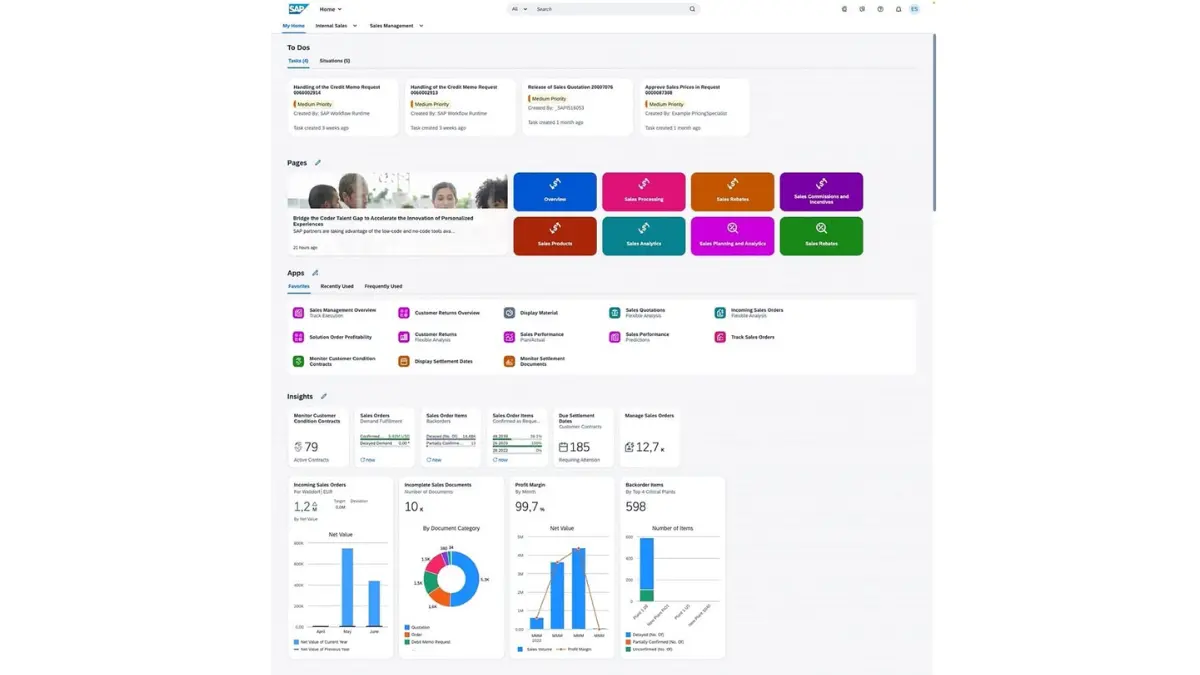
SAP represents the pinnacle of ERP sophistication, with S/4HANA serving Tier 1 global contractors and Business One catering to the mid-market. SAP excels in handling complex multinational operations, multi-currency consolidations, and intricate supply chain logistics.
For Australian infrastructure giants, SAP provides the governance required for joint ventures and mega-projects. It enforces strict process standardization, which reduces risk but can reduce agility.
Key Features
- In-Memory Computing: S/4HANA processes massive datasets instantly, allowing for real-time financial consolidation.
- Project System (PS): A dedicated module for managing the project lifecycle from structuring WBS to final settlement.
- Asset Management: World-class maintenance and equipment tracking for heavy civil contractors.
| Pros | Cons |
| ✓ Unrivaled scalability and data processing | × Extremely expensive implementation |
| ✓ Best-in-class financial controls | × Rigid processes can frustrate field teams |
| ✓ Global compliance capabilities | × Requires dedicated internal IT support |
Pricing
SAP is a premium investment. Business One is more accessible to mid-sized firms, while S/4HANA is a multimillion-dollar investment reserved for the largest industry players.
Best for
Large commercial contractors with enterprise-level operations
5. Oracle Fusion Cloud
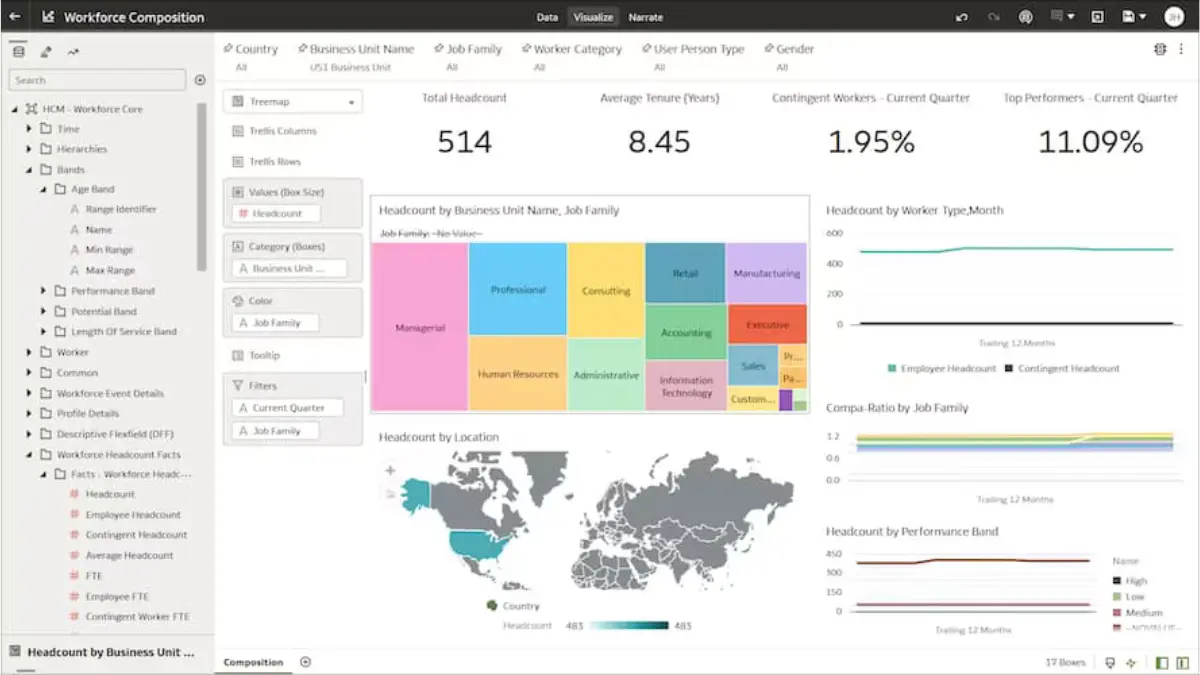
Oracle Fusion Cloud Construction and Engineering pairs a robust cloud ERP with the industry-standard scheduling power of Primavera P6. This combination makes it the preferred choice for engineering-heavy firms and asset owners who need rigorous integration of schedules and costs.
Many organizations combine enterprise ERP capabilities with project management tools and supporting operational systems to coordinate scheduling, budgeting, and subcontractor activities.
The platform focuses heavily on “Smart Construction,” utilizing IoT and data intelligence to predict project outcomes. It is widely used in Australian mining, energy, and infrastructure sectors.
Key Features
- Primavera Integration: The gold standard for critical path method (CPM) scheduling is natively connected to costs.
- Textura Payment Management: Automates the claim and payment process, handling lien waivers and compliance documents efficiently.
- Capital Program Management: Designed for owners to manage portfolios of projects rather than just individual jobs.
| Pros | Cons |
| ✓ Deepest scheduling capabilities in the market | × Interface can be complex and intimidating |
| ✓ Strong focus on owner/developer needs | × High licensing costs |
| ✓ Excellent payment compliance tools | × Integration can be technically demanding |
Pricing
Oracle operates on a cloud subscription model. Pricing is modular, meaning you pay for the specific cloud services (Financials, Project Management) you consume.
Best for
Large commercial and infrastructure project teams
6. HashMicro
HashMicro combines ERP, management, and project capabilities into a single integrated platform designed for project-based operations.
HashMicro is emerging as a disruptive force in the Australian market, offering an AI-driven, highly customizable Construction ERP suite that rivals global giants at a more competitive price point. Unlike rigid legacy systems, HashMicro prioritizes flexibility, allowing the software to adapt to your specific workflows rather than forcing you to change your business.
The Smart Construction Solution is designed to handle the end-to-end project lifecycle, from tender management to handover. A key advantage for Australian businesses is its localized understanding of the APAC market nuances, ensuring better support and compliance alignment.
Key Features
- Automated BOQ & Budgeting: AI tools assist in estimating and automatically converting Bills of Quantities into project budgets, reducing manual entry errors.
- S-Curve Management: Real-time generation of S-Curves to visualize planned vs. actual progress, essential for project managers to spot deviations early.
- Fleet & Asset Management: Integrated IoT capabilities for tracking heavy equipment location, utilization, and maintenance schedules directly within the ERP.
- Subcontractor Portal: Streamlines the management of external vendors, progress claims, and work orders in a centralized hub.
- Integrated HR & Payroll: Manages workforce records, timesheets, leave, and payroll within the same ERP
| Pros | Cons |
| ✓ Highly customizable to specific workflows | × Brand awareness is growing but lower than SAP |
| ✓ Unlimited user pricing model available | × Advanced customizations take time to deploy |
| ✓ Modern, intuitive UI with AI integration |
Pricing
HashMicro offers a unique value proposition with a potential for unlimited user licensing, which significantly lowers the Total Cost of Ownership (TCO) for growing firms. Pricing is transparent and generally more affordable than Oracle or SAP.
Best for
Commercial and civil contractors managing large-scale projects

7. Viewpoint (Trimble)
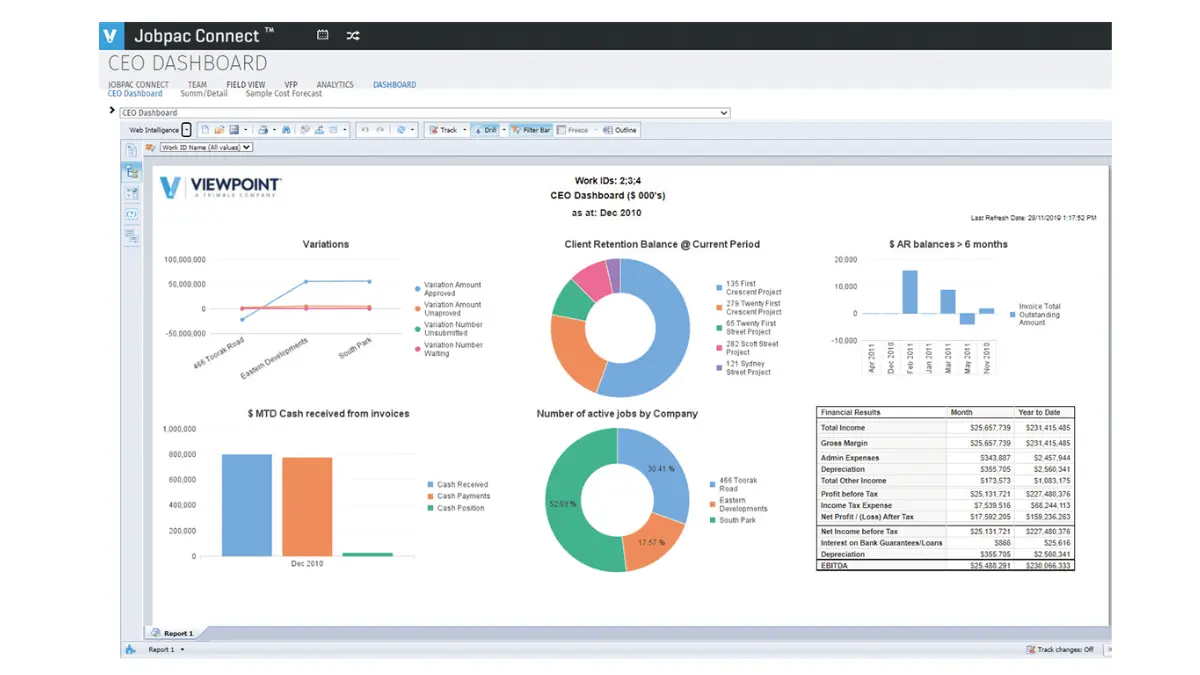
Viewpoint (now part of Trimble) offers a comprehensive suite, including Vista and Spectrum, providing deep operational control for civil and heavy highway contractors.
The platform also functions as construction management software, helping contractors coordinate field activities and operational data across projects. The integration with Trimble’s broader hardware ecosystem (GPS, laser scanning) makes it a powerhouse for firms that self-perform work.
Vista is particularly known for its depth in accounting, similar to Sage, but with better integration with field operations and equipment telematics.
Key Features
- Team Project Management: A collaborative web-based layer that sits on top of the ERP for RFIs and submittals.
- Field View: A mobile forms solution that functions offline, critical for remote Australian civil projects.
- Content Management: robust document control that links invoices and drawings directly to the job record.
| Pros | Cons |
| ✓ Strong integration with Trimble hardware | × Vista interface is legacy/on-premise style |
| ✓ Excellent for self-performing contractors | × Migration to the cloud suite can be complex |
| ✓ Deep equipment management features | × Support response times can vary |
Pricing
Pricing varies between the Vista and Spectrum products, typically involving implementation fees plus annual subscription costs based on user count and modules.
Best for
Commercial contractors requiring strong financial and project control
8. Epicor
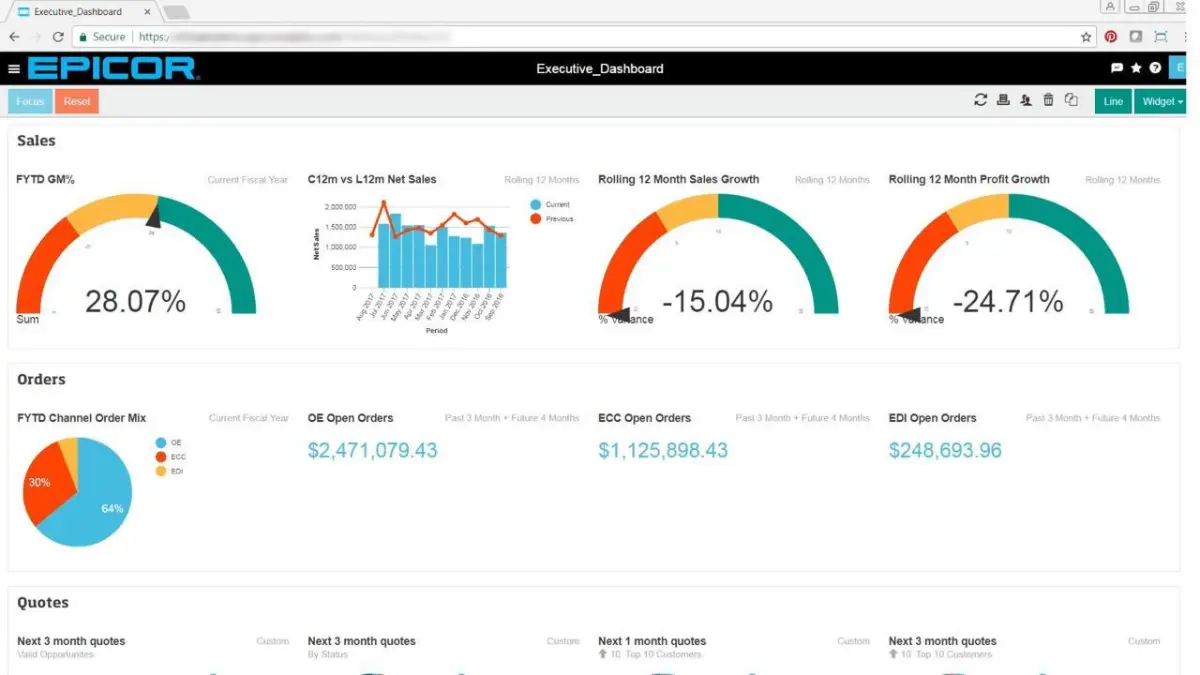
Epicor Kinetic is a versatile ERP that bridges the gap between construction and manufacturing, making it ideal for off-site construction and prefabrication businesses. As the industry moves towards modular building, Epicor’s strengths in bill of materials (BOM) and production scheduling become a major asset.
It provides a robust cloud platform that handles traditional project management alongside complex supply chain and inventory requirements.
Key Features
- Advanced MES: Manufacturing Execution System capabilities for tracking prefab components from factory to site.
- Financial Management: Global financial support with strong multi-company and multi-currency features.
- Service Management: Integrated field service tools for post-construction maintenance contracts.
| Pros | Cons |
| ✓ Best for modular/prefab construction | × Less focused on general contracting workflows |
| ✓ Strong inventory and supply chain tools | × Implementation requires manufacturing expertise |
| ✓ Modern, responsive cloud interface | × Project management tools are less intuitive |
Pricing
Epicor utilizes a subscription-based model. Costs are competitive for the mid-market, specifically for firms that need the hybrid manufacturing capability.
Best for
Commercial contractors focusing on project financial management
9. Acumatica
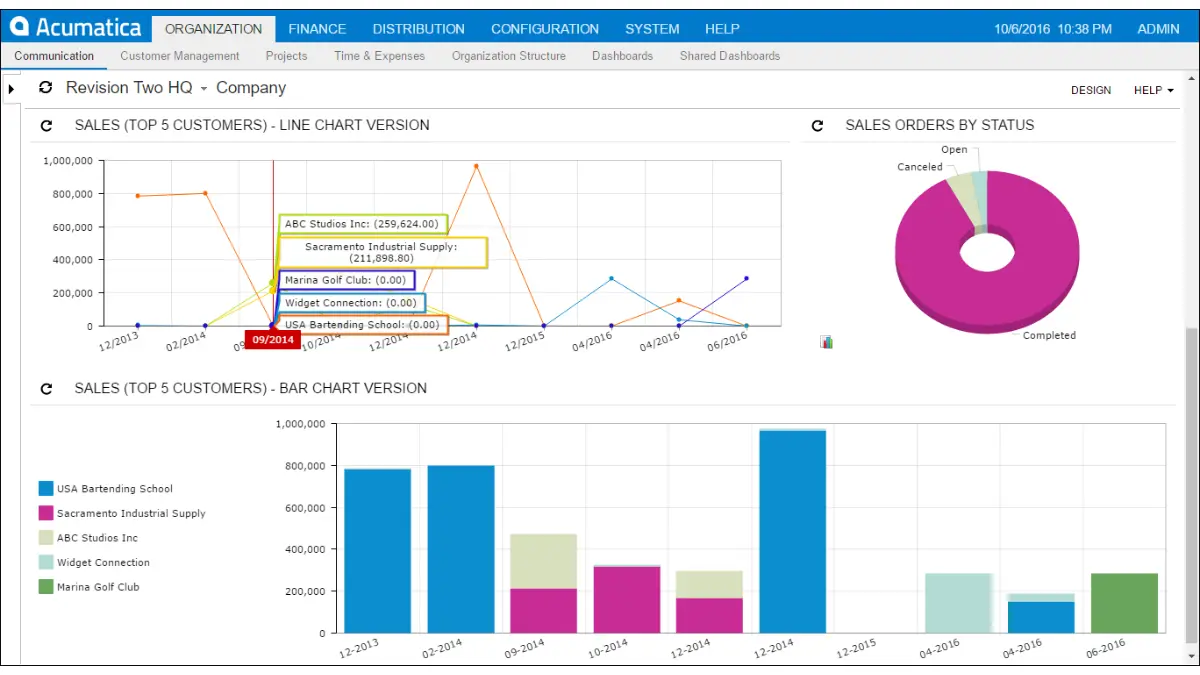
Acumatica Construction Edition is a cloud-native ERP that challenges legacy providers with its modern architecture and consumption-based pricing. It is built for the mobile world, offering a complete browser-based experience that requires no legacy server infrastructure.
Many companies integrate Acumatica with construction project management software to improve collaboration between finance teams and site supervisors. Its open API enables easy integration with specialized tools like Procore and estimating software, making it a flexible hub for digital operations.
Key Features
- Compliance Management: Native tracking of lien waivers, insurance certificates, and expiration dates.
- Retainage Tracking: Handles complex retention rules for both accounts receivable and payable.
- Daily Field Reports: Integrated field reporting that feeds directly into the project accounting module.
| Pros | Cons |
| ✓ True cloud (access from anywhere) | × Partner network varies in construction expertise |
| ✓ Consumption pricing (unlimited users) | × Reporting writer can be technical |
| ✓ Modern API for easy integrations | × Newer to the market than Sage/Viewpoint |
Pricing
Acumatica charges based on transaction volume (resource consumption) rather than per-seat licenses. This allows you to give access to every employee without increasing license fees.
Best for
Commercial contractors seeking flexible cloud-based ERP solutions
10. IFS Cloud
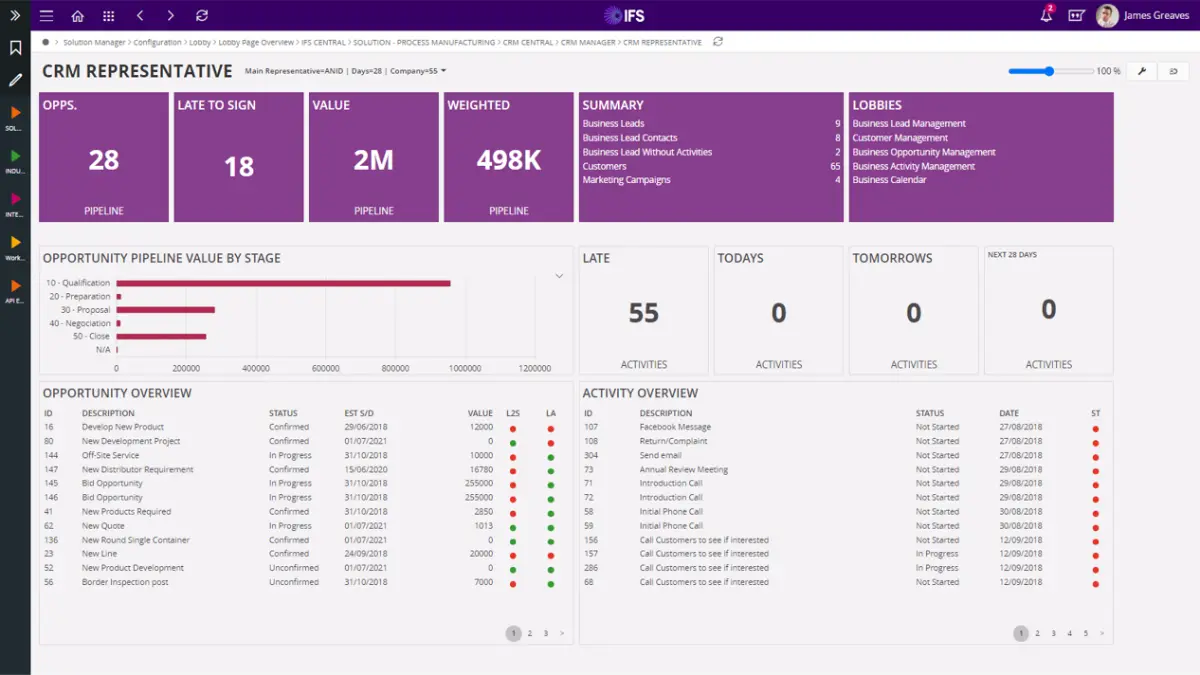
IFS Cloud is a heavyweight solution designed for project-centric and asset-intensive industries, excelling in infrastructure, energy, and utilities construction. It manages the entire asset lifecycle, from design and build to operation and maintenance.
It is particularly strong for companies that perform “servitization”—building an asset and then maintaining it for 20 years.
Key Features
- Project Portfolio Management: High-level control over complex portfolios with varying risk profiles.
- Enterprise Asset Management (EAM): Deep capabilities for maintaining physical assets post-construction.
- Remote Assistance: Merged reality tools for remote site inspections and troubleshooting.
| Pros | Cons |
| ✓ Unmatched for project lifecycle management | × Overkill for residential or light commercial |
| ✓ Strong service management capabilities | × Complex implementation process |
| ✓ Single platform for ERP, EAM, and FSM | × Interface is functional but dense |
Pricing
IFS targets the enterprise market. Pricing reflects its comprehensive nature and is typically in the upper tier, comparable to SAP and Oracle.
Best for
Commercial and infrastructure contractors managing complex operations
11. Jonas Construction
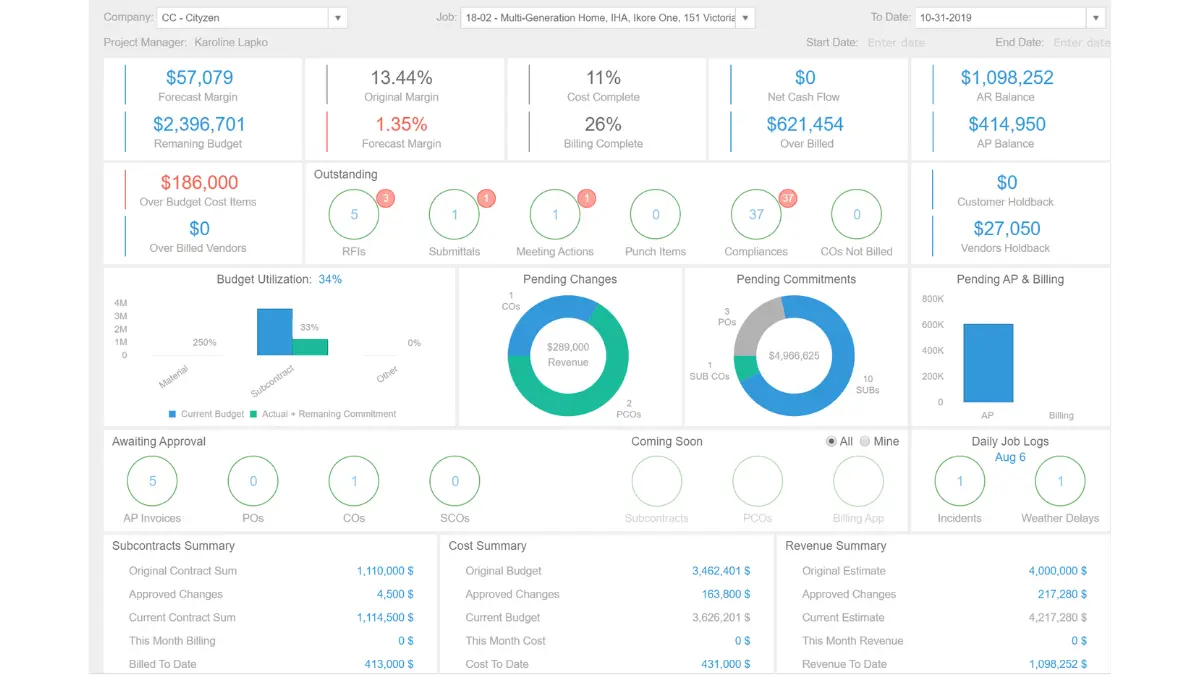
Jonas Enterprise is a fully integrated construction management and accounting software tailored for mid-sized mechanical, electrical, and plumbing (MEP) contractors. It emphasizes service management as much as construction, making it ideal for trade contractors with service divisions.
The system is known for its stability and “all-in-one” philosophy, reducing the need for third-party integrations.
Key Features
- Dispatch Board: Visual scheduling for service technicians and work orders.
- eMobile: Field app for technicians to capture signatures, time, and materials usage.
- Digio: An integrated document management system for processing AP invoices and approvals.
| Pros | Cons |
| ✓ Excellent for MEP and service contractors | × UI is functional but not modern |
| ✓ Unified accounting and operations | × Reporting can be rigid |
| ✓ Strong inventory control | × Limited scalability for massive GCs |
Pricing
Jonas typically uses a concurrent user licensing model. It is positioned as a mid-market solution, more affordable than Tier 1 ERPs yet more robust than small-business tools.
Best for
Civil contractors and infrastructure project management
12. CMiC
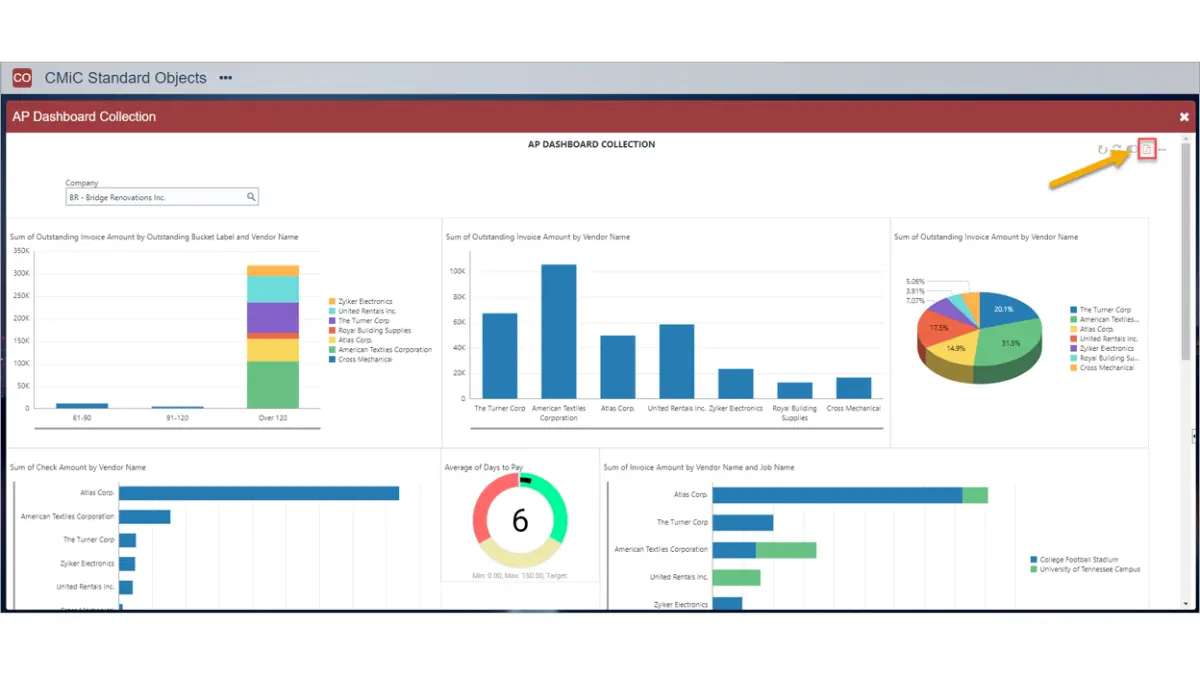
CMiC provides a Single Database Platform specifically built for the construction industry, eliminating the data silos found in fragmented software stacks. Used by many of the top contractors in North America and expanding in Australia, it offers deep functionality for General Contractors.
Because it sits on a single database, real-time data accuracy is a key selling point—there is no synchronization delay between the field and the finance team.
Key Features
- Opportunity Management: CRM tools specifically designed for tracking construction bids and pipeline.
- Drawing Management: Advanced markup and overlay features integrated directly with RFIs.
- Self-Service HR: Employee portals for time entry, benefits, and payroll history.
| Pros | Cons |
| ✓ Single database ensures data integrity | × Implementation is a major undertaking |
| ✓ Very deep financial and project controls | × Can be slow to update/modernize UI |
| ✓ Scales well for large GCs | × Performance can lag with massive data |
Pricing
CMiC is an enterprise solution with pricing to match. It offers both cloud and on-premise deployment options, with costs scaling based on company revenue and user count.
Best for
Commercial contractors requiring unified project and financial systems
13. Deltek Vantagepoint
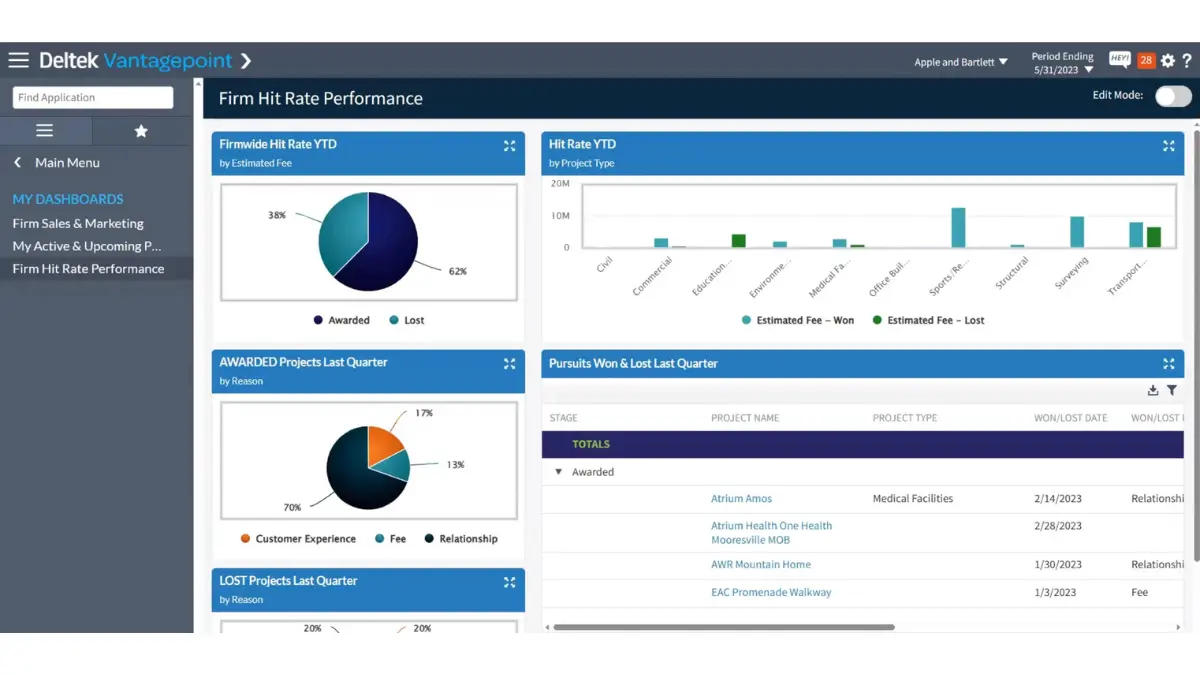
Deltek Vantagepoint is the premier ERP for architecture, engineering, and construction (AEC) firms where the focus is on professional services and project delivery. It is less about “bricks and mortar” logistics and more about resource management, billing rates, and project profitability.
For Design-Build firms, Deltek offers the tools to manage design-phase hours just as rigorously as construction-phase costs.
Key Features
- Resource Planning: Visual tools to schedule staff across multiple projects and forecast utilization.
- Client Relationship Management (CRM): Built-in CRM to manage proposals and pursuit tracking.
- Interactive Billing: Streamlines the complex billing cycles common in engineering and design contracts.
| Pros | Cons |
| ✓ Industry standard for Architects/Engineers | × Not suited for heavy self-perform construction |
| ✓ Strong resource utilization tracking | × Accounting is project-centric, not general |
| ✓ CRM integrated with project delivery | × Learning curve for non-financial PMs |
Pricing
Deltek uses a per-user subscription model. It is a premium product for the professional services sector.
Best for
Commercial contractors and project-based businesses focused on financial visibility
14. Pronto Xi
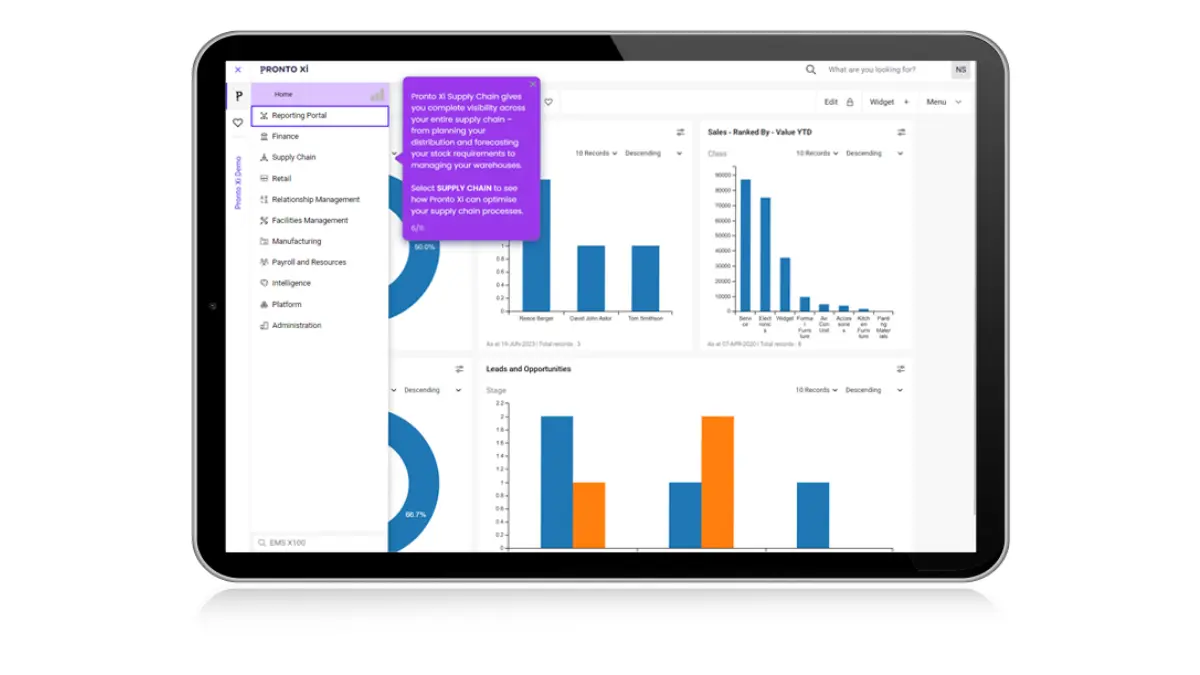
Pronto Xi is a proud Australian ERP solution that offers deep functionality for construction, mining services, and facility management. Because it is developed locally, it has native compliance with Australian tax laws, payroll, and reporting requirements out of the box.
It is known for its reliability and breadth, covering everything from financials and payroll to supply chain and CRM in a single integrated package.
Key Features
- Project Costing: hierarchical project structures that allow for detailed budget tracking.
- Rental Management: Specific modules for managing equipment hire and internal rental fleets.
- Cognos Analytics: Embedded IBM Cognos for world-class business intelligence and reporting.
| Pros | Cons |
| ✓ Native Australian compliance and support | × UI is functional but traditional |
| ✓ Integrated BI reporting tools | × Customization requires proprietary language |
| ✓ Strong inventory and rental features | × Mobile capabilities are improving but lag Procore |
Pricing
Pronto Xi is a mid- to high-tier solution. Pricing is typically based on the number of concurrent users and the modules selected.
Best for
Commercial and industrial contractors requiring integrated ERP and asset management
15. Accentis Enterprise
Accentis Enterprise is a powerful, locally developed ERP for Australian SMEs that need more than Xero but aren’t ready for SAP. It provides a fully integrated system covering manufacturing, construction, and payroll without the exorbitant price tag of global Tier 1 systems.
It is particularly user-friendly for businesses transitioning from basic accounting software, offering excellent local support.
Key Features
- Australian Payroll: Fully STP (Single Touch Payroll) compliant integrated payroll module.
- Job Costing: Real-time tracking of labor, materials, and subcontractor costs against project codes.
- Fixed Assets: Management of depreciation and maintenance for company vehicles and machinery.
| Pros | Cons |
| ✓ Cost-effective for Australian SMEs | × Lacks the depth of Tier 1 systems |
| ✓ Excellent local support team | × Ecosystem of integrations is smaller |
| ✓ All-in-one (Payroll, CRM, ERP) | × Cloud options are hosted, not native SaaS |
Pricing
Accentis is positioned as an affordable option for growing businesses, often costing significantly less than implementations of Sage or Microsoft Dynamics.
Best for
Commercial contractors needing integrated ERP and payroll systems
16. Nexvia
Nexvia is cloud-based construction management software built for builders in Australia and New Zealand, especially fit-out specialists, home builders, and small- to mid-sized commercial contractors. It combines estimating, tendering, live budget tracking, field tools, and shared project access on a single platform, making it a practical choice for businesses that need stronger control across site and office teams.
It stands out for its local fit, mobile-friendly workflows, and tools that help teams manage variations, defects, safety checks, and contractor activity without relying on disconnected spreadsheets or manual updates.
Key Features
- Estimating and Tender Management: Prepare estimates, compare bids, and set budgets directly in the platform to improve cost planning from the start.
- Real-Time Budget Tracking: Monitor spending, variances, and defect-related costs in a single live view to identify issues earlier.
- Site and Field Tools: Support time tracking, QR-code check-ins, defect logging, safety audits, and mobile requests for labour or materials.
| Pros | Cons |
| ✓ Built for Australian and New Zealand builders | × May feel complex for very small jobs |
| ✓ Strong estimating, budgeting, and variation tracking | × Limited global integrations |
| ✓ Mobile tools improve field-to-office coordination | × Works best with consistent data entry |
Pricing
Contact Vendor
Best for
Commercial contractors seeking an all-in-one project management system
17. Access Coins
Access Coins is a construction ERP platform designed to manage financials, operations, and project performance in a single system. It helps contractors gain better visibility into project costs, resource allocation, and overall business performance.
Key Features
- Job Costing: Tracks project costs and financial performance in real time.
- Project Tracking: Monitors progress, timelines, and reporting across projects.
- Procurement Management: Manages purchasing and subcontractor workflows efficiently.
- Payroll Management: Handles workforce payments and labour tracking.
- Analytics Dashboard: Provides real-time insights into operations and performance.
| Pros | Cons |
| ✓ Strong financial and job costing capabilities | × Implementation may require onboarding time |
| ✓ Designed specifically for construction workflows | × Interface may feel complex for smaller teams |
| ✓ Scalable for growing contractors | × Requires configuration for full optimisation |
Pricing
Custom pricing based on business size and requirements
Best for
Commercial contractors focusing on financial and project visibility
18. Cheops
Cheops is a construction management platform that focuses on integrating project, financial, and operational data into one system. It supports contractors in managing project lifecycle, cost control, and reporting more efficiently.
Key Features:
- Project Management: Supports scheduling and coordination across project stages.
- Cost Tracking: Monitors budgets, expenses, and financial performance.
- Contract Management: Handles contracts, variations, and project changes.
- Reporting Tools: Generates insights for better decision making.
- System Integration: Connects with accounting and other business tools.
| Pros | Cons |
| ✓ Strong integration between project and financial data | × May require training for full utilisation |
| ✓ Suitable for medium to large construction businesses | × Setup can be time-consuming |
| ✓ Improves visibility across operations | × Limited flexibility for smaller teams |
Pricing
Available upon request
Best for
Commercial and civil contractors managing complex project workflows
19. Premier Construction Software
Premier Construction Software is a cloud-based solution that combines project management, accounting, and reporting into one platform. It is designed to support construction businesses with real-time data and streamlined workflows.
Key Features:
- Project Scheduling: Organises timelines and project workflows efficiently.
- Financial Management: Tracks budgets, costs, and financial performance.
- Document Control: Centralises files and improves team collaboration.
- Budget Tracking: Monitors project spending and cost adjustments.
- Cloud Access: Enables real-time updates and remote accessibility.
| Pros | Cons |
| ✓ Combines project management and accounting in one system | × May require configuration to match workflows |
| ✓ User-friendly interface | × Pricing may vary depending on modules |
| ✓ Supports real-time collaboration | × Advanced features may need training |
Pricing
Custom pricing depending on business needs
Best for
Residential and commercial contractors looking for integrated systems
20. Buildxact
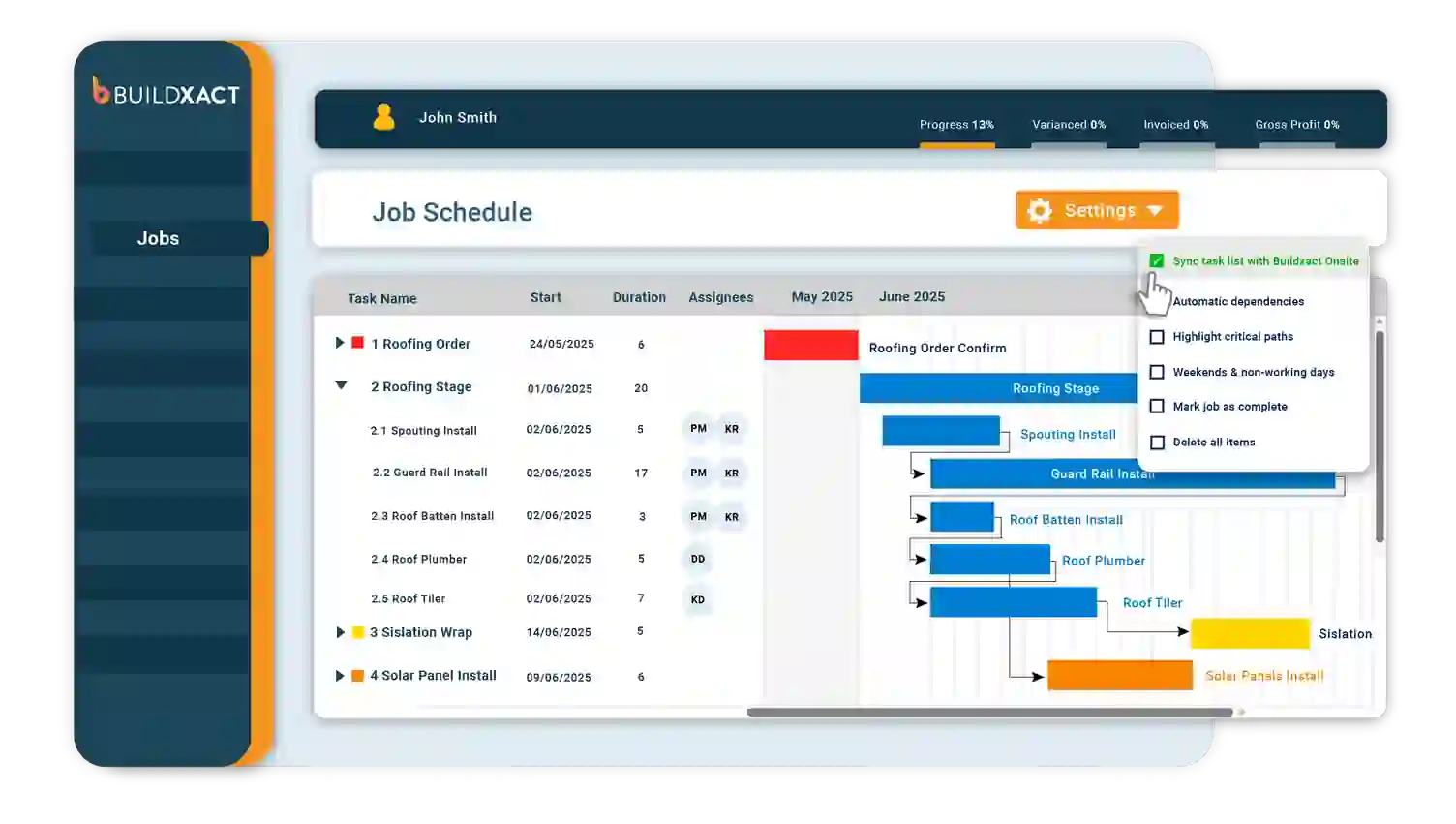
Buildxact is an Australian estimating and job management platform built for small to mid-sized builders, renovators, and trade contractors.
It helps teams move from initial enquiry through to quote and project completion without relying on disconnected spreadsheets.
The platform is a practical choice for residential builders who need faster quoting, clearer job visibility, and tighter cost control on every project.
Key Features
Estimating: Build quotes to reduce manual calculation and pricing errors.
Job Management: Track project progress, budgets, and timelines from a dashboard.
Client Portal: Share quotes, progress updates, and invoices with clients.
| Pros |
Cons |
| ✓ Built specifically for Australian small builders |
× Not suited for large or Tier 1 contractors |
| ✓ Fast quote-to-job workflow with Xero and MYOB integration |
× Limited subcontractor management depth |
| ✓ Simple to deploy and use for smaller teams |
× Reporting is functional but not enterprise-grade |
Pricing
Subscription-based plans vary by user count and feature access. Contact the vendor for current pricing.
Best for
Small to mid-sized residential builders and trade contractors managing estimating and job costing.
21. Styck
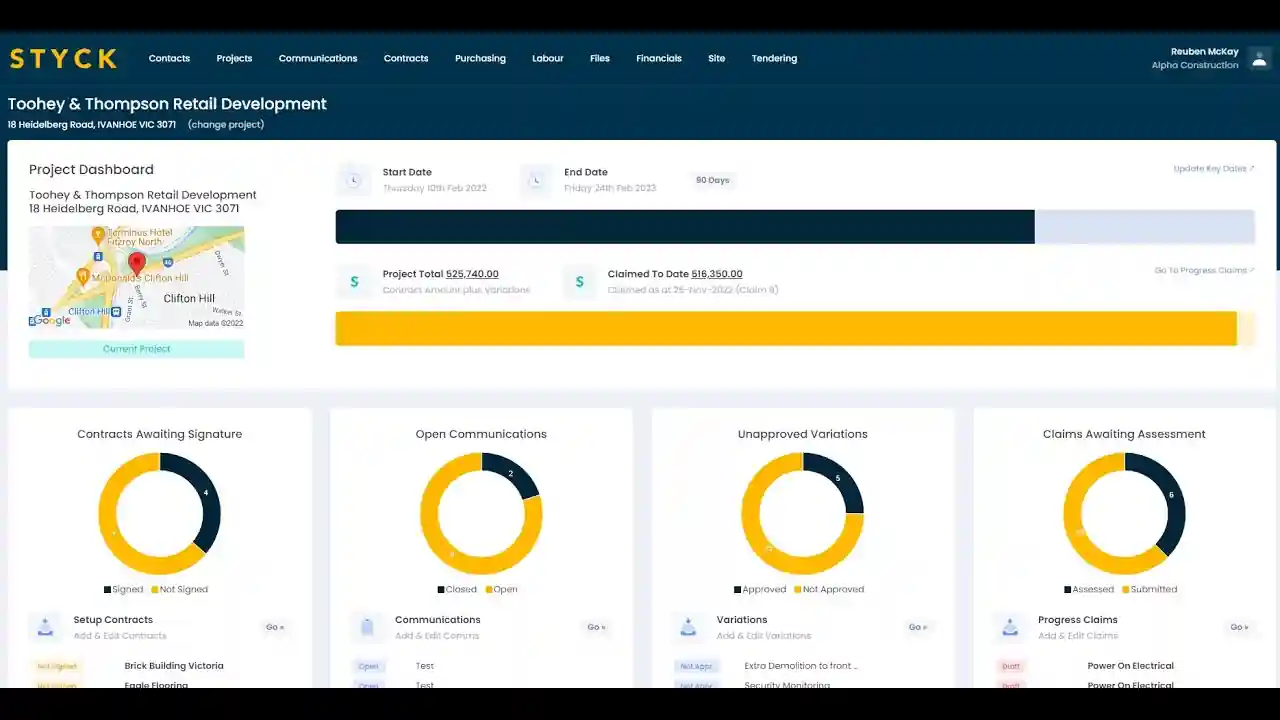
Styck is a cloud-based construction compliance and workforce management platform designed to help contractors manage subcontractor onboarding, licences, and documentation requirements.
It supports head contractors in verifying that workers and subcontractors meet safety and compliance obligations before accessing the site.
The platform is particularly useful for businesses managing large subcontractor networks across multiple active projects.
Key Features
Subcontractor Onboarding: Digital workflows to collect all documents from subcontractors.
Compliance Tracking: Monitor document expiry dates and automate renewal reminders.
Site Access Control: Restrict site access to workers who proper compliance.
| Pros |
Cons |
| ✓ Purpose-built for subcontractor compliance management |
× Narrower scope than a full construction ERP |
| ✓ Reduces manual administration across large contractor networks |
× Works best alongside a broader project management platform |
| ✓ Supports Australian safety and licensing requirements |
× Less suited for self-perform contractors with smaller teams |
Pricing
Contact the vendor for pricing details.
Best for
Head contractors and project managers managing subcontractor compliance across multiple sites.
22. Buildlogic
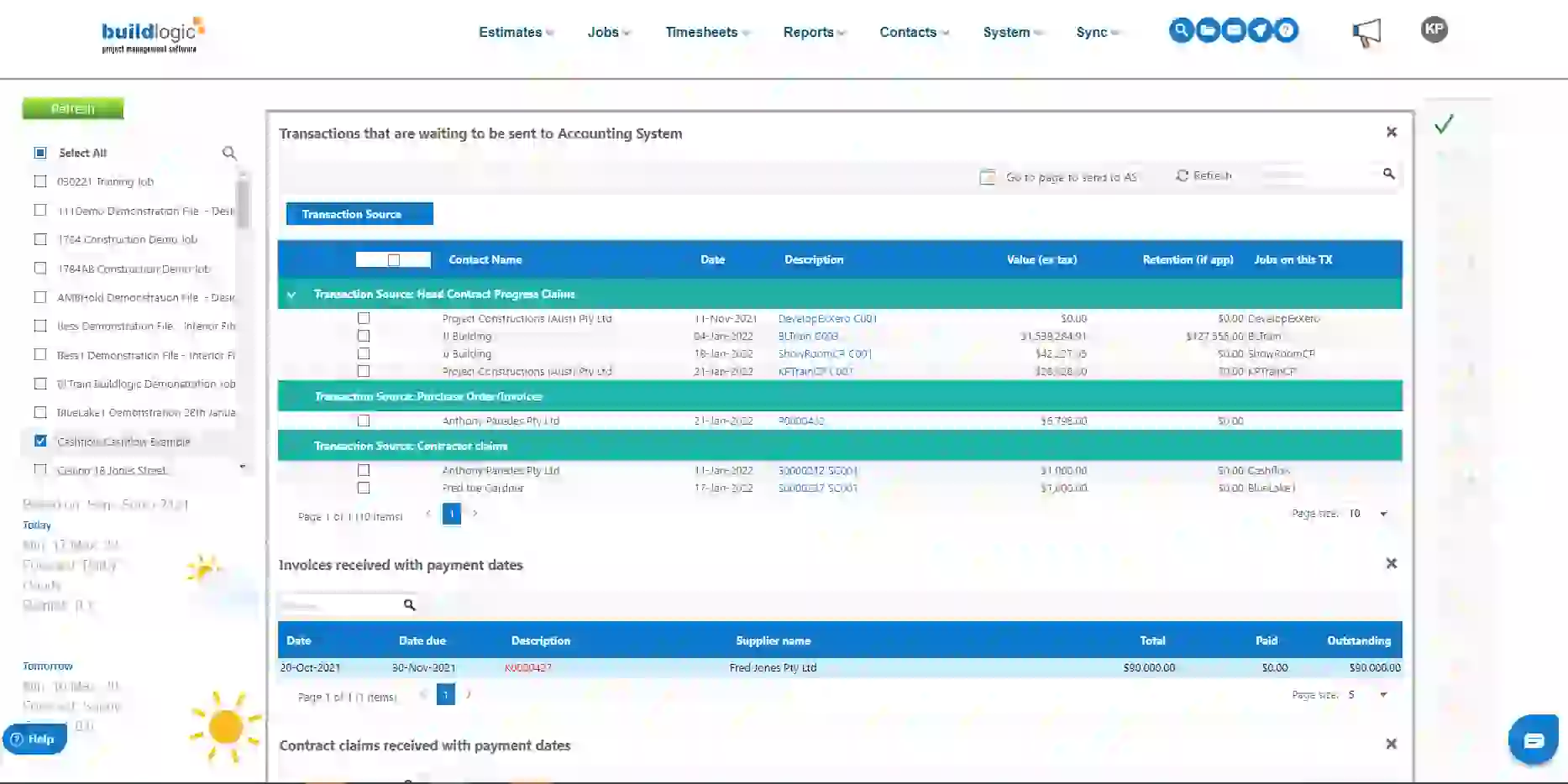
Buildlogic is a cloud-based construction management platform tailored for residential builders, project home builders, and volume builders in Australia.
It covers the full project lifecycle from initial sale through to construction, client communication, and handover in one connected system.
Teams use it to manage schedules, variations, client approvals, and documentation without switching between separate tools.
Key Features
Sales and CRM: Track enquiries, manage leads, and captures sales opportunities.
Construction Scheduling: Plan and manage construction stages with automation.
Variation Management: Capture, price, and approve variations with a clear audit trail.
| Pros |
Cons |
| ✓ Strong fit for residential and volume builders |
× Less suited for commercial or civil contractors |
| ✓ End-to-end workflow from sales to handover |
× Limited third-party integrations |
| ✓ Client portal improves communication and reduces delays |
× Reporting depth varies by plan |
Pricing
Contact the vendor for current pricing options.
Best for
Residential and volume builders managing projects from initial sale through to handover.
23. Fieldwire
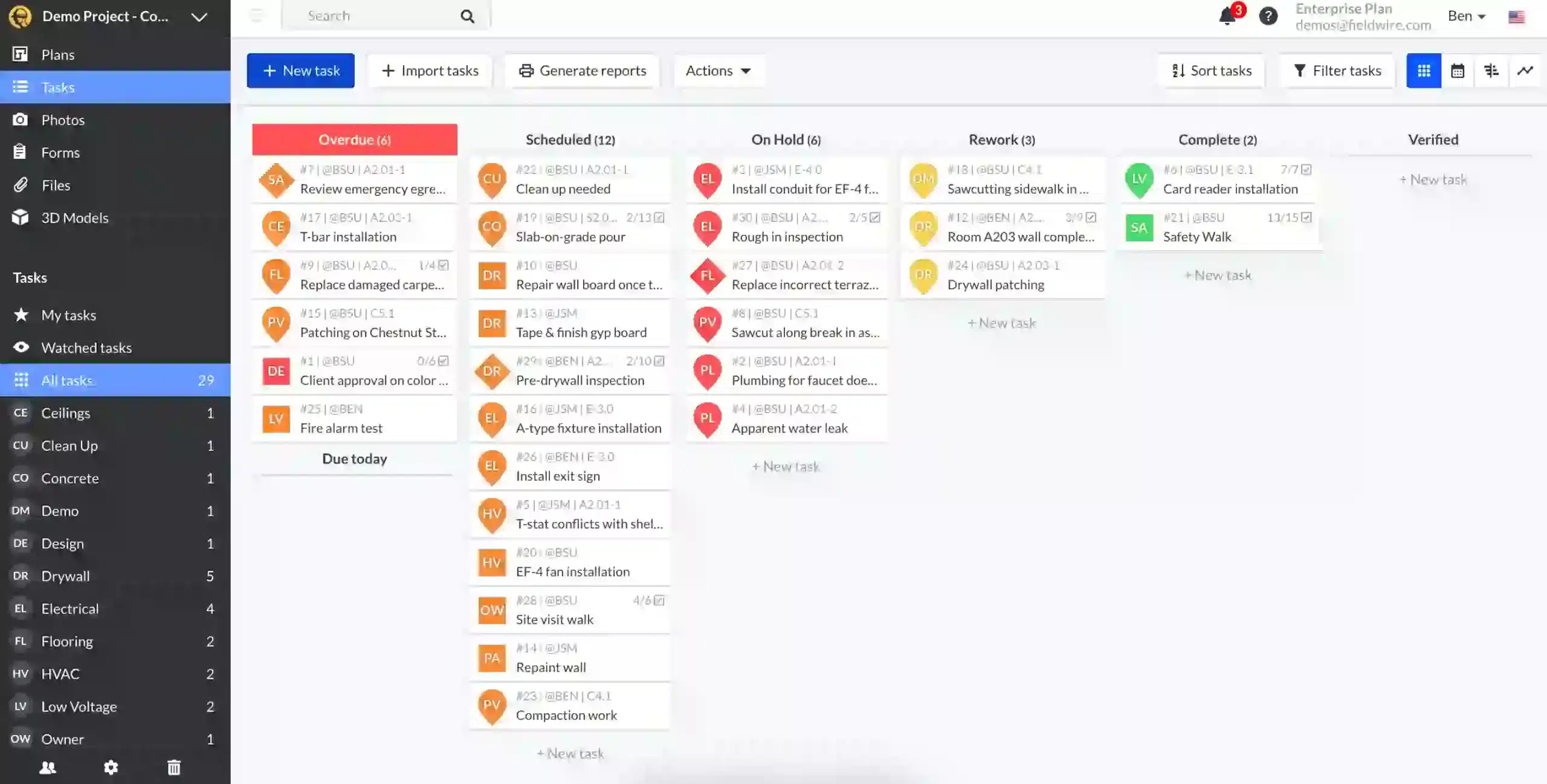
Fieldwire is a field management platform designed to keep site teams and office teams aligned on drawings, tasks, and inspections in real time.
It is widely used by general contractors, specialty subcontractors, and owner representatives who need reliable field coordination tools on complex projects.
While not a full ERP, Fieldwire integrates with accounting and project management platforms to extend visibility from the site back to the office.
Key Features
Drawing Management: Upload, mark up, and version-control drawings on all devices.
Task Management: Assign and track tasks with photos, priority levels, and due dates.
Inspection and Punch Lists: Create digital forms and checklists for quality control, safety audits, and handover inspections.
| Pros |
Cons |
| ✓ Excellent mobile experience for site teams |
× Not a full ERP or financial management system |
| ✓ Strong drawing management and markup tools |
× Requires integration for cost and contract management |
| ✓ Works offline in low-connectivity environments |
× Best used alongside an accounting or ERP platform |
Pricing
Tiered subscription plans based on user count and project volume.
Best for
Site supervisors and project managers who need strong field coordination, drawing management, and inspection tools.
24. BuildPass
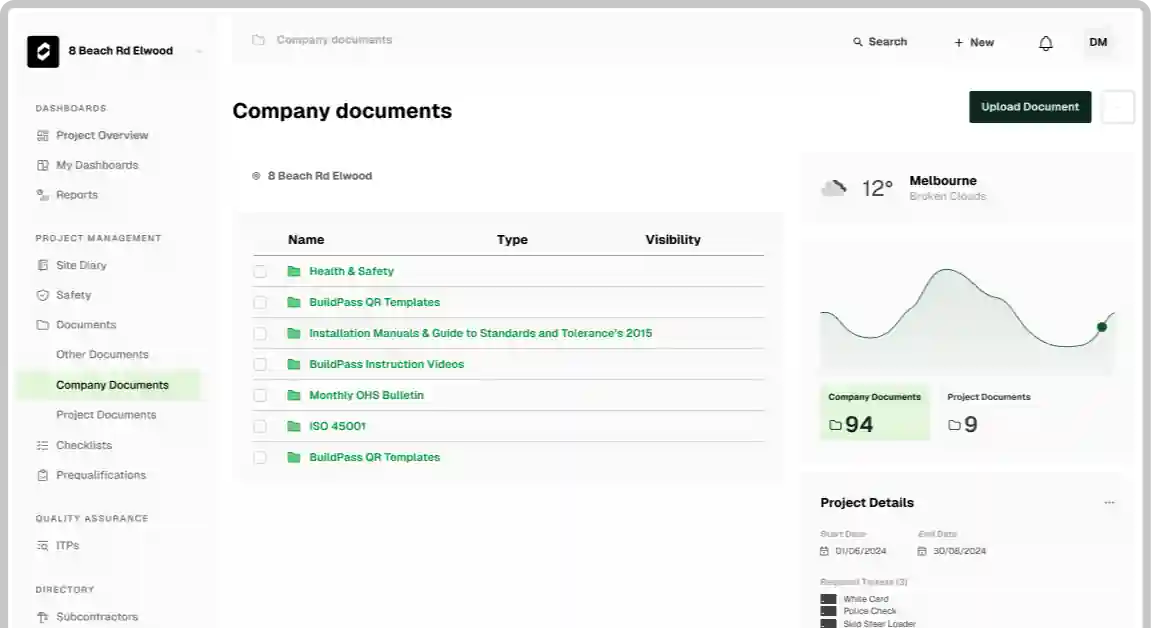
BuildPass is an Australian safety and compliance platform built specifically for construction site management.
It digitises site inductions, SWMS, safety audits, and visitor management so businesses can meet Work Health and Safety obligations more efficiently.
The platform is designed for easy deployment across multiple sites, reducing the administrative burden of managing paper-based safety processes.
Key Features
Digital Site Inductions: Replace paper inductions with mobile-friendly digital versions.
SWMS Management: Create, review, and store Safe Work Method Statements with version control and worker acknowledgement tracking.
Visitor and Contractor Management: Log site arrivals, departures, and access approvals with QR codes.
| Pros |
Cons |
| ✓ Purpose-built for Australian WHS requirements |
× Safety-focused tool, not a full construction ERP |
| ✓ Simple to deploy across multiple active sites |
× Requires integration for financial and project management data |
| ✓ Reduces paper-based safety administration |
× Advanced reporting requires higher-tier plans |
Pricing
Subscription-based pricing by site or user count.
Best for
Site managers and safety officers managing WHS compliance, site access, and safety documentation across multiple projects.
Quick Comparison Table
| Feature | HashMicro | Procore | Sage 300 | Microsoft D365 | SAP | Oracle | Premier | Buildxact | Styck | Buildlogic | Fieldwire | BuildPass |
|---|---|---|---|---|---|---|---|---|---|---|---|---|
| Best for | All-in-one construction ERP | Project management | Accounting & job costing | Enterprise ERP | Large enterprises | Infrastructure projects | SME contractors | Small builders & estimating | Subcontractor compliance | Residential builders | Field coordination | WHS & safety compliance |
| User-friendly interface | ★★★★★ | ★★★★☆ | ★★★☆☆ | ★★★☆☆ | ★★☆☆☆ | ★★★☆☆ | ★★★☆☆ | ★★★★☆ | ★★★★☆ | ★★★★☆ | ★★★★★ | ★★★★☆ |
| Scalability | High | High | Medium | High | Very High | High | Medium | Low | Medium | Medium | Medium | Medium |
| Financial management | Strong | Limited | Strong | Strong | Strong | Strong | Moderate | Moderate | Limited | Moderate | Limited | Limited |
| Construction-specific features | Complete | Strong | Moderate | Moderate | Moderate | Strong | Moderate | Moderate | Moderate | Moderate | Strong | Moderate |
| Pricing level | Medium | High | High | High | Very High | High | Medium | Low | Medium | Medium | Medium | Low |
Key Features to Look For in Construction Software
The best construction software should do more than digitize tasks. It should help your team control projects, costs, people, and documents with better speed, accuracy, and visibility.
- Advanced Scheduling and Project Planning: Strong project management tools should help teams build timelines, assign resources, track milestones, and respond to delays faster. This feature gives project managers better control over daily execution and keeps field and office teams aligned.
- Real-Time Financial Tracking and Budgeting: A reliable ERP system should track budgets, actual costs, invoices, variations, and cash flow in real time. Better financial visibility helps businesses protect margins, reduce surprises, and make decisions with more confidence.
- Procurement and Inventory Control: Effective systems should help teams manage purchasing, supplier coordination, material availability, and stock movement across sites. This reduces the risk of shortages, overordering, and project delays caused by poor material planning.
- Workforce and Payroll Management: Labour is one of the biggest costs in construction, so the system should help monitor schedules, timesheets, payroll, and workforce allocation more accurately. The right system makes it easier to control labour costs while keeping operations more organized.
- Compliance and Risk Management: Construction businesses also need tools to manage safety records, compliance documents, approvals, and risk-related reporting in one place. A strong ERP system helps reduce legal, financial, and operational risks by keeping critical records easier to track.
- Document and Contract Management: Good platforms should centralize contracts, RFIs, drawings, variation records, and project documents so teams can access the right information quickly. This is especially important for businesses that need strong project management capabilities and broader operational control without relying on scattered files.
- Mobile Access: Construction software should allow field teams to update progress records, review drawings, and log activity from a mobile device without needing to return to the office.
The table below summarises each feature and its core functionality to help you assess which capabilities matter most for your business.
| Feature | Functionality |
|---|---|
| Advanced Scheduling and Project Planning | Builds timelines, assigns resources, tracks milestones, and helps teams respond to delays faster. |
| Real-Time Financial Tracking and Budgeting | Tracks budgets, actual costs, invoices, variations, and cash flow in real time. |
| Procurement and Inventory Control | Manages purchasing, supplier coordination, material availability, and stock movement across sites. |
| Workforce and Payroll Management | Monitors schedules, timesheets, payroll, and workforce allocation to control labour costs. |
| Compliance and Risk Management | Manages safety records, compliance documents, approvals, and risk-related reporting in one place. |
| Document and Contract Management | Centralises contracts, RFIs, drawings, variation records, and project documents for fast access. |
| Mobile Access | Allows site teams to update records, review drawings, and log activity from a phone or tablet. |
Australian Compliance Requirements in Construction Software
Construction businesses in Australia must comply with various regulatory requirements that impact daily operations, workforce management, and financial reporting. Choosing software that supports these requirements helps reduce compliance risks and ensures smoother project execution.
SWMS (Safe Work Method Statements)
SWMS are required for high-risk construction activities and outline how work is carried out safely. Construction software should allow teams to create, store, and access SWMS documents easily on-site.
This ensures workers follow consistent safety procedures and helps businesses meet Work Health and Safety (WHS) obligations.
Site Inductions
Site inductions ensure that workers and contractors understand safety protocols before entering a job site. Software with digital induction features allows businesses to track attendance, manage documentation, and verify compliance.
This reduces manual paperwork and ensures that only authorised personnel access the site.
Security of Payment (SoP Act)
The Security of Payment Act regulates how contractors and subcontractors are paid across construction projects. Software should support progress claims, payment schedules, and documentation required for compliance.
This helps reduce disputes, ensures timely payments, and improves cash flow management.
STP Phase 2 (Single Touch Payroll)
STP Phase 2 is an Australian Taxation Office (ATO) requirement that standardises payroll reporting. Construction software should integrate payroll and reporting systems to ensure accurate and compliant submissions.
This reduces administrative workload and helps businesses avoid penalties related to incorrect reporting.
TPAR (Taxable Payments Annual Report)
The Taxable Payments Annual Report (TPAR) is an ATO requirement for construction businesses that pay contractors for building and construction services.
Businesses must report each contractor’s ABN, name, address, and total payments including GST for every financial year.
Construction software that supports TPAR should track contractor payments throughout the year and generate a compliant report ready for lodgement.
This reduces end-of-year administration and helps businesses avoid penalties from incomplete or late reporting. For more detail, refer to the ATO’s official TPAR guidance.
The Difference between Construction ERP vs Generic ERP
Understanding the difference between ERP systems, management platforms, and project tools is critical when selecting a system that fits construction workflows.
A common pitfall for construction companies using construction management software Australia is attempting to force a generic manufacturing or retail ERP to fit the construction mold. While the core accounting principles (debits and credits) remain the same, the operational workflows are fundamentally different.
- Revenue Recognition and WIP: Generic ERPs typically recognize revenue upon shipment of goods. Construction ERPs must handle Percentage of Completion accounting. They calculate Work in Progress (WIP) schedules to ensure you are not over- or under-billing, in accordance with AASB 15 revenue standards.
- Retentions and Security of Payments: In Australia, holding retention money (e.g., 5% of the contract value) is standard. A generic ERP treats an invoice as fully due. An ERP system automatically splits the invoice, moving the retention amount to a liability account and tracking the defects liability period for release.
- Subcontractor Management: Generic systems treat subcontractors as simple vendors. Construction software manages compliance, ensuring insurance is valid, SWMS are signed, and ABNs are checked before the system even allows a payment to be processed.
How to Implement Construction ERP Successfully
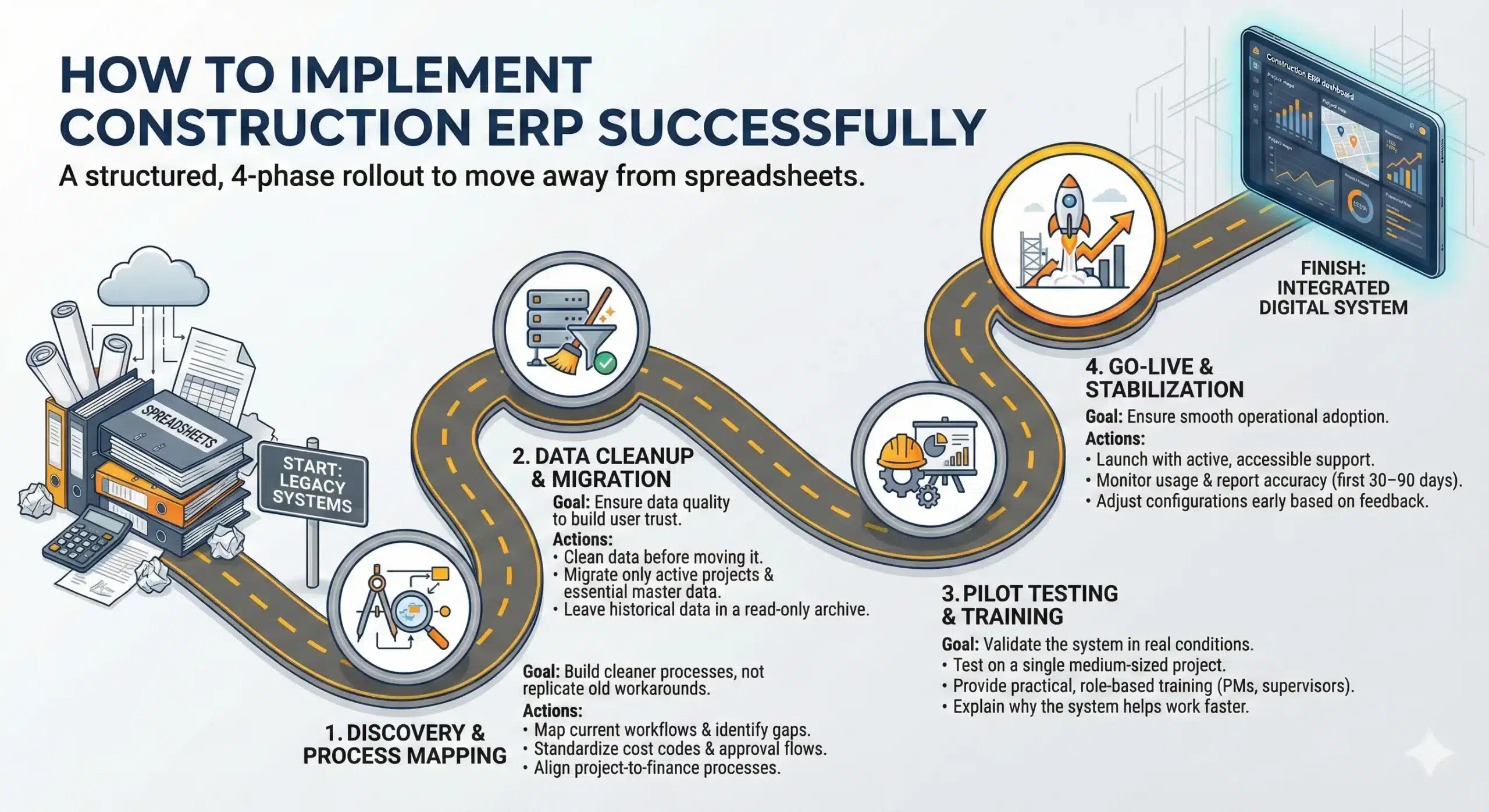
Successfully implementing ERP systems, management platforms, or project tools requires structured planning, data cleanup, and clear process ownership.
Choosing the best construction management software Australia matters, but implementation is what determines whether it actually improves the business. A strong rollout helps teams adopt the system faster, keeps reporting accurate, and reduces the risk of going back to spreadsheets. The most effective approach is not a big-bang launch, but a structured rollout in four clear phases.
1. Discovery and process mapping
Start by mapping how your business works today before deciding how it should run in the new system. This phase helps you identify gaps, eliminate inefficient habits, and align teams around a single way of working.
Focus on the essentials: define approval flows, standardize cost codes, and document key project-to-finance workflows (such as procurement, progress claims, and variations). The goal is not to replicate every old workaround, but to build cleaner processes that the ERP can support consistently.
2. Data cleanup and migration
Data quality will shape user trust from day one. If duplicate suppliers, inconsistent cost codes, or outdated project records are migrated into the new system, reporting issues will appear immediately and adoption will slow down.
Clean the data before migration: consolidate vendor records, validate critical details, and decide what truly needs to move. In most cases, active projects, opening balances, and essential master data are enough, while older historical data can stay in a read-only legacy archive for audit reference.
3. Pilot testing and training
Avoid rolling out the ERP company-wide at once. Instead, test it on one medium-sized project or one business unit first. A pilot gives your team space to identify friction points, refine workflows, and confirm that the system works in real operating conditions.
Training should be role-based and practical. Project managers, accountants, and site supervisors each need different training focused on their daily tasks. Explain not only how to use the system, but also why it helps them work faster, reduce errors, and improve visibility.
4. Go-live and stabilization
Go-live is not the finish line; it is the start of operational adoption. When the system launches, ensure support is available to resolve issues quickly and keep teams confident throughout the transition.
In the first 30–90 days, monitor usage, review reporting accuracy, and collect feedback from each department. If key reports do not match expectations, adjust the configuration early. A short stabilization period with active support usually makes the difference between a successful ERP rollout and a system teams use only partially.
Common Construction ERP Implementation Mistakes (and How to Avoid Them)
Even the best ERP system, management platform, or project tool can fail if user adoption, training, and change management are ignored.
When deployed correctly, these systems improve transparency between project teams, subcontractors, and finance teams.
Even with the right software, implementation can still fail because of process, adoption, and decision-making mistakes. Most construction teams also go through a short productivity dip after go-live (often called the “Valley of Despair”) before users become confident. The goal is not to avoid every issue, but to spot common traps early and put the right safeguards in place.
Organizations implementing these systems should prioritize training and workflow alignment before scaling the system across projects.
1. Over-customizing the system to match old habits
- The mistake: Teams ask the vendor to rebuild old spreadsheet workflows or legacy system behavior through custom code.
- How to avoid it: Use a configuration-over-customization approach. Challenge each customization request and ask whether it supports a true competitive advantage or simply preserves an old habit. In most cases, adapting internal processes to proven ERP workflows leads to faster rollout and lower long-term cost.
2. Treating training as a one-time event
- The mistake: Training is delivered once before go-live, often in a generic session for everyone.
- How to avoid it: Provide role-based, continuous training. Project managers, accountants, and site supervisors need different learning paths. Keep training practical, focused on real tasks, and supported with quick guides or short videos. Internal champions can also help teams build confidence faster after go-live.
3. Ignoring field user experience and mobile adoption
- The mistake: The system is selected mainly for finance and head-office reporting, while site teams are expected to “figure it out” later.
- How to avoid it: Evaluate the ERP with a mobile-first mindset. Involve site supervisors in testing, and check whether common tasks (e.g., uploading photos, daily logs, defects, timesheets) can be completed quickly. Offline functionality is especially important for sites with poor connectivity.
4. Building a software stack without a clear integration strategy
- The mistake: Companies buy separate tools for estimating, project management, accounting, CRM, or safety without planning how data should move between them.
- How to avoid it: Define integration requirements early. Prioritize systems with native or supported connectors, and decide the source of truth for each critical data set (e.g., vendor master, approved budget, contract value). If custom integration is necessary, design it properly instead of relying on manual exports.
5. Underestimating change management during go-live
- The mistake: Teams assume go-live means the project is finished.
- How to avoid it: Plan a stabilization period (hyper-care) after go-live. Provide fast support, monitor usage, and fix small issues quickly before they become permanent workarounds. Early reinforcement helps teams navigate the productivity dip and adopt the system effectively.
How to Choose Construction ERP Software
Choosing between ERP systems, management platforms, and project tools depends on project complexity, team size, and integration requirements.
Evaluating both management and project tools options ensures that project teams and finance departments can work from the same operational data.
Choosing construction ERP software is not just about features; it is about fit. The right system should support how your business runs across projects, finance, procurement, subcontractors, and field teams, while still being practical to implement and use.
1. Start with your business model: Define how your construction business operates before comparing vendors, because different contractor types need different capabilities. Evaluating both management and project tools that fits a general contractor may not fit a trade contractor or developer-builder.
2. Evaluate by size and complexity: Use business size as a starting point, but prioritize operational complexity such as project type, subcontractor volume, and approval needs. The best choice solves current bottlenecks without adding unnecessary system complexity.
3. Decide ERP or software stack: Not every company needs a full ERP system immediately, especially when construction project management software still supports daily operations. You likely need ERP when data is duplicated, reports are delayed, and project numbers no longer match finance.
4. Focus on criteria that affect ROI: Do not choose based on demos alone; prioritize workflow fit, compliance support, mobile usability, integrations, and implementation quality. These factors determine whether the software improves daily operations and delivers long-term value.
5. Check internal readiness before buying: Many ERP projects struggle because the business is not ready, not because the software is bad. Review your cost codes, approval roles, data quality, and internal team capacity for testing and training before signing.
6. Use a structured evaluation process: Compare vendors using the same real-world scenarios, such as PO approvals, variations, progress claims, and site updates. A structured scoring process makes the decision more objective and easier to justify internally.
7. Make the final decision based on fit: The best construction ERP is the one your teams can adopt, your managers can trust, and your business can scale with. The right system should work well for both office and site teams, not just look impressive in a demo.
In many cases, companies use project tools, management platforms, and ERP systems for financial and enterprise control.
Conclusion
In Australia’s construction sector, tighter margins, stricter compliance expectations, and faster project cycles make disconnected tools harder to sustain. Companies that still rely on spreadsheets and fragmented systems often struggle with delayed reporting, weak cost visibility, and slower decision-making across office and site teams.
The right construction ERP should align with your operating model, support field and finance workflows equally, and scale as project complexity increases. A strong decision also depends on implementation readiness, user adoption, and integration planning, because long-term value comes from fit and execution rather than feature volume alone.
If you are evaluating options and want a clearer shortlist, you can book a free consultation with our team to review your business model, current workflows, and software priorities. We can help you compare solutions based on practical fit, implementation scope, and the level of control your projects need.
FAQ About Construction Software in Australia
-
Do these solutions integrate with accounting software?
Yes, most construction management software Australia integrates with accounting systems such as Xero, MYOB, or built-in ERP modules to ensure financial data is aligned with project operations.
-
Does the software support Security of Payment Act (SoP) and retention management?
Yes, many construction project management software Australia solutions support progress claims, retention tracking, and compliance with the Security of Payment Act to help reduce disputes and manage cash flow.
-
Does the software support Peppol e-invoicing (mandatory mid-2026)?
Some modern construction software Australia platforms support or are preparing for Peppol e-invoicing. Businesses should confirm this capability when selecting software.
-
Why do I need specific construction software instead of Xero or MYOB?
Xero and MYOB are strong accounting tools, but they do not support construction-specific workflows such as job costing, retention tracking, and subcontractor management required for project-based operations.
-
Does HashMicro support Australian tax and payroll rules?
Yes, HashMicro’s construction suite is localised for Australian requirements, including STP payroll, BAS reporting, and compliance-related processes depending on the modules implemented.