
Australian manufacturing is moving faster than most internal systems can track, especially once you run multiple sites, shifts, or product lines. When stock, WIP, and machine status live in different spreadsheets, your team spends more time reconciling than producing.
In 2026, the real pressure is not just cost, but speed and accuracy in daily decisions. Better manufacturing software gives you one workflow for planning, procurement, and shop-floor reporting so supervisors stop guessing and leaders stop waiting for end-of-week updates.
Modern ERP has also evolved from record-keeping into an operational control layer that supports smarter scheduling, maintenance planning, and cleaner costing. Whether you run discrete builds in Melbourne or batch production in Queensland, the stack you pick now shapes how confidently you scale over the next few years.
Key Takeaways
|
Navigating the crowded ERP market can be overwhelming for decision-makers. We have curated a list of the top contenders that have proven their value in the Australian market.
These platforms range from comprehensive enterprise suites to niche solutions for specific verticals. Here is the shortlist of software we will analyze in depth:


Best Because
Cloud ERP that scales fast across sites, entities, and users without dragging performance.
Best Because
Built for manufacturing depth, with strong production control and traceability when processes get complex.
Best Because
Best fit if your team lives in Microsoft, with smoother adoption and cleaner integration across the stack.
Best Because
ANZ-friendly ERP that aligns well with local compliance needs and operational reporting expectations.
Do You Actually Need Manufacturing-Specific Software?
Many businesses attempt to survive using generic accounting software coupled with disparate inventory tools. This fragmented approach often leads to data silos, where the finance team’s numbers do not match the warehouse’s physical stock.
Manufacturing-specific software is distinct because it handles the complexity of Bill of Materials (BOM), Work in Progress (WIP), and production scheduling. If your business involves converting raw materials into finished goods, a standard accounting package will fail to capture the true cost of production.
The tipping point usually occurs when production delays affect customer satisfaction or when inventory holding costs rise due to poor planning. At this stage, an integrated AI-driven ERP solution becomes an investment in survival and growth, not just an IT expense.
How We Evaluated These Products
To rank these platforms fairly, we assessed them through the lens of an Australian manufacturer and focused on what holds up after go-live, not what looks good in a demo.
- Australian fit and compliance: We prioritised tools that support GST and BAS-aligned reporting workflows, plus finance controls that reduce reconciliation between production, inventory, and accounting.
- Total cost of ownership: We evaluated more than subscription pricing by factoring in implementation effort, data migration, training load, integrations, and the real cost of customisation.
- Manufacturing depth and operational control: We checked whether each system can handle core manufacturing needs such as BOM, WIP, scheduling, and traceability to support seamless manufacturing planning without forcing heavy workarounds.
- Support coverage in Australian time zones: We gave stronger weight to vendors and partners that can provide reliable support during AEST/AEDT business hours, especially for production-critical issues.
- Partner and implementation capability: We assessed how implementations typically run in practice by looking at partner ecosystem strength, industry experience, and the ability to provide relevant customer references.
- Product roadmap and long-term viability: We considered whether the vendor shows clear ongoing investment in the product, including usability improvements and meaningful updates, so the system does not stagnate after you commit.
15 Best Manufacturing Software in Australia (2026)
1. MYOB Acumatica
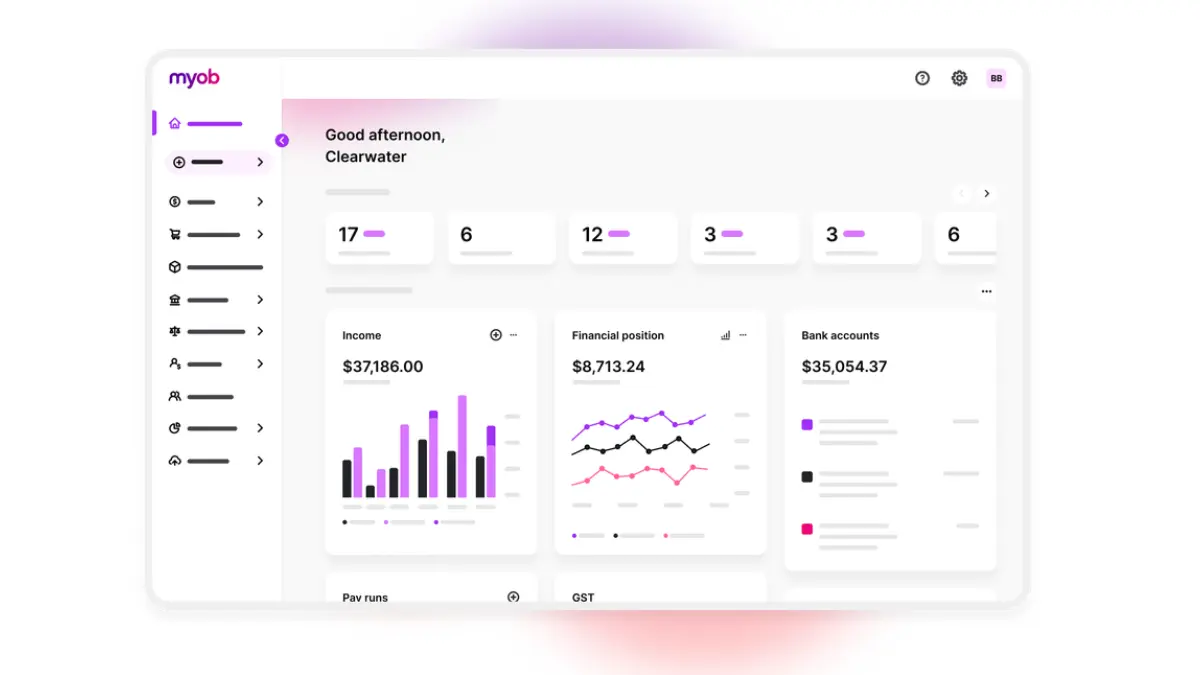
MYOB Acumatica (formerly MYOB Advanced) is a localized version of the powerful Acumatica ERP, tailored specifically for the Australia and New Zealand market. It combines global cloud technology with local compliance, payroll, and banking integrations.
It is particularly strong for mid-market businesses that have outgrown MYOB AccountRight or Xero. The Manufacturing Edition supports multiple production methodologies including make-to-stock, make-to-order, and batch processes.
Key Features:
- ANZ Compliance: Built-in Single Touch Payroll and BAS reporting.
- Production Management: Track material and labor costs in real-time.
- MRP: Material Requirements Planning to balance supply and demand.
- Mobile App: Full functionality on mobile devices for shop floor access.
| Pros | Cons |
| Excellent local compliance and payroll. | Reporting customization can be tricky. |
| True cloud platform (SaaS). | Resource-based pricing can be confusing. |
| Good balance of finance and operations. | Integration ecosystem smaller than NetSuite. |
Pricing: MYOB Acumatica uses a consumption-based pricing model (based on transaction volume) rather than per-user, allowing unlimited users. This is beneficial for giving shop floor staff access without extra license fees.
2. Oracle NetSuite 
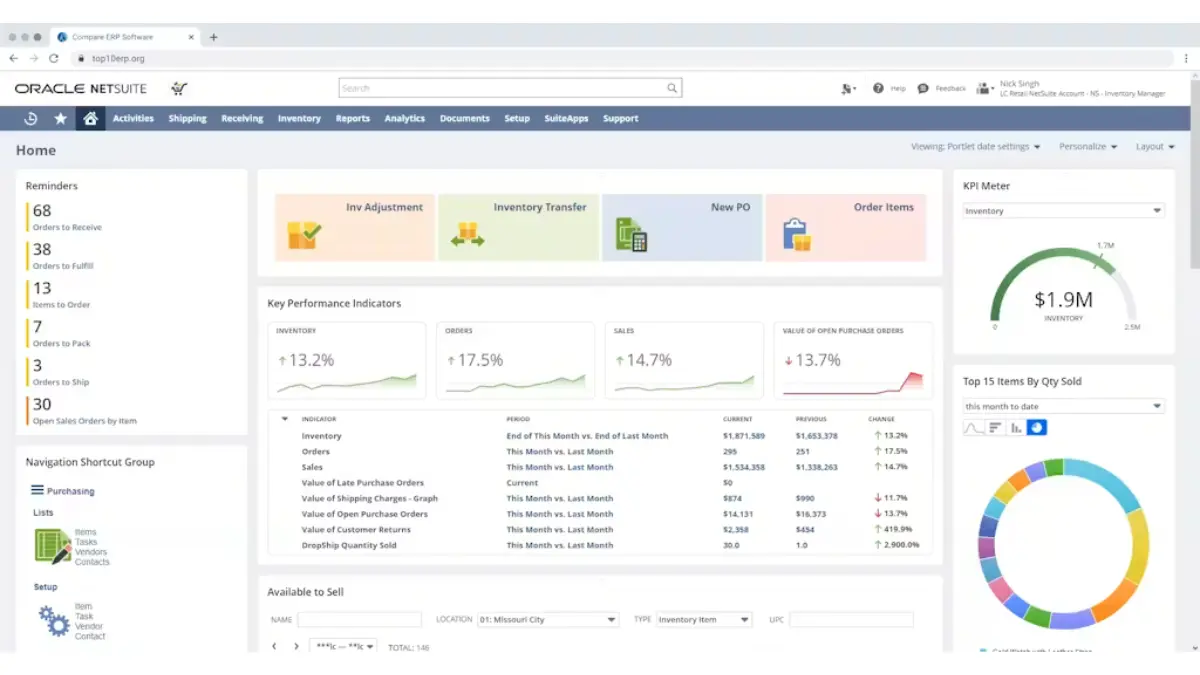
NetSuite is the pioneer of cloud ERP, offering a robust suite that scales from mid-sized businesses to large enterprises. It is particularly strong for manufacturers with global operations, offering multi-currency and multi-subsidiary management out of the box.
The platform excels in Supply Chain Control Towers, providing visibility across the entire value chain. NetSuite’s “SuiteSuccess” methodology aims to speed up implementation, although it remains a complex system to deploy.
Key Features:
- Cloud-Native Architecture: Access data from anywhere without on-premise hardware.
- Advanced Inventory Management: Demand planning and predictive analytics.
- Global Financials: Handles complex consolidation for multi-entity firms.
- SuiteApps Ecosystem: Massive marketplace of third-party extensions.
| Pros | Cons |
| Unmatched scalability for growth. | High licensing and implementation costs. |
| Strong cloud security and uptime. | Support tiers can be expensive. |
| Comprehensive financial reporting. | Customization requires specialized developers. |
Pricing: NetSuite operates on a subscription model based on user count and modules. Costs can be high, often starting around $50,000 AUD annually for a basic setup, escalating quickly with add-ons.
3. SYSPRO
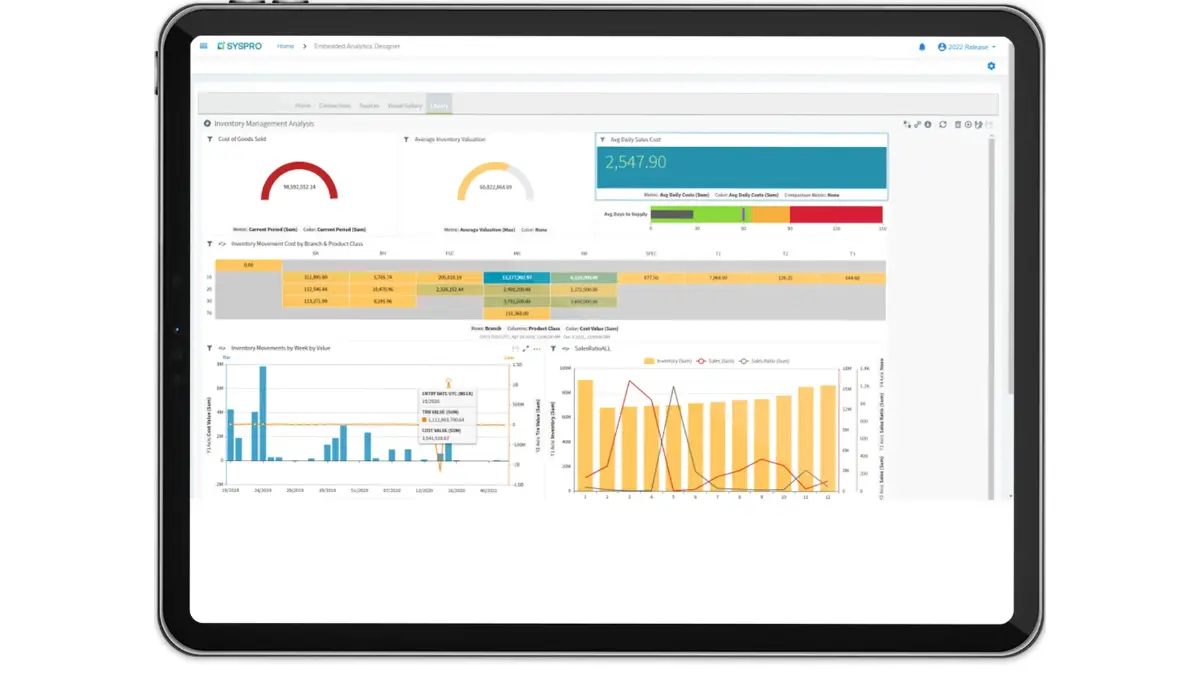
SYSPRO is one of the few ERPs that focuses almost exclusively on manufacturing and distribution. This specialization means deep functionality for industries like food and beverage, fabricated metals, and electronics without needing excessive customization.
SYSPRO provides a modular approach, allowing businesses to turn on features as they grow. Their MOM (Manufacturing Operations Management) solution is excellent for bridging the gap between the shop floor and the top floor.
Key Features:
- Traceability: Superior lot and serial tracking for compliance-heavy industries.
- Product Configurator: Tools for make-to-order manufacturers to quote accurately.
- Inventory Optimization: Balances stock levels against service level goals.
- Flexible Deployment: Available on-premise or in the cloud.
| Pros | Cons |
| Deep industry-specific features. | User interface feels dated compared to modern web apps. |
| Strong inventory forecasting tools. | Ecosystem is smaller than Microsoft or Oracle. |
| Excellent traceability for recalls. | Reporting can be complex to set up. |
Pricing: SYSPRO typically uses a concurrent user licensing model, which can be cost-effective for shift-based manufacturing environments. Implementation is generally mid-range in terms of cost.
4. Microsoft Dynamics 365 Business Central
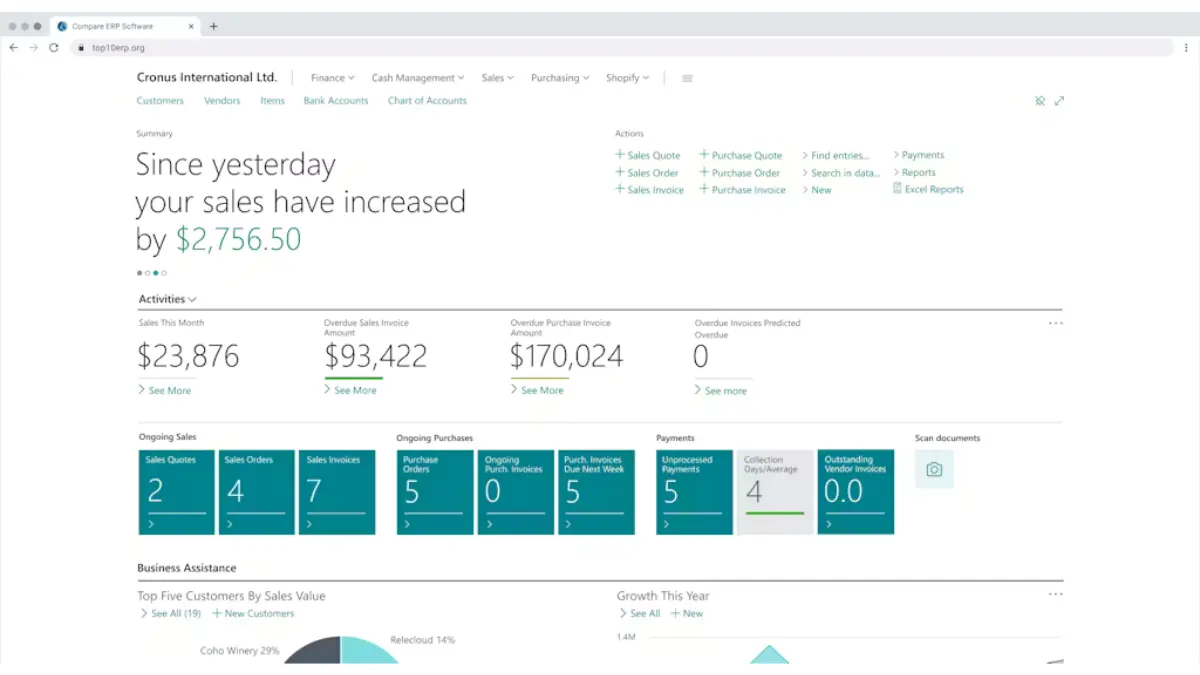
Dynamics 365 Business Central is the go-to choice for organizations heavily invested in the Microsoft ecosystem. Its seamless integration with Outlook, Excel, and Power BI makes user adoption significantly easier than competitor platforms.
For manufacturers, it offers strong supply chain management capabilities. The ability to customize workflows using Power Apps without deep coding knowledge is a significant advantage for agile businesses.
Key Features:
- Microsoft Integration: Native connection to Office 365 tools.
- AI Insights: Cortana Intelligence for forecasting and cash flow.
- Assembly Management: Supports both assembly and production orders.
- Power Platform: easy extension of capabilities via low-code apps.
| Pros | Cons |
| Familiar interface reduces training time. | Manufacturing depth is lighter than SYSPRO out-of-box. |
| Seamless data flow to Excel/Power BI. | Reliance on VARs (partners) for quality support. |
| Highly scalable cloud infrastructure. | Complex licensing structure. |
Pricing: Pricing is per named user/month. The Premium license (required for manufacturing) is approximately $100 USD ($150 AUD) per user/month, plus implementation costs.
5. HashMicro ERP Software for Manufacturing
HashMicro is a leading AI-driven ERP solution designed specifically for the complexities of the Asia-Pacific manufacturing sector. It stands out in 2026 for its heavy investment in localized features and an intuitive interface that reduces the learning curve for shop floor staff.
Unlike global giants that often require heavy customization to fit local workflows, HashMicro comes pre-configured with best-practice templates for Australian manufacturers. Its Smart Manufacturing module integrates directly with IoT devices to monitor machine health and production output in real-time.
Key Features:
- Automated WIP Calculation: Automatically tracks costs of raw materials, labor, and overheads as they move through production.
- Bill of Materials (BOM) Management: Handles multi-level BOMs with ease, allowing for complex assembly structures.
- Production Planning & Scheduling: Uses AI to predict demand and optimize machine usage to prevent bottlenecks.
- IoT Integration: Connects directly to factory machinery for real-time OEE (Overall Equipment Effectiveness) monitoring.
- Seamless Integration: Unified platform connecting accounting, procurement, CRM, and HRM.
| Pros | Cons |
| High customizability for unique workflows. | Brand recognition is growing but lower than SAP. |
| Unlimited user pricing model available. | Implementation requires dedicated project team. |
| Strong local support team in the region. | Advanced AI features may require training. |
| Modern, user-friendly UI. |
Pricing: HashMicro offers a competitive pricing model, often utilizing a perpetual license or subscription basis with an unlimited user option, which significantly lowers TCO for growing teams. Prices typically start from a mid-market range, offering high value for the feature set.
6. Sage X3
Sage X3 is a powerhouse for process manufacturing industries such as chemicals, food & beverage, and pharmaceuticals. It excels in managing formulations, recipes, and potency management, which are critical for these sectors.
Unlike entry-level Sage products, X3 is an enterprise-grade solution. It offers robust quality control features integrated directly into the production workflow, ensuring compliance with strict industry standards.
Key Features:
- Formula Management: Handles complex recipes and yield calculations.
- Quality Control: rigorous testing steps during receiving and production.
- Lot Traceability: Forward and backward tracing for recalls.
- Multi-site Logistics: Manages inventory across diverse locations effectively.
| Pros | Cons |
| Best-in-class for process manufacturing. | Interface is functional but not modern. |
| Strong regulatory compliance features. | Implementation is complex and lengthy. |
| Handles variable weight/potency well. | Higher cost of ownership for small firms. |
Pricing: Sage X3 is priced for the mid-to-enterprise market. Implementation projects often start at $80,000 AUD and can go significantly higher depending on complexity.
7. Epicor Kinetic
Epicor Kinetic is designed expressly for the mid-market manufacturing sector, with a strong focus on discrete manufacturing. It is widely used in metal fabrication, industrial machinery, and automotive components.
The platform enables Industry 4.0 adoption with built-in MES (Manufacturing Execution System) capabilities, helping manufacturers transition toward fully digitalized manufacturing environments. Epicor Kinetic helps manufacturers visualize production data in real-time to reduce scrap and improve cycle times.
Key Features:
- Advanced MES: Real-time shop floor data collection.
- Project Management: Integrated project accounting for engineer-to-order.
- Visual Scheduling: Drag-and-drop production scheduling boards.
- CPQ: Configure, Price, Quote tools for complex products.
| Pros | Cons |
| Strong production capabilities out-of-box. | Upgrades can be difficult for on-premise versions. |
| Good for complex, custom manufacturing. | Support response times vary. |
| Integrated MES reduces software sprawl. | Mobile app functionality is improving but limited. |
Pricing: Epicor offers both subscription and perpetual licensing. It is a significant investment, typically targeted at companies with $20M+ turnover.
8. SAP Business One
SAP Business One (SAP B1) is the “light” version of SAP, engineered specifically for Small to Medium Enterprises (SMEs). It provides a stable, standardized platform for businesses that need the reliability of SAP without the complexity of S/4HANA.
While the core manufacturing module is basic, SAP B1 relies on a strong partner network to add industry-specific functionality. It is highly regarded for its financial stability and audit trails.
Key Features:
- Financial Management: robust accounting and banking integration.
- MRP Wizard: Simple tool for planning material needs.
- Bin Location Tracking: Granular warehouse management.
- Integration Framework: Connects easily to external subsystems.
| Pros | Cons |
| Global standard for reliability. | Core manufacturing features are basic. |
| Huge network of support partners. | Often requires add-ons (e.g., Beas) for deep MFG. |
| Affordable entry point for SAP brand. | User interface is rigid. |
Pricing: SAP B1 is reasonably priced for SMEs, with licenses costing around $100-$150 AUD per user/month. However, implementation costs are additional.
9. QAD Adaptive ERP
QAD is a niche player that dominates in the automotive and life sciences sectors. It is built to handle the rigorous supply chain demands of these industries, including MMOG/LE compliance for auto suppliers.
The Adaptive ERP concept focuses on rapid response to change. QAD is excellent for high-volume, repetitive manufacturing where supply chain visibility is the primary bottleneck.
Key Features:
- Supplier Portal: Real-time collaboration with vendors.
- Serialization: Advanced tracking for medical devices.
- Lean Manufacturing: Tools to support Kanban and JIT.
- Global Tax Management: Handles complex international trade.
| Pros | Cons |
| Unbeatable for automotive suppliers. | Niche focus makes it less suitable for general MFG. |
| Fast implementation for its specific verticals. | Smaller user community in Australia. |
| Strong cloud capabilities. | UI can feel utilitarian. |
Pricing: QAD is an enterprise solution with pricing tailored to large-scale operations. It is generally not suitable for small businesses due to the minimum cost of entry.
10. Infor CloudSuite Industrial
Infor CloudSuite Industrial (SyteLine) is a deep, feature-rich ERP for complex discrete manufacturers. Infor has invested heavily in user experience and last-mile functionality, meaning less customization is needed.
It includes predictive maintenance and advanced planning and scheduling (APS) as core components, not afterthoughts. This makes it a strong contender for machinery and high-tech equipment manufacturers.
Key Features:
- Advanced Planning & Scheduling (APS): Optimizes resources considering constraints.
- Service Management: Manages after-sales service and warranties.
- Role-Based Homepages: Dashboards tailored to specific job functions.
- Doc Management: Contextual document storage linked to transactions.
| Pros | Cons |
| Extremely deep manufacturing functionality. | Can be overwhelming for simple operations. |
| Modern, beautiful user interface. | Implementation curve is steep. |
| Strong built-in analytics. | Support can be inconsistent geographically. |
Pricing: Infor is a premium product. Licensing and implementation are comparable to NetSuite and Dynamics 365, targeting mid-to-large enterprises.
11. Odoo
Odoo is the disruptor in the ERP space, offering an open-source, modular architecture. It is incredibly popular among smaller Australian manufacturers and tech-savvy startups due to its flexibility and low cost.
Users can start with just the Inventory and Manufacturing apps and add Accounting, CRM, or eCommerce later. Its modern, app-store-like approach makes it very accessible.
Key Features:
- Modular Design: Install only what you need.
- Open Source: Full access to code for customization (Community Edition).
- Shop Floor App: Tablet interface for workers to track time/operations.
- Maintenance: Preventive maintenance scheduling.
| Pros | Cons |
| Extremely cost-effective. | Support depends on partner quality. |
| Modern, intuitive UI. | Upgrading major versions can be difficult. |
| Huge library of community apps. | Standard reporting is somewhat basic. |
Pricing: Odoo offers a “One App Free” plan, but most manufacturers need the Enterprise plan. Pricing is very low, often under $40 AUD/user/month, but customization costs can add up.
12. Fishbowl
Fishbowl is not a full ERP but a powerful inventory and manufacturing add-on for QuickBooks and Xero. For businesses that love their accounting software but need better stock control, Fishbowl is the logical step before a full ERP.
It handles advanced inventory needs like barcoding, serial tracking, and multi-location warehousing, syncing the financial data back to Xero or QuickBooks.
Key Features:
- Accounting Integration: Seamless sync with Xero/QuickBooks.
- Barcoding: robust mobile warehouse scanning.
- Manufacturing: Bill of Materials and work orders.
- Asset Tracking: Monitor tools and equipment.
| Pros | Cons |
| Keeps finance on Xero/QuickBooks. | Not a true ERP (lacks integrated CRM/HR). |
| One-time purchase option available. | Can experience sync errors with accounting. |
| Great warehouse management features. | UI is a desktop application (mostly). |
Pricing: Fishbowl traditionally offered perpetual licensing (thousands of dollars upfront) but is shifting to subscription models. It is a mid-range investment.
13. MRPeasy
MRPeasy is exactly what the name suggests: a simplified MRP system for small manufacturers (10-200 employees). It is a cloud-based, self-service platform designed to get rid of spreadsheets without breaking the bank.
It focuses on production planning and stock control. It is one of the few systems where you can sign up and start using it within hours without a consultant.
Key Features:
- Production Calendar: Visual drag-and-drop scheduling.
- Cost Estimation: Accurate product costing.
- Integration: Connects to Xero, QuickBooks, Shopify.
- Kiosk Mode: Simple interface for shop floor reporting.
| Pros | Cons |
| Very affordable and transparent pricing. | Limited scalability for large enterprises. |
| Easy to set up (DIY possible). | Reporting is somewhat limited. |
| Good balance of features for small shops. | Support is mostly ticket-based. |
Pricing: Pricing starts as low as $49 USD/month for the first user, making it one of the most accessible tools on the market.
14. Plex Systems
Plex (now part of Rockwell Automation) is a cloud-native Smart Manufacturing Platform. It combines ERP with MES (Manufacturing Execution System) to provide total control over the shop floor.
Plex is ideal for high-precision manufacturers who need to capture data from machines and automate quality checks. It is a leader in the Industrial IoT space.
Key Features:
- Control Panel: Operator interfaces for digital work instructions.
- Quality Management: Integrated checksheets and SPC.
- Traceability: Geneology of every part produced.
- Machine Integration: Direct PLC connectivity.
| Pros | Cons |
| True shop-floor-first focus. | Complex implementation. |
| Zero infrastructure (pure cloud). | Financials are less robust than Oracle/SAP. |
| High reliability (99.9% uptime). | Premium pricing. |
Pricing: Plex uses a subscription model based on revenue or users. It is positioned for mid-to-large enterprises with sophisticated production lines.
15. Katana
Katana Manufacturing ERP is built for the modern “maker” economy. It integrates seamlessly with Shopify, WooCommerce, and Xero, making it the top choice for Direct-to-Consumer (DTC) brands.
Its Visual Interface is its standout feature, allowing users to see real-time inventory status and prioritize orders with a simple drag-and-drop. It handles both make-to-order and make-to-stock workflows.
Key Features:
- Smart Auto-Booking: Allocates available stock to open orders automatically.
- Visual Production Planning: Color-coded status for materials.
- Shop Floor App: Tasks lists for operators.
- eCommerce Sync: Real-time inventory updates to webstores.
| Pros | Cons |
| Best UI in the industry. | Not suitable for complex heavy industry. |
| Perfect for e-commerce manufacturers. | Lacks deep financial features (relies on Xero). |
| Quick implementation. | Limited customization. |
Pricing: Katana is affordable, starting around $99 USD/month, scaling up for advanced features. It is a low-risk entry point for growing brands.
Discrete vs Process Manufacturing: Which Products Fit?
Choosing software requires understanding your production mode. Discrete Manufacturing involves assembling distinct parts (e.g., electronics, furniture, machinery). Process Manufacturing involves mixing formulas or recipes (e.g., food, chemicals, pharma).
Discrete manufacturing leaders
If you build things that can be disassembled, you need strong Bill of Materials (BOM) management and assembly scheduling.
Top Picks: HashMicro, NetSuite, Epicor Kinetic, Infor CloudSuite.
Process manufacturing leaders
If you mix ingredients that cannot be separated once combined, you need Formula/Recipe management, yield tracking, and batch control.
Top Picks: Sage X3, HashMicro (Food/Agri modules), QAD, SYSPRO.
Australian Pricing Guide: What Manufacturing Software Really Costs
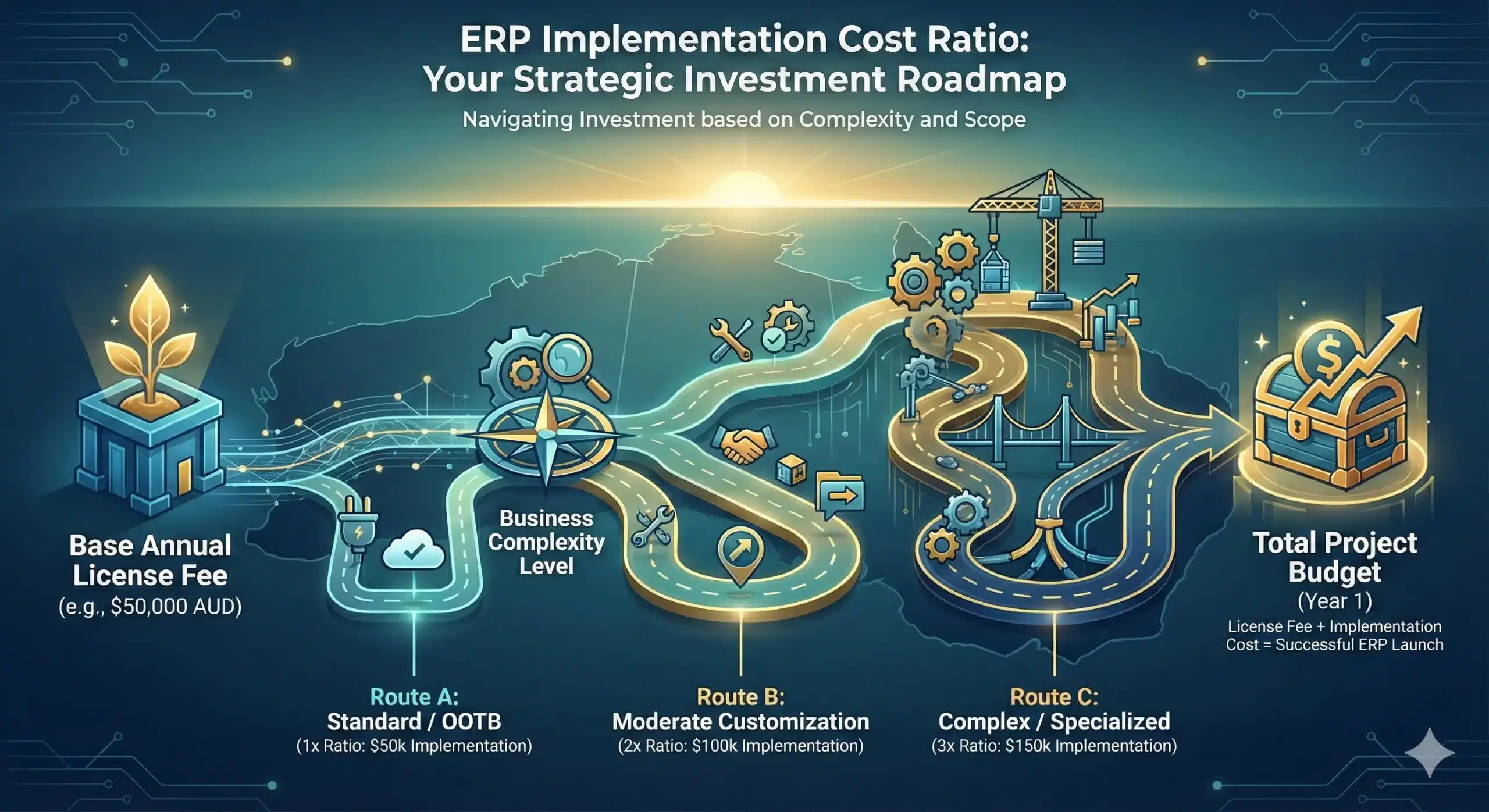
When budgeting for ERP in Australia, the license fee is just the tip of the iceberg. A realistic budget must include implementation, data migration, and training.
1. License fees
Most modern systems utilize a SaaS (Subscription) model.
SME: $100 – $250 AUD per user/month.
Mid-Market: $250 – $500 AUD per user/month.
Enterprise: $500+ AUD per user/month.
2. Implementation costs
This is the service fee for configuring the software. A safe rule of thumb is a 1:1 to 1:3 ratio against the first year’s license cost.
Example: If software costs $50k/year, expect implementation to cost between $50k and $150k.
3. Hidden costs
- Customization: Modifying code to fit unique processes (expensive).
- Training: Downtime for staff to learn the system.
- Integration: Connecting to legacy systems or 3PL providers.
Implementation Roadmap and Team Setup
Choosing the software is only the first step. Most ERP projects fail for predictable reasons: unclear scope, messy data, weak ownership, and teams that try to implement while juggling their day jobs. If you want the system to work on the shop floor, you need a simple plan and the right people from day one.
- Lock scope and decision rights early: Define what goes live first, what waits, and who can approve or reject changes to requirements. Assign an executive sponsor to break ties fast, so the project does not stall in endless debates.
- Treat data as the real project: Clean your item master, BOMs, units of measure, and supplier records before you migrate anything. Assign an owner to each dataset, then run test imports and validation checks to avoid carrying over old errors into a new system.
- Build super users, not passengers: Pick one strong person from production, finance, purchasing, inventory, and sales to become your super user. Protect their time by backfilling their day jobs, because part-time ownership creates part-time results.
- Pilot real workflows before you go live: Run a conference-room style pilot using your own scenarios, such as quoting to production, receiving to WIP, pick-pack-ship, returns, and adjustments. Fix exceptions during the pilot so the go-live week stays calm.
- Plan hypercare like you plan production: After go-live, set a clear support channel, daily triage, and a short list of critical fixes. Train teams in the exact steps they use each day, then keep support active until the process becomes a habit.
Conclusion
Avoid analysis paralysis. No manufacturing system is perfect, so pick trade-offs you can defend in six months, not a feature list that looks good in a demo.
Base your decision on the critical few that protect execution and margin, such as accurate costing, BOM control, planning reliability, and traceable shop-floor data. A clean interface helps adoption, but it will not fix broken numbers at month-end.
Run reference calls and a proof of concept using your own data to see how the system handles real constraints. Ask about data migration, support responsiveness, and what surprised them after go-live.
Want a second opinion before you commit? Request a free consultation with our professional team, and we will help you sanity-check fit, risks, and rollout priorities.
FAQ About Manufacturing Software in Australia
-
What is the best manufacturing software for small businesses in Australia?
The best option is the one that matches your production type and team capacity. Smaller manufacturers usually benefit from software that covers BOM, work orders, basic inventory control, and simple production scheduling without heavy setup or specialist admin work.
-
How much does manufacturing ERP software cost in Australia?
Costs vary by users, modules, and implementation scope. Many systems price per user/month, while others charge based on usage or modules, and you should also budget for setup, data migration, training, and integrations as part of total cost of ownership.
-
What is the difference between MRP and ERP?
MRP focuses on planning materials and production needs, such as demand, BOM, and inventory availability. ERP includes MRP but also connects finance, procurement, sales, and other functions so operations and reporting stay aligned in one system.
-
Do Australian manufacturers need cloud-based manufacturing software?
Cloud can make access, updates, and multi-site visibility easier, especially when teams work across locations. The better question is whether the vendor can meet your security, uptime, and support expectations in Australian business hours, and whether your shop floor can reliably stay connected.