
Warehouse software has become a critical tool for businesses managing growing order volumes and complex inventory flows. Manual tracking and disconnected systems can no longer keep pace with modern fulfilment demands.
Today’s warehouse solutions go beyond basic stock control. They provide real-time visibility, streamline picking and shipping, and connect warehouse activity to wider business operations.
For Australian businesses facing high labour costs and vast distribution distances, efficiency is not optional. The right warehouse software helps reduce errors, improve productivity, and build a more resilient supply chain.
Key Takeaways
|
Our Top Picks at a Glance (Shortlisted)

Best Because
Modular setup and flexible customization for changing warehouse workflows.




Best Because
Visual item tracking that works well for assets, tools, and smaller inventories.
How We Evaluated the Best WMS Software
Selecting a Warehouse Management System (WMS) requires a rigorous evaluation methodology that goes beyond surface-level feature lists. We examined software based on six critical dimensions that impact long-term operational success.
- AU availability & support: Looked for AUD pricing, local hosting options, and Australia-based support.
- Core WMS features: Checked essentials like real-time stock tracking, picking, packing, and shipping control within a real-time warehouse automation system.
- Integrations: Prioritized smooth connections with accounting, eCommerce, ERP, and courier tools.
- Scalability: Evaluated how well it handles higher order volumes, more SKUs, and multiple sites.
- Ease of use: Considered usability, mobile access, and training effort.
- User reviews: Used customer feedback to validate reliability and support quality.

12 Best Warehouse Management Software in Australia
Each platform has been selected for its specific strengths, ranging from retail-focused lightweight tools to enterprise-grade ERP integrations.
1. Square
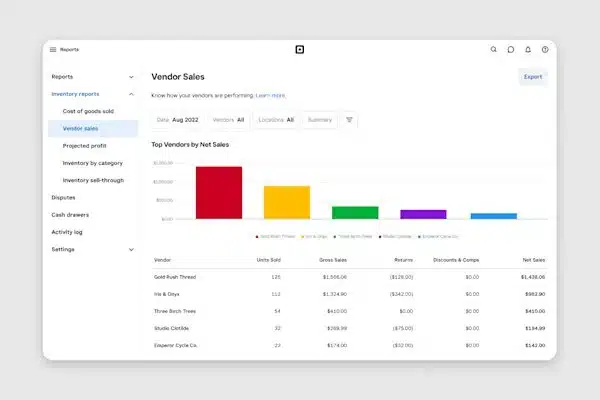
Square works best as a WMS software for retail-focused businesses that need POS-linked inventory updates in real time across store and back-of-house stock. It prioritizes visibility and ease of use over advanced warehouse features.
Key Features:
- Unified Sales and Inventory: Real-time synchronization between POS terminals and warehouse stock levels prevents overselling.
- Low-Stock Alerts: Automated notifications based on customizable thresholds help maintain optimal stock levels.
- Barcode Label Printing: Built-in tools to generate and print SKU labels directly from the item library.
- Multi-Location Management: Basic support for tracking stock across different store locations or small storage units.
| Pros | Cons |
|
|
Pricing: Square generally operates on a transaction-fee basis for sales, with the retail POS software having a free tier. Advanced inventory features are part of the “Square for Retail” Plus plan, costing approximately $60 AUD per month per location.
Suitable for: Small retail and hospitality teams that want basic stock tracking tightly connected to POS.
2. Zoho Inventory
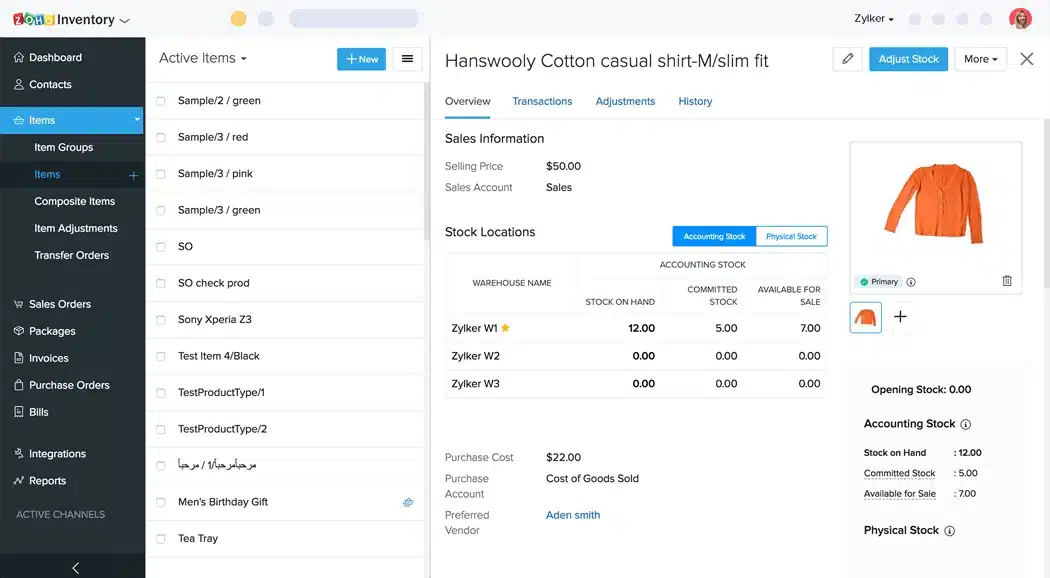
Zoho is one of the best warehouse management software options for growing businesses that need stronger order and stock control without the overhead of a full ERP.
Key Features:
- End-to-End Tracking: Monitor inventory from the moment it is ordered from a vendor to the moment it reaches the customer.
- Batch and Serial Tracking: Critical for warranty management and expiration date monitoring.
- Shipping Integrations: Connects with major carriers to fetch live shipping rates and print labels.
- Composite Items: Supports kitting and bundling of products, useful for promotional sales.
| Pros | Cons |
|
|
Pricing: Zoho offers a free plan for very small operations. Paid plans start around $29 AUD per organization per month, scaling up based on the number of orders and warehouses managed.
Suitable for: Growing businesses that need cloud-based inventory control across multiple warehouses and sales channels.
3. Sortly
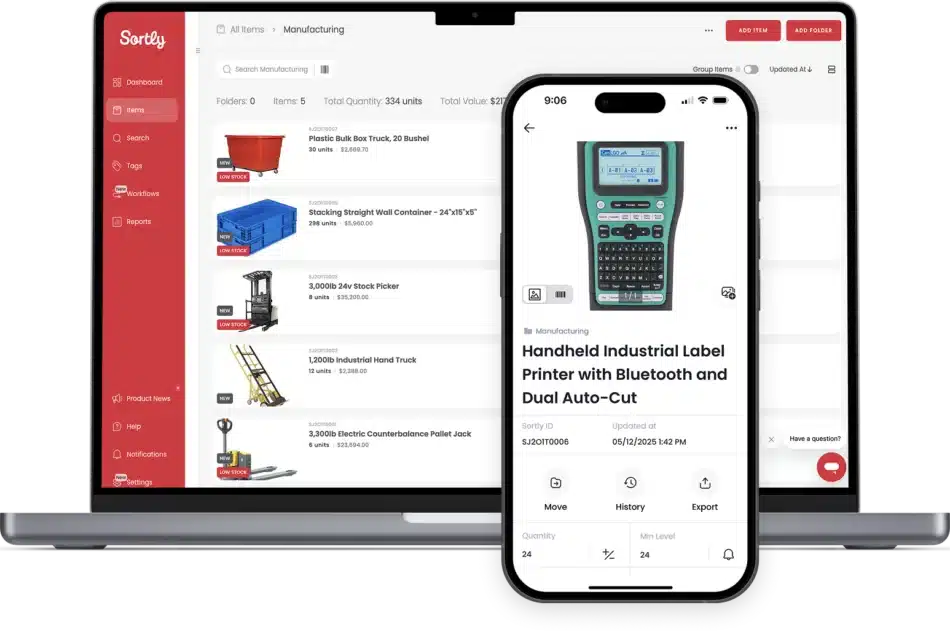
Sortly WMS software suits teams that need visual, mobile-first inventory and asset tracking using photos and QR codes, especially for tools, facilities, and creative assets.
Key Features:
- Visual Inventory: High-resolution photos accompany every SKU, reducing identification errors.
- QR Label Generation: Create and print custom QR labels that link directly to the item record.
- Offline Access: The mobile app works without an internet connection, syncing data when connectivity is restored.
- Custom Fields: Flexible data entry allows businesses to track specific attributes like “Condition” or “Assignee.”
| Pros | Cons |
|
|
Pricing: Sortly offers a limited free plan. The Advanced plan starts at approximately $29 USD per month, and the Ultra plan for larger teams is around $59 USD per month.
Suitable for: Mobile-first teams tracking assets, tools, and simple inventory lists with barcode/QR scanning.
4. NetSuite WMS
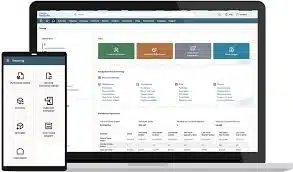
NetSuite is a WMS software designed to manage receiving, putaway, picking, packing, and shipping processes within a unified platform. It provides barcode-enabled workflows, task management, and real-time inventory.
Key Features:
- Mobile RF Barcode Scanning: Supports barcode-enabled workflows on mobile/RF devices for warehouse floor execution.
- Putaway & Picking Strategies: Uses defined strategies to guide putaway locations and picking methods for faster, more accurate fulfilment.
- Task Management Workflows: Assigns and manages warehouse tasks to standardize receiving through shipping operations.
- Cycle Counting & Real-Time Inventory Updates: Supports cycle count plans and updates inventory records and reports in real time as transactions are completed.
| Pros | Cons |
|
|
Pricing: Pricing depends on base package, number/type of user licenses, add-on modules (including WMS), and implementation scope.
Suitable for: Larger operations needing advanced fulfilment workflows, RF scanning, and tighter process control.
5. Cin7
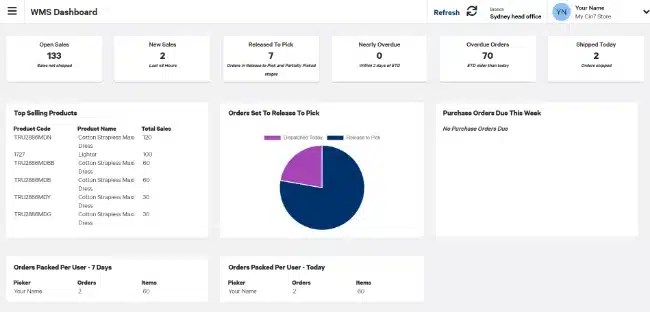
Cin7 is a WMS software that syncs inventory across multiple warehouses and sales channels, providing real-time stock visibility.
Key Features:
- Omnichannel Integration: Connects with over 700 integrations including Amazon, The Iconic, and Salesforce.
- Built-in EDI: Electronic Data Interchange capabilities allow for automated trading with major retailers (e.g., Woolworths, Coles).
- 3PL Integration: Seamlessly connects with third-party logistics providers to automate outsourced fulfillment.
- Virtual Warehousing: Segment stock logically without physical separation to reserve inventory for specific channels.
| Pros | Cons |
|
|
Pricing: Cin7 does not publish standard pricing publicly. It typically starts around $325 USD per month for the Core product, with the Omni product being significantly higher, requiring a custom quote.
Suitable for: Product-based businesses selling across multiple channels that need strong inventory sync and integration coverage.
6. HashMicro
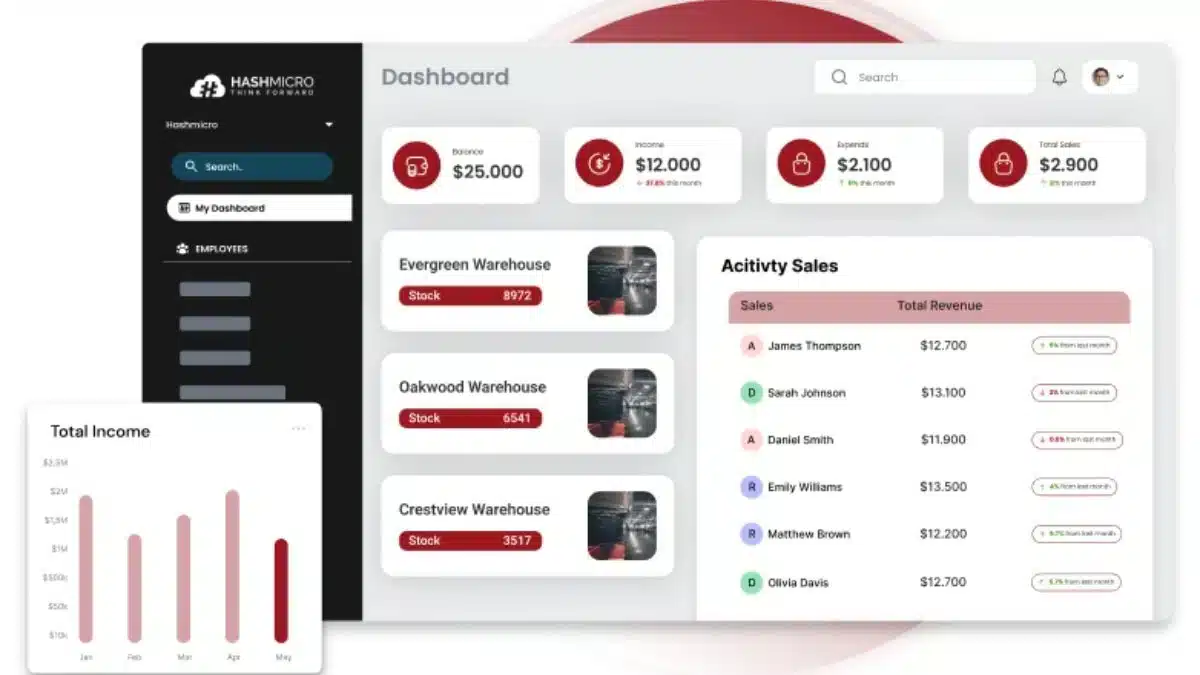
HashMicro is positioned as best WMS software for businesses needing an ERP-integrated WMS that scales across complex, multi-department operations. Key strengths include AI-driven route and slotting optimisation plus 3D warehouse visualisation for real-time capacity and layout control.
Key Features:
- 3D Warehouse Visualization: Provides a graphical representation of shelf capacity and item placement for better space utilization.
- AI-Driven Slotting: Automatically suggests optimal storage locations for items based on turnover frequency and size.
- Multi-Warehouse Valuation: Manages inventory across multiple sites with different valuation methods (FIFO, LIFO, Average).
- Barcode & RFID Integration: Native support for advanced scanning hardware to automate receiving, picking, and stocktaking.
| Pros | Cons |
|
|
Pricing: HashMicro uses tailored enterprise pricing, usually quoted after a consultation based on modules and user count, with grants potentially available in eligible regions.
Suitable for: Companies that want WMS connected to broader ERP workflows like purchasing, accounting, and reporting.
7. Odoo
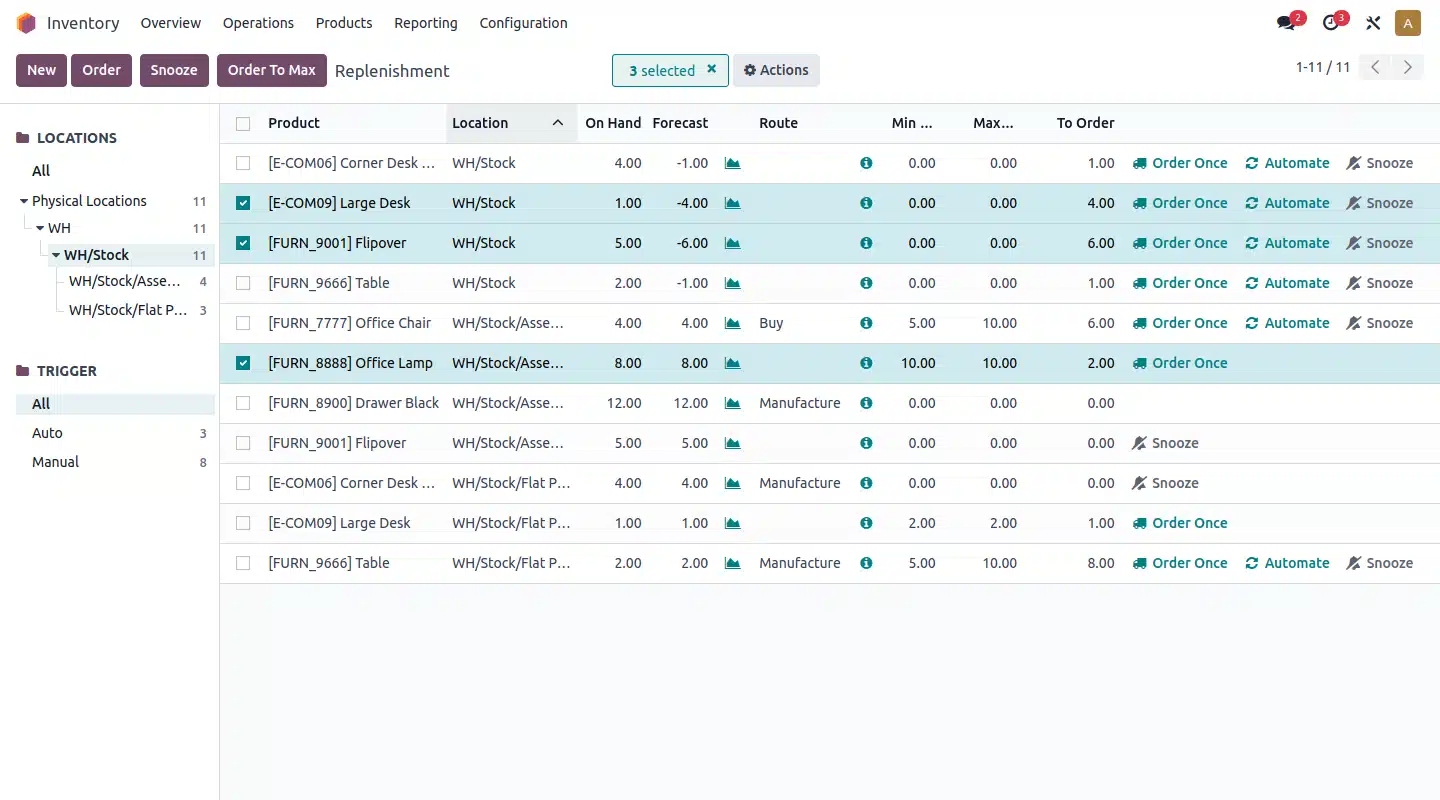
Odoo is a warehouse app that can run standalone or as part of a full suite, using double-entry inventory moves for stronger traceability. It’s highly customizable and supports advanced routing like drop-shipping, cross-docking, and multi-step flows.
Key Features:
- Double-Entry Inventory: Provides complete traceability of every stock movement, similar to financial accounting.
- Advanced Routing: Configurable rules for dropshipping, cross-docking, and multi-warehouse transfers.
- Barcode Scanner App: A fully integrated mobile app that works on standard smartphones or industrial scanners.
- Replenishment Automation: Automatically generates RFQs (Requests for Quotation) based on minimum stock rules and forecasts.
| Pros | Cons |
|
|
Pricing: Odoo offers a “One App Free” plan. For the full suite or multiple apps, pricing is per user, typically around $20-$35 AUD per user/month depending on the hosting model (Standard vs. Custom).
Suitable for: Teams wanting a modular system that can start with warehouse needs and expand into other business apps.
8. RightControl
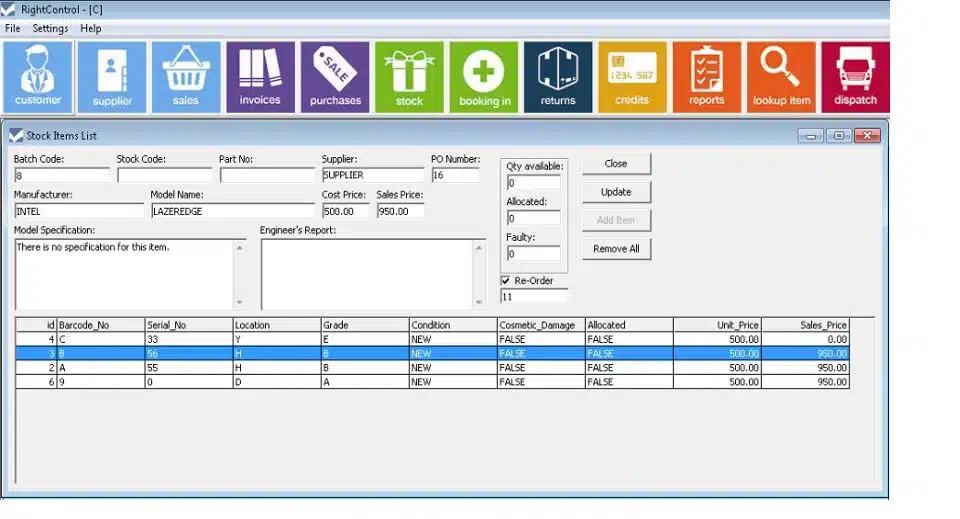
RightControl is a desktop, on-premise warehouse solution suited for small businesses needing reliable stock control, order processing, and purchasing in low-connectivity environments. It includes barcode and label printing, but limited cloud features can restrict integrations and mobile use.
Key Features:
- Desktop-Based: Installed locally on Windows machines, offering data control and offline capability.
- Barcode Generation: Built-in tools to create and print industry-standard barcode labels.
- Service & Repair Tracking: Features for managing returns and service jobs, useful for repair shops.
- Simple Invoicing: Integrated invoicing and basic CRM functionality.
| Pros | Cons |
|
|
Pricing: RightControl typically operated on a tiered licensing model (RightControl Lite is free). Pricing for the full version varies, but it is generally considered a budget-friendly option for legacy users.
Suitable for: Warehouses needing configurable, RF-driven execution and strict process enforcement.
9. SalesBinder
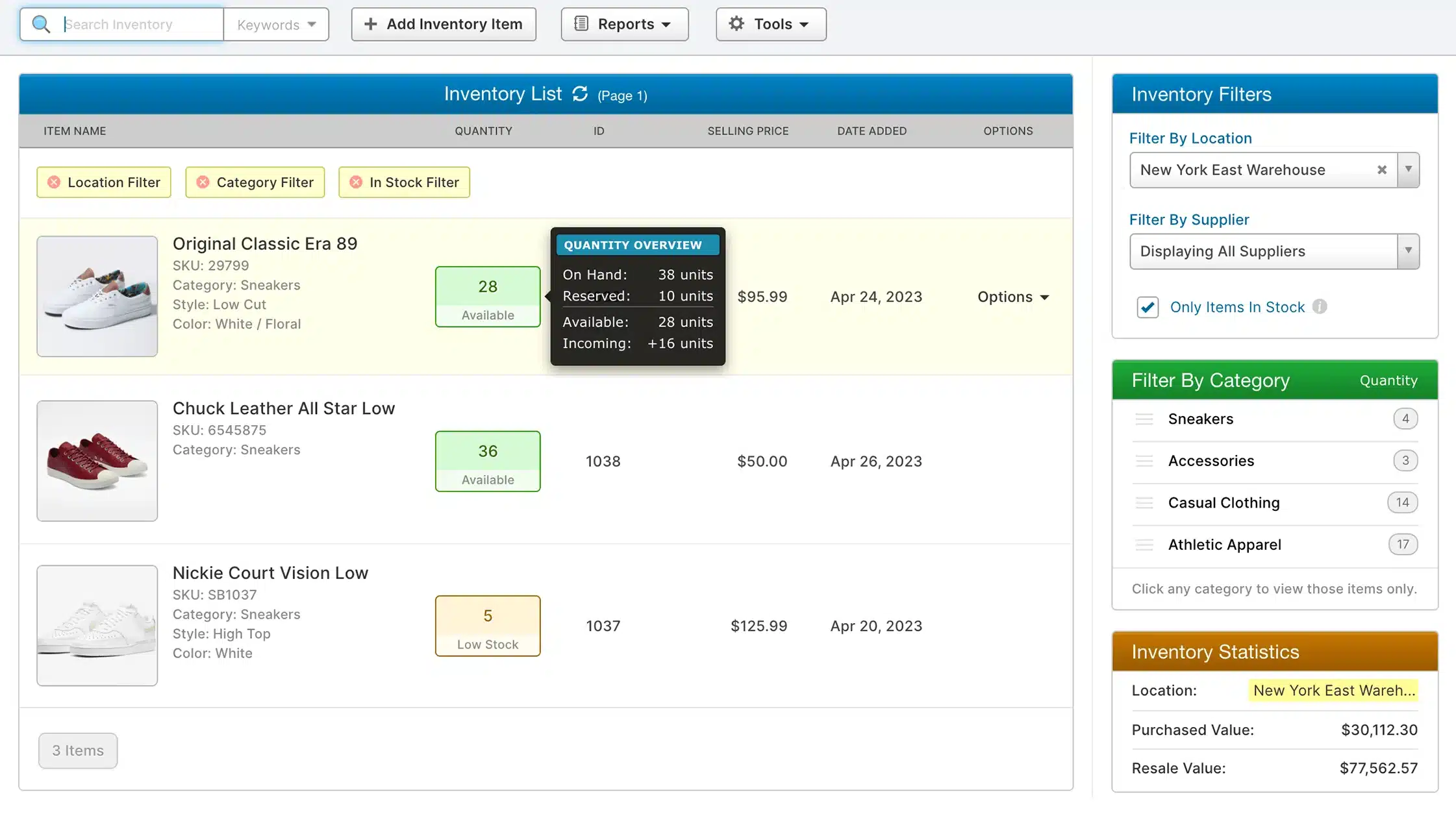
SalesBinder is cloud-based warehouse software that gives sales teams real-time visibility into warehouse stock, reducing overselling and allocation mistakes.
Key Features:
- Real-Time Sales Visibility: Sales reps can view live stock levels while in the field.
- Multi-Currency Support: Handles international transactions and localized pricing seamlessly.
- CRM Integration: Built-in CRM features to manage customer history and specific pricing tiers.
- Document Generation: Automates the creation of invoices, packing slips, and quotes.
| Pros | Cons |
|
|
Pricing: Salebinder offers tiered monthly subscriptions, typically starting around $19 USD per user/month, scaling up for advanced features and storage limits.
Suitable for: Businesses that want straightforward inventory and order tracking without heavy warehouse complexity.
10. Openboxes
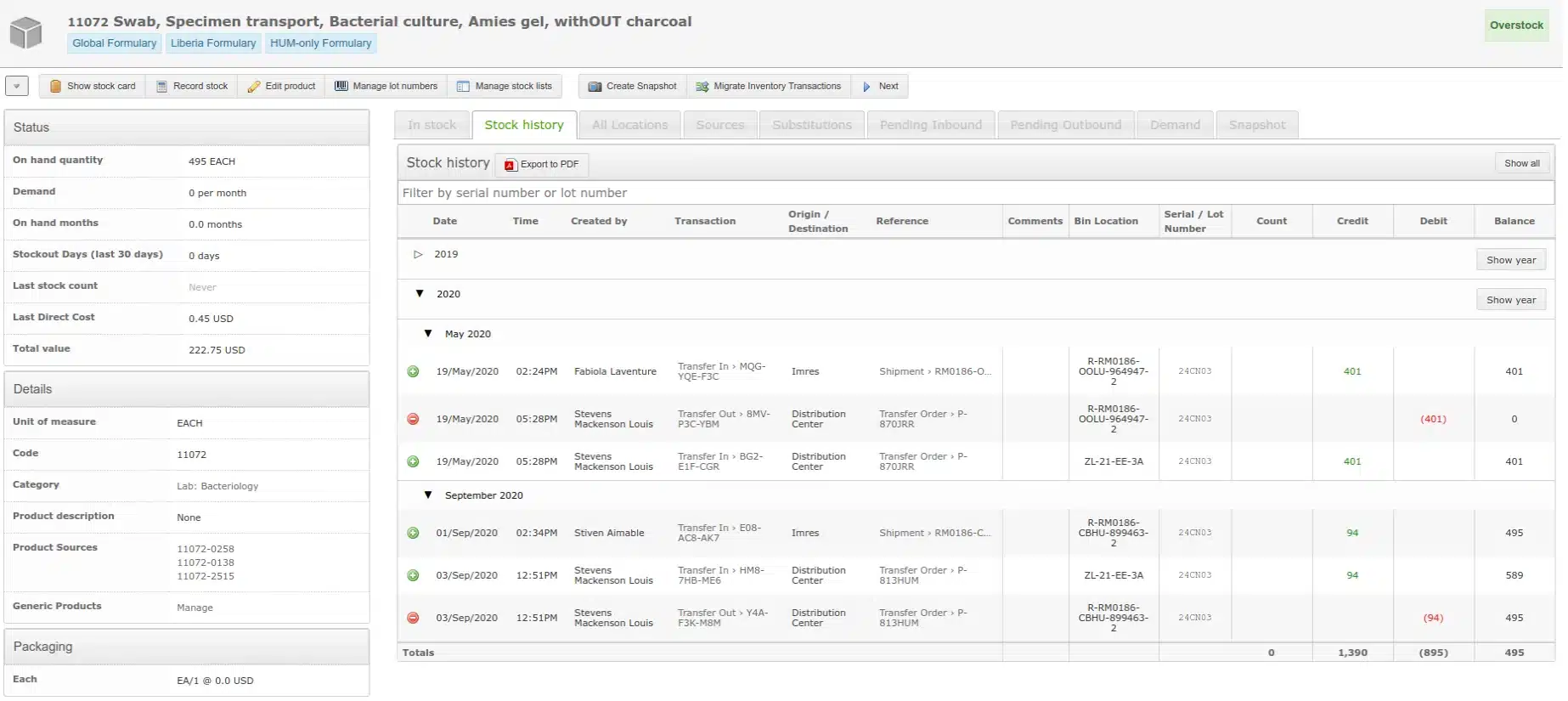
Openboxes is an open-source warehouse software built for healthcare and humanitarian supply chains, with strong support for expiry tracking, lot control, and cold-chain needs.
Key Features:
- Expiration & Lot Tracking: Critical for managing perishable goods and medical supplies.
- Stock Movement History: Comprehensive audit trails for every inventory transaction.
- Forecasting: Tools to predict demand based on consumption history to prevent stockouts.
- Flexible Hierarchy: Supports complex organizational structures with multiple levels of inventory locations.
| Pros | Cons |
|
|
Pricing: As open-source software, the license is free. Costs are associated with hosting, implementation, and any required customization or support services.
Suitable for: Organizations managing medical or humanitarian supply chains that need transparent stock and distribution tracking.
11. ABC Inventory
ABC Inventory is a free, Windows-based tool for small manufacturing and distribution teams, often included in best WMS software comparisons for its solid core features. It supports barcode scanning and light BOM needs but uses a classic desktop interface.
Key Features:
- Unlimited Records: No artificial limits on the number of items or transactions in the free version.
- Barcode Support: Compatible with standard USB barcode scanners.
- Bill of Materials (BOM): Basic support for assembly and manufacturing processes.
- Purchase Orders: Manages the procurement cycle from order to receipt.
| Pros | Cons |
|
|
Pricing: The standard version is free. Almyta offers paid support packages and advanced versions with network capabilities starting around $435 USD (one-time fee).
Suitable for: Very budget-conscious teams needing basic inventory tracking for smaller operations.
12. Boxstorm
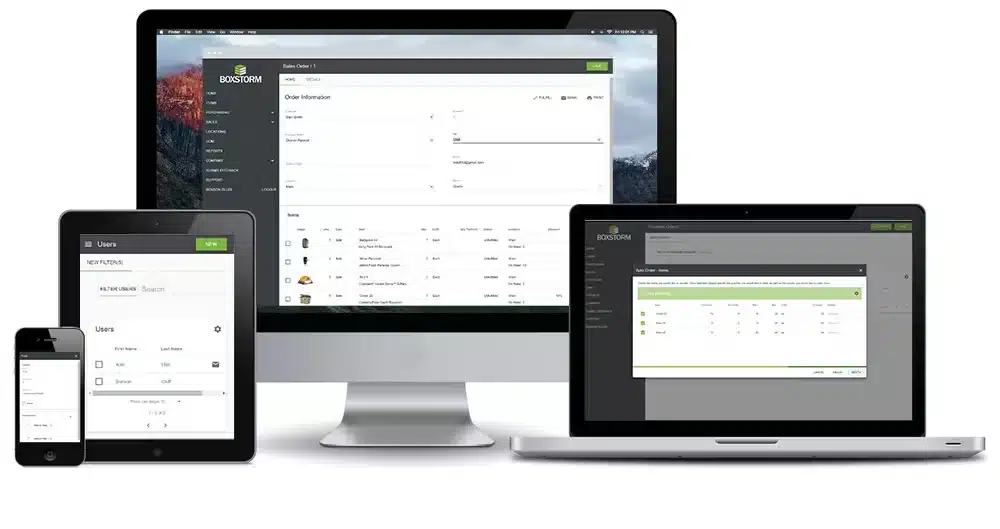
Boxstorm is a cloud-based warehouse software for managing receiving, stock movements, and cycle counts via web or mobile. It integrates with QuickBooks Online and supports shipping workflows.
Key Features:
- QuickBooks Online Integration: Seamlessly syncs inventory values and sales data with accounting.
- Mobile App: Full functionality on iOS and Android devices for floor operations.
- Cycle Counting: Tools to facilitate regular stock checks without shutting down operations.
- Unit of Measure Conversion: Handles buying in cases and selling in units automatically.
| Pros | Cons |
|
|
Pricing: Boxstorm offers a “Forever Free” plan. Paid plans start at $79 USD per month, offering additional features and integrations.
Suitable for: Warehouses that want barcode-based receiving, picking, and stock control in a simpler cloud setup.
How to Choose the Right WMS for Your Business
A mismatch between software capabilities and operational reality can paralyze workflows, so selecting the best warehouse management software should start with clear segmentation to narrow down the options.
1. By business size
Small businesses with 1 to 50 employees should prioritise usability and low overhead, using warehouse software that is quick to deploy and easy to train so the focus stays on digitising operations.
Mid-market enterprises with 50 to 250 employees need warehouse software that scales with higher transaction volumes and connects smoothly to sales, purchasing, and accounting workflows.
Large enterprises with 250+ employees require warehouse software built for complex processes, multi-site control, tighter data governance, and advanced optimisation across the supply chain.
2. By industry
Choosing the best WMS software starts with matching the warehouse software to industry workflows. Retail and eCommerce typically need strong integrations with online sales channels and shipping carriers to keep inventory and fulfilment synced.
While manufacturing requires BOM and work-in-progress tracking to connect raw materials to production. For healthcare and perishables, strict batch, lot, and expiry control with FEFO logic is essential to reduce waste and stay compliant.
3. By budget
Budget-conscious options include tools with free plans that help start warehouse operations without upfront spending. Mid-range choices typically offer strong core features at a manageable monthly fee.
Higher-investment platforms cost more but can deliver ROI through labour savings, tighter control, and better inventory optimization at scale.
Safe Work Australia notes employers must consult, cooperate, and coordinate on WHS when making operational changes, which includes implementing warehouse software that alters workflows, device use, or automation processes.
Key Features to Look for in Warehouse Management Software
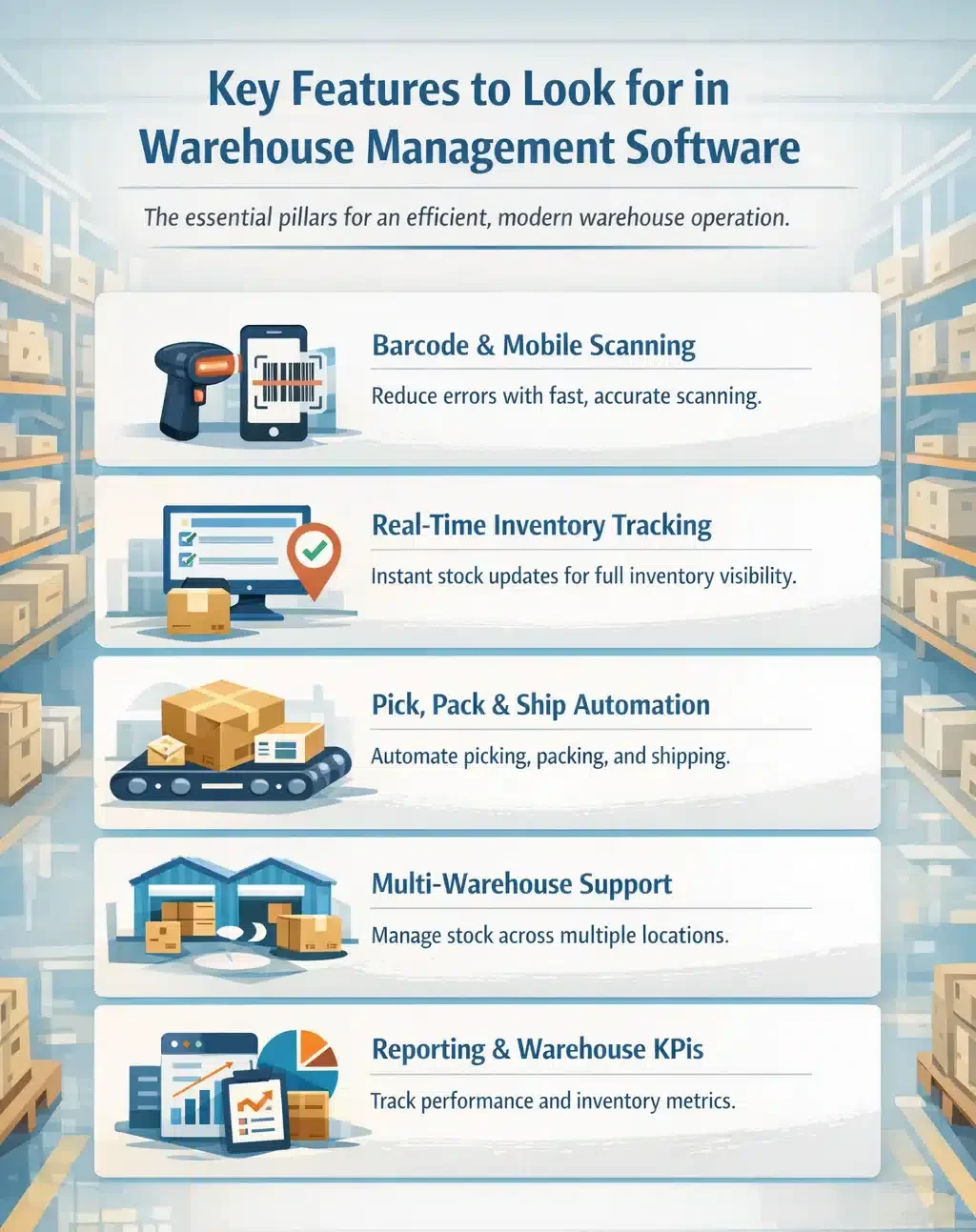
When vetting potential software, look beyond marketing jargon. The following five features are the technical pillars of the best warehouse management software for a modern, efficient warehouse operation.
1. Barcode and mobile scanning
Cuts manual input and improves accuracy by validating every scan during receiving, putaway, picking, and packing. Errors are flagged on the spot, reducing mispicks, wrong shipments, and time wasted on rechecking.
2. Real-time inventory tracking
WMS software updates stock instantly after every movement so teams always work from the same numbers. This helps prevent overselling, supports fast replenishment decisions, and keeps inventory visibility consistent across channels and locations.
3. Pick, pack & ship automation
Streamlines fulfilment with directed picking, logical pick sequences, and system-generated packing and shipping steps. Faster label printing and fewer manual tasks reduce lead time and increase daily order capacity.
4. Multi-warehouse & multi-location support
Tracks stock across multiple warehouses, zones, and bins while keeping transfers controlled and traceable. It also helps allocate stock to the right location, improving fulfilment speed and reducing emergency transfers.
5. Reporting & warehouse KPIs
Provides dashboards and reports that highlight warehouse performance and inventory health. Metrics like order cycle time, stock accuracy, and fill rate help identify bottlenecks, improve planning, and keep service levels stable.
Conclusion
Choosing the right warehouse software in Australia is about matching today’s workflow to tomorrow’s growth, not just ticking off features. The best fit improves visibility and control across receiving, storage, picking, and shipping.
Lightweight WMS software can streamline basic tracking fast, while more advanced platforms support multi-warehouse operations, integrations, and tighter process automation. Your decision should reflect order volume, SKU complexity, and how quickly you expect those to change.
When implemented well, warehouse software pays back through fewer errors, faster fulfilment, and more predictable inventory levels. Over time, it reduces manual effort and helps deliver a smoother customer experience.
Every warehouse setup is different, so we recommend you consult our expert to ensure the system you choose truly fits your operational needs.
Frequently Asked Questions About Warehouse Software
-
What is the difference between WMS and ERP?
A WMS focuses on warehouse execution like picking, packing, and shipping. An ERP manages end-to-end business processes such as finance, HR, procurement, and sales. In short, WMS runs warehouse operations, while ERP connects them to company-wide planning and financial impact. Many ERP platforms, including HashMicro, offer a built-in WMS module.
-
How much does warehouse software cost in Australia?
Costs depend on complexity. Basic cloud warehouse software is often around $30–$100 AUD/month, mid-market options can be $400–$1,000+ AUD/month, and enterprise systems usually use custom pricing with higher upfront implementation fees.
-
Does warehouse software work with barcode scanners and mobile devices?
Yes. Most modern warehouse software supports barcode scanners and mobile devices such as smartphones, tablets, and handheld terminals. This allows staff to scan items in real time for receiving, picking, packing, stock transfers, and stocktakes, improving accuracy and reducing manual data entry errors.