
Choosing the right inventory software helps you keep stock visible, reduce manual follow-ups, and run daily operations with fewer surprises. A good system connects purchasing, warehousing, and sales so your team stops juggling spreadsheets and chasing updates across tools.
As your business grows across Australian locations and channels, inventory data starts moving faster than manual processes can keep up. To manage stock across warehouses, sales channels, and procurement, many companies rely on end-to-end inventory management software that connects every stage of the supply chain.
The best platforms give you real-time tracking, clear reporting, and integrations that match how you already operate. Look for software that supports multi-location stock, supplier lead times, and fulfilment workflows without forcing your team to rebuild everything from scratch.
Key Takeaways
|



Best Because
It combines flexible workflows with strong automation for growing operations.
Best Because
It offers essential inventory features with a simple setup and budget friendly entry point.

Best Because
Supports matrix inventory for variants and streamlines supplier catalog imports.
Does Your Business Actually Need Inventory Software?
Many small businesses start with Excel, but there comes a tipping point where manual entry becomes a liability. If you spend more time fixing data errors than analyzing sales, you have likely outgrown spreadsheets.
The primary signal that you need dedicated software is the inability to track real-time stock across multiple locations, which is exactly what inventory management software Australia is designed to solve. Using a dedicated inventory system allows companies to track stock movement more accurately and reduce the risk of manual errors.
Another critical indicator is the frequency of stock discrepancies during end-of-month counts. High variance rates suggest that your current manual processes are causing profit leakage through shrinkage or administrative errors.
How We Evaluated These Products
To provide a genuinely useful guide for Australian businesses, we looked beyond generic feature lists. We evaluated these platforms based on specific local requirements and operational realities in 2026.
- Australian pricing & GST handling: We prioritized software that handles Australian GST natively without requiring complex workarounds. We also looked at billing currencies to ensure you aren’t exposed to USD exchange rate fluctuations.
- Scalability & customization: A system must grow with you; we assessed whether these tools can handle 1,000 SKUs or 100,000 SKUs without lagging. We also checked for API openness and the ability to modify workflows.
- Support hours (AEST/AEDT): Nothing is worse than a system crash at 2 PM Sydney time when support is asleep in the US or UK. We heavily weighted vendors with local Australian support teams or 24/7 global coverage.
- Free tier availability: Indicates whether a platform offers a usable free plan, not just a time-limited trial. The evaluation focuses on what is included at no cost, including user and SKU limits, basic reporting, and essential integrations.
The Best Inventory Management Software in Australia (2026)
We have analyzed the market to bring you the top 15 solutions. Each review dives deep into features, pros, cons, and pricing structures relevant to the Australian market.
1. Cin7: Best for multichannel retailers/wholesalers
Cin7 has established itself as a heavyweight inventory management software for Australian businesses that sell across multiple channels, including Shopify, Amazon, and physical stores. It centralizes all these streams into a single dashboard and automates order routing.
Key Features:
- Connected inventory
- Built in EDI
- Native POS
- Real time stock sync
| Pros | Cons |
|
|
Pricing: Cin7 generally starts around $325 USD/month, but Australian pricing varies based on the “Omni” or “Core” package selection.
Suitable for: Multichannel retailers and wholesalers that need strong inventory sync across stores and sales channels.
2. Unleashed (by Access Group): Best for manufacturers and Xero users
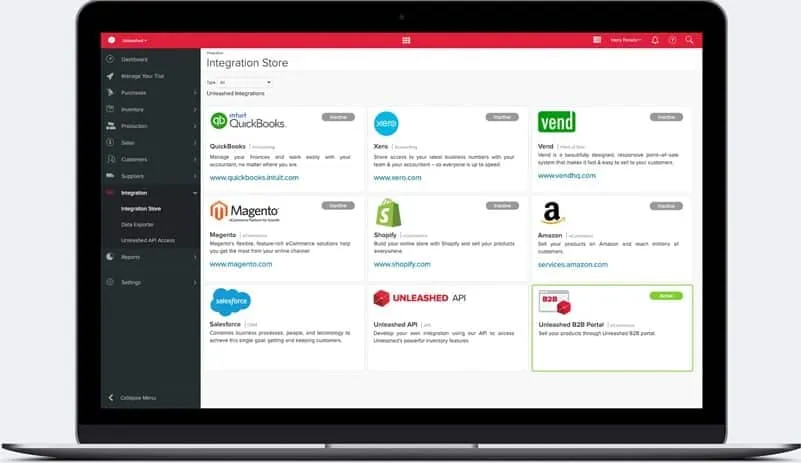
Unleashed is a favorite among Australian manufacturers due to its robust production capabilities and seamless integration with Xero. It allows for detailed tracking of raw materials, work-in-progress (WIP), and finished goods.
Key Features:
- Multi-level BOM
- Assembly costing
- B2B e-commerce portal
- Self-service wholesale ordering
| Pros | Cons |
|
|
Pricing: Plans typically start from roughly $350 AUD/month, scaling up based on users and API limits.
Suitable for: Manufacturers and assembly driven businesses that rely on detailed BOM and production costing.
3. Zoho Inventory: Best free/low-budget option
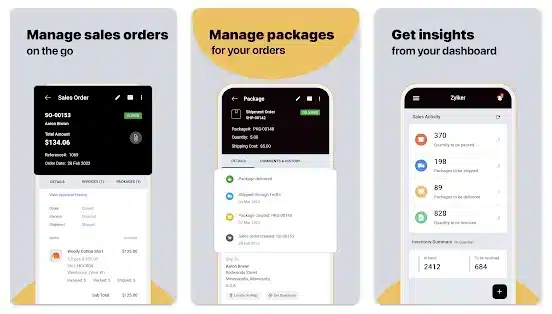
Zoho Inventory offers a surprising amount of functionality at a very low entry point. It is part of the massive Zoho ecosystem, making it easy to expand into CRM or Books later.
Key Features:
- In-dashboard label printing
- Kitting and bundling
- Serial number tracking
| Pros | Cons |
|
|
Pricing: Free tier available. Paid plans start around $29 AUD/month per organization.
Suitable for: Startups and small teams that want a low cost system with solid shipping and order basics.
4. Dear Inventory (now Cin7 Core): Best for growing SMEs
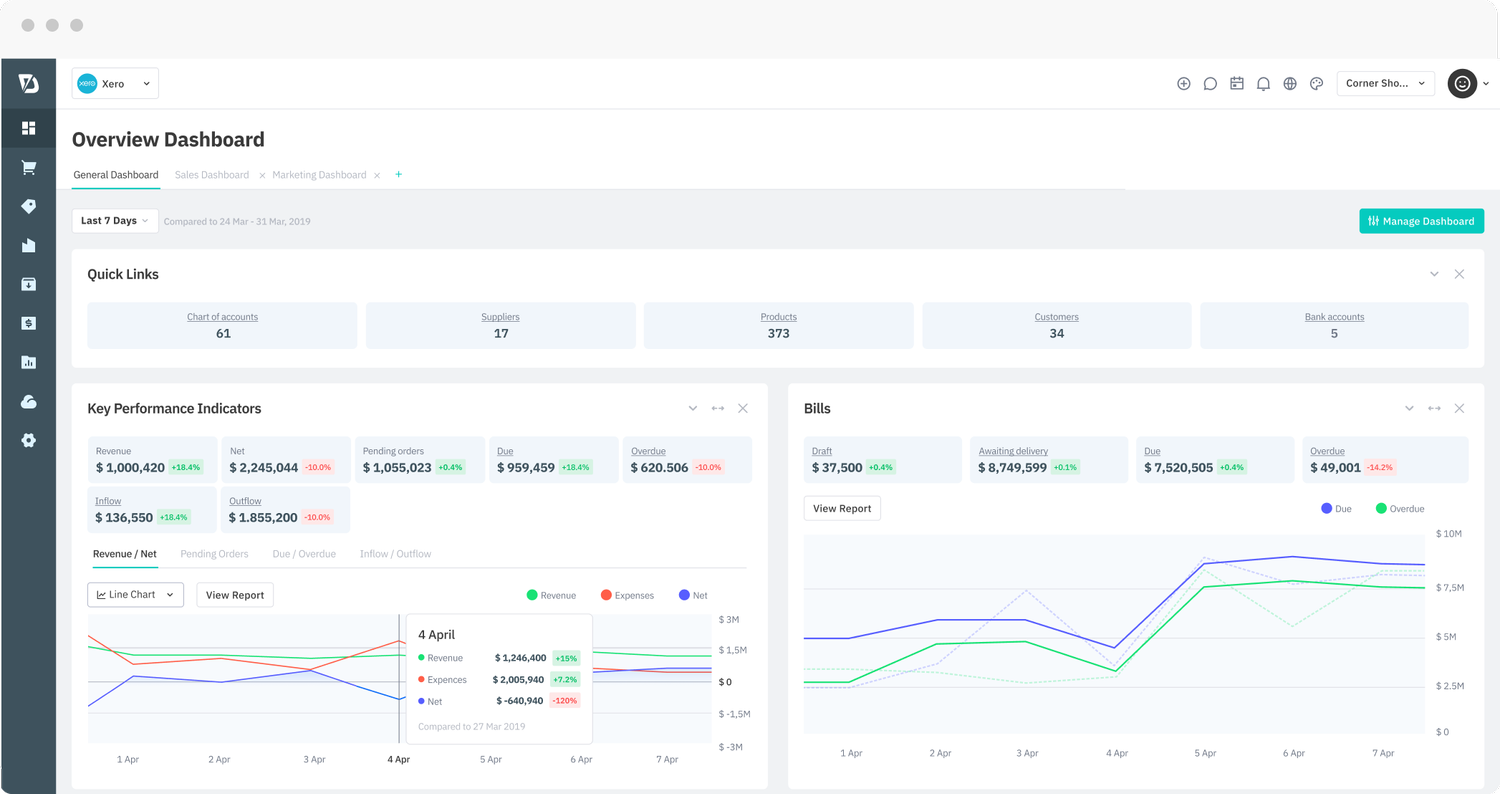
Previously known as Dear Systems, this inventory management software Australia was acquired by Cin7 and rebranded as Cin7 Core. It remains a top choice for SMEs that need more than Xero but aren’t ready for a full ERP.
Key Features:
Cin7 Core offers a comprehensive suite including POS, B2B portal, and robust accounting integrations. Its “Advanced Manufacturing” module is surprisingly deep, allowing for production scheduling and capacity planning.
| Pros | Cons |
|
|
Pricing: Starts approximately $325 USD/month base fee.
Suitable for: Growing SMEs that need a structured inventory system with purchasing and sales workflows.
5. MYOB Business (built-in): Best for MYOB-native businesses
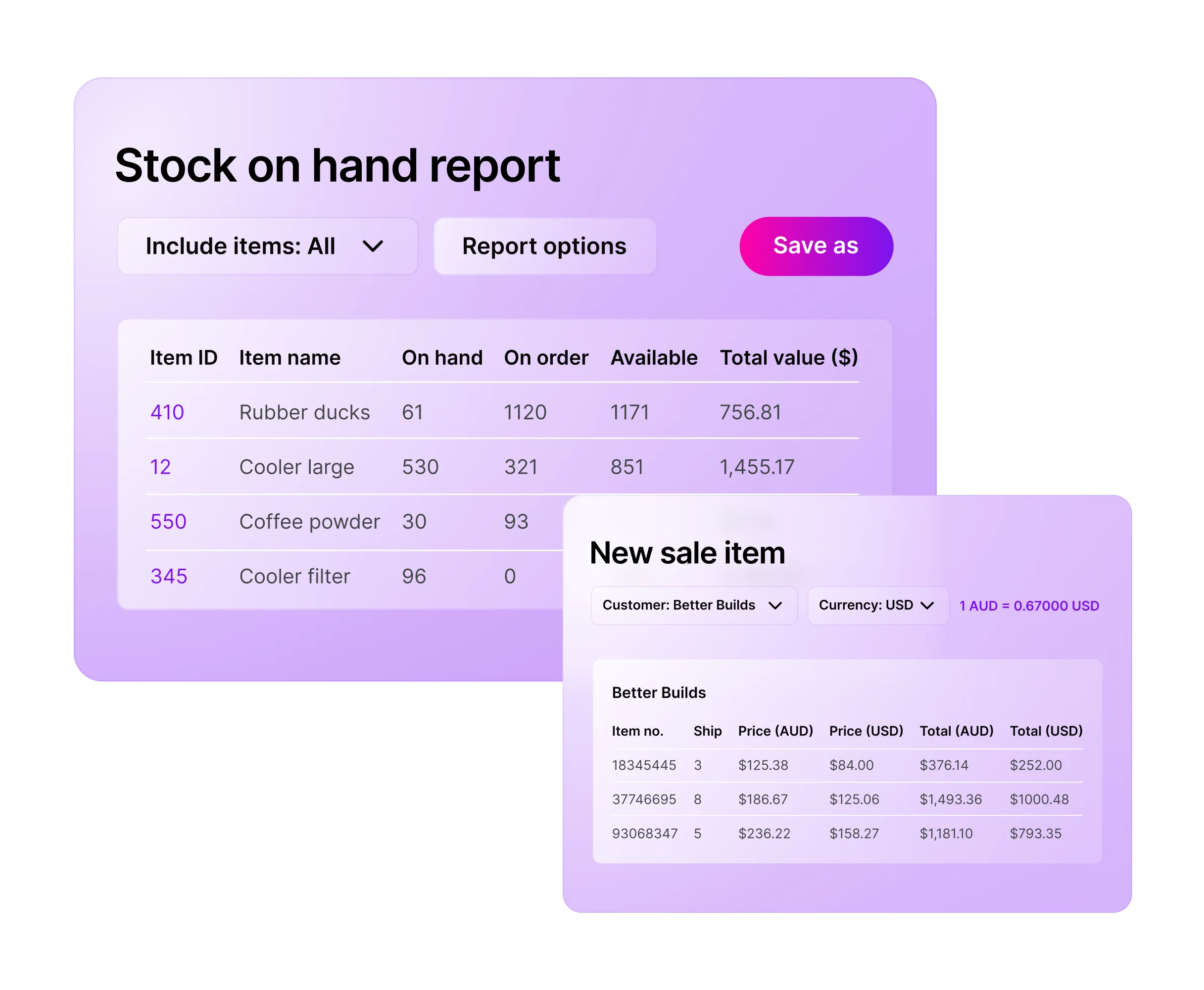
For businesses already entrenched in the MYOB ecosystem for accounting, using the built-in inventory features is a logical first step. It eliminates the need for data migration and third-party syncing errors.
Key Features:
- Stock on hand
- Item variations
- Accurate COGS reporting to ATO
| Pros | Cons |
|
|
Pricing: Included in MYOB Business Pro/Plus subscriptions (approx $60-$140 AUD/month).
Suitable for: Businesses already running MYOB that want inventory tied closely to accounting.
6. HashMicro: Best for enterprises with all-in-one solution
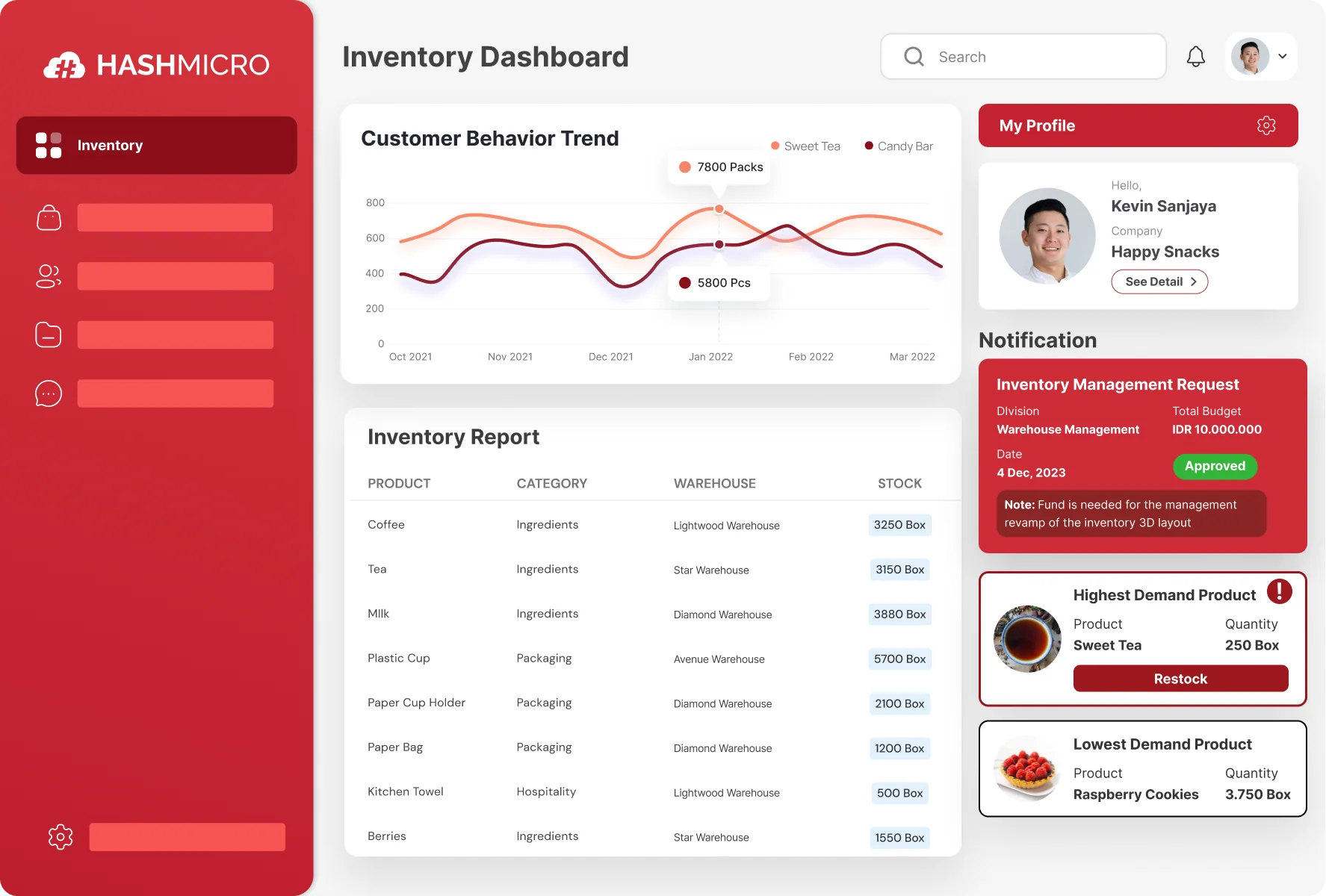
HashMicro stands out as one of the best inventory management software and a full-fledged ERP solution tailored for the Asian-Pacific market, specifically designed for mid-to-large enterprises. Unlike SaaS tools that force you into a box, HashMicro offers high customizability to fit unique operational workflows.
Key Features:
- Procurement, sales, accounting integration
- AI demand forecasting
- 3D warehouse visualization
- Multi branch management
| Pros | Cons |
|
|
Pricing: Quote-based. Typically follows a perpetual license or module-based pricing, which is often more cost-effective for large teams in the long run.
Suitable for: Enterprises that want an all in one solution covering inventory, purchasing, sales, and finance.
7. Xero: Best for Xero users with simple needs
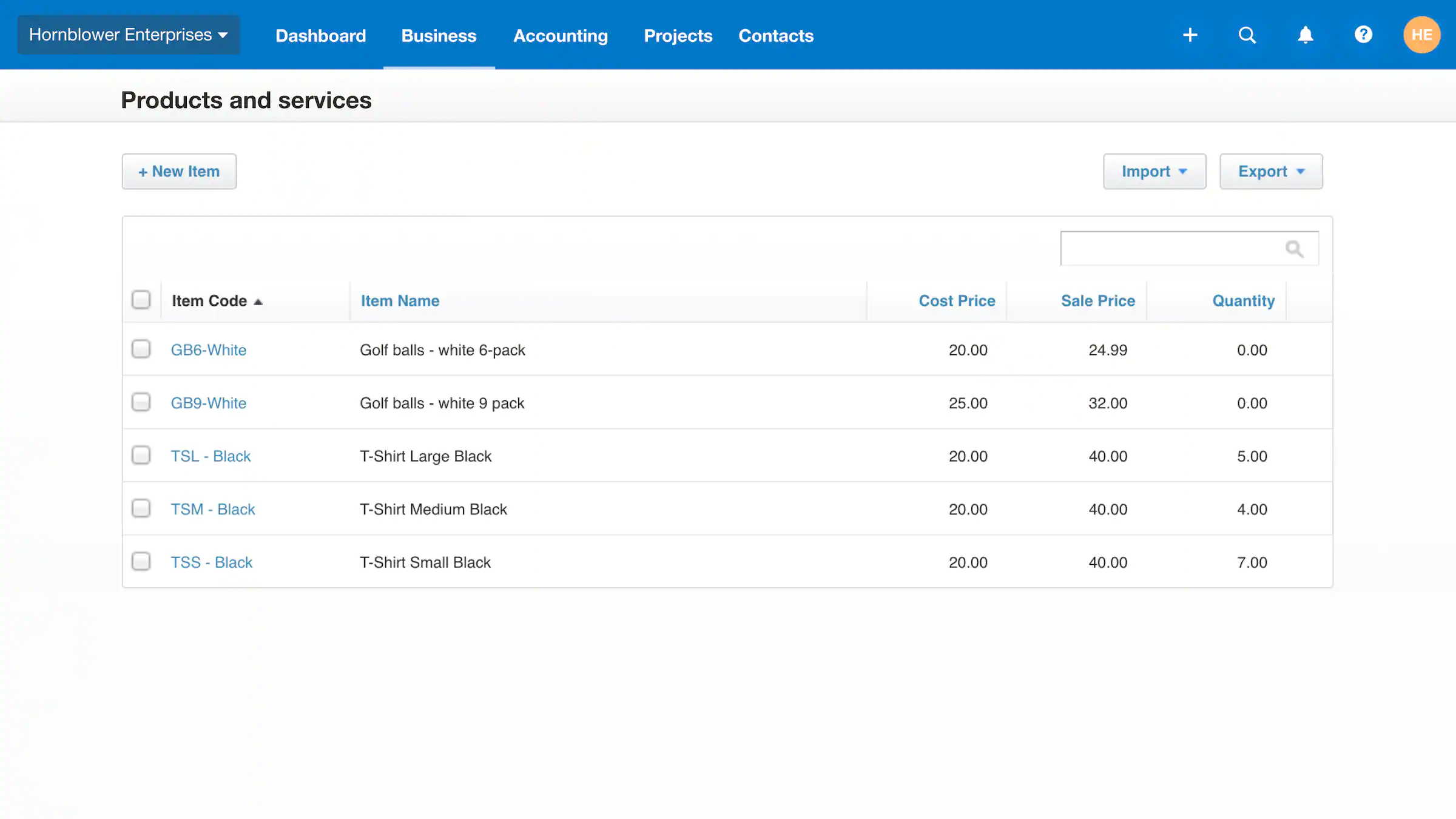
Xero is primarily accounting software, but its “Inventory” module is sufficient for service-based businesses or very small retailers. It tracks quantity and value but relies on “tracked inventory” limits.
Key Features:
- Invoice and PO item tracking
- Automatic stock adjustment
- Inventory item summary report
| Pros | Cons |
|
|
Pricing: Included in Standard and Premium Xero plans.
Suitable for: Businesses with simple stock needs that want lightweight tracking inside their accounting workflow.
8. Sortly: Best for asset/equipment tracking
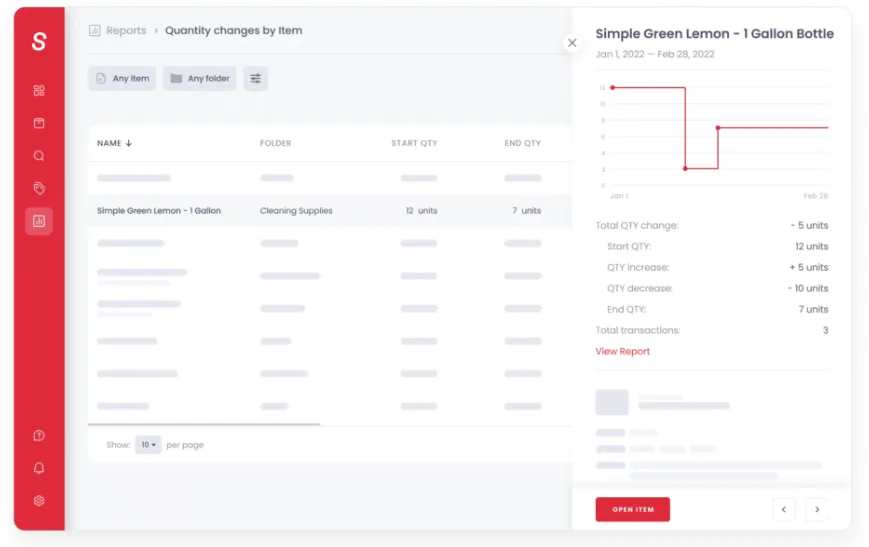
Sortly takes a visual-first approach to inventory, making it arguably the most intuitive inventory management software Australia teams can adopt. It is less about “retail sales” and more about internal tracking of tools, equipment, and supplies.
Key Features:
- Mobile QR barcode scanner
- Visual folders
- Location tagging
| Pros | Cons |
|
|
Pricing: Free plan available. Paid plans start around $29 USD/month.
Suitable for: Teams tracking assets, tools, and equipment rather than high volume product inventory.
9. Square for Retail: Best for brick-and-mortar POS inventory
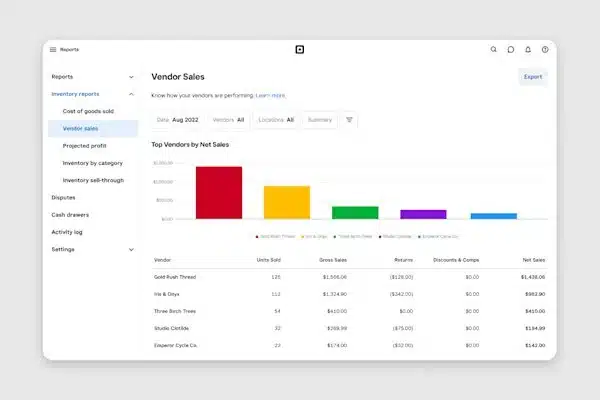
Square revolutionized payments, and their retail inventory management software is a natural extension for physical shops. It focuses on speed at the checkout counter and syncing that data with the back office.
Key Features:
- Real time multi location stock
- Vendor management
- Dashboard purchase orders
| Pros | Cons |
|
|
Pricing: Free software option (pay per transaction). “Plus” plan is approx $60 AUD/month per location.
Suitable for: Brick and mortar stores that want POS first inventory tracking with fast setup.
10. InFlow: Best for B2B showrooms

InFlow Inventory is a veteran in the space, having transitioned successfully from desktop software to a cloud-based powerhouse. It is particularly strong for B2B wholesalers who need a digital showroom.
Key Features:
- B2B portal
- Self-service ordering
- Smart reorder points
| Pros | Cons |
|
|
Pricing: Starts around $89 USD/month.
Suitable for: Small to mid sized businesses that need straightforward inventory with barcode friendly workflows.
11. Odoo: Best for shipping-heavy businesses
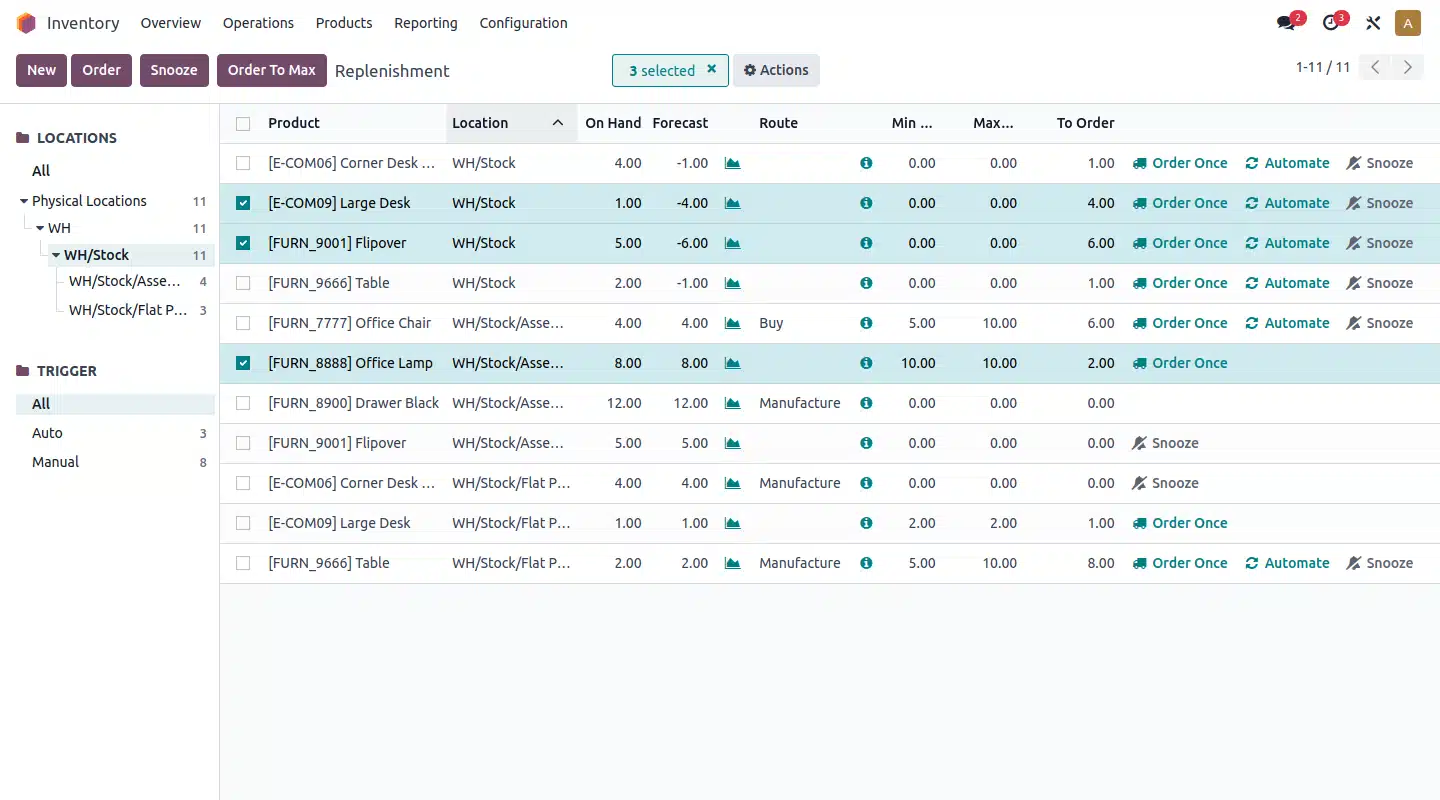
Odoo is less of a traditional inventory system and more of a shipping command center with strong inventory rules. It is ideal for merchants who drop-ship or have complex fulfillment needs.
Key Features:
- Drop ship kitting
- Multi supplier bundles
- Shipping label automation
| Pros | Cons |
|
|
Pricing: Free limited plan. Advanced plans start around $59 USD/month.
Suitable for: E-commerce sellers that want shipping automation plus basic inventory control.
12. Katana: Best for visual manufacturing
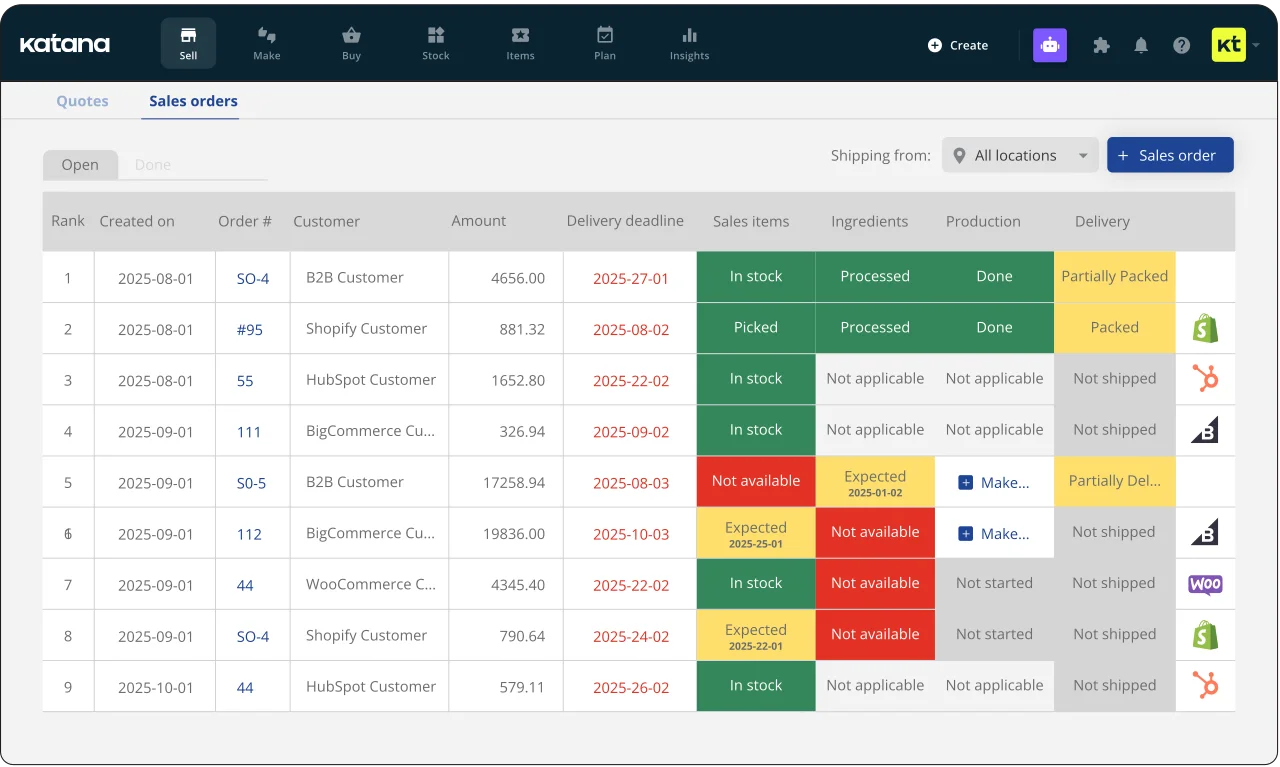
Katana (Katana Cloud Manufacturing) has gained a cult following among modern manufacturers and “maker” businesses. It uses a “visual interface” that makes production planning intuitive.
Key Features:
- Smart Workshop
- Raw material availability view
- Real time stock reallocation
| Pros | Cons |
|
|
Pricing: Starts around $99 USD/month.
Suitable for: Manufacturers that need production planning, BOM, and shop floor visibility.
13. FishBowl: Best for QuickBooks users

Fishbowl is a best inventory management software built for businesses that need stronger warehouse control than basic accounting tools can provide. It is commonly used to manage purchasing, order fulfilment, and stock tracking in more complex operations.
Key Features:
- Wave picking
- Cycle counting
- Advanced warehouse management
| Pros | Cons |
|
|
Pricing: Significant upfront investment (often thousands), or subscription models.
Suitable for: Warehouse heavy businesses that need advanced inventory and work order management.
14. EasyReplenish: Best for small businesses
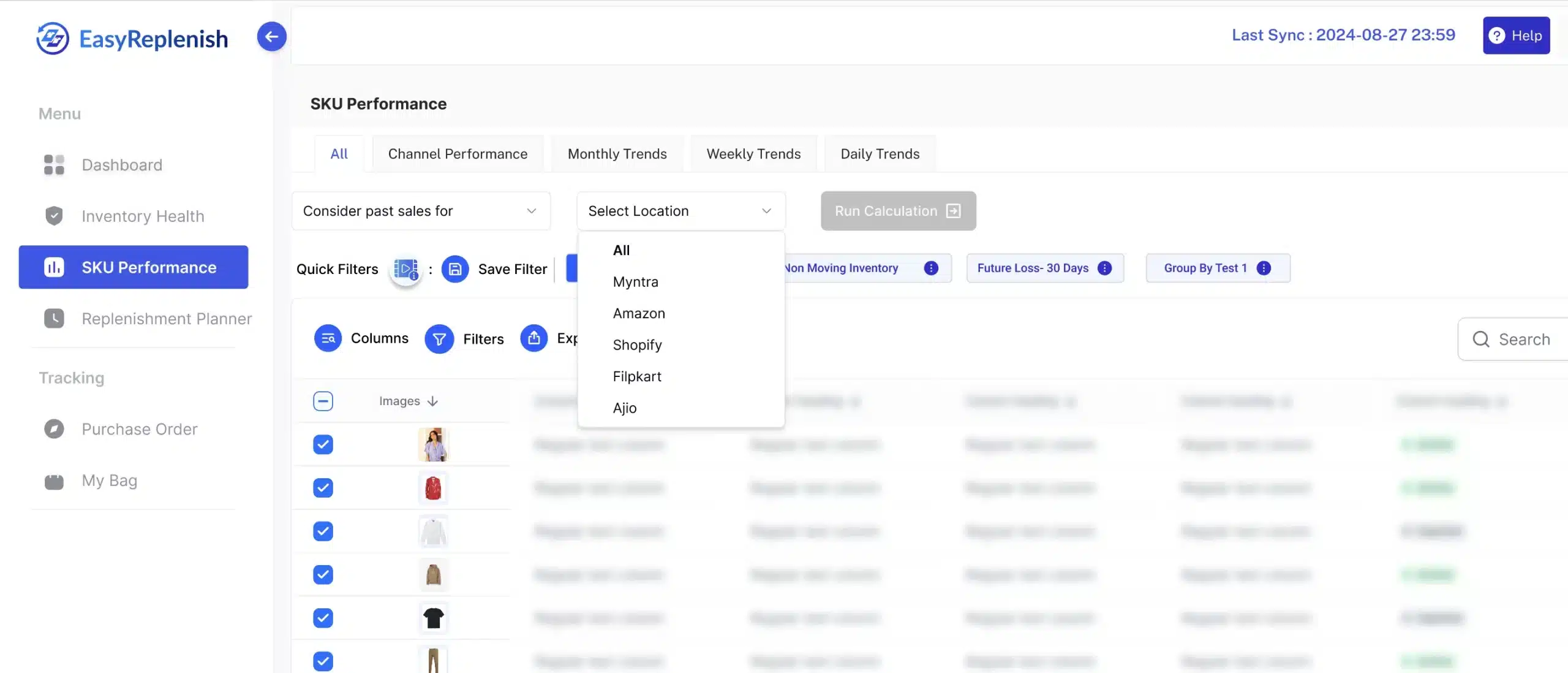
EasyReplenish is a streamlined tool focused on one thing: ensuring you never run out of stock. It is a lighter tool designed to sit on top of your existing data to help with purchasing decisions.
Key Features:
- Sales velocity analysis
- Reorder forecasting
- Automated purchase orders
| Pros | Cons |
|
|
Pricing: Typically lower cost, SaaS model.
Suitable for: Small businesses that want demand based replenishment and purchasing guidance.
15. LightSpeed Retail: Best for hospitality & retail
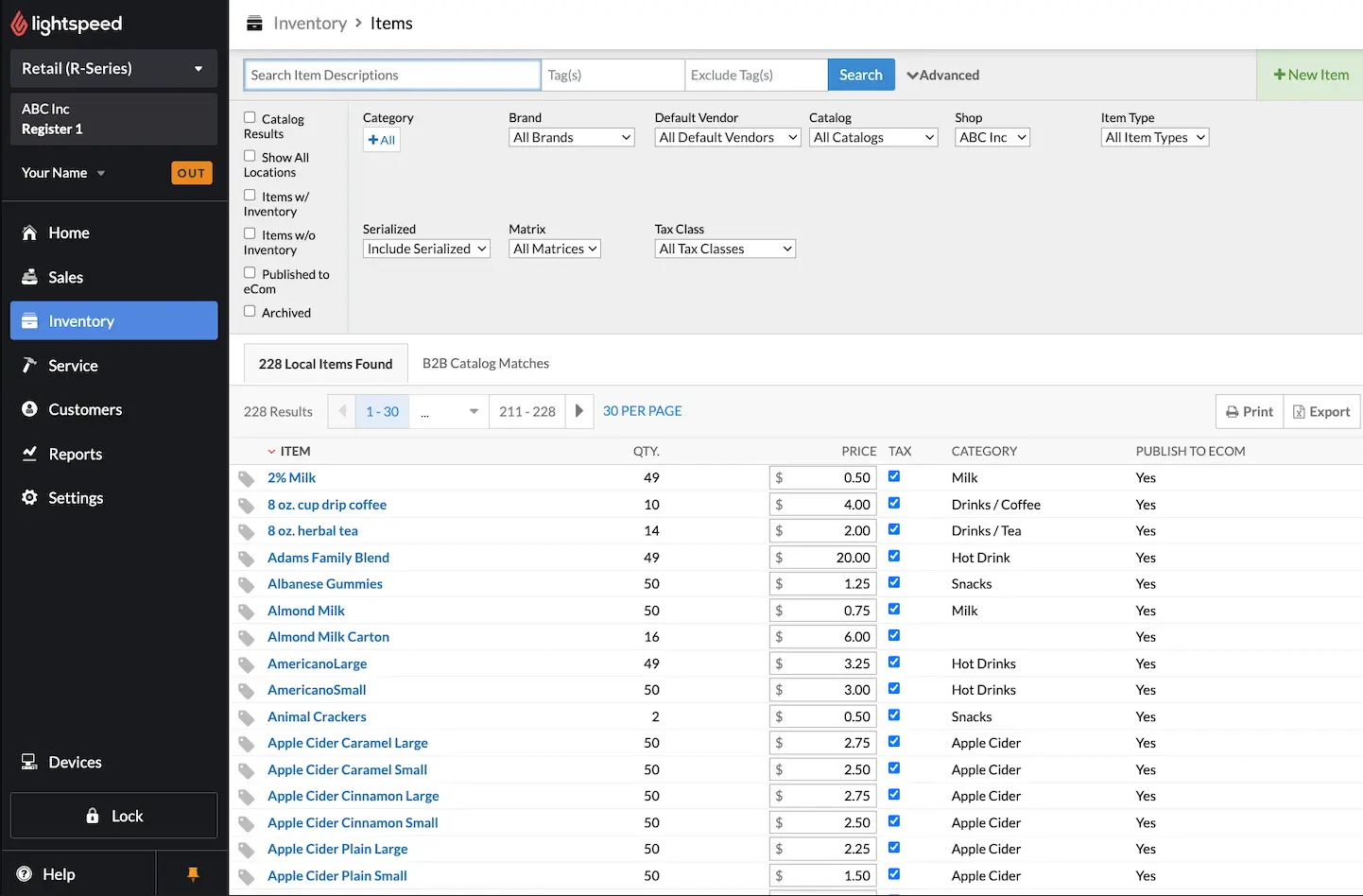
Lightspeed is a massive global player, particularly dominant in the hospitality and high-end retail sectors, making it a strong inventory management software Australia choice for brands that need tighter stock control across venues. It combines a slick POS with powerful backend inventory management.
Key Features:
- Matrix inventory
- Variant management
- Supplier network integrations
| Pros | Cons |
|
|
Pricing: Starts around $89 AUD/month.
Suitable for: Retail chains that want a POS centric platform with inventory and customer management.
Quick Comparison Table
Below is a high-level matrix comparing the top contenders based on their primary target audience and key strengths.
| Features | MYOB | Cin7 | HashMicro | Xero | Lightspeed | Fishbowl |
|---|---|---|---|---|---|---|
| User-Friendly Interface | ||||||
| Pricing | ||||||
| Learning Curve | ||||||
| Connection Quality | ||||||
| Ease of Integration |
How to Choose the Best Inventory Management Software
Selecting the best inventory management software is not about picking the one with the most features; it is about matching the tool to your operational complexity. Use this framework to guide your decision.
1. Volume vs complexity fit
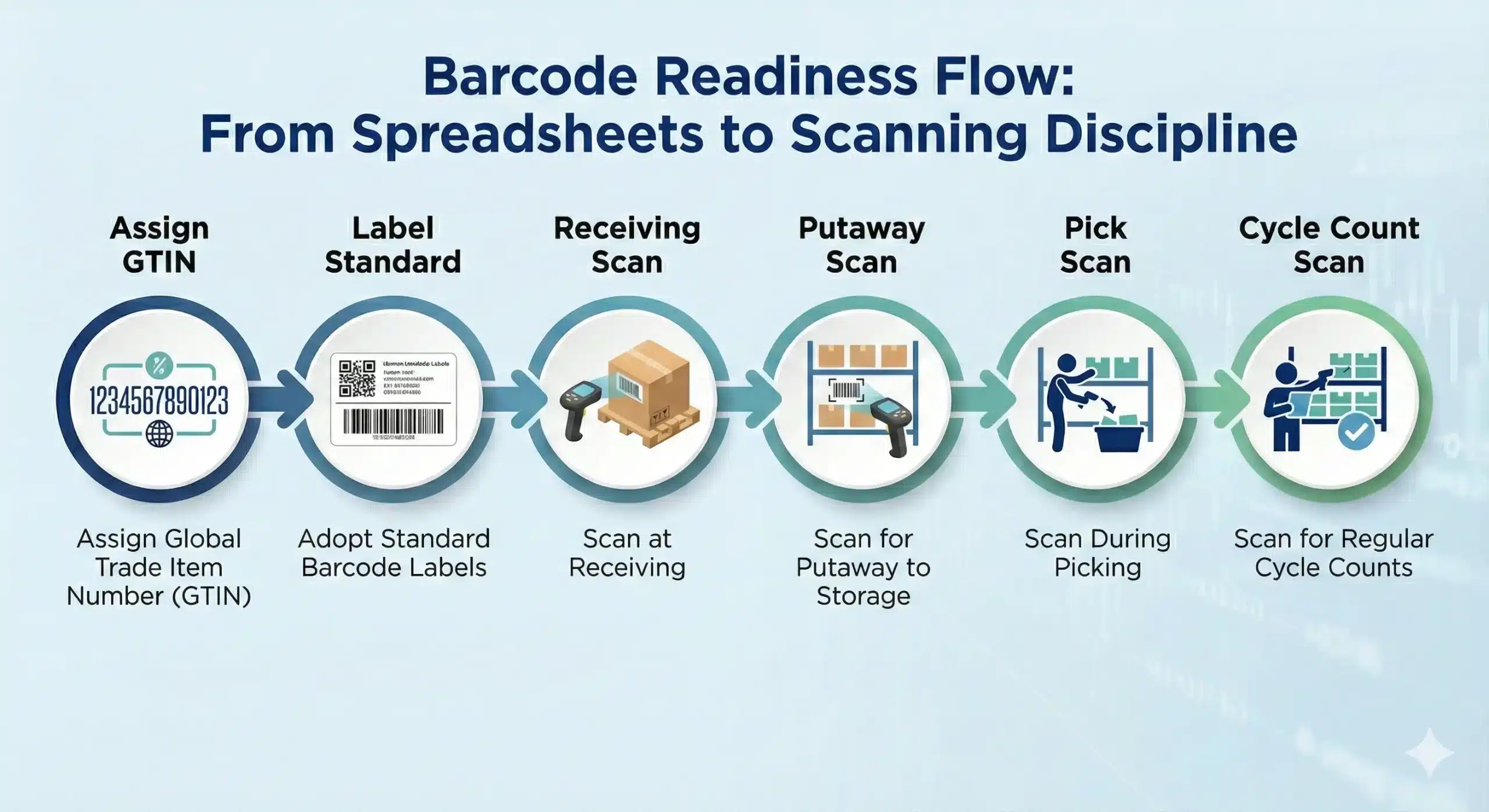
Start by mapping your operational reality: SKU count, daily order lines, number of locations, and how often you deal with variants, bundles, or custom work. High volume operations need fast workflows that reduce clicks, support barcode scanning, and enable streamlined inventory control so picking and dispatch can move without bottlenecks.
High-complexity operations require stricter rules, such as approvals, kitting/assembly, serial or lot tracking, and traceability, to ensure stock remains accurate even when processes vary. Choose software that addresses your primary pain point first, because a system that excels at speed often struggles with deep controls, and vice versa.
2. Australian compliance and finance alignment
Your inventory system must produce clean numbers that align with Australian GST treatment and support your finance team’s reporting needs for BAS preparation. Confirm it supports the valuation method your business uses and can generate an audit trail for adjustments, write-offs, and stock movements.
Look for accurate COGS and margin reporting at the channel, warehouse, or entity level so leaders can trust their decisions without manual reconciliation. If the system requires routine spreadsheet fixes to make reports “finance-ready,” it will waste time and lead to inconsistent reporting.
3. Multi-location and fulfilment reality
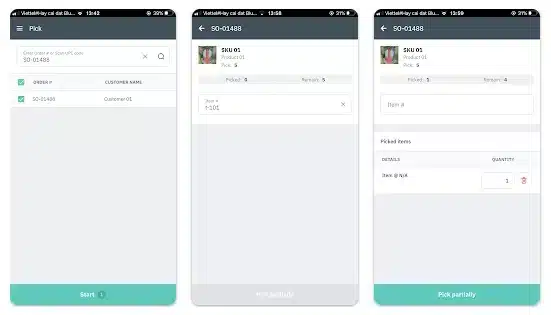
If you operate across multiple warehouses, stores, or states, you need real-time stock visibility by location and clear rules for transfers and allocations. Strong fulfilment requires structured steps such as pick, pack, ship, partial shipments, backorders, and returns, so the process stays consistent even when volume spikes.
Check whether the software supports your fulfilment model, including in-house dispatch, 3PL, click-and-collect, or a mix, without constant workarounds. The goal is to stop the common issue where sales sees availability that the warehouse cannot actually fulfil in time.
4. Supply chain depth and landed cost accuracy
For businesses that handle long lead times, the system must reliably track purchase orders, partial receipts, backorders, and supplier lead-time performance. Landed costs like freight, duty, and insurance should flow into item cost so your margins reflect reality rather than best guesses.
Replenishment tools should support reorder points, safety stock, and demand signals, especially when supplier timelines fluctuate across seasons. If landed costs and lead times live outside the system, your team will make purchasing decisions with incomplete data.
5. Ecosystem fit with your current stack
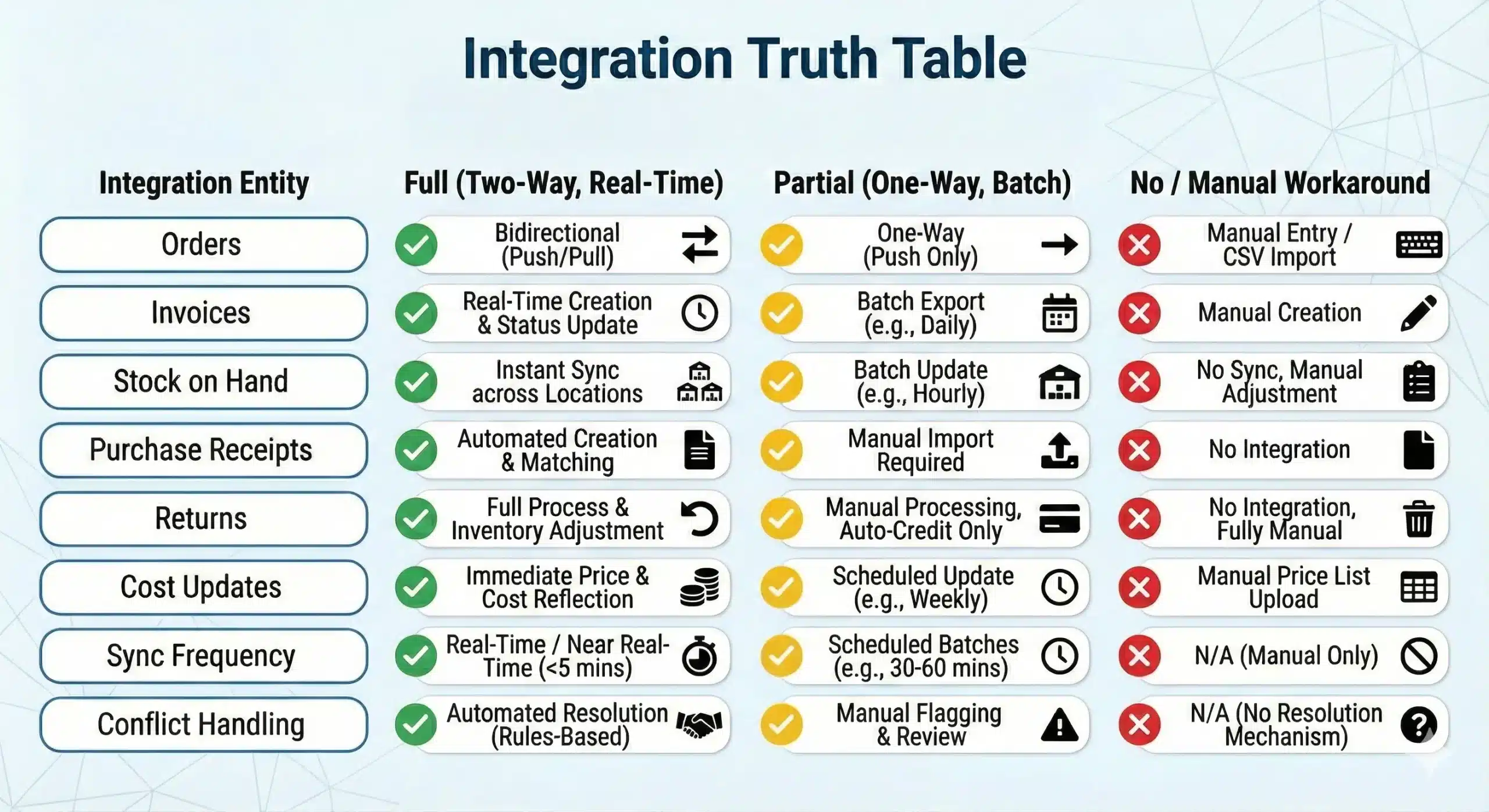
Make a list of the tools your team already relies on, such as accounting, ecommerce, POS, shipping, 3PL, CRM, and analytics, then treat integration quality as a core requirement. Ask what data syncs both ways, how often it syncs, and how conflicts are handled when two systems disagree.
Confirm that key workflows work end-to-end, including orders, invoicing, purchasing, receipts, stock adjustments, returns, and refunds, not just “basic” sync. Poor integration leads to manual exports and rework, where inventory accuracy quietly breaks down.
6. Total cost of ownership, not just subscription
The subscription cost is a single line item, so include implementation, migration, training time, support, and any paid connectors or add-ons your workflow actually needs. Estimate the internal cost of ownership by identifying who will maintain item masters, manage access controls, handle exceptions, and keep integrations healthy.
Factor in operational disruption during rollout, because even a good system can create short-term slowdowns if processes and roles are unclear. Software looks affordable until add-ons stack up and your team spends hours every week fixing avoidable exceptions.
7. Data quality, controls, and reporting you can trust
Inventory systems succeed or fail on data discipline, so you need strong permissions, approval flows, and audit logs for changes to stock, costs, and purchase records. Reporting must answer real questions quickly, such as stock ageing, sell-through, reorder coverage, stock accuracy, shrinkage, and profitability by channel or location.
Check whether dashboards and exports match how leaders actually review performance, so decision-making does not rely on manual report building. If the system cannot produce trusted reports consistently, people will rebuild their own spreadsheets and your single source of truth disappears.
Conclusion
Choosing the best inventory management software depends on how well the system fits operational workflows, not just the number of features it offers. The right platform should support accurate stock control, smoother purchasing, and clearer business decisions.
Each business has different priorities, whether it is multi-location visibility, manufacturing control, or simple day-to-day stock tracking. Comparing systems based on scalability, integrations, and usability helps ensure the software remains effective as operations grow.
Inventory software works best when it aligns with real business processes and can adapt over time. If you want help shortlisting options, request a free consultation with our team.
Frequently Asked Questions About Best Inventory Software
-
How much does inventory management software cost in Australia?
Prices range from free (Square, Zoho free tier) to $300+ AUD/month for mid-market tools like Cin7 or Unleashed. Enterprise ERP solutions like HashMicro are priced based on modules and users.
-
Why is an inventory management system important for Australian businesses?
It helps Australian businesses navigate unique challenges such as GST compliance, high logistics costs, and multi-location management across vast distances. The system ensures accurate BAS reporting and optimizes stock levels to free up working capital.
-
What is the difference between ERP and inventory software?
Inventory software focuses solely on stock. An ERP (Enterprise Resource Planning) system like HashMicro connects inventory with accounting, HR, CRM, and procurement in one unified system.
-
Why is real-time inventory tracking important?
Real-time tracking prevents overselling (selling stock you don’t have) and allows you to reduce holding costs by ordering only what you need, exactly when you need it.